

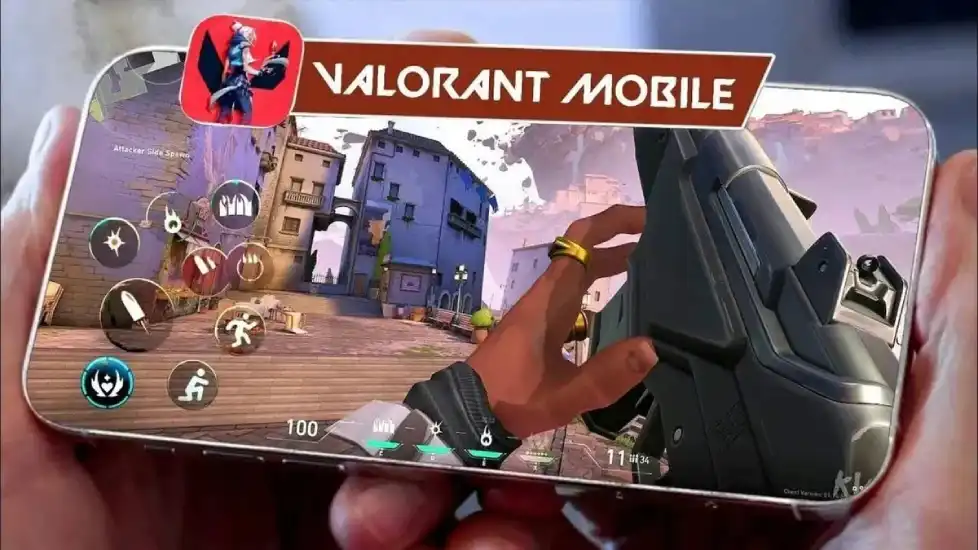
If you’re eager to dive into the Valorant Mobile Beta and experience Riot Games’ tactical shooter on the go, you’ve come to the right place. This guide will walk you through the how to get access to Valorant Mobile Beta, how to get Valorant Mobile Beta, and how to play Valorant Mobile Beta—all while breaking down language barriers and optimizing your gameplay with trusted tools like LagoFast Game Booster Mobile. Let’s jump in!
Part 1: Valorant Mobile Beta Test Details
Part 2: How To Get Access To Valorant Mobile Beta without Language Barrier
Part 3: Enhance Your Valorant Mobile CN Gaming Experience with LagoFast
Part 1: Valorant Mobile Beta Test Details
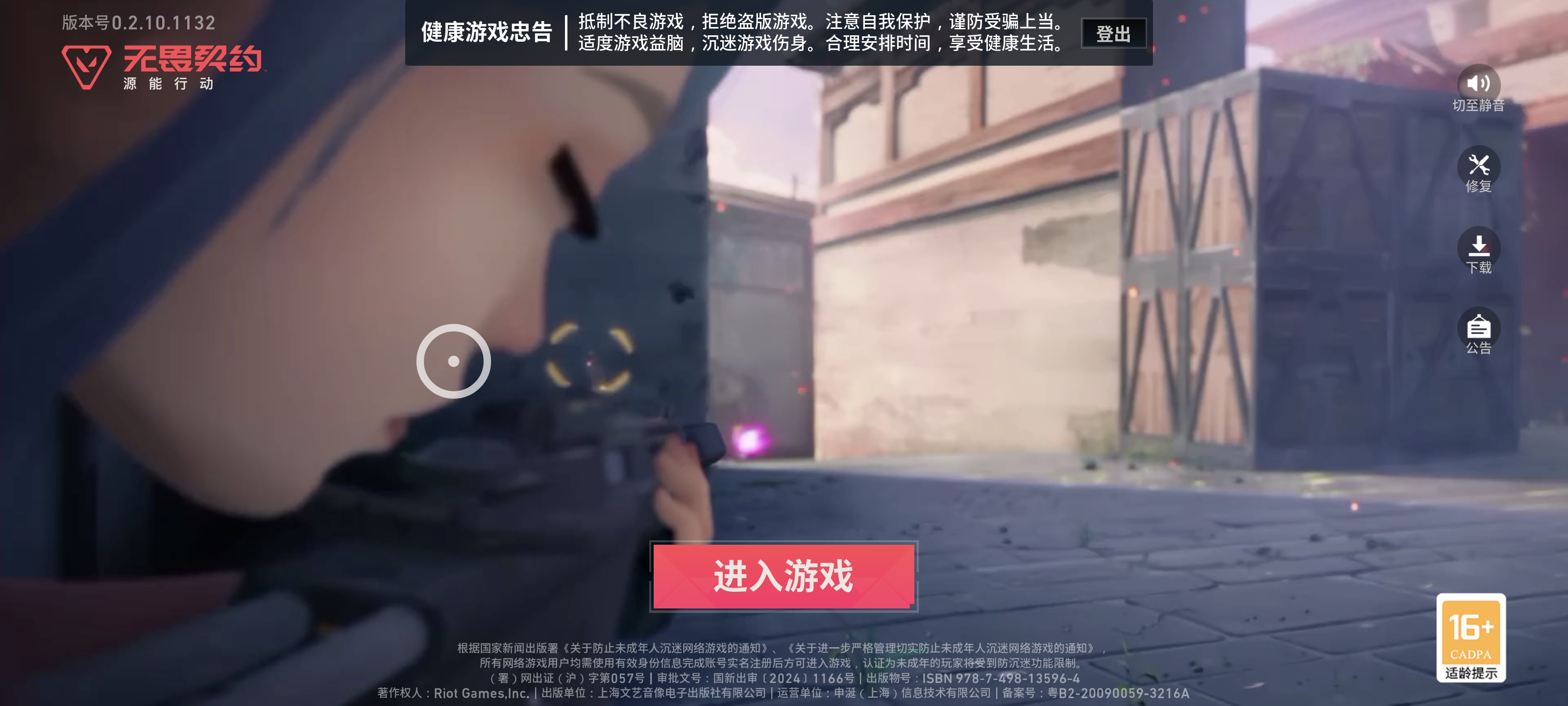
The Valorant Mobile Beta, codenamed Omega, kicked off on June 12, 2025, offering a limited-time opportunity to test the game’s mobile adaptation, Android only. This closed beta is currently focused on the Chinese market, featuring:
- Core gameplay: A faithful recreation of the PC version’s 5v5 tactical shooter mechanics, optimized for touchscreens with simplified controls, auto-aim, and customizable layouts .
- Characters & maps: 17 agents (including fan favorites like Sage and Jett) and classic maps like Bind and Haven, adapted for mobile.
- Key requirements: Android only. Minimum OS 6.0, 2GB RAM, and a mid-range processor (e.g., Snapdragon 625). For optimal performance, consider flagship devices like the OnePlus Ace 5 Ultra Edition, which supports advanced network stability and low-latency gameplay .
Part 2: How To Get Access To Valorant Mobile Beta without Language Barrier
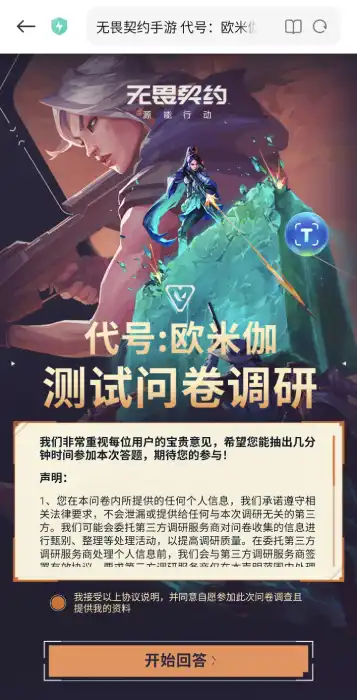
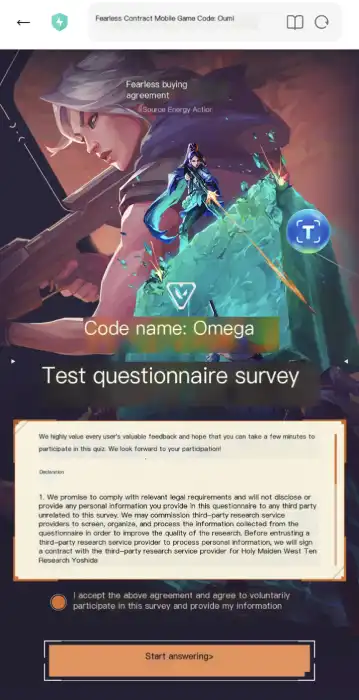
To obtain the Valorant Mobile Beta test qualification, you need to fill out a questionnaire, which involves a lot of Chinese content that needs to be understood, which is a big obstacle for global players. Don't worry, players can use LagoFast Game Booster Mobile's Translation Tool to translate the entire process of filling out the questionnaire.
Preparations:
1. Install WeChat or QQ, and create an account (non-Chinese number is accepted)
2. Use LagoFast to boost Valorant CN, then you are connected to China
3. Use LagoFast's translation tool to translate Chinese text throughout the process.
Pre-registration:
- Finish this survey: https://valm.qq.com/act/a20250425subscribe/survey.html?e_code=
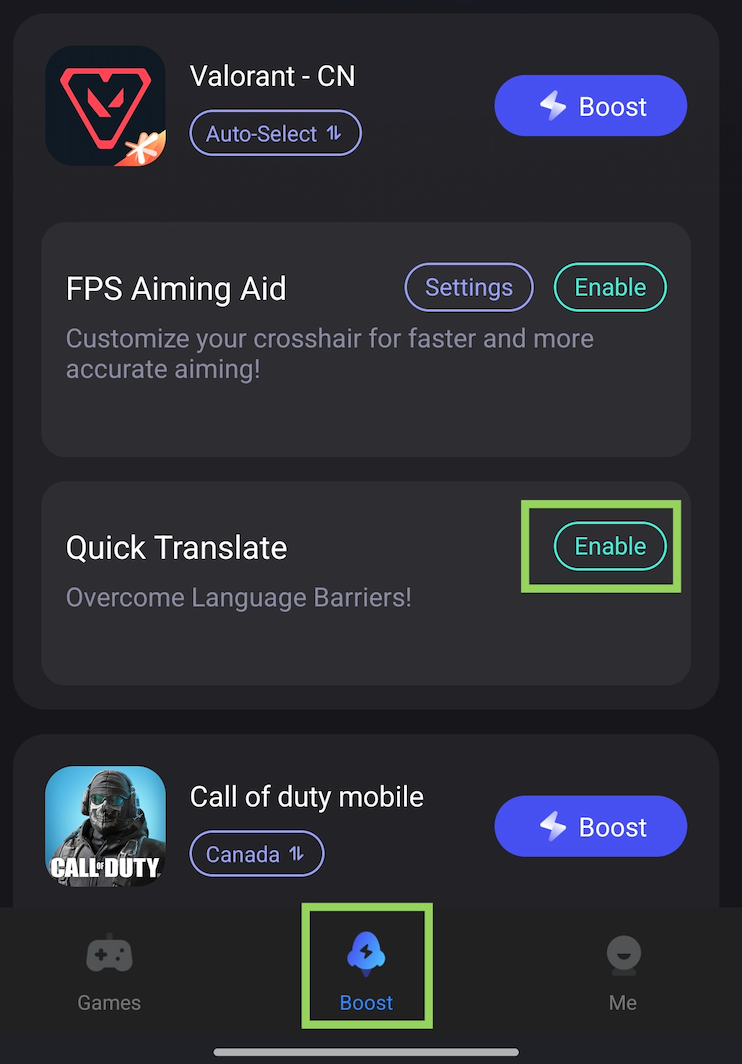
If you need help understanding Chinese, you can use the translation tool in LagoFast. You can find the translation tool below the Valorant CN game in the Boost tab once you've installed the game
Download LagoFast Mobile Booster APK file from its official website.

Before:
After:
Check Your Qualification:
1. Enter the website and log in to the Wechat or QQ account you used
https://valm.qq.com/act/a20250425subscribe/index.html?e_code=547409
2. Then use the translation tool to check if you get the test qualification.
Before:
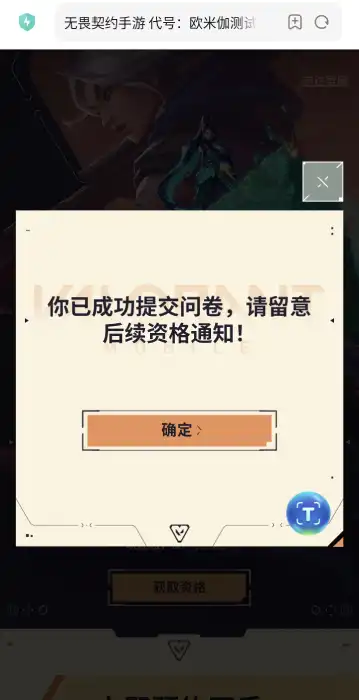
After:
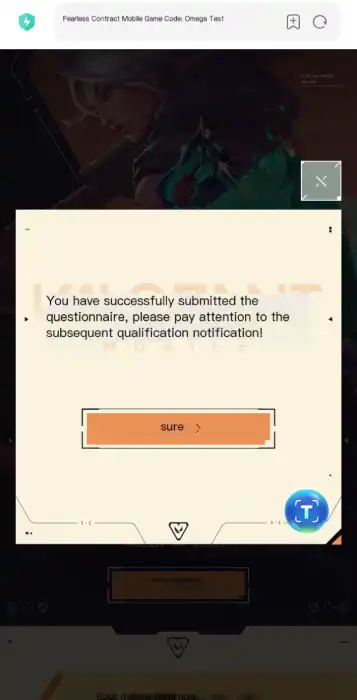
This guide will be updated as new access methods emerge. Bookmark for updates!
Part 3: Enhance Your Valorant Mobile CN Gaming Experience with LagoFast
Once you secure beta access, LagoFast becomes your all-in-one tool for a seamless experience:
1. Real-Time In-Game Translation
How it works: Activate LagoFast’s one-click translation feature while playing. It auto-translates critical in-game text—like agent skill descriptions, match notifications, and HUD elements—into your preferred language (e.g., English, Spanish, or Russian) .
Note: Set app language to your target language first!
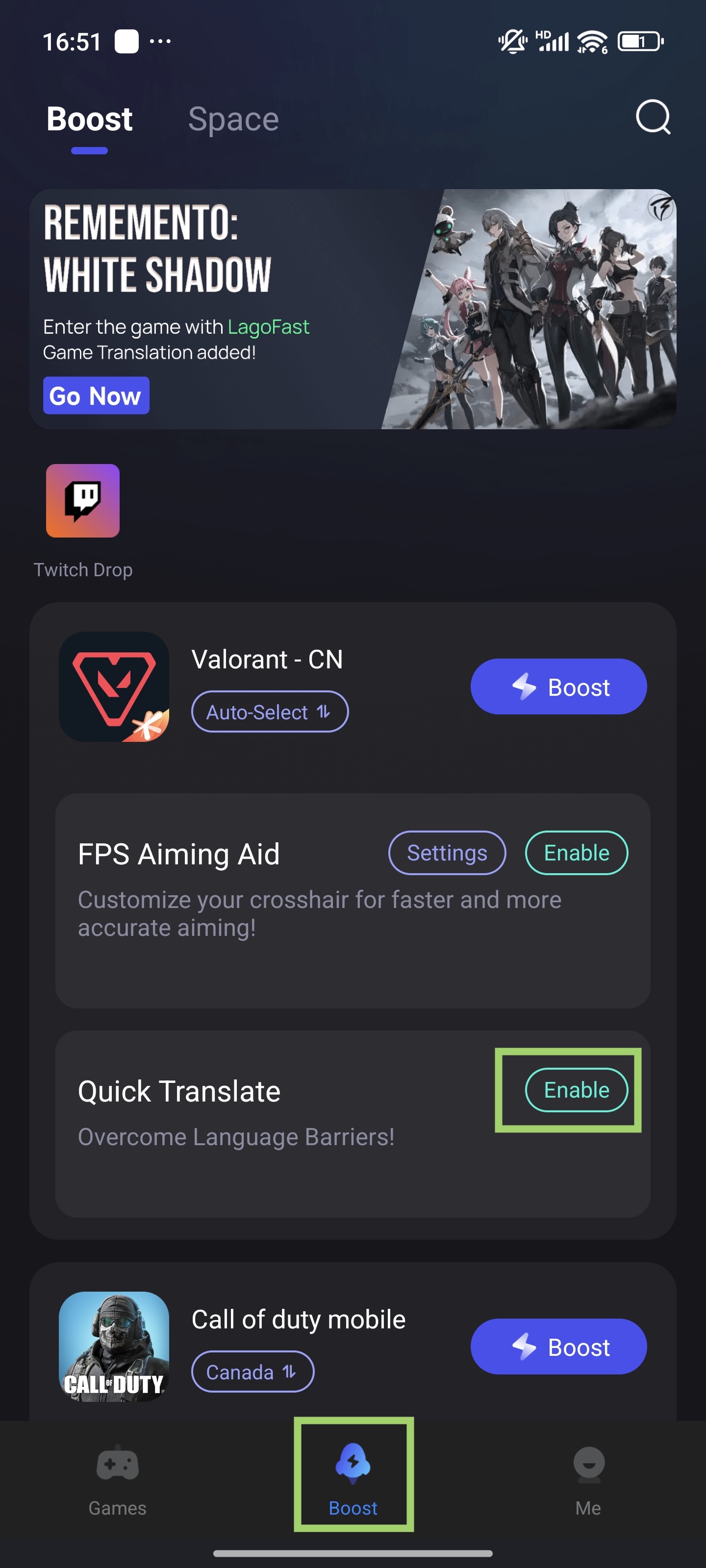
Setup Steps:
1. Enable Tool
- In the Boost tab, find "Valorant - CN" > tap "Quick Translate" > "Enable"
2. Set permissions
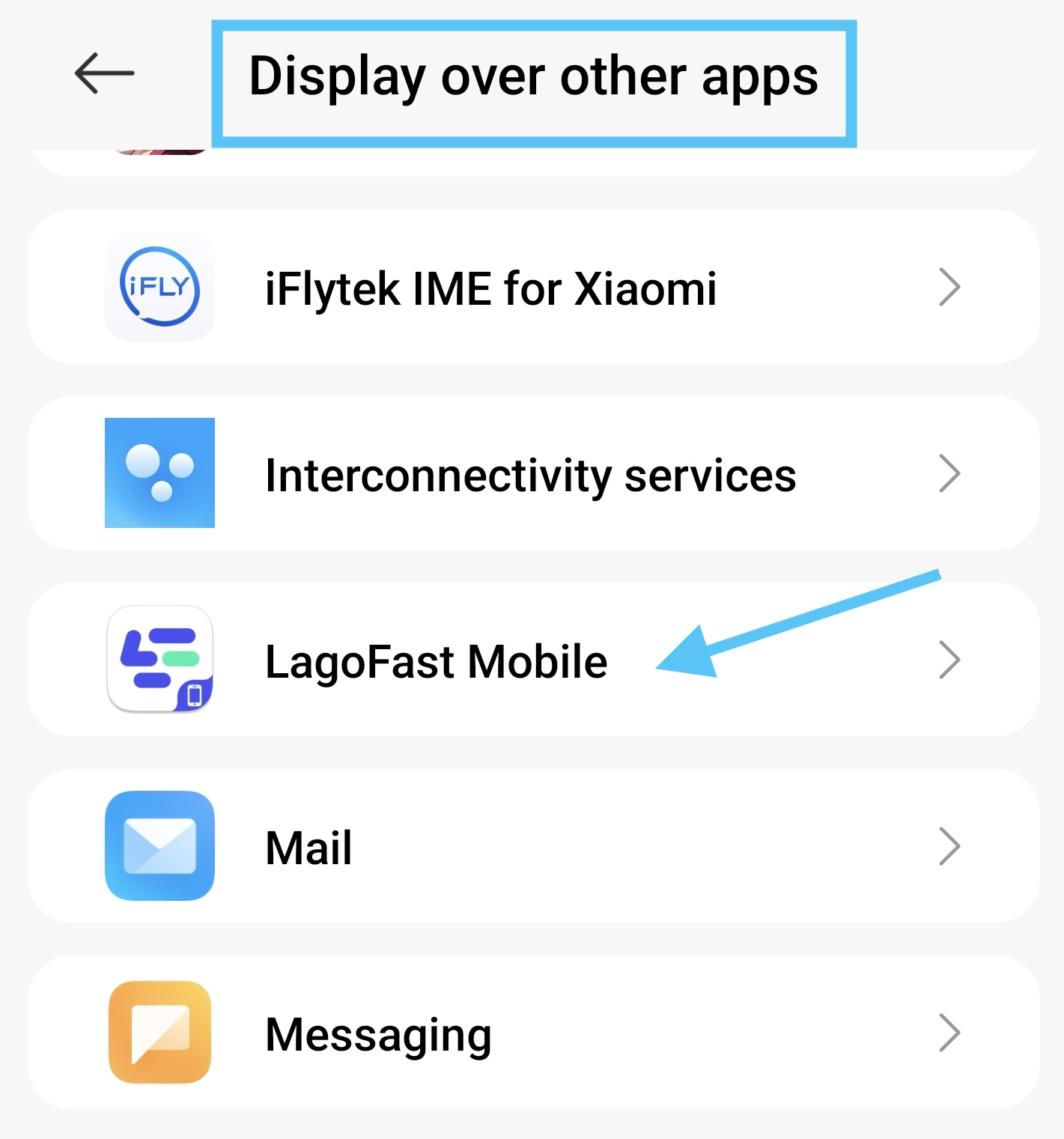
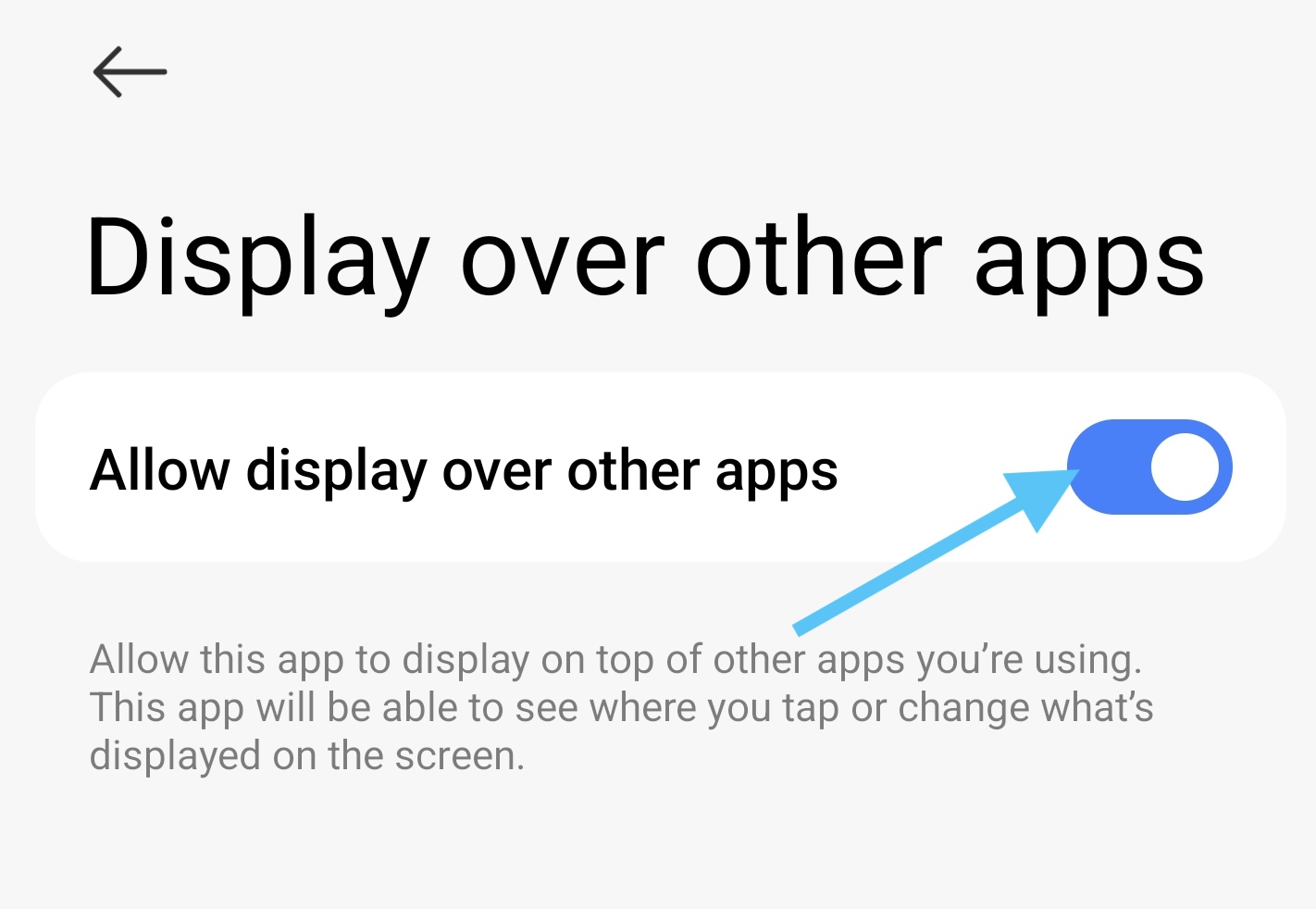
- Set popup window permission > Allow "Display over apps"
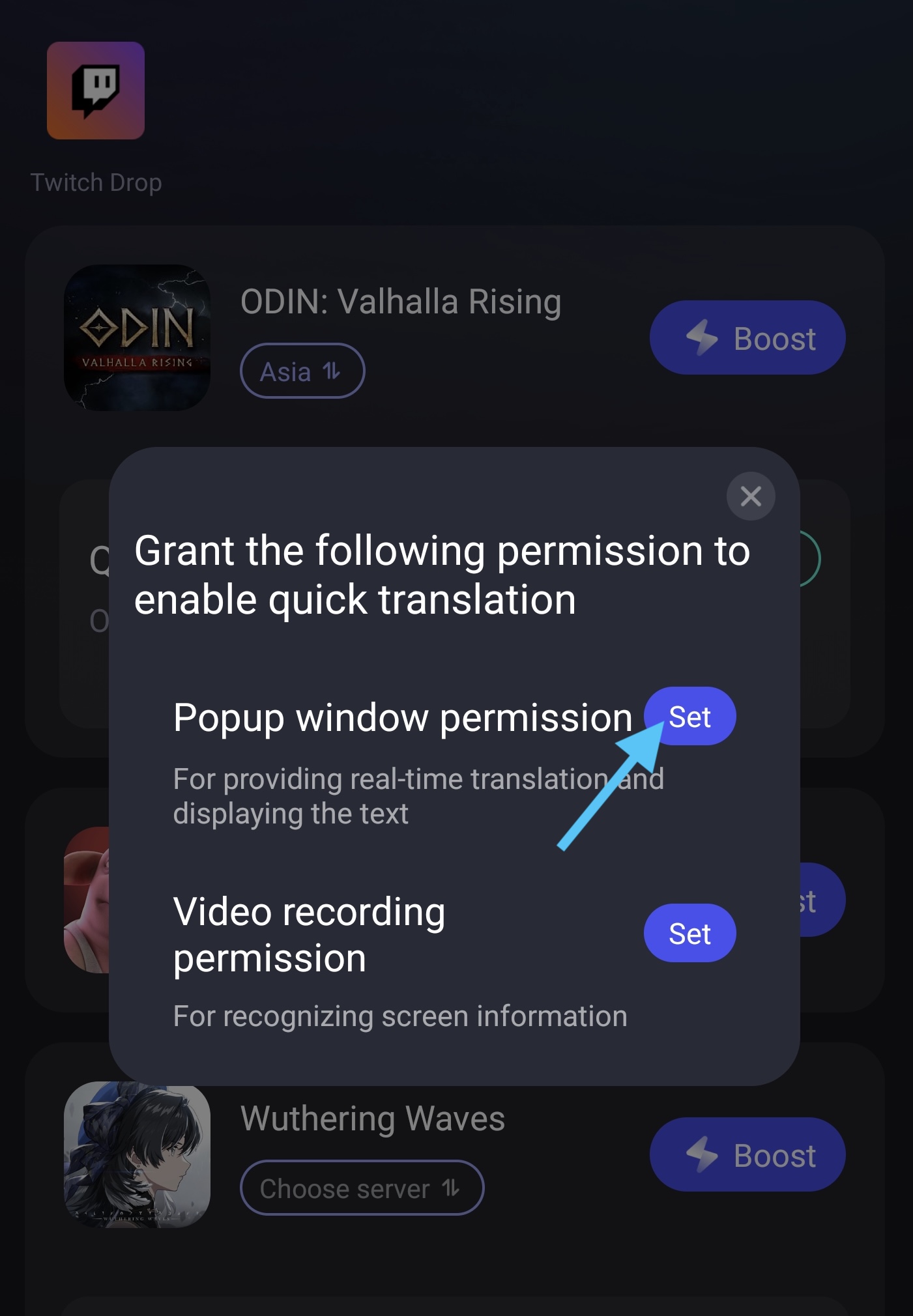
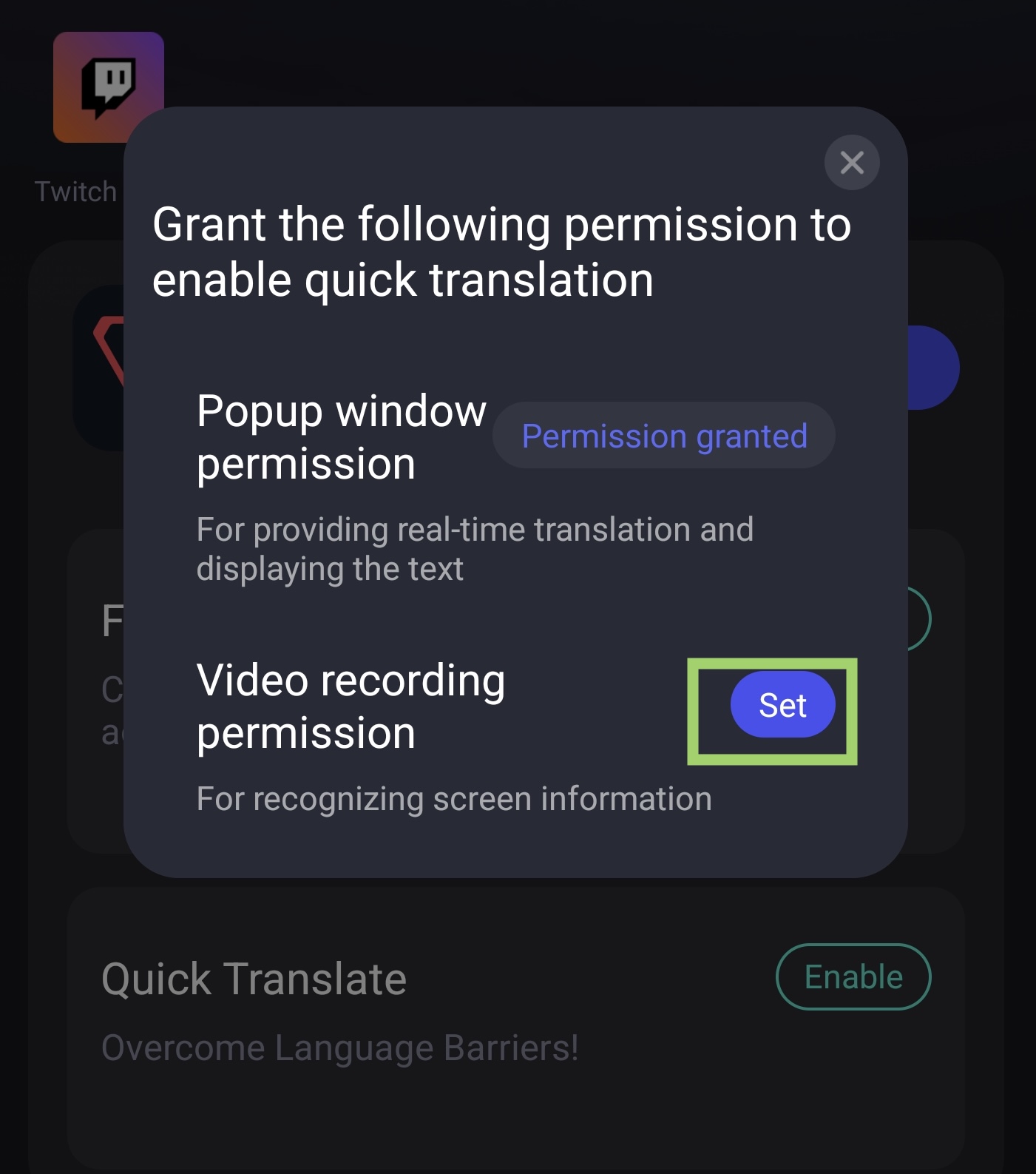
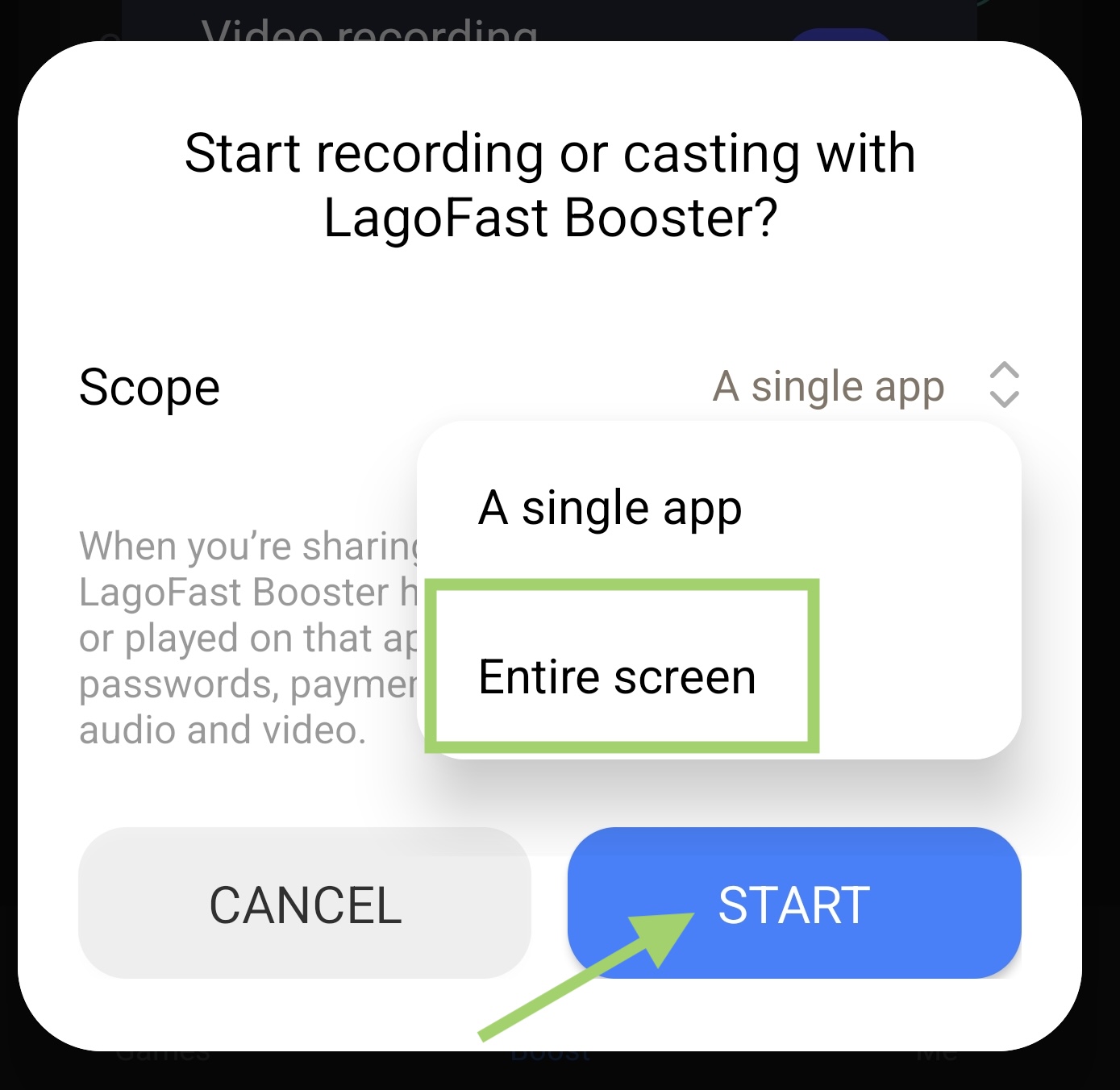
- Set Video Recording Permission
Tap set button, then select the whole screen, then start the translation tool
3. Translate In-Game
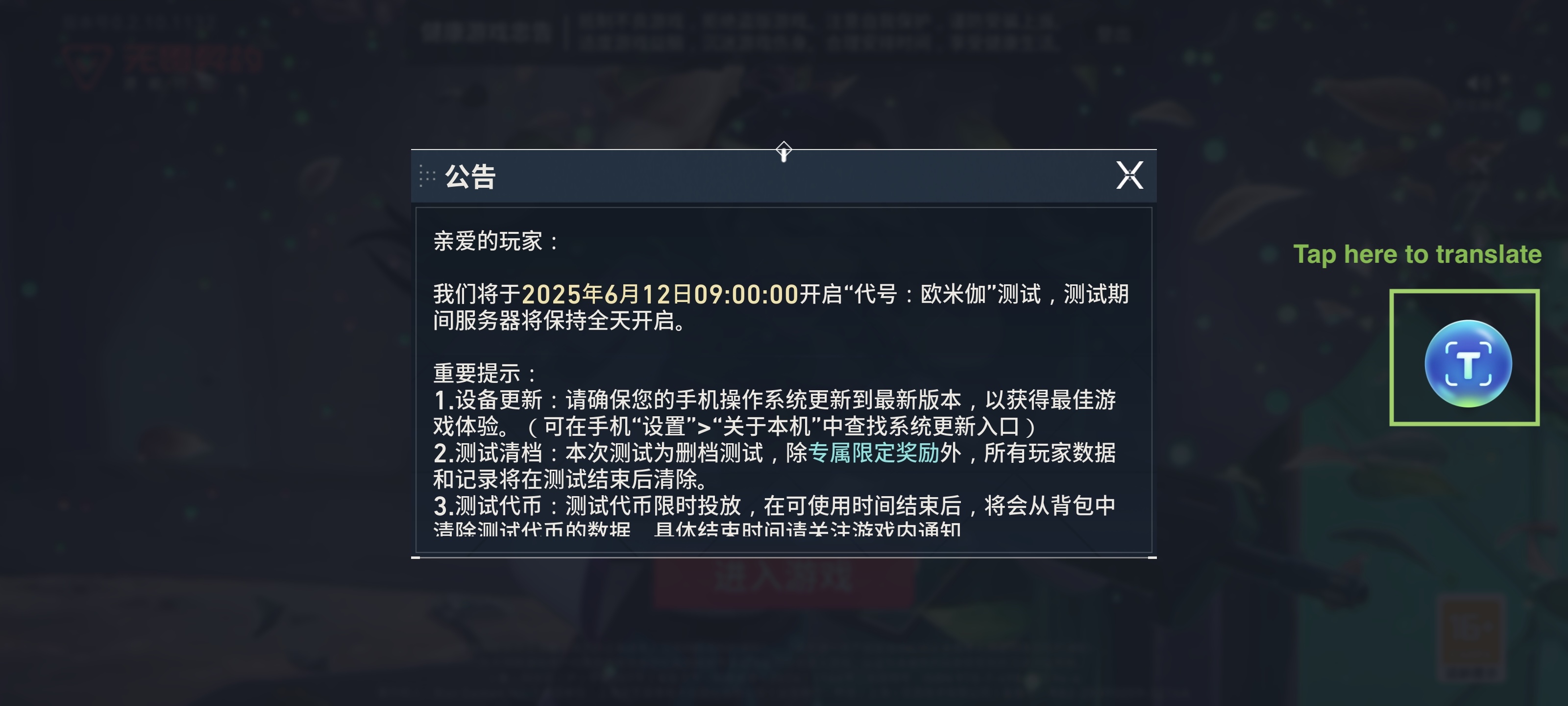
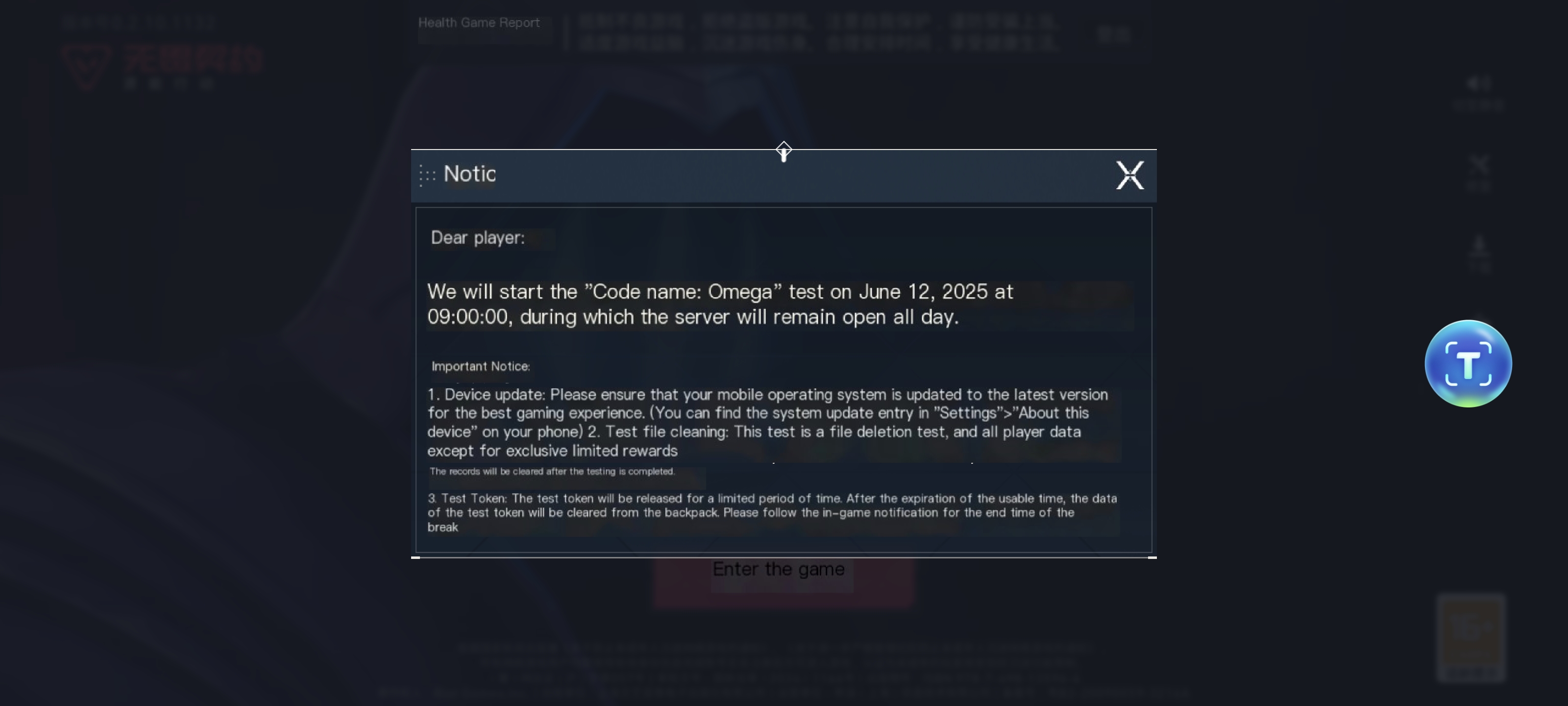
Enter Valorant CN game, use the translation tool to help you know the Chinese characters! Just tap the translation tool logo to turn it on
Original text:
English version:
2. Network Optimization & Low-Latency Gaming
Beyond translation, LagoFast solves common mobile gaming issues:
- Lower ping: Utilizes a global server network to reduce latency by up to 30–50%, minimizing lag spikes during firefights .
- Stable connections: Advanced protocols like Multipath Connection and Real-Time Server Switching ensure consistent gameplay, even on weak Wi-Fi or mobile data .
- FPS boost: Automatically optimizes your device’s CPU and GPU settings for smoother frame rates, ideal for fast-paced tactical battles .
- Multi-device support: Works on Android, iOS, PC, and consoles, so you can switch seamlessly between platforms .
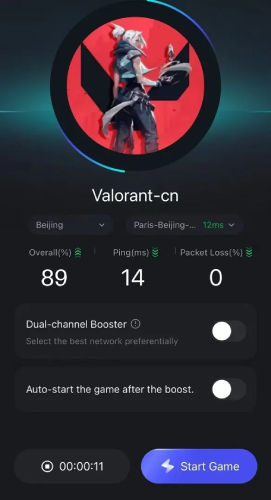
Step 1: Download LagoFast Mobile Booster APK file from its official website.
Step 2: Search Valorant Mobile and click the result.
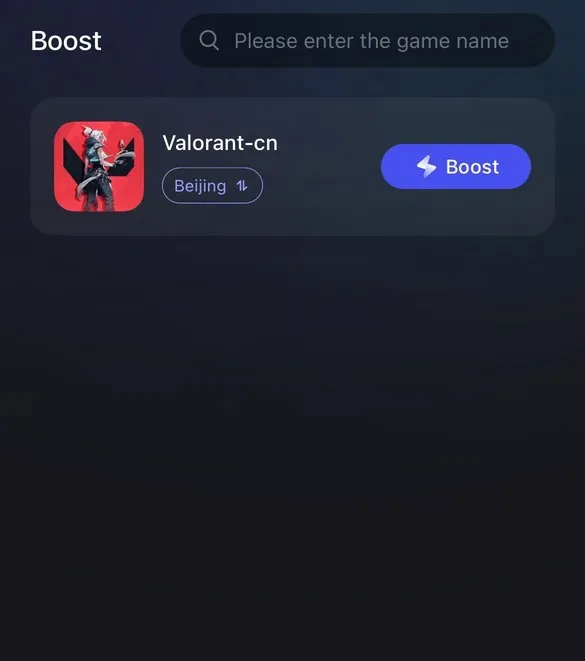
Step 3: Choose the server you need.
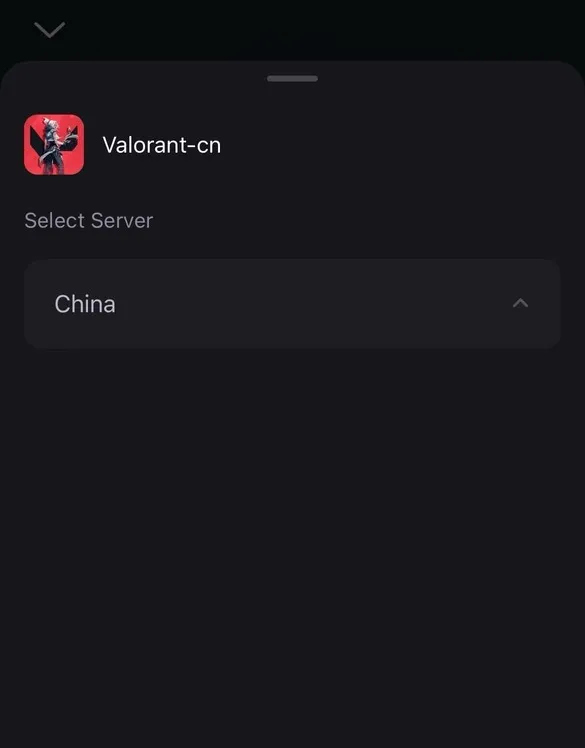
Step 4: Click boost, and it will show you real-time ping & packet loss rate.
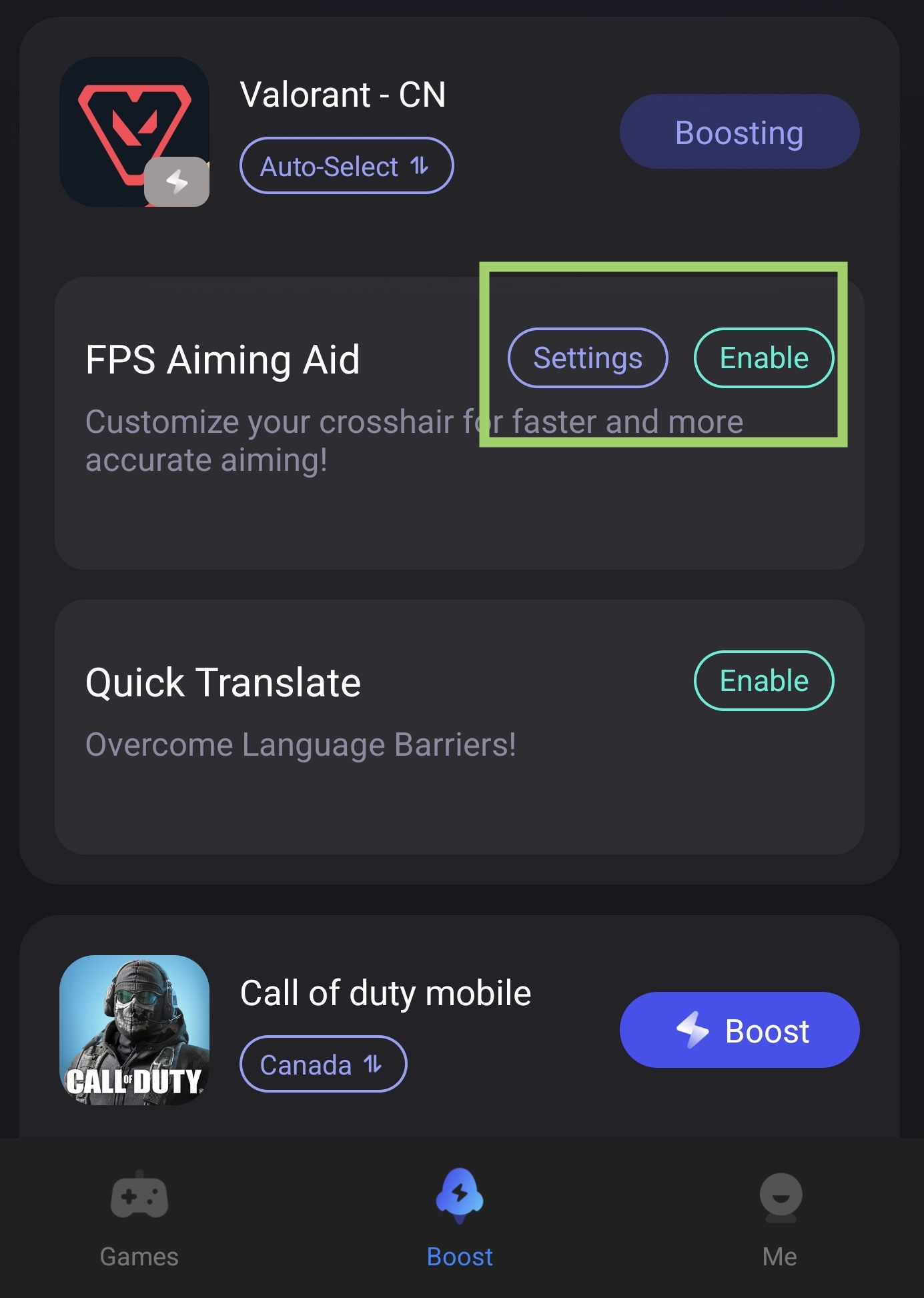
FPS Aiming Aid Tool
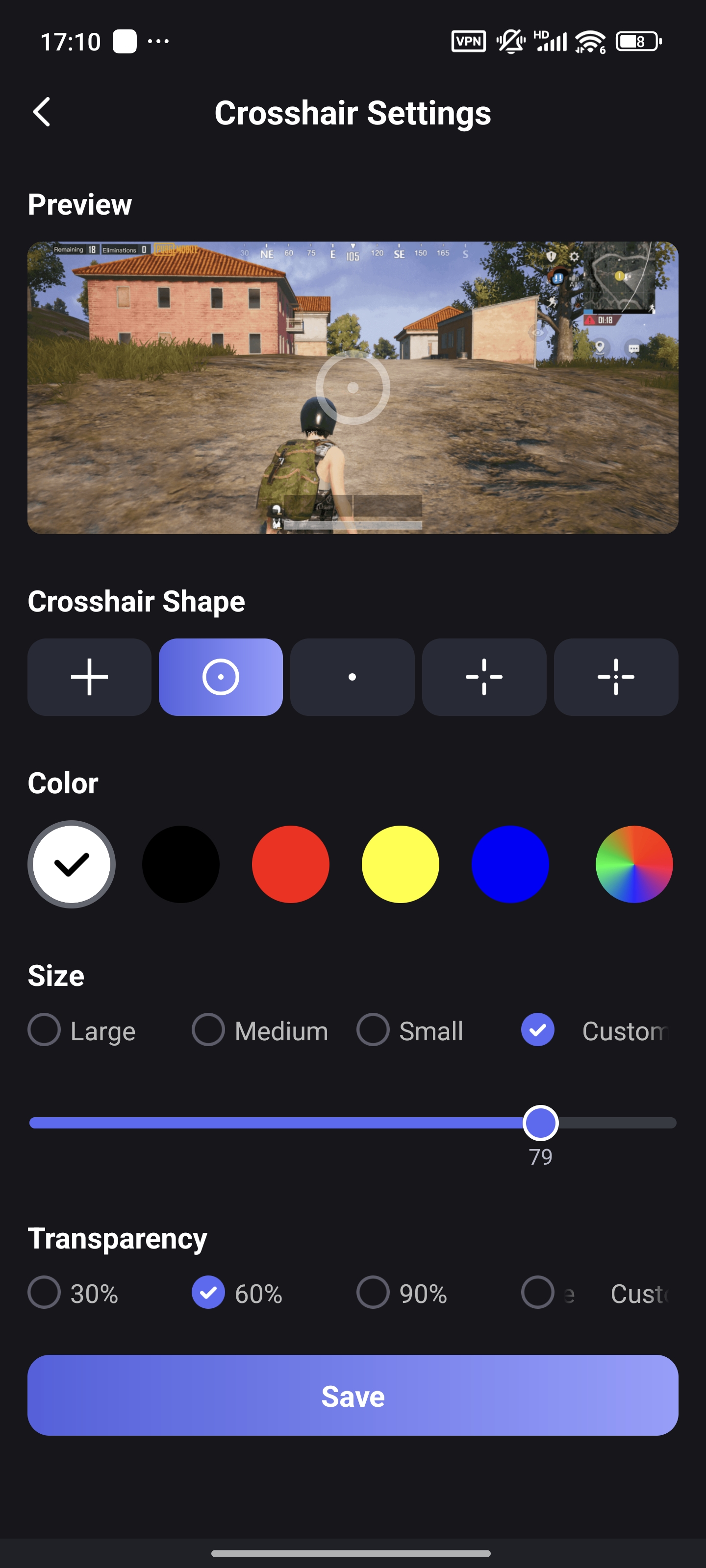
The Crosshair Tool in LagoFast allows users to change size, shape, color, and other aspects of their crosshair.
- In the Boost tab, find "FPS Aiming Aid" under Valorant CN. Tap enable to turn on the crosshair
- Tap Settings to customize the size and color of the crosshair
- You can drag the crosshair on your screen to adjust the position of it
Before:
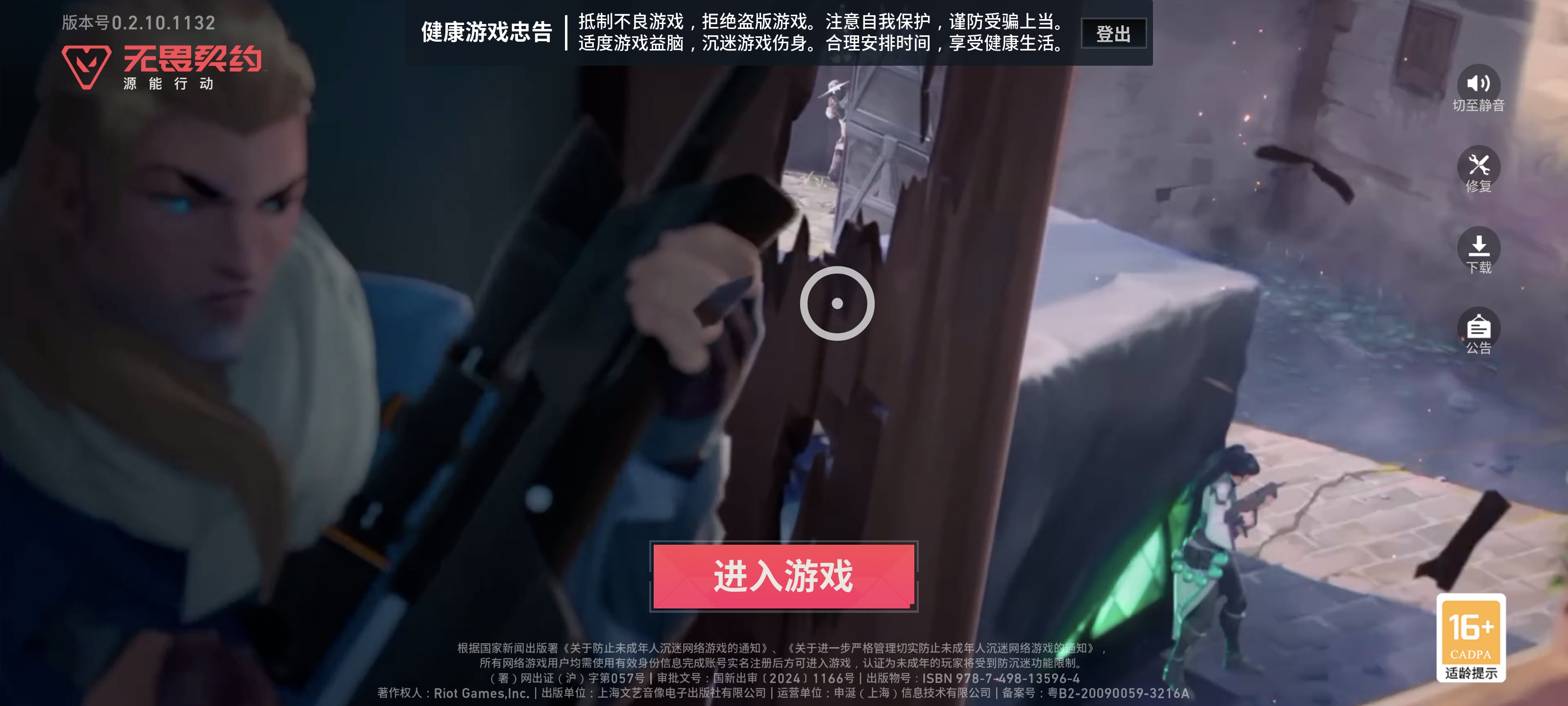
After:
Conclusion
Accessing the Valorant Mobile Beta requires navigating language barriers and technical hurdles, but with the right tools, it’s entirely achievable. By using LagoFast’s Translation Tool for surveys and gameplay, and leveraging its network optimization features, you’ll enjoy a smooth, immersive experience from registration to victory.

Boost Your Game with LagoFast for Epic Speed
Play harder, faster. LagoFast game booster eliminates stutter and lags on PC, mobile, or Mac—win every match!
Quickly Reduce Game Lag and Ping!
Boost FPS for Smoother Gameplay!