
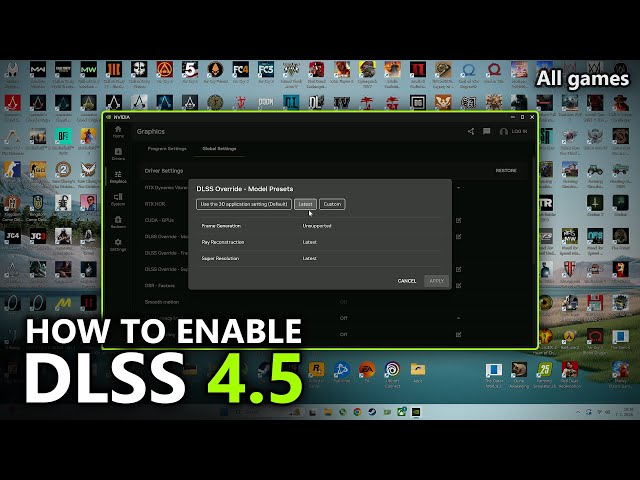
NVIDIA's DLSS 4.5 suddenly became popular in early 2026—not because games started supporting it, but because players realized that it could be forcibly enabled globally through the NVIDIA App and dramatically change how DLSS behaves in many games.
And opinions turned out to be completely opposite.
Some players claim that the difference in image quality is huge—cleaner motion, no ghosting, and excellent long-distance clarity. Others enabled it and immediately lost 10–20% FPS, especially on RTX 20 and 30 series graphics cards, and instantly turned it back off.
Both sides are right in their own way.
DLSS 4.5 is not a direct upgrade. It is a compromise. Better graphics, a heavier model, and completely different results depending on your graphics card and DLSS mode.
In this guide, we will put aside all the hype and explain in detail what DLSS 4.5 actually does, when it was released, where it works, should I enable DLSS 4.5, and how to choose the right DLSS option for your setup.

- ✅ Reduce Lag and High Ping.
- ✅ Boost FPS at the Same Time.
- ✅ Support 8000+ Popular Online Games.
- ✅ Stable connection and region switching
When Was DLSS 4.5 Released?
DLSS 4.5 Super Resolution appeared in January 2026 as part of a new GeForce Game Ready Driver and the new NVIDIA App (initially in beta, and later in the stable version).
The most important thing is that games did not need to be updated at all.
Instead of waiting for patches from developers, NVIDIA added the ability to replace the DLSS model directly in its app. If a game already supports DLSS Super Resolution, you can replace the model with DLSS 4.5 yourself—even in older titles.
That is why players were able to immediately test DLSS 4.5 games such as Cyberpunk 2077, Fortnite, Hogwarts Legacy, ARC Raiders, Black Myth: Wukong, and dozens of others—without a single update.
What Is DLSS in Games (And What Changed in DLSS 4.5)?
DLSS (Deep Learning Super Sampling) is NVIDIA's AI upscaling technology. Instead of rendering every pixel at full resolution, the game runs at a lower resolution, and DLSS uses an AI model to reconstruct a sharper final image.
DLSS 4.5 does not change the basic way DLSS works—it changes how the image is reconstructed. The upscaling model is newer and more advanced, so the graphics look better, but the system load is also higher.
The Main Update in DLSS 4.5
DLSS 4.5 introduces the second generation of the Transformer-based Super Resolution model, internally designated as presets M and L.
Compared with previous versions of DLSS:
- Significantly less ghosting and blurring
- Much more stable motion
- Cleaner particles, foliage, wires, and fine geometry
- Noticeably better long-distance clarity, especially in 4K
However, higher quality comes at a cost:
The DLSS 4.5 performance requirements are higher than DLSS 4.0.
This is exactly the trade-off that explains why different players have such different impressions.
DLSS 4.5 vs DLSS 4.0 – Which Is Better?
DLSS 4.0 is designed for performance. It uses a lighter Transformer model, provides a stable FPS boost, and works much better on RTX 20 and 30 series graphics cards. If your priority is a high frame rate, it is still the safer option for most players.
DLSS 4.5 focuses on image quality. The new second-generation model greatly reduces ghosting and flickering, makes motion smoother, and noticeably improves long-distance detail—especially in 4K. In many games, DLSS 4.5 in Performance mode looks roughly as good as DLSS 4.0 in Quality mode.
But there is a catch—performance. DLSS 4.5 is heavier, and on RTX 20 and 30 series graphics cards it can significantly reduce FPS due to the lack of FP8 support. RTX 40 and 50 series cards handle it much better—the performance drop is minimal and is often worth it.
What Should You Choose?
- Want more FPS or using an older graphics card → DLSS 4.0
- Want a cleaner image, play in 4K, and use a newer graphics card → DLSS 4.5
DLSS 4.5 is not a universal upgrade. It is a quality improvement that is best enabled when you are willing to sacrifice some performance for a better-looking image.
DLSS 4.5 Supported Games
DLSS 4.5 supported games are essentially games that already support DLSS Super Resolution.
You do not need a game to explicitly list “DLSS 4.5” in its patch notes.
In practice:
- If a game has a DLSS Quality / Balanced / Performance switch → you can forcibly enable DLSS 4.5 through the NVIDIA App
- If a game does not support DLSS at all, DLSS 4.5 cannot be enabled
According to NVIDIA, more than 400 games and applications are compatible with DLSS 4.5 Super Resolution through the override mode.
Players have already tested DLSS 4.5 in games such as:
- Cyberpunk 2077
- Fortnite
- Hogwarts Legacy
- ARC Raiders
- Black Myth: Wukong
- Marvel Rivals
- Kingdom Come Deliverance 2
- GTA V
- Horizon Forbidden West
- Diablo IV
- Call of Duty titles
There Are Exceptions:
- Games with Ray Reconstruction may use a different version of the DLSS DLL
- Some titles may show bugs, black screens, or interface problems when DLSS 4.5 is forcibly enabled
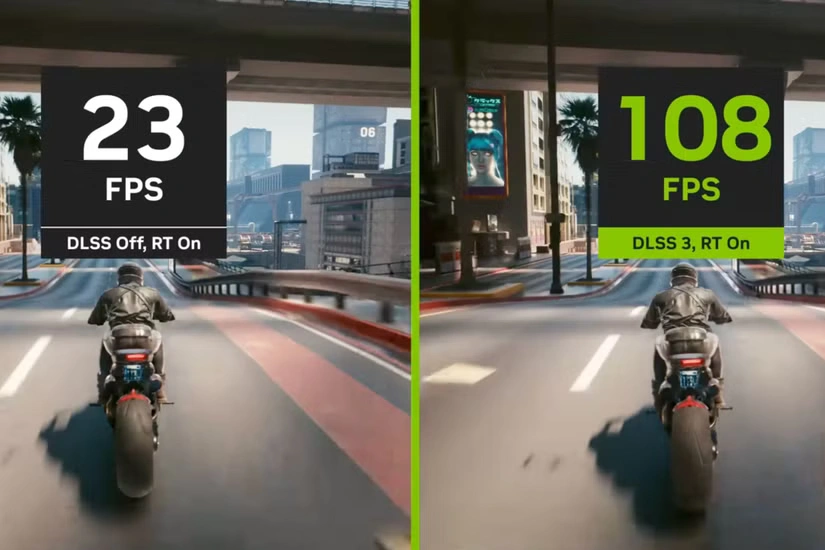
Should I Enable DLSS 4.5?
The short answer:
It depends on your graphics card generation, resolution, and selected DLSS mode.
DLSS 4.5 Is Usually Worth Enabling If:
- You play in 4K
- You use DLSS Performance or Ultra Performance
- You have an RTX 40 or RTX 50 series graphics card
- Image stability is more important to you than raw FPS
Many players report that:
- DLSS 4.5 in Performance mode looks as good as DLSS 4.0 in Quality mode
- Ultra Performance in 4K now looks surprisingly good
- Ghosting and flickering have almost disappeared in many games
DLSS 4.5 May NOT Be Worth Enabling If:
- You have an RTX 20 or RTX 30 series graphics card
- You mainly use DLSS in Quality or Balanced mode
- You are sensitive to FPS drops or input latency
- You play competitive shooters with high FPS and a high refresh rate
RTX 20/30 series graphics cards do not support hardware-accelerated FP8, which the DLSS 4.5 model relies heavily on. As a result, many users report 10–25% DLSS 4.5 FPS loss compared with DLSS 4.0—and sometimes even more.
How to Enable DLSS 4.5 in Games
DLSS 4.5 is enabled through the NVIDIA App—not through the old NVIDIA Control Panel.
Step by Step
Step 1: Install the latest GeForce Game Ready Driver
Step 2: Install or update the NVIDIA App
Step 3: Open NVIDIA App → Graphics tab
Step 4: Find the “DLSS Override – Model Presets” option
Step 5: Set it to Recommended (this automatically enables DLSS 4.5)
Step 6: Launch the game
Step 7: Select DLSS normally in the game (Quality / Balanced / Performance)
You do not need to manually select lettered presets (K, M, L).
The “Recommended” setting automatically applies:
- Preset K for DLAA / Quality / Balanced
- Preset M for Performance
- Preset L for Ultra Performance
You can check which model is active through the NVIDIA overlay (DLSS stats).
The Best DLSS Booster — LagoFast
Although DLSS itself is an impressive technology, its capabilities become even more powerful when used together with optimization tools such as LagoFast —one of the best DLSS boosters designed to improve gaming performance.
LagoFast works alongside DLSS to:
- Reduce latency
- Improve connection stability
- Increase FPS in many games
How to Boost DLSS with LagoFast?
Step 1: Click the button below to try LagoFast for free
Step 2: Find the game you want to play using the search bar
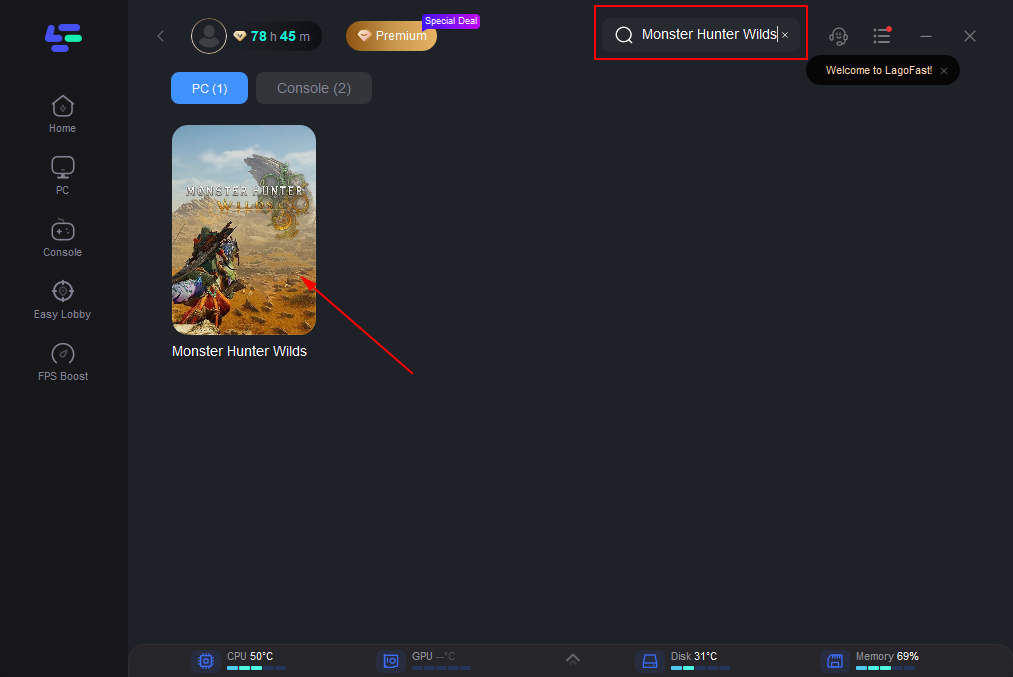
Step 3: Click the DLSS option under Game Tool to activate the boost
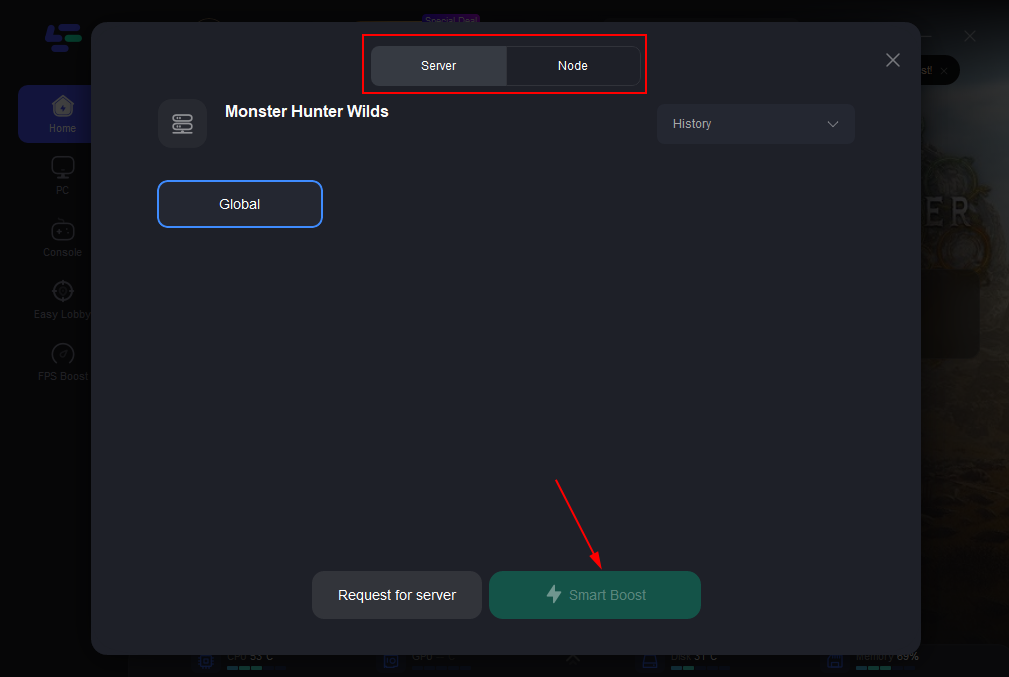
Games That Get a Boost from the DLSS Booster in LagoFast:
- GTA 5 Enhanced
- Monster Hunter Wilds
- Blade and Soul Neo Taiwan
- War Thunder
- Cyberpunk 2077
- Pal World
- Black Myth: Wukong
- Assassin's Creed Shadows
- Overwatch 2
- Marvel Rivals
- Legend of Ymir
- Inzoi
- Naraka: Bladepoint
- Mistfall Hunter
- Wildgate
- Warframe
- Tom Clancy's Rainbow Six Siege
- Monster Hunter World
- Kingdom Come: Deliverance II
With the DLSS booster from LagoFast, these games run much more smoothly: less lag and higher FPS—even in the most demanding areas.
LagoFast optimizes the network connection, reduces routing load, and ensures that DLSS delivers maximum quality without crashes or disconnections.
Whether it is an open world or fast-paced PvP, LagoFast unlocks the full potential of DLSS.
Which DLSS Version Should You Choose?
This is where most players get confused.
RTX 50 Series
- DLSS 4.5 works best here
- Performance loss is minimal (often only 2–5%)
- Best option: Recommended + Performance (in 4K)
- Ultra Performance is finally genuinely playable even with heavy ray tracing
RTX 40 Series
- DLSS 4.5 is generally worth trying
- FPS loss depends on the specific game
- Best results—in 4K using Performance
- Results in Quality / Balanced modes are variable
RTX 30 / 20 Series
- DLSS 4.5 is a risky choice
- Performance loss may outweigh the improvements
- Many players prefer to stay on DLSS 4.0 (Preset K)
- If you want to try DLSS 4.5, do not enable it globally; test it separately for each game
A Practical Rule Players Have Found:
If DLSS 4.5 looks better—
lower the DLSS level by one step:
- Quality → Balanced
- Balanced → Performance
This way, you can recover FPS while maintaining comparable or even better image quality.
This is where DLSS 4.5 Quality vs Performance becomes especially interesting.
Conclusion
DLSS 4.5 is not a free upgrade.
You are trading FPS for a cleaner and more stable image.
- In 4K and on newer GPUs, it genuinely feels like an upgrade
- On older cards or at 1440p, it may simply result in FPS loss
If you use DLSS 4.5 correctly, you can lower the DLSS level and still not lose image quality.
If you enable it blindly, it can simply “kill” performance.
Test it separately in every game—do not assume that global activation will work for everyone.
Boost Your Game with LagoFast for Epic Speed
Play harder, faster. LagoFast game booster eliminates stutter and lags on PC, mobile, or Mac—win every match!
Quickly Reduce Game Lag and Ping!
Boost FPS for Smoother Gameplay!