
If you’re eager to jump into the new open‑world MMO Sword of Justice, this guide will walk you through how to download & play Sword of Justice global on PC and mobile. We’ll cover the release date, platforms, step‑by-step download instructions for both PC and mobile, how to boost your download and gameplay experience with LagoFast Game Booster, and some FAQs to get you started smoothly.

- ✅ Reduce Lag and High Ping.
✅ Boost FPS at the Same Time.
✅ Support 2000+ Popular Online Games.
✅ Change Server without Latency.
✅ Boost Game Loading Speed.
Part 1. Sword of Justice Global Release Date and Platforms
Part 2. How to Download Sword of Justice on PC
Part 3. How to Download Sword of Justice on Mobile
Part 4. Enhance Your Download Process and Gaming Experience with LagoFast
Part 1. Sword of Justice Global Release Date and Platforms
The global launch date for Sword of Justice is November 7, 2025, on both PC (Steam and standalone client) and mobile (iOS & Android).
Here are the server open‑times:
- KR/JP Server: 09:30 BJT on Nov 7.
- SEA Server: 11:30 BJT on Nov 7.
- EU Server: 17:30 BJT on Nov 7.
- US Server: 23:30 BJT on Nov 7.

For mobile (by region):
|
Region |
Local Time (Nov 7, 2025) |
|---|---|
|
Thailand / Vietnam |
10:30 AM (UTC+7) |
|
Indonesia |
10:30–12:30 (depending on region) |
|
Germany / France |
10:30 AM (CET, UTC+1) |
|
Middle East |
12:30 PM (UTC+3) |
|
US Eastern |
10:30 AM (EST) |
|
US Central |
09:30 AM (CST) |
|
US Mountain |
08:30 AM (MST) |
|
US Pacific |
07:30 AM (PST) |
This means when you ask how to download & play Sword of Justice, be sure you’re picking the correct regional server for your play‑style and region.
Related Article: Sword of Justice Release Date: Global Launch for PC & Mobile
Part 2. How to Download Sword of Justice on PC
There are two main platforms on PC: Steam and the official website client.
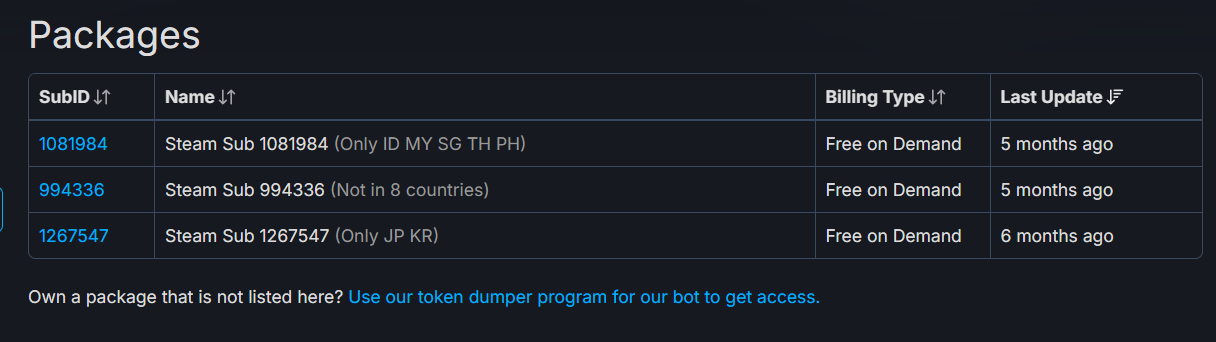
Steam download
- Launch Steam, search for “Sword of Justice”.
- It’s listed as free‑to‑play.
- Note: On Steam the game may list “Nov 5, 2025” as release date (US/EST region) but officially global launch is Nov 7.
- Choose the region‑server you intend to play on (international/global, SEA, JP/KR etc). If you switch region after installation you may need to uninstall & reinstall or switch region in Steam.
Official website client (standalone)
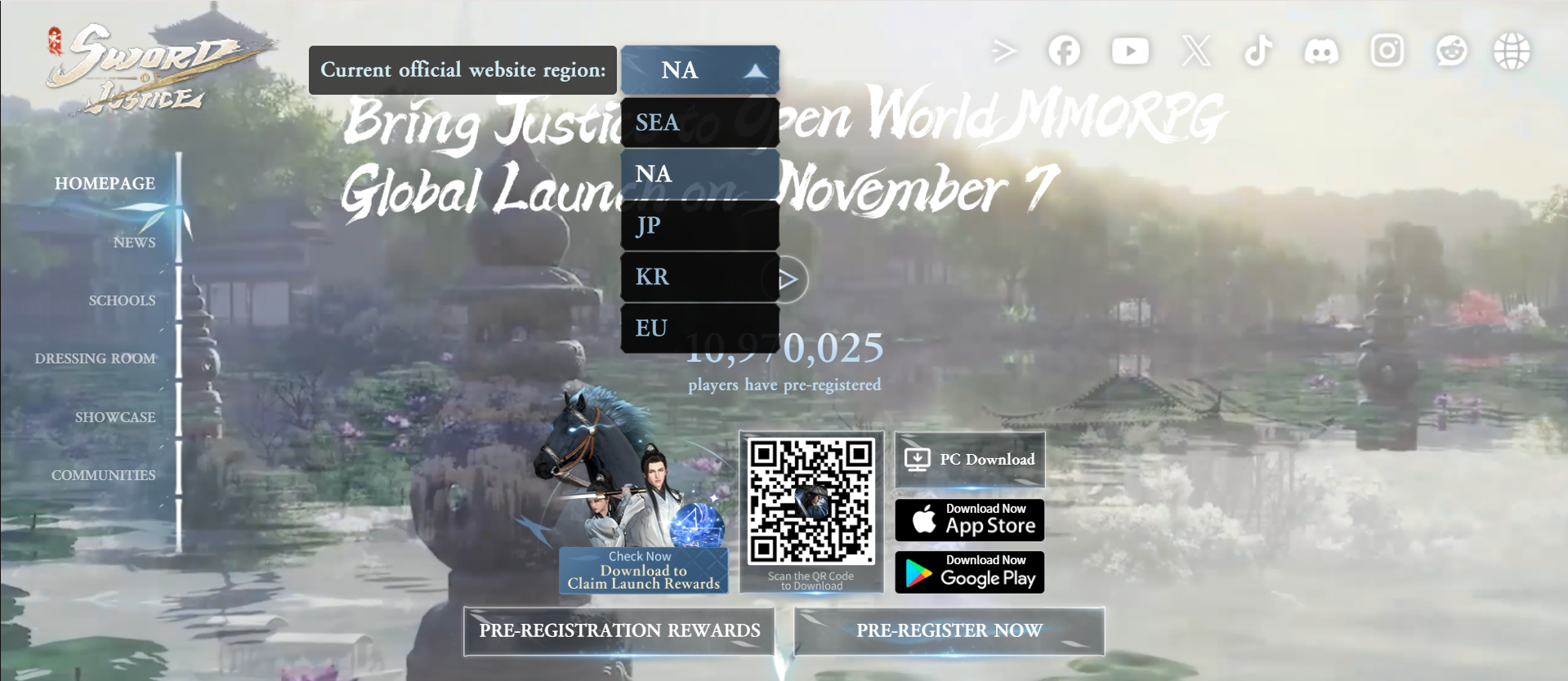
- Visit the official site of Sword of Justice and choose “Download”.
- You’ll find separate clients for 5 regions: SEA, NA, JP, KR, EU.
- Important: If you want to play on a specific server, you must switch to the desired region on the official website before downloading. For example, if you download the SEA client, you won’t be able to switch to the NA server within the game.
- After installation, launch the client, select your server region, create your account/character and you’re good to go.
Tips for PC download & play:
- Make sure your PC meets the system requirements (for example minimum 8 GB RAM, Windows 10 64‑bit, about 55 GB storage).
- If you’re located far from the server region you chose, you may experience higher latency; consider region where you’ll have best ping.
- Pre‑download may be available a few days before Nov 7 — check the official site for pre‑load announcements.
Part 3. How to Download Sword of Justice on Mobile
- For iOS: Go to Apple App Store, search “Sword of Justice”. The global version is listed following the official announcement.
- For Android: Go to Google Play, search “Sword of Justice”. Ensure you select the correct regional region if they release separate clients.
After download, install, launch, select server region corresponding to your desired region (SEA, NA, EU, JP/KR) and create your account.
One cross‑platform advantage: PC & mobile share account sync (so you can switch between devices).
Make sure your mobile device meets the requirements and has sufficient storage (the initial download may be large, plus patches).
If you’re located in a region whose Play Store listing is delayed, you may need to wait or use a store region workaround (but be aware of terms of use).
How to Download and Play Sword of Justice on Mobile in Russia and Vietnam
In Russia, the game is not officially available on the App Store or Google Play. However, LagoFast Mobile supports downloading the APK versions for both Russia and Vietnam, allowing you to install and play Sword of Justice even in regions where the official store listing is restricted.
Visit LagoFast Mobile official website and download APK file.
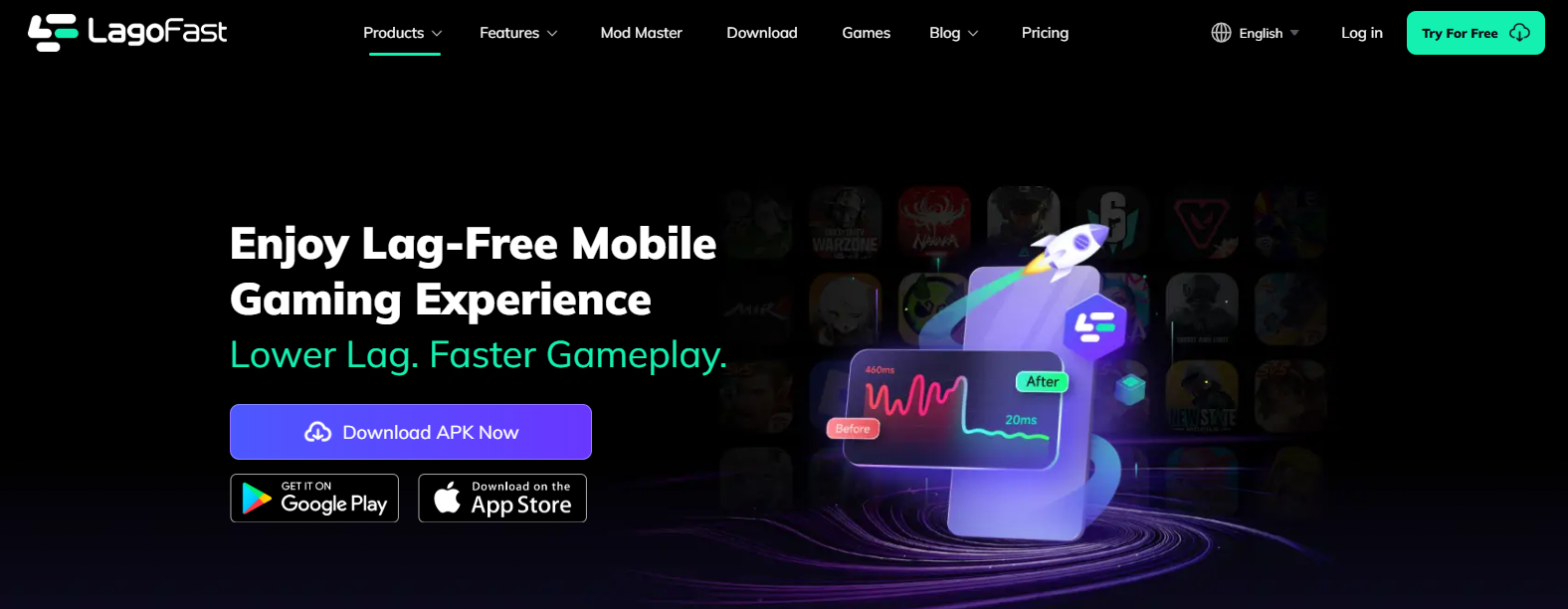
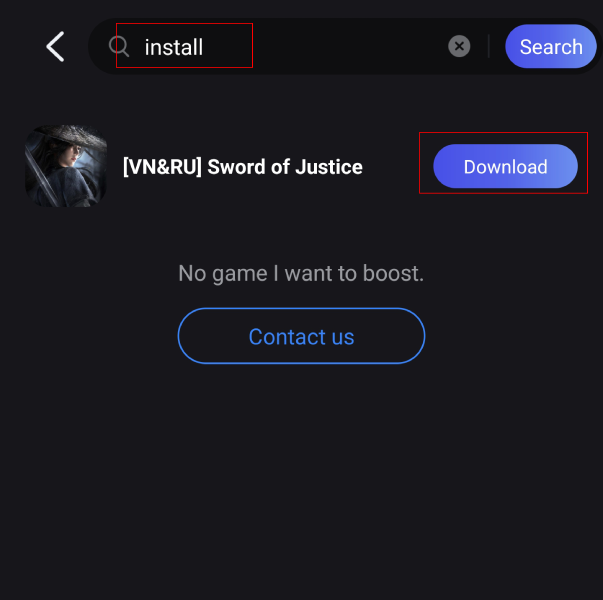
After installation, search for "install" in LagoFast's search bar. Click download.
Part 4. Enhance Your Download Process and Gaming Experience with LagoFast
To make your experience smoother when you download & play Sword of Justice, consider using LagoFast Game Booster. LagoFast is a service that works on PC, mobile, console to reduce lag, packet‑loss, improve connection stability.
Why this helps:
- If you chose a server far away (for example EU or US) but you are physically in Asia or another region, your latency may be higher; a booster like LagoFast helps mitigate this.
- It also assists during large downloads / patches (less chance of interruption).
- Results may vary based on local network and ISP routing.
How to use it effectively with Sword of Justice:
Step 1: Download and launch LagoFast.
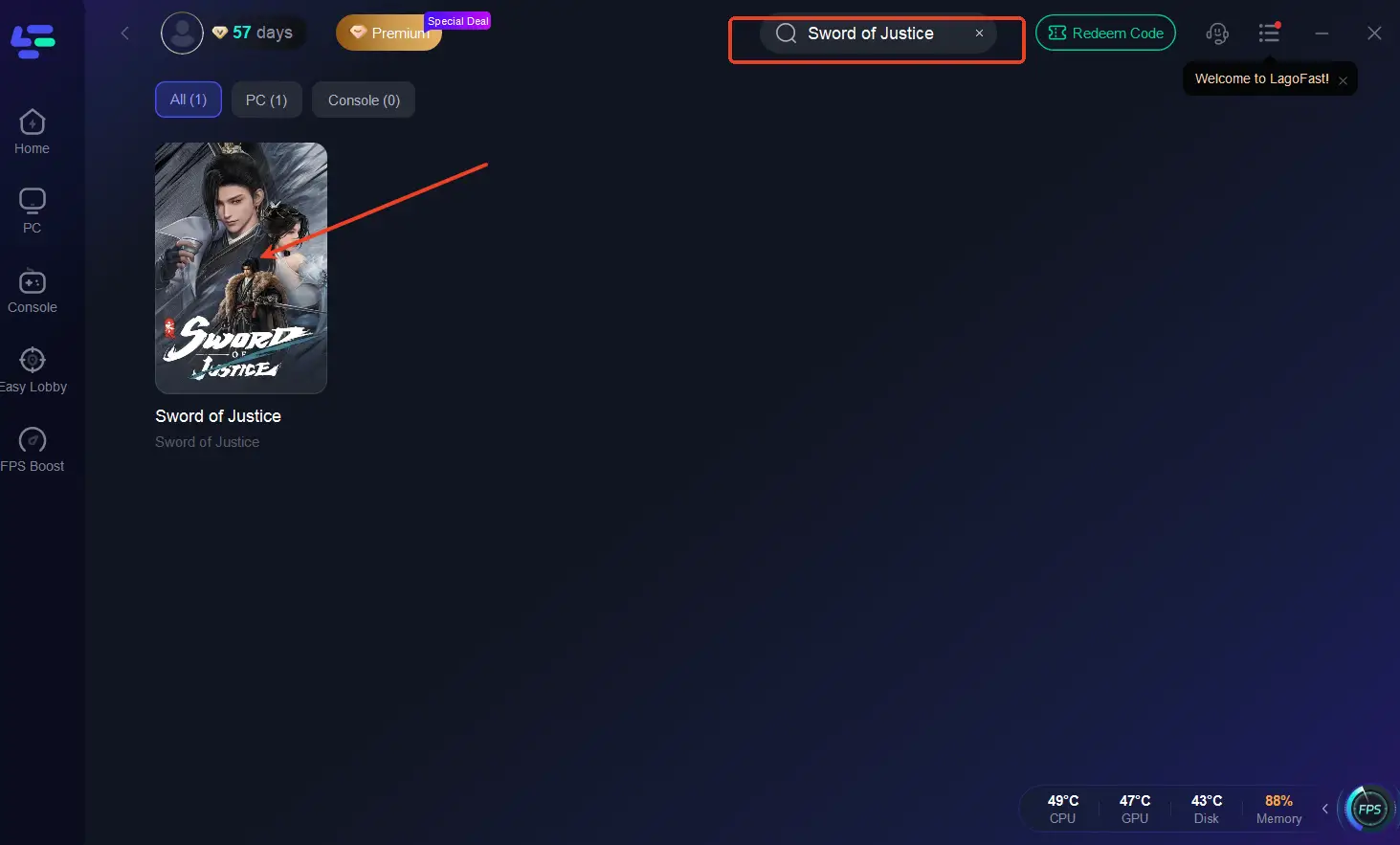
Step 2: After installation, search "Sword of Justice" in the search bar and select the game
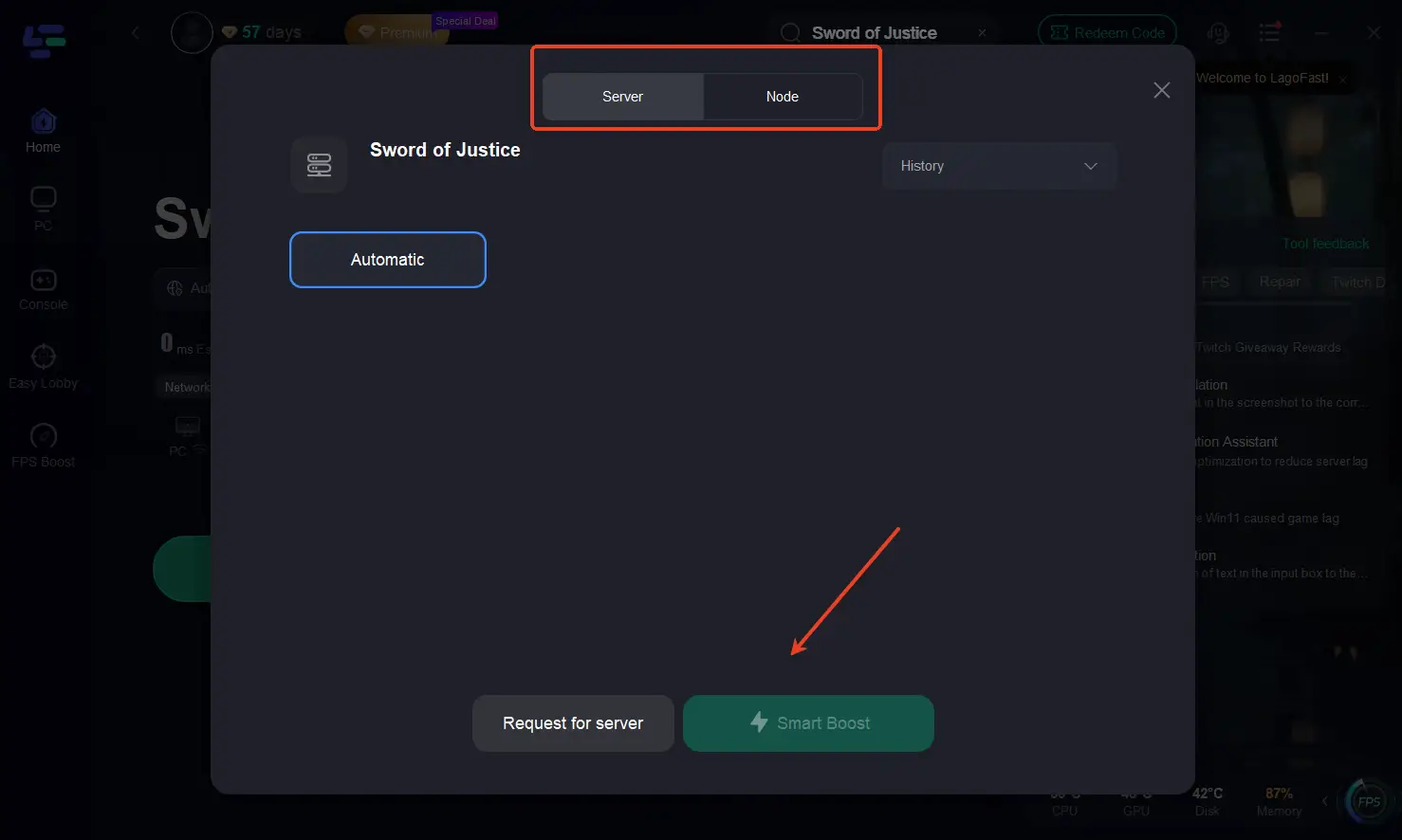
Step 3: Choose your preferred server node and click "Smart Boost" to start optimizing.
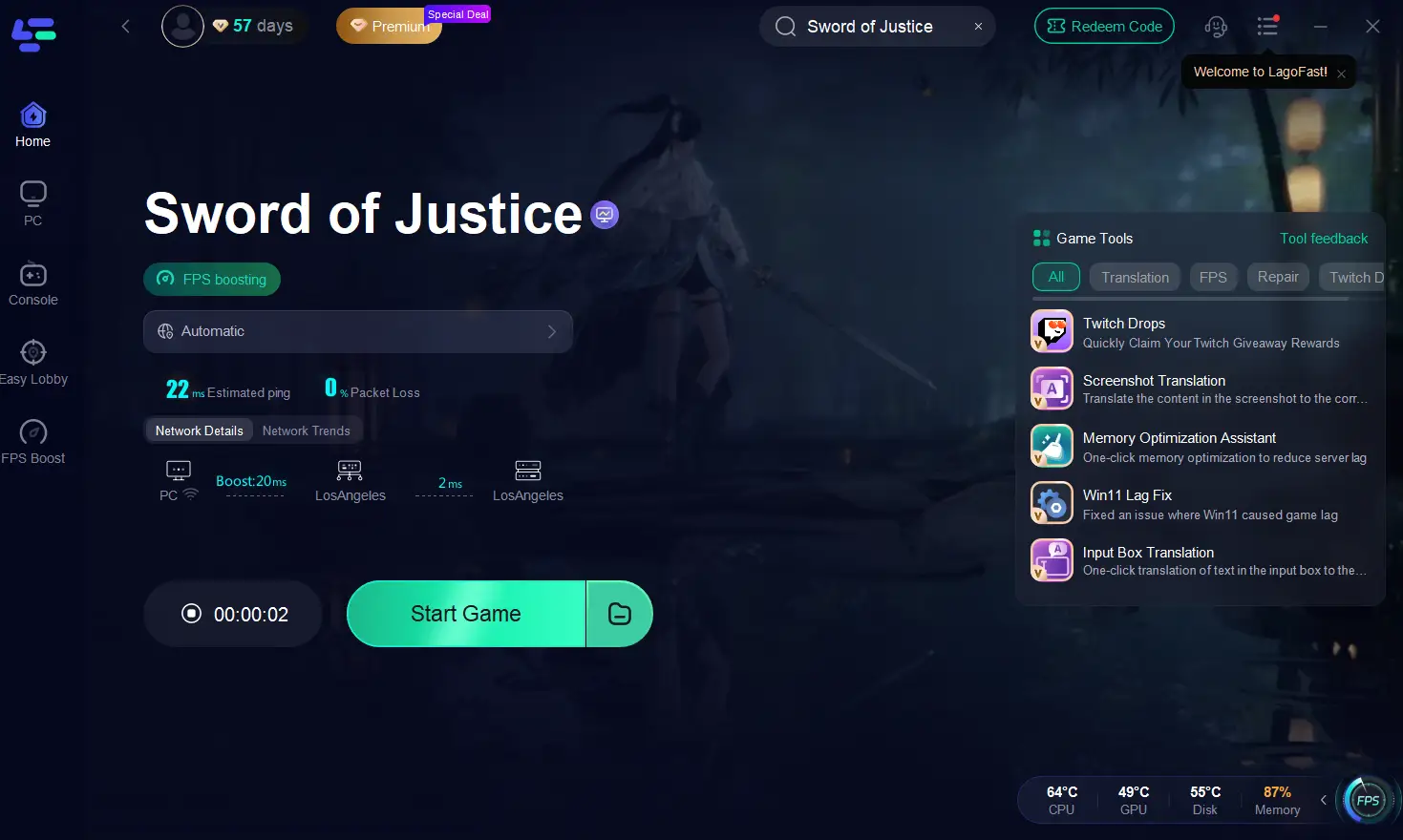
Step 4: Launch your game and enjoy smooth, optimized gameplay with lower ping and no stutter.
How to Use LagoFast to Boost Sword of Justice on Mobile:
1. Visit LagoFast Mobile official website and download APK file.
2. After installation, search for "Sword of Justice" in LagoFast's search bar.
3. Click boost and select a suitable server node to connect to.
4. Once optimized performance is confirmed, click "Start Game" to launch the game.
Part 5. FAQs
Q1: Can I switch my server region after I create my character?
A: Usually no or only with limitations. On PC standalone client and Steam version you’ll need to download the correct regional client and create a new character on that server. On mobile, switching may require you to use a different regional version of the app (if released separately).
Q2: Will my account work on both PC and mobile?
A: Yes — the global version supports cross‑platform account sync between PC and mobile.
Q3: Is it free to play?
A: Yes, Sword of Justice is free to download and play globally.
Q4: When should I pre‑download the game?
A: Check the official site/social channels for announcements. Some pre‑download or character creation may open a few days before Nov 7.
Q5: What platform should I choose? PC or mobile?
A: That depends on your preference. PC gives better visuals, controls; mobile offers flexibility. If you want best performance and longest session, PC is recommended. But mobile is fully supported and syncs with PC.
Conclusion
That covers how to download & play Sword of Justice global on both PC and mobile, with a clear look at release date, regions, download steps, and how to boost your experience with LagoFast. If you plan ahead (select your region, match the client/platform) you’ll avoid common mistakes like being stuck on the wrong server or having high ping. Get ready to step into the world of Sword of Justice and enjoy your journey — smooth download, stable gameplay, and fun ahead!
Boost Your Game with LagoFast for Epic Speed
Play harder, faster. LagoFast game booster eliminates stutter and lags on PC, mobile, or Mac—win every match!
Quickly Reduce Game Lag and Ping!
Boost FPS for Smoother Gameplay!