

Eclipse: The Awakening has captured global attention with its impressive graphics and fast-paced combat. However, since the initial release is locked to South Korea, global gamers face severe regional restrictions and lag. If you want to play Eclipse: The Awakening outside Korea, this step-by-step guide covers everything from regional downloads to account registration. We will also explore how LagoFast helps stabilize your Korean server connection for seamless gameplay. Many players outside Korea wonder if regional locks completely block access to the game. Understanding official availability helps you prepare the right tools before downloading.

- ✅ Reduce Lag and High Ping.
- ✅ Boost FPS at the Same Time.
- ✅ Support 8000+ Popular Online Games.
- ✅ Stable Server Connection
Part 1: Can You Play Eclipse: The Awakening Outside Korea?
Part 2: How to Download Eclipse: The Awakening Outside Korea
Part 3: How to Create and Use an Eclipse Account
Part 4: How to Play Eclipse: The Awakening on Korean Servers
Part 5: How to Reduce High Ping When Playing Eclipse Outside Korea
Part 6: Eclipse: The Awakening Korea vs Global Version
Part 7: Eclipse: The Awakening Overseas Troubleshooting
Part 8: Eclipse: The Awakening Outside Korea FAQs
Part 1: Can You Play Eclipse: The Awakening Outside Korea?
While the game targets the domestic market first, players across the globe can still gain access through specific methods.
Official Overseas Access Explained
The official release of Eclipse: The Awakening is currently limited to South Korea due to publisher licensing agreements. An official Eclipse The Awakening region restriction prevents direct store downloads and server logins from foreign IP addresses. However, you can bypass these limitations by using regional app store accounts, STOVE launcher settings, and network optimization tools like LagoFast.
|
Aspect |
Korea Region |
Overseas Region |
|
Direct Store Access |
Available |
Blocked by default |
|
Account Requirement |
Verified STOVE Account |
Verified STOVE Account |
|
Server Connection |
Direct & Low Latency |
Requires Network Optimizer |
|
Language Options |
Korean |
Korean (English via LagoFast Tool) |
Platform options differ significantly depending on whether you play on mobile devices or desktop setups.
Mobile vs PC Overseas Availability
The game is available on Android, iOS, and PC via the STOVE platform. Mobile players need a region-switched app store account, while PC players require the official STOVE client.
- Mobile Availability: Accessible via Korean Google Play Store or Korean Apple App Store. Third-party Android APK installers are also available.
- PC Availability: Playable through the Korean STOVE launcher with PC cross-play support.
- Network Requirements: Both mobile and PC platforms require routing optimization to connect to the Eclipse The Awakening Korea server without severe delay.
Getting the game files requires navigating store restrictions based on your operating system. Follow the steps below for Android, iOS, and PC.
Part 2: How to Download Eclipse: The Awakening Outside Korea
Android users have two main choices for installing the Korean gaming client outside South Korea.
How to Download Eclipse on Android
An Eclipse The Awakening mobile download on Android can be completed using an alternative app store or a Korean Google Play profile.
Step 1: Download a trusted third-party app store like QooApp or TapTap on your Android device.
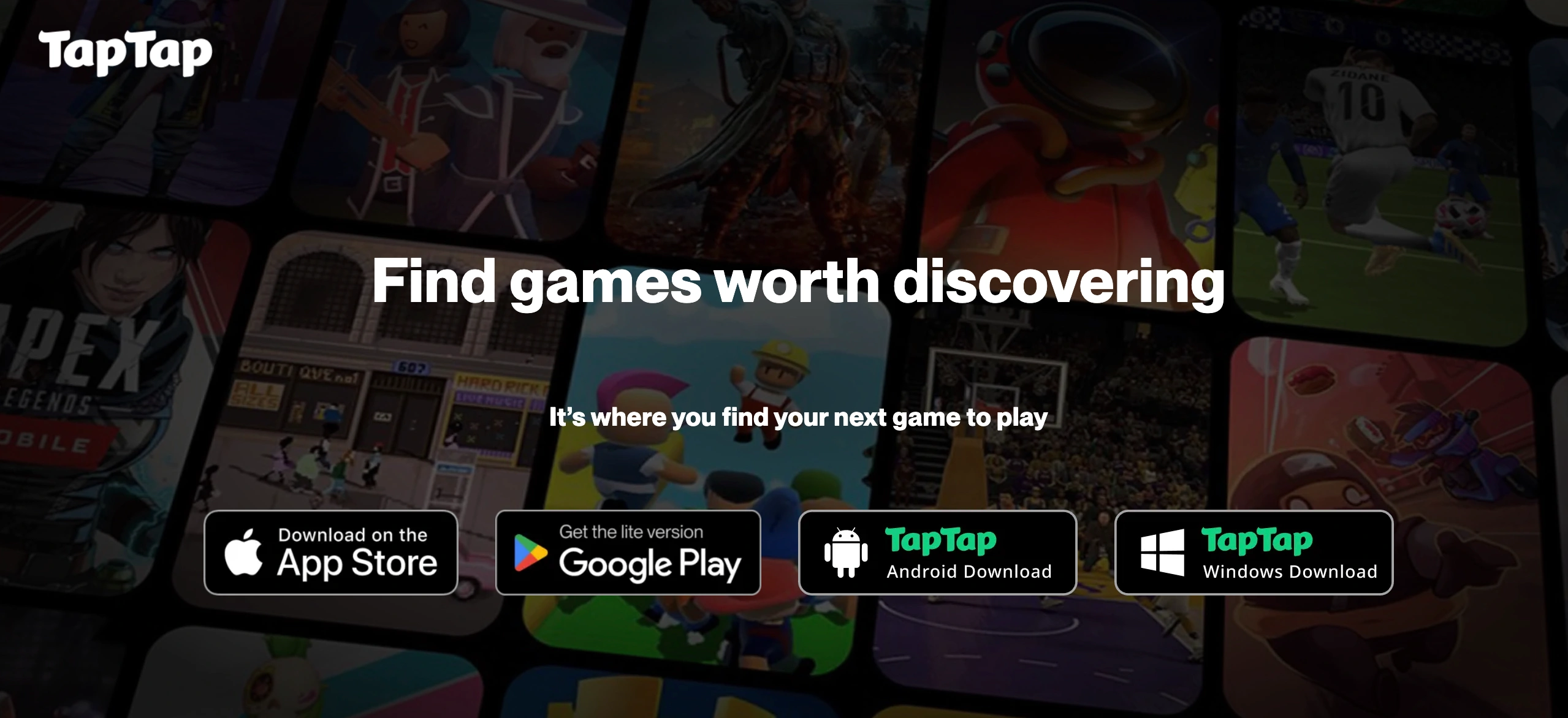
Step 2: Search for Eclipse: The Awakening in the app store search bar.
Step 3: Tap Download to obtain the game package and install it on your device.
Step 4: Alternatively, create a new Google account while connected to a Korean IP address to download directly from the Google Play Store.
Apple iOS devices require a change in App Store location to access the Korean version of the game.
How to Download Eclipse on iPhone
To complete an Eclipse The Awakening download on an iPhone or iPad, you must switch your Apple ID region to South Korea.
Step 1: Open the App Store on your iOS device and tap your profile icon.
Step 2: Select your Apple ID name, tap Country/Region, and select Change Country or Region.
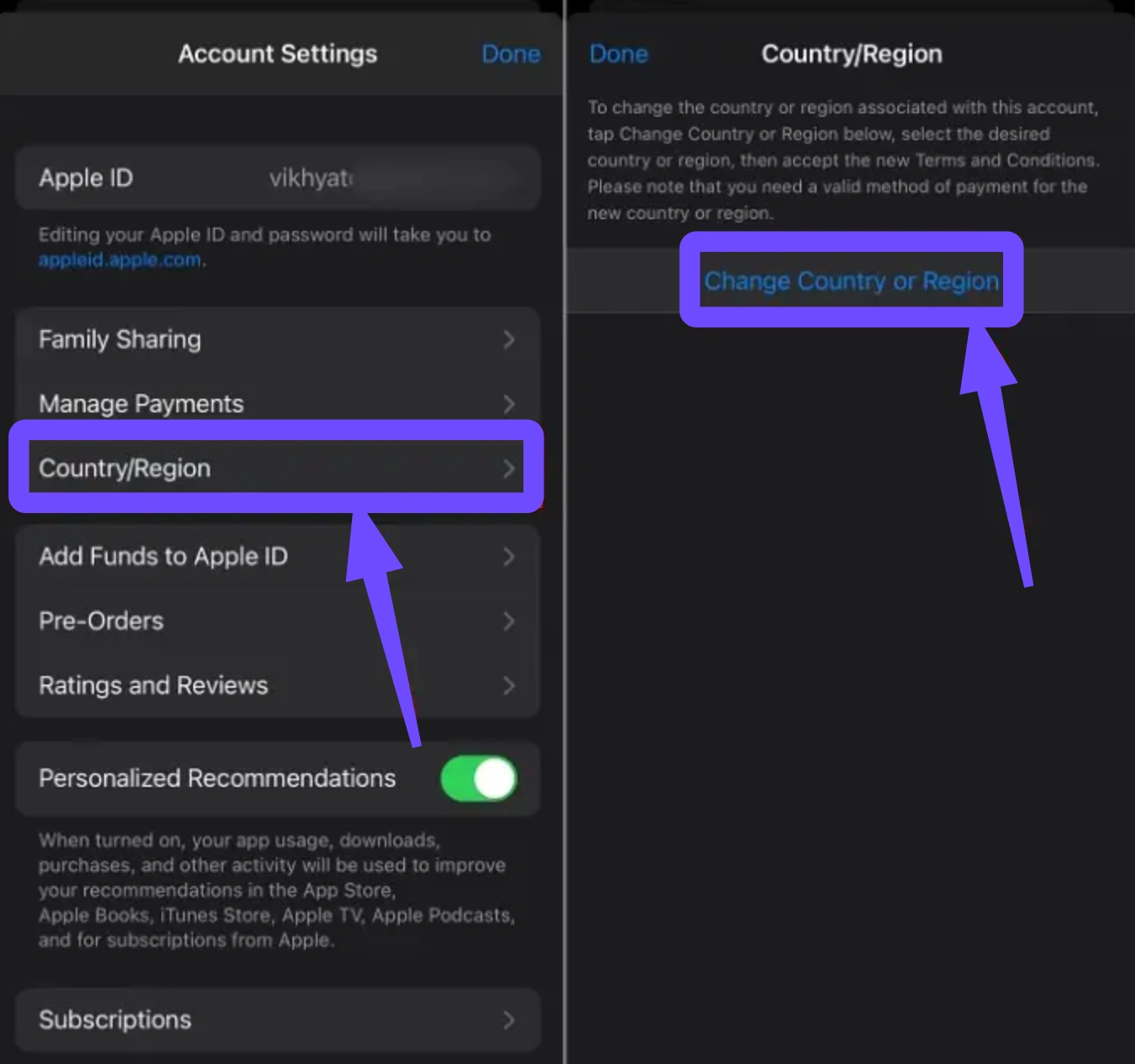
Step 3: Choose Korea, Republic of, and accept the terms of service.
Step 4: Enter a valid Korean address format and select None for payment method.
Step 5: Search for the Eclipse The Awakening Korean version in the App Store and tap Download.
PC gamers need the official launcher from Smilegate to run the game on Windows.
How to Download Eclipse on PC via STOVE
An Eclipse The Awakening PC download is handled directly through the STOVE launcher client.
Step 1: Visit the official STOVE website and download the STOVE PC launcher installer.
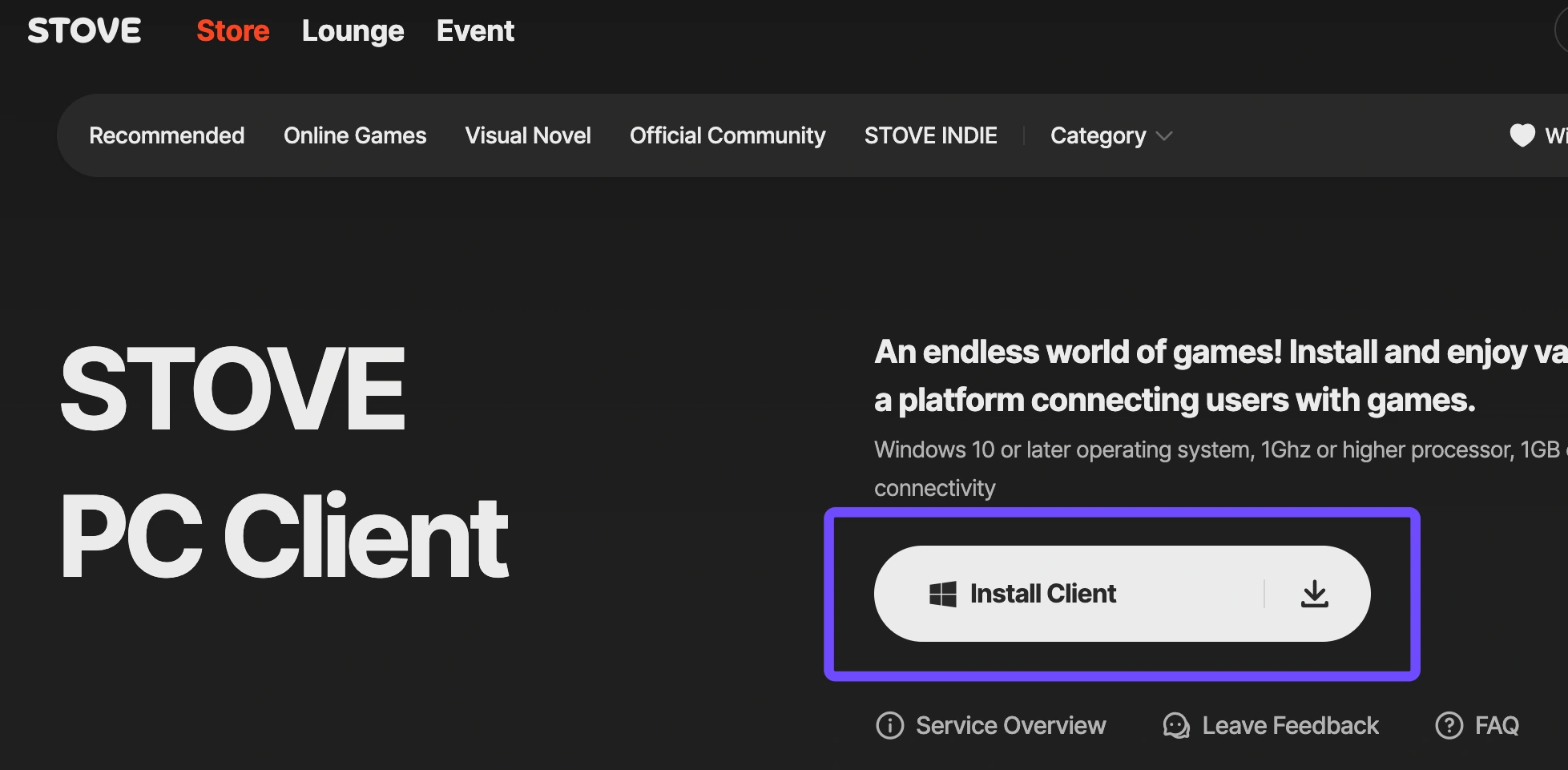
Step 2: Install the launcher on your PC and launch the application.
Step 3: Search for Eclipse: The Awakening within the STOVE store directory.
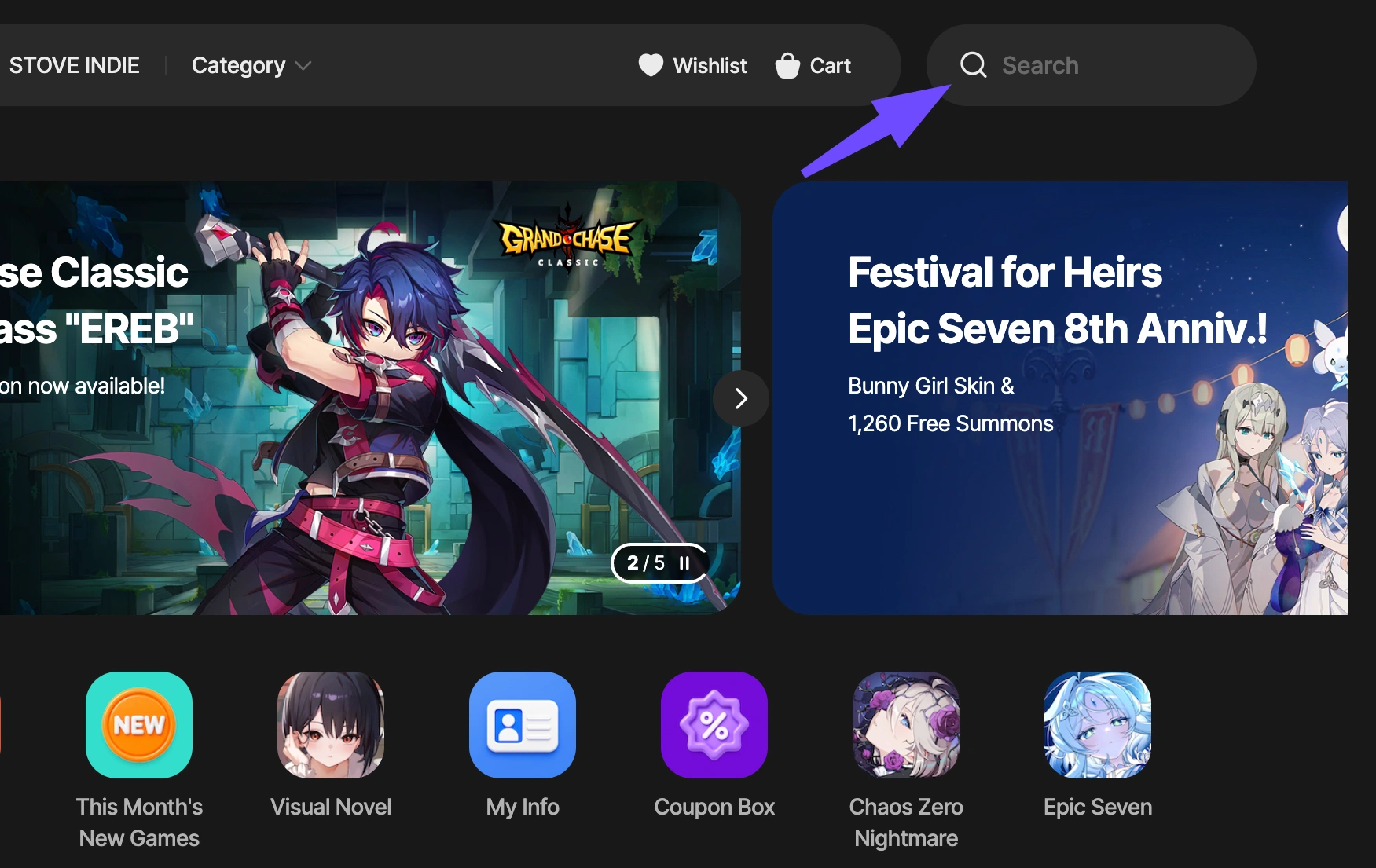
Step 4: Click Install to download the full PC game files to your selected directory.
After downloading the game files, you need an active account linked to the publisher platform to log in.
Part 3: How to Create and Use an Eclipse Account
Smilegate requires specific identification procedures when creating a new gaming profile on their platform.
STOVE Account Requirements
To register an Eclipse The Awakening STOVE account, players must meet specific registration criteria set by the developer.
|
Requirement |
Explanation |
Solution for Overseas Players |
|
Account Type |
Global or Korean STOVE Account |
Global accounts work for some titles; Korean titles may require phone verification |
|
Verification |
Korean Phone Number or I-PIN |
Use a verified account or social login where applicable |
|
Email Access |
Valid Email Address |
Use standard Gmail, Outlook, or Yahoo email services |
|
Password Security |
Standard alphanumeric password |
Create a strong password adhering to STOVE safety rules |
Understanding account portability helps avoid unexpected bans or access blocks during gameplay.
Can a Korean-Created Account Be Used Overseas?
Yes, an Eclipse The Awakening Korea account created in South Korea can be accessed overseas, but security checks may trigger if your IP address suddenly changes to a non-Korean location. To maintain account stability:
- Always connect through a stable network route before logging into the STOVE client.
- Avoid switching locations rapidly, which could trigger suspicious login flags.
- Keep your recovery email accessible in case secondary verification is required.
Once your account is active and the game is installed, launching the client smoothly requires following a systematic process.
Part 4: How to Play Eclipse: The Awakening on Korean Servers
Opening the game client correctly ensures that all initial updates download without throwing errors.
Launch the Korean Version
Step 1: Start your game booster application, such as LagoFast, and connect to a South Korean node.
Step 2: Open the STOVE PC client or launch the mobile app on your device.
Step 3: Log into your STOVE account with your credentials.
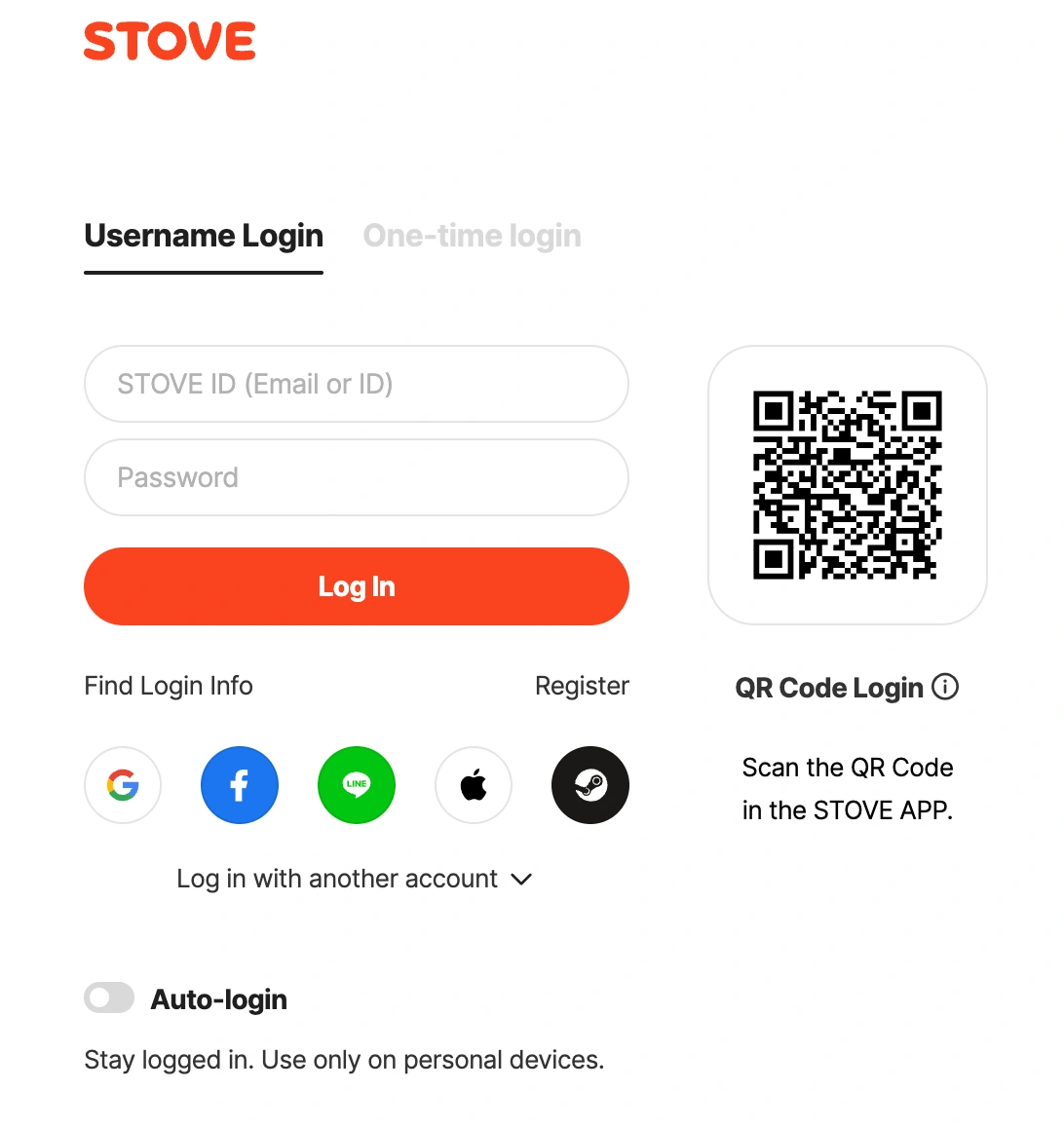
Step 4: Click the Play button inside the launcher to start the game.
Selecting the correct environment and creating your avatar is the next step in starting your journey.
Choose a Server and Create Your Character
Step 1: Wait for the main menu screen to load after launching.
Step 2: Select a recommended Korean server from the server selection list.
Step 3: Pick your preferred character class and customize your avatar appearance.
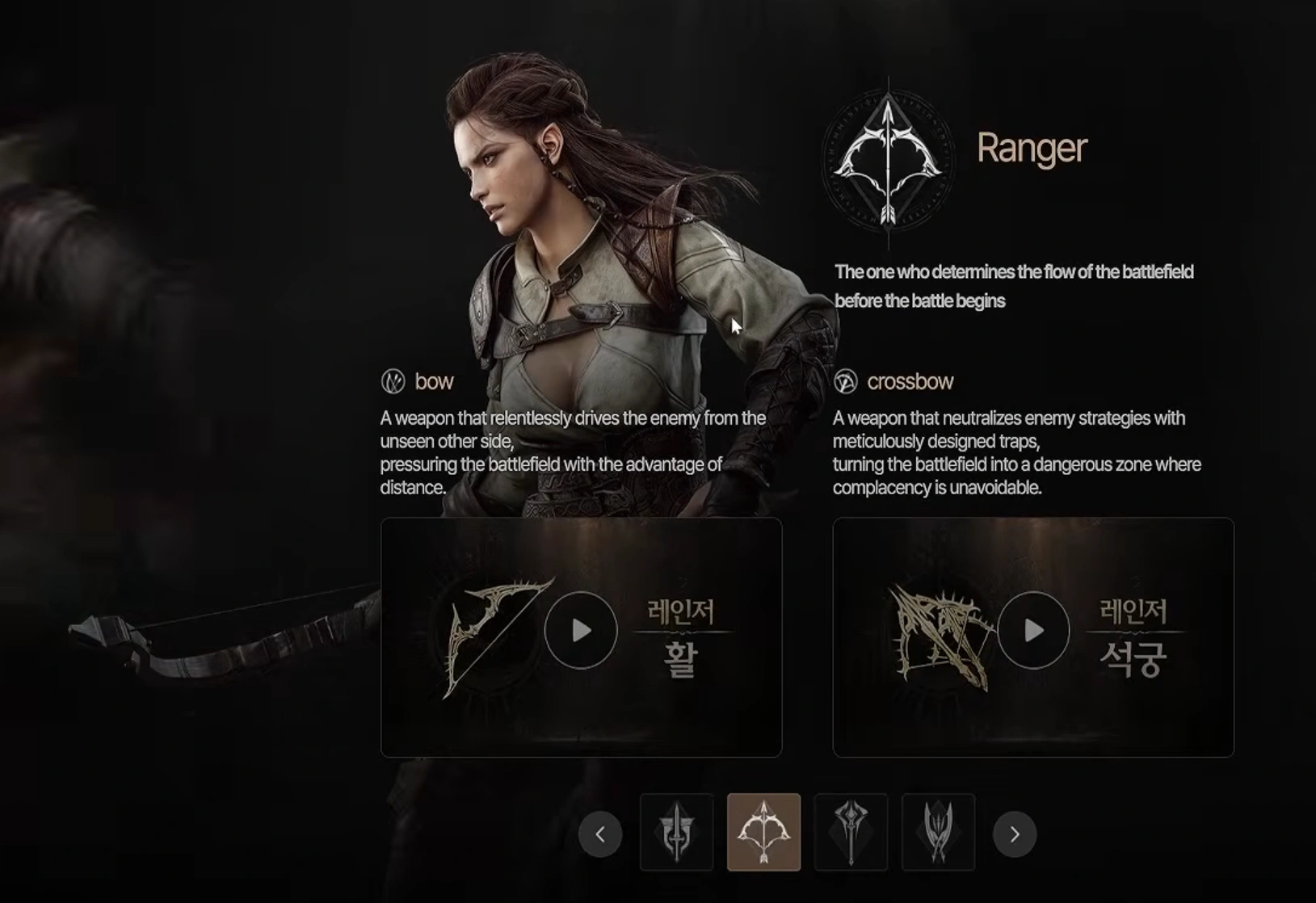
Step 4: Enter a valid character name using accepted Korean or English characters and confirm creation.
Finalizing your connection allows you to enter the open world without getting kicked out during loading screens.
Connect to the Korea Server
After character creation, you will enter the main game world. If the game disconnects during the loading screen, it means your IP address was flagged. Always maintain a stable connection to the Eclipse The Awakening Korea server throughout your entire gaming session.
Distance from Korean servers naturally introduces high latency, screen stutter, and unexpected disconnections.
Part 5: How to Reduce High Ping When Playing Eclipse Outside Korea
Understanding why physical distance degrades gaming performance helps in choosing the right solution.
Why Overseas Players May Get High Ping on Korean Servers
Playing Eclipse The Awakening overseas means your internet traffic must travel thousands of miles across undersea cables. This massive physical distance creates multiple network hurdles:
- Extended Packet Routing: Standard ISPs route data through indirect public pathways, adding unnecessary latency.
- Congested Public Lines: Peak hour traffic bottlenecks internet speed, resulting in packet loss and jitter.
- ISP Throttling: Foreign ISPs often slow down heavy international traffic streams.
Dedicated gaming boosters solve distance-related latency by optimizing data transmission paths.
Reduce Eclipse High Ping and Lag with LagoFast
LagoFast is a dedicated gaming booster designed to fix high ping and bypass region blocks. It provides exclusive gaming routes directly to Korean servers, ensuring a highly stable connection. By using LagoFast, you can easily eliminate lag spikes, boost your FPS, and enjoy Eclipse The Awakening overseas without constant network interruptions. It perfectly supports your game while offering additional features like real-time translation.
How to Reduce Eclipse High Ping and Lag with LagoFast:
Step 1: Download and install LagoFast on your PC or mobile device.
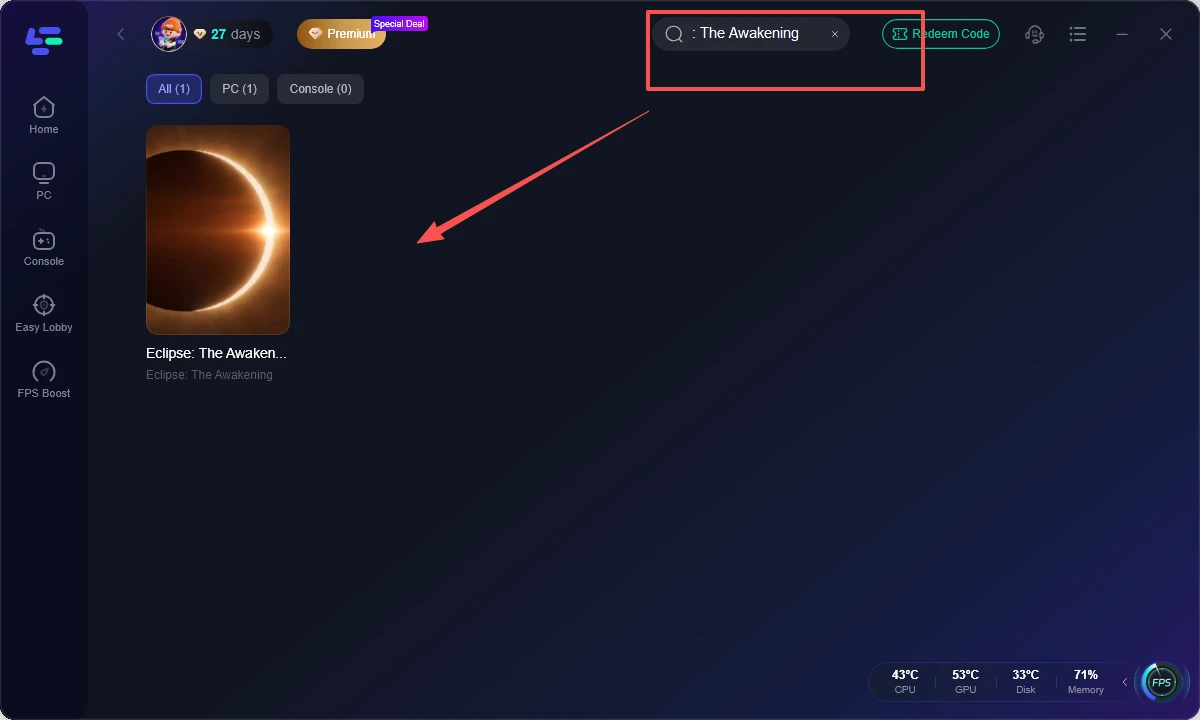
Step 2: Launch LagoFast, search for Eclipse: The Awakening in the search bar, and select the game.
Step 3: Select the Korea server and pick the optimal node for your location.
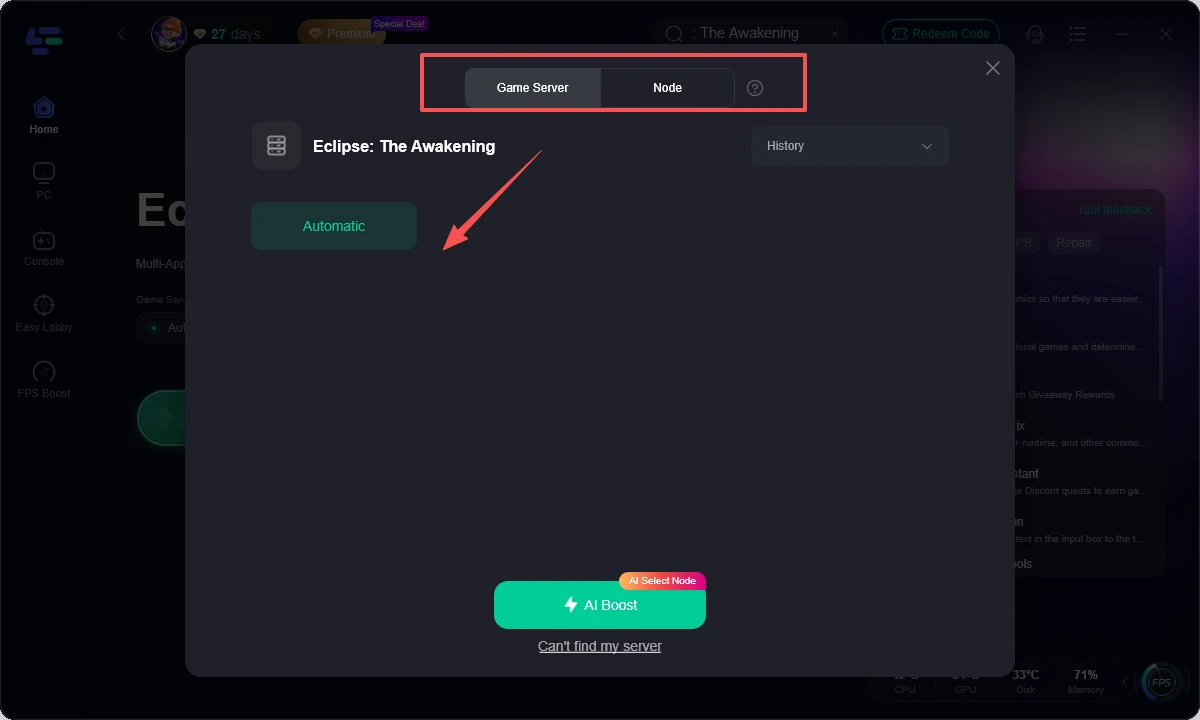
Step 4: Click Boost to start network optimization, then launch Eclipse: The Awakening.
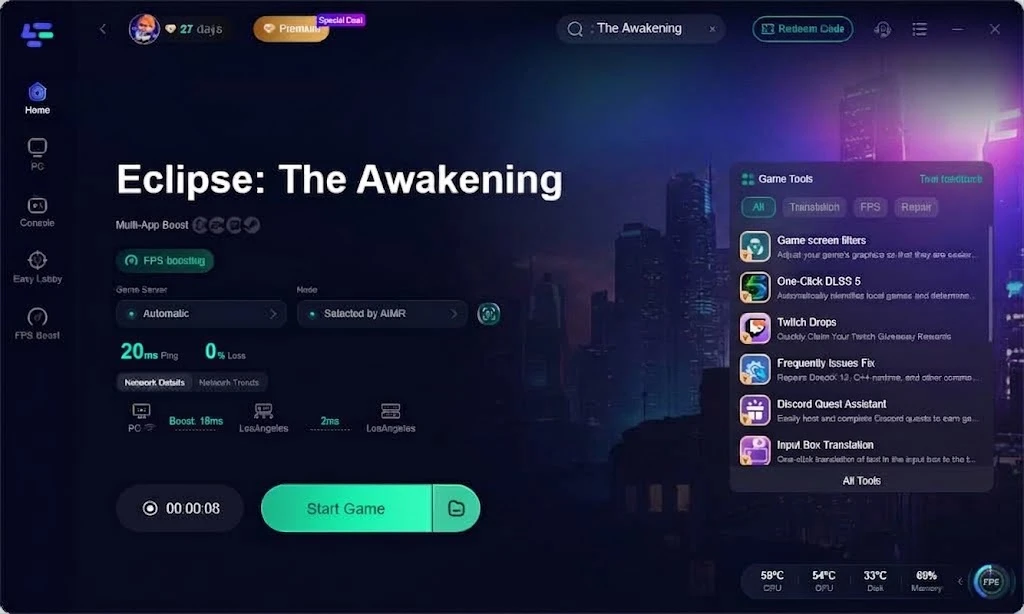
Overcoming language barriers makes navigating menus, quests, and gear stats effortless for non-Korean speakers.
How to Translate Eclipse: The Awakening into English with LagoFast
Because full voiceover and native text in the Korean release are restricted to local languages, international players can utilize the One-click Translation feature in LagoFast to translate interface text and dialogues in real time.
Step 1: Open LagoFast, search for Eclipse: The Awakening, and select the game.
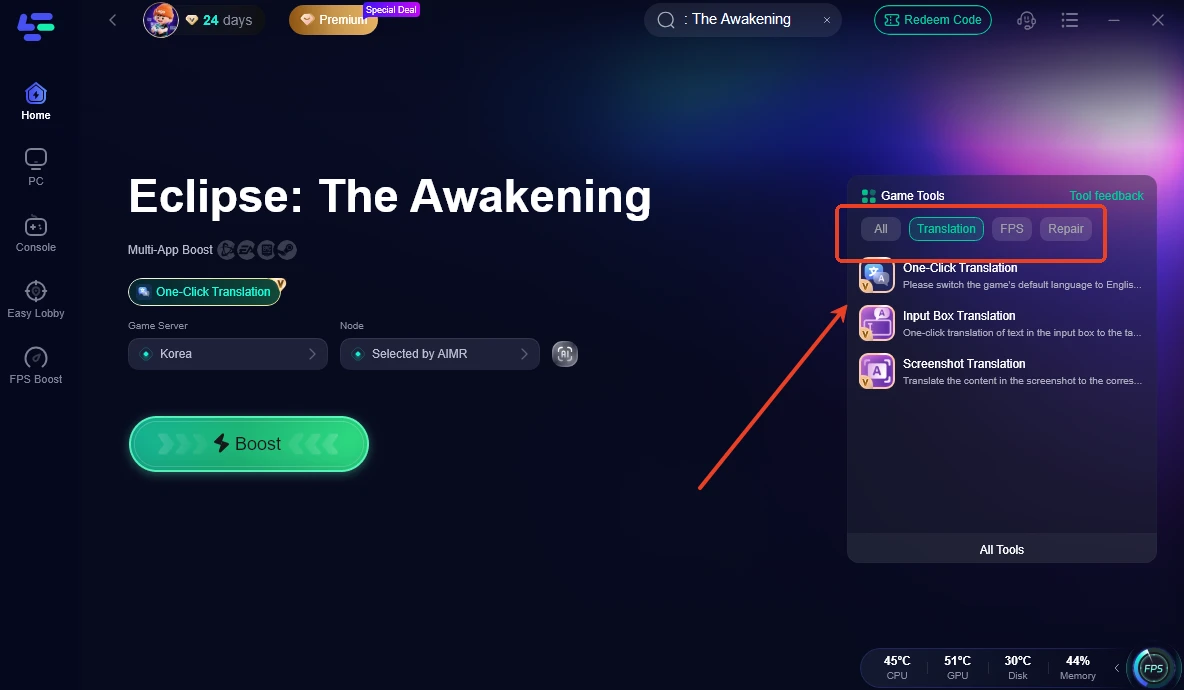
Step 2: Go to Game Tools, open Translation, select One-Click Translation.
Step 3: Set your Target Language to your preferred option (e.g., Turkish).
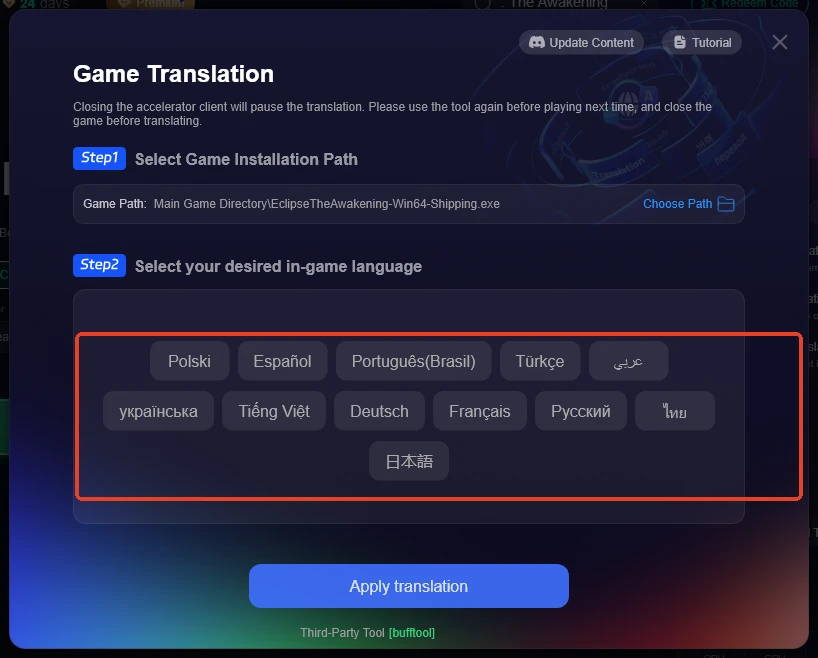
Step 5: Assign a dedicated hotkey such as Alt + T that will not conflict with combat controls.
Step 5: Enable subtitles in the Eclipse: The Awakening settings menu so on-screen text is visible.
Step 6: Press your assigned hotkey whenever quest text, item traits, or dialogue options appear to display translated text overlay instantly.
Part 6: Eclipse: The Awakening Korea vs Global Version
Here is a side-by-side comparison between the Korean version and the upcoming global release:
|
Feature / Aspect |
Korean Version (Current) |
Global Version (Future) |
|
Release Status |
Live and Active |
In Development |
|
Server Location |
South Korea |
Regional (NA, EU, ASIA) |
|
Content Updates |
Latest features and patches |
Delayed relative to Korean build |
|
Native Language |
Korean |
Multi-language (English, Spanish, etc.) |
|
Ping for Overseas Players |
High (Requires LagoFast optimization) |
Low to Moderate (Local servers) |
|
Community Size |
Large domestic community |
Distributed global community |
Encountering technical problems while trying to play Eclipse: The Awakening Outside Korea can interrupt your gaming experience. Here are simple steps to resolve common issues.
Part 7: Eclipse: The Awakening Overseas Troubleshooting
Store regional blocks can prevent the installation package from appearing in searches.
Cannot Download the Game
- Cause: App Store or Google Play account region is not set to South Korea.
- Solution: Switch your store region or download the package via trusted platforms like QooApp or TapTap.
Launcher issues often stem from file corruption or permission blocks on Windows systems.
STOVE Launcher Not Working
- Cause: Admin restrictions or corrupted background cache files.
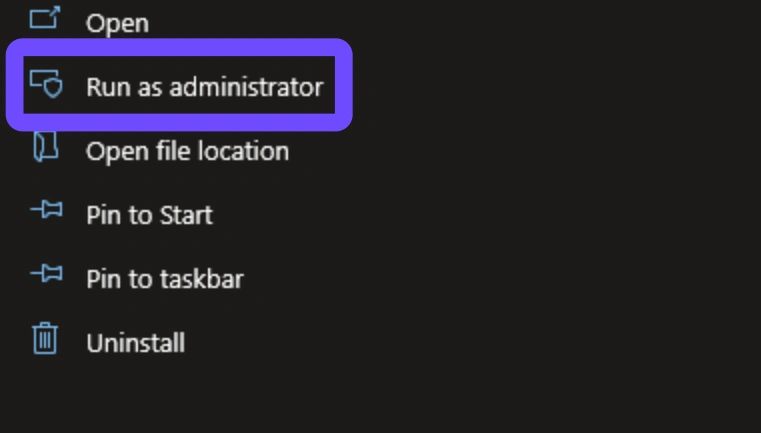
- Solution: Run the STOVE launcher as Administrator, clear the app cache, or reinstall the launcher.
Connection drops during startup are usually caused by IP blocking or poor routing pathways.
Unable to Connect to Server
- Cause: Severe packet loss or region-based IP routing restrictions.
- Solution: Launch LagoFast and connect through a dedicated Korean route prior to opening the game client.
Authentication errors typically occur when session tokens expire or verification fails.
Login Failed
- Cause: Expired session tokens or regional IP discrepancy during login verification.
- Solution: Re-enter your credentials manually after establishing a stable node connection through LagoFast.
Unstable framerates and lag spikes severely impact real-time action gameplay.
High Ping or Unstable Connection
- Cause: Public ISP routing overload across international underwater lines.
- Solution: Activate LagoFast dynamic multi-path routing to lock in the lowest ping available.
Got more questions about playing Eclipse overseas? Here are direct answers to common queries from players worldwide.
Part 8: Eclipse: The Awakening Outside Korea FAQs
Can I play Eclipse: The Awakening outside Korea without a VPN or game booster?
While you can sometimes log in, ping will be extremely high and connection drops will happen often. Using LagoFast ensures a smooth, low-ping experience on Korean servers.
Is Eclipse: The Awakening available in English natively?
No, the initial launch is Korean only. However, you can use the LagoFast Translation Tool to translate the game interface into English automatically.
How do I fix lag when playing Eclipse: The Awakening overseas?
Connect through LagoFast before launching the game. It uses dedicated routes to minimize ping and remove packet loss.
Do I need a Korean mobile number to register a STOVE account?
Standard global STOVE accounts work for many features, but certain Korean servers may require verified accounts. You can also log in using supported social accounts.
Can I play Eclipse: The Awakening on PC and mobile with the same account?
Yes, the game supports cross-platform progression between mobile devices and PC through your STOVE account.
Will my progress transfer if a global version is released?
Usually, regional servers operate independently, meaning progress on Korean servers remains on Korean servers when global servers launch.
Wrapping up your setup properly ensures a hassle-free journey into the world of Eclipse.
Conclusion
Learning how to play Eclipse: The Awakening Outside Korea is straightforward once you know how to bypass regional barriers. By following this guide to set up your STOVE account, download the client, and connect with LagoFast, you can eliminate latency and enjoy smooth combat. Activate LagoFast today to fix high ping and translate in-game text effortlessly as you explore the Korean servers.

Boost Your Game with LagoFast for Epic Speed
Play harder, faster. LagoFast game booster eliminates stutter and lags on PC, mobile, or Mac—win every match!
Quickly Reduce Game Lag and Ping!
Boost FPS for Smoother Gameplay!