
Ragnarok X: Next Generation has reignited the nostalgic spirit of MMORPG lovers worldwide. With upgraded 3D graphics, a vibrant open world, and real-time action combat, it’s no surprise that players across platforms are eager to join the adventure. However, due to regional restrictions—especially in Europe and Southeast Asia—many players are wondering: how to download and play Ragnarok X: Next Generation, especially on PC.
1. Where Is Ragnarok X: Next Generation Available
2. How to Download Ragnarok X: Next Generation on PC
3. How to Download Ragnarok X: Next Generation on Android (Google Play)
4. How to Download Ragnarok X: Next Generation on iOS
5. Tips to Bypass Regional Restrictions
6. Boost Ragnarok X: Next GenerationPerformance with LagoFast
7. Frequently Asked Questions about Ragnarok X: Next Generation
1. Where Is Ragnarok X: Next Generation Available
Although Ragnarok X is officially launched in many regions, the game is not accessible on Google Play and the iOS App Store in most European and Southeast Asian countries. This is due to licensing restrictions. However, the PC client currently has no regional download restrictions, making it the easiest way to access the game regardless of your location.
2. How to Download Ragnarok X: Next Generation on PC
You can enjoy Ragnarok X with a smoother experience on PC. Follow these steps:
- Visit the official Ragnarok X website: https://www.ragnarokx.net
- Click on the "PC Download" button.
- Install the launcher and let it download the game files.
- Log in using your Ragnarok X account or create one.
Note: VPN is not needed for PC download at the moment, even for restricted regions.
3. How to Download Ragnarok X: Next Generation on Android (Google Play)
If Ragnarok X doesn’t show up on your Google Play Store due to regional limitations, use the following method:
Option A: APK Method
- Go to a trusted APK site like APKPure or TapTap.
- Search for "Ragnarok X: Next Generation".
- Download and install the APK manually.
- Enable permissions for third-party apps if prompted.
Option B: Google Play Region Switch (Advanced)
- Use a VPN and set your location to a supported region like Taiwan or Indonesia.
- Go to Google Play > Account > Country and Profiles.
- Switch to the region and create a payment profile if needed.
- Search for Ragnarok X and install.
4. How to Download Ragnarok X: Next Generation on iOS
Method
- Log out of your current Apple ID.
- Create a new Apple ID with a region set to Taiwan, Thailand, or Indonesia.
- Log in with the new ID and open the App Store.
- Search for "Ragnarok X: Next Generation" and install.
This workaround allows iOS users in Europe and SEA to download the game successfully.
5. Tips to Bypass Regional Restrictions
Use a reliable VPN like NordVPN or ExpressVPN when accessing the mobile app stores.
Create a new Google or Apple account linked to a supported region.
Avoid logging in from your restricted-region account to prevent auto-restriction flags.
Always download APKs from trusted sites to avoid malware.
6. Boost Ragnarok X: Next Generation Performance with LagoFast
If you’re facing lag, high ping, or regional connection issues while playing Ragnarok X: Next Generation, using a game booster like LagoFast can significantly improve your experience. It’s especially helpful for players outside supported regions who need a more stable and responsive network.
How to Use LagoFast for Ragnarok X: Next Generation
Download LagoFast and start the free trial.
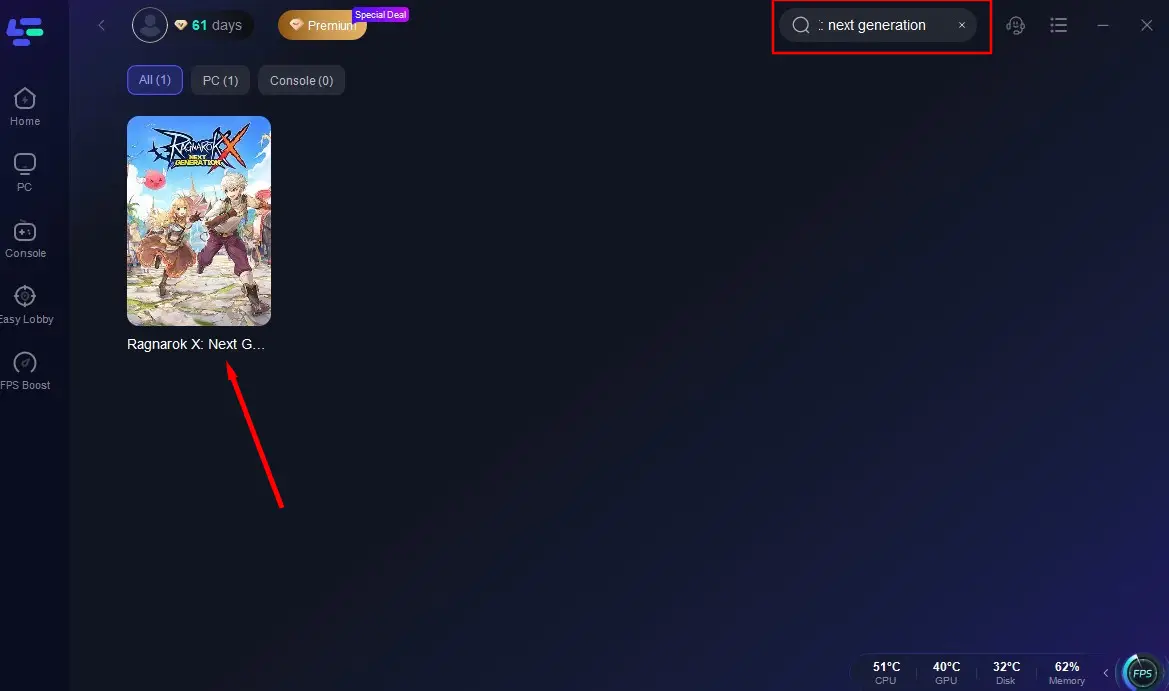
Open LagoFast and search for "Ragnarok X: Next Generation."
Select your game region and pick the optimal node for the best routing.

Click "Smart Boost" to monitor ping, packet loss, and ensure smooth gameplay.
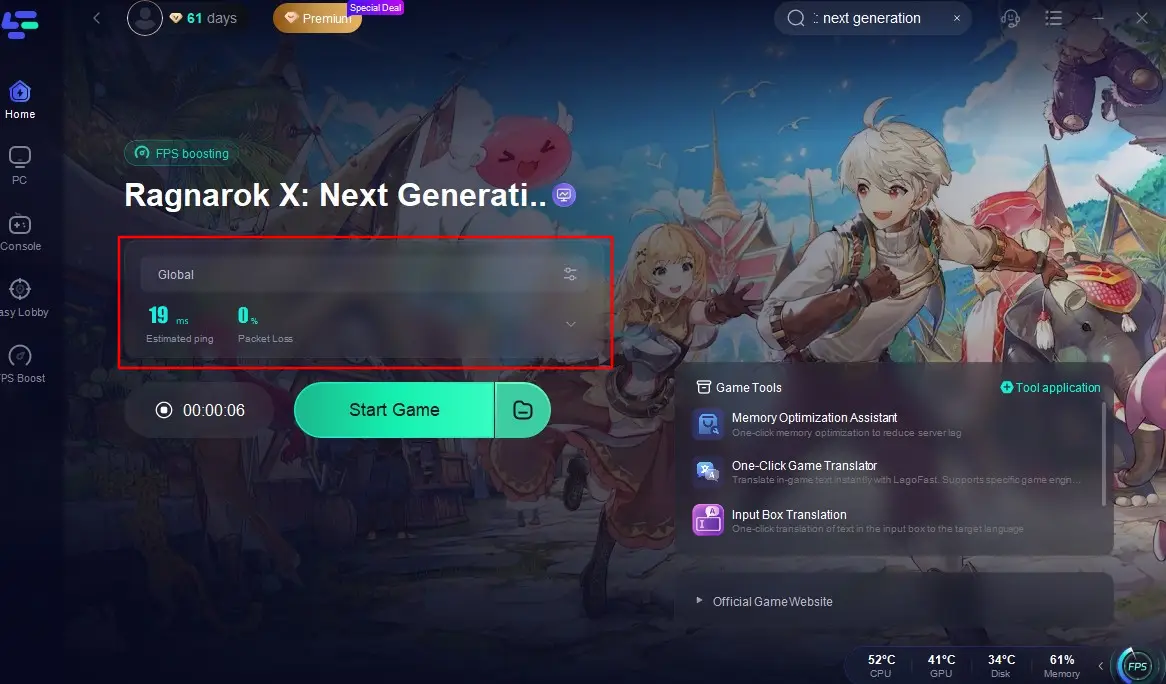
With LagoFast, you can bypass regional network throttling, enjoy lower latency, and maintain a consistent connection even in high-traffic areas. It’s a simple solution to get the best performance out of Ragnarok X, wherever you play.
7. Frequently Asked Questions about Ragnarok X: Next Generation
Q1 : How big is Ragnarok X: Next Generation
The game takes around 5–6 GB of storage after installation, depending on the platform and updates. Make sure you have at least 8 GB of free space for smooth installation and gameplay.
Q2: How to level up fast in Ragnarok X: Next Generation
- Follow the main questline to gain large amounts of EXP early.
- Join a party for shared EXP and tackle harder dungeons.
- Use combat time wisely and don’t waste daily stamina.
- Complete daily commissions, board quests, and time rifts.
- Equip EXP-boosting gear or food buffs from events.
Q3: What is the best class in Ragnarok X: Next Generation?
It depends on your playstyle. Ragnarok X offers six base classes, each with unique strengths:
- Swordsman – Durable frontliner with strong melee skills, great for tanking and close-range combat.
- Mage – Deals powerful AoE magic damage, ideal for farming and ranged nuking.
- Archer – High single-target and ranged DPS, perfect for PvE and boss fights.
- Acolyte – Essential support with healing and buffs, a must-have in party play.
- Thief – Agile and fast-hitting, excels in PvP and burst damage roles.
- Merchant – Offers utility and economic advantages, with powerful skills like Cart Revolution and item-based builds.
Q4: How to change gender in Ragnarok X: Next Generation
Gender is locked once you create your character, and there’s currently no in-game option to change it. The only way to play a different gender is by creating a new character on a separate slot or server.
Q5: Is it safe to use VPNs for downloading the game
Yes, but only use well-reviewed VPNs and don’t use them during gameplay to avoid latency issues.
Q6: Can I play on the same account across PC and mobile
Yes. Ragnarok X supports cross-platform login via Facebook, Google, or Apple ID.
Q7: Will I get banned for using APKs
No, as long as you use official APKs and don’t modify the game client, you’re safe.
Conclusion
Even though Ragnarok X: Next Generation isn’t available everywhere on Google Play or the iOS App Store, players around the world still have multiple reliable ways to access the game. With the PC version open to all regions, and some simple workarounds for mobile, you can join Midgard’s adventures in no time.
Boost Your Game with LagoFast for Epic Speed
Play harder, faster. LagoFast game booster eliminates stutter and lags on PC, mobile, or Mac—win every match!
Quickly Reduce Game Lag and Ping!
Boost FPS for Smoother Gameplay!