
Arknights: Endfield is one of the most anticipated action RPG releases of 2026, bringing the beloved Arknights universe into a new real-time 3D experience filled with exploration, combat, and factory simulation. Set on the mysterious moon Talos-II, the game blends strategic battles with industrial base building, offering something fresh for both longtime fans and newcomers. With the global release scheduled for January 22, 2026, many players are already searching for answers: how to download and play Arknights: Endfield, how big the game is, whether pre-download for PC is up, and how to install it on mobile or PS5 without issues. This guide walks you through every method to download Arknights: Endfield on PC, mobile, and console, explains the storage size, and shows how tools like LagoFast can make both downloading and gameplay smoother from the very first launch.

- ✅ Reduce Lag and High Ping.
✅ Boost FPS at the Same Time.
✅ Support 2000+ Popular Online Games.
✅ Change Server without Latency.
✅ Boost Game Loading Speed. - ✅ One-Click Game Download.
Part 1: How to Download and Play Arknights: Endfield on PC
Part 2: How to Download and Play Arknights: Endfield on Mobile
Part 1: How to Download and Play Arknights: Endfield on PC
The PC version of Arknights: Endfield is available through the official launcher released by Hypergryph and Gryphline. Normally, downloading the game is straightforward, but some players encounter slow speeds, regional verification problems, or launcher errors. Below are two reliable methods.
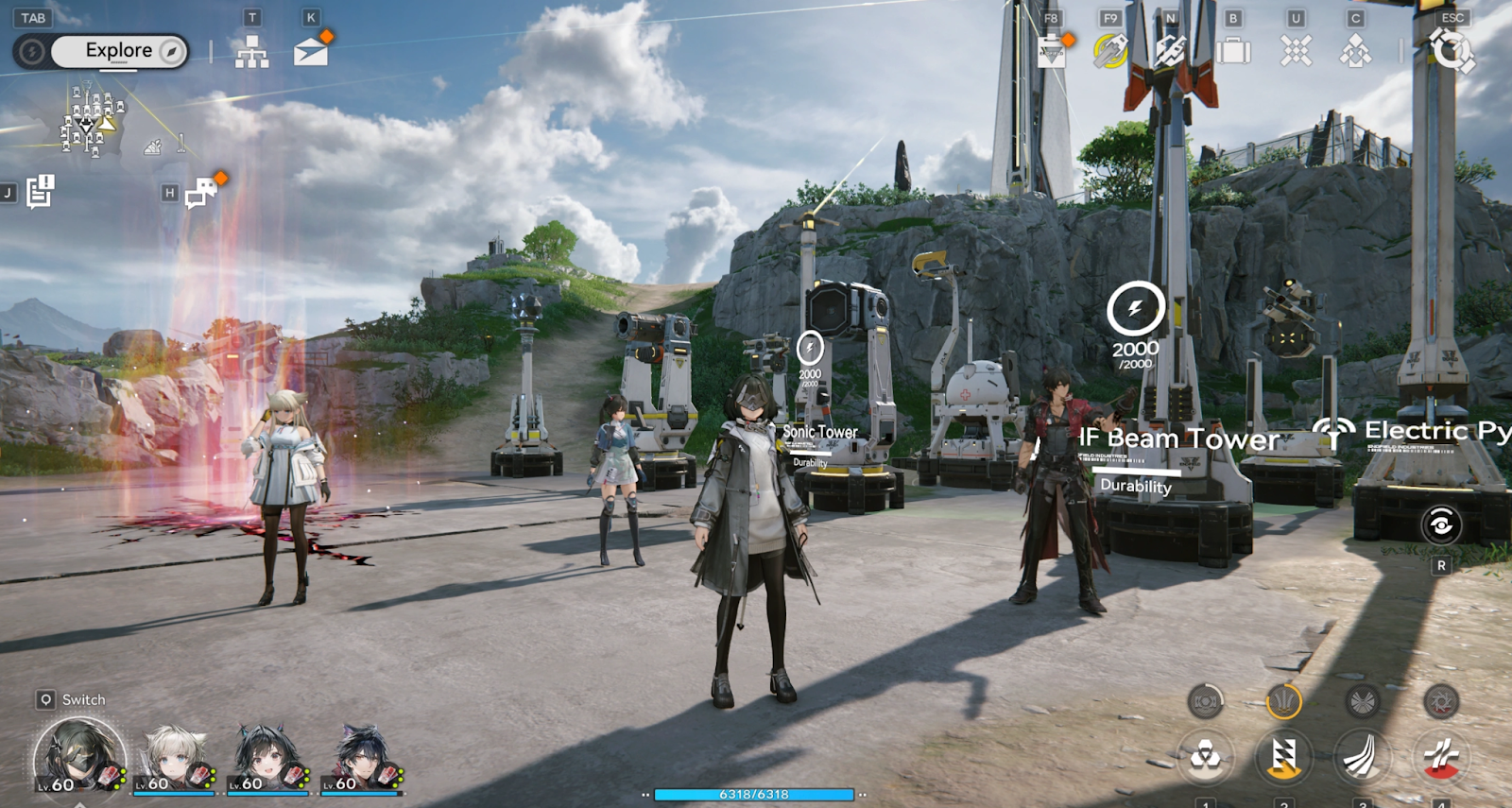
Method 1: Download Through the Official Arknights: Endfield Launcher
This is the standard way for most players, but sometimes it is not reliable.
Steps:
Step 1. Visit the official Arknights: Endfield website or the Gryphline publishing page.
Step 2. Find the “PC Pre-Download” or “Download for Windows” button.
Step 3. Download and install the Arknights: Endfield launcher.
Step 4. Log in with your registered account.
Step 6. Click the pre-download or install button and wait for the full client to finish downloading.
Step 7. Once the game launches globally on January 22, 2026, open the launcher and press Play.
Before downloading, make sure you have enough space. Based on beta tests and official previews, the PC version requires a large initial download, likely between 35 GB and 50 GB, depending on language packs and future updates. It’s best to prepare at least 60 GB of free space to avoid installation errors.
Method 2: Use LagoFast One-Click Download Tool (Recommended for Faster & Easier Setup)
Some players report that they cannot download the Arknights: Endfield launcher properly, especially during peak release hours or in regions with unstable connections. This is where LagoFast’s One-Click Download Tool becomes extremely useful.
LagoFast simplifies the download process by allowing you to directly download the game launcher or installation package without extra verification steps or repeated connection failures. Instead of restarting the official launcher again and again, LagoFast provides a stable download channel optimized for large game files.
Steps with LagoFast:
Step 1. Download and install LagoFast on your PC
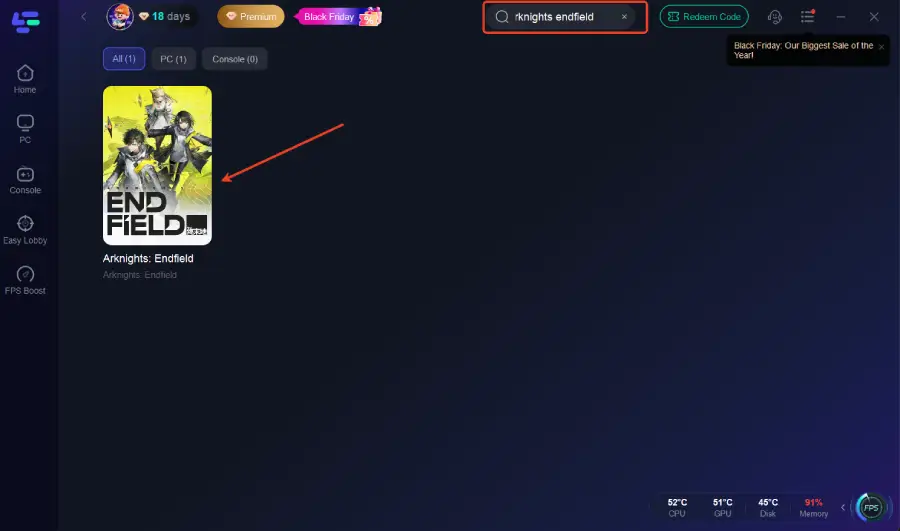
Step 2. Open LagoFast and search for Arknights: Endfield
Step 3. Use the One-Click Download Tool to download the launcher or game files
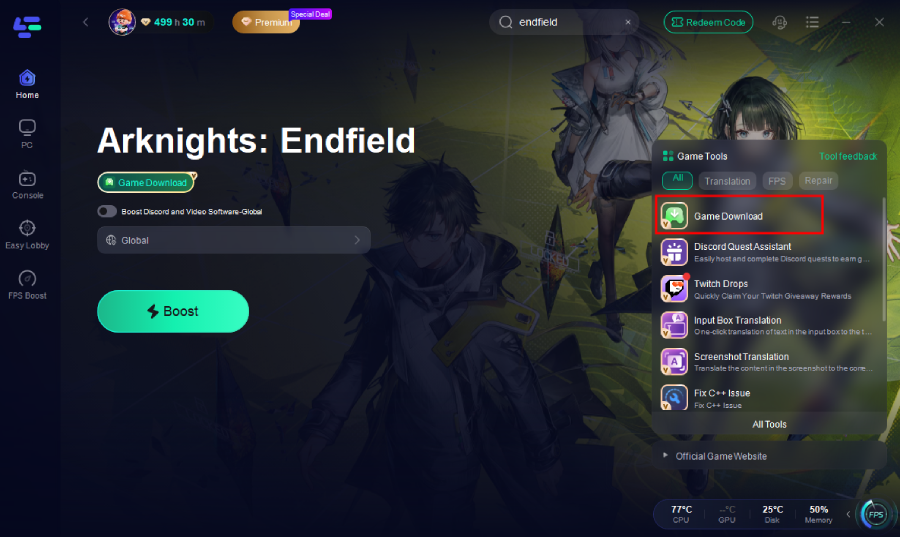
Step 4. Complete the installation process
Step 5. Click Smart Boost to enable LagoFast’s game acceleration before launching Arknights: Endfield
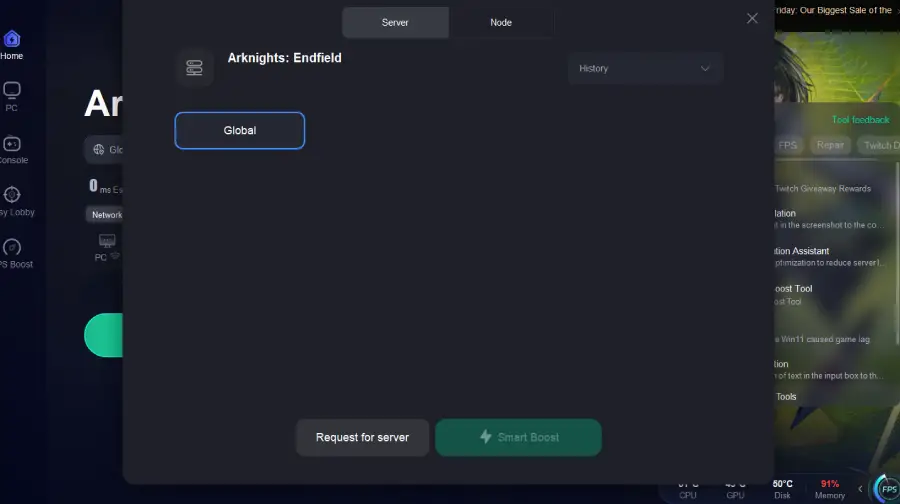
Step 6. Start the game with a more stable and optimized connection
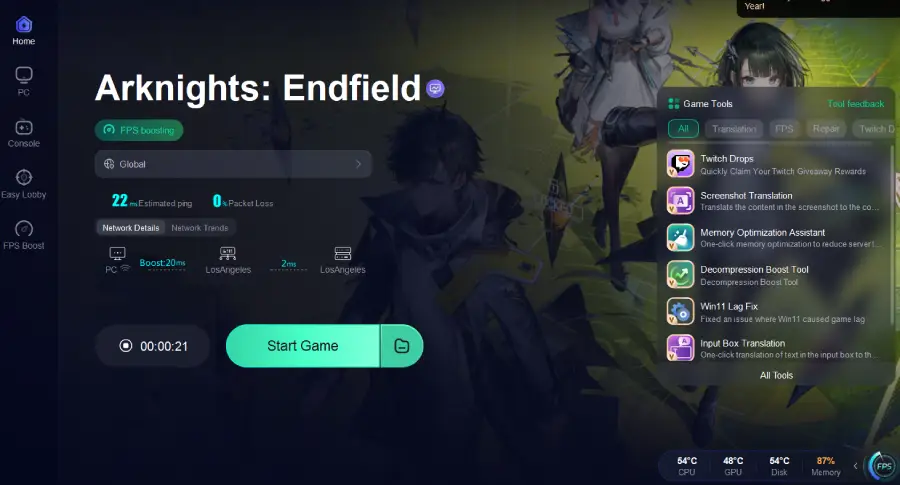
Beyond downloading, LagoFast also acts as a professional game booster. Once you start playing, it optimizes your network route, reduces latency, stabilizes packet loss, and helps prevent lag spikes during intense combat or base-building sessions.
Part 2: How to Download and Play Arknights: Endfield on Mobile
Arknights: Endfield is launching simultaneously on iOS and Android, making it easy to enjoy the game on the go. The mobile version keeps the same core systems, real-time combat, character switching, and factory management, while being optimized for touch controls.
How to download Arknights Endfield on iOS and Android:
Step 1. Open the App Store (iOS) or Google Play Store (Android).
Step 2. Search for “Arknights: Endfield.”
Step 3. Tap Pre-Download or Install once it becomes available.
Step 4. Make sure your device has enough free space.
Step 5. Launch the game and log in with your account.
Use LagoFast Mobile to Download Arknights Endfield Quickly
Mobile players can also download Arknights Endfield via LagoFast. Moreover, Mobile players also often face unstable Wi-Fi, high ping, or sudden frame drops, especially in online events and large battle scenes. LagoFast Mobile is designed to solve exactly these problems. By routing your connection through optimized gaming servers, LagoFast Mobile reduces latency, prevents disconnections, and stabilizes frame pacing. This is especially helpful during boss fights, combo chains, or when managing complex factory layouts that require constant synchronization.
Tutorial: Use the LagoFast Mobile to download Arknights Endfield and ensure a smooth mobile gaming experience:
Step 1: Search “LagoFast Mobile booster” in the Google App Store or Apple App Store. Alternatively, click here to download the APK File.
Step 2: Click the “Download” button, then install and launch “LagoFast Mobile Booster”.
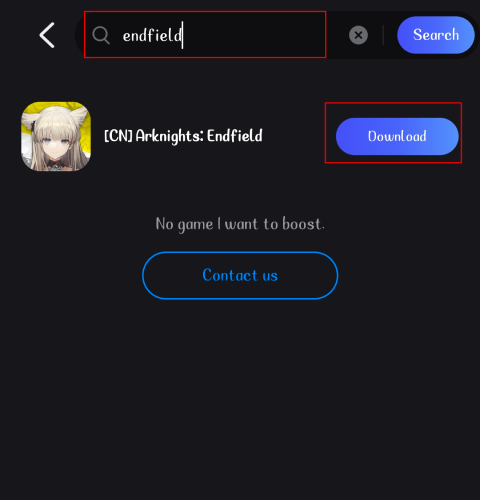
Step 3: Start Arknights: Endfield, then switch to LagoFast Mobile and search for it.
Step 4. Click Download in the interface.
Step 5: Enter the server selection interface, where you can change to a stable server, then click the “Boost” button to fix lag and enhance the gaming experience
Step 6: Finally, go back to Arknights: Endfield and start playing it without any lag.
Part 3: FAQs
Is Pre-Download for PC Up?
Yes. Pre-Download for PC is officially available shortly before the global launch on January 22, 2026. This allows players to install the full client early so they can enter the game immediately on release day.
How Big Is Arknights: Endfield?
Many players are searching for “how big is Arknights Endfield” and “arknights endfield storage size.” On PC, the initial download is expected to be around 40–50 GB, while mobile versions usually require 12–18 GB after all in-game resources are installed. PS5 players should prepare at least 50 GB of free space.
Can I Download Arknights: Endfield on PS5?
Yes. The game launches officially on PlayStation 5 with full support. You can find it in the PlayStation Store and use the Arknights Endfield PS5 pre-download feature to install it before release.
How to Download Arknights Endfield PC Faster?
If the official launcher is slow or unstable, using LagoFast’s One-Click Download Tool is one of the easiest ways to download Arknights Endfield PC faster. It avoids repeated verification and provides optimized download routes.
Is Arknights: Endfield Free to Play?
Yes. Arknights: Endfield is a free-to-play action RPG with optional in-game purchases, similar to the original Arknights model.
Can I Play with the Same Account on PC and Mobile?
Yes. With a linked Hypergryph or Gryphline account, your progress can be synchronized across PC, iOS, Android, and PS5, allowing seamless switching between platforms.
Conclusion
Arknights: Endfield is shaping up to be one of the most ambitious RPG releases of the year, combining cinematic combat, strategic team play, and deep factory simulation in a rich sci-fi world. Whether you plan to download Arknights Endfield on PC, mobile, or PS5, preparing early with enough storage space and a stable network connection will make your launch day much smoother. For players who face slow downloads, launcher errors, or in-game lag, LagoFast offers an all-in-one solution with its One-Click Download Tool and powerful game booster on both PC and mobile. With the right setup, you’ll be ready to step into Talos-II on day one and experience the world of Endfield without delays, disconnections, or performance worries.

Boost Your Game with LagoFast for Epic Speed
Play harder, faster. LagoFast game booster eliminates stutter and lags on PC, mobile, or Mac—win every match!
Quickly Reduce Game Lag and Ping!
Boost FPS for Smoother Gameplay!