

If you’ve ever tried logging into Highguard and ended up stuck in a queue, staring at “waiting in login queue” for minutes—or even hit a sudden Highguard error—you know how frustrating it can be.
You’re not alone. These issues usually happen because the system is checking your connection, filtering traffic, or protecting the servers during peak times.
In this guide, we’ll break down why Highguard queue and login errors happen, what’s going wrong behind the scenes, and practical steps you can take to fix them quickly.

- ✅ Reduce Lag and High Ping.
✅ Boost FPS at the Same Time.
✅ Support 2000+ Popular Online Games.
✅ Change Server without Latency.
✅ Boost Game Loading Speed.
Part 1: Why Does Highguard Queue Happen?
Part 2: How to Fix Highguard Queue and Login Queue Issues
Part 3: How to Improve Your Highguard Login and Game Experience
Part 1: Why Highguard Queue Happens
When you log in, the game checks your connection and the overall server status before letting you in. If something doesn’t meet the requirements—like your connection isn’t stable or the servers are busy—you get placed in a queue instead of being rejected immediately.
From a player’s perspective, the most common reasons you get stuck in a Highguard queue or face login queue issues are:
- Unstable connection: Even if your internet seems fine, Highguard needs a stable and reliable connection. High latency, packet loss, or routing issues can make the game hesitate and push you into the queue.
- Server load and priority filtering: During peak hours or major updates, servers can’t let everyone in at once. Players with faster or cleaner connections get through first, while others are placed in the queue.
- Multiple login attempts: Repeatedly clicking the login button, reconnecting quickly, or switching networks too often can trigger the game’s protection mechanisms. The system slows you down to prevent server issues and maintain gameplay stability.
Part 2: How to Fix Highguard Queue and Login Queue Issues
Now that you understand why the Highguard or login queue occurs, here are practical tips that actually work
1. Reconnect instead of waiting endlessly
If your queue stalls, resets, or ends in a Highguard error, just waiting usually won’t help. Instead:
- Close the game completely
- Wait a minute or two
- Reconnect with a fresh session
This gives the system a chance to run a proper verification and often gets you moving faster.
2. Check and stabilize your connection
Most queue problems come from your network, not bugs in the game. Common issues are slow ISP routing, congested international traffic, or overloaded VPN nodes.
What helps:
- Restart your modem/router
- Avoid free or generic VPNs
- Use a stable, low-latency connection
The key is reliable consistency, not raw speed—Highguard just wants a connection it can trust.
3. Clear local data if Highguard errors persist
If you get a Highguard error immediately after logging in, cached data might be causing it.
Try this:
- Fully close the game and launcher
- Clear temporary files or cache (if possible)
- Reboot your system
- Log in once, slowly
This resets your local login state and usually stops repeated errors.
4. Avoid peak login times
Sometimes, the queue really is just the servers being busy. High-risk times include:
- Patch releases
- Major events
- Evenings and weekends
Logging in during quieter hours can make a big difference and reduce Highguard queue times.
Part 3: How to Improve Your Highguard Login and Game Experience
Even with these precautions, queues can still happen during peak hours or server-heavy events. This is where network optimization tools come in. LagoFast is designed specifically to improve your gaming experience by stabilizing your connection and optimizing routes. With LagoFast, you can reduce ping, minimize packet loss, and enjoy smoother FPS performance.
Beyond connection stability, LagoFast also offers tools to enhance overall gameplay:
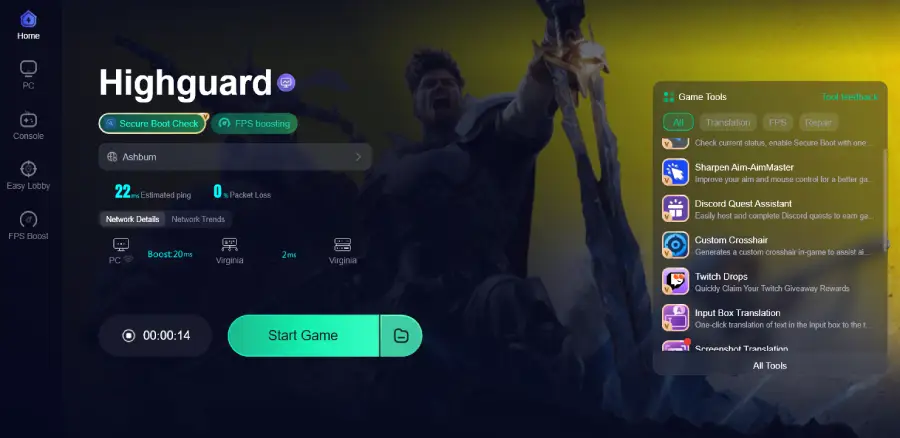
- Secure Boot Check—Check your system status and enable Secure Boot with one click for a safer gaming environment.
- Sharpen Aim (Aim Master)—Improve your aim and mouse control for more precise gameplay.
- Custom Crosshair—Generate an in-game custom crosshair to assist aiming.
Tutorial to Use LagoFast to Get the Best Highguard Experience on PC:
Step 1: Click the Free Trial button to download and install LagoFast.
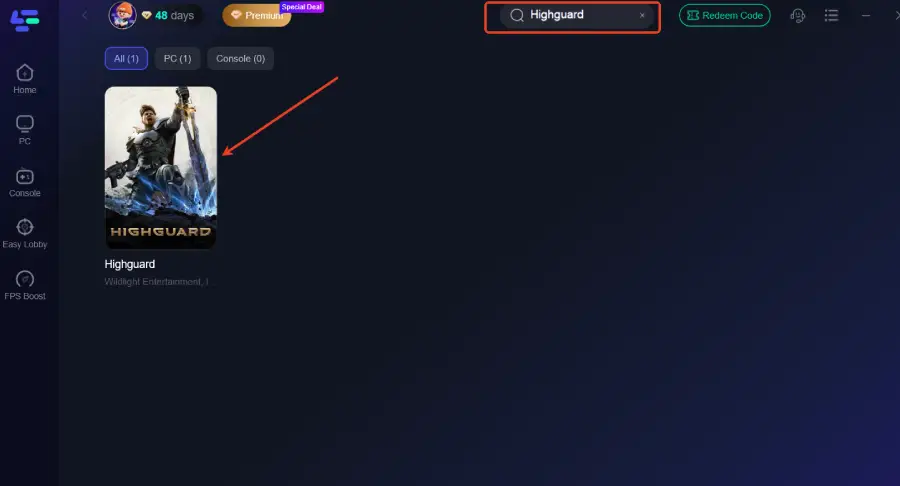
Step 2: After installation, search "Highguard" in the search bar and select the game.
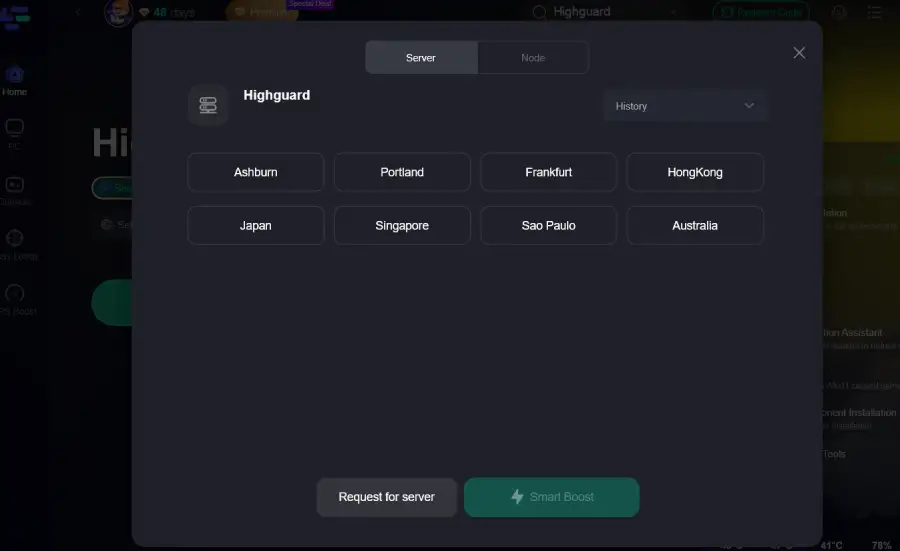
Step 3: Choose your preferred server node and click "Smart Boost" to start optimizing.
Step 4: Launch your game and enjoy smooth, optimized gameplay with lower ping and no stutter.
LagoFast Box for Console Players
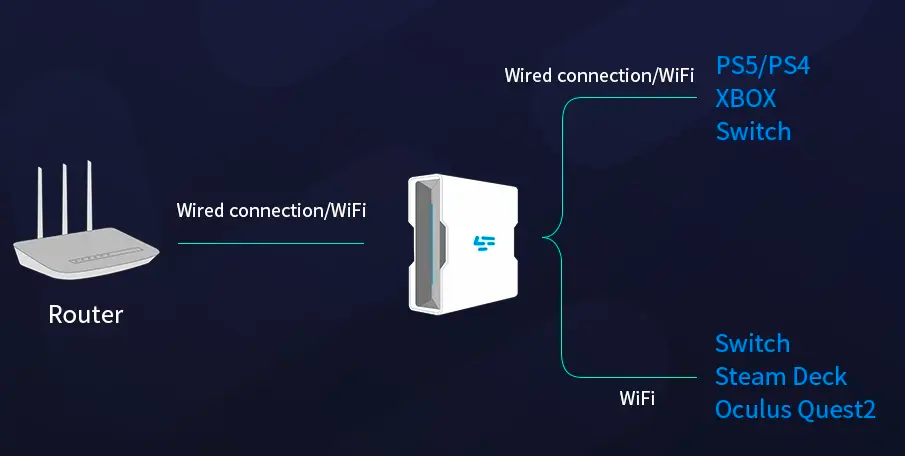
For console players on Xbox or PlayStation, LagoFast offers a LagoFast Box. This plug-and-play device sits between your console and router, automatically optimizing your connection for playing Highguard. It stabilizes routes, reduces latency, and minimizes packet loss, ensuring smooth and responsive gameplay without extra software.
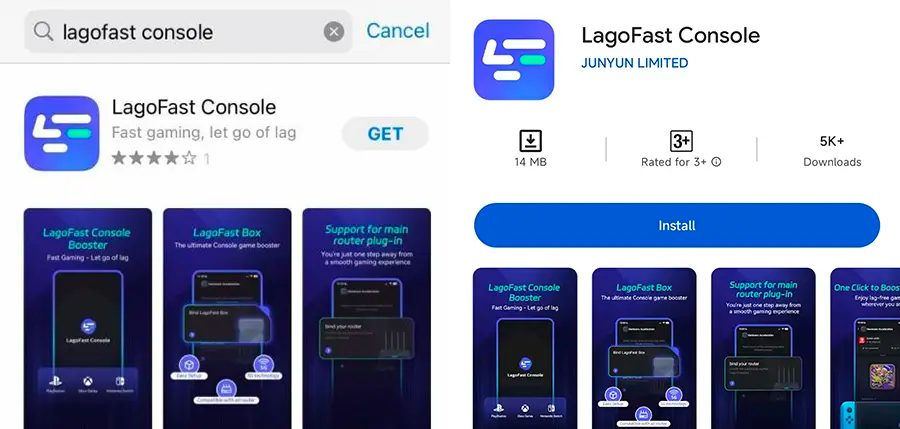
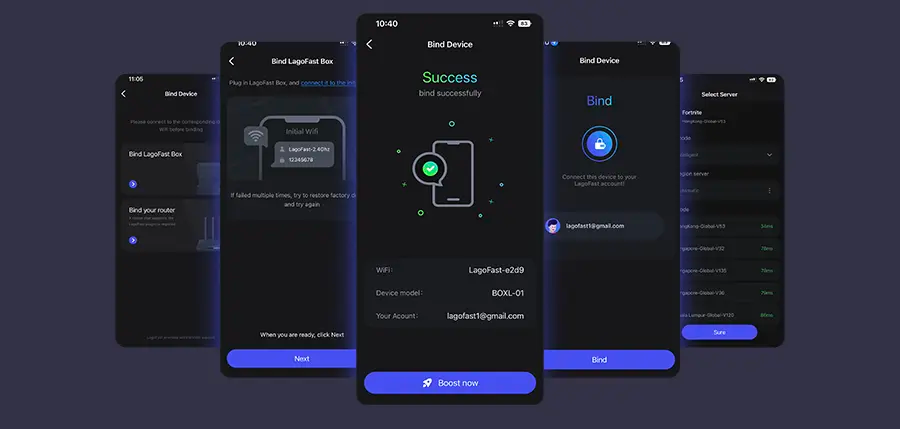
Step 1: Download the LagoFast Console App on your phone to control the LagoFast Box.
Step 2: Establish a connection between your LagoFast Box, router, and console, choosing between a wired or wireless connection.
Step 3: Launch the LagoFast Console App and boost Highguard. Once you have completed the binding process with the LagoFast Box, proceed to boost this game within the LagoFast Console App.
Conclusion
Getting stuck in Highguard queue, waiting in login queue, or running into a Highguard error can be frustrating, but most issues are easy to fix once you know the cause.
By keeping your connection stable, avoiding repeated login attempts, and using network optimization tools when needed, you can reduce queues, prevent errors, and enjoy smoother gameplay.

Boost Your Game with LagoFast for Epic Speed
Play harder, faster. LagoFast game booster eliminates stutter and lags on PC, mobile, or Mac—win every match!
Quickly Reduce Game Lag and Ping!
Boost FPS for Smoother Gameplay!