
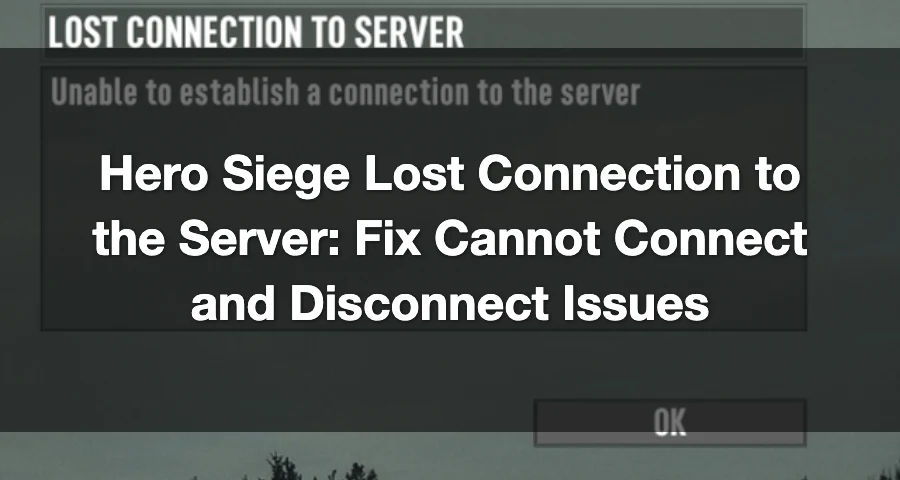
“Just reinstalled the game updated it ect.. but when i log on to my online an enter the chat/ creat area im am forced to read CANNOT CONNECT TO SERVER in the bottom left.”
If you’re getting a Hero Siege lost connection to the server error, that usually means the problem is more likely tied to region selection, login/session issues, routing, firewall rules, or port 6510 than a full game-wide outage.

- ✅ Lower ping and fewer disconnects.
- ✅ More FPS and better PC performance.
- ✅ Support for 3000+ games.
- ✅ Stable connections and region switching.
Why this happens even when Hero Siege is operational
A server error in Hero Siege does not always mean the whole game is down. Based on historical Hero Siege server behavior, these are the most likely causes:
Temporary login or server-side hiccups. The developers have previously acknowledged login queues and related server issues in the Steam Community hub.
Wrong or overloaded region. Hero Siege ties your account data to the region you pick on first login, according to the Hero Siege wiki server page.
Bad route to your selected region. A route can be unstable even when the servers themselves are up.
Firewall, NAT, or closed port issues. Hero Siege has a long-standing multiplayer requirement around UDP/TCP port 6510 for P2P connectivity.
Temporary client or session problems. This can show up after a reinstall, update, or failed login attempt.
Check these first before changing settings
Start with the fastest checks:
Look at the current Hero Siege server status.
Check the official Hero Siege Discord for maintenance or live player reports.
Look through recent Hero Siege Steam Community posts and any official Steam news for Hero Siege.
If all of those are quiet and the game still shows connection errors, move on to region and network fixes.
Server regions that matter for Hero Siege
Hero Siege official server locations in:
Texas
Japan
Europe
Notes:
On first login, the region you select is the one your account data is tied to.
You can still swap regions when making or joining a new lobby.
That means region choice can affect both ping/latency and which lobbies you can see.
If you are having sign-in problems or you’re a returning player, you can try Europe 1 first.
Hero Siege “Lost Connection to the Server” — Quick Fix (LagoFast)
If you keep getting “Lost Connection to the Server” in Hero Siege, it’s usually a routing instability issue, not your PC. Fix: use LagoFast to stabilize the connection path — this stops random disconnects.
Step 1: Download and open LagoFast
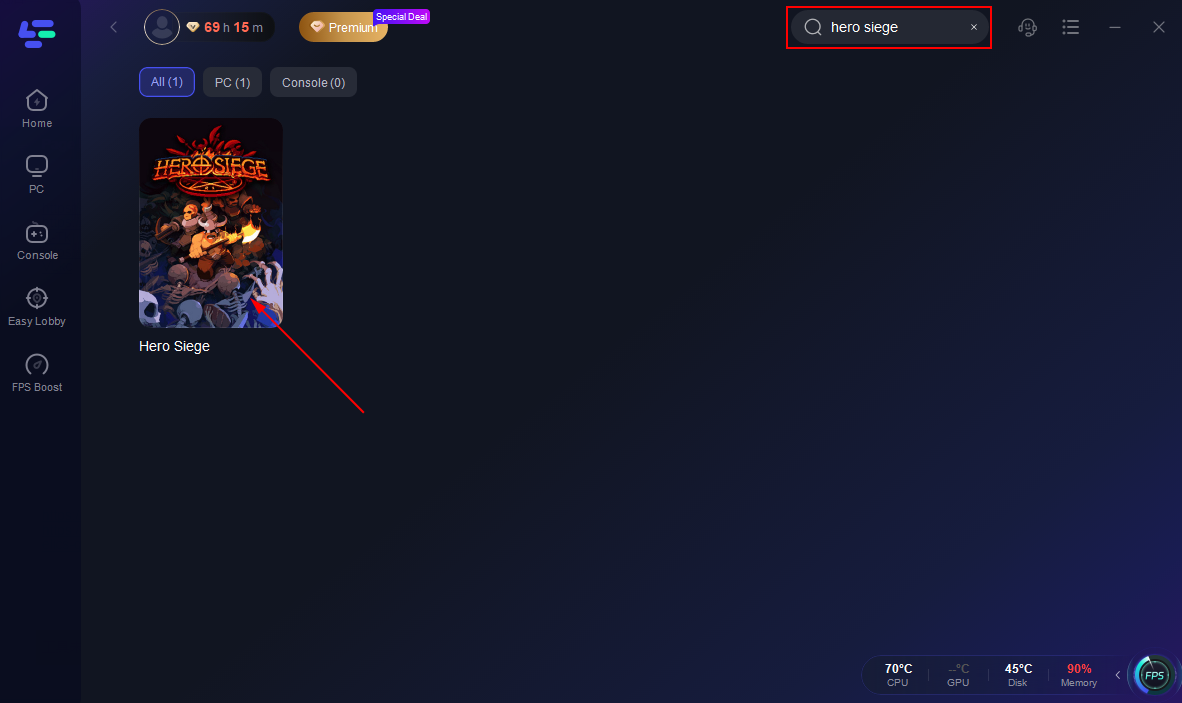
Step 2: Search for Hero Siege
Step 3: Select the nearest stable server route
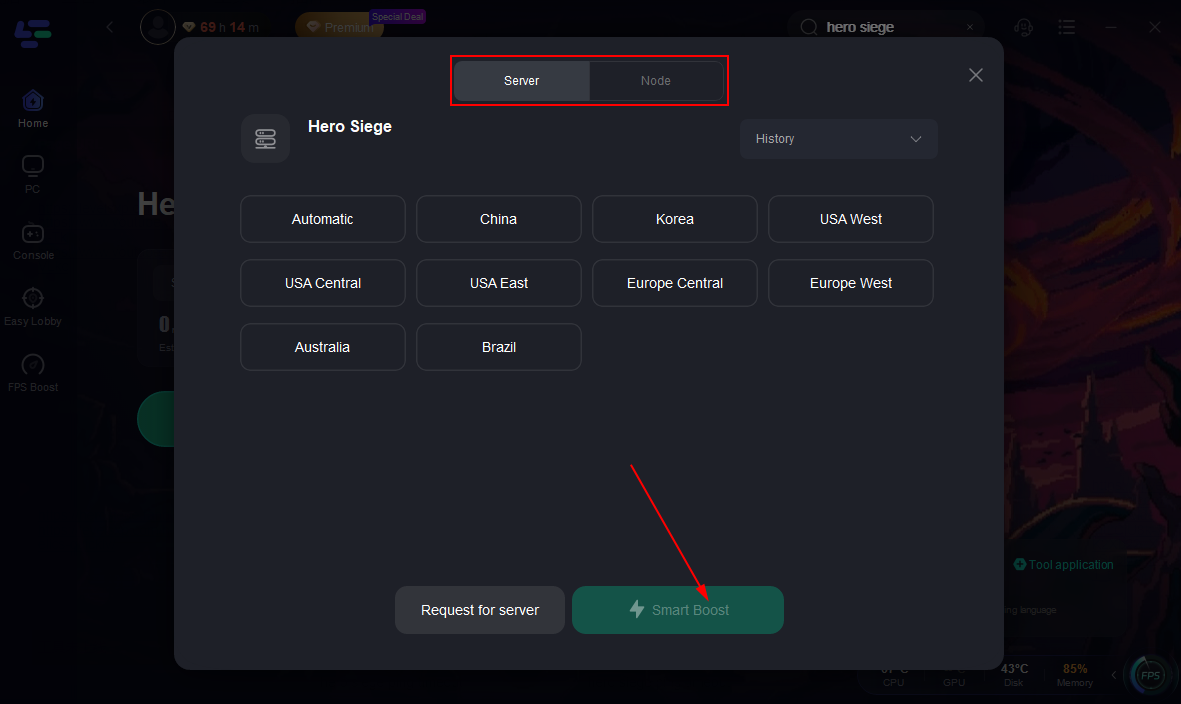
Step 4: Click Smart Boost
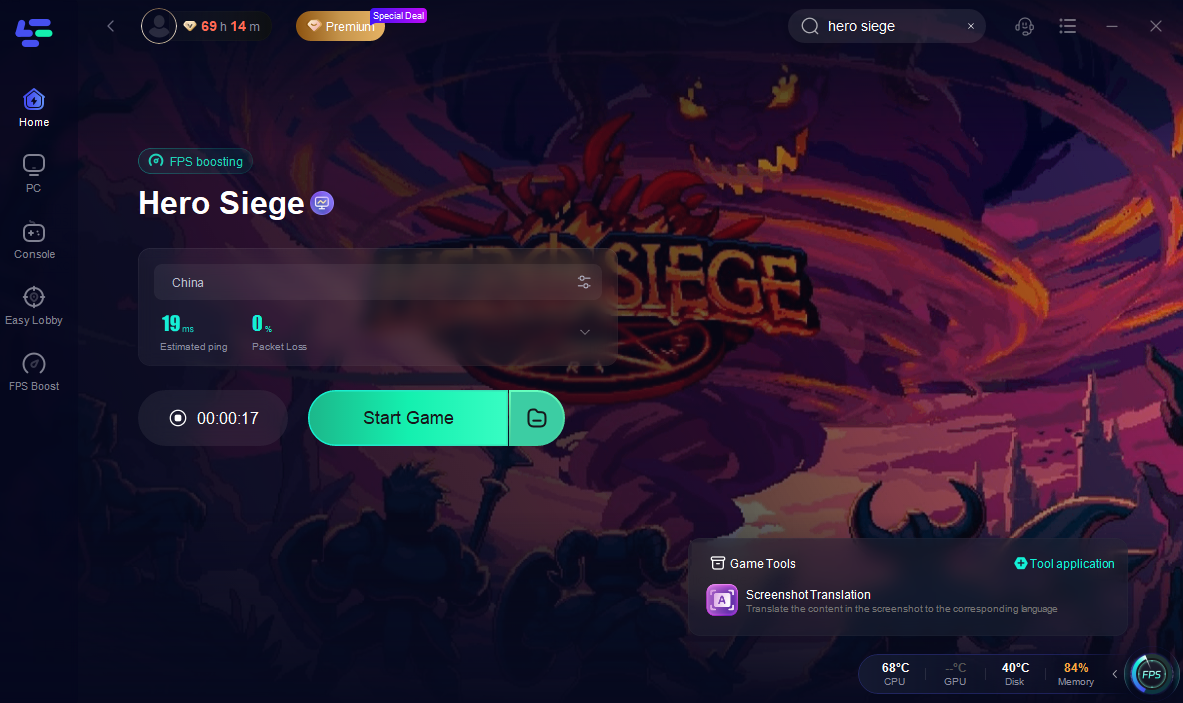
Step 5: Launch the game and reconnect
Step-by-step fixes for Hero Siege connection errors
Work through these in order.
1) Restart Hero Siege and Steam
Close the game fully, then close Steam and reopen both. This clears simple session problems that can happen after updates or failed login attempts.
2) Log out and sign back in
If the issue starts at login or when entering chat/lobby areas, sign out, wait a moment, then sign back in.
If you are a returning player or account setup seems stuck, try Europe 1 first.
3) Switch server region and test a fresh lobby
If you normally use one region, test another one. Start with the closest practical option or try Europe 1 if sign-in is failing.
Known referenced locations include:
Texas
Japan
Europe
Since Hero Siege allows region swapping when making or joining a new lobby, this is one of the fastest ways to tell whether the issue is tied to one route or one region.
4) Reboot your router or modem
Power-cycle your network equipment, then reconnect and test again. This can clear stale NAT or local connection problems.
5) Use wired internet if possible
If you’re on Wi‑Fi, switch to Ethernet for testing. That removes one common cause of packet loss and random disconnects.
6) Allow Hero Siege through your firewall and antivirus
Make sure Windows Firewall and any third-party antivirus or security suite are not blocking the game or Steam.
If you recently reinstalled the game, recheck these permissions instead of assuming the old rule still works.
7) Check UDP/TCP port 6510
Hero Siege has a long-standing requirement to open UDP/TCP port 6510 for multiplayer/P2P connectivity.
If your router, firewall, or ISP setup blocks that port, you may get errors like failed connection, inability to join, or disconnects when trying to enter online areas.
If you know how to manage your router settings, verify that port 6510 is not being blocked. If you are unsure, test the game on another network first to narrow it down.
8) Reduce local network interference
Before launching the game again:
Pause downloads
Close bandwidth-heavy apps
Disable VPNs for testing
Shut down overlay-heavy background apps if they seem to interfere
This is especially useful if the issue happens only during lobby joins or cross-region play.
9) Test another network if possible
If Hero Siege works on a different connection, the problem is likely local to your home network, ISP route, or router configuration.
If Hero Siege still keeps disconnecting
If none of the fixes above work, report the problem with details that are actually useful:
The region you selected
The time the disconnect happened
The exact error message or wording
Whether it happens on login, chat entry, lobby creation, or joining a game
A screenshot if possible
Whether you tested another network
Whether port 6510 is open or still unconfirmed
The best places to check or report are the official Hero Siege Discord, the Steam Community hub, and recent Hero Siege Steam news.
FAQ
Is Hero Siege down right now?
Not broadly, based on the latest status snapshot. The current Hero Siege server status page listed the game as operational on 2026-04-15, with 1 report in the last 24 hours. Connection was the main reported issue.
What server region should I try first in Hero Siege?
If you are having sign-in trouble or you’re a returning player, Europe 1 is the clearest first region to test.
Can changing server region fix Hero Siege connection issues?
Yes, it can. Hero Siege lets players swap regions when making or joining a new lobby, and region choice affects ping, latency, and visible lobbies. If one route or region is failing, another may work normally.
Final takeaway
If Hero Siege says lost connection to the server, the latest status does not suggest a broad outage. Start by checking status, then test region selection, especially Europe 1 for sign-in issues, and verify your firewall, router, and UDP/TCP port 6510 settings.
In most cases, that’s the fastest way to separate a real Hero Siege server problem from a fixable local connection issue.
Boost Your Game with LagoFast for Epic Speed
Play harder, faster. LagoFast game booster eliminates stutter and lags on PC, mobile, or Mac—win every match!
Quickly Reduce Game Lag and Ping!
Boost FPS for Smoother Gameplay!