
Guild Wars Reforged has breathed new life into a classic world, but with the excitement of refreshed visuals and modernized systems also comes a familiar reality: errors that interrupt gameplay. Many players encounter launcher failures, lag spikes, unusual mouse behavior, or slow login responses. These issues often lack a clear cause, making troubleshooting frustrating when all you want is to jump back into Tyria.
This guide gathers the most commonly reported Guild Wars Reforged errors, explains why they occur, and walks you through practical step-by-step solutions.

- ✅ Reduce Lag and Boost FPS
✅ Ensure Stable Server Connection.
✅ Change Server without Latency.
✅Fix Crashing and Stuck Errors.
✅ 0% Packet Loss Rate
Part 1: Guild Wars Reforged Common Error
Part 2: Best Solution to Fix Guild Wars Reforged Common Error
Part 3: Other Practical Fixes for Guild Wars Reforged Errors
Part 1: Guild Wars Reforged Common Error
Below are the most frequent problems players encounter while running Guild Wars Reforged. These errors can appear on both older and modern systems depending on how the game interacts with hardware, drivers, and network conditions.
Error 1: Login Failure or “Unable to Connect”
Players may suddenly be unable to reach the login server even when their Internet appears normal. This often occurs during peak hours, after patches, or due to routing mismatches between the player and the game’s servers.
Error 2: Mouse Offset or Unresponsive Cursor
Improved UI scaling sometimes leads to mouse alignment issues. Clicking one spot may register somewhere else, making combat and inventory management nearly impossible.
Error 3: Windows 11 Lag, Stuttering, or Frame Drops
Many Windows 11 users experience inconsistent performance and stuttering in crowded zones. This is typically related to background processes, graphics driver behavior, or unstable routing to game servers.
Error 4: Slow Patch or Client Download Speed
Large update downloads may slow down significantly if the launcher reroutes traffic through congested nodes or if the ISP throttles bandwidth during peak hours.
Error 5: Game Not Launching or Crash on Startup
The client may freeze, crash, or get stuck on the splash screen due to corrupted cache files or conflicts with overlays and background applications.
Error 6: High Ping or Random Disconnects
Even with a stable connection, sudden latency spikes may occur due to long-distance routing, packet loss, or server-side congestion.
Part 2: Best Solution to Fix Guild Wars Reforged Common Error
While manual fixes exist, the most consistent and effective solution is route optimization, which is where LagoFast excels. LagoFast provides an all-in-one solution using dynamic route optimization to stabilize your network, bypass congestion, reduce packet loss, and improve overall performance without complex adjustments. Instead of testing multiple manual fixes, LagoFast improves routing and corrects instability instantly.
LagoFast can fix:
- Mouse offset and input alignment issues
- Login failures or “Unable to Connect”
- Windows 11 lag, stuttering, or frame drops
- Unstable ping and inconsistent latency
- Sudden disconnects and packet loss
- Launcher problems caused by poor routing
How to Fix Guild Wars Reforged Common Error With LagoFast
Step 1. Download and install LagoFast.
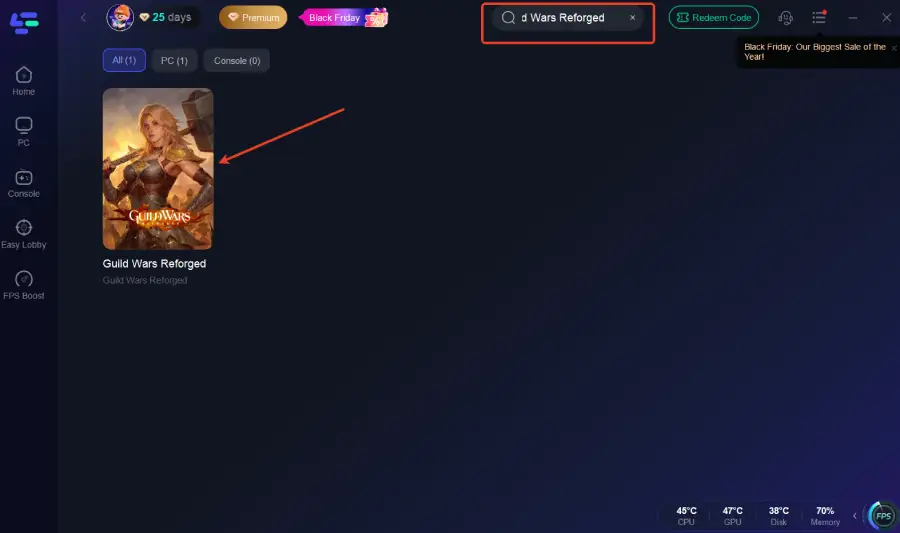
Step 2. Launch LagoFast and search Guild Wars Reforged.
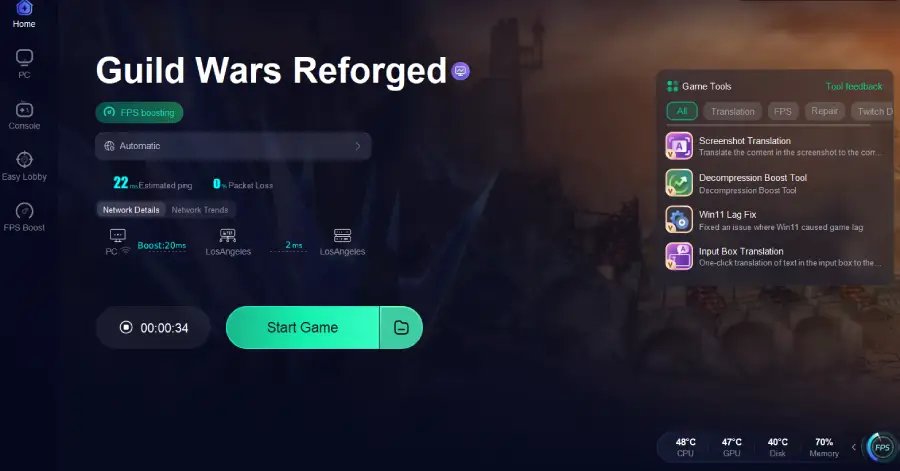
Step 3. Select the errors you want to fix, such as Windows 11 lag. Enable the tool.
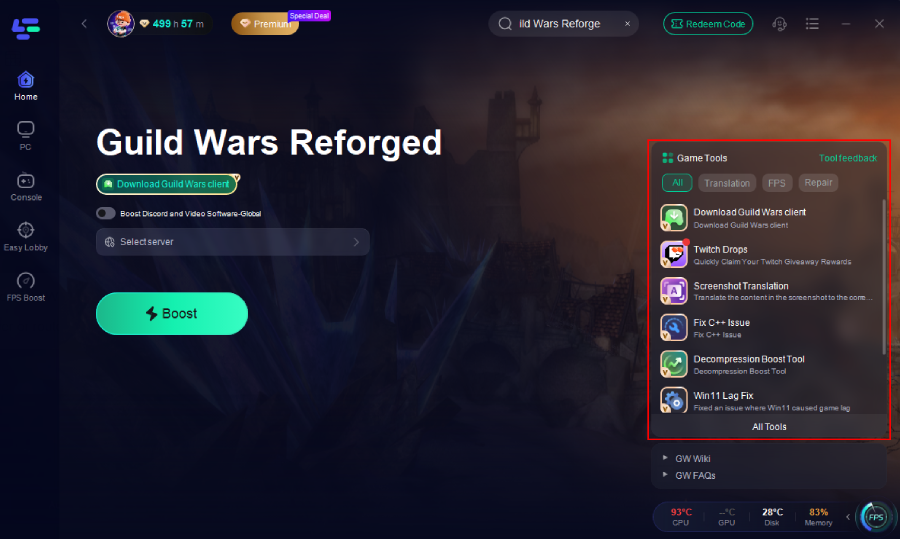
Step 4: Select the best server or route for your region to ensure optimal stability.
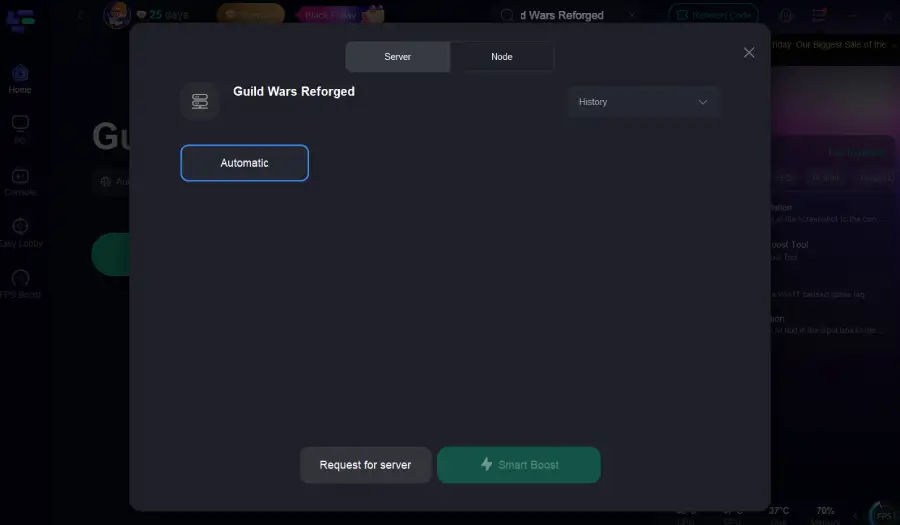
Step 5: Optimize network settings—LagoFast will automatically select the best connection path to minimize lag, packet loss, and high latency for smoother gameplay.
Part 3: Other Practical Fixes for Guild Wars Reforged Errors
Solution 1: Clear the Guild Wars Reforged Cache
Outdated or corrupted cached data may cause launch problems or UI glitches such as mouse offset.
Steps:
- Close the game and launcher.
- Open the game’s installation folder and locate the “Cache” or “Temp” folder.
- Delete all files inside.
- Restart your PC to rebuild the cache.
- Relaunch the game and test again.
Solution 2: Update Graphics Drivers and Disable Overlays
Graphics drivers may cause stuttering, black screens, or startup freezes.
Steps:
- Open NVIDIA GeForce Experience or AMD Adrenalin and check for updates.
- Install updates and restart.
- Disable overlays such as Discord, Steam, MSI Afterburner, or Xbox Game Bar.
- Launch the game to test performance.
- If issues persist, roll back to a previous driver version.
Solution 3: Reset Network Settings
Network inconsistencies often cause login errors, slow downloads, or random disconnections.
Steps:
- Press Windows + I and open “Network & Internet.”
- Go to “Advanced network settings.”
- Select “Network reset” and confirm.
- Restart your PC.
- Launch the game and test your connection.
Solution 4: Reinstall or Repair the Game Client
Corrupted game files may cause launch errors or UI problems.
Steps:
- Open the launcher and find “Repair” or “Verify Files.”
- Let the tool scan and repair files.
- If issues continue, uninstall the game.
- Download a fresh client and reinstall.
- Log in and test again.
Conclusion
Guild Wars Reforged offers a nostalgic yet modern MMORPG experience, but common errors still disrupt gameplay. Login failures, mouse offset issues, slow downloads, Windows 11 lag, and disconnects can stem from system, network, or server-side factors.
Traditional fixes like clearing cache, reinstalling the client, or resetting network settings may help in specific situations, but they often require more time and don’t address deeper routing or stability issues.
LagoFast provides a faster and more complete solution by improving routing, stabilizing network performance, and resolving multiple errors simultaneously. For players seeking smoother gameplay with minimal troubleshooting, it remains the most effective choice.
Boost Your Game with LagoFast for Epic Speed
Play harder, faster. LagoFast game booster eliminates stutter and lags on PC, mobile, or Mac—win every match!
Quickly Reduce Game Lag and Ping!
Boost FPS for Smoother Gameplay!