
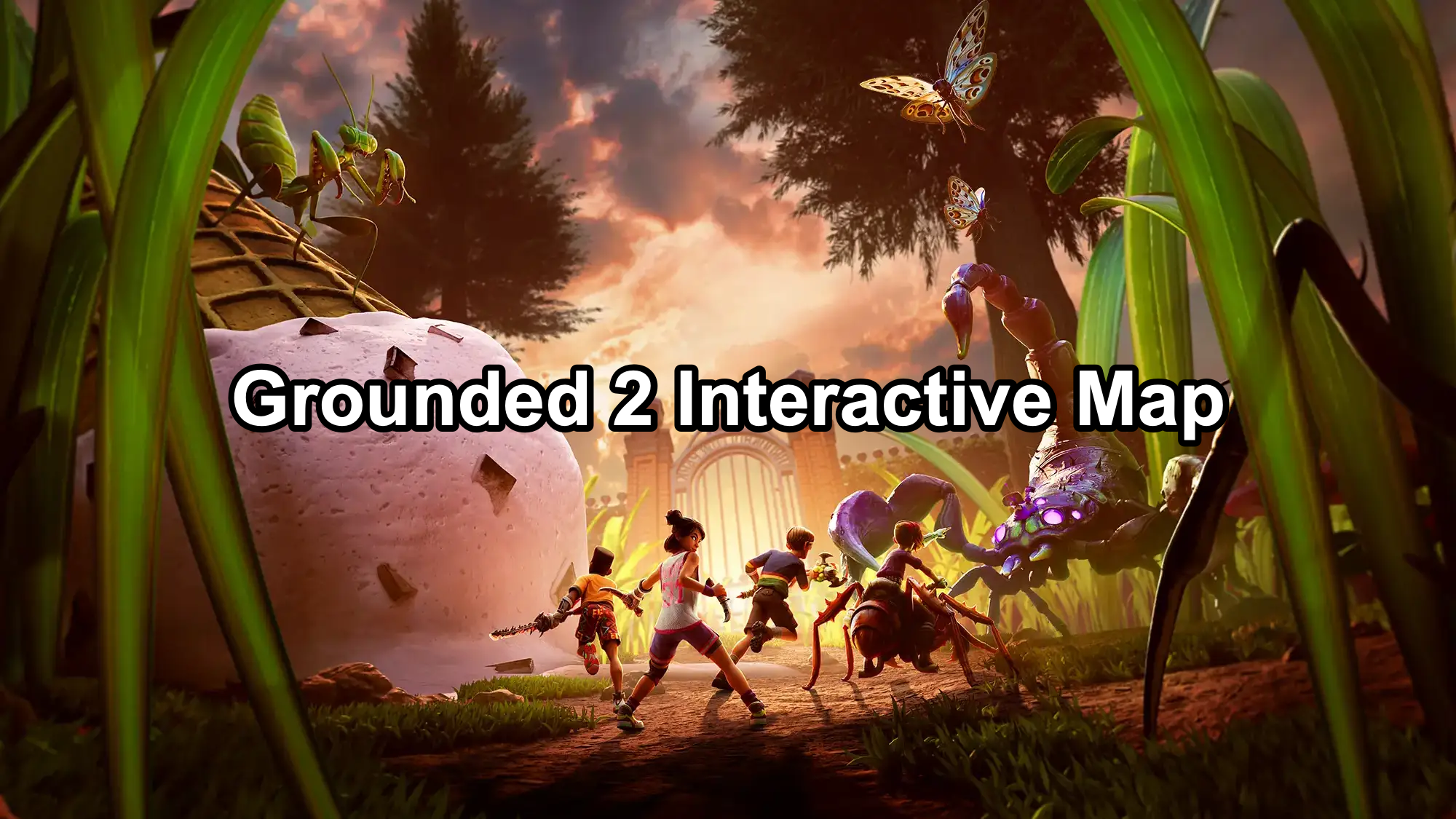
In Grounded 2, navigating the vast backyard of Brookhollow Park can be overwhelming. Thankfully, the game features an interactive map system that unlocks as you progress through the story and gather essential resources. This built-in map not only helps you track your location but also marks important resources, landmarks, and enemy spawn points.

- How to Unlock and Use the In-Game Interactive Map in Grounded
- Map Coverage: Key Resource Locations & Landmarks You Should Know
- Tips for Maximizing the Interactive Map’s Efficiency
- Optimize Grounded 2 Connection Instantly with LagoFast
1. How to Unlock and Use the In-Game Interactive Map in Grounded 2
Unlike external fan-made maps, Grounded 2’s interactive map is embedded within the game itself, designed to gradually expand as you explore new regions and analyze environmental data. Here’s how it works:
Progress Through the Main Storyline
As you complete main missions, you’ll unlock new sections of the map. Each biome, such as the Hedge, Picnic Table, and Sandbox, gets added to your in-game interface.
Collect Map Fragments and Data Chips
Scattered across the backyard are Data Chips and Map Fragments. By analyzing these at Field Stations, you’ll enhance your map with markers for Milk Molars, Lab Entrances, and resource hotspots.
Unlock Resource Scanning via BURG.L Quests
Once you unlock scanning upgrades through BURG.L in the Oak Tree Lab, you can highlight specific resource nodes like Quartzite, Marble, or Sizzle Stones directly on the map.
Track Landmarks and Boss Locations
Important POIs such as the Haze Lab, Termite Den, and the Mantis Arena will automatically be pinned on your map once you approach or scan them.
Key Features of the Interactive Map:
- Zoomable Layers: Detailed terrain mapping with elevation markers.
- Dynamic Pings: Real-time creature and resource node appearance tracking.
- Filter System: Toggle visibility of collectibles, bugs, bosses, or resources.
- Player Waypoints: Custom markers for route planning and base-building spots.
How to Use the Interactive Map
|
Feature |
How to Use It |
|---|---|
|
*Hide All Pins |
SStart with hiding everything using the “Hide All” button, then selectively reveal points you’re tracking |
|
Search Icons |
Use the search toggle to find specific items like “Spider Nest” or “Picnic Table” |
|
Fullscreen Mode |
Expand to full screen for better visibility when exploring areas or planning paths |
|
Progress Tracking |
When logged in, you can pin found items and keep a record of your in-game discoveries |
2. Map Coverage: Key Resource Locations & Landmarks You Should Know
Grounded 2’s interactive map becomes an essential survival tool once you start gathering higher-tier materials. Here’s a breakdown of important areas and what you’ll find there:
Essential Resource Zones
|
Area |
Key Resources Found |
|---|---|
|
Oak Tree Biome |
Acorn Bits, Sap Clumps, Quartzite |
|
Hedge Lab Area |
Berry Chunks, Spider Silk, Raw Science Capsules |
|
Sandbox |
Mint Shards, Salt Clumps, Sizzle Stones |
|
Black Anthill |
Black Ant Parts, Supreme Quartzite, Antlion Bits |
|
Upper Yard (Picnic Table) |
Gum Nuggets, Cookie Bits, Mega Milk Molars |
High-Value Collectibles & Items
Milk Molars & Mega Milk Molars
These are marked after scanning specific BURG.L chips. Essential for upgrading health, stamina, and inventory space.
Field Stations & Labs
Field Stations are critical for analyzing materials and expanding map data. Labs like the Haze and Hedge Labs will automatically appear on your map once discovered.
Unique Boss Locations
Creatures like the Broodmother, Mantis, and Black Widow will be pinned on your map, providing quick access to boss arenas for farming rare drops.
3. Tips for Maximizing the Interactive Map’s Efficiency
- Regularly return to Field Stations to upload scanned data and update your map.
- Prioritize BURG.L upgrades that enhance Resource Scanning to reveal more material nodes.
- Use Custom Waypoints to mark areas of interest such as hidden Milk Molar spots or safe base-building zones.
- Combine the in-game map with external interactive maps (like Game8’s version) for more detailed tracking if needed.
4. Optimize Grounded 2 Connection Instantly with LagoFast
Lag spikes and unstable connections can ruin your Grounded 2 experience, especially during intense battles or exploration. LagoFast offers a simple and effective way to stabilize your network and reduce ping, ensuring smooth and lag-free gameplay.
Benefits of Using LagoFast for Grounded 2
- Reduces ping and minimizes lag spikes in real-time.
- Ensures stable server connections with intelligent routing.
- Monitors live ping and packet loss for precise network control.
- Easy setup—no complex configurations needed.
Here’s how to use LagoFast to boost your connection for Grounded 2:
Step 1: Click the button below to download LagoFast for free and install it on your PC.
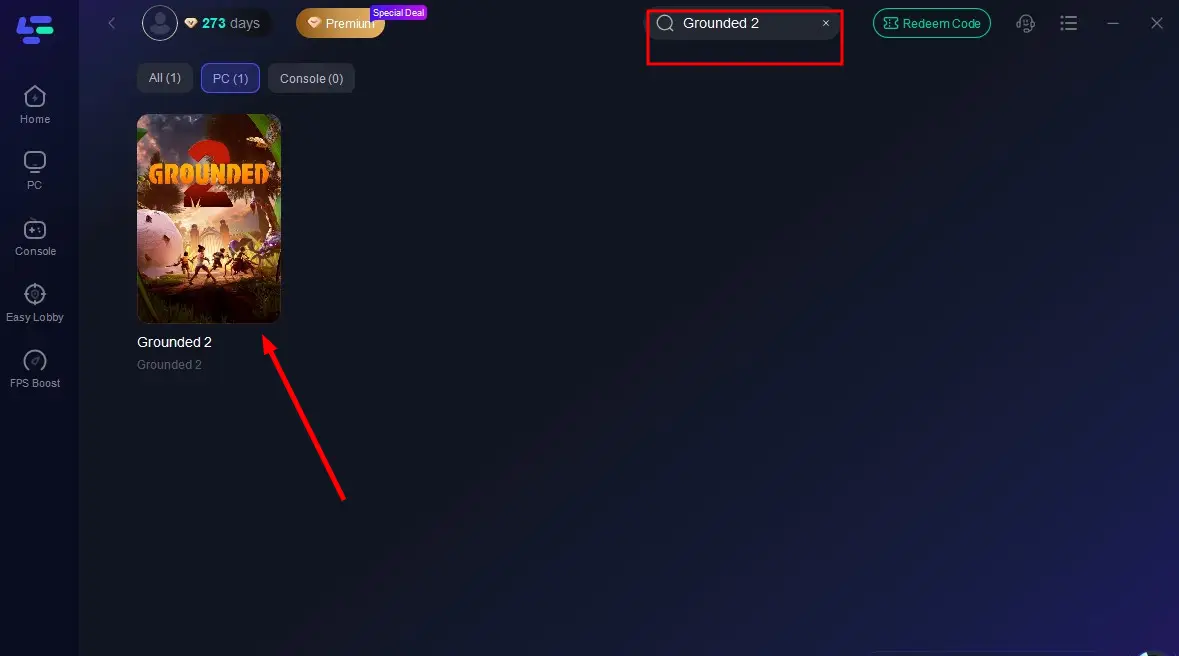
Step 2: Launch the LagoFast client after installation, then type "Grounded 2" into its search bar and click the result.
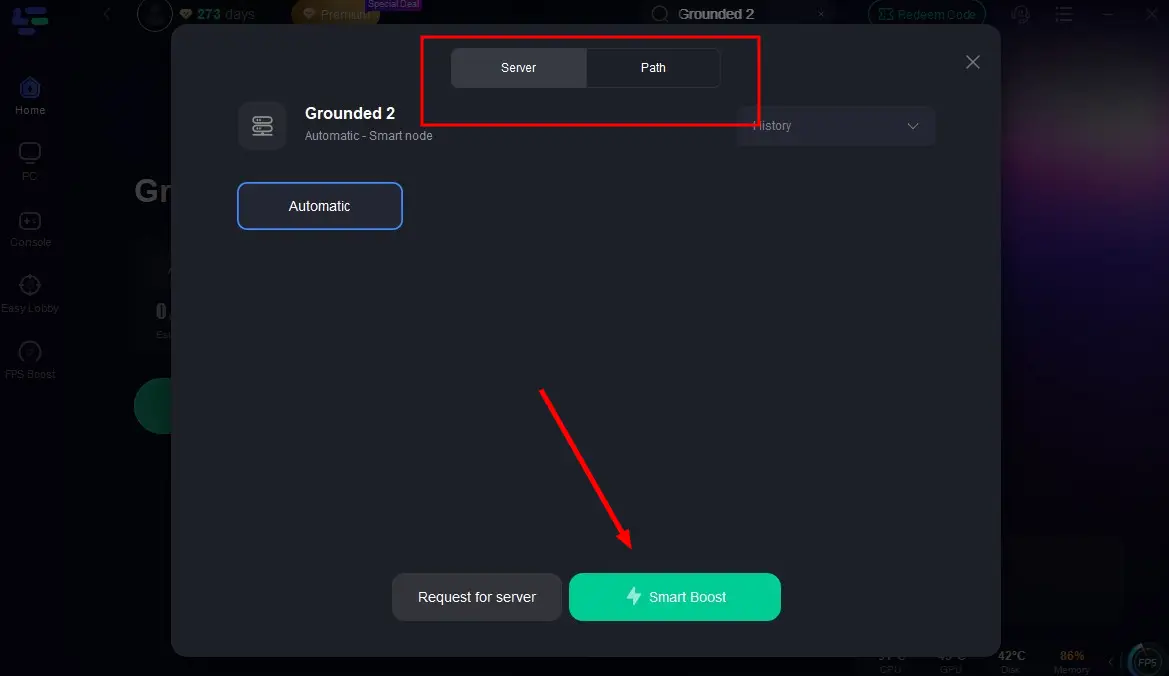
Step 3: Click "Select Server" to choose the closest or lowest-latency server node, then click "Smart Boost" to activate real-time optimization.
Step 4: Once optimization starts, you'll see reduced packet loss and ping in-game. Click "Start Game" to return to Grounded 2 and enjoy lag-free gameplay!
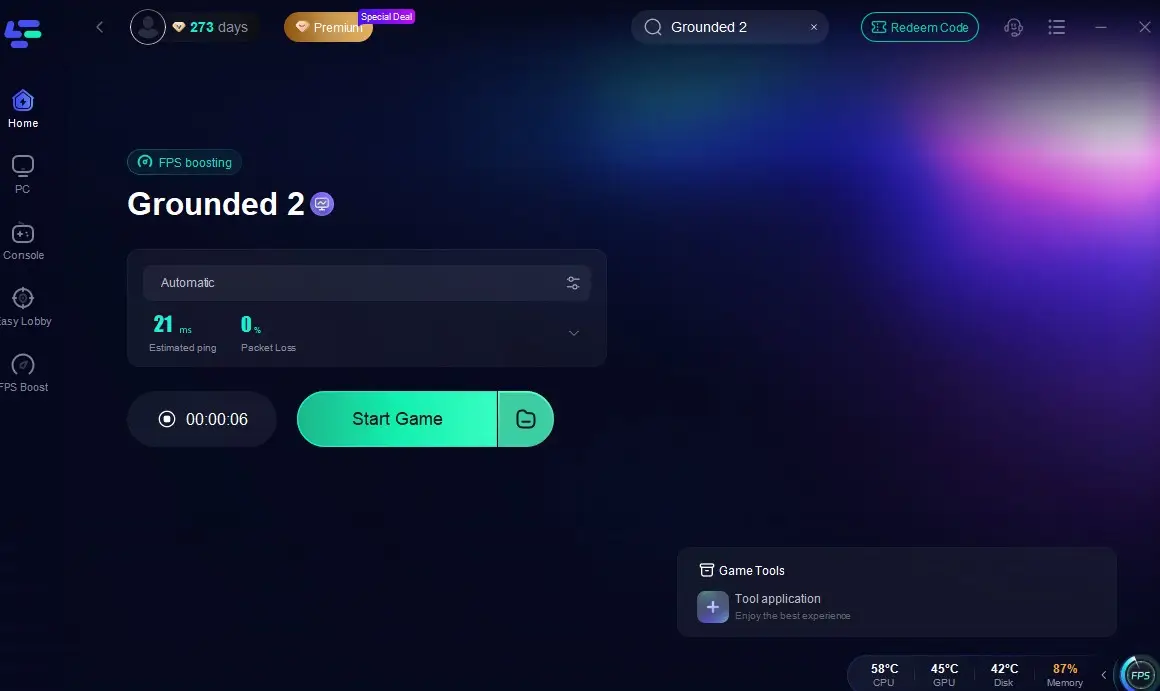
With these quick steps, LagoFast will handle all the backend optimization, giving you a stable and responsive network without any technical hassle. By using LagoFast, you can enjoy a seamless Grounded 2 experience, focusing on crafting and survival without being interrupted by frustrating connection issues.
Conclusion
The Grounded 2 interactive map is a powerful tool that evolves with your progression. By unlocking map fragments, upgrading resource scanning, and exploring new biomes, you’ll gain access to a dynamic navigation system that ensures you never miss crucial resources or hidden areas. Mastering this map will significantly enhance your survival efficiency, helping you locate Milk Molars, resource hotspots, and critical landmarks with ease.

Boost Your Game with LagoFast for Epic Speed
Play harder, faster. LagoFast game booster eliminates stutter and lags on PC, mobile, or Mac—win every match!
Quickly Reduce Game Lag and Ping!
Boost FPS for Smoother Gameplay!