
Grounded 2 is without a doubt one of the most unique survival adventure games, where you are shrunk down to the size of an insect to survive in a vast, overgrown park. What's more, Grounded 2 expands on its predecessor with a vastly expanded environment and new threats to increase playability. Players must gather resources, craft weapons, and construct shelters while contending with aggressive creatures, which has aroused the interest of players worldwide. However, Grounded 2 Crashing & Not Launching issues are inevitable. Will this dampen survival fans' enthusiasm? Of course, the answer is NO! In that case, I recommend LagoFast, a game booster that can simply address the problem and become your best assistant for a flawless game.

- ✅ Reduce Lag and High Ping.
- ✅ Boost FPS at the Same Time.
- ✅ Support 2000+ Popular Online Games.
- ✅ Change Server all over the World.
Part 1: Why Does Grounded 2 Keep Crashing?
Part 2: Best Way to Fix Grounded 2 Crash & No Launching
Part 3: 8 Other Solutions to Grounded 2 Not Launching
Part 4: How to Fix Grounded 2 Crashing on Xbox
Part 1: Why Does Grounded 2 Keep Crashing?
Grounded 2 officials have revealed a challenging and expanded world, giving players plenty of reasons to anticipate its release. The developers clearly put a ton of work into making Grounded 2 awesome. So why does a polished game like Grounded 2 keep crashing? It's frustrating. Most of the time, these annoying crashes can be traced back to a handful of common culprits, like the game's servers having a bad day, another program on your computer interfering, or even your own PC hardware not playing nice. The important thing is, we can troubleshoot this. Here’s how.
- Below Minimum System Requirements: First, let's start with the basics: your PC's specs. The developers list minimum requirements for a reason. If your PC is below that power level, it’s just not going to handle the game well. You'll get constant lag and crashes.
- Interfering Apps: Sometimes, your own security software gets in the way. Your antivirus or firewall can mistakenly flag Grounded 2 and block it, causing it to crash. The fix is to open your security app and add Grounded 2 to its 'safe' or 'exceptions' list. Overlays from apps like Discord can also cause conflicts.
- Outdated Drivers or BIOS: An outdated graphics driver can't communicate properly with the game, leading to all sorts of errors. And a special note for those with 13th or 14th gen Intel CPUs: an old BIOS is a known stability-killer for your system, so keeping that updated is just as crucial.
- Overheating Components: When your CPU or GPU starts to overheat, your system will often shut down the game to prevent damage. That's why you get those sudden, random crashes right when you're in the middle of something important.
Part 2: Best Way to Fix Grounded 2 Crash & No Launching
It is not difficult to solve this problem if you use LagoFast, a professional Grounded 2 game booster. Furthermore, LagoFast has rich experience of data transmission. This enables it to easily handle difficult network situations and gives you thorough protection against crashes caused by poor connectivity. Don't be concerned if you can't use it in your area; LagoFast has a worldwide acceleration route that gives real-time diagnostics for your network and accurately matches the nodes with the lowest ping values. What's more, LagoFast is the only game booster and game VPN that provides a timed package and pays by the minute, making it more economical and affordable. Lagofast also provides a free trial for those who are unsure, so you can try it before making a decision. I'm confident that with LagoFast's assistance, you'll have an extremely smooth game!
Here are Lagofast's intelligent optimization features:
- Stable Connection, No More Login Crashes: LagoFast utilizes its worldwide nodes and exclusive multi-path connection technology to establish the most stable gaming route for you. This prevents crashes caused by network fluctuations during the startup or login phase, which requires communication with game servers.
- One-Click FPS Boost & System Optimization: Crashes are often just a performance problem. That's what this feature is for. If you're seeing Grounded 2 GPU Crash Dump Triggered Error, it's a sign your hardware is under stress. LagoFast's one-click optimization fixes this by fine-tuning your CPU and GPU settings and freeing up system resources. It directly boosts your FPS, which makes your entire system more stable. Ultimately, that means far less chance of the game crashing on you.
Here's how to use LagoFast:
Step 1: Click the button below to download LagoFast for free and install it on your PC.
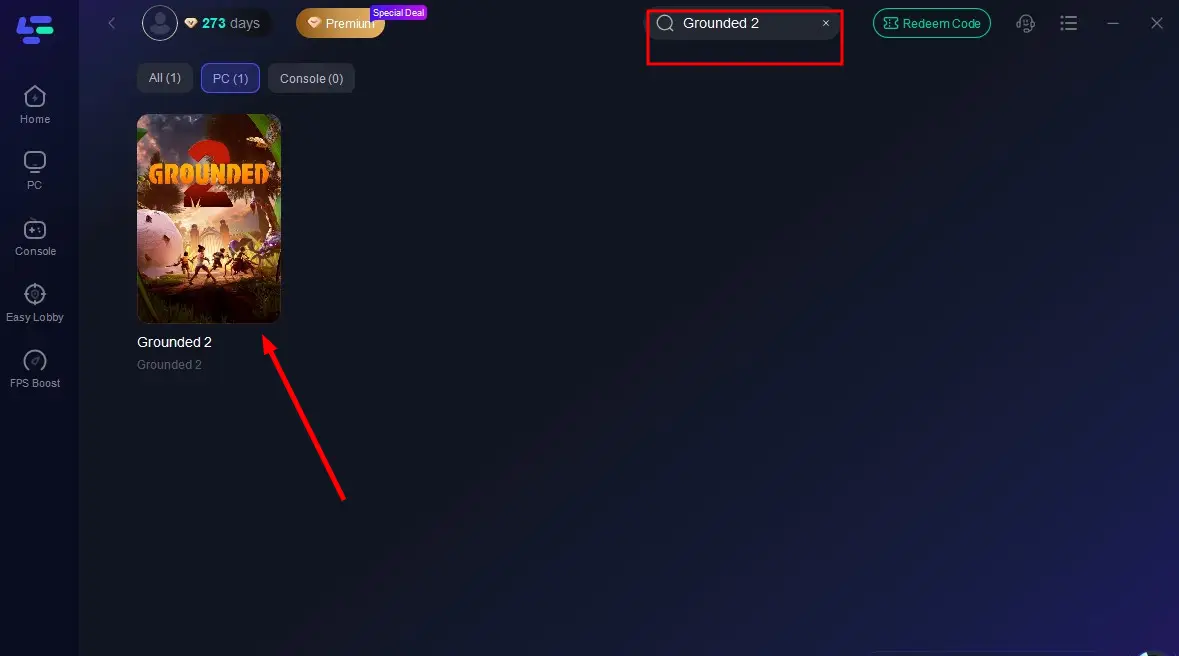
Step 2: Launch the LagoFast client after installation, then type "Grounded 2" into its search bar and click the result.
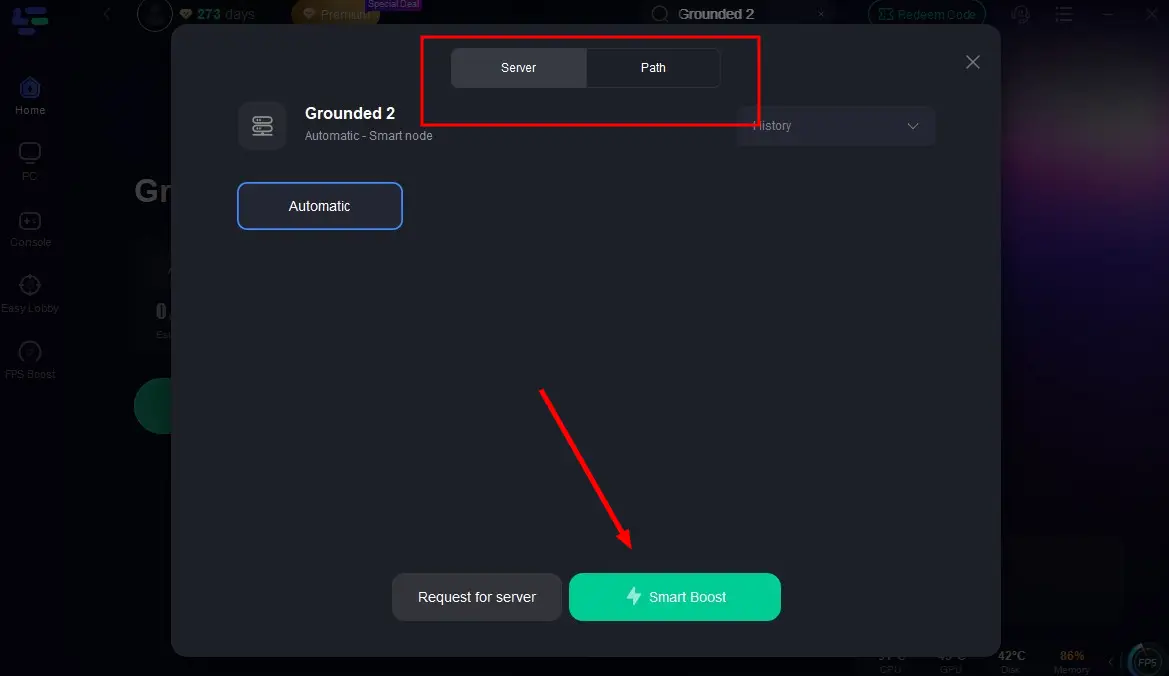
Step 3: Click "Select Server" to choose the closest or lowest-latency server node, then click "Smart Boost" to activate real-time optimization.
Step 4: Once optimization starts, you'll see reduced packet loss and ping in-game. Click "Start Game" to return to Grounded 2 and enjoy lag-free gameplay!
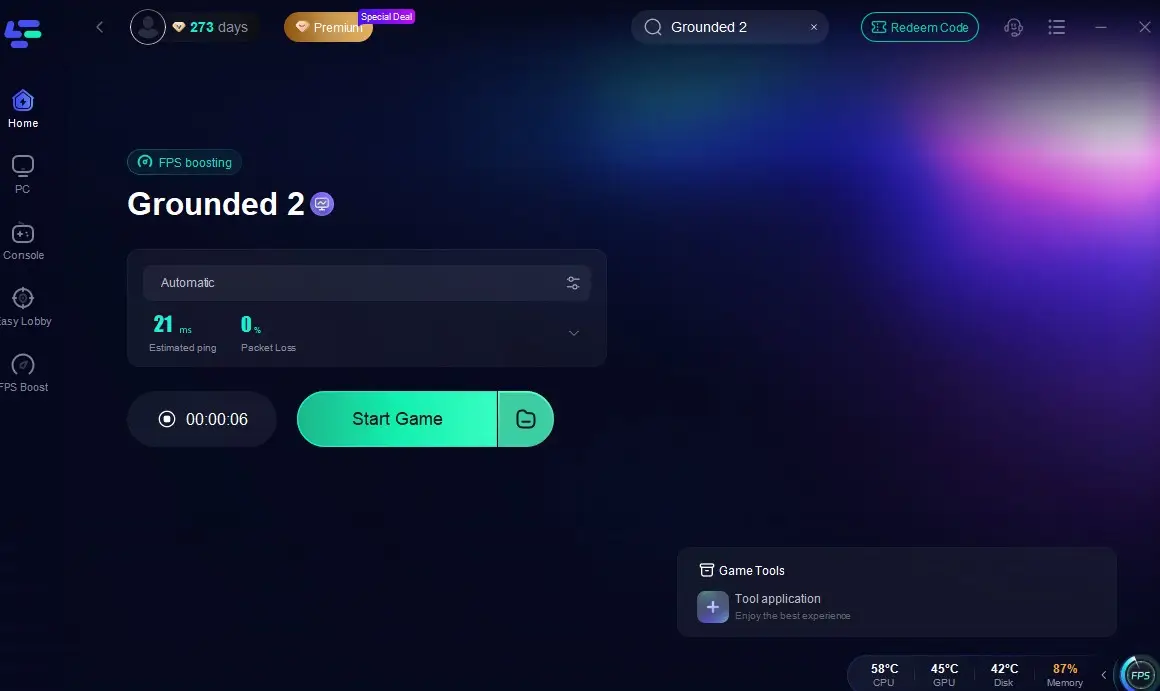
You can see your real-time ping rate and packet loss rate on this page, ensuring a stable connection that prevents network-related crashes.
Part 3: 8 Other Solutions to Grounded 2 Not Launching
There are many other ways to fix Grounded 2 not launching, but none are as quick or as effective as using LagoFast. Some common solutions are listed below.
Update Your Graphics Drivers:
Start with this. Seriously. An outdated graphics driver is probably the most common reason for games to crash. Just go to the NVIDIA, AMD, or Intel website, find your card, and install the newest driver. It's a five-minute fix that solves a ton of problems.
Verify Your Game Files:
A game file can get corrupted during download or an update. It’s no big deal. Both Steam and the Xbox App have a super simple "verify files" option. Just run it. The tool will find anything broken and automatically fix it for you.
Update Your BIOS (A Must for Intel 13th/14th Gen CPU Users):
Pay attention if you have a 13th or 14th-generation Intel CPU. This is a critical one for you. An old BIOS is a known stability-killer on these newer chips. It sounds intimidating, but it's not. Just go to your PC or motherboard manufacturer's website and follow their guide. This single update can stop a lot of crashes.
Check for Overheating:
A hot computer is an unstable computer. When your components get too hot, they just can't perform, and the game will crash to prevent damage. So, check the basics. Is your PC getting enough airflow? Is it clogged with dust? A good cleaning makes a huge difference. Also, disable any overclocks for now.
Update Windows:
This is an easy one but don't skip it. Outdated Windows versions can have weird compatibility bugs with new games like Grounded 2. Just run Windows Update from your start menu. Let it install everything, then give your PC a quick restart. Done.
Close Background Apps:
Every single app you have running in the background is stealing resources from your game. Chrome, Discord, Spotify... they all add up. Before you play, hit Ctrl+Shift+Esc to open Task Manager and just start closing stuff you don't need. It's a simple step that frees up a lot of power for the game.
Run as an Administrator:
Sometimes, Windows just doesn't give a game the permissions it needs to run right. It's a weird security thing. You can easily get around it by right-clicking the game's icon and choosing "Run as administrator." This simple click can often fix launch failures.
Do a System Requirements Check:
Finally, let's do a quick reality check. Is your PC actually powerful enough to run the game? Computer hardware is the foundation for a good gaming experience. I've listed the official specs for Grounded 2 below so you can see how your rig stacks up.

Part 4: How to Fix Grounded 2 Crashing on Xbox
If you are experiencing Grounded 2 crashing on Xbox, please try the following things:
Use LagoFast Box
To fix Grounded 2 crashing on Xbox, try using LagoFast Box. It’s a game accelerator specially designed for console gaming, reducing lag, stabilizing network connection, and preventing crashes. With optimized routing and low latency, LagoFast Box enhances gameplay performance and ensures a smoother, more stable Xbox gaming experience.
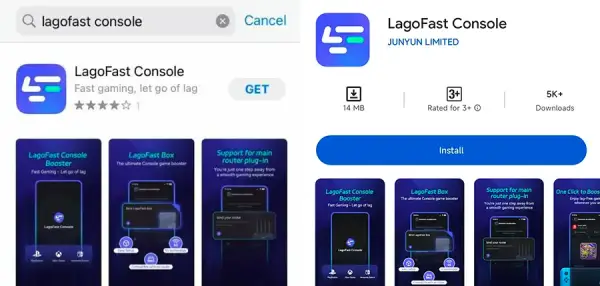
Step 1: Download the LagoFast Console App on your phone to control the LagoFast Box.
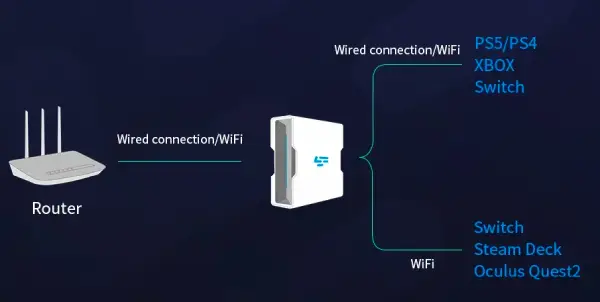
Step 2: Establish a connection between your LagoFast Box, router, and console, choosing between a wired or wireless connection.
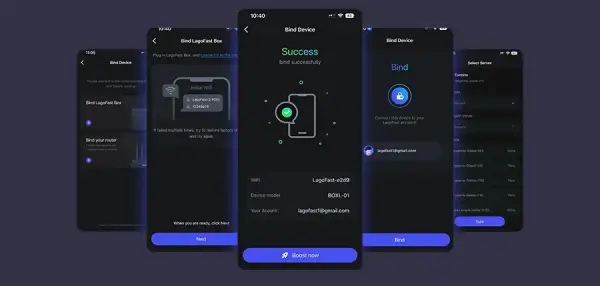
Step 3: Launch the LagoFast Console App and boost Grounded 2. Once you have completed the binding process with the LagoFast Box, proceed to boost this game within the LagoFast Console App.
Do a Hard Reboot
Just hold down the power button on the front of the Xbox. Keep holding it for a solid 10 seconds until it completely shuts down. Then, pull the power cord out of the wall for about 30 seconds. Plug it back in and start it up.
Clear the Weird Blu-ray Thing
This one's a weird trick, but seriously, try it. The Xbox has this leftover Blu-ray cache that can totally screw up how games run.
It's super quick: just go into Settings, then Devices & connections, then Blu-ray. You'll see an option for Persistent storage. Hit that and clear it out.
The Final Fix: Reinstalling
If nothing else has worked, this is the last thing to try. Just delete the game. Yep, completely. Then head to the store and redownload it all over again.
It's going to take a while, and it's a pain. We all hate doing it. But when a game is this broken, sometimes you just have to start from scratch.
Conclusion
While Grounded 2's crashing and launch problems are incredibly frustrating, they don't have to be a game-stopper. The solutions in this guide give you all the tools you need to fix the issue yourself. But for the easiest and most complete fix, nothing beats LagoFast. It prevents crashes by both fixing your network for stable logins and optimizing your system for smooth FPS. It's all about letting you get back to what matters: actually enjoying your adventure in the incredible world of Grounded 2.
Boost Your Game with LagoFast for Epic Speed
Play harder, faster. LagoFast game booster eliminates stutter and lags on PC, mobile, or Mac—win every match!
Quickly Reduce Game Lag and Ping!
Boost FPS for Smoother Gameplay!