
Gothic 1 Remake brings the classic RPG back with modern visuals, updated gameplay, and the same immersive world that made the original a fan favorite. As a story-driven adventure filled with quests, faction choices, and character interactions, understanding the game's dialogue and text is an important part of the experience. In this guide, we'll look at Gothic 1 Remake's supported languages and how a translation tool can help you play in your preferred language.

- ✅ Reduce Lag and High Ping.
✅ Boost FPS at the Same Time.
✅ Support 8000+ Popular Online Games.
✅ Change Server without Latency.
✅ Boost Game Loading Speed.
Part 1: Gothic 1 Remake Release Date and Game Features
Part 2: What Languages Does Gothic 1 Remake Support
Part 3: How to Play Gothic 1 Remake in Any Language — Best Game Translation LagoFast
Part 1: Gothic 1 Remake Release Date and Game Features
Release Date and Platforms
Gothic 1 Remake will be available on PC and current-generation consoles, bringing the classic RPG to modern platforms.
Release Date: June 5, 2026
Platforms
- PlayStation 5
- Xbox Series X|S
- PC (Steam)
Key Features
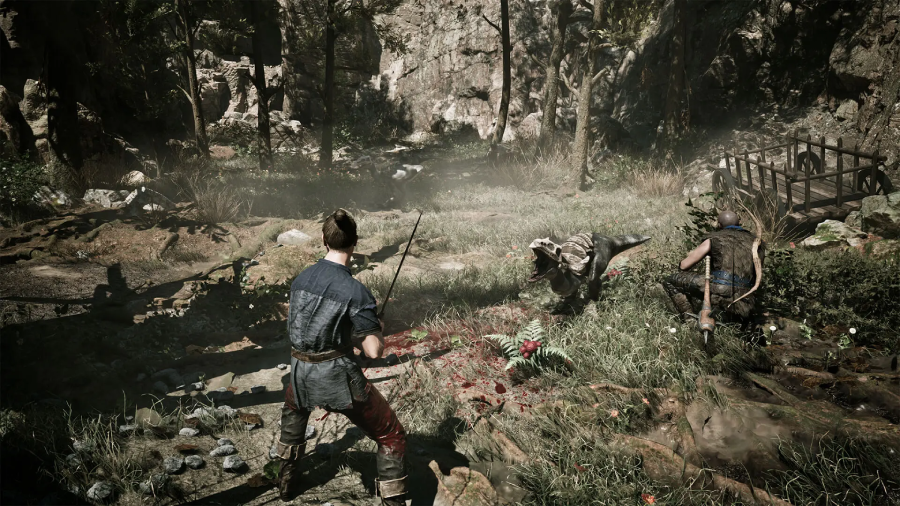
- Explore a fully rebuilt version of the Colony with modern visuals and enhanced world design.
- Join multiple factions, each offering unique quests, relationships, and progression paths.
- Make choices that influence your journey and how characters react to you.
- Discover a world that rewards exploration and player freedom instead of relying heavily on objective markers.
- Experience expanded dialogue, character interactions, and storytelling throughout the game.
- Enjoy updated combat, animations, and RPG progression systems while staying true to the spirit of the original Gothic.
One of Gothic 1 Remake's biggest strengths is its focus on storytelling and player choice. Since much of the experience revolves around conversations, quests, and faction interactions, being able to understand the game's language can significantly improve your overall experience.
Related Article: Gothic 1 Remake Release Date, Platforms & Gameplay Details
Part 2: What Languages Does Gothic 1 Remake Support
Below are the languages officially supported in Gothic 1 Remake at launch.
|
Language |
Interface |
Full Audio |
Subtitles |
|
English |
✔ |
✔ |
✔ |
|
French |
✔ |
✔ |
|
|
Italian |
✔ |
✔ |
|
|
German |
✔ |
✔ |
✔ |
|
Spanish (Spain) |
✔ |
✔ |
|
|
Polish |
✔ |
✔ |
✔ |
|
Russian |
✔ |
✔ |
✔ |
|
Simplified Chinese |
✔ |
✔ |
|
|
Japanese |
✔ |
✔ |
|
|
Portuguese (Brazil) |
✔ |
✔ |
Why Some Players May Need a Translation Tool
If your preferred language isn't on the list, you may run into a few challenges while playing:
- Missing important quest objectives and story details.
- Struggling to understand NPC conversations and faction interactions.
- Difficulty navigating menus, settings, and item descriptions.
- Spending time switching between the game and external translation apps.
- Losing immersion during dialogue-heavy sections of the game.
Since Gothic 1 Remake places a strong emphasis on exploration, quests, and player choices, understanding the text and dialogue can make a significant difference. For players whose language isn't officially supported, a game translation tool offers a simple way to follow the story and enjoy the experience more comfortably.
Part 3: How to Play Gothic 1 Remake in Any Language — Best Game Translation LagoFast
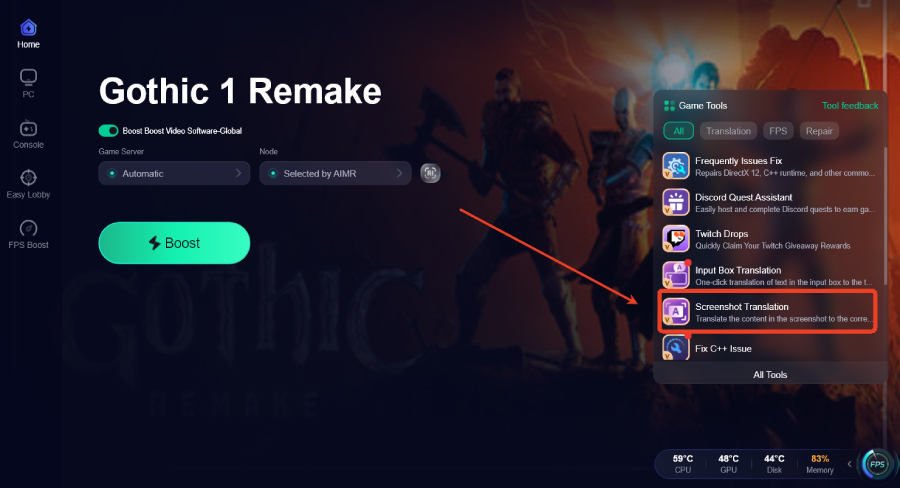
If your preferred language isn't officially supported, a game translation tool can make it easier to follow Gothic 1 Remake's quests, dialogue, and story content. LagoFast Game Translation offers real-time translation for in-game text and menus, helping players understand important information without leaving the game. It also includes a Screenshot Translation tool that translates content captured in screenshots. In addition, the upcoming One-Click Translation feature will provide instant translation of in-game content, making conversations, quests, and story details easier to follow.
Beyond translation, LagoFast also provides network optimization tools that can help reduce ping, fix packet loss, stabilize connections, and optimize routing. It also includes Frequently Issues Fix and other useful features designed to minimize lag and connection issues, helping players enjoy a smoother gaming experience.
How to Use LagoFast for Gothic 1 Remake Translation
Step 1: Click the Free Trial button to download and install LagoFast.
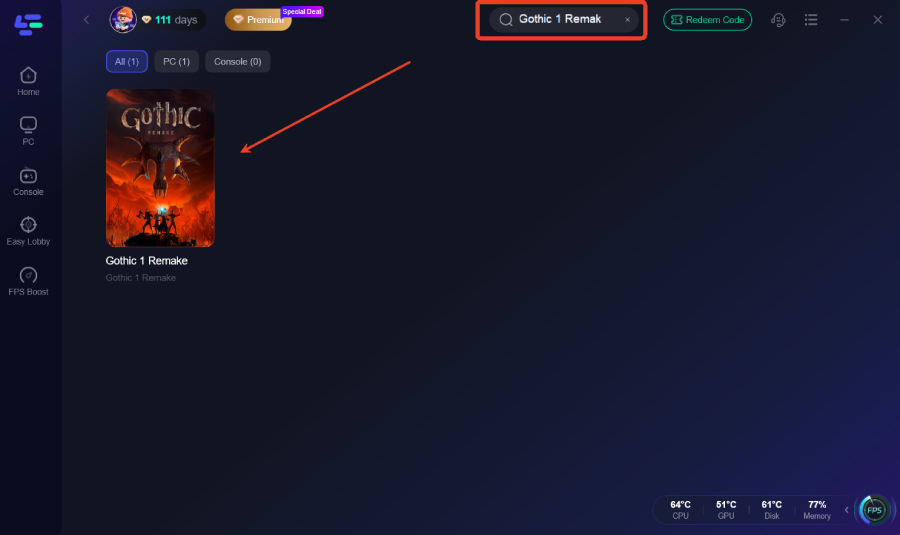
Step 2: After installation, search "Gothic 1 Remake" in the search bar and select the game.
Step 3: Click the Screenshot Translation Tool on the right side of the screen.
Step 4: Choose your target language and set up your hotkeys for instant translation.
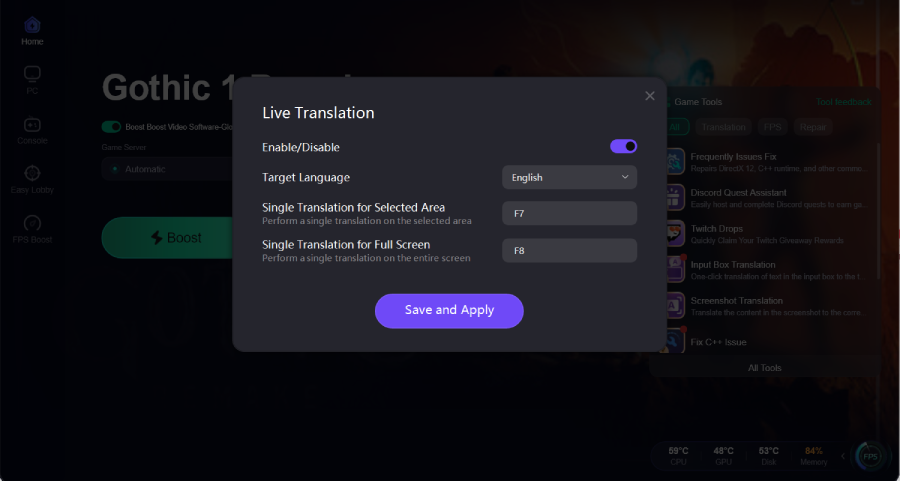
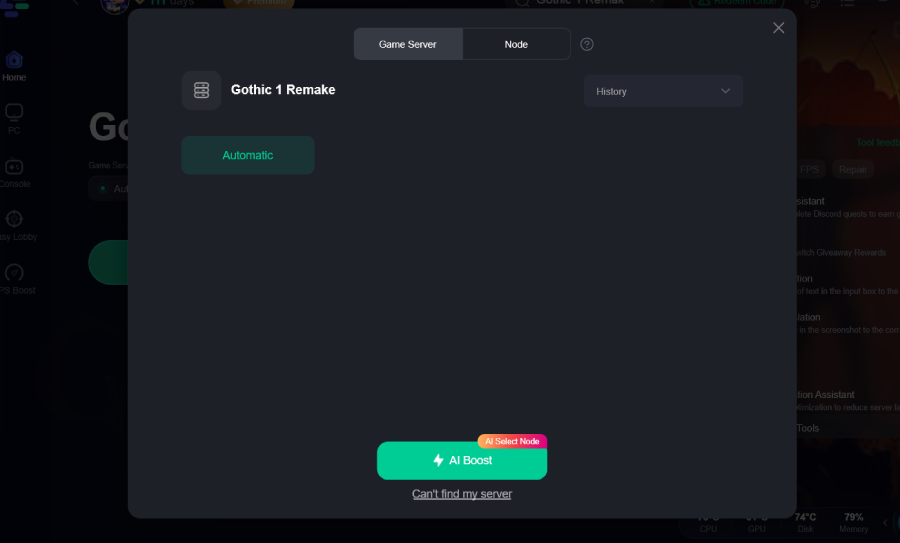
Step 5: Choose your preferred server node and click "Smart Boost" to start optimizing.
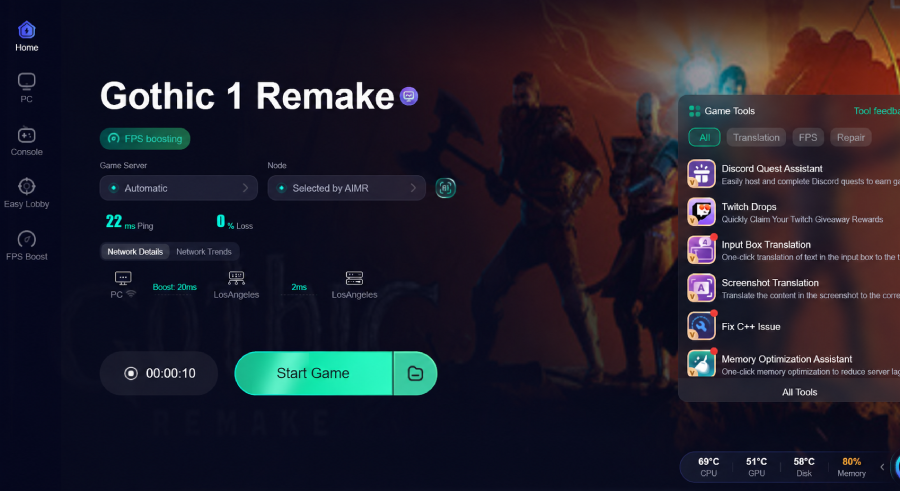
Step 6: Launch your game and enjoy smooth, optimized gameplay with lower ping and packet loss.
Final Thoughts
Gothic 1 Remake stays true to the original game's focus on exploration, player choice, and immersive storytelling. Since much of the experience revolves around quests, dialogue, and faction interactions, understanding the game's language can greatly improve your experience. If your preferred language isn't officially supported, using a translation tool can help you follow the story and gameplay more comfortably. Tools such as LagoFast can also provide additional features to help create a smoother overall experience.
Boost Your Game with LagoFast for Epic Speed
Play harder, faster. LagoFast game booster eliminates stutter and lags on PC, mobile, or Mac—win every match!
Quickly Reduce Game Lag and Ping!
Boost FPS for Smoother Gameplay!