
Quick Answer: What Is a Good Ping Speed for Gaming?
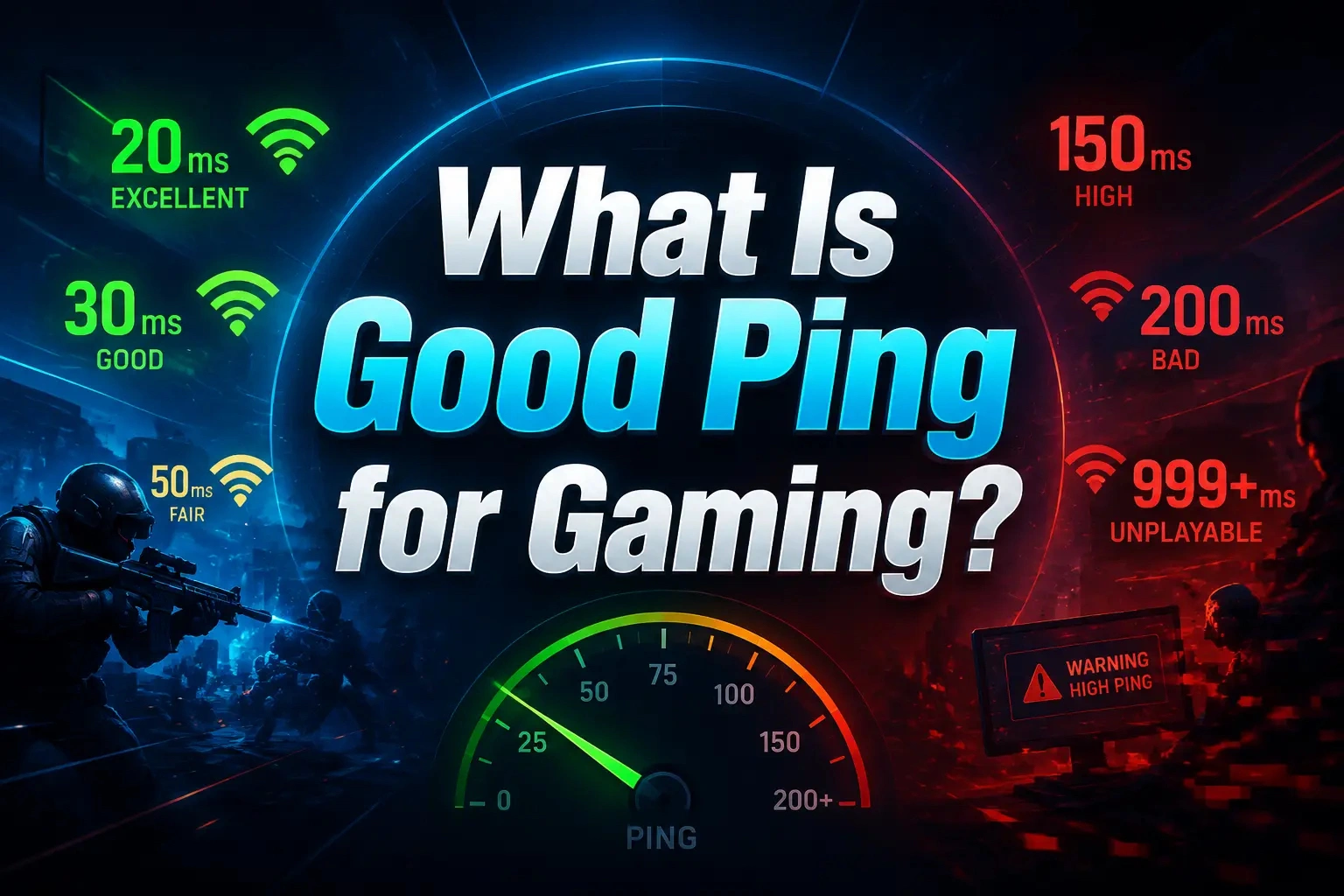
For most online games, a ping below 50 ms is considered good. Competitive players usually aim for under 20–30 ms (excellent), while anything above 100 ms (poor) will start causing noticeable input delay and lag.
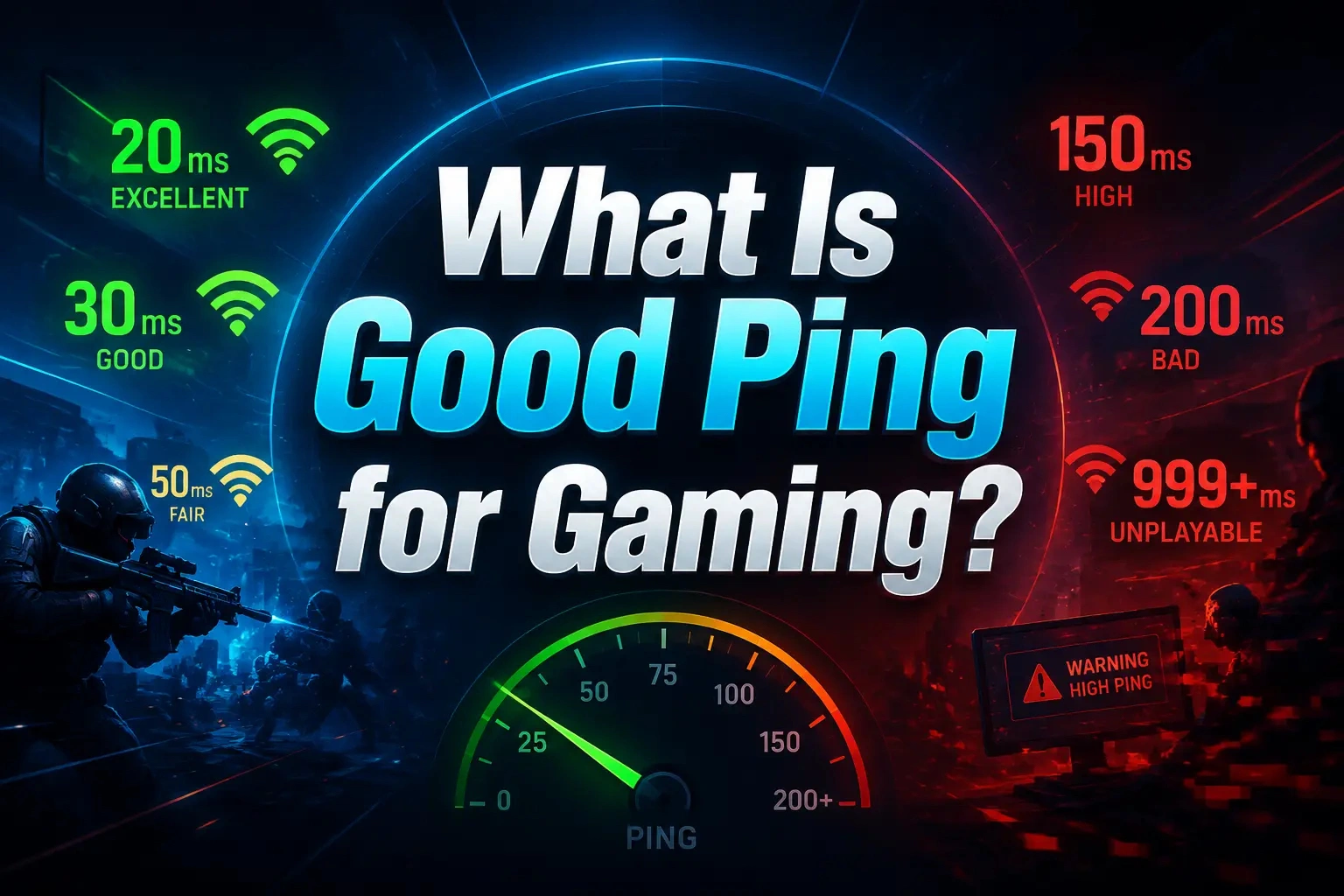
Although lower ping is generally better, the ideal ping also depends on the game you play. Fast-paced shooters demand much lower latency than strategy or MMORPG titles. In this guide, we will show you what ping is, what a good ping is for different game genres, and the most effective ways to lower it for smoother online gaming.
Quick Guide:
What Does Ping Mean in Gaming?
Best Ping for Different Games: FPS, MOBA, MMO, Racing
How to Lower Ping in Games with LagoFast
Ping vs Latency vs Jitter vs Packet Loss
FAQ on Good & Bad Ping for Gaming
What Does Ping Mean in Gaming?
Understanding what ping actually measures helps explain why some games feel smooth while others suffer from input delay or lag. Before trying to lower your ping, it's important to know how it affects your gameplay and why it's different from internet speed.
What Is Ping?
Ping is the time it takes for data to travel from your device to the game server and back, measured in milliseconds (ms). Every movement, shot, or ability you perform must complete this round trip before the server confirms the action. Lower ping means faster response times and smoother gameplay.
Why Does Ping Matter in Games?
A lower ping gives you a more responsive gaming experience. Whether you're landing precise shots in an FPS or casting abilities in a MOBA, every millisecond matters.
- Faster hit registration
- More responsive movement
- Lower input delay
- Better synchronization with the game server
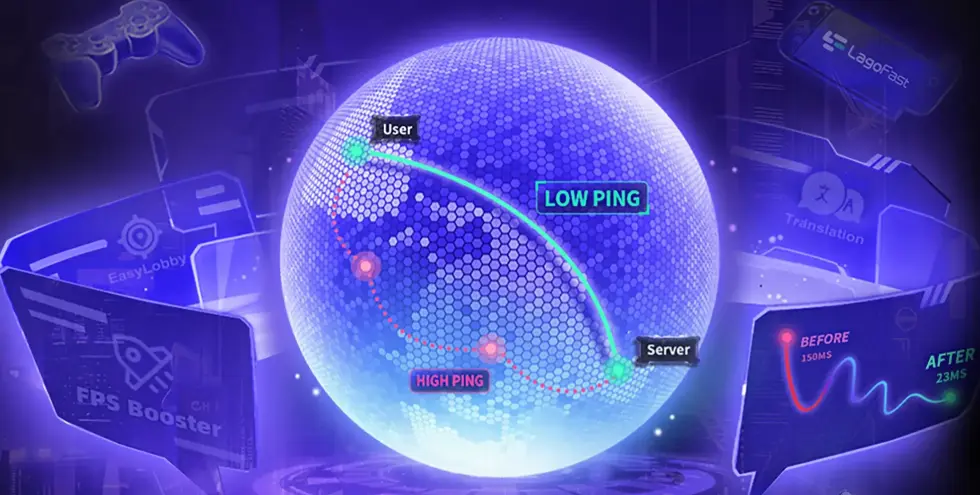
It's also worth noting that ping is different from download speed. Even a fast 500 Mbps internet connection can experience high ping if the route to the game server is unstable or geographically distant.
See the next section for how to lower game ping without moving closer to the server and improve your gaming connection.
Best Ping for Different Games: FPS, MOBA, MMO, Racing
However, the ideal ping also depends on the type of game you play, your distance from the game server, and the stability of your connection. A ping that feels smooth in an MMORPG may feel too slow in a competitive FPS game. Good ping for gaming depends on the game's mechanics, server location, and how sensitive the gameplay is to input delay.
We have collected information from Reddit, the Steam community, and game forums for various online games, and summarized it as follows:
|
Game Type |
Ideal Ping |
Game Examples |
|
FPS |
<20–30 ms |
Valorant, CS2, Apex Legends |
|
MOBA |
30–50 ms |
League of Legends, Dota 2 |
|
MMORPG |
50–100 ms |
WoW, FFXIV |
|
Fighting |
<20 ms |
Street Fighter 6, Tekken 8 |
|
Racing |
20–50 ms |
Forza Horizon 5, Gran Turismo 7 |
How to Check Your Ping Speed
After understanding what a good ping for gaming is, the next step is checking your current latency. Testing your ping helps you identify whether lag comes from your network connection, game server distance, or unstable latency during gameplay.
You can check your ping number through:
- In-game network statistics: Many games, including League of Legends, Valorant, and Call of Duty, show real-time ping during gameplay.
- Command Prompt: Use the ping [server address] command to test your connection response time.
- Online ping tests: Some online tools can help check your general network latency to different servers.
- Game Booster: Game booster like LagoFast helps players monitor data during gaming, such as ping and FPS in real time.
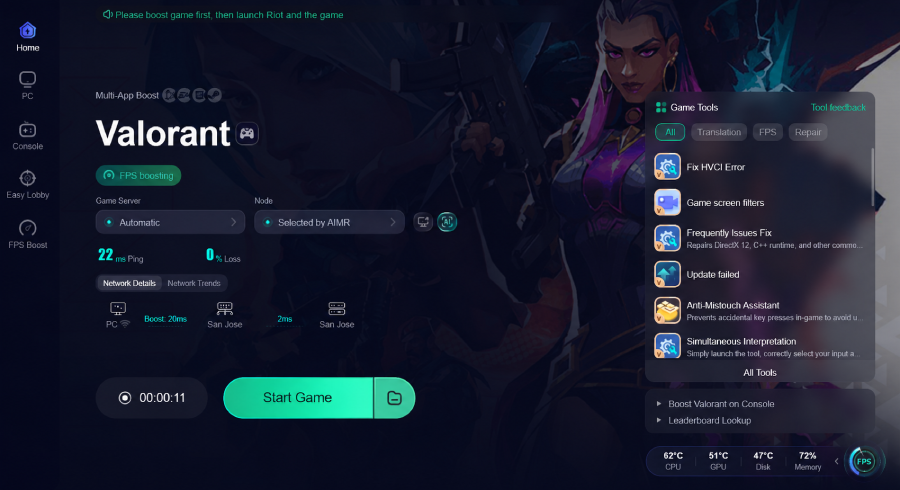
Keep in mind that your gaming ping may be different from a regular speed test result. The distance between you and the game server, ISP routing, and network congestion can all affect your real in-game latency.
How to Lower Ping in Games with LagoFast
In a competitive match, these small delays can easily decide the outcome of the game. For example, in League of Legends, even a ping spike from 30 ms to over 100 ms can delay your Flash or abilities, cause missed skill shots, rubberbanding, and turn a winning team fight into a loss. High ping, unstable routing, and latency spikes are common causes of these frustrating issues.
If this happens regularly, upgrading your internet speed or restarting your router may not be enough. LagoFast game booster optimizes the network route between your PC and the game server to reduce ping, stabilize latency, and deliver a smoother, more responsive gaming experience.

- ✅ Reduce Lag and High Ping.
- ✅ Lower Latency for Smoother Gameplay.
- ✅ Support 8000+ Popular Online Games.
- ✅ Enjoy Stable Connections in Games.
Steps to Reduce Ping
Now, you can follow the tutorial to ensure a smooth gaming experience with LagoFast.
Step 1: Click the Free Trial button to download and install LagoFast on your device.
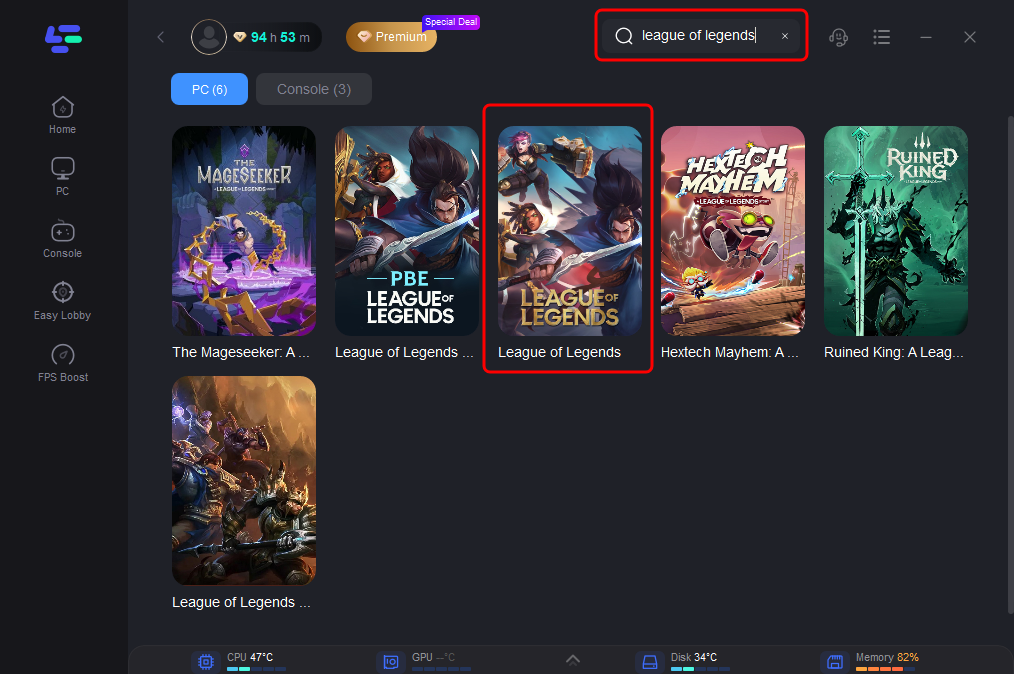
Step 2: Open LagoFast and search for the game you want to optimize, such as League of Legends, Valorant, or other online games.
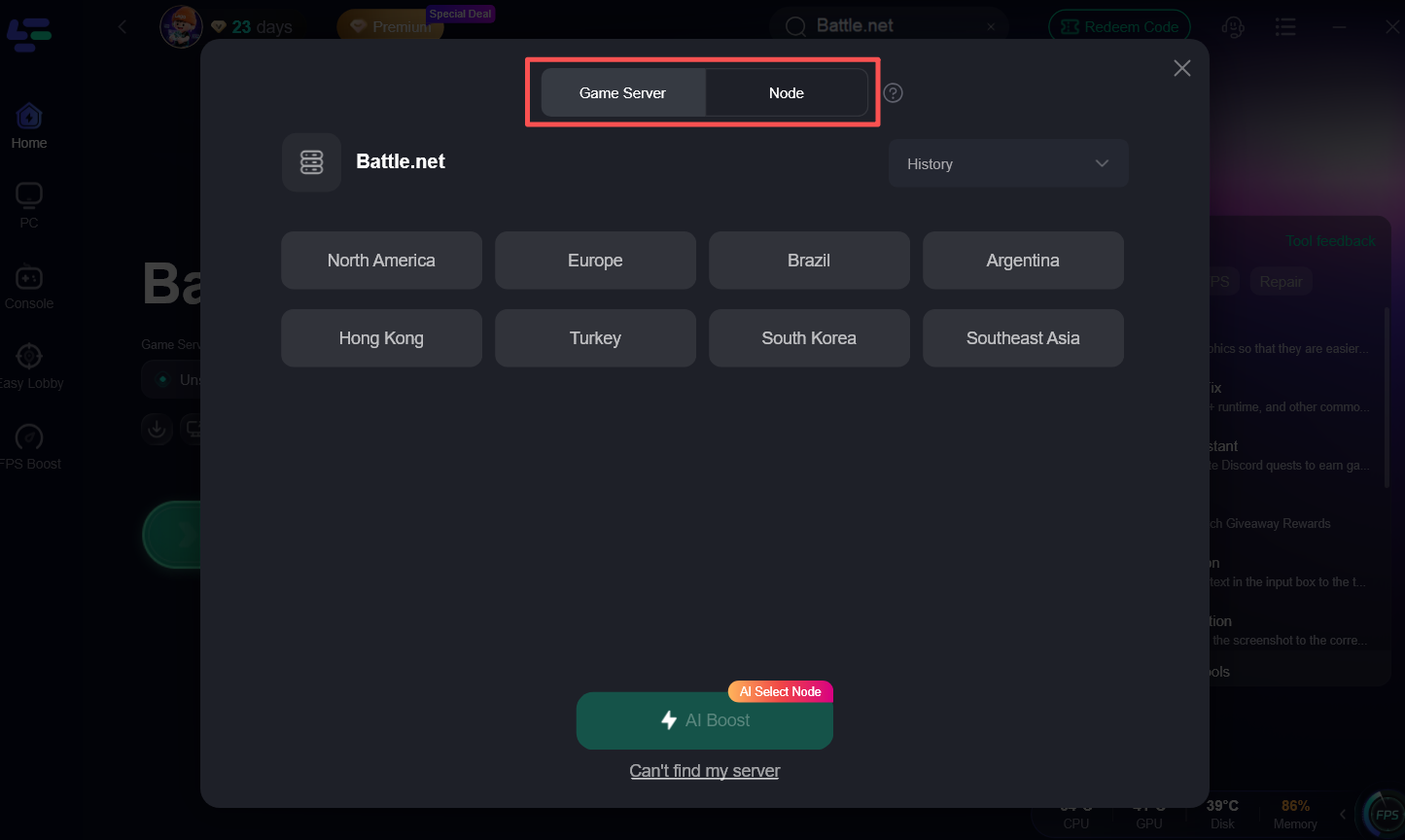
Step 3: Choose the game server region closest to your location for the lowest possible latency. You can also use AI Boost to automatically select an optimized network route.
Step 4: Click Start Game and launch your game through LagoFast.
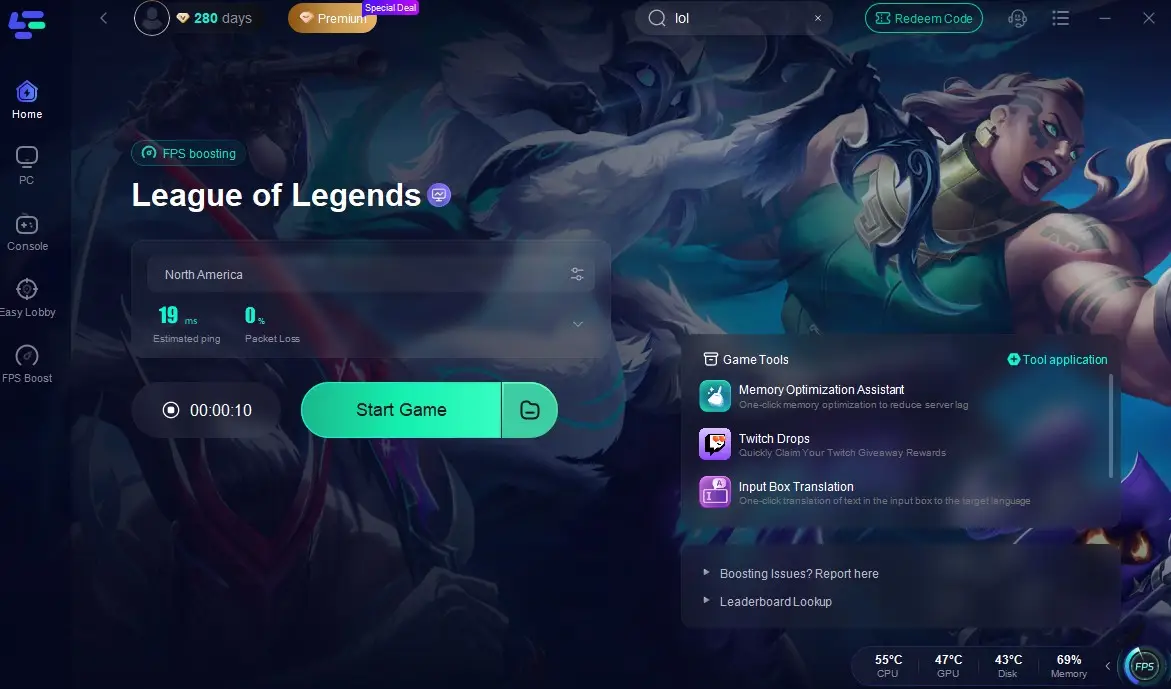
In addition to network optimization, LagoFast provides FPS Boost features to improve overall game performance. By optimizing system settings, CPU/GPU performance, and game-related configurations, it can help improve frame stability and reduce stuttering caused by performance issues.
Ping vs Latency vs Jitter vs Packet Loss
Many players assume that lower ping always means better gaming performance, but ping is only one part of your network connection. You may still experience lag, delayed actions, or sudden freezes even with a low ping if your connection suffers from jitter, packet loss, or ping spikes.
|
Metric |
What It Measures |
Why It Matters |
|
Ping |
The round-trip time between your device and the game server |
Lower ping means faster response and less input delay |
|
Latency |
The overall delay during data transmission |
Affects how quickly your actions reach the server |
|
Jitter |
Changes or fluctuations in latency over time |
High jitter causes unstable gameplay, lag spikes, and inconsistent response |
|
Packet Loss |
Data packets that fail to reach the game server |
Causes rubberbanding, freezing, missing actions, and teleporting |
A low ping does not always guarantee smooth gameplay. For example, a player with 30 ms ping but frequent packet loss may experience worse gameplay than someone with a stable 50 ms connection. Network stability is just as important as the ping number itself.
FAQ on Good & Bad Ping for Gaming
Is Higher Ping Good or Bad?
Higher ping is generally bad for online gaming because it increases the delay between your actions and the game's response. The higher your ping, the more noticeable input lag, rubberbanding, and delayed hit registration become.
Why Is My Ping Low but I Still Lag?
A low ping does not always mean you have a perfect gaming connection. Even if your ping shows 20–30 ms, you may still experience lag because of packet loss, jitter, ping spikes, unstable routing, or FPS issues.
Is 100 ms Ping Good?
A 100 ms ping is playable, but it is not considered a good ping for competitive gaming. At this level, many players may notice delayed inputs, slower reactions, and less responsive gameplay.
For example:
- FPS games (Valorant, CS2, Apex Legends): 100 ms ping can make aiming and hit registration feel delayed.
- MOBA games (League of Legends, Dota 2): The game is still playable, but abilities and movement may feel less responsive during fights.
- MMORPG games (WoW, FFXIV): 100 ms is usually acceptable because these games are less dependent on instant reactions.
For most online games, a good gaming ping is below 50 ms, while competitive players usually aim for under 20–30 ms.
What Is a Bad Ping for Gaming?
A bad ping for gaming is generally considered above 100 ms, especially for fast-paced multiplayer games. When ping reaches 150 ms or higher, players may experience obvious input delay, rubberbanding, delayed actions, or frequent connection problems.
Is 30 Ping Good for Online Game?
Yes. 30 ms ping is considered a good ping for gaming and delivers smooth gameplay in titles like League of Legends, Valorant, and CS2. However, unstable connections with ping spikes, jitter, or packet loss can still cause lag. LagoFast helps optimize routes and improve connection stability for a smoother experience.
Conclusion
A good ping for gaming is usually below 50 ms, but the ideal number depends on the game you play. Competitive FPS and fighting games require the lowest latency, while MMORPGs and casual games can tolerate higher ping. However, ping is only one part of your gaming connection. Factors like jitter, packet loss, and network routing can also affect your gameplay experience.
If you experience input lag, lag spikes, or unstable connections even with good internet speed, try using LagoFast to optimize your network route, which can help create a smoother, more stable gaming experience.

Boost Your Game with LagoFast for Epic Speed
Play harder, faster. LagoFast game booster eliminates stutter and lags on PC, mobile, or Mac—win every match!
Quickly Reduce Game Lag and Ping!
Boost FPS for Smoother Gameplay!