
The Game server reserved for a game lobby CS2 issue is a common connection problem that players encounter when attempting to join matches, reconnect to competitive sessions, or enter community servers. Instead of loading into gameplay, users see a message indicating that the server is reserved for another lobby, effectively blocking access.
This guide explains what the CS2 “Server is reserved for a game lobby” error means, when it typically occurs, and how to fix CS2 server is reserved for game lobby problems using proven solutions. It also explores network-related causes behind issues like CS2 failed to connect to lobby server and CS2 cannot join friend server.

- ✅ Reduce Lag and High Ping.
- ✅ Boost FPS at the Same Time.
- ✅ Add CSGO to Steam Library.
- ✅ Change Server Without Latency.
- ✅ End All Connection crash Issues.
- ✅ Multiplatform: PC, Mobile, Console.
Part 1. What Does “Server Is Reserved for Game Lobby” Mean in CS2?
Part 2. When Does the CS2 Server Reservation Error Usually Occur?
Part 3. How to Fix “Server Is Reserved For A Game Lobby” Error
Part 4. How to Enhance Your Game Experience with LagoFast Game Booster
Part 1. What Does Server Is Reserved for Game Lobby Mean in CS2?
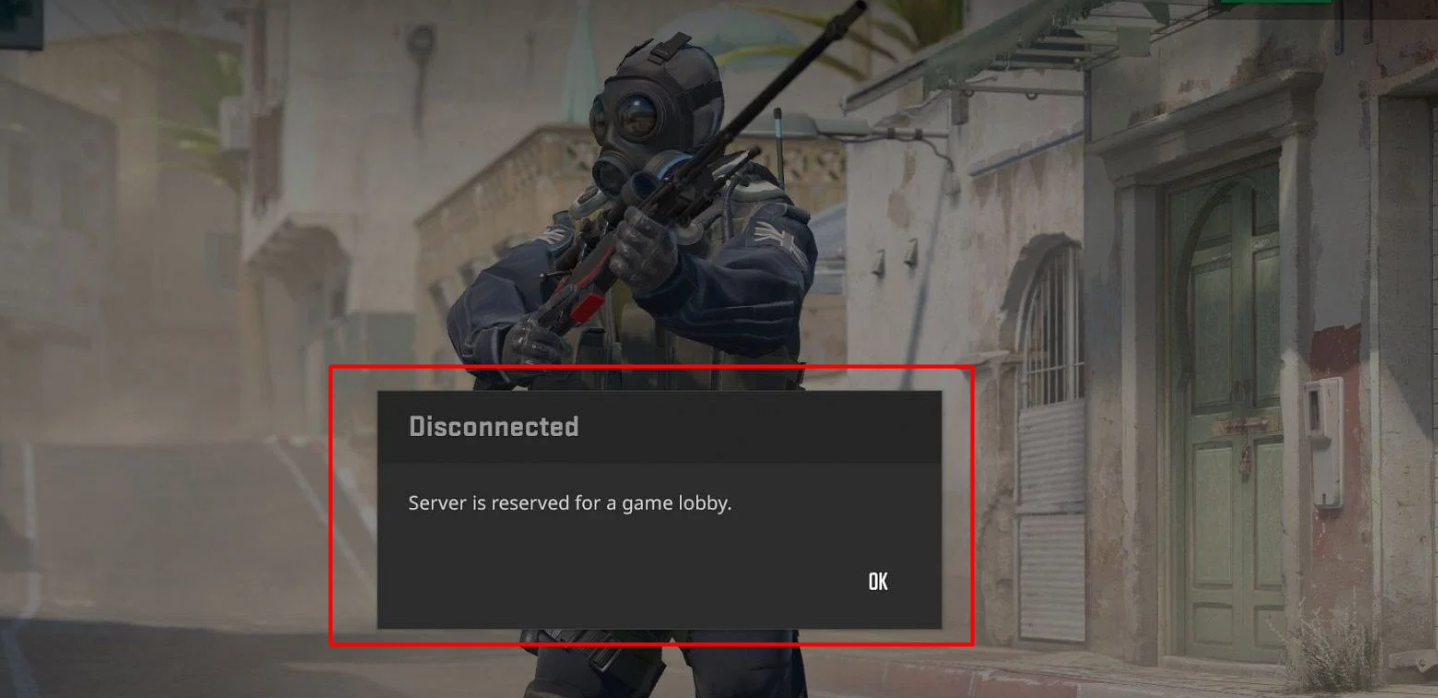
How the CS2 Lobby Reservation System Works
The message indicates that a specific game server has been locked to a matchmaking lobby, and only players assigned to that lobby session are allowed to join.
In Counter-Strike 2 matchmaking:
- Players create or join a lobby
- The system assigns a dedicated server to that lobby
- The server reserves slots for all lobby members
- Unauthorized players are blocked from connecting
If the system detects that a player is not properly linked to the session, it triggers the CS2 "Server is reserved for a game lobby" error.
This mechanism ensures fair matchmaking integrity and prevents random players from joining competitive matches.
Common Situations Where the Error Appears
This issue frequently occurs during:
- Reconnecting to a match: especially after disconnects
- Joining a friend's lobby: often linked to CS2 cannot join friend server
- Entering competitive matchmaking: handshake failures
- Connecting to community servers: especially server is reserved for a game lobby CS2 community server cases
- Workshop or practice servers: misaligned session data
These scenarios are often accompanied by related errors such as:
- CS2 failed to connect to lobby server
- CS2 server reservation error
Part 2. When Does the CS2 Server Reservation Error Usually Occur?
1. Matchmaking Handshake Failure
When a match is accepted, CS2 initiates a connection handshake between players and the server. If a player fails to connect within the allowed time:
- The server remains reserved
- The player is denied entry
- Reconnection may fail
This is one of the most common triggers behind the Game server reserved for a game lobby CS2 problem.
2. Lobby Session ID Conflicts
Sometimes the lobby becomes corrupted or desynchronized. The system may still associate the server with an old or invalid session ID, causing:
- Incorrect reservation status
- Players being blocked despite being in the lobby
3. Server Capacity Limitations
If a server reaches its player limit:
- Remaining slots are reserved for assigned players
- Late connections are rejected
4. Community Server Restrictions
In server is reserved for a game lobby CS2 community server scenarios:
- Admins may restrict access
- Servers may require invites or whitelisting
5. Network Instability
Unstable internet connections can interrupt communication with the server, leading to:
- CS2 failed to connect to lobby server
- incomplete matchmaking handshake
- session validation failure
Part 3. How to Fix “Server Is Reserved For A Game Lobby” Error
Fix 1 – Leave and Recreate the Lobby
Best for: session conflicts and lobby bugs
Steps:
- All players leave the lobby
- Restart CS2
- The leader creates a new lobby
- Re-invite teammates and queue again
Why it works:
This forces the system to generate a new session ID, resolving reservation mismatches.
Fix 2 – Restart the Game Client
Best for: temporary glitches and token errors
Steps:
- Fully exit CS2
- Close via Task Manager
- Relaunch the game
- Attempt to reconnect
Key benefit: resets client-side connection data and server authentication tokens.
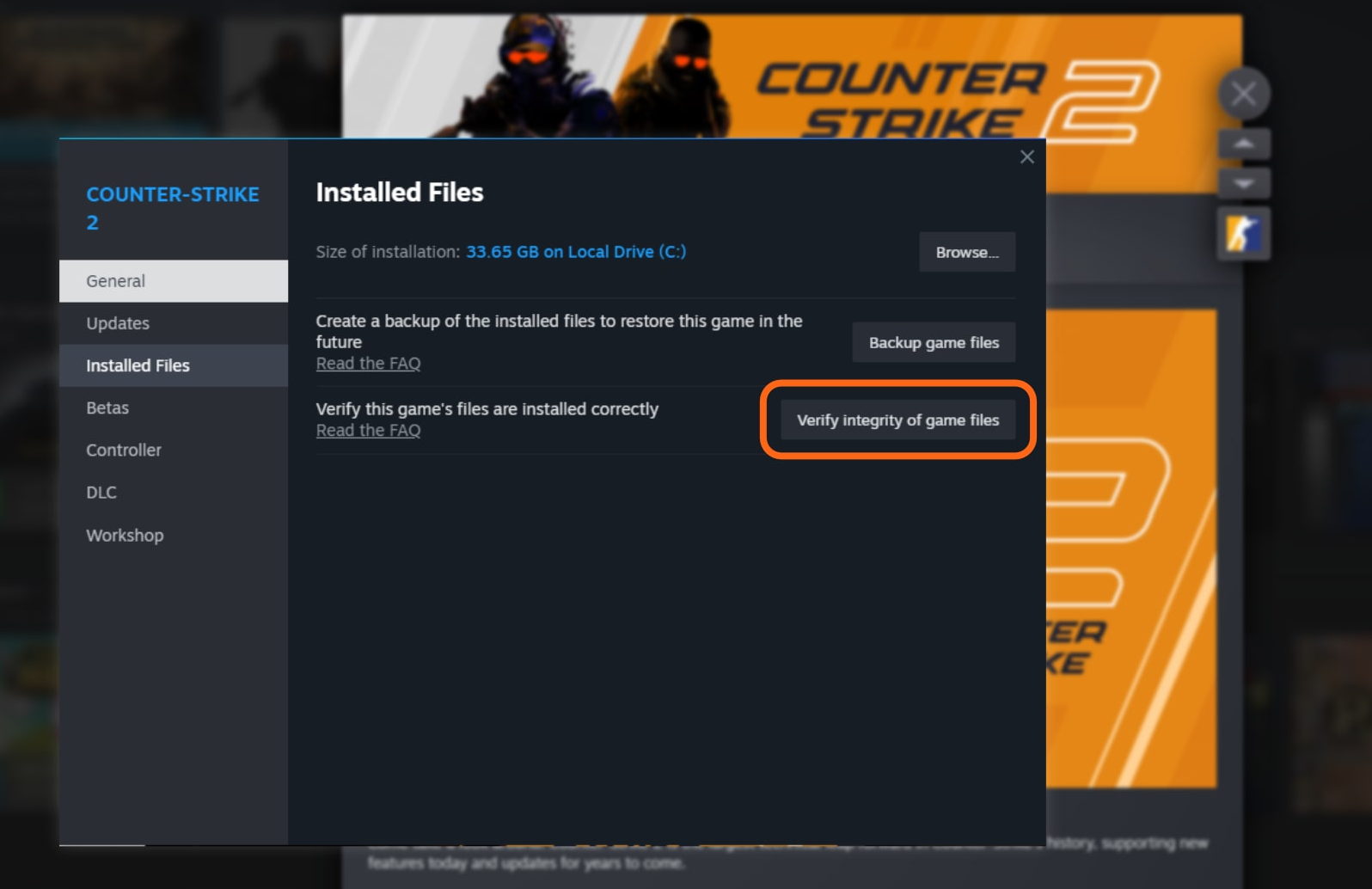
Fix 3 – Verify Game Files on Steam
Best for: corrupted or missing files
Steps:
- Open Steam Library
- Right-click Counter-Strike 2
- Select Properties
- Go to Installed Files
- Click Verify Integrity of Game Files
Result: Steam repairs damaged files that may cause CS2 server reservation error.
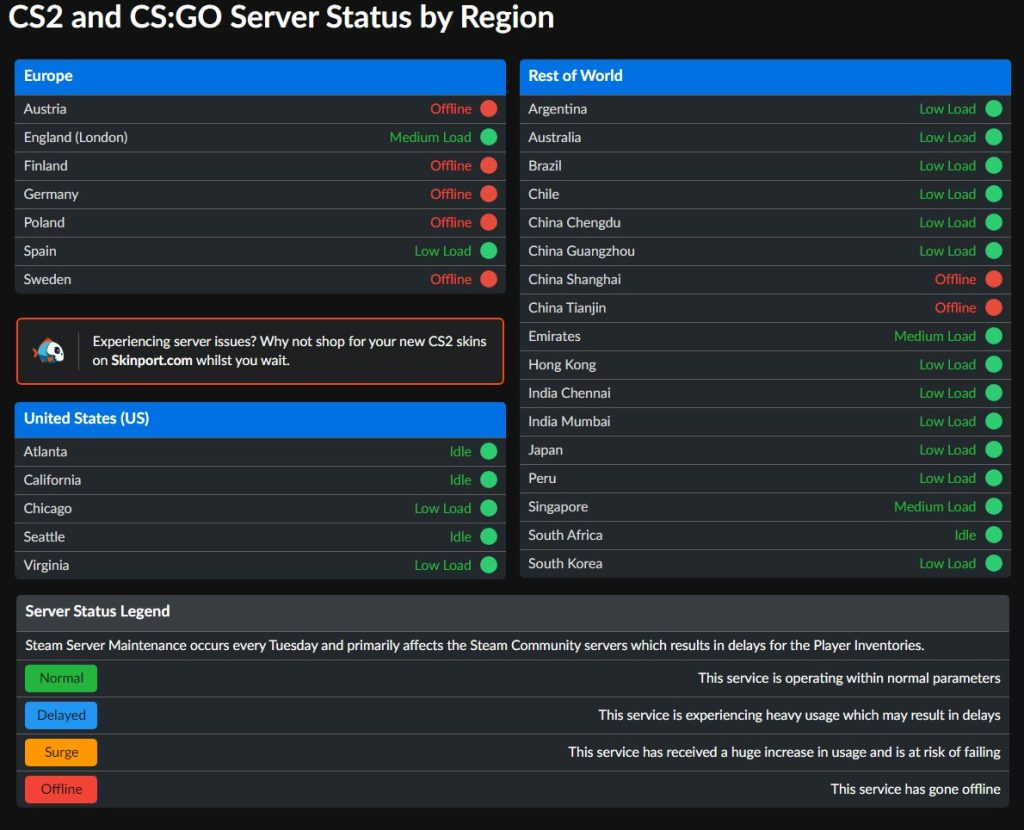
Fix 4 – Check Server Status
Best for: server-side outages
Players should monitor:
- Steam server status
- Counter-Strike 2 community discussions
- Official announcements
If servers are down, waiting is the only solution.
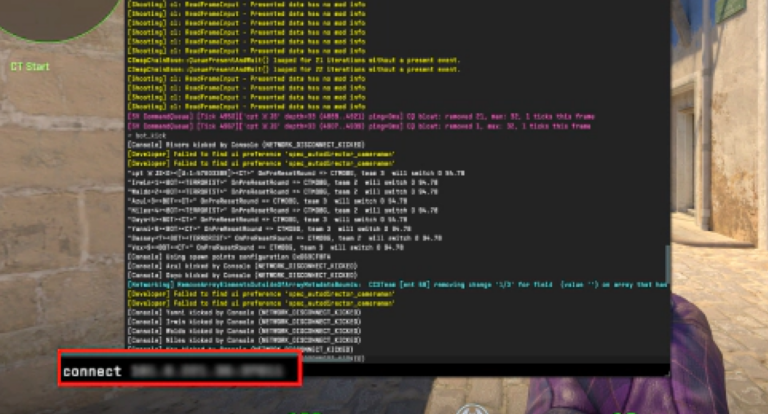
Fix 5 – Use Direct Connect for Community Servers
Best for: bypassing lobby restrictions
Use the console command:
connect IP_ADDRESS:PORT
Advantage:
Directly connects to the server without relying on lobby authentication, avoiding reservation conflicts.
Part 4. Network Optimization to Prevent Counter-Strike 2 Lobby Connection Errors
Why Network Stability Matters in CS2
Connection quality plays a critical role in whether players can successfully join matches or reconnect to sessions. Many common issues—such as CS2 failed to connect to lobby server, delayed matchmaking responses, and session timeout errors—are directly linked to unstable network conditions.
In particular, packet loss, high latency, and unstable routing paths can interrupt communication between the client and the matchmaking server. When this happens, the system may fail to validate your session properly, which can ultimately trigger errors like server reservation conflicts or failed lobby connections.
How Game Boosters Improve CS2 Connection Stability and Reduce Lobby Errors
To minimize connection issues in CS2, network optimization tools such as LagoFast Game Booster help improve how data is transmitted between your device and the game server. Many problems—like Counter-Strike 2 server reservation error or Counter-Strike 2 cannot join friend server—are often caused by unstable routing, latency spikes, or packet loss during matchmaking.
These tools optimize the connection process by automatically selecting more efficient network paths and stabilizing data transmission. As a result, they reduce delays, prevent packet loss, and ensure a smoother handshake between the client and server.
With a more stable connection, players can experience:
- Fewer disconnections: reduced packet loss and interruption
- Faster matchmaking: quicker server response and entry
- Lower error rates: fewer instances of server reservation conflicts
- Improved lobby stability: more reliable team synchronization
These are especially helpful when dealing with CS2 cannot join friend server issues.
How to Use LagoFast to Enhance Server Connection in Counter-Strike 2
Click the "Free Trial" button below to download and install LagoFast for free.
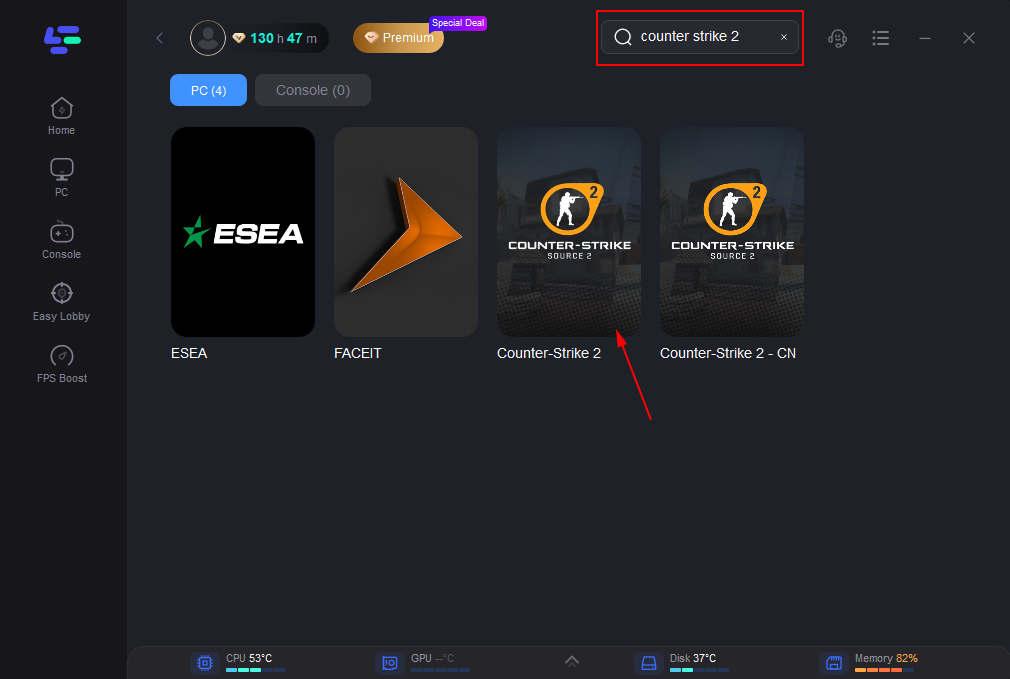
Use the search bar in LagoFast to find Counter-Strike 2.
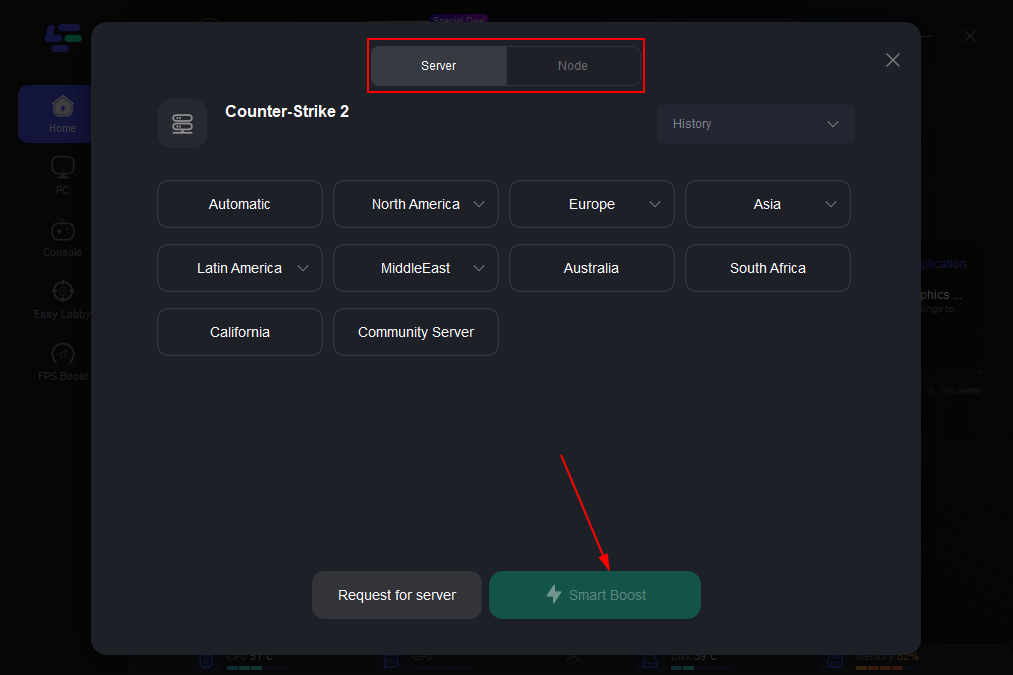
Click on “Server” to change to a better server that ensures smooth gameplay, then click on “Smart Boost”.
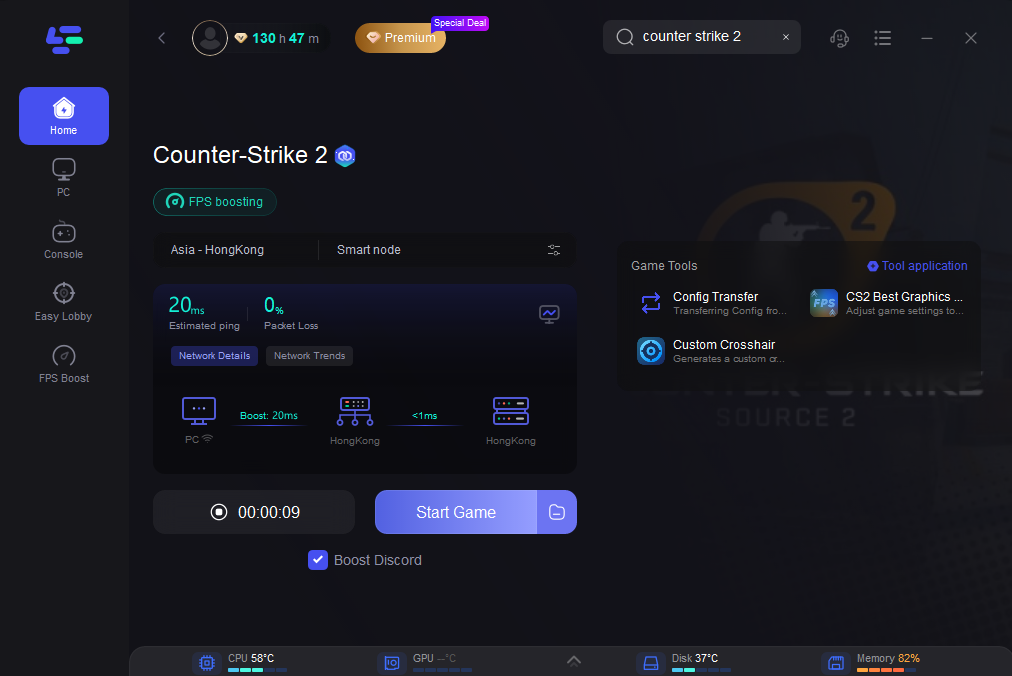
Check the specific game ping, packet loss, and multiple path connection on the right side. Finally, click the “Start Game” to play the game.
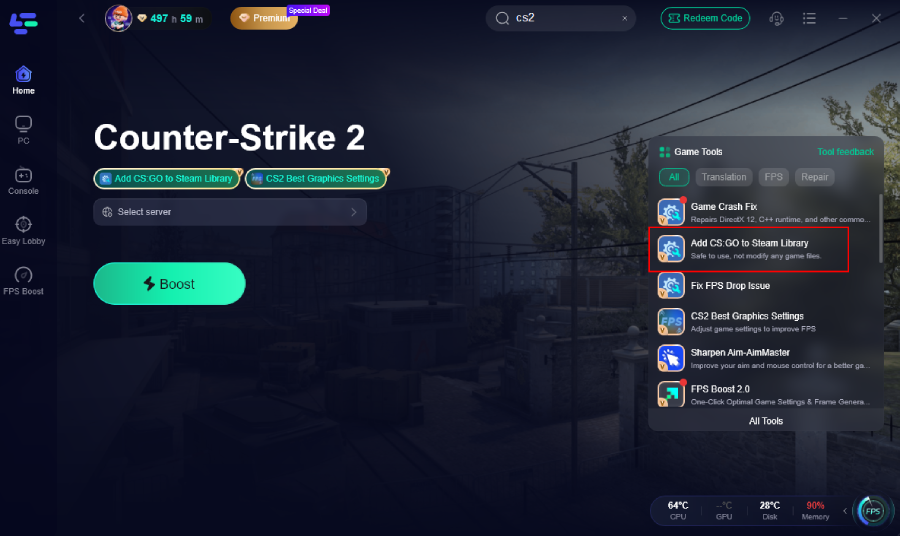
Add CS:GO Series to Steam Library Easily
After Counter-Strike 2 replaced the original game, CS:GO was moved into a legacy version and is no longer easy to find or install through normal Steam search. Many players encounter issues such as:
- Game not appearing in the library
- Incomplete installation
- Steam validation errors
To solve this, LagoFast Game Booster provides a simple way to add CS2 to Steam Library correctly, ensuring the game is properly registered and recognized by Steam.
Custom Crosshair Tool for Better Gameplay Control
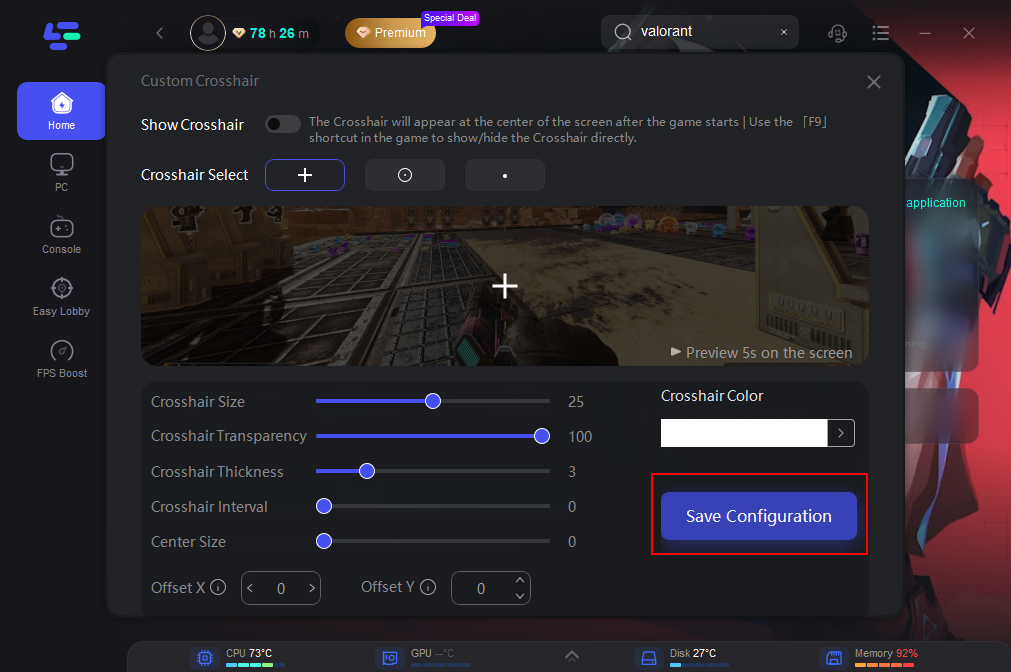
LagoFast also includes a built-in Custom Crosshair Tool, allowing players to adjust their crosshair without using console commands.
With this feature, you can:
- Customize appearance: adjust size, color, thickness, and shape
- Save configurations: switch between different crosshair styles
- Quick toggle: enable or disable crosshair settings in-game
This simplifies setup and gives players more flexibility during matches.
Locate the Custom Crosshair Tool on the right side of the interface.
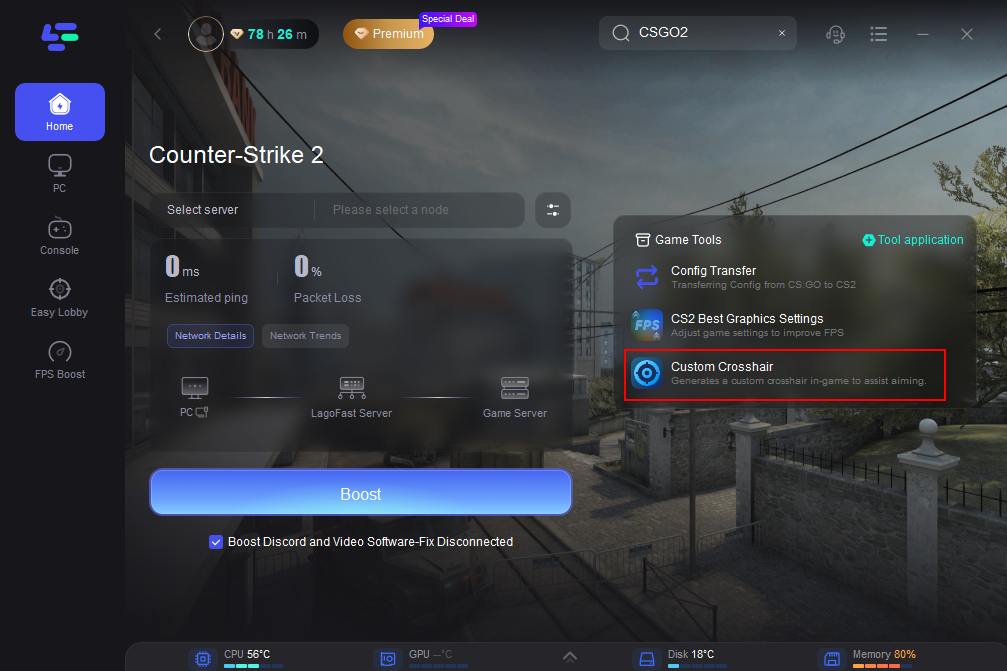
Customize Your Crosshair: This tool lets you modify your crosshair’s appearance to suit your style, including its shape, size, thickness, color, and more. After fine-tuning your settings, click the Save Configuration button.
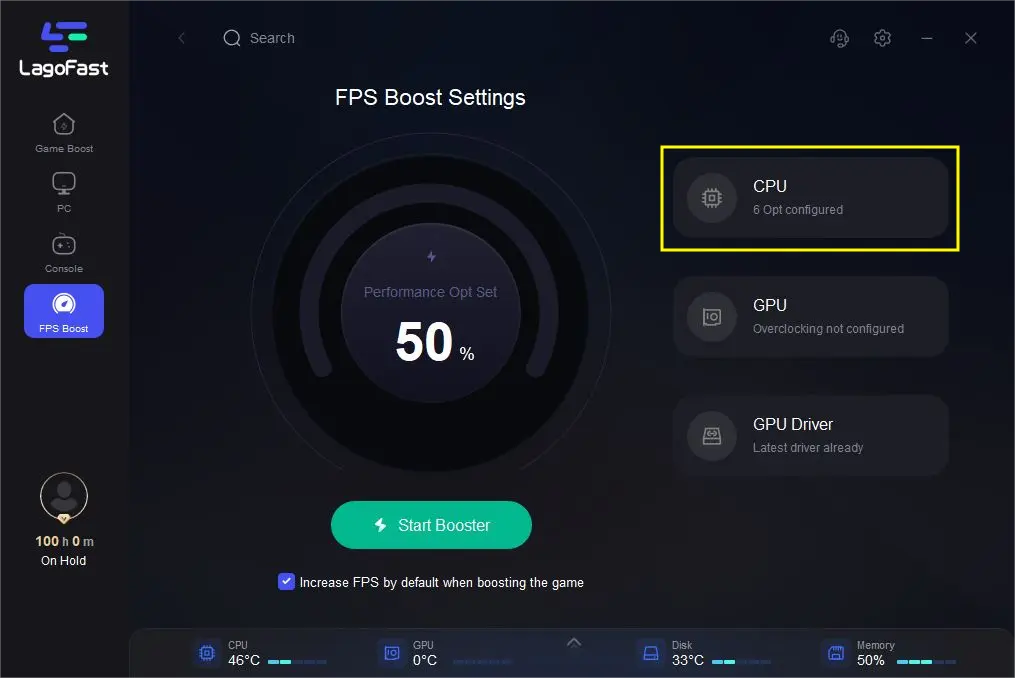
FPS Boost for Smoother Performance
Performance issues can also affect matchmaking and connection stability, especially on older systems or legacy builds.
LagoFast provides an FPS boost feature that helps:
- Stabilize frame rates: smoother gameplay experience
- Reduce lag spikes: fewer interruptions during matches
- Improve responsiveness: better overall control and timing
A more stable performance environment reduces the chances of disconnections, which can indirectly help avoid issues like Game server reserved for a game lobby CS2 errors.
Part 5. FAQs About CS2 Server Reservation Errors
What does server is reserved for game lobby mean in CS2?
It means the server is locked to a specific lobby session, and only players in that session can join.
Why does CS2 show a server reservation error?
Common causes include:
- corrupted lobby sessions
- matchmaking bugs
- server capacity limits
- unstable network connections
Why can't I join my friend’s server in CS2?
The CS2 cannot join friend server issue usually happens when:
- the lobby session is invalid
- the server is already reserved
- connection timing fails
Recreating the lobby typically resolves it.
Can network issues trigger lobby errors?
Yes. Poor connectivity can interrupt matchmaking, leading to CS2 failed to connect to lobby server problems.
Is this error a bug or intended behavior?
It is both:
- Intended as a protection system
- Occasionally triggered incorrectly due to bugs or server issues
Conclusion
The Game server reserved for a game lobby CS2 error occurs when the matchmaking system assigns a server to a specific lobby and blocks unauthorized access. While this system ensures fair gameplay, it can sometimes malfunction due to session conflicts, server issues, or network instability.
Fortunately, players can resolve most cases by recreating lobbies, restarting the game, verifying files, or checking server status. For persistent issues, improving network stability can significantly reduce errors like CS2 failed to connect to lobby server.
By understanding the causes and applying the right fixes, players can enjoy smoother matchmaking and avoid repeated CS2 server reservation errors.
Boost Your Game with LagoFast for Epic Speed
Play harder, faster. LagoFast game booster eliminates stutter and lags on PC, mobile, or Mac—win every match!
Quickly Reduce Game Lag and Ping!
Boost FPS for Smoother Gameplay!