

Experiencing crashes or a black screen when trying to play Game of Thrones: Kingsroad? You're not alone. Many players have reported stability issues ranging from sudden app shutdowns to unresponsive black screens during loading or gameplay. In this guide, we'll explore the common causes of these problems and offer effective fixes to get you back to Westeros without delay.

- ✅ Reduce Lag and High Ping.
- ✅ Boost FPS at the Same Time.
- ✅ Provide Game Translation Tool.
- ✅ Change Server without Latency.
- ✅ Download Games Easily.
- ✅Enhance System Performance.
Part 1: What Is Game of Thrones: Kingsroad
Part 2: Common Causes of Kingsroad Crashes and Black Screen
Part 3: How to Fix Game of Thrones: Kingsroad Crashes
Part 4: How to Fix Game of Thrones: Kingsroad Black Screen Issue
Part 5: Use LagoFast to Prevent Crashes and Black Screens
Part 1: What Is Game of Thrones: Kingsroad
Game of Thrones: Kingsroad is a role-playing action game set in the universe inspired by the hit HBO series and George R.R. Martin's novels. Unlike traditional turn-based RPGs, Kingsroad offers real-time combat, fluid character controls, and a top-down perspective that immerses players in fast-paced, dungeon-crawling action.
Key Features
- Three Playable Classes: Choose between Knight, Archer, or Wizard—each with unique skills and upgrade paths.
- Co-Op Multiplayer Mode: Team up with friends or random players to clear challenging dungeons together.
- Story-Driven Quests: Follow an original narrative loosely based on the Game of Thrones lore, including political intrigue, betrayal, and epic battles.
Gameplay Experience
Unlike many idle or auto-battle games, Kingsroad requires manual control of your character's movement, attacks, and abilities. This makes the gameplay feel more dynamic and engaging, especially during boss fights or high-level raids. The art style blends medieval fantasy with gritty realism, drawing visual inspiration from the dark tones of Westeros.
Part 2: Common Causes of Kingsroad Crashes and Black Screen
1. Device Compatibility Issues
Older devices or outdated operating systems may struggle to run Kingsroad smoothly. The game is graphics-heavy and may require newer hardware or OS versions.
2. Corrupted Game Files
If the game crashes during startup or while loading a mission, it's possible some files were corrupted during download or an update.
3. Server Connection Problems
Kingsroad relies heavily on server communication. Weak or unstable internet can lead to black screen freezes during login or transitions.
4. Background App Conflicts
Too many background processes may interfere with game performance, especially on Android and iOS.
Part 3: How to Fix Game of Thrones: Kingsroad Crashes
1. Restart the Game and Your Device
This might seem simple, but a quick restart often clears minor memory glitches and resolves temporary crashes.
2. Check for Updates
- Update the game to the latest version via Google Play or the App Store.
- Ensure your operating system is also up to date.
3. Clear Cache (Android)
- Go to Settings > Apps > Kingsroad
- Tap "Storage" > "Clear Cache"
4. Reinstall the Game
If the issue persists, uninstall and reinstall Kingsroad. This ensures a clean slate and downloads fresh files.
5. Free Up Device Memory
Close unused apps and free up RAM/storage space before launching the game.
Part 4: How to Fix Game of Thrones: Kingsroad Black Screen Issue
1. Wait 1–2 Minutes
Sometimes the black screen is temporary during server sync. Wait before force closing the app.
2. Check Network Connection
Switch to a stronger Wi-Fi or stable mobile data. Consider restarting your router if needed.
3. Disable VPN or Ad Blockers
VPNs and ad blockers can interfere with the game's server communication, leading to black screens or failed loads.
4. Run in Compatibility Mode (PC only)
If you're playing via an emulator or PC port:
- Right-click the game shortcut
- Go to "Properties" > "Compatibility" tab
- Enable "Run this program in compatibility mode"
Part 5: Use LagoFast to Prevent Crashes and Black Screens
LagoFast is a game booster designed to enhance performance and reduce crashes in online games like Game of Thrones: Kingsroad. Here are key features of LagoFast:
How to use LagoFast to play Game of Thrones: Kingsroad on PC
Download LagoFast and launch it.
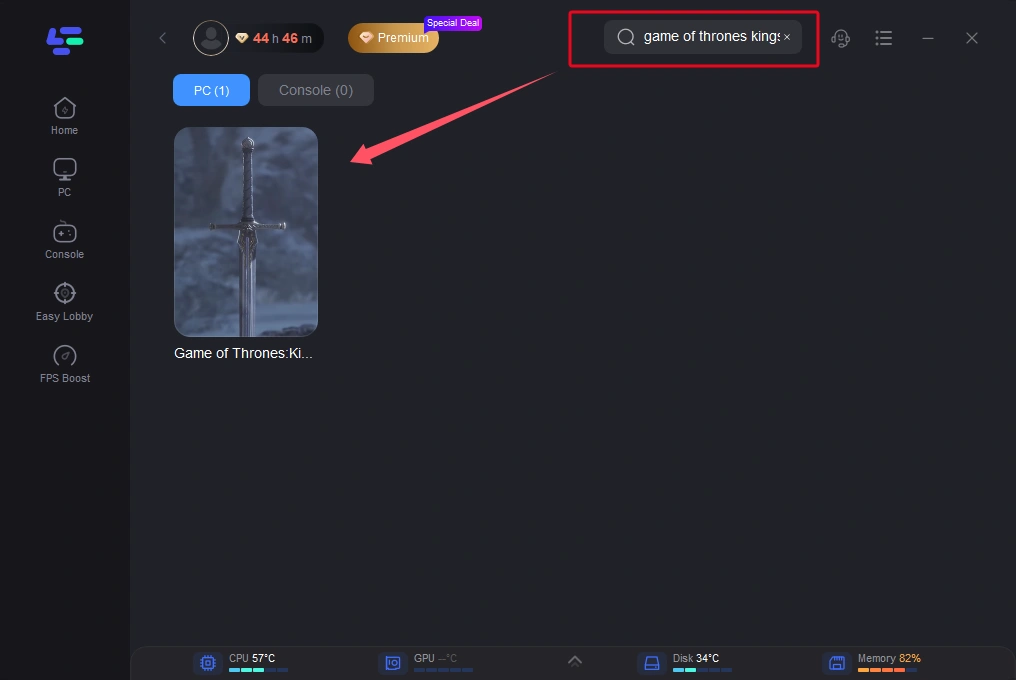
Search for Game of Thrones: Kingsroad in the search bar.
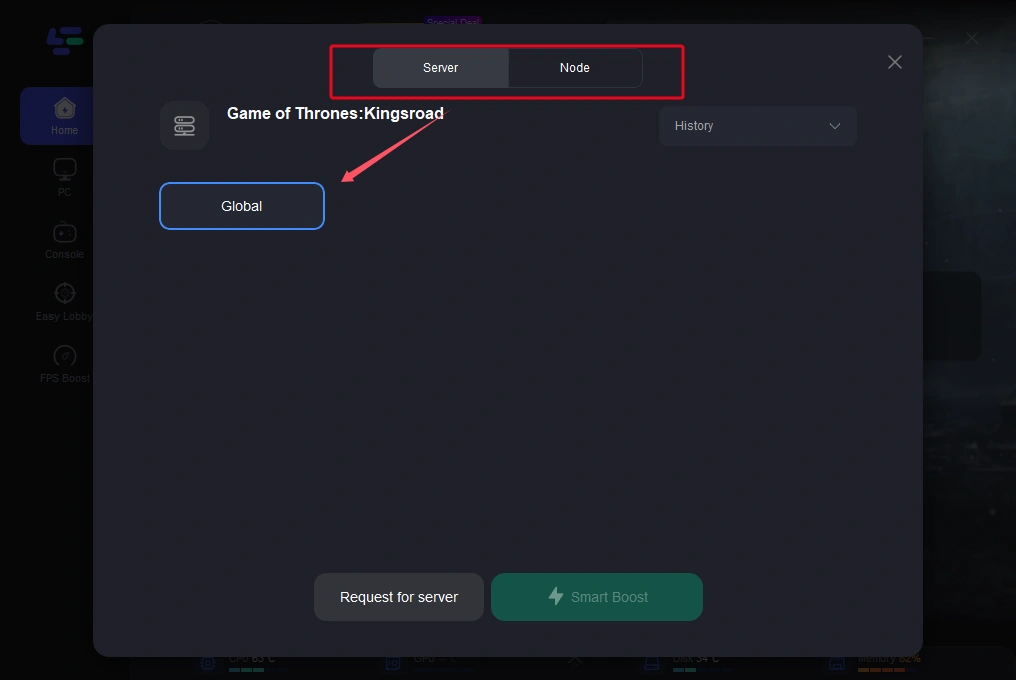
Select a stable server and node, and click "Start Boost".
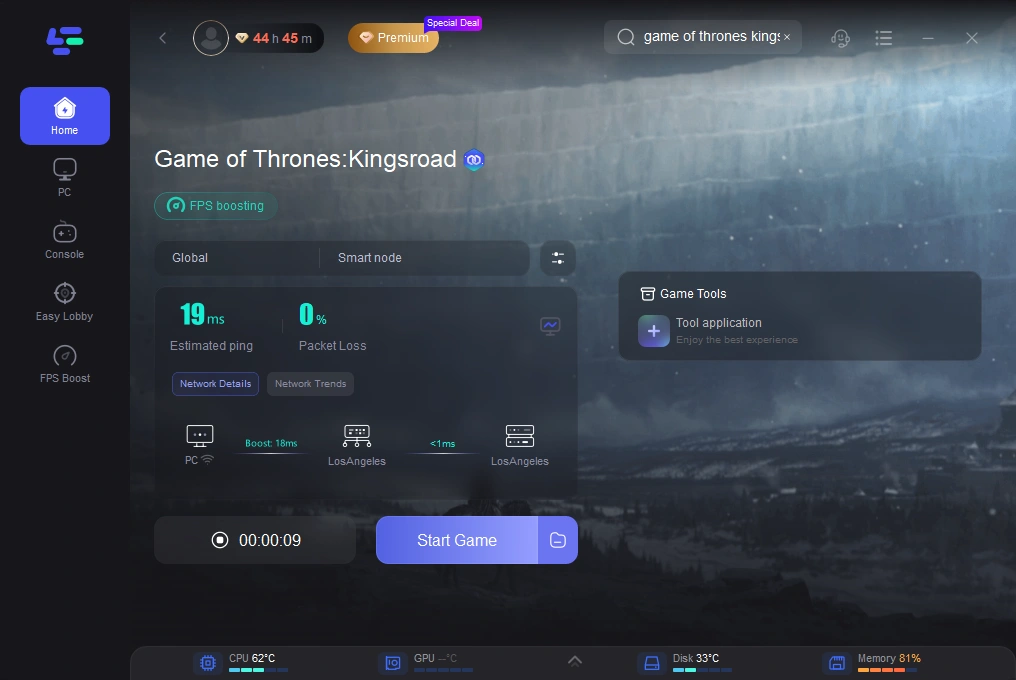
With lower ping, reduced packet loss, and stabilized memory usage, LagoFast can help eliminate both crash loops and black screens.
Use LagoFast Mobile to play Game of Thrones: Kingsroad
Step 1: Go to the App Store or Google Play Store, or scan the QR code below to download LagoFast Mobile.

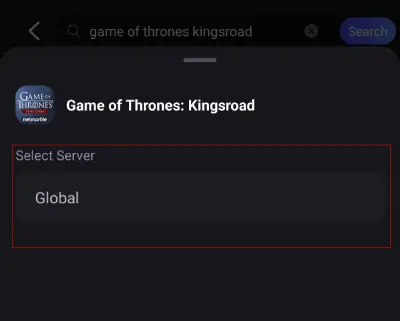
Step 2: After completing the installation, open LagoFast Mobile and search for Game of Thrones: Kingsroad in the search bar.
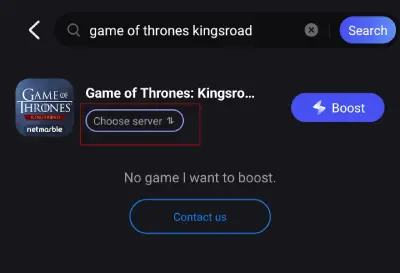
Step 3: Click on "Select Server" to choose an appropriate server node and initiate the acceleration process.
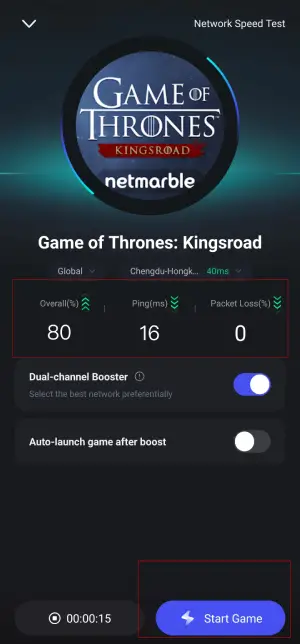
Step 4: Once the acceleration is complete, check the game data such as real-time ping or packet loss rate, and then click "Start Game" to begin your gaming session!
Conclusion
If you're dealing with Game of Thrones: Kingsroad crashes or black screen issues, don't worry—most fixes are quick and easy. Whether it's a device issue, corrupted cache, or poor internet connection, one of the solutions above should get you back in the game. For persistent issues, using a performance booster like LagoFast can be the ultimate fix.
Boost Your Game with LagoFast for Epic Speed
Play harder, faster. LagoFast game booster eliminates stutter and lags on PC, mobile, or Mac—win every match!
Quickly Reduce Game Lag and Ping!
Boost FPS for Smoother Gameplay!