
Many players have run into the “Fetching Account Data from Platform” error in Call of Duty: Black Ops 7 (BO7), which leaves the game stuck on a loop when trying to load player information. This frustrating bug can prevent you from accessing multiplayer, Zombies, or even your saved settings. Fortunately, there are several proven methods to fix the issue and get back into the action.

- ✅ Reduce Lag and Boost FPS
✅ Ensure Stable Server Connection.
✅ Change Server without Latency.
✅ Fix Crashing and Stuck Errors.
✅ 0% Packet Loss Rate
✅ Boost Game Downloading Speed.
Part 1:Why Does the Fetching Account Data Error Happen?
Part 2: Step-by-Step Fixes for BO7 Fetching Account Data Error
Part 3: Multiplayer and Zombies Depend on Stable Connections
Part 4:Tips to Keep Black Ops 7 Running Smoothly
Part 5: Use LagoFast to Fix the Fetching Account Data Error in BO7
Part 1. Why Does the Fetching Account Data Error Happen?
The error usually appears when the game struggles to connect your profile with Activision’s servers. Common reasons include:
- Server outages or maintenance on Activision’s end.
- Network instability such as high ping or packet loss.
- Corrupted cache or game files preventing account sync.
- Outdated software (game patch, drivers, or console firmware).
- Account data conflicts, often linked to custom loadouts or saved settings.
Understanding the cause helps you apply the right solution more quickly.
More Guides about Games: Epic Games Next Free Game 2025
Part 2. Step-by-Step Fixes for BO7 Fetching Account Data Error
1. Check Server Status
Before troubleshooting your system, visit the Activision Online Services page or COD’s official Twitter/X account to confirm whether servers are down. If the problem is global, you may need to wait until it’s resolved.
2. Restart Game and Devices
Close BO7 completely, restart your PC or console, and reboot your router. This clears temporary glitches and often fixes the loop.
3. Go Offline, Then Back Online
Some players report success with this method:
- On consoles: set your system Offline, restart the game, then reconnect Online.
- On PC: toggle Offline mode in Steam or Battle.net, then switch back to Online and relaunch.
4. Verify or Repair Game Files
On PC platforms like Steam or Battle.net:
- Right-click on BO7 in your library.
- Choose Verify Integrity (Steam) or Scan and Repair (Battle.net).
This process replaces any corrupted or missing files.
5. Clear Cache Data
- On consoles: perform a full power cycle by shutting down, unplugging, waiting 30 seconds, and powering back on.
- On PC: clear temporary system files and cached launcher data.
6. Update Everything
Keep your setup up to date:
- Install the latest BO7 patch.
- Update your console firmware or Windows version.
- Ensure GPU drivers are updated for maximum stability.
7. Reset Custom Loadouts
Corrupted or glitched loadouts can sometimes trigger the account data error. Try resetting or deleting custom loadouts, then relaunch the game.
8. Optimize Your Network with LagoFast
Unstable networks often make the fetching account data error worse. A tool like LagoFast Game Booster can help:
- Routes your connection through stable servers.
- Reduces ping spikes and packet loss.
- Ensures smoother connections to Activision’s servers.
To use LagoFast:
Download and install the app.
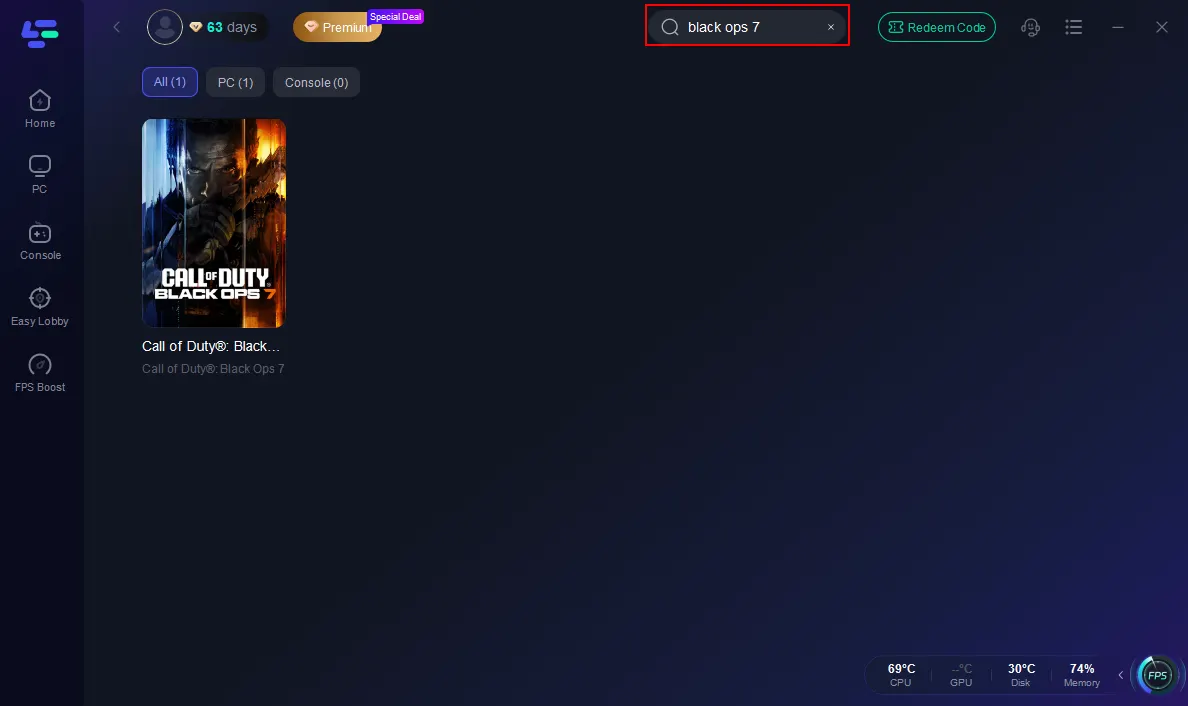
Search for Black Ops 7 in the booster.
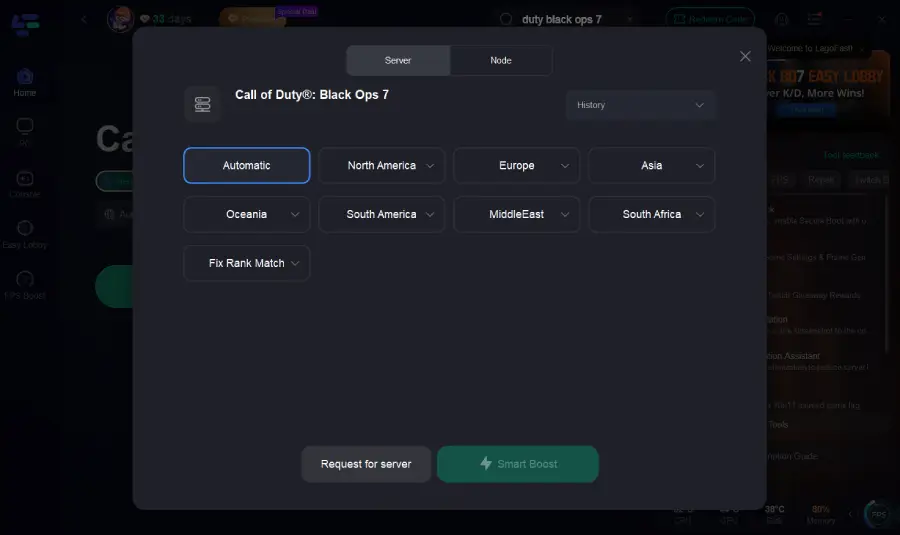
Select the best server and node.
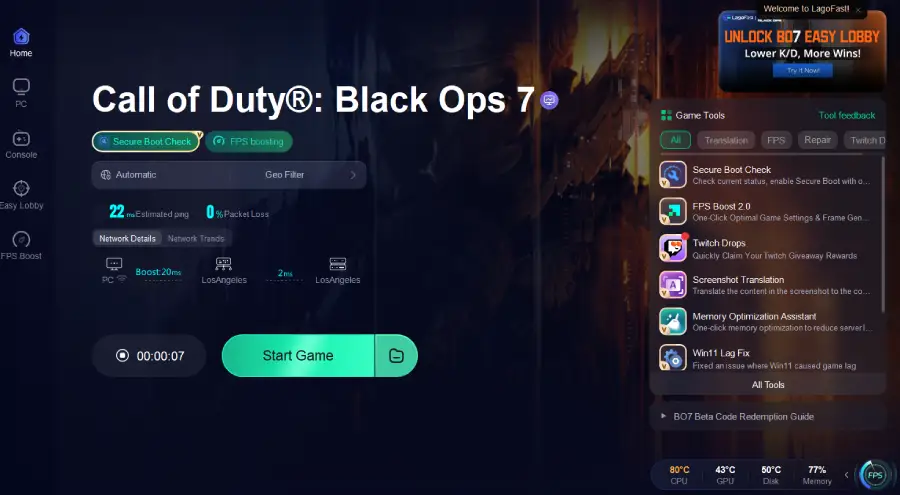
Enable Smart Boost to track ping and network health.
Preventing Future Account Data Errors
To reduce the chances of running into this problem again:
- Always keep BO7 and your system updated.
- Regularly restart your device to clear cache.
- Use a stable internet connection or LagoFast for optimized routing.
- Avoid storing too many custom loadouts that could become corrupted.
Part 3. Multiplayer and Zombies Depend on Stable Connections
Both multiplayer and Zombies mode in Black Ops 7 rely heavily on stable connections to fetch loadouts, stats, and online services. If your connection is weak, the game may freeze at the account data screen. That’s why optimizing your network is just as important as keeping your drivers and files updated. Using tools like LagoFast ensures smoother account syncing and prevents mid-match disconnections.
Part 4. Tips to Keep Black Ops 7 Running Smoothly
Beyond fixing the fetching account data issue, here are some general tips for better performance:
- Use wired connections instead of Wi-Fi for stable gameplay.
- Regularly restart your system to flush temporary files.
- Lower in-game graphics settings if your PC struggles with stability.
- Always log out properly instead of force-closing the game, which reduces the risk of corrupted account syncs.
Part 5. Use LagoFast to Fix the Fetching Account Data Error in BO7
If you’re stuck on the “Fetching Account Data from Platform” error in Black Ops 7, one of the culprits could be an unstable or poorly routed network. LagoFast Game Booster is designed to stabilize your connection, reduce packet loss, and optimize routing so you can bypass this frustrating loop and log in smoothly.
How to Use LagoFast
Install LagoFast from the official site.
Search for Black Ops 7 in the app before starting the game.
Choose the best server and node to ensure a stable route.
Enable Smart Boost to monitor ping, packet loss, and network type in real time.
Benefits of LagoFast
- Stabilizes connections to Activision’s servers.
- Reduces login loops and loading errors.
- Lowers ping and packet loss for smoother gameplay.
- Easy to set up for both PC and console players.
By running LagoFast before launching Black Ops 7, you give the game the stable and optimized connection it needs to sync your account data without interruptions. Instead of getting stuck on endless loading screens, LagoFast ensures your requests to Activision’s servers travel through the fastest and most reliable routes. This reduces the chances of packet loss, lag spikes, or connection drops that can cause the “Fetching Account Data from Platform” loop.
Conclusion
If you’re stuck with the “Fetching Account Data from Platform” error in Black Ops 7, don’t panic. Start by checking servers, repairing files, and updating your system. For persistent problems, clearing cache or using LagoFast to stabilize your connection often resolves the issue. With these fixes, you’ll be back in multiplayer, Zombies, and campaign modes without long waits or frustrating loops.
Boost Your Game with LagoFast for Epic Speed
Play harder, faster. LagoFast game booster eliminates stutter and lags on PC, mobile, or Mac—win every match!
Quickly Reduce Game Lag and Ping!
Boost FPS for Smoother Gameplay!