
Building your Ultimate Team before official match kickoff gives you a massive advantage every season. The EA SPORTS FC 27 Web App and Companion App allow players to trade, manage squads, and complete SBCs before the full game officially launches. However, server rush during release days can lead to severe lag or login errors. Tools like LagoFast Game Booster help stabilize your network connection so you never miss a profitable market trade. Here is your complete guide to launch dates, features, and quick fixes.

- ✅ Reduce Lag and High Ping.
- ✅ Boost FPS at the Same Time.
- ✅ Support 8000+ Popular Online Games.
- ✅ Stable Server Connection
Part 1: When Does the FC 27 Web App Release?
Part 2: FC 27 Web App vs Companion App
Part 3: How to Access & Login to the FC 27 Web App
Part 4: What Can You Do in the FC 27 Web App?
Part 5: FC 27 Web App Not Working or Can't Login
Part 6: Enhance Your FC 27 Gaming Experience with LagoFast
Part 1: When Does the FC 27 Web App Release?
EA SPORTS traditionally launches the browser version of its management portal a few days before early access. Understanding the exact launch schedule helps you jump into the transfer market before player card prices fluctuate.
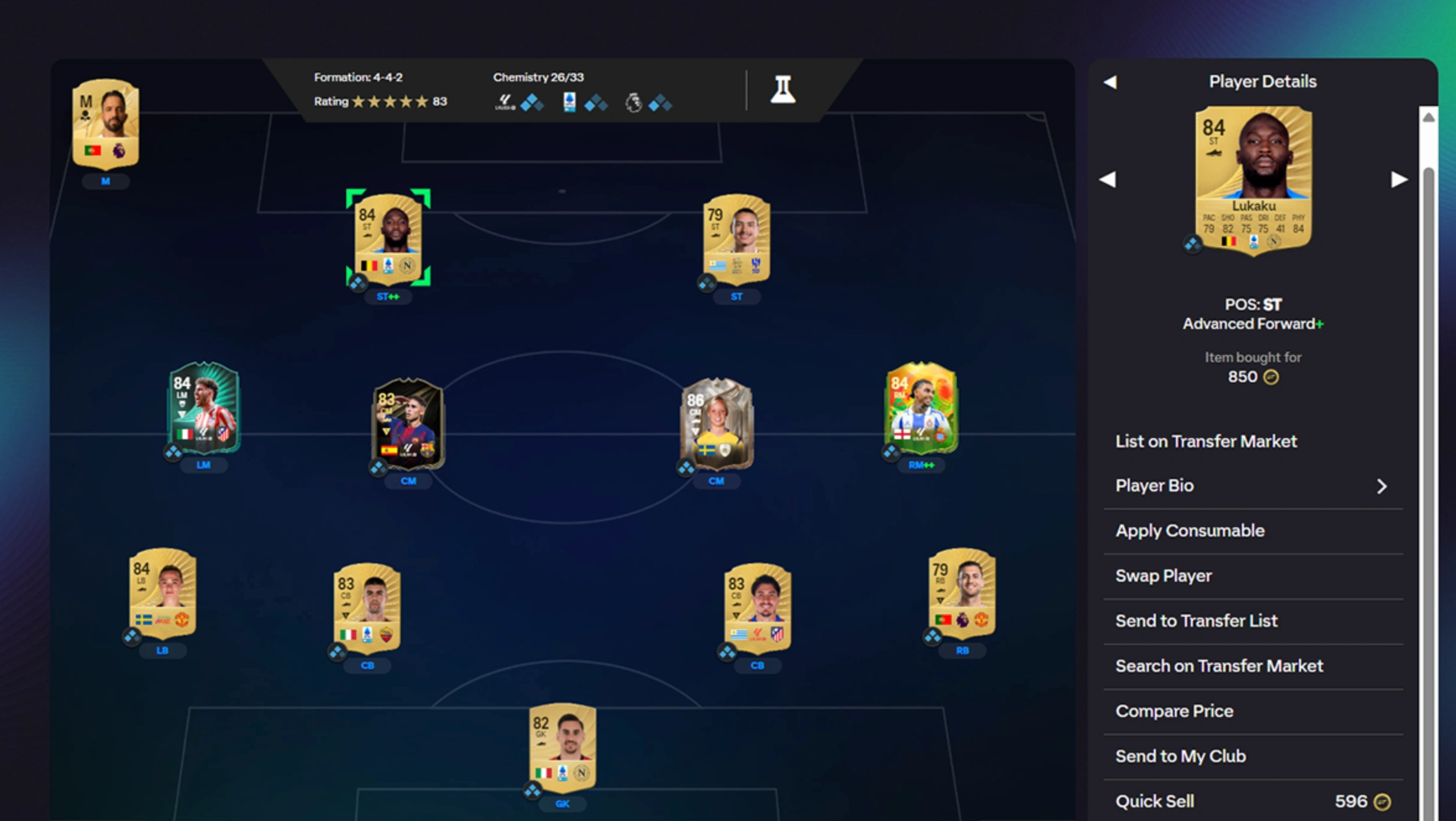
Here is what you need to know about the expected release schedule based on previous launch cycles.
FC 27 Web App Release Date
The FC 27 web app release date is expected to arrive in mid-September 2027, roughly one week before the worldwide release of the main game. Returning Ultimate Team players gain early access to claim welcome reward packs and build their starter squads.
FC 27 Companion App Release Date
The mobile FC 27 companion app release date usually follows roughly 24 hours after the web version. Smartphone users on iOS and Android can download the app update directly from their respective stores to manage their club on the go.
|
Platform / Launch Stage |
Expected Release Window |
Access Requirement |
|
FC 27 Web App |
Mid-September 2027 |
Web Browser (PC, Mac, Mobile) |
|
FC 27 Companion App |
24 Hours After Web App |
iOS App Store or Google Play Store |
|
Ultimate Team Early Access |
Late September 2027 |
Game Pre-order or EA Play |
|
Full Game Worldwide Launch |
Late September 2027 |
All Supported Platforms |
Part 2: FC 27 Web App vs Companion App
While both applications serve the same core purpose of club management, they run on different hardware and offer distinct user experiences. Deciding which one to use depends on whether you are working at a computer or moving around.
Understanding how the web portal and mobile app compare helps you choose the right tool for your daily trading.
Primary Differences Between Platforms
Both applications connect directly to your Ultimate Team account, but their layouts and feature sets cater to different habits.
- Platform Accessibility: The FC 27 web app runs inside any standard desktop or tablet browser. The companion app operates as a native application built specifically for mobile devices.
- Interface & Speed: The desktop web version offers a wider screen layout with full keyboard shortcuts, making rapid market searches faster. The mobile app relies on touch controls designed for quick adjustments.
- Push Notifications: Only the mobile application sends instant smartphone alerts for sold players, outbid transfers, and newly released challenges.
|
Feature |
FC 27 Web App |
FC 27 Companion App |
|
Supported Devices |
PC, Mac, Tablet Browsers |
iOS & Android Smartphones |
|
User Interface |
Full Desktop Layout |
Touch-Optimized Mobile View |
|
Push Alerts |
Not Supported |
Supported |
|
FC 27 Companion App Download |
Not Needed (Browser Based) |
Required via Mobile App Stores |
|
Mass Trading Efficiency |
High (Mouse & Keyboard) |
Medium (Touch Gestures) |
Part 3: How to Access & Login to the FC 27 Web App
Logging into your account early requires an active EA Account that is in good standing from previous game seasons. Following the correct sign-in sequence prevents frustrating security locks during high-traffic hours.
Follow this simple walkthrough to complete your FC 27 web app login without issues.
Steps to Log In on Day One
Before you begin, ensure you have access to the email address tied to your main gaming profile.
Step 1: Navigate to the official EA SPORTS FC web portal using any modern browser.
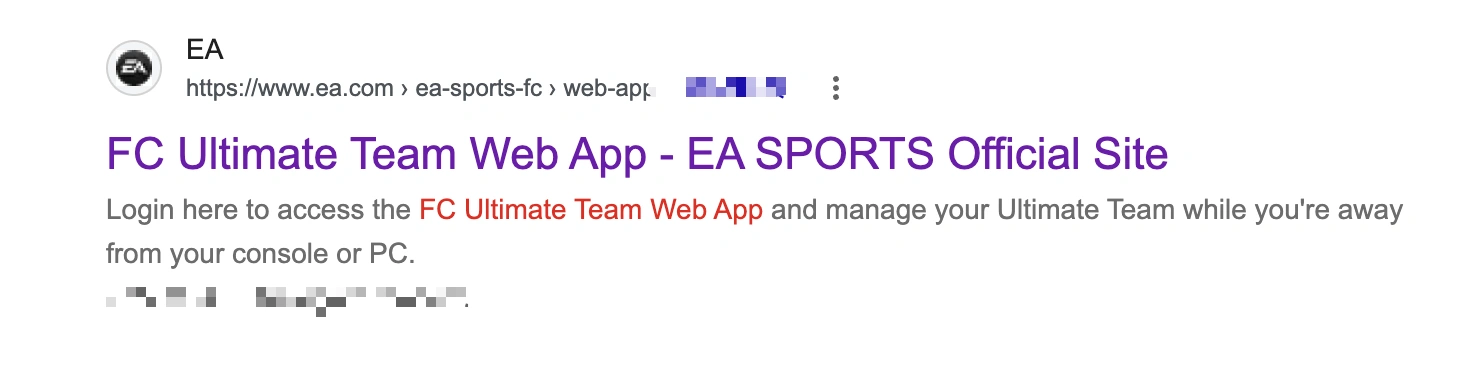
Step 2: Select the Web App option from the main navigation menu.
Step 3: Enter your EA Account credentials associated with your console or PC profile.
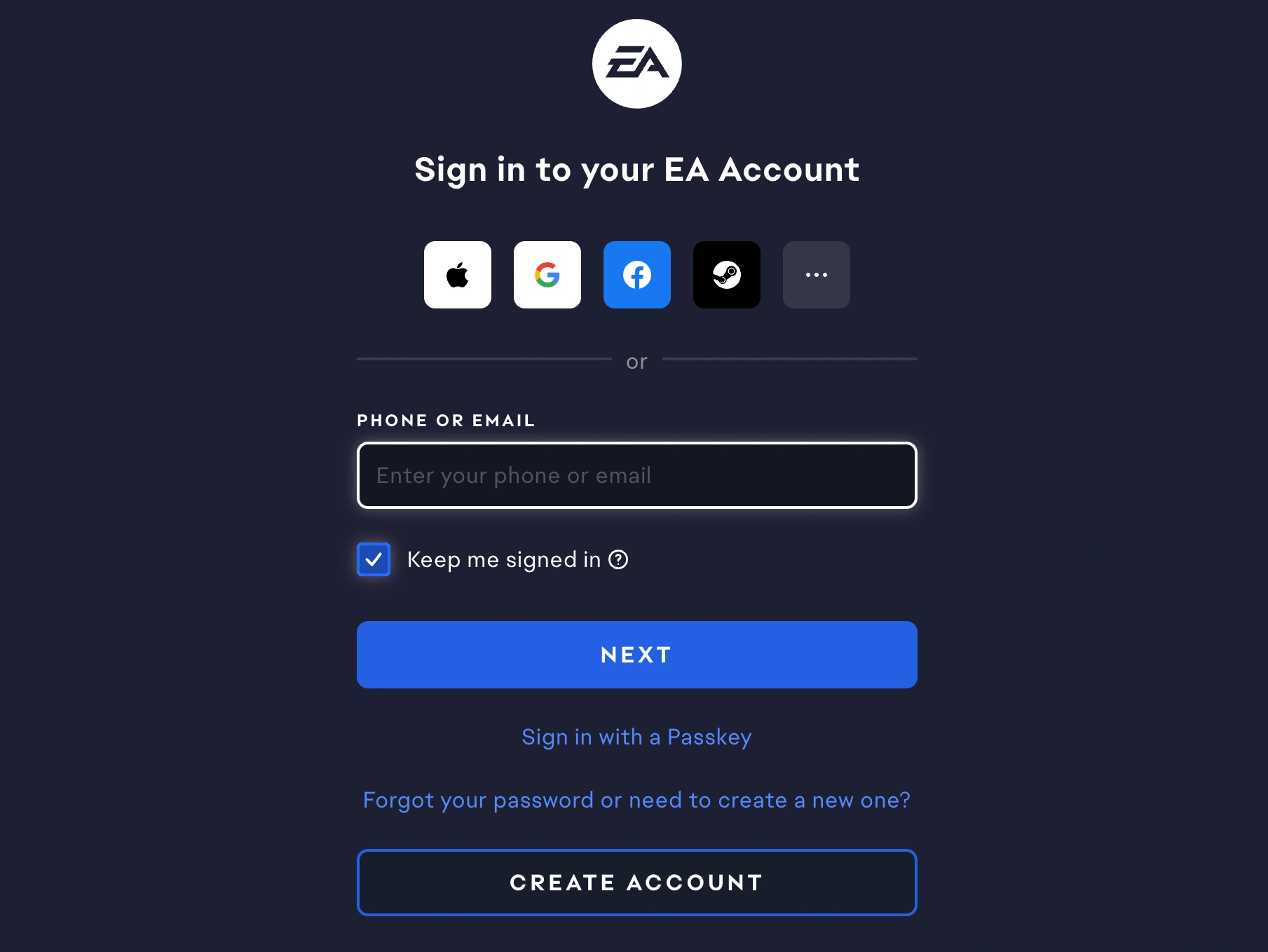
Step 4: Input the two-factor authentication code sent to your email or security app.
Step 5: Select your starter pack country, open your returning user rewards, and start managing your team.
Part 4: What Can You Do in the FC 27 Web App?
The web application contains almost every team management feature available in the full console game, excluding live pitch matches. Taking full advantage of these features during pre-launch week builds your club currency before the market stabilizes. Here is a quick look at the primary activities you can perform inside the application.
Core Web App Capabilities
Managing your team early gives you a head start over players who wait for the console release.
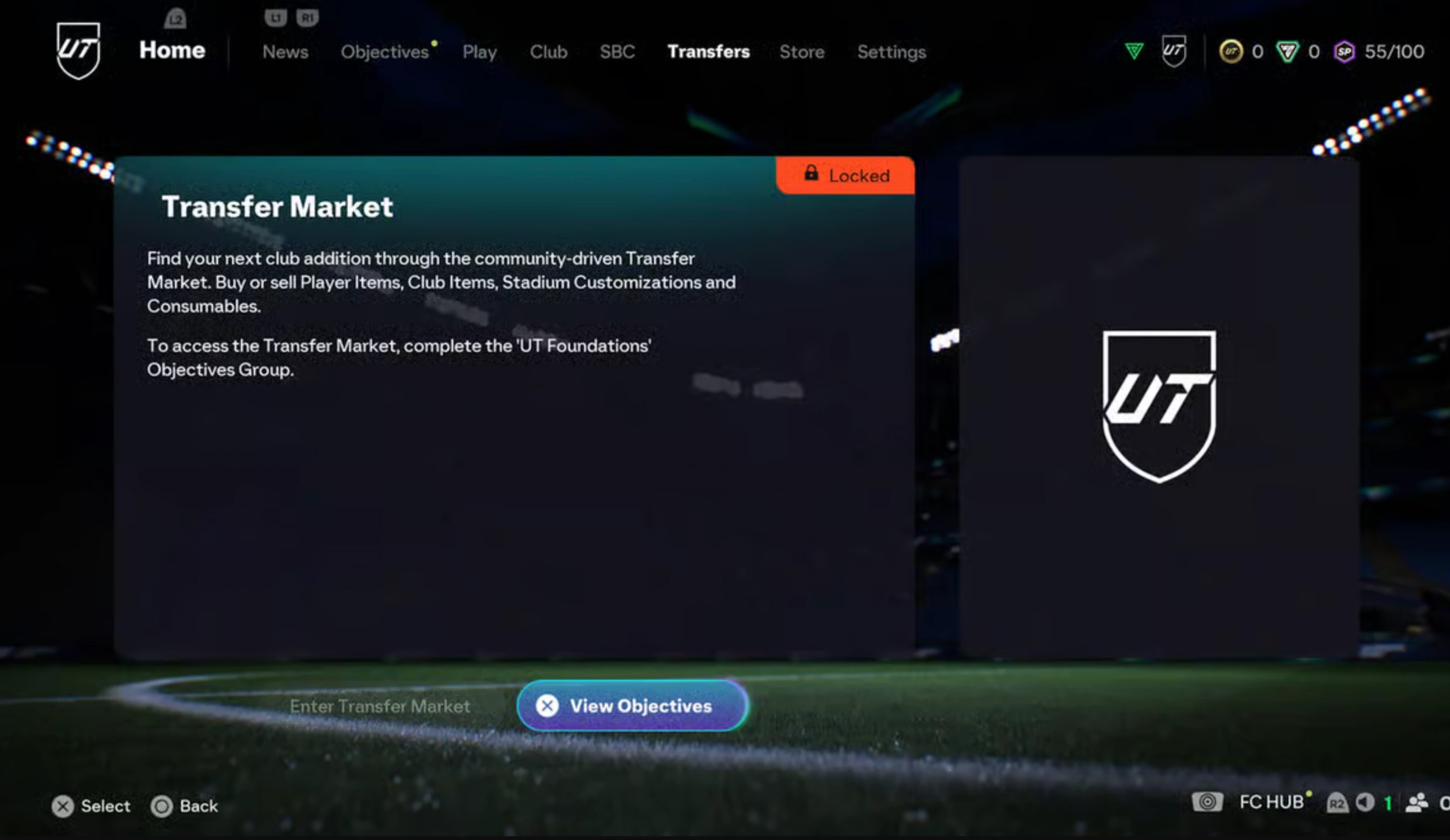
- FC 27 Transfer Market Web App: Buy, sell, and trade player cards, club cosmetics, and tactical items. Early market trading lets you flip gold cards and hoard valuable squad assets.
- Squad Building Challenges (SBCs): Complete puzzle challenges using extra player cards to unlock untradeable packs, unique player items, and coin rewards.
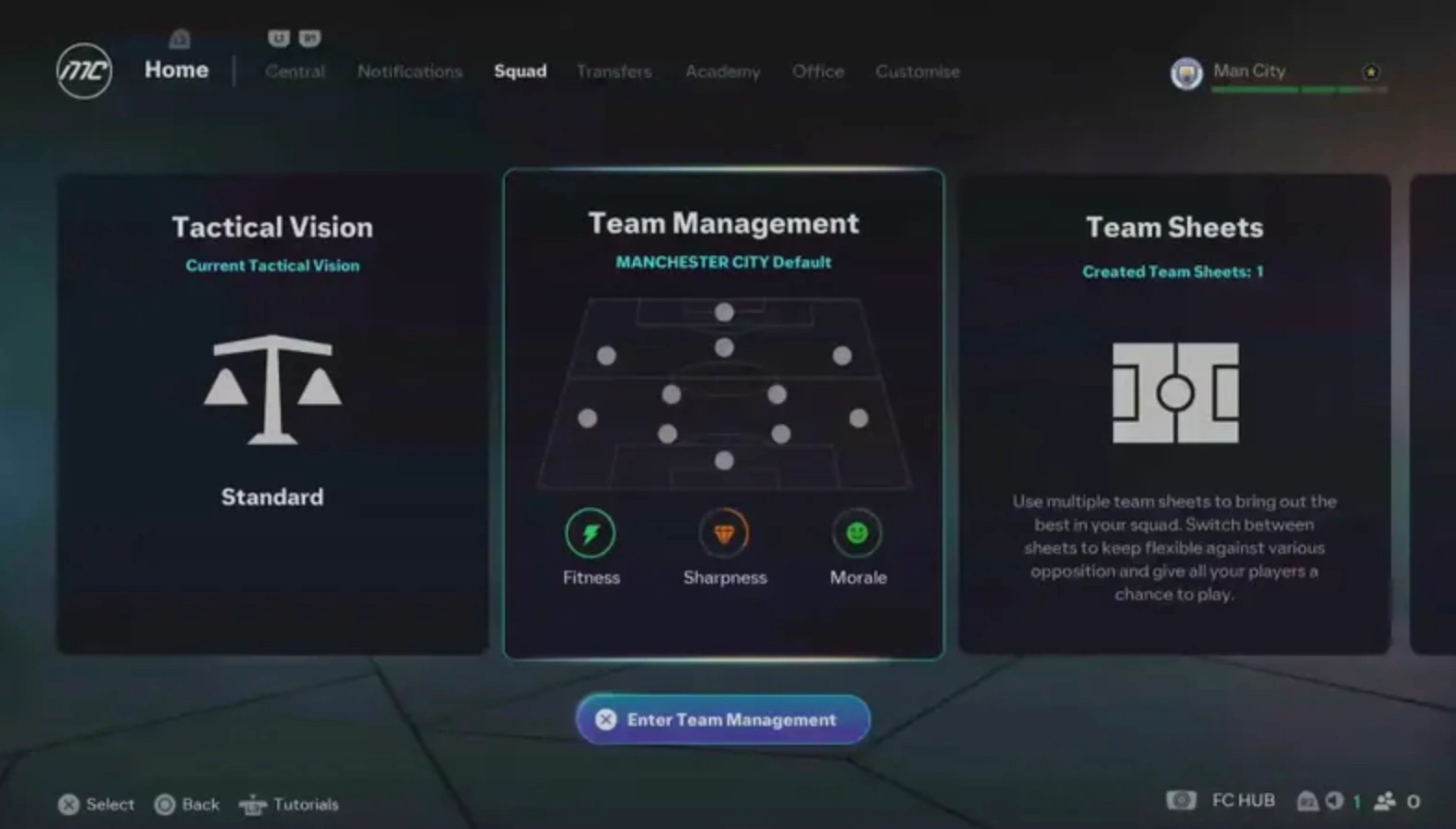
- Club & Squad Management: Customize your starting lineup, set up tactics, apply player contracts, and modify stadium cosmetics.
- UT Store & Packs: Open welcome rewards, check daily preview packs, or redeem points to acquire promo packs directly from the store tab.
- Objectives & Season Progress: Complete daily objectives to earn experience points and claim milestone reward tiers early.
Part 5: FC 27 Web App Not Working or Can't Login
Launch week often brings heavy network traffic, which can result in the FC 27 web app not working properly. Identifying the root cause helps you fix connection errors and regain market access quickly.
If you run into blank screens, infinite loading wheels, or account locks, review these common causes and fixes.
Common Causes and Quick Fixes
Most issues stem from temporary server overload, browser settings, or account status restrictions.
- Locked Transfer Market: If the FC 27 transfer market web app displays a locked message, your account needs more active play time. You must play matches on your console or PC once the main game launches to unlock full market access.
- EA Account Status: Accounts with recent safety penalties or bans from FC 26 may lose early web app access privileges.
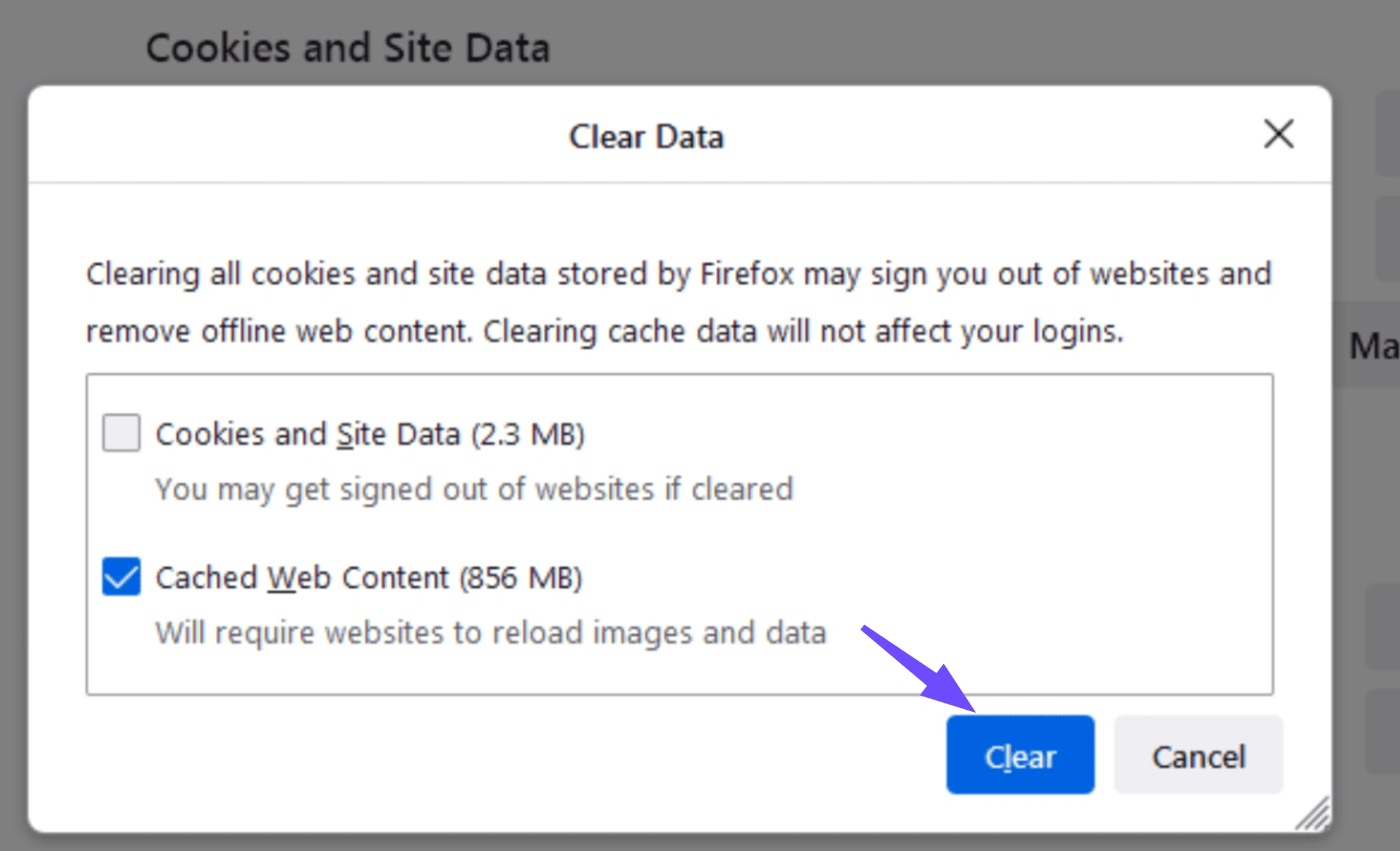
- Browser Cache Interference: Old browser cache or strict ad-blocking extensions can break sign-in scripts. Clear your browser cache or open the app in Incognito mode.
- Server Overload: Millions of players logging in simultaneously can strain EA authentication servers. Wait several minutes before attempting to sign in again.
- Outdated App Version: If mobile sign-in fails, confirm you completed the new FC 27 companion app download update rather than running the outdated FC 26 build.
Part 6: Enhance Your FC 27 Gaming Experience with LagoFast
A stable network connection is essential whether you are bidding on time-sensitive auctions in the web portal or playing competitive online matches. Sudden lag spikes, packet loss, and unexpected server disconnections can ruin your match record and waste valuable coins.
LagoFast Game Booster offers a powerful solution to eliminate online latency and stabilize your entire network path. Driven by a smart multipath routing engine, LagoFast automatically detects and redirects your traffic through the fastest server routes to minimize ping and stop jitter. It provides simple one-click acceleration for both PC and console gaming setups, keeping your connection smooth during peak hours. In addition to in-game optimization, LagoFast fixes web portal connection timeouts caused by local network congestion. Using LagoFast ensures seamless squad management and responsive gameplay throughout the season.
How to Enhance Your FC 27 Gaming Experience with LagoFast:
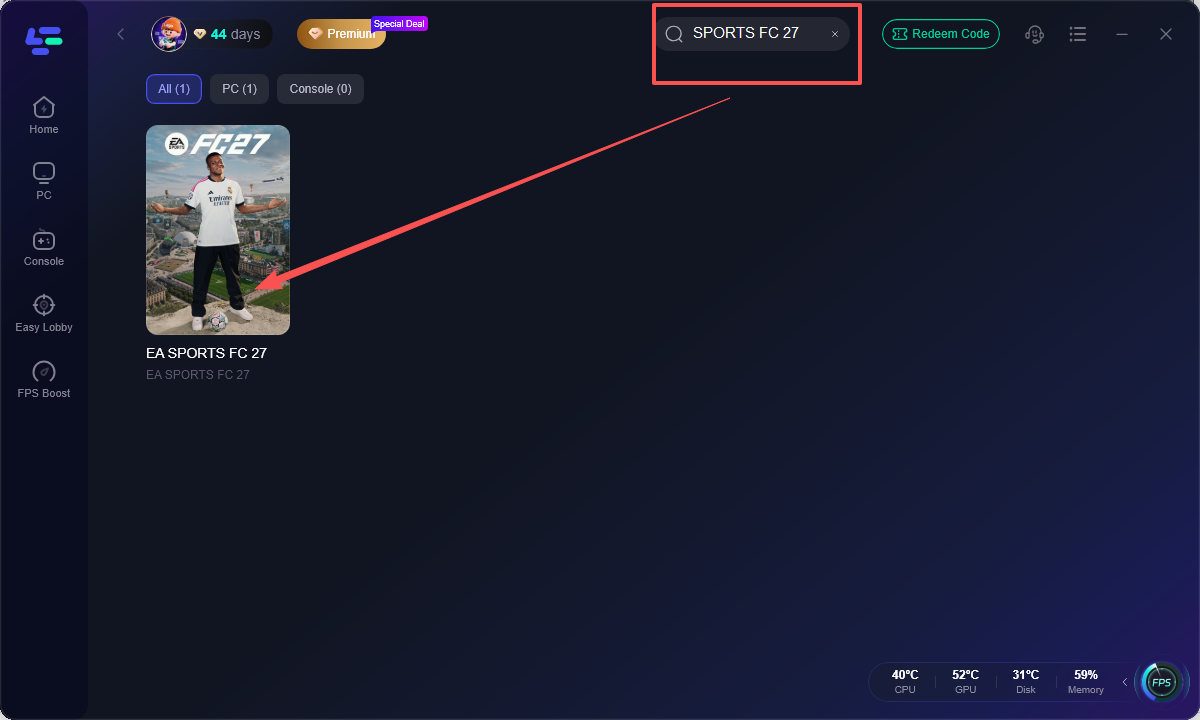
Step 1: Download and launch the LagoFast client on your PC.
Step 2: Type "FC 27" into the search bar and select it.
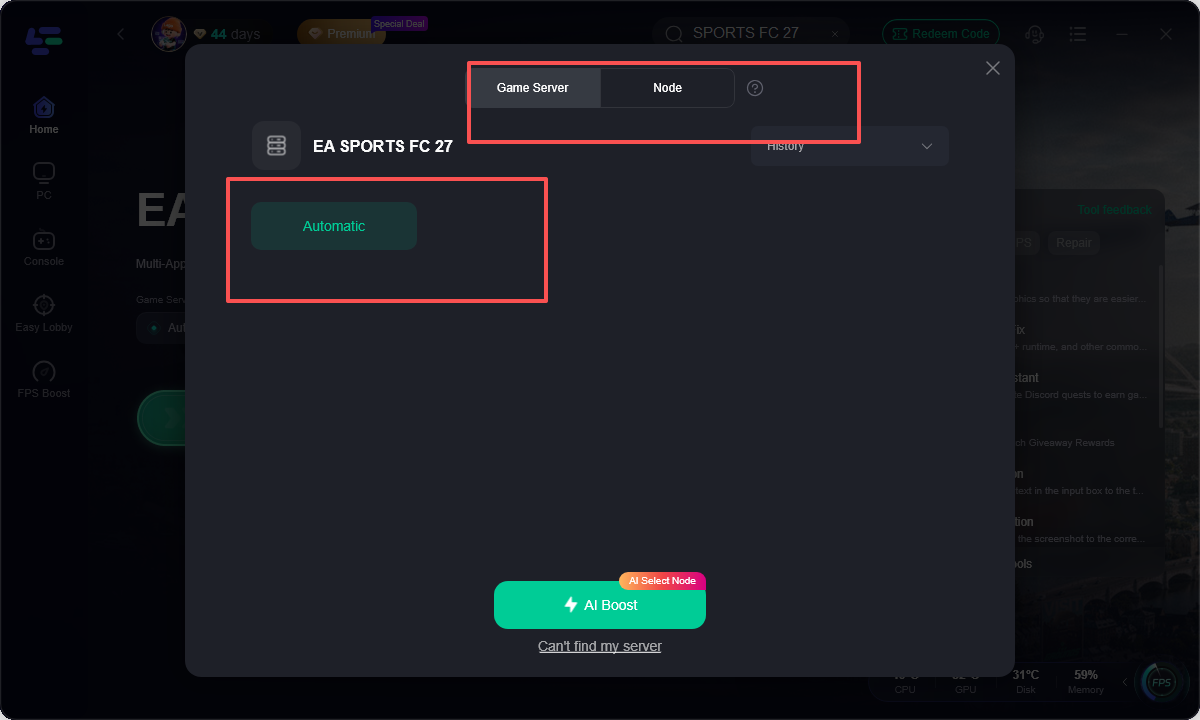
Step 3: Pick your preferred game server region, allowing AI to route you through the optimal node with the lowest latency and zero packet loss.
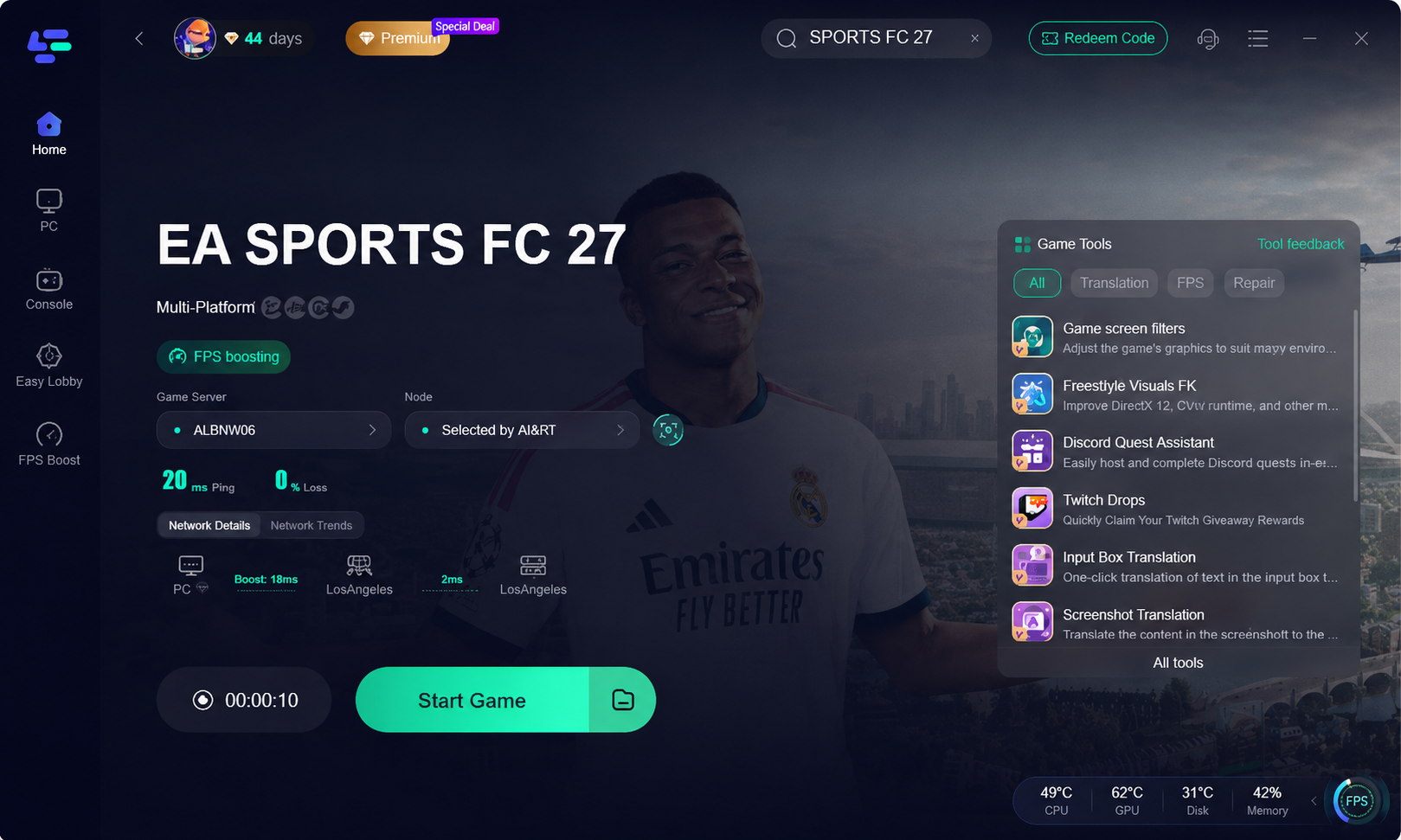
Step 4: Click Boost to automatically reduce network latency and activate FPS optimization, then start the game to enjoy smooth, responsive, and stutter-free controller gameplay.
Part 7: FAQs on FC 27 Web App
Here are concise answers to the most common questions regarding the FC 27 web and companion apps.
Is the FC 27 Web App free to use?
Yes, both the web management portal and the mobile companion application are completely free for all players with an active EA Account.
Why is my FC 27 transfer market web app locked?
The transfer market remains locked on new accounts or profiles lacking recent match activity in FC 26. You must play matches on your console or PC to unlock access.
Can I play actual matches on the FC 27 Companion App?
No, you cannot play live pitch matches on mobile or web apps. These platforms are strictly designed for squad building, trading, SBCs, and store purchases.
Do I need a console online subscription to log in?
No, you do not need PlayStation Plus or Xbox Game Pass subscriptions to access the web or mobile management apps. You only need your EA Account.
Where can I complete the FC 27 companion app download?
You can download or update the official application directly from the Apple App Store for iOS devices or the Google Play Store for Android.
What should I do if the FC 27 web app is not working?
Try clearing your browser cache, turning off active extensions, or using an Incognito window. If connection errors persist, check official EA server status or use LagoFast to optimize your connection.
Conclusion
The EA SPORTS FC 27 Web App and Companion App are essential tools for building a competitive Ultimate Team long before kickoff day. Mastering early market trading, completing daily SBCs, and keeping your connection stable gives you a distinct advantage over other players. Combine your early market strategy with LagoFast Game Booster to eliminate lag and enjoy ultra-smooth performance on PC and console. Log in early, trade smart, and build your dream team.
Boost Your Game with LagoFast for Epic Speed
Play harder, faster. LagoFast game booster eliminates stutter and lags on PC, mobile, or Mac—win every match!
Quickly Reduce Game Lag and Ping!
Boost FPS for Smoother Gameplay!