
EA Sports FC 27 Mobile offers a realistic football experience on handheld devices, but performance issues like unexpected stuttering or connection delays can ruin crucial competitive matches. Many players constantly struggle with high ping or sudden frame rate drops during intense online play. Understanding the underlying causes of these disruptions helps you apply targeted fixes. Using a specialized game booster like LagoFast can significantly stabilize your connection and boost gameplay smoothness across all your gaming sessions.

- ✅ Reduce Lag and High Ping.
- ✅ Boost FPS at the Same Time.
- ✅ Support 8000+ Popular Online Games.
- ✅ Stable Server Connection
Part 1: Primary Reasons Behind FC 27 Mobile Lag
Part 2: Performance Comparison: Standard Fixes vs Dedicated Boosters
Part 3: How to Fix FC 27 Mobile Lag: Top Proven Solutions
Part 4: FAQs About FC 27 Mobile Lag
Part 1: Primary Reasons Behind FC 27 Mobile Lag
Online football matches require real-time synchronization between your device, local network, and game servers. When any part of this dynamic connection chain encounters bottlenecks, performance degradation occurs immediately.
Understanding why FC 27 Mobile is so laggy helps in selecting the right fix:
- Hardware Limitations: Older phone chipsets struggle with demanding visual processing, causing severe FC Mobile FPS drops.
- Network Instability: Weak Wi-Fi signals or cellular data fluctuations lead to packet loss and high FC Mobile ping.
- Background Process Drain: Active background applications consume valuable system memory and processor power during matches.
- Server Congestion: Heavy player traffic on regional game servers creates noticeable FC Mobile input delay.
- Thermal Throttling: Extended gaming sessions heat smartphone hardware, automatically forcing lower performance to protect components.
- Storage Bottlenecks: Low internal storage space slows down app data read speeds, leading to frequent FC Mobile stuttering.
Part 2: Performance Comparison: Standard Fixes vs Dedicated Boosters
Evaluating different troubleshooting methods allows you to choose the most effective approach for your setup. The comparison table below highlights how manual tweaks compare against dedicated network optimization.
|
Optimization Solution |
Latency Reduction |
FPS Stability Improvement |
Cross-Platform Utility |
Implementation Speed |
|
In-Game Graphics Tweaks |
Low Impact |
High Impact |
Device Specific |
Fast |
|
Background Memory Clearance |
Low Impact |
Moderate Impact |
Device Specific |
Fast |
|
Wi-Fi Router Restart |
Moderate Impact |
No Impact |
Local Network Only |
Moderate |
|
LagoFast Game Booster |
High Impact |
High Impact |
Mobile, PC, and Consoles |
Instant |
Part 3: How to Fix FC 27 Mobile Lag: Top Proven Solutions
Resolving gameplay stuttering requires a balanced approach combining network stabilization, memory optimization, and device temperature management. Here are the most reliable methods to fix FC Mobile lag effectively.
Use LagoFast as Your FC Mobile Lagging Reducer
If standard manual tweaks fail to eliminate latency, a dedicated optimization application provides the ultimate network stabilization solution.
LagoFast stands out as a reliable game booster designed to eliminate network instability and reduce high latency. By utilizing multi-path smart routing technology, LagoFast automatically redirects your traffic through the fastest server routes, minimizing packet loss and lowering in-game ping. Beyond mobile optimization, the LagoFast game booster also seamlessly supports PC and console platforms, ensuring smooth connectivity across all your gaming systems. Its integrated routing features help maintain stable frame rates while reducing input delay, making it an ideal FC Mobile lag reducer for competitive players seeking reliable performance.
Follow this tutorial to optimize your connection using LagoFast:
Step 1. Download and install LagoFast Mobile Booster from the Google Play Store or Apple App Store. Alternatively, click here to download the APK File.
Step 2. Launch the application and search for FC 27 Mobile in the main search bar.
Step 3. Select your preferred game server and choose the optimal node location.
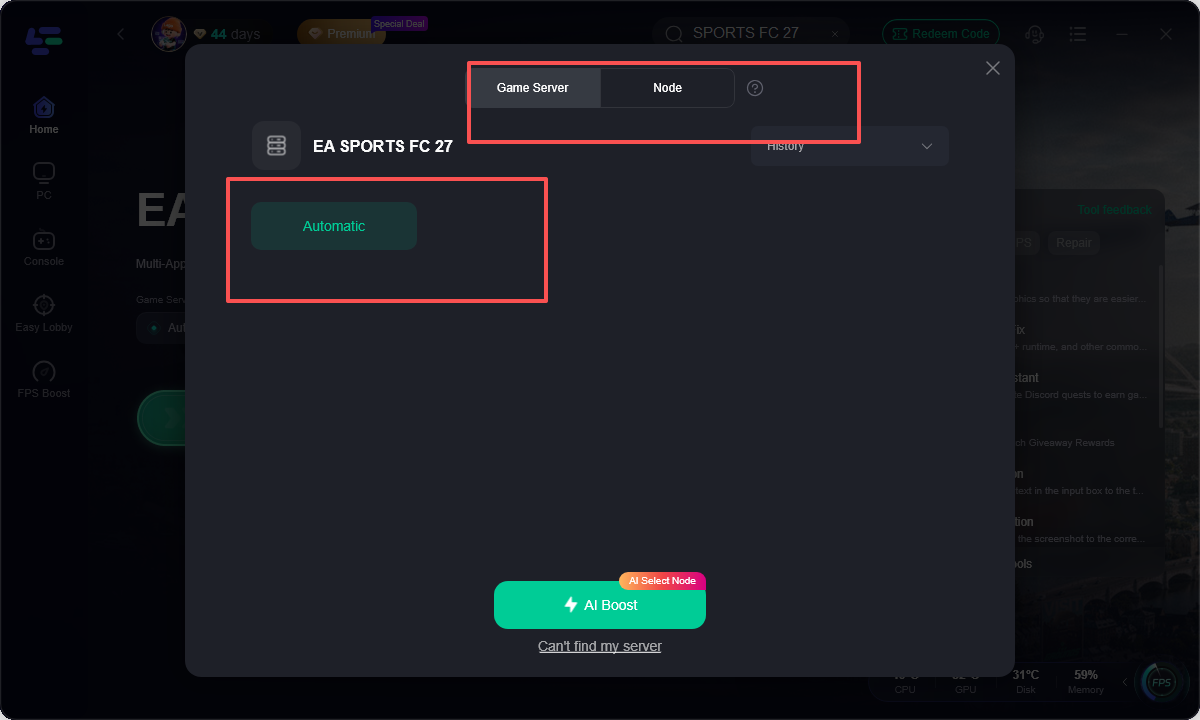
Step 4. Tap the Boost button to initiate real-time connection acceleration.
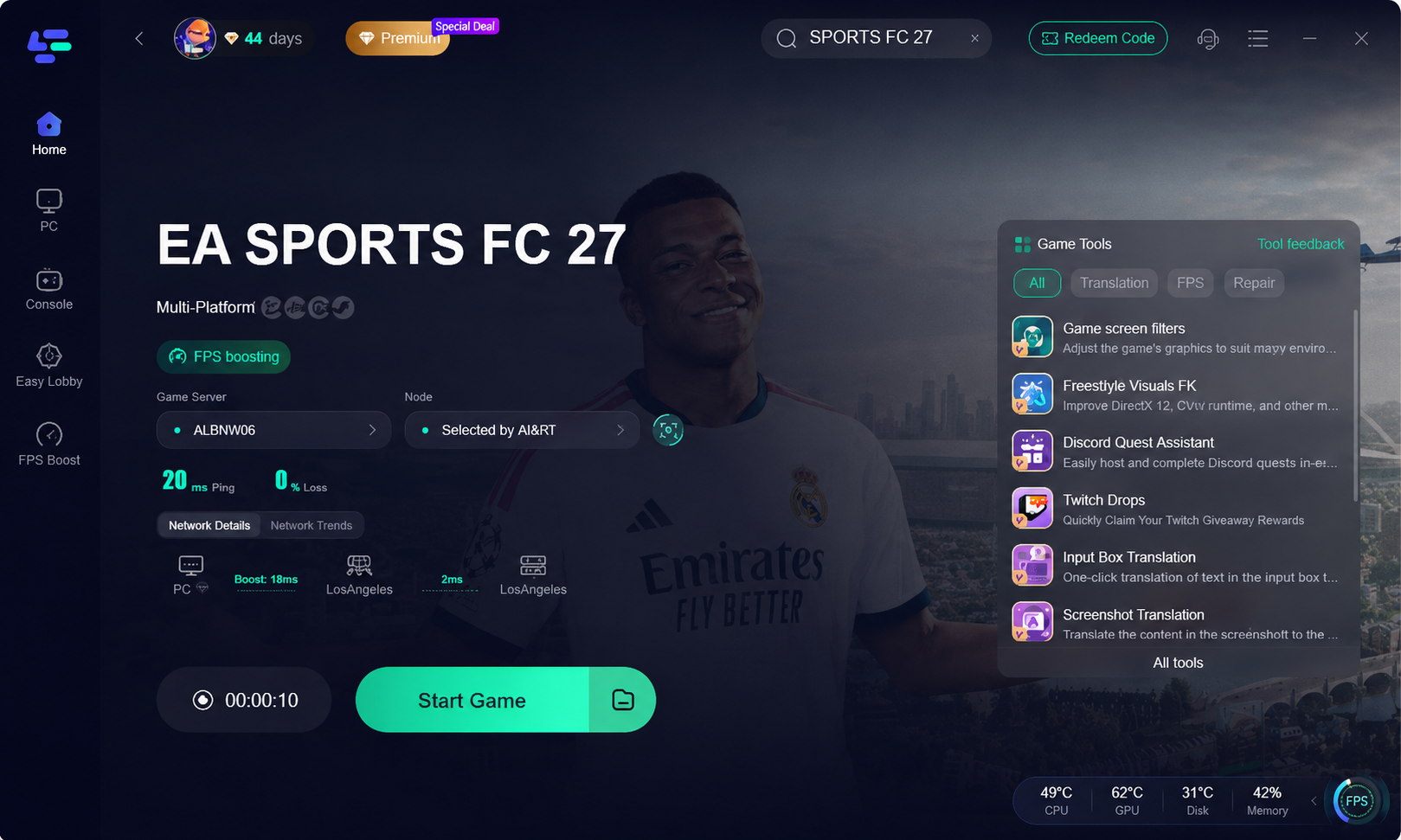
Step 5. Open FC 27 Mobile and start playing with minimized ping and reduced lag.
How to use LagoFast to fix lag in FC 27 on PC
In addition to mobile optimization, LagoFast also supports acceleration for PC and console platforms. If needed, please check How to Fix FC 27 Lag and Delay for Smooth Gameplay.
Step 1. Download LagoFast by clicking the "Free Trial" button
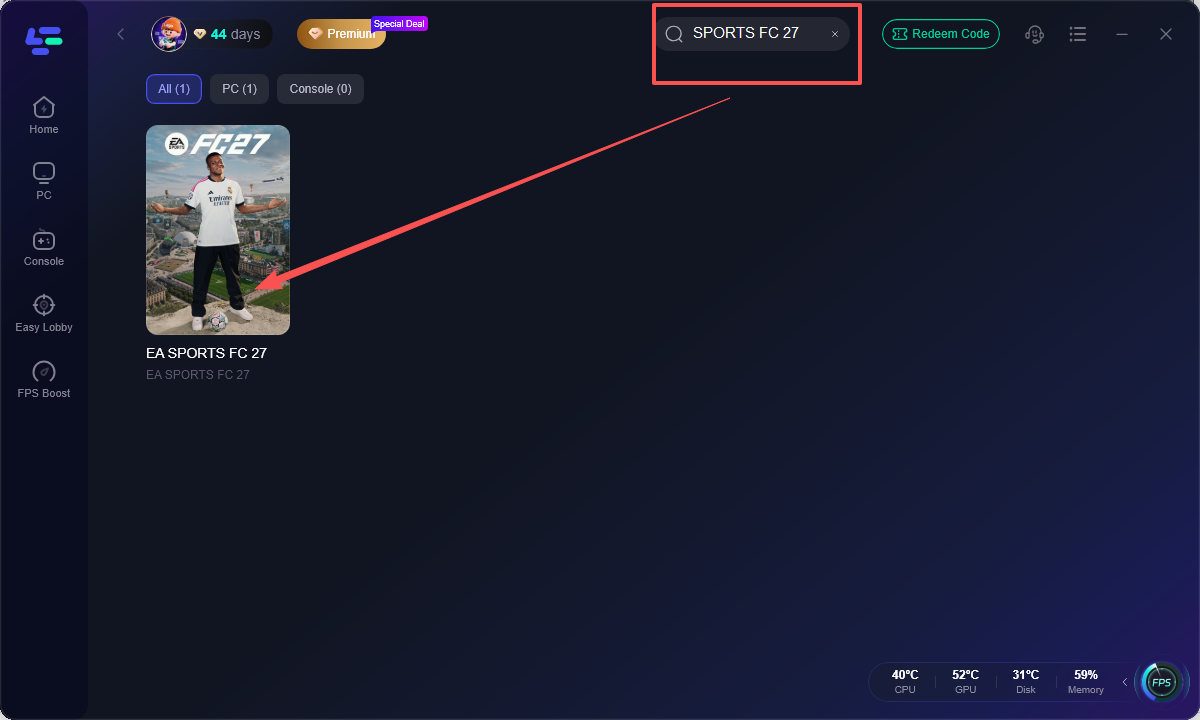
Step 2: Launch the application and type FC 27 into the top search bar.
Step 3: Select your closest geographic server region and pick the node with the lowest measured latency. Click the Boost button to lock in the optimized routing path before starting your game.
Step 4: Open your game and play FC 27 with a better game experience.
Optimize In-Game Graphics and Frame Rate Settings
High graphical demands can overwhelm your phone processor, leading to sudden frame drops during fast-paced matches. Tweaking these options balances visuals with smooth performance.
Step 1. Open FC 27 Mobile and tap the Settings gear icon in the main menu.
Step 2. Navigate to Graphics settings and lower the Resolution from High to Medium or Low.
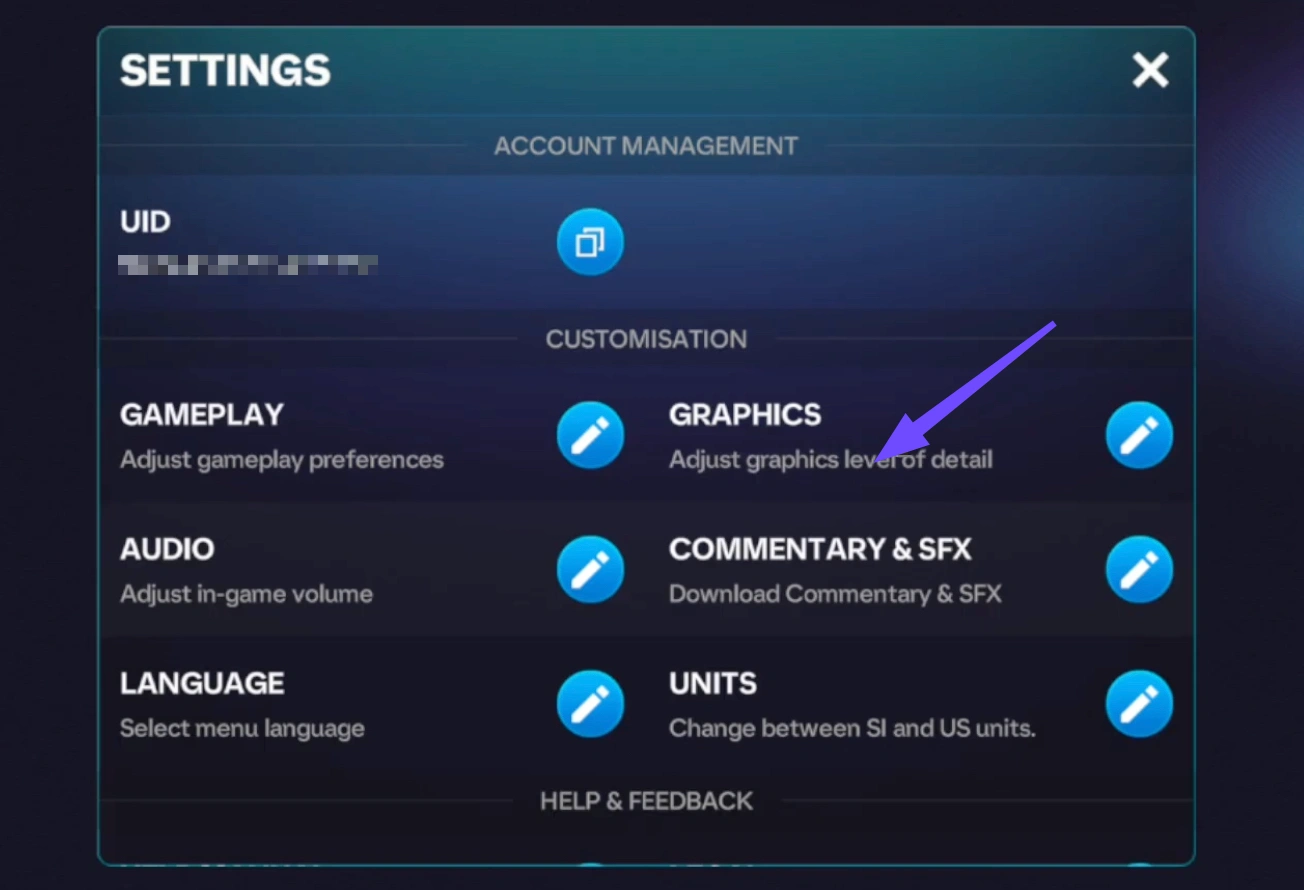
Step 3. Change the Frame Rate setting to High or Very High to prioritize smooth movement.
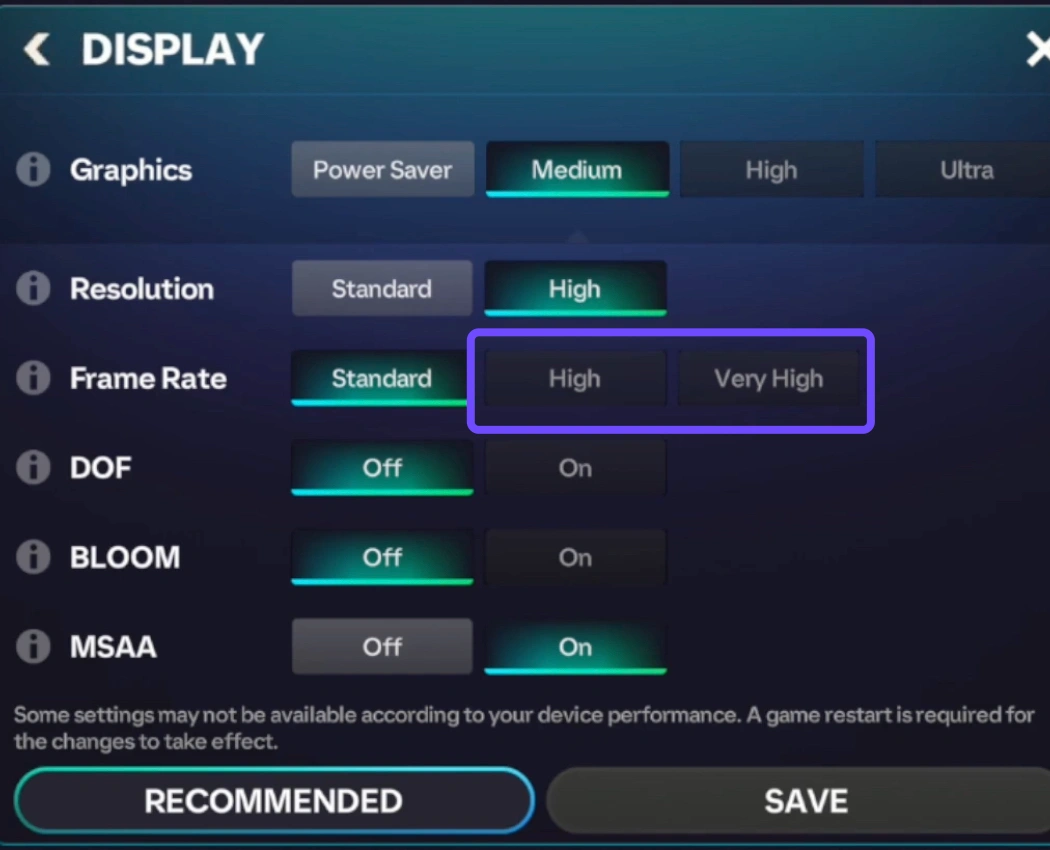
Step 4. Disable non-essential visual elements such as crowd detail and complex shadows.
Step 5. Restart the game application to apply the new graphical profile.
Clear Background Applications and System Memory
Running multiple programs simultaneously consumes system RAM, directly causing severe stuttering and input delay during online play.
Step 1. Open the multitasking app switcher screen on your mobile device.
Step 2. Swipe away all non-essential applications, including web browsers and social media tools.
Step 3. Access device system settings to disable background app refresh for heavy apps.
Step 4. Run your phone built-in device cleaner tool to clear cached RAM.
Step 5. Launch FC 27 Mobile immediately after clearing memory to maximize resources.
Stabilize Wireless Network and Cellular Connectivity
A weak or fluctuating wireless connection is a primary cause of high latency and frustrating match delays. Optimizing your network setup ensures steady data transmission.
Step 1. Disconnect from cellular data and connect your phone to a secure Wi-Fi network.
Step 2. Move closer to your wireless router to eliminate physical signal interference.
Step 3. Configure your router settings to use the faster 5GHz Wi-Fi band instead of 2.4GHz.
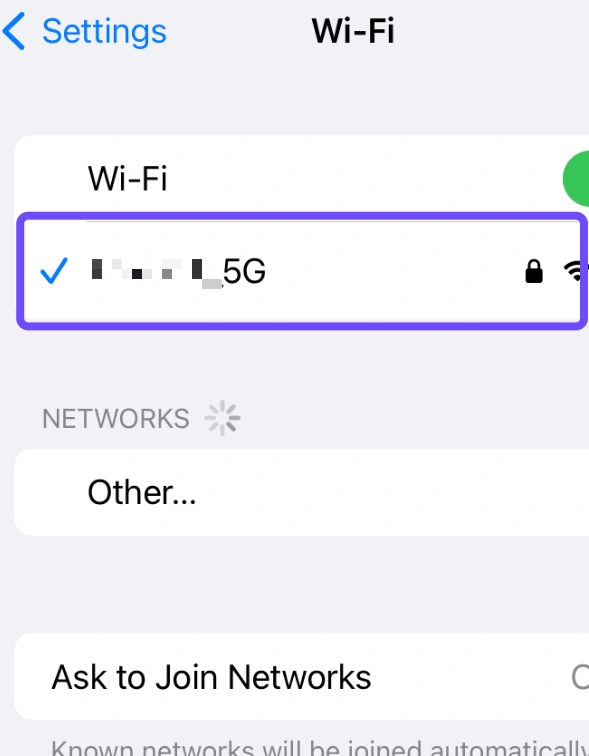
Step 4. Power cycle your internet router to refresh the local connection cache.
Step 5. Perform a quick network speed test before starting competitive matches.
Prevent Device Thermal Throttling and Storage Bottlenecks
Overheating hardware and low internal storage space severely throttle processor speed during longer gaming sessions. Proper device maintenance prevents performance drops.
Step 1. Remove protective phone cases before playing to improve heat dissipation.
Step 2. Avoid playing resource-heavy matches while your phone is plugged into a charger.
Step 3. Open system storage settings and remove unnecessary files or cached app media.
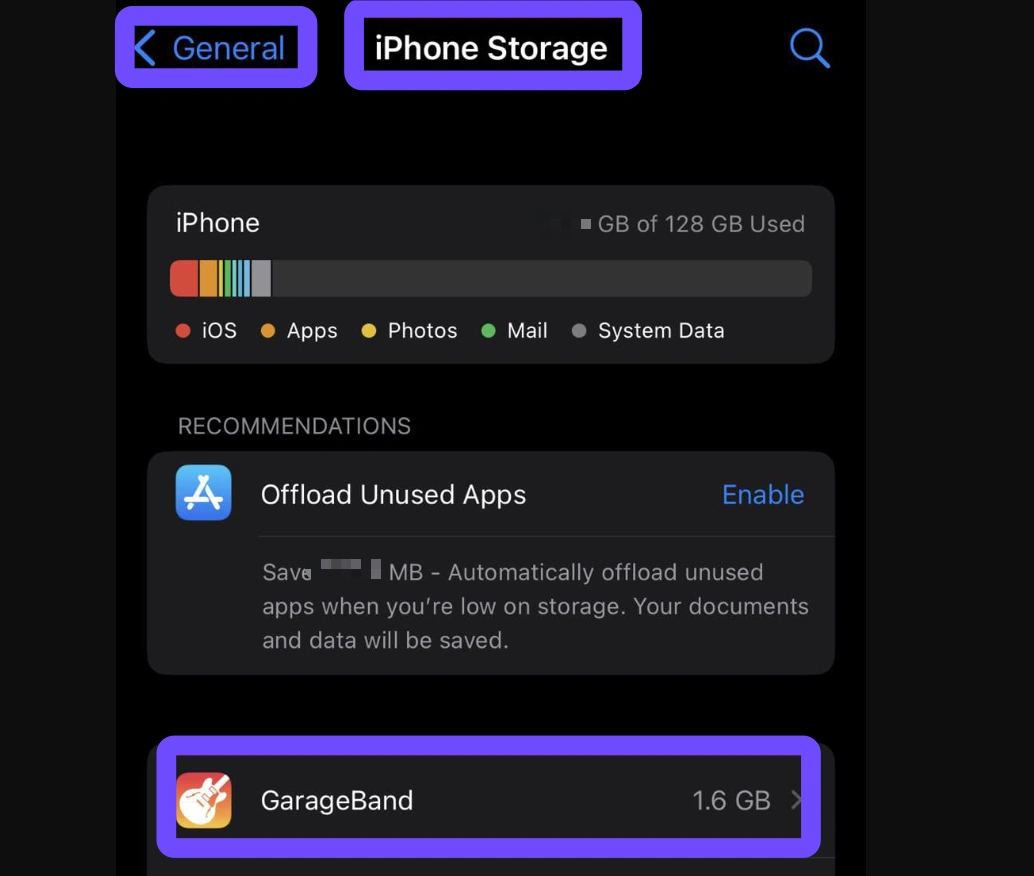
Step 4. Ensure at least 5 to 10 gigabytes of free internal storage remains available.
Step 5. Pause gaming for short breaks between matches to allow your device to cool down.
Enable Built-in Game Utility and High Performance Mode
Modern smartphones feature native gaming utilities that allocate maximum processor power to active games while suppressing background tasks. Enabling these performance tools prevents hardware throttling and minimizes unexpected frame rate drops.
Step 1. Open the main settings menu on your Android or iOS smartphone.
Step 2. Navigate to battery options, hardware performance settings, or gaming tools.
Step 3. Switch your battery profile from Balanced or Power Saver to High Performance Mode.
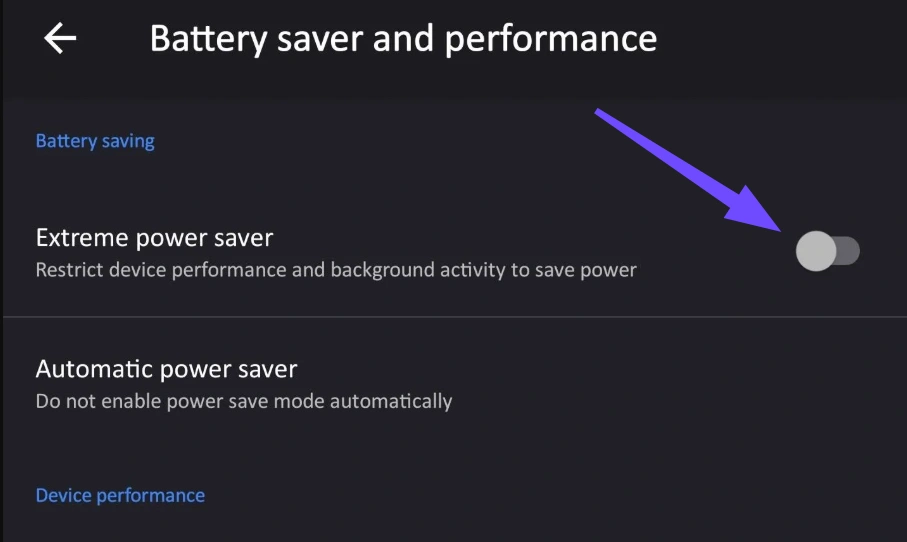
Step 4. Activate native gaming acceleration tools such as Game Turbo or Game Center.
Step 5. Set system priority rules to dedicate maximum RAM and CPU access to FC 27 Mobile.
Modify Mobile DNS Settings for Faster Connection Routing
Default internet service provider DNS servers frequently cause delays during server domain name resolution, leading to higher ping during online matches. Changing your mobile DNS to a reliable public server improves data lookup speeds.
Step 1. Access the Wi-Fi configuration menu within your smartphone system settings.
Step 2. Tap your connected wireless network and select Network Details or IP Settings.
Step 3. Change your IP configuration mode from automatic DHCP to Static.
Step 4. Enter a high-speed DNS address such as 1.1.1.1 or 8.8.8.8 into the primary DNS field.
Step 5. Save your new network settings, reconnect to Wi-Fi, and launch FC 27 Mobile.
Part 4: FAQs About FC 27 Mobile Lag
Below are clear answers to common questions players frequently ask regarding performance, network stability, and device configuration.
Why is FC 27 Mobile so laggy even on high-end flagship smartphones?
High-end devices still experience lag if the network connection suffers from jitter, packet loss, or distant server routing. Background application activity and server congestion also trigger responsiveness issues regardless of processor speed.
How does a game booster help reduce FC mobile stuttering?
A game booster optimizes network traffic paths by selecting direct server nodes. This process stabilizes data packet delivery, reduces ping spikes, and eliminates frame micro-stuttering caused by network instability.
Will lowering graphics settings eliminate input delay?
Lowering graphics reduces the mobile GPU workload, which can fix frame-rate drops. However, network-based input delay depends on connection latency and requires routing optimizations to resolve completely.
Does LagoFast support cross-platform optimization beyond mobile devices?
Yes, LagoFast game booster supports cross-platform acceleration across mobile phones, PC setups, and major gaming consoles, delivering optimized connections on all supported systems.
Why does playing on cellular mobile data cause higher ping than Wi-Fi?
Cellular networks experience frequent signal fluctuations caused by cell tower distance and environmental obstacles. These variations create unstable ping compared to a dedicated 5GHz Wi-Fi connection.
How much free internal storage is needed for optimal FC 27 Mobile performance?
Maintaining at least 5 to 10 gigabytes of free internal storage space allows your smartphone operating system to handle game caching and data swapping smoothly without causing frame drops.
Conclusion
Dealing with FC 27 mobile lag can be frustrating during competitive matches, but systematic optimizations can quickly restore smooth gameplay. By adjusting graphics configurations, clearing background RAM, and maintaining a stable internet connection, you eliminate most common bottlenecks. For a reliable experience across mobile, PC, and consoles, LagoFast provides an efficient all-in-one solution to fix FC Mobile lag, lower ping, and elevate your football gaming performance.

Boost Your Game with LagoFast for Epic Speed
Play harder, faster. LagoFast game booster eliminates stutter and lags on PC, mobile, or Mac—win every match!
Quickly Reduce Game Lag and Ping!
Boost FPS for Smoother Gameplay!