
EA Sports FC 26 Mobile is one of the most anticipated football simulation titles of the year, bringing console-quality gameplay to handheld devices. While the game promises realistic dribbling mechanics, advanced AI, and enhanced visuals, many players have already reported FC 26 Mobile lag issues. Stuttering, frame drops, and connection delays make matches frustrating, especially in competitive modes where split-second reactions are crucial. If you’ve been wondering why is FC 26 Mobile so laggy and searching for ways to fix it, this guide covers everything you need to know, including reliable fixes and a powerful all-in-one solution.

- ✅ Reduce Lag and High Ping.
- ✅ Boost FPS at the Same Time.
- ✅ Fix Packet Loss on PC and Console.
- ✅ Change Server without Latency.
- ✅ End Stuck & Crashing Issues.
Part 2: How to Fix FC 26 Mobile Lag — Top Solutions
Part 1: Why FC 26 Mobile Lag
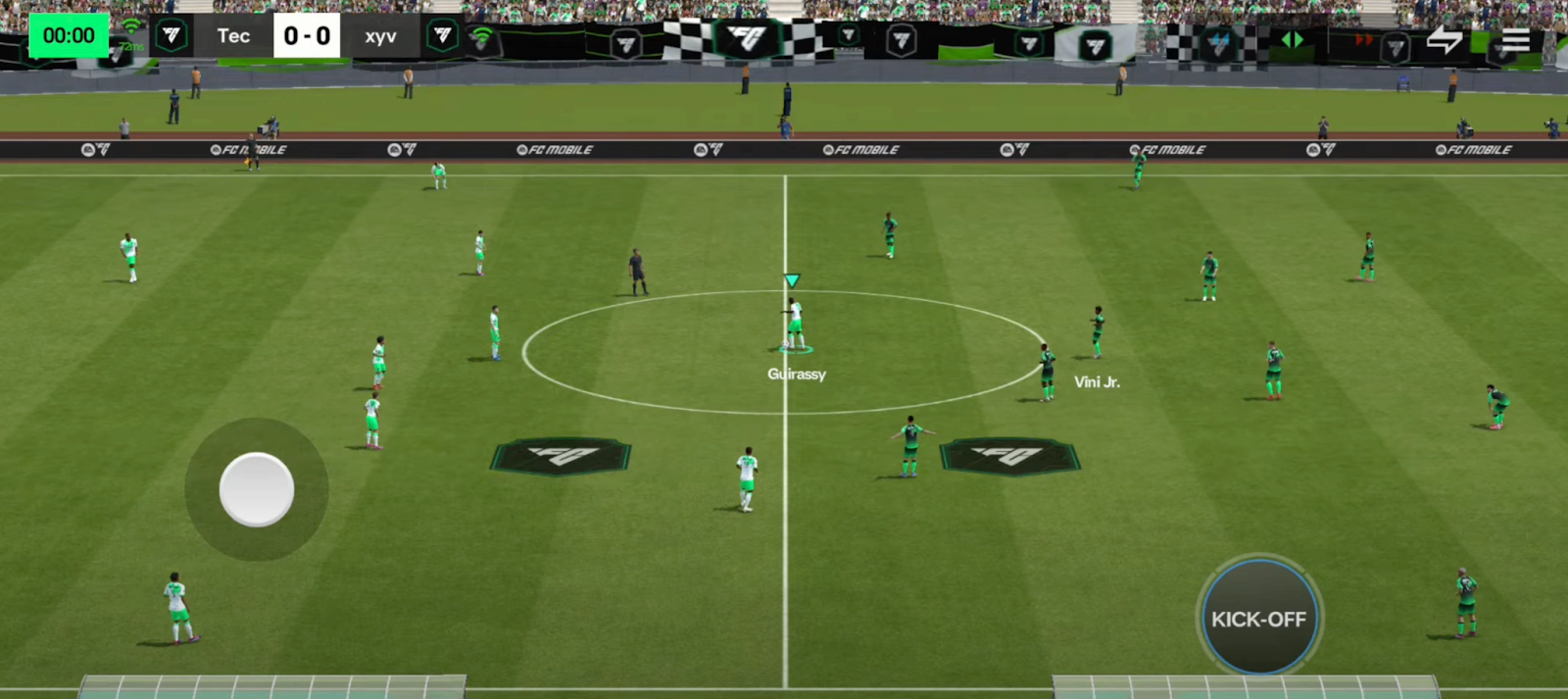
Even though FC 26 Mobile is optimized for modern smartphones, several factors can cause lag. Understanding these reasons is the first step to fixing them:
- Device Limitations – Older smartphones may not meet the game’s minimum requirements, leading to FC 26 Mobile massive lag and low FPS.
- Network Issues – Online gameplay requires a stable internet. Weak Wi-Fi or mobile data interruptions cause input delay and rubber-banding.
- Background Processes – Apps running in the background drain memory and CPU power, making FC 26 Mobile lag.
- Server Load – During peak hours, EA’s servers may struggle, creating high ping and lag spikes.
- Overheating – Extended gaming sessions heat up your device, forcing performance throttling that lowers FPS.
- Storage Problems – Low internal storage slows down data access, which impacts frame stability.
Now that we know why FC 26 Mobile is so laggy, let’s move on to fixing it.
You May Like: Is FC 26 Crossplay?
Part 2: How to Fix FC 26 Mobile Lag — Top Solutions
LagoFast – The All-in-One Solution to Fix FC 26 Mobile Lag
When it comes to solving mobile lag, few tools can compete with LagoFast. Unlike generic boosters, LagoFast is designed specifically to optimize gaming performance. It reduces latency, stabilizes network connections, and increases frame rates, ensuring smooth gameplay for FC 26 Mobile.
What makes LagoFast stand out is its versatility—it’s not just for mobile. It also supports console and PC platforms, making it a comprehensive solution for gamers across all devices. Compared to traditional free boosters, LagoFast offers lower ping consistency, intelligent routing to avoid server congestion, and built-in FPS enhancement. If you’re tired of temporary fixes, LagoFast is simply the better long-term choice for eliminating lag in FC 26 Mobile and beyond.
Other LagoFast features include:
- Smart Network Routing – Selects the fastest and most stable server path.
- FPS Boost Technology – Unlocks higher frame rates by optimizing system resources.
- Cross-Platform Compatibility – Works on iOS, Android, PC, Xbox, and PlayStation.
- Ease of Use – Simple interface, one-tap optimization.
Follow the tutorial to use the LagoFast Mobile to fix lag on your mobile devices:
Step 1: Search “LagoFast Mobile booster” in the Google App Store or Apple App Store. Alternatively, click here to download the APK File.
Step 2: Click the “Download” button, then install and launch “LagoFast Mobile Booster”.
Step 3: Start FC 26, then switch to LagoFast Mobile and search for it.
Step 4. Select and click FC 26 in the interface.
Step 5: Enter the server selection interface, where you can change to a stable server, then click the “Boost” button to fix lag and enhance the gaming experience
Step 6: Finally, go back to FC 26 and start playing it without any lag.
Tutorial to use LagoFast to fix lag in FC 26 on PC:
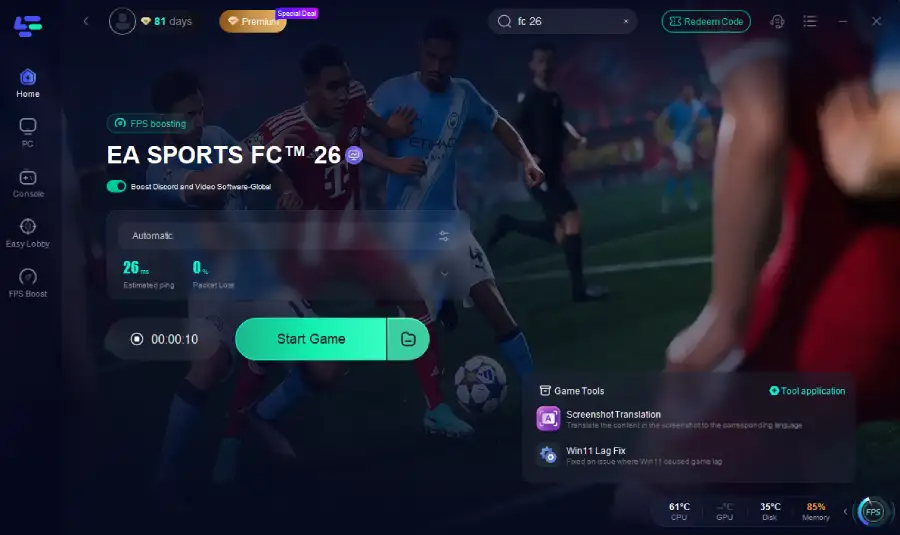
Step 1. Download LagoFast by clicking the "Free Trial" button.
Step 2. Before you start your game, search for it within the LagoFast application to ensure it's supported.
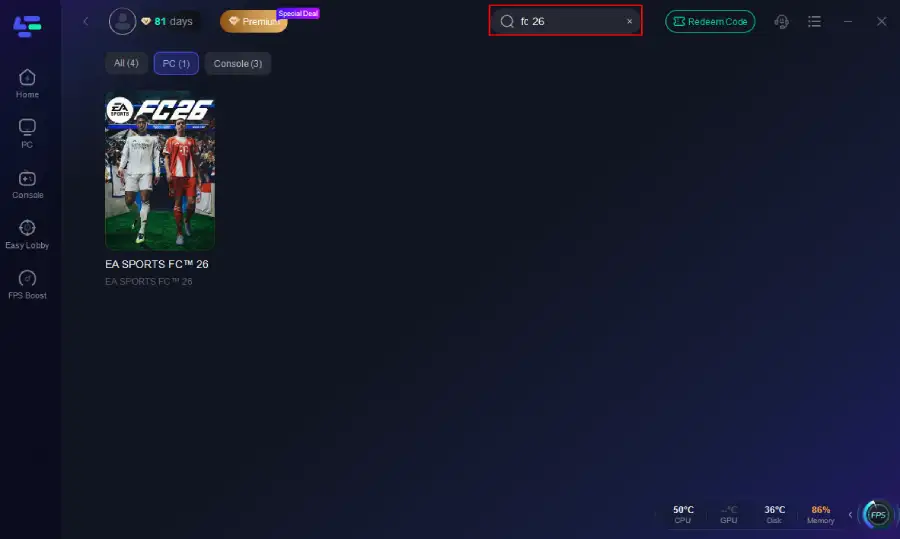
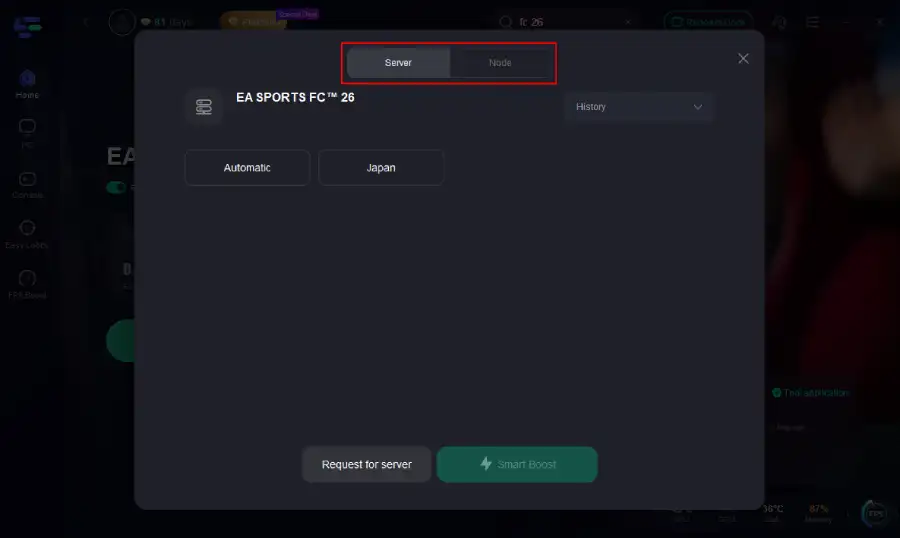
Step 3. Navigate to "Select Server" to choose the most stable server. Follow up by selecting the best Node available on the right to optimize your connection.
Step 4.Click the "Smart Boost" button to get real-time data on your game's ping, packet loss, and network type, which helps in monitoring and adjusting for optimal performance.
Tutorial: Using LagoFast Box to fix high ping on your console:
LagoFast Box offers a simple, one-click method to optimize your game connection and reduce lag on PS5, PS4 or XBox:
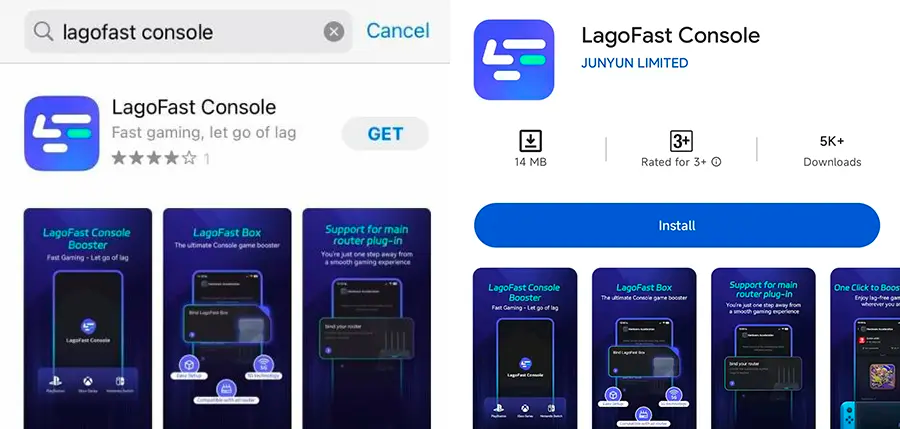
Step 1: Download the LagoFast Console App on your phone to control the LagoFast Box.
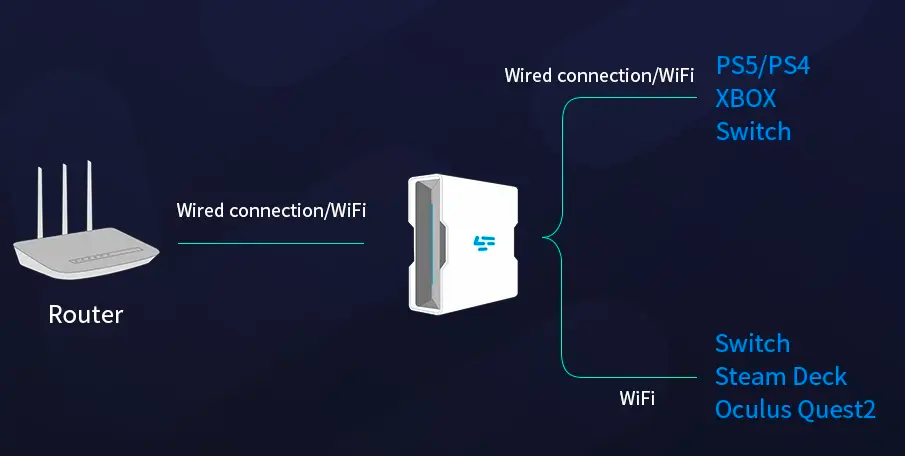
Step 2: Establish a connection between your LagoFast Box, router, and console, choosing between a wired or wireless connection.
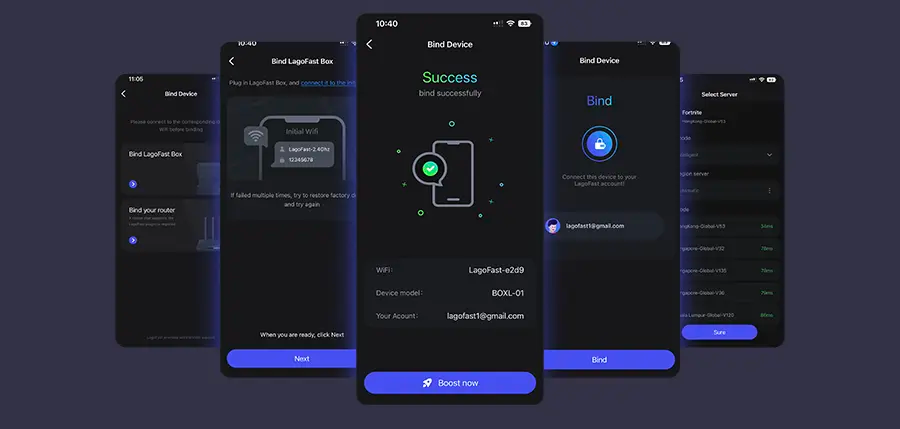
Step 3: Launch the LagoFast Console App and boost FC 26. Once you have completed the binding process with the LagoFast Box, proceed to boost this game within the LagoFast Console App.
Optimize In-Game Settings
Lowering graphics and tweaking settings is the fastest way to reduce lag.
Step 1: Open FC 26 Mobile and go to Settings and select Graphics.
Step 2: Reduce resolution from “High” to “Medium” or “Low.”
Step 3: Turn off unnecessary visual effects such as shadows and crowd animations.
Step 4: Set frame rate preference to “High FPS” if available.
Step 5: Restart the game to apply changes and test performance.
Clear Background Apps
Other apps can consume RAM and CPU power, worsening lag.
Step 1: Press the multitasking button on your phone.
Step 2: Swipe away unused apps like browsers, messaging, and streaming apps.
Step 3: Disable background refresh for apps in your phone settings.
Step 4: Restart your device before playing to ensure maximum free memory.
Step 5: Launch FC 26 Mobile immediately after restart for best performance.
Improve Internet Connection
A weak internet connection is one of the biggest causes of input lag.
Step 1: Switch to a stable Wi-Fi network instead of mobile data.
Step 2: Place your router closer to your gaming area.
Step 3: Use a 5GHz Wi-Fi band for faster speeds if supported.
Step 4: Restart your router to refresh the connection.
Step 5: Use a gaming VPN or optimization tool like LagoFast if server routing is poor.
Free Up Storage Space
Insufficient storage slows down game performance and causes stutter.
Step 1: Go to your phone’s storage settings.
Step 2: Delete unused apps, images, and videos.
Step 3: Clear cached files, especially from social media apps.
Step 4: Move large files to cloud storage or an external drive.
Step 5: Ensure at least 5–10 GB of free space before playing.
Prevent Device Overheating
Overheating leads to performance throttling and lag.
Step 1: Play in a cool environment away from direct sunlight.
Step 2: Remove your phone case to allow better heat dissipation.
Step 3: Lower screen brightness to reduce GPU stress.
Step 4: Take breaks every 30–45 minutes to cool down the device.
Step 5: Use a cooling accessory if you play long sessions regularly.
Update Game and Device Software
Outdated software may cause compatibility and performance issues.
Step 1: Open your device’s app store.
Step 2: Search for “EA Sports FC 26 Mobile” and check for updates.
Step 3: Install the latest game patch if available.
Step 4: Go to your phone’s system update section and install pending updates.
Step 5: Restart your device and relaunch the game.
Adjust Device Performance Mode
Most modern smartphones have performance optimization settings.
Step 1: Go to your phone’s Settings and select Battery or Performance Mode.
Step 2: Select “High Performance” mode instead of “Balanced.”
Step 3: Disable battery saver, which can limit CPU usage.
Step 4: Enable “Game Mode” if your device supports it.
Step 5: Restart the game to apply changes.
Conclusion
Experiencing FC 26 Mobile lag can be frustrating, especially when you’re in the middle of a competitive match. Thankfully, you can significantly reduce lag by optimizing settings, improving network stability, freeing up resources, and updating software. For the ultimate fix, LagoFast stands out as the most reliable all-in-one solution, offering consistent FPS boosts and reduced latency across mobile, console, and PC. By following these methods, you’ll enjoy a smoother and more immersive football experience in EA Sports FC 26 Mobile without constant lag interruptions.

Boost Your Game with LagoFast for Epic Speed
Play harder, faster. LagoFast game booster eliminates stutter and lags on PC, mobile, or Mac—win every match!
Quickly Reduce Game Lag and Ping!
Boost FPS for Smoother Gameplay!