
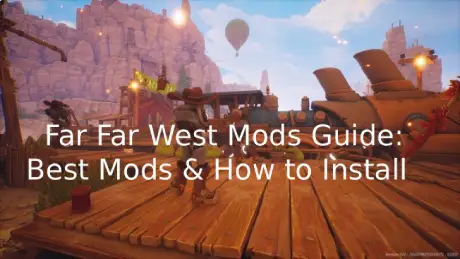
Far Far West is built around open-world exploration and fast, chaotic gameplay, but it doesn’t take long before you start noticing small limitations that get in the way of the experience. Whether it’s visuals that feel a bit rough, a UI that could be cleaner, or mechanics that could be smoother, there’s always room for improvement. That’s where mods come in. This guide walks through what’s actually possible with Far Far West mods, what’s worth using, and how to improve your game without making things complicated or unstable.

- ✅ Reduce Lag and High Ping.
- ✅ Boost FPS at the Same Time.
- ✅ Support 8000+ Popular Online Games.
- ✅ Change Server without Latency.
- ✅ End Stuck & Crashing Issues.
Part 1: Can You Use Mods in Far Far West?
Part 2: Best Far Far West Mods
Part 3: Best Far Far West Mod Tool – LagoFast Mod Master
Part 1: Can You Use Mods in Far Far West?
Short answer: yes—but with limits.
Far Far West doesn’t come with official mod support, so there’s no built-in workshop or one-click install system like you might see in games such as Skyrim or Fallout. Because of that, modding is mostly handled by the community, and it’s a bit more hands-on.
What that means in practice:
- Mods are created and shared by players
- Installation is usually manual or tool-assisted
- Game updates can break compatibility without warning
Even with these limitations, players are already experimenting with early mods. Most of them focus on practical improvements rather than big overhauls, such as:
- Visual tweaks like reshade presets and lighting adjustments
- UI improvements for cleaner and more readable interfaces
- Light gameplay changes that improve comfort and flow
Note: Because mod support and tools vary across versions, stability is not always guaranteed after updates. Some mods may stop working or require updates from their creators.

Part 2: Best Far Far West Mods
Even with limited mod support, the community has already built a handful of practical tools that actually change how the game feels. Most of them aren’t about overhauling everything—they focus on fixing friction points or adding missing functionality.
DPS Meter
If you’ve ever wondered whether your build is actually strong or just feels strong, this type of mod helps you measure combat performance in real time.
Typical features found in DPS meter-style mods:
- Real-time DPS counter displayed on HUD
- Uses in-game damage numbers for tracking accuracy
- Fast updates during combat with low delay
- Toggle on/off (commonly F7 in similar setups)
- UI automatically hides in menus and loading screens
- Designed to stay stable across scene transitions
- Optional hot-reload support for testing builds
- Clean UI that matches game visual style
Best used for build testing and combat analysis. It’s helpful for understanding performance, but focusing too much on numbers can take away from the actual gameplay experience.
Weapon and Spell Level Requirement: 1
This one is for players who just want freedom without artificial restrictions.
- Removes weapon and spell level requirements
- Lets you experiment with gear earlier than intended
- Focuses on build freedom instead of progression gating
It’s simple, but it completely changes how quickly you can test different playstyles.
No More Snake Bites
Some mechanics in games just feel more annoying than fun—and this mod targets exactly that.
- Removes the snake bite QTE encounter entirely
- Changes trigger collision from Overlap → Ignore
- Prevents the QTE from activating at all
It doesn’t change combat or balance—just removes a repetitive interruption that many players find frustrating.
UE4SS for Far Far West
This is not a gameplay mod, but a foundational framework used in many Unreal Engine modding setups.
- UE4SS-based framework commonly used in Unreal Engine modding
- Enables Lua scripting and runtime modification support
- Provides deeper access for advanced community mods
- Often required for more complex mod functionality
- Supports debugging and testing workflows
Without this, most advanced mods simply wouldn’t exist or run properly.
Save Editor
For players who just want full control over their progress.
- Edit save data directly
- Adjust inventory, progression, and resources
- Useful for testing builds or fixing mistakes
It’s powerful, but also something you should use carefully—one wrong edit can break your save if you’re not paying attention.
Part 3: Best Far Far West Mod Tool – LagoFast Mod Master
If you’ve already tried digging through forums, random download links, and patch notes just to find working mods, you probably know how messy it gets fast. That’s exactly where LagoFast Mod Master comes in.
LagoFast Mod Master is the best mod and trainer tool for Far Far West. It lets you discover mods in one place instead of jumping between scattered sites, making the whole process much easier and safer.
What it helps with:
- Find Far Far West mods in one centralized library instead of scattered sources
- Download and install mods with fewer manual steps
- Manage multiple mods with conflict checks and version control
More Benefits of LagoFast
LagoFast is a game-focused network optimization solution designed to improve overall gameplay stability.
It helps by:
- Reducing in-game ping for smoother response times
- Fixing packet loss to avoid sudden lag spikes
- Stabilizing your connection during gameplay
- Optimizing routing paths for more stable server connections
On top of that, it also includes practical tools like Game Translation Pro, which helps players understand in-game text more easily in supported titles, making the overall experience more accessible.
How to Use LagoFast for Far Far West
Step 1: Click the Free Trial button to download and install LagoFast.
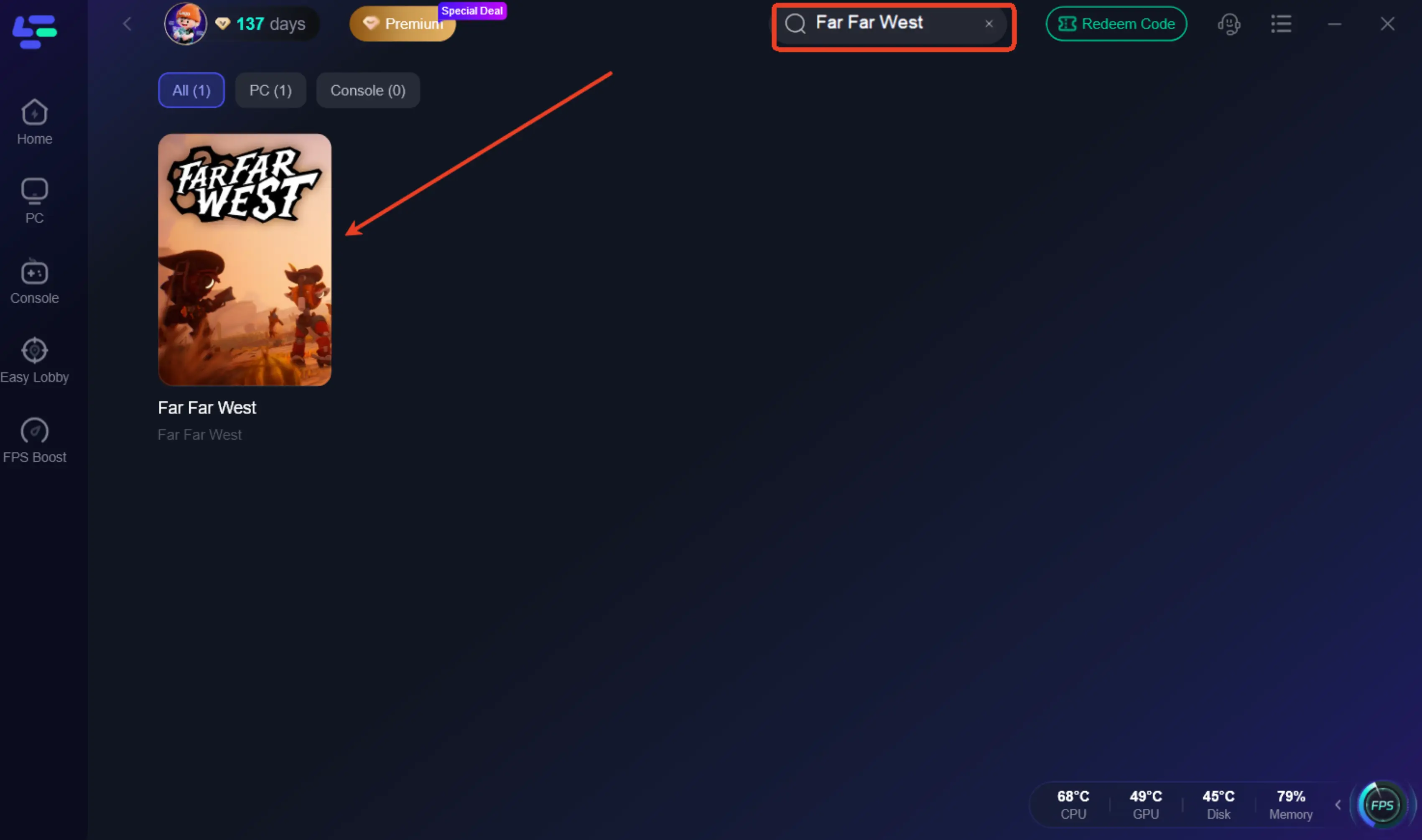
Step 2: After installation, search for "Far Far West" in the search bar and select the game.
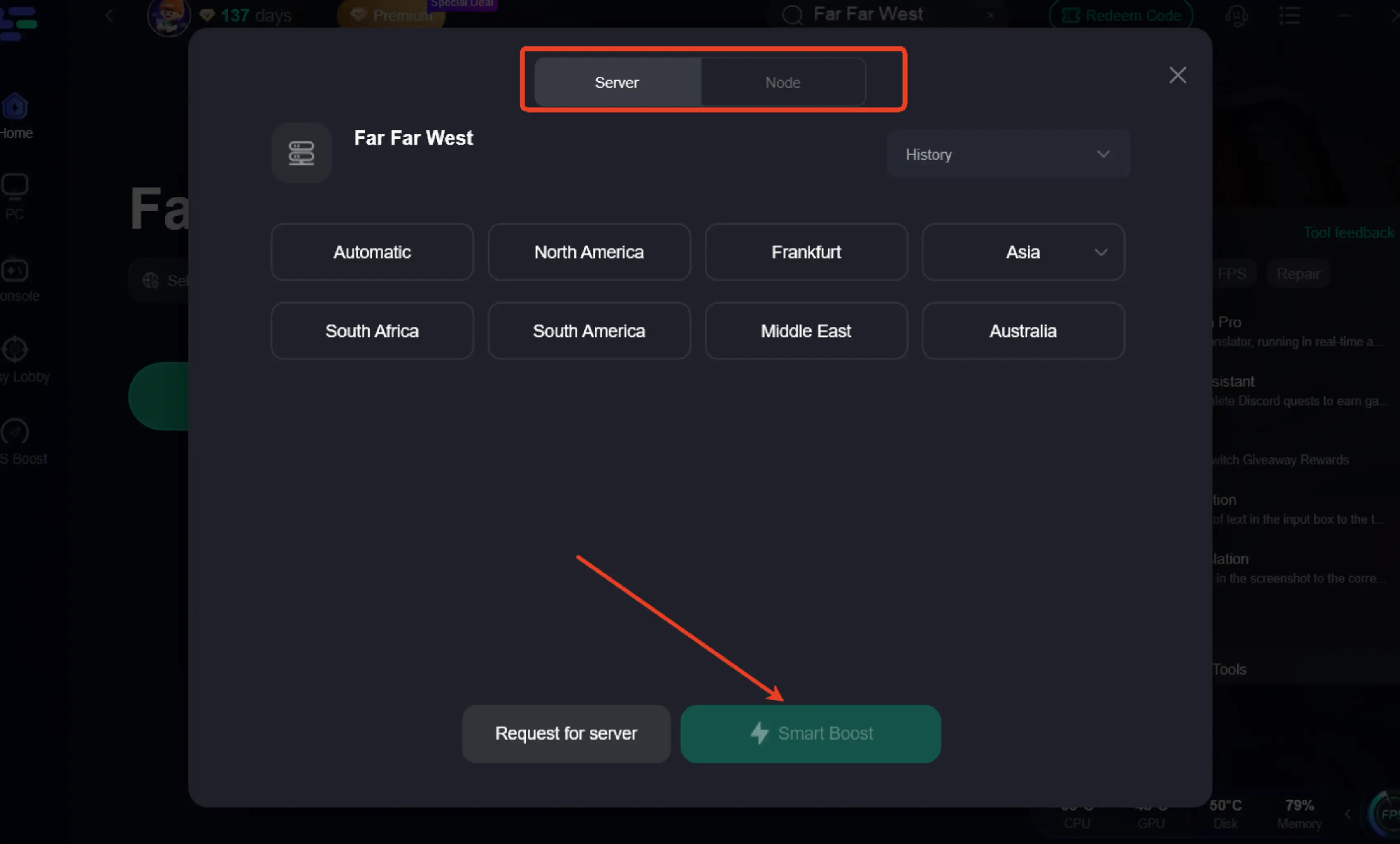
Step 3: Choose your preferred server node and click "Smart Boost" to start optimizing.
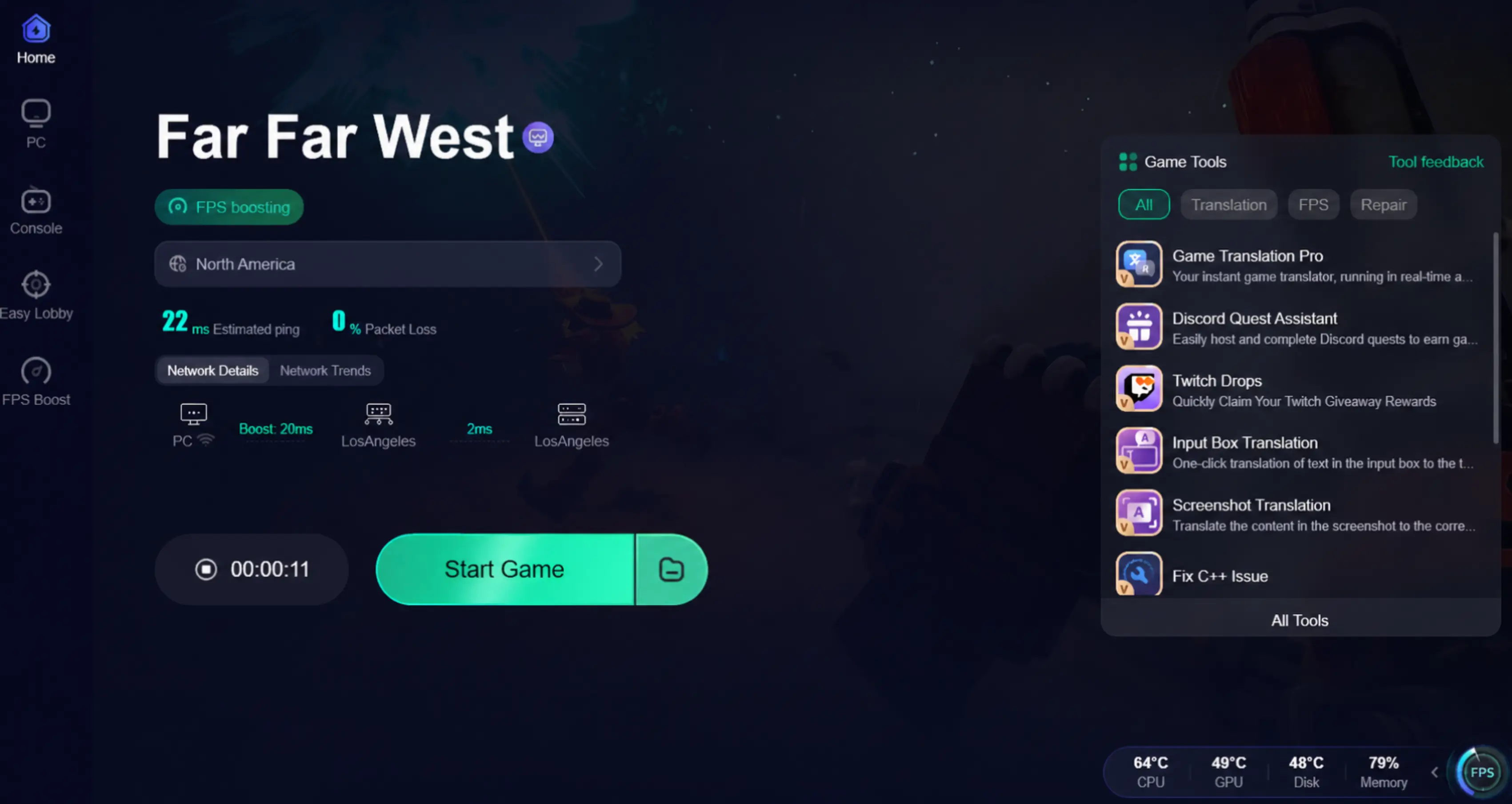
Step 4: Launch your game and enjoy smooth, optimized gameplay with lower ping and no stutter.
Part 4: FAQs
1. Are Far Far West mods easy to install?
Some mods are simple to install, while others require extra tools or setup steps depending on how they are built.
2. What types of mods are most commonly used?
Most players prefer small improvements like UI tweaks, visual enhancements, and light gameplay adjustments.
3. Can multiple mods be used together?
Yes, but compatibility depends on the mods themselves. Some may conflict if they modify similar systems.
4. Why do mods stop working after updates?
Game updates may change internal systems, which can make older mods incompatible until they are updated.
5. Do mods affect performance?
Some lightweight mods have little impact, but heavier visual changes or multiple mods running together can affect performance on weaker systems.
Conclusion
Far Far West mods are a simple way to improve how the game feels, especially when it comes to visuals, UI, and overall gameplay flow. While the mod setup can vary depending on what you install, most options are easy to manage once you understand the basics. With the right tools and a bit of care, you can customize the experience without breaking the game or overcomplicating things.
Boost Your Game with LagoFast for Epic Speed
Play harder, faster. LagoFast game booster eliminates stutter and lags on PC, mobile, or Mac—win every match!
Quickly Reduce Game Lag and Ping!
Boost FPS for Smoother Gameplay!