
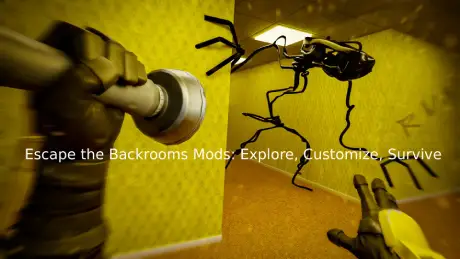
If you’ve been exploring the eerie yellow corridors of Escape the Backrooms, you probably know how repetitive and punishing it can get after hours of wandering. That’s where mods come in. Mods let players reshape the game—adding new maps, strange entities, visual upgrades, or even creative gameplay tweaks that make every run feel fresh again.
In this guide, we’ll walk you through everything you need to know about Escape the Backrooms mods—how they work, where to find them, and the easiest way to install and manage them without breaking your game.

- ✅ Reduce Lag and High Ping.
✅ Boost FPS at the Same Time.
✅ Support 2000+ Popular Online Games.
✅ Change Server without Latency.
✅ Boost Game Loading Speed.
Part 1: Why Do You Need a Mod in Escape the Backrooms
Part 2: Does Escape the Backrooms Support Mods?
Part 3: How to Get and Boost Escape the Backrooms Mods by One Click
Part 1: Why Do You Need a Mod in Escape the Backrooms
Escape the Backrooms delivers a creepy, atmospheric experience—but after a while, the same rooms and sounds start to feel predictable. Mods keep the game fresh and exciting by letting players shape their own version of the horror.
Common reasons players use mods:
- Add new levels or secret rooms to explore
- Create custom monsters or events
- Improve lighting, sound, or graphics quality
- Enable creative mode or noclip for exploration
- Change difficulty or player speed
With mods, you can turn the Backrooms into a personal sandbox of horror.
Part 2: Does Escape the Backrooms Support Mods?
Yes, Escape the Backrooms supports mods—but unofficially. The game is built on the Unity engine, which allows external modifications, though they usually require manual setup.
You can find and install mods from community platforms like ModDB, NexusMods, or Steam Workshop (if available). However, downloading from random sources or managing multiple mod files can get tricky—especially if you’re playing with friends online. File conflicts, version mismatches, and lag issues are pretty common.
If you’re tired of dealing with those problems, there’s a smarter way to handle mods safely and smoothly. Many players now prefer using tools like LagoFast, which simplify mod management and ensure everything runs stably without crashes or lag.

Part 3: How to Get and Boost Escape the Backrooms Mods by One Click
Installing mods manually can be tricky—moving files, dealing with errors, or even breaking your game setup. If you want to truly enhance your Escape the Backrooms experience, using mods is essential, and LagoFast makes it effortless. Its built-in mod collection system lets you explore creative mods and new content not just for this game but for many other popular titles, all without crashing. LagoFast automatically detects compatible mods, installs them safely, stabilizes your network, boosts FPS, and ensures smooth, responsive gameplay—even in multiplayer with large mod packs.
You don’t need technical knowledge—just follow these simple steps to install mods and optimize your game:
Step 1: Download and install LagoFast from its official website or click the free trial button.
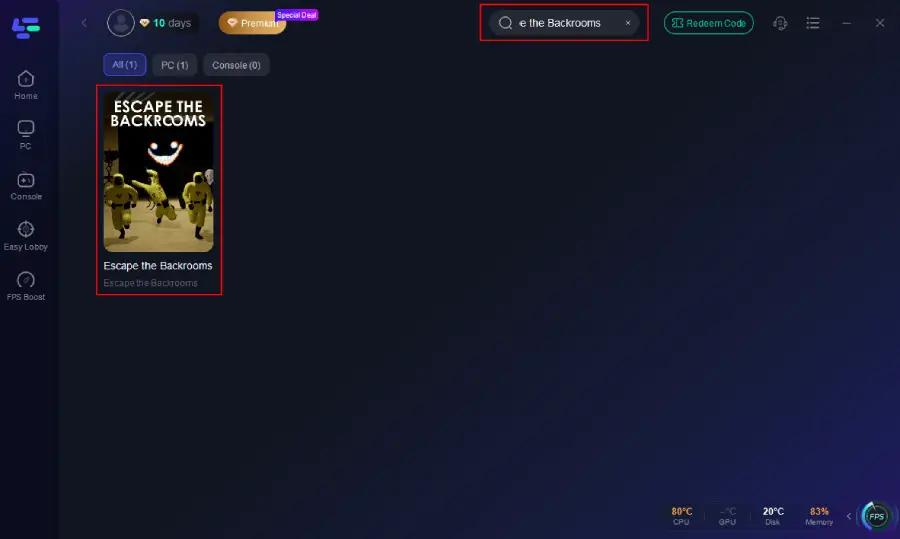
Step 2: After installation, search "Escape the Backrooms" in the search bar and select the game.
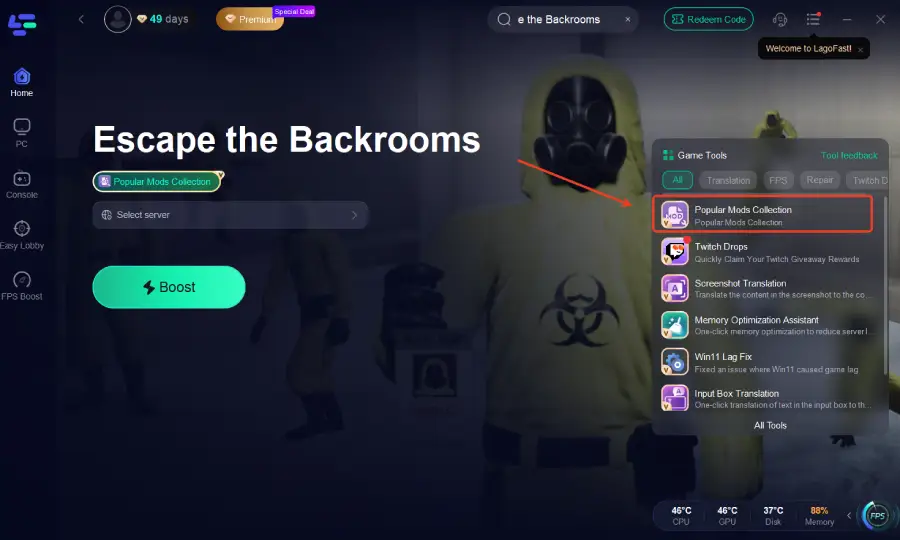
Step 3: Click the Escape the Backrooms Popular Mods Collection tool option in the lower-right corner.
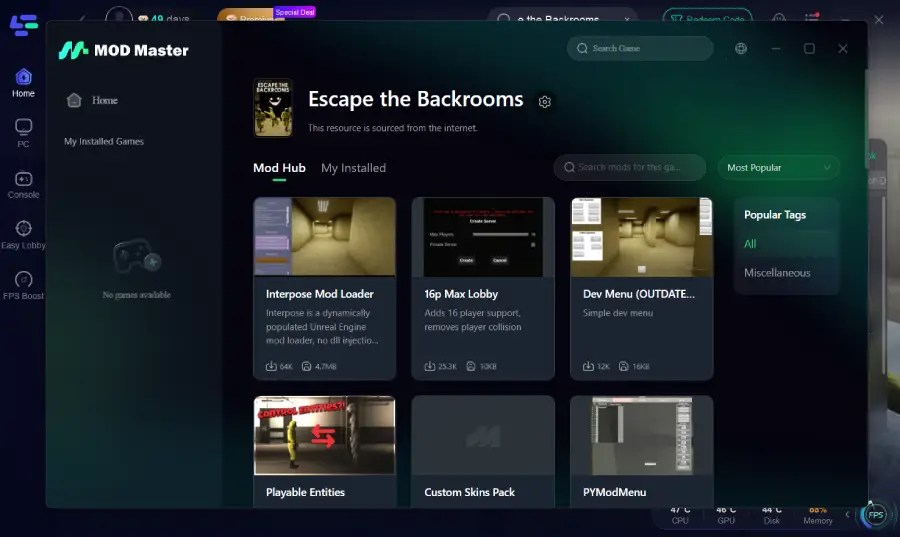
Step 4: Choose your desired mods from the available options, install them, then launch the game to activate the features.
Step 5: Choose your preferred server node and click "Smart Boost" to start optimizing your network.
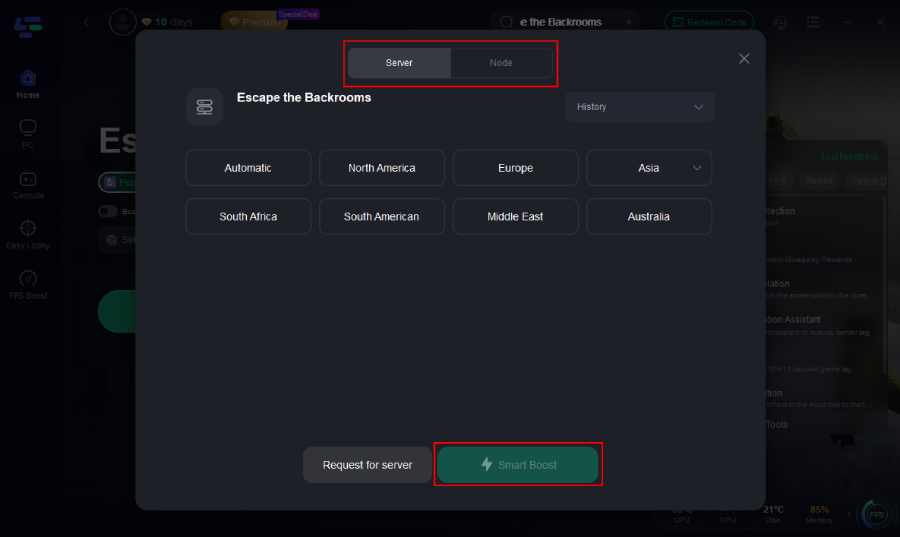
Step 6: Launch your game and enjoy smooth, modded gameplay with lower ping, no stutter, and perfectly synced multiplayer performance.
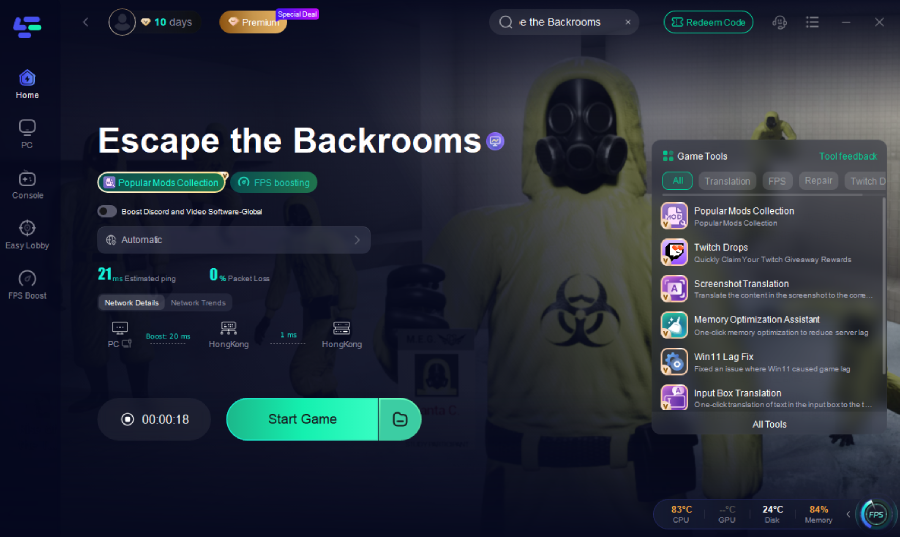
With this process, you can explore new maps, try creative mods, and play Escape the Backrooms without worrying about lag, crashes, or technical issues—making the experience seamless and immersive.
Final Thoughts
Mods can completely transform Escape the Backrooms from a tense survival experience into a creative, limitless horror sandbox. Whether you want new monsters, brighter visuals, or total control over your gameplay, mods give you that freedom. And when you want to make everything easy—installation, updates, and stable performance—LagoFast’s Popular Mods Collection is your best ally.
Explore, customize, and survive the Backrooms your way—without lag holding you back.
Boost Your Game with LagoFast for Epic Speed
Play harder, faster. LagoFast game booster eliminates stutter and lags on PC, mobile, or Mac—win every match!
Quickly Reduce Game Lag and Ping!
Boost FPS for Smoother Gameplay!