

The upcoming Embers of the Uncrowned playtest will begin on June 15 at 20:00 MSK. Since many players will try to log in as soon as the servers go live, connection issues may occur during the first few hours, especially if the servers become overloaded or players are connecting from different regions.
If you're seeing messages such as Unable to Connect to Server, Server Unavailable, Connection Failed, Login Timeout, or the game continues to display login errors after launch, don't rush to reinstall the game. During a playtest, these issues are usually related to server launch timing, account access, Steam login authentication, playtest restrictions, or unstable network routing.

- ✅ Reduce Lag and High Ping.
- ✅ Higher FPS and better PC performance.
- ✅ Support for 8000+ games.
- ✅ Stable connection and region switching.
First, Make Sure the Playtest Has Actually Started
If you're trying to log into Embers of the Uncrowned before 20:00 MSK on June 15, the servers may not be open yet. In that case, a connection error does not necessarily mean anything is wrong with your game.
Before troubleshooting, verify that:
- the playtest has officially started;
- your Steam account has access to the playtest;
- the game is fully updated;
- you are launching the correct playtest version;
- the servers are no longer in pre-launch preparation.
If the playtest has not started yet, wait until the official launch time and try again.
Use LagoFast If the Servers Are Live but You Still Can't Connect
If the playtest is already live and you're still unable to connect, the issue may be related to your route to the game server. This is common during playtest launches because large numbers of players connect simultaneously, and cross-region connections can become unstable.
LagoFast can help optimize your connection route for Embers of the Uncrowned, reducing login timeouts, unstable routing, and server connection errors.
Use LagoFast if:
- the servers are online but you cannot log in;
- your login attempts keep timing out;
- the game disconnects before reaching the server;
- your friends can connect, but you cannot;
- your connection is unstable in your region;
you continue receiving Server Unavailable errors after the playtest begins.
Steps:
Open LagoFast.
Search for Embers of the Uncrowned.
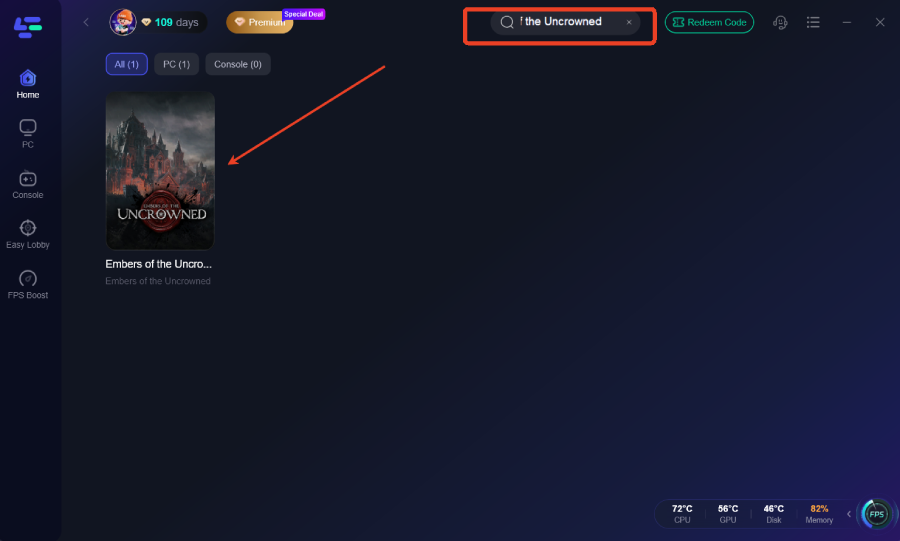
Select the game.
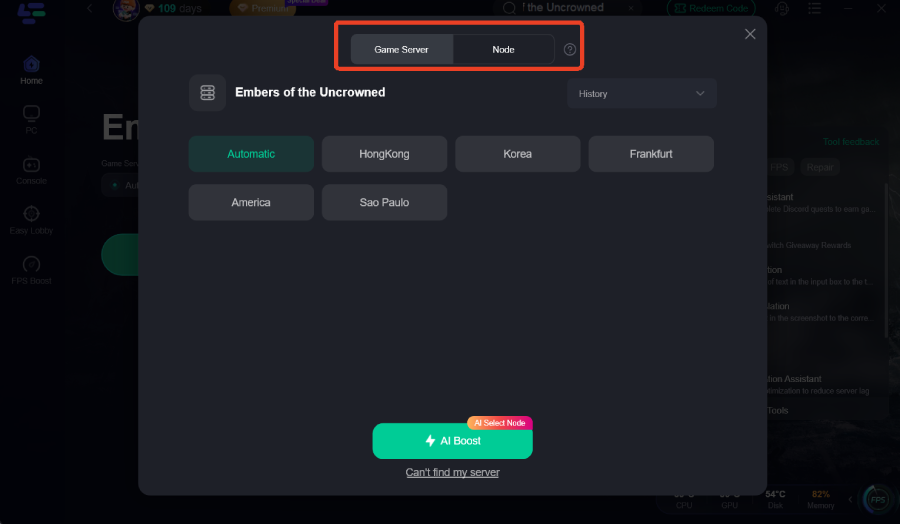
Click Boost.
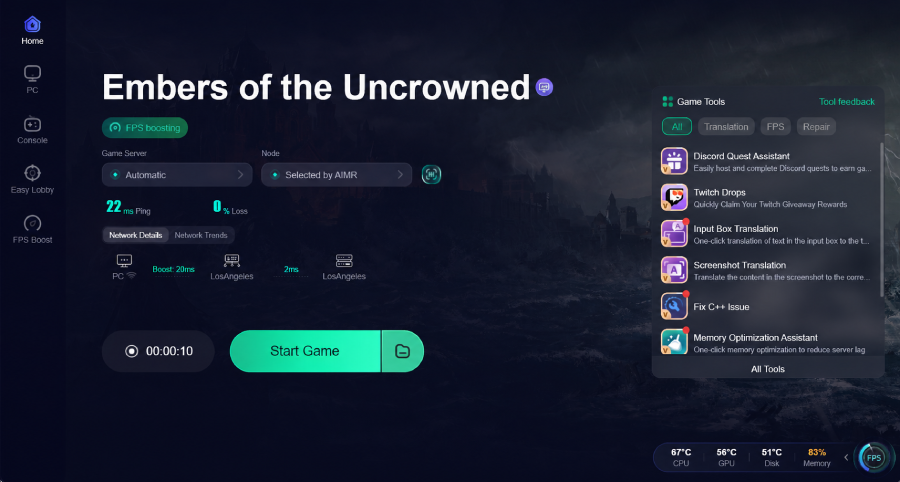
Launch the game through Steam.
Try connecting to the server again.
Check Your Steam Account Access
Since this is a limited playtest, not every Steam account will automatically receive access. If the game launches but the server rejects your connection, your account may not have the required playtest permission.
Make sure that:
- you are using the Steam account that received access;
- the game appears in your Steam library;
- the playtest version is installed;
- Steam is running in Online Mode;
- there are no pending game updates;
- you are not launching the game from the wrong Steam account.
LagoFast currently also supports Steam account giveaway events and access assistance for players looking to join the playtest. If you're unable to access the test due to account restrictions, check the LagoFast event page or game support section for any available Steam account access opportunities.
Restart Steam After Updating the Game
Playtest builds are often updated shortly before launch. If Steam downloaded an update while the client remained open, the game may fail to connect properly.
Follow these steps:
- Close Embers of the Uncrowned.
- Exit Steam completely.
- Reopen Steam.
- Verify that the update has finished installing.
- Launch the game again.
- Connect after enabling LagoFast Boost.
This is especially helpful if the game launches successfully but fails during the login process.
If Everyone Has the Same Problem, Wait for Server Stabilization
Server overload is common at the start of a playtest. If large numbers of players are reporting the same connection error, the problem is most likely on the server side.
In that situation:
- do not reinstall the game;
- do not delete game files;
- avoid restarting the game every few seconds;
- wait a few minutes and try again;
- keep LagoFast enabled before reconnecting.
If the server is overloaded, local troubleshooting methods will only help once the server becomes available again.
- ✅ Reduce Lag and High Ping.
- ✅ Higher FPS and better PC performance.
- ✅ Support for 8000+ games.
- ✅ Stable connection and region switching.
How to Play Embers of the Uncrowned in Any Language
LagoFast has already prepared translation tool support for Embers of the Uncrowned. The translation feature will become available after the game's official launch and will help players better understand menus, quests, system notifications, and in-game text throughout the playtest.
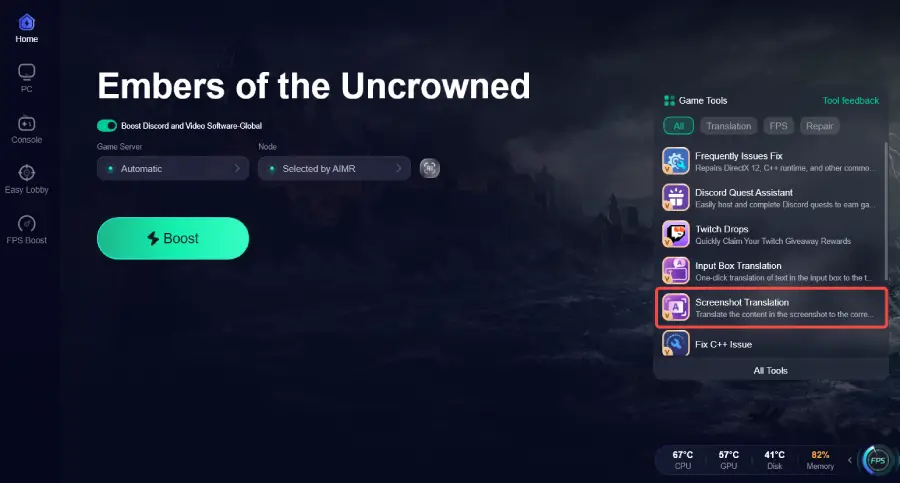
If you can log into the game but are struggling with the language barrier, enable the translation tool once support becomes available.
Boost Your Game with LagoFast for Epic Speed
Play harder, faster. LagoFast game booster eliminates stutter and lags on PC, mobile, or Mac—win every match!
Quickly Reduce Game Lag and Ping!
Boost FPS for Smoother Gameplay!