

Quick Answer
Eclipse: The Awakening officially launches in South Korea on September 10, 2026, at 12:00 PM KST. Smilegate has confirmed PC and mobile cross-play, but a separate worldwide launch date has not been announced. Players outside Korea should avoid unofficial APKs and wait for an official regional storefront or publisher announcement.

- ✅ Reduce Lag and High Ping.
- ✅ Boost FPS at the Same Time.
- ✅ Support 8000+ Popular Online Games.
- ✅ Stable Server Connection
Part 1: Eclipse: The Awakening Release Date and Launch Time
Part 2: Is There a Global Release Date for Eclipse: The Awakening?
Part 3: How to Pre-Register and Download Eclipse: The Awakening on PC
Part 4: Eclipse: The Awakening Classes, Weapons and Core Systems
Part 5: Eclipse: The Awakening System Requirements and PC Performance Tips
Part 1: Eclipse: The Awakening Release Date and Launch Time
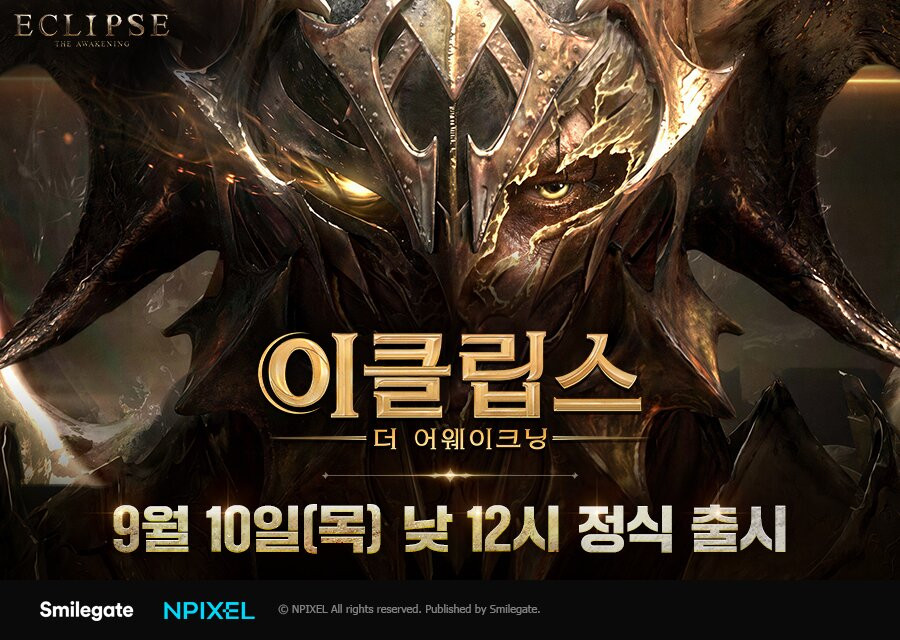
The confirmed launch information is straightforward, but several store listings and early articles created conflicting expectations. The current announcement points to a September 10 Korean launch at noon Korea Standard Time, not a universal midnight release.
|
Detail |
Confirmed information |
|
Korean launch date |
September 10, 2026 |
|
Korean launch time |
12:00 PM KST |
|
Developer |
NPIXEL |
|
Publisher |
Smilegate |
|
Platforms |
PC, Android, and iOS |
|
Cross-play |
Supported between PC and mobile |
|
Global launch |
Not officially dated |
For players in other regions, 12:00 PM KST converts to 11:00 PM ET on September 9, 8:00 PM PT on September 9, and 4:00 AM GMT on September 10. These conversions describe the Korean service opening, not proof that the game will be available in every country at that moment.
The launch follows the game’s “MMOLite” direction: familiar MMORPG progression, guild play, combat builds, and competitive content with less pressure to stay online continuously. Sanctuary accumulates selected resources while the player is away, while AI Mode supports certain hunting and gathering activities.
Part 2: Is There a Global Release Date for Eclipse: The Awakening?
At the time of writing, there is no confirmed Eclipse: The Awakening global release date. Smilegate has announced the Korean service and opened regional pre-registration, but that is different from announcing launches for North America, Europe, Southeast Asia, or other markets.
Korea launch versus worldwide availability
The safest way to read the current information is to separate three stages:
- Korean service: Confirmed for September 10, 2026, at 12:00 PM KST.
- Official regional access: Depends on the storefront, account region, and service territory.
- Global version: Still awaiting a firm date and distribution details.
Search results may show September 30 because an earlier Korean mobile store listing displayed that date. Later launch reporting gives September 10 as the official opening.
For Eclipse The Awakening outside Korea, monitor the official website, STOVE announcements, publisher social channels, and regional app stores. A Korean pre-registration does not automatically grant access elsewhere because account rules, language support, payment methods, and server policies may differ.
Part 3: How to Pre-Register and Download Eclipse: The Awakening on PC
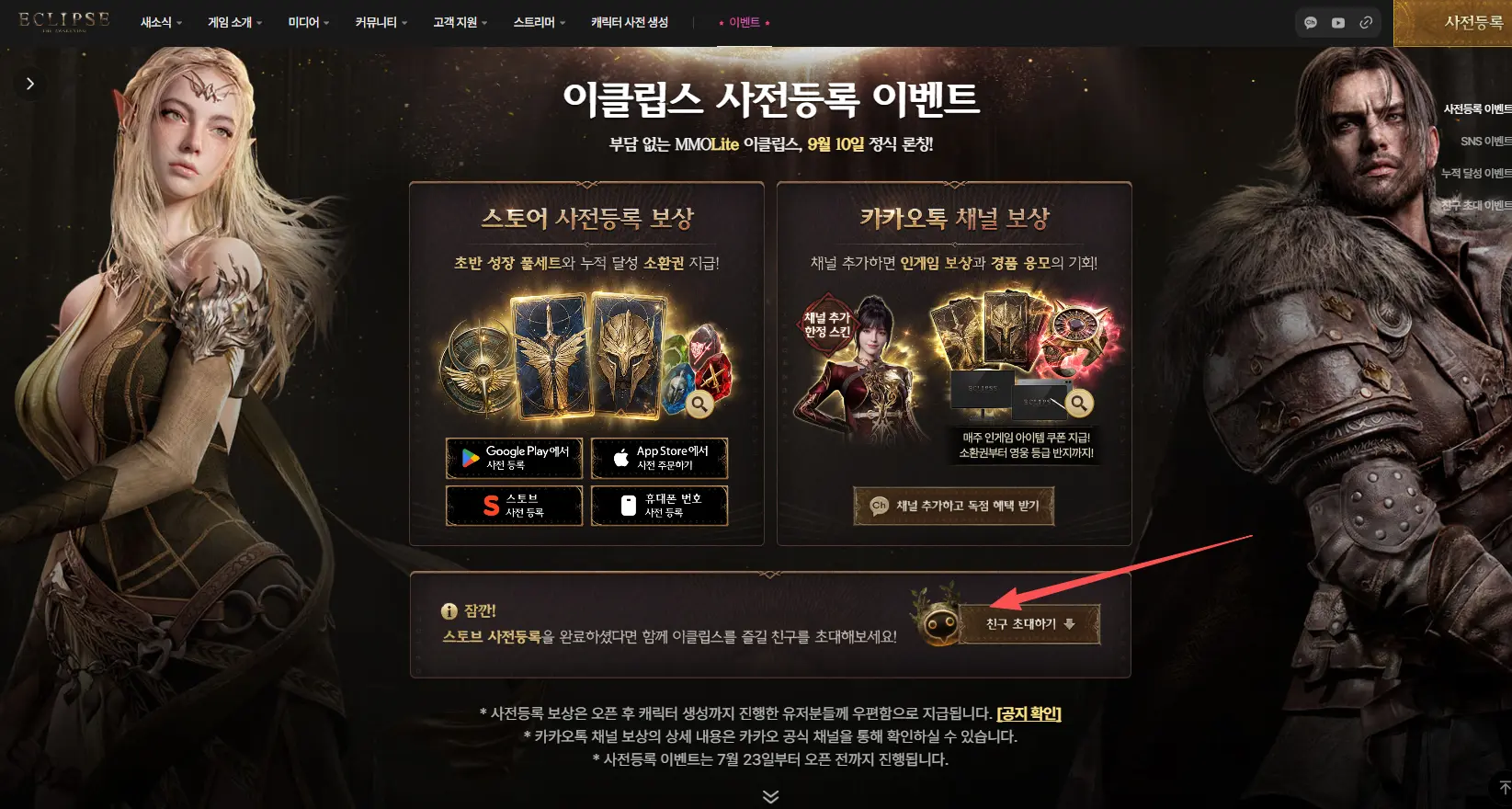
Pre-registration for the Korean service opened through Google Play, the Apple App Store, and Smilegate’s STOVE platform. The listed rewards include growth resources and weapon-skin-related items, but availability can depend on account region and event terms.
PC access and download checklist
The most direct PC route is the official STOVE ecosystem when the game is available for the player’s region. Mobile versions are listed through the relevant app stores. Third-party Android emulators may offer a way to run the mobile client on a computer, but that is not the same as an official native PC download.
Before installing, check the following:
- Use the official website or STOVE client instead of an unknown mirror.
- Confirm that the account region matches the service you intend to use.
- Keep enough storage for the client, patches, and temporary installation files.
- Enable two-factor protection on the account if the platform provides it.
- Avoid modified APKs, unofficial launchers, and downloads claiming to bypass regional restrictions.
For how to play Eclipse The Awakening on PC, choose the official PC client when offered. If you use an Android emulator, expect extra variables such as virtualization settings, input mapping, graphics compatibility, and possible regional restrictions. A large monitor and keyboard shortcuts can make menus and guild management easier, but emulator performance depends on the host hardware.
Part 4: Eclipse: The Awakening Classes, Weapons and Core Systems
The launch roster includes four classes: Fighter, Ranger, Sorceress, and Assassin. Each class has two associated weapon paths, so the choice affects more than appearance. It changes range, positioning, defensive responsibility, and the type of content where the build feels comfortable.
|
Class |
Weapon paths |
Practical role |
|
Fighter |
One-handed sword and shield; greatsword |
Frontline defense or heavy melee damage |
|
Ranger |
Bow; crossbow and traps |
Ranged pressure and movement control |
|
Sorceress |
Staff; orb |
Area damage or party support |
|
Assassin |
Katana; dual daggers |
Mobile close-range burst and repositioning |
Skill Fusion adds another layer by combining two abilities into a new skill with different effects, range, or attack connections. Authority progression, Stigmata, and Sacred Relics further separate players using the same class. That means the best beginner choice is not simply the highest damage option; it should match the content you plan to play and the amount of positioning you enjoy managing.
Part 5: Eclipse: The Awakening System Requirements and PC Performance Tips
Official PC specifications are not clearly published. Third-party emulator requirements are estimates, not confirmed native-client specifications.
|
Hardware area |
Sensible preparation before launch |
|
Operating system |
Use a current 64-bit Windows build with recent updates |
|
Memory |
8 GB is a safer target for PC play and background apps |
|
Graphics |
Use a modern DirectX-compatible GPU and current drivers |
|
Storage |
Leave room for the client, updates, and shader cache |
|
Network |
Prefer Ethernet or stable 5 GHz Wi-Fi for online content |
On PC, use a stable frame cap, close memory-heavy background apps, update the GPU driver, and reduce shadows or effects first if frame-time spikes appear.
Connection quality matters as much as graphics performance. High latency can delay combat, while packet loss can create rubber-banding or failed actions. Test on a quiet network before changing advanced router settings.
How to improve Eclipse PC network stability with LagoFast Game Booster
LagoFast Game Boosterr can help PC players test a more consistent route when the client connects slowly, ping varies by server, or online combat feels unstable. Keep the setup brief and compare the result in the same content type.
Step 1. Click the Free Trial button to download and install LagoFast Free Trial.
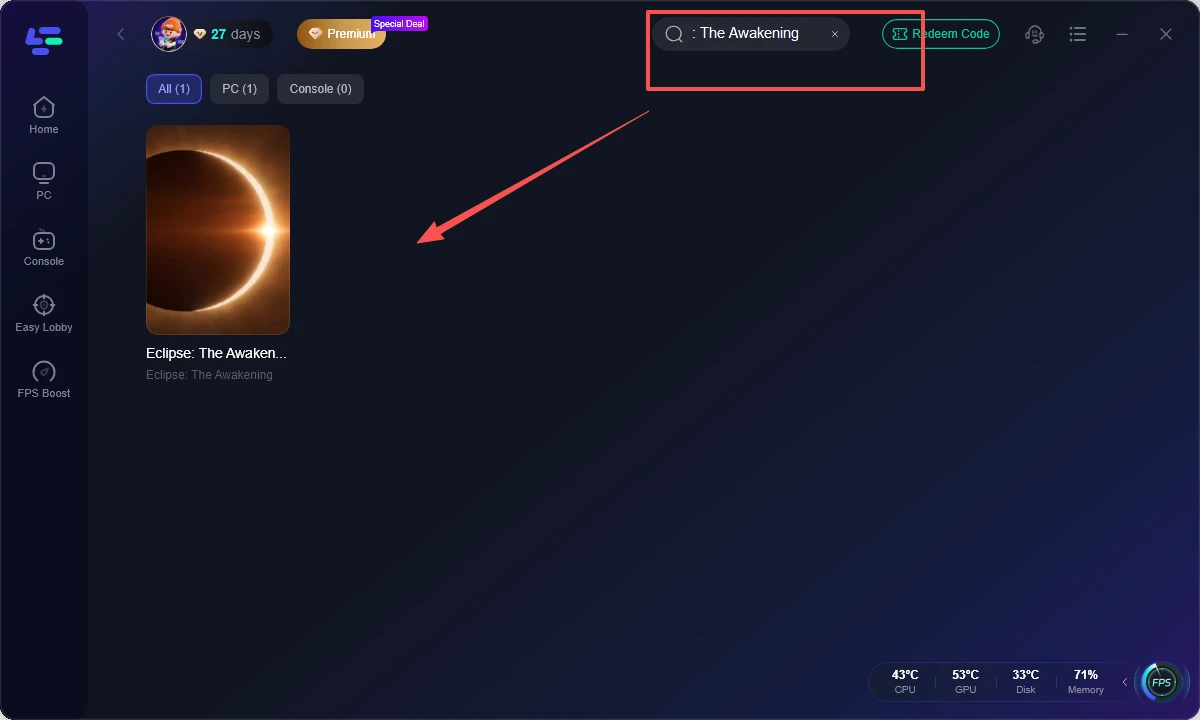
Step 2. Search for Eclipse: The Awakening in the game list.
Step 3. Choose the nearest recommended server route. Start with the closest location to reduce unnecessary distance, then compare another recommended route only if the first remains unstable.
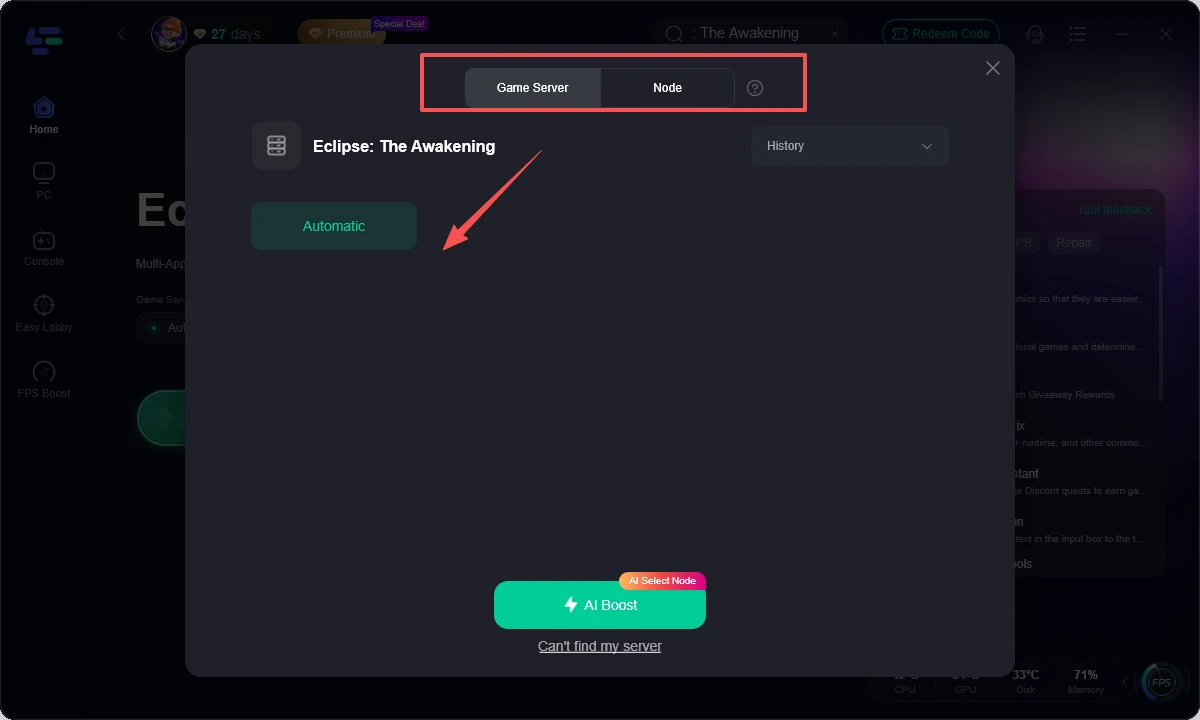
Step 4. Turn on network optimization or AI Boost. Allow the route to initialize, then pause large downloads and cloud synchronization during the test.
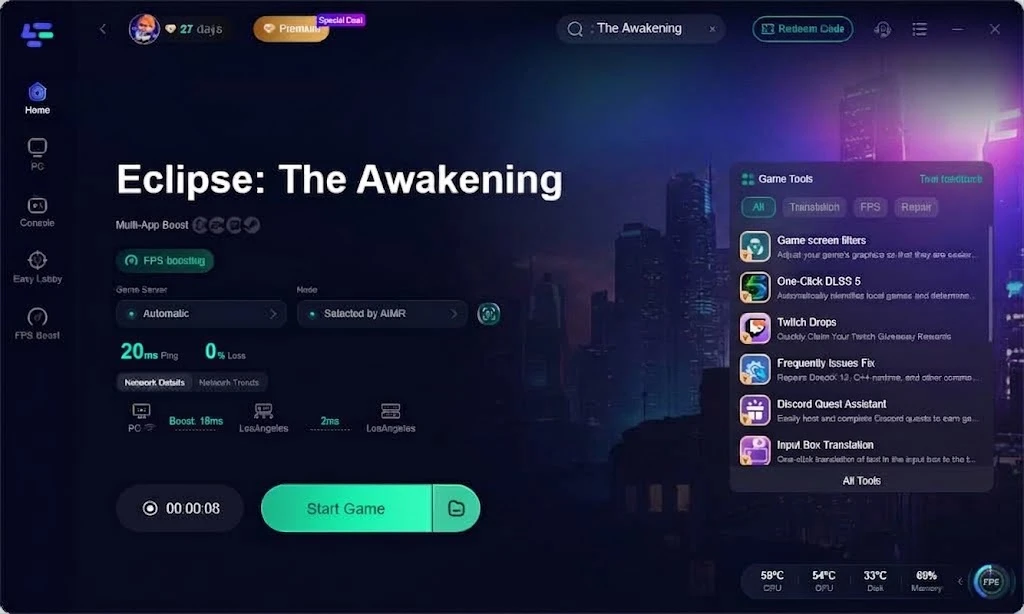
Step 5. Launch the PC client and compare a complete session. Check login time, ping consistency, disconnects, and combat responsiveness. If there is no improvement, continue with driver, router, and server-status checks instead of forcing a network tool to solve a local performance problem.
Part 6: FAQs
What is the Eclipse: The Awakening release date?
The confirmed Korean launch is September 10, 2026, at 12:00 PM KST. This is the official service opening currently announced by Smilegate.
What is the Eclipse: The Awakening global release date?
A separate global release date has not been confirmed. The Korean launch should not be treated as worldwide availability.
Is Eclipse: The Awakening coming to PC?
Yes. The game is designed for PC and mobile cross-play. Check the official STOVE channel for the correct PC client and regional download instructions.
Is Eclipse The Awakening pre-registration available outside Korea?
The confirmed pre-registration campaign is tied to the Korean service and Korean storefront availability. Players elsewhere should wait for an official regional campaign rather than relying on a store workaround.
What are the Eclipse: The Awakening classes and weapons?
The four announced classes are Fighter, Ranger, Sorceress, and Assassin. Their weapon paths include sword and shield or greatsword, bow or crossbow and traps, staff or orb, and katana or dual daggers.
Are Eclipse: The Awakening system requirements official?
A complete official PC specification sheet is not clearly available in the current launch information. Third-party emulator requirements should be treated as estimates, not final native-PC requirements.
Can players outside Korea download the game immediately?
Not necessarily. Storefront territory, account region, server access, and publisher policy may limit access. Use official channels and avoid unofficial APKs or modified clients.
Key takeaway
Eclipse: The Awakening launches in South Korea on September 10, 2026, at 12:00 PM KST, while the global schedule remains unconfirmed. Prepare through official STOVE or store channels, choose a class based on its weapon role, and use LagoFast Game Booster on PC when route quality—not frame rate or hardware—is the reason online play feels slow.

Boost Your Game with LagoFast for Epic Speed
Play harder, faster. LagoFast game booster eliminates stutter and lags on PC, mobile, or Mac—win every match!
Quickly Reduce Game Lag and Ping!
Boost FPS for Smoother Gameplay!