

One of the biggest draws of Techland’s upcoming title is its Dying Light: The Beast multiplayer/co-op mode. The Dying Light series has always thrived on shared survival experiences, and this new installment takes that to the next level with enhanced parkour, beast powers, and brutal combat designed for team play. But what exactly can players expect from multiplayer in The Beast? Let’s break it down.

- ✅ Less ping and crashes.
- ✅ Boost FPS at the Same Time.
- ✅ Support for 3000+ games..
- ✅ Stable connection and region switching.
Part 1. How Multiplayer Works in Dying Light: The Beast
Part 2. Shared Progression in Co-op
Part 3. Limitations of Multiplayer
Part 4. Tips for a Better Co-op Experience
Part 5. Gameplay Features That Shine in Co-op
Part 6. Post-Launch Support and Updates
Part 7. Unlock Smooth Gaming Experience with LagoFast
Part 1. How Multiplayer Works in Dying Light: The Beast
Dying Light: The Beast supports up to four-player online co-op, allowing you to team up with friends and tackle the open world together. You can choose to:
- Host your own session—where your progress and story choices carry forward.
- Join a friend’s game—and contribute to their missions, exploration, and battles.
- Play solo—if you’d rather experience the story at your own pace.
This flexibility means you can seamlessly switch between single-player and co-op without losing immersion.
Part 2. Shared Progression in Co-op
One of the most exciting features is shared progression. Unlike some games where only the host benefits, The Beast ensures that players don’t fall behind when helping others.
- Quest completions, loot, and experience gained in co-op sessions carry back to your own game.
- Helping friends advance their story will also contribute to your personal progress.
- This system encourages cooperative play without punishing players for joining someone else’s world.
Part 3. Limitations of Multiplayer
While the co-op system is robust, there are some limitations to keep in mind:
- No confirmed crossplay at launch—friends on different platforms (PC, PlayStation, Xbox) won’t be able to play together initially.
- Host-driven sessions—story progression is tied most strongly to the host’s world, though invited players still gain rewards and shared progress.
- Stable internet is required—lag or disconnections can impact gameplay, especially during intense combat sequences.
Part 4. Tips for a Better Co-op Experience
If you plan to dive into Dying Light: The Beast multiplayer/co-op, here are some tips to maximize fun:
- Coordinate who hosts the session to ensure story progress aligns with your group’s goals.
- Use voice chat or Discord for better coordination in fast-paced battles.
- Stick together—splitting up across the map may trigger harder encounters without backup.
- Optimize your internet connection with tools like LagoFast to avoid lag spikes and disconnections.
Part 5. Gameplay Features That Shine in Co-op
Dying Light: The Beast isn’t just a solo survival challenge—it’s built to make cooperative play engaging. The mix of human agility and beast powers feels even more dynamic when shared with friends. Some standout features include:
- Enhanced Parkour—fluid rooftop chases and wall runs become more strategic when players combine movement styles.
- Beast Abilities – unleash devastating powers to protect teammates or break through tough enemy encounters.
- Open World Exploration—spread out to cover more ground or stick together to tackle large hordes.
- Dynamic Combat—Diverse enemy types encourage teamwork, with each player adapting their role.
Together, these mechanics make co-op gameplay both tactical and cinematic.
Part 6. Post-Launch Support and Updates
Techland has a strong history of supporting its titles long after launch, and The Beast is expected to follow the same path. Fans can look forward to:
- Regular Patches—fixes for crashes, bugs, and performance issues.
- New Content—fresh missions, weapons, and seasonal events to keep the world alive.
- Community Requests—Techland often responds to fan feedback, meaning features like crossplay or new co-op modes could be added later.
- Expanded World—possible DLC or expansions introducing new regions, challenges, and enemy types.
This commitment ensures that Dying Light: The Beast will continue evolving, giving players reasons to return to its brutal world again and again.
Part 7. Unlock Smooth Gaming Experience with LagoFast
Nothing breaks immersion in Dying Light: The Beast faster than sudden lag or disconnects during co-op. LagoFast is designed to prevent that by optimizing your connection in just a few quick steps. With its intelligent routing, you can stabilize gameplay and keep your squad synced even in the most chaotic fights.
How to Use LagoFast
1. Download and launch LagoFast.
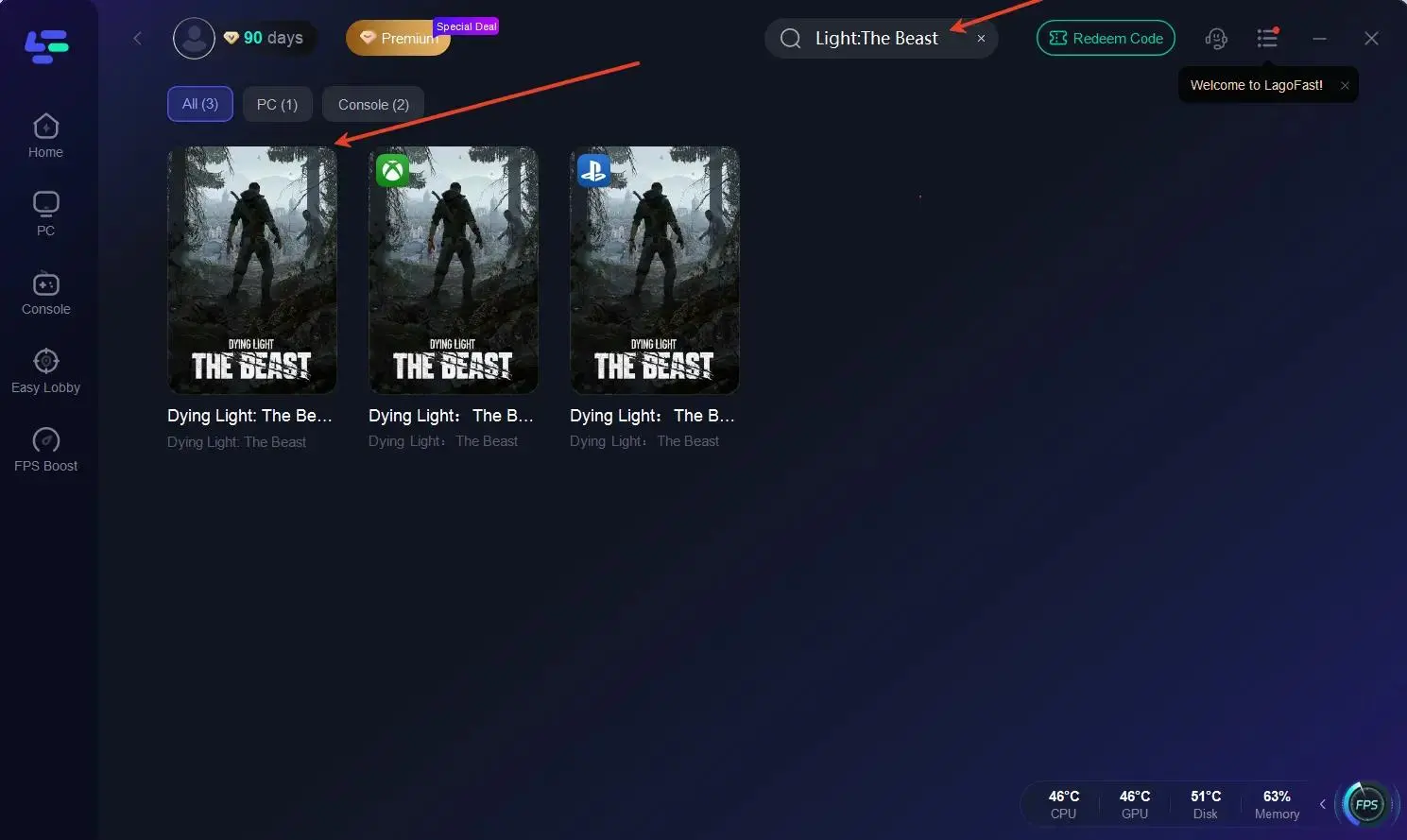
2. Search for Dying Light: The Beast in the app.
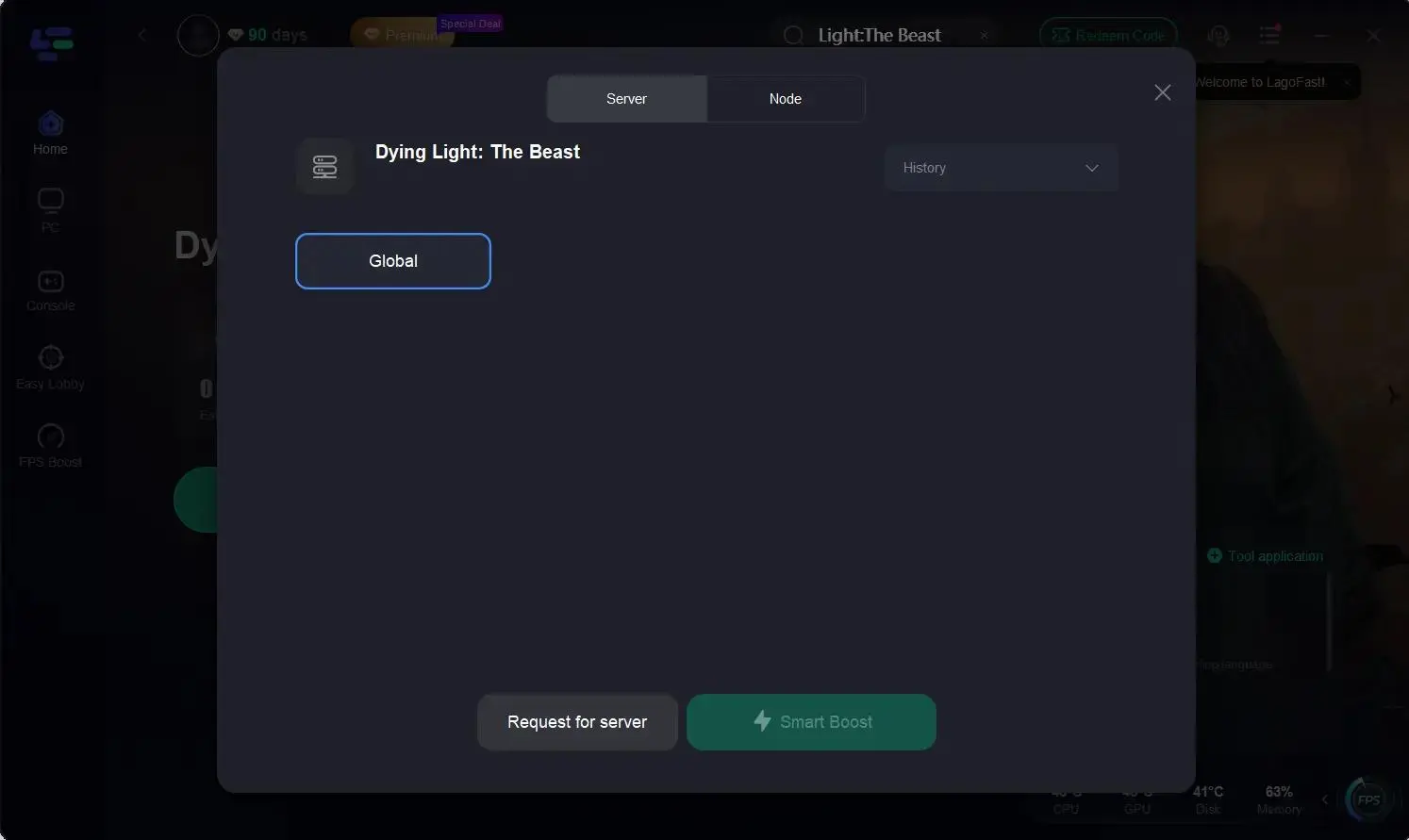
3. Pick the most stable server and node.
4. Activate Smart Boost and start your session.
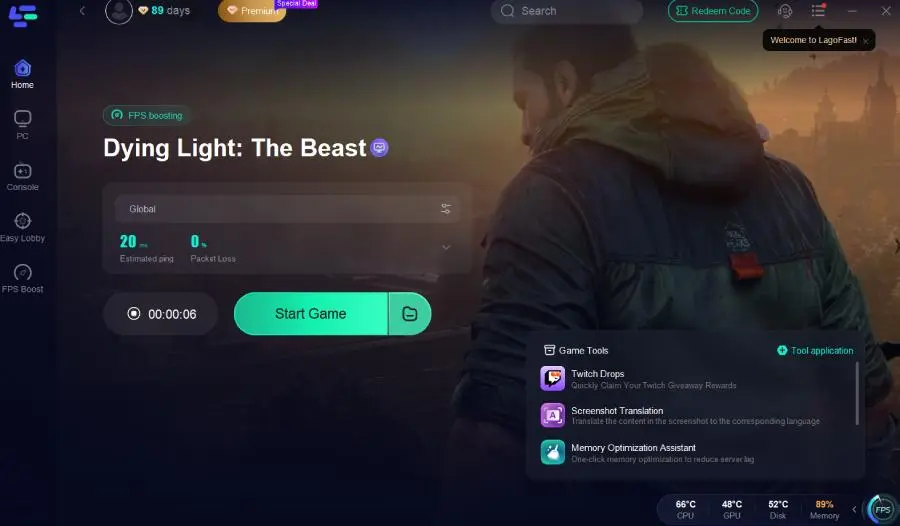
Ultimately, LagoFast doesn’t just make your connection faster—it makes your gameplay more reliable. By removing the frustration of random disconnects and laggy co-op, it lets you and your squad stay fully immersed in Techland’s dark, action-packed world.
Benefits of LagoFast
- Lower ping for faster reactions
- Reduced packet loss and fewer disconnections
- Consistent stability for long co-op sessions
- Real-time monitoring of connection quality
By setting up LagoFast before you play, you can focus fully on survival and teamwork—without worrying about unstable connections disrupting your adventure. Instead of being pulled out of a tense rooftop chase or a climactic boss fight because of lag spikes, LagoFast ensures your session runs smoothly from start to finish.
Conclusion
The multiplayer/co-op mode in Dying Light: The Beast promises to be one of its strongest features. With four-player co-op, shared progression, and a massive open world to explore, teaming up with friends will make the survival-horror experience even more thrilling. Although crossplay isn’t available at launch, Techland’s commitment to community-driven updates suggests that improvements could come in the future. For now, gather your squad, sharpen your weapons, and prepare to unleash the beast together.

Boost Your Game with LagoFast for Epic Speed
Play harder, faster. LagoFast game booster eliminates stutter and lags on PC, mobile, or Mac—win every match!
Quickly Reduce Game Lag and Ping!
Boost FPS for Smoother Gameplay!