
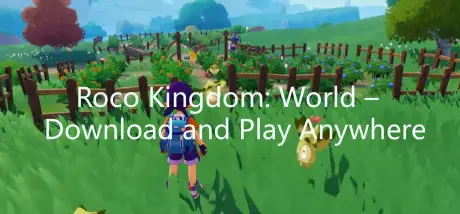
Roco Kingdom: World officially launches in China on March 26, but many overseas players struggle with one simple problem: how to download it.
Since the game is only available on the Chinese official website, finding the correct access can be confusing. This guide shows the easiest way to download and start playing without any hassle.

- ✅ Reduce Lag and High Ping.
✅ Boost FPS at the Same Time.
✅ Support 2000+ Popular Online Games.
✅ Change Server without Latency.
✅ Boost Game Loading Speed.
Part 1: Roco Kingdom: World Release Date, Platforms, and Servers
Part 2: How to Download Roco Kingdom: World
Part 3: Enhance Your Roco Kingdom: World Gaming Experience with LagoFast
Part 1: Roco Kingdom: World Release Date, Platforms, and Servers

Roco Kingdom: World officially launched in China on March 26, 2026, and is currently only on CN servers. A global release date has not yet been confirmed.
The game is available across multiple platforms: PC (via Android emulators), Android, iOS, and Huawei HarmonyOS, with cross-platform progression, meaning your account progress and in-game achievements carry over seamlessly between devices.
Players can enjoy a colorful fantasy world, turn-based battles, cooperative multiplayer features, dungeon exploration, hero collection, and special events—offering a rich experience for casual and dedicated gamers alike.
Part 2: How to Download Roco Kingdom: World
Downloading Roco Kingdom: World is straightforward if you’re in China—you can access it directly through the official CN website or app stores. However, for many overseas players, the real challenge is finding the correct download page. Region restrictions on Android, iOS, and HarmonyOS often prevent players from accessing the game, leaving them unsure how to start.
This is where LagoFast Game booster can help. Its Game Download tool allows overseas players to bypass regional barriers with just a single click and automatically start downloading Roco Kingdom: World. The tool makes the process fast and hassle-free, letting you install the game quickly and jump straight into the adventure without struggling to find the right download page or navigating complicated workarounds.
How to Use LagoFast Game Download tool in Roco Kingdom: World
Step 1. Download and install LagoFast.
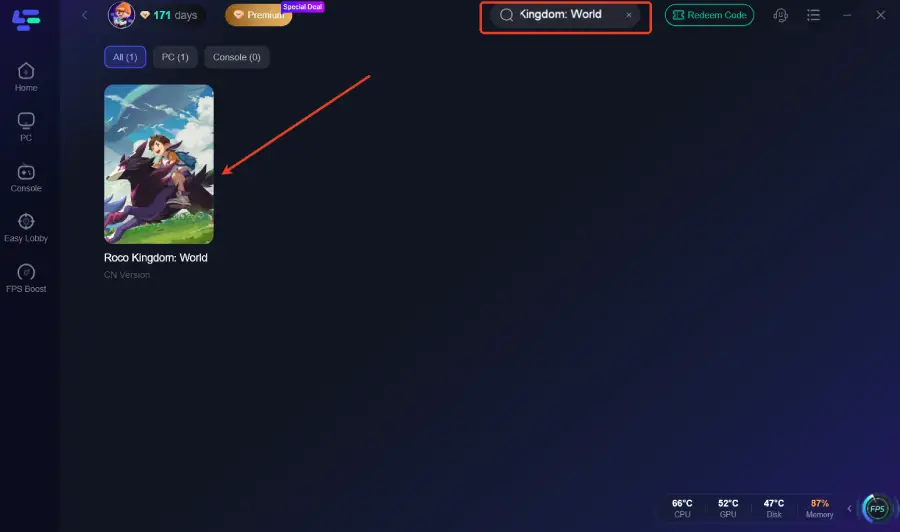
Step 2: Open LagoFast, and use the search bar to find Roco Kingdom: World.
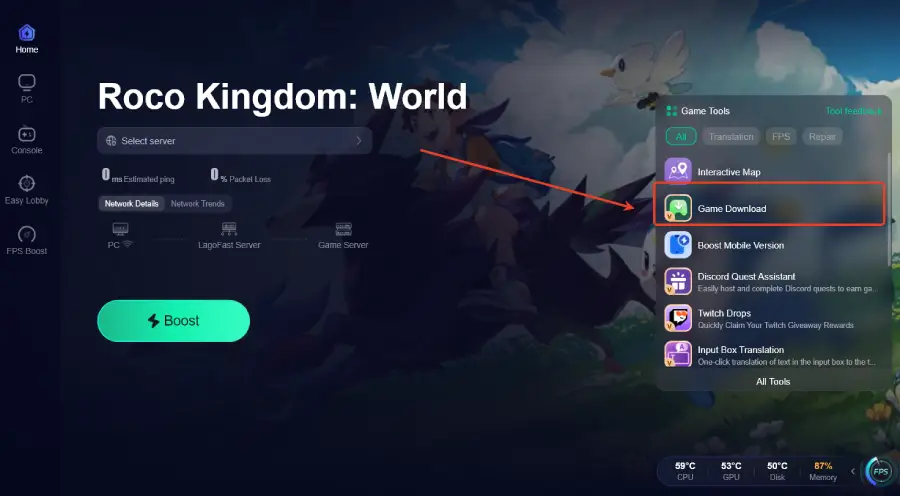
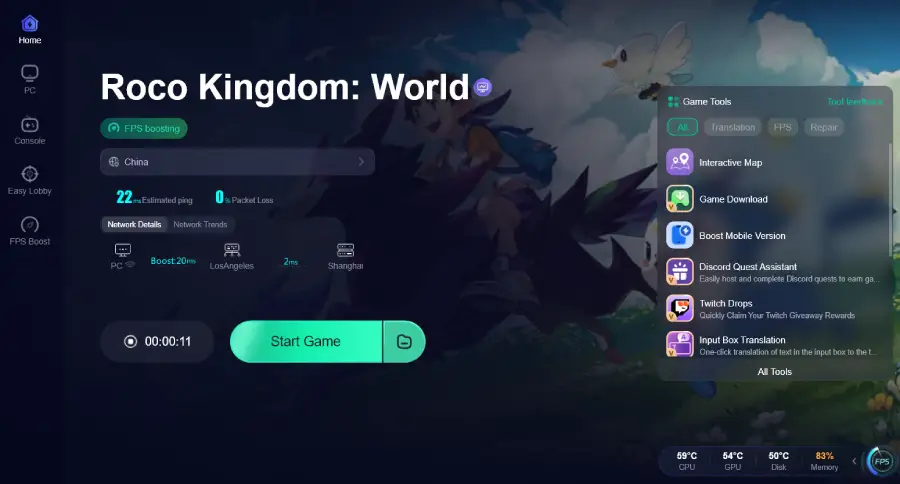
Step 3. Select the Game Download on the right side—this will start the download immediately.
Part 3: Enhance Your Roco Kingdom: World Gaming Experience with LagoFast
Even after downloading Roco Kingdom: World, overseas players may face lag, high ping, or unstable connections that make gameplay frustrating.
More than just a download tool, LagoFast is a full game performance platform designed to improve your experience. It stabilizes your connection, reduces ping, optimizes network routing, and fixes packet loss, so your game feels smooth and responsive. On top of that, it offers useful in-game features like an Interactive Map to track NPCs, bosses, and hidden loot—helping you explore and plan your routes efficiently.
With LagoFast, not only can you download Roco Kingdom: World effortlessly, but you can also enhance your gameplay, making every adventure seamless and enjoyable.
How to Use LagoFast for Roco Kingdom: World
Step 1: Click the Free Trial button to download and install LagoFast.
Step 2: After installation, search "Roco Kingdom: World" in the search bar and select the game.
Step 3: Choose your preferred server node and click "Smart Boost" to start optimizing.
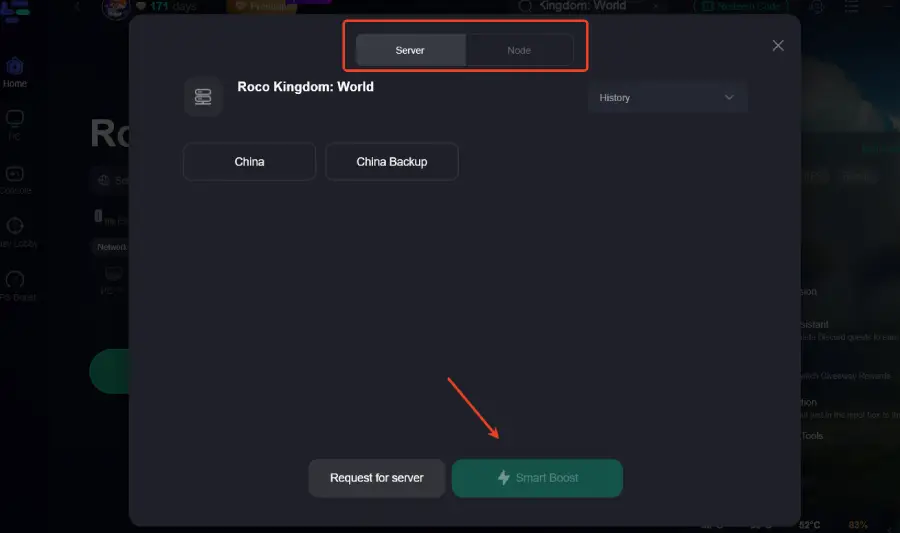
Step 4: Launch your game and enjoy smooth, optimized gameplay with lower ping and packet loss.
Part 4: FAQs
Q1: Can I use the same account across PC, Android, iOS, and HarmonyOS?
Yes! Roco Kingdom: World supports cross-platform progression, so your account and in-game progress stay synced across all supported devices.
Q2: Will global servers be available soon?
Currently, only CN servers are available. Keep an eye on official announcements for potential global release updates.
Q3: Can I reduce lag while playing on mobile?
Yes. LagoFast not only helps with downloads but also optimizes network stability, reduces ping, and fixes packet loss for mobile gameplay.
Q4: Are in-game purchases available for overseas players?
Purchases may be limited if your account is registered outside China. Some payment methods could be restricted depending on your region.
Q5: Can I play with friends in different regions?
Currently, multiplayer is tied to CN servers, so cross-region play is limited. Friends outside China may need CN accounts to join your game.
Conclusion
Downloading and playing Roco Kingdom: World from outside China doesn’t have to be complicated. With tools like LagoFast, overseas players can bypass regional restrictions, start the game quickly, and enjoy a smooth, lag-free experience. Combined with cross-platform support and performance optimization, LagoFast ensures that every adventure in Roco Kingdom: World is seamless and enjoyable, no matter where you are.

Boost Your Game with LagoFast for Epic Speed
Play harder, faster. LagoFast game booster eliminates stutter and lags on PC, mobile, or Mac—win every match!
Quickly Reduce Game Lag and Ping!
Boost FPS for Smoother Gameplay!