
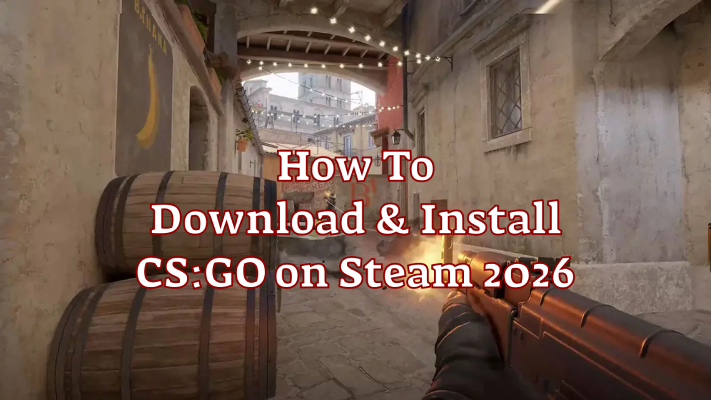
After Counter-Strike 2 replaced the original game, many players believed the classic version of CS:GO was gone for good. For a long time, the only way to access it was through a hidden legacy branch inside CS2.
Recently, however, the situation has changed again. Counter Strike Global Offensive is now available again on Steam, although it is still difficult to find through normal search results in the Steam client.
Because of this unusual setup, many players are searching for answers such as CSGO Steam download, how to download csgo on steam, or how to download csgo after cs2.
If you want to revisit the classic gameplay, this guide will explain how to download the old CS:GO now, how to install it, and how to play the game in 2026.

- ✅ Reduce Lag and High Ping.
- ✅ Boost FPS at the Same Time.
- ✅ Add CSGO to Steam Library.
- ✅ Change Server Without Latency.
- ✅ End All Connection crash Issues.
- ✅ Multiplatform: PC, Mobile, Console.
Part 1: What Happened to CS:GO After CS2?
Part 2: Use LagoFast to Add CSGO to Steam Library Easily
Part 3: Other Methods to Download and Play CS:GO via Steam
Part 1: What Happened to CS:GO After CS2?
When Counter-Strike 2 officially launched, Valve replaced CS:GO in the Steam store. Instead of maintaining two separate games, the original version was moved into a legacy build.
This meant players could technically still run the old version, but it required installing CS2 first and switching to the legacy branch in the game settings.
Later updates changed the situation again. The original game client was separated from CS2 and re-registered as its own title, which is why many players are now seeing reports that Counter Strike Global Offensive is now available again on Steam.
However, there are still a few limitations.
The game usually does not appear in normal Steam search results, which is why many people struggle with how to download csgo on steam. In addition, the official matchmaking services that existed before CS2 are no longer active.
In practical terms, the classic version can still be used for:
- Playing with bots
- Community servers
- Workshop maps
- Custom matches with friends
Because of these changes, players often search for solutions such as how to download csgo without cs2 or how to download csgo after cs2.
Part 2: Use LagoFast to Add Steam Counter Strike Global Offensive to Steam Library Easily
One of the easiest ways to solve this issue is using LagoFast Game Booster. Many players use it not only to optimize network performance but also to correctly register older game builds.
If your CS:GO installation is missing or incomplete, LagoFast can help Add CSGO to Steam Library properly so Steam recognizes the game.
A Step-by-Step Guide to Installing CS:GO on Steam Using LagoFast
Click the "Free Trial" button below to download and install LagoFast for free.
Open LagoFast game booster and search for CS:GO.
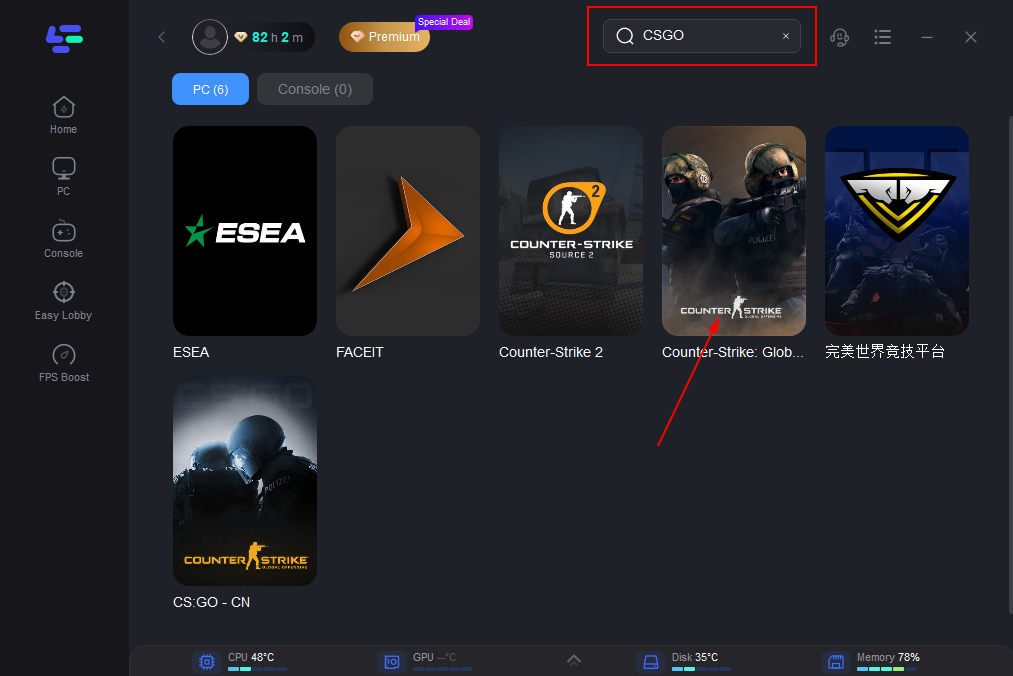
Click “Add CS:GO to Steam Library”.
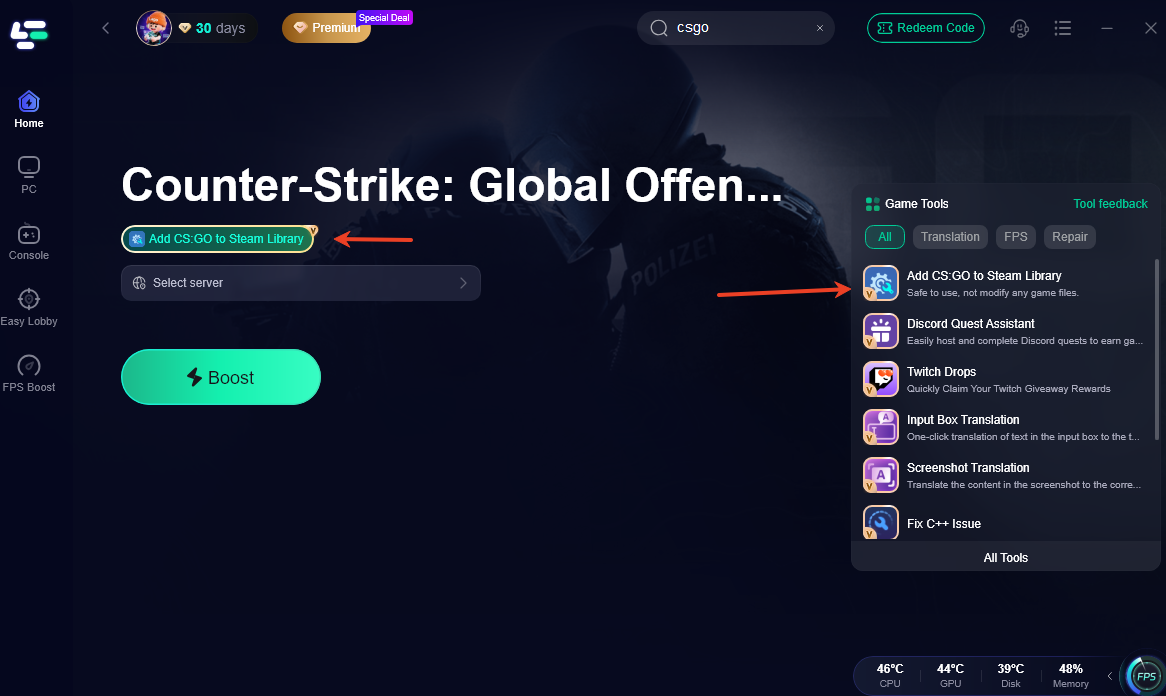
Let the tool safely register the game in Steam (it won’t alter game files).
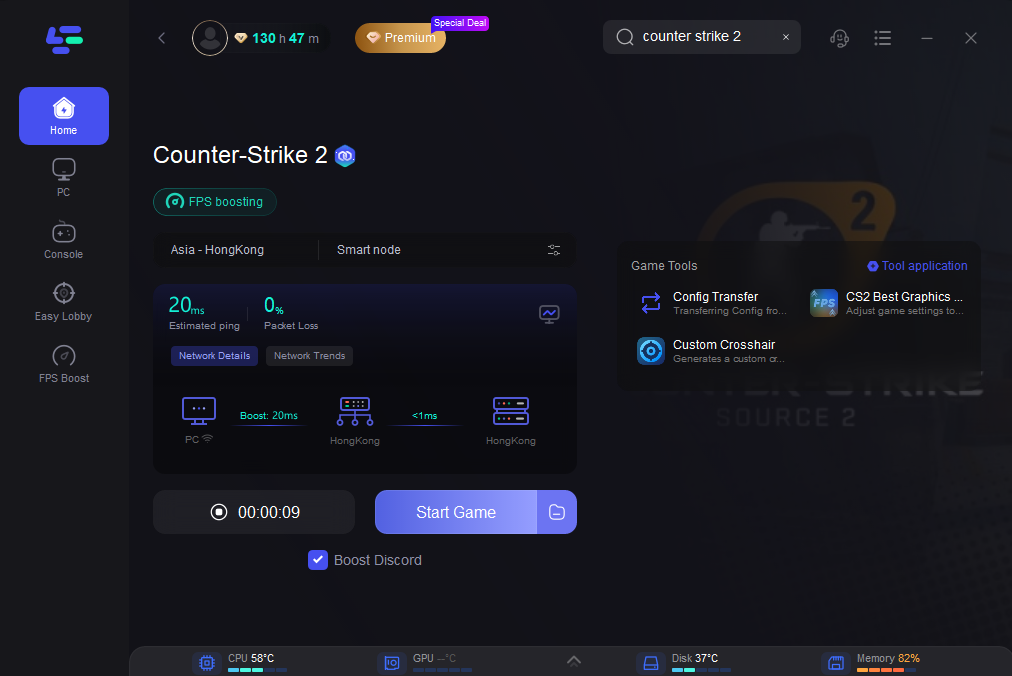
Click on “Server” to change to a better server that ensures smooth gameplay, then click on “Smart Boost”.
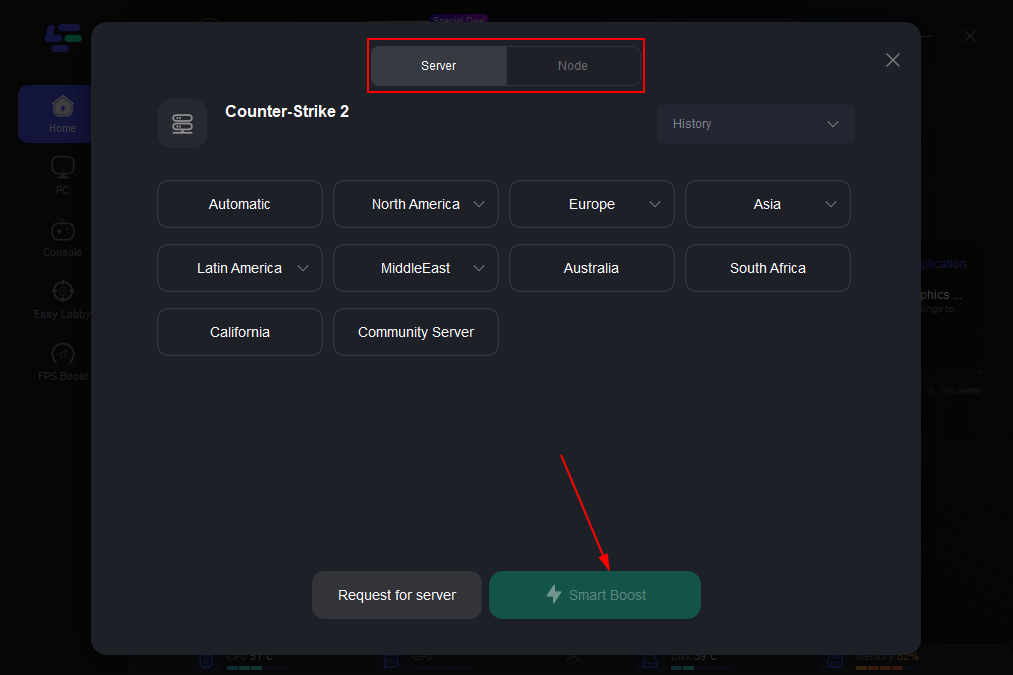
Check the specific game ping, packet loss, and multiple path connection on the right side. Finally, click the “Start Game” to play the game.
Relaunch CS:GO and try to connect to a server.
This restores proper Steam authentication and often fixes the validation rejection. It is especially useful if your installation was manual or incomplete.
This method often solves problems like missing game entries or CSGO Steam Validation Rejected errors. Once the game is registered correctly, you can launch it like any other title in your Steam library.
LagoFast Custom Crosshair Tool
Besides helping with installation, LagoFast also includes a useful CS2 Custom Crosshair Tool.
Instead of adjusting settings manually in the console, you can customize your crosshair quickly through the LagoFast interface.
Locate the Custom Crosshair Tool on the right side of the interface.
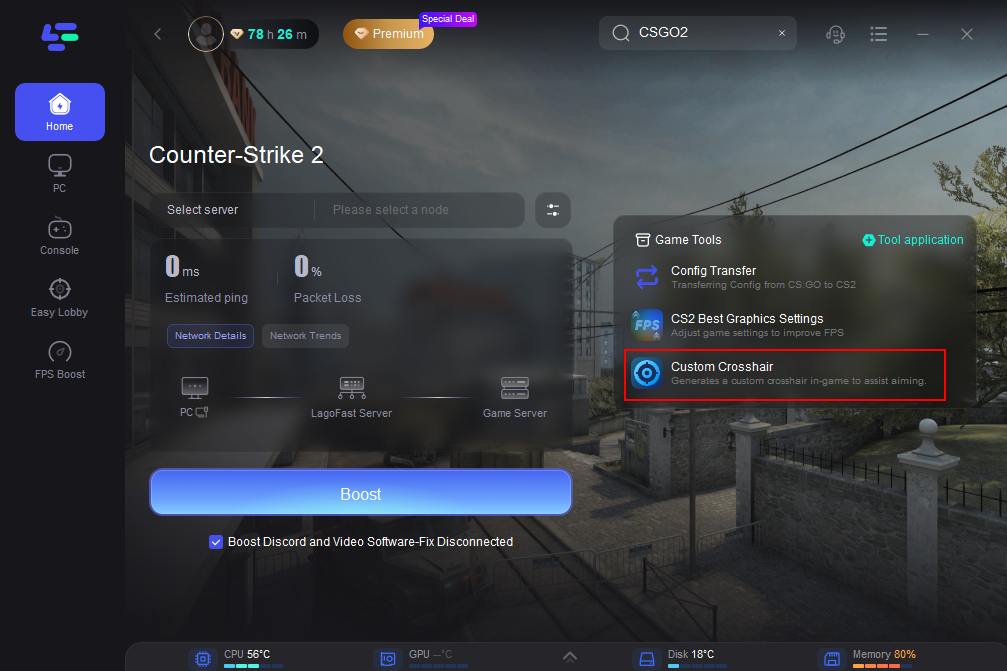
Customize Your Crosshair: This tool lets you modify your crosshair’s appearance to suit your style, including its shape, size, thickness, color, and more. After fine-tuning your settings, click the Save Configuration button.
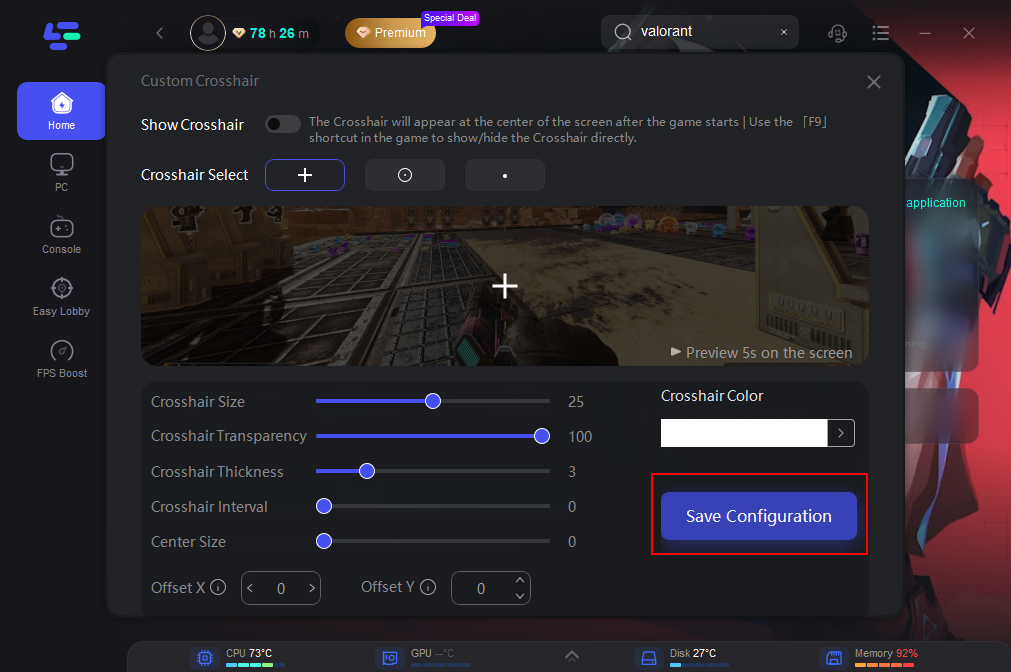
Activate Crosshair in CSGO: When you’re ready to dive into the game, simply launch CSGO and press F9 to display or hide the customized crosshair you’ve created with LagoFast. This feature allows you to switch between different crosshair designs or toggle them on and off as needed, giving you flexibility and a tactical advantage during gameplay.
FPS Boost for Better Performance
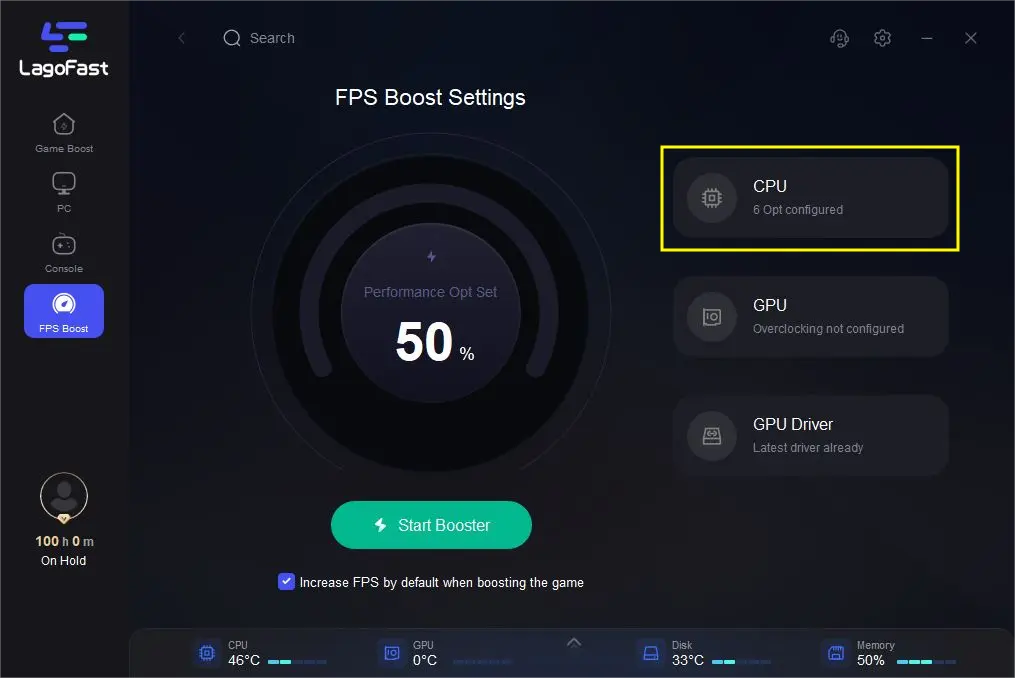
Another useful feature is the built-in FPS boost tool. Since the legacy CS:GO build is no longer actively optimized, some players experience lower performance.
LagoFast can help stabilize FPS, reduce ping, and improve overall gameplay performance, especially on older systems.
Part 3: Other Methods to Download and Play CS:GO via Steam
If you prefer not to use external tools, there are still a few other ways to complete the csgo steam download.
Method 1: Access CS:GO Through Steam Library
If you owned CS:GO before CS2 launched, the game may still appear in your library as a legacy build.
Steps:
- Open Steam
- Go to your Library
- Find Counter-Strike 2
- Open Properties
- Check the Betas section for legacy versions
Sometimes the original CS:GO client can be installed from there.
Method 2: Install Legacy Builds via Steam Console
Advanced users sometimes install hidden builds through Steam console commands. This method allows you to manually download older versions.
However, it requires correct App IDs and is not always reliable for new users.
Method 3: Community Server Launch Options
Some community server platforms provide instructions for launching the legacy CS:GO version.
This method typically works if you already have partial files installed and only need to reconnect to community servers.
Part 4: FAQs
Is Steam Counter-Strike: Global Offensive still playable in 2026?
Yes. Steam Counter-Strike Global Offensive is still playable, although official matchmaking has largely been replaced by community servers. Players can still enjoy bots, workshop maps, and custom matches.
How to download the old Counter-Strike: Global Offensive now?
You can download the classic version by accessing the Steam Counter Strike Global Offensive page directly, switching to the legacy build in CS2, or using tools that help add the game to your Steam library.
Can you download CS:GO without CS2?
Yes. If you successfully add Steam Counter Strike Global Offensive to your Steam library as a standalone entry, you can install it without downloading Counter-Strike 2.
How to install Counter-Strike: Global Offensive on Steam in 2026?
The basic process is simple. Add Steam Counter Strike Global Offensive to your library, click install, and download the game through the Steam client. After installation, you can launch it like any other game.
Conclusion
Even though Counter-Strike 2 replaced the original game in the Steam store, the classic version has not completely disappeared.
In 2026, Counter Strike Global Offensive is now available again on Steam in a legacy form. Players can still access workshop maps, bots, and community servers.
If you're wondering How To Play CSGO in 2026, the key steps are:
- Add the legacy game files to your Steam library
- Ensure the installation is properly registered
- Launch through Steam with the correct build
For many players, tools like LagoFast provide the easiest solution because they automatically Add CSGO to Steam Library and help avoid installation errors.
Once installed, you can still enjoy classic CS:GO gameplay and revisit the maps and mechanics that defined one of the most popular FPS games ever.
Boost Your Game with LagoFast for Epic Speed
Play harder, faster. LagoFast game booster eliminates stutter and lags on PC, mobile, or Mac—win every match!
Quickly Reduce Game Lag and Ping!
Boost FPS for Smoother Gameplay!