
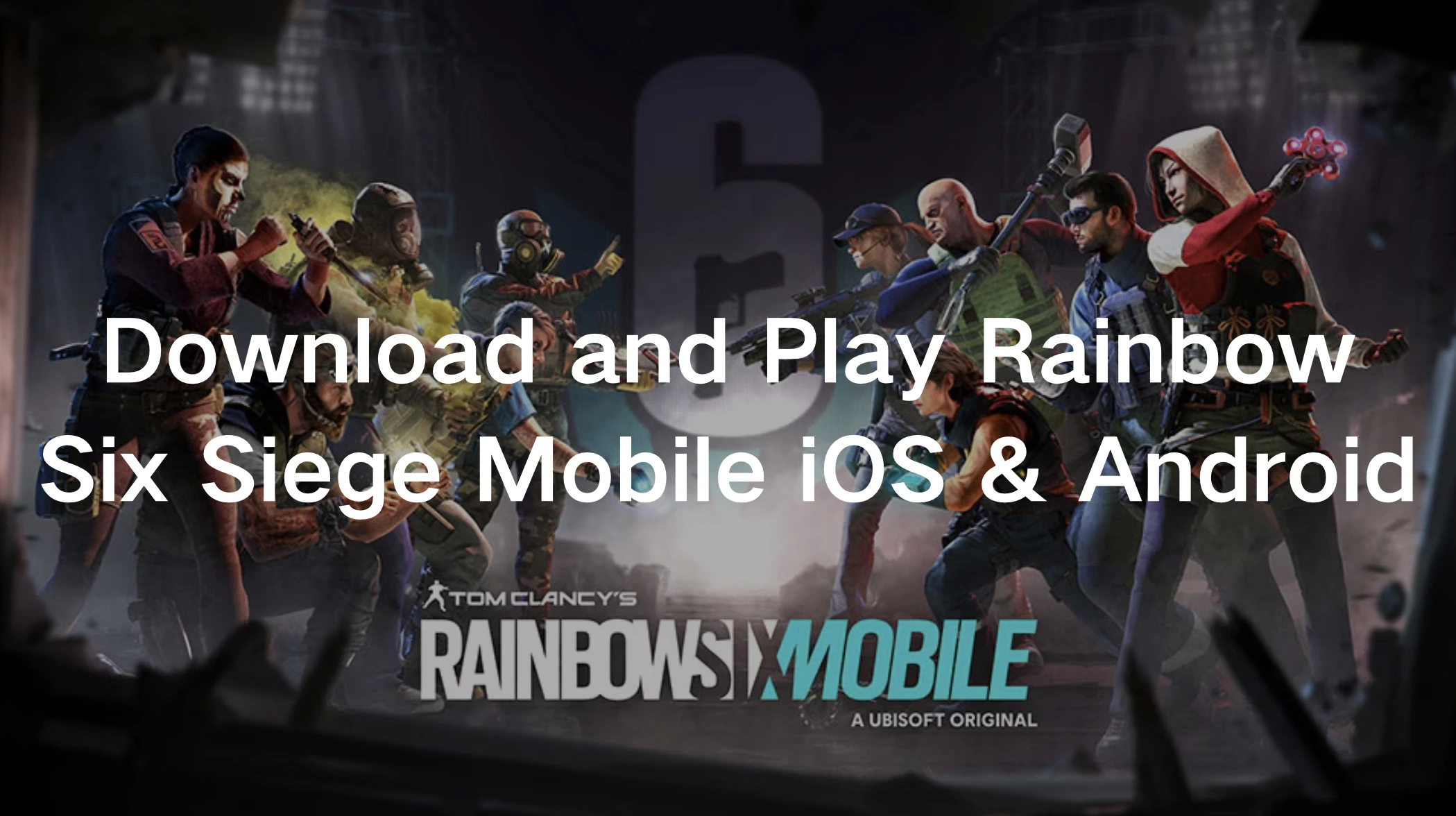
Rainbow Six Mobile brings Ubisoft’s iconic tactical shooter to your fingertips. Whether you’re a fan of close-quarter combat, strategic team play, or intense 5v5 matches, Rainbow Six Mobile offers an exciting experience right on your iOS or Android device. This guide will help you understand how to download and play Rainbow Six Mobile, the device requirements, and how to enhance your gaming experience.

- ✅ Reduce Lag and High Ping.
✅ Boost FPS at the Same Time.
✅ Support 2000+ Online Games
✅ Change Server Without Latency.
✅ Multiplatform: PC, Console, Mobile.
✅ End Stuck, Connection & Crashing Issues
Part 1: How to Download and Play Rainbow Six Mobile on iOS & Android
Part 2: Which Country Can Play Rainbow Six Mobile?
Part 3: Minimum Phone Device and IOS Requirements for Rainbow Six Mobile
Part 4: Enjoy a Smooth Rainbow Six Mobile Gaming Experience with LagoFast
Part 1: How to Download and Play Rainbow Six Mobile on iOS & Android
Rainbow Six Mobile is now officially available as a free-to-play title on both iOS and Android. You no longer need to pre-register or wait for early access invitations. Simply download it directly from your device’s app store.
For iOS Users:
Step 1: Open the App Store: Search for “Rainbow Six Mobile” in the App Store.
Step 2: Download and Install: Tap Get to download the game. Make sure your device meets the minimum system requirements.
Step 3: Launch and Log In: Open the game and log in with your Ubisoft account. You can also create a new account during setup.
For Android Users:
Step 1: Open Google Play Store: Search for “Rainbow Six Mobile.”
Step 2: Install the Game: Tap Install to download it directly to your device.
Step 3: Start Playing: Log in using your Ubisoft account or register a new one and jump into tactical 5v5 combat.
Although the game has officially launched worldwide, it is currently not available in Vietnam and Russia.
LagoFast helps optimize network routing and connect to more stable regional nodes, allowing players to access and download Rainbow Six Mobile more smoothly—while also ensuring faster downloads and a more stable in-game connection.
For LagoFast Android Users: How to Download Rainbow Six Mobile
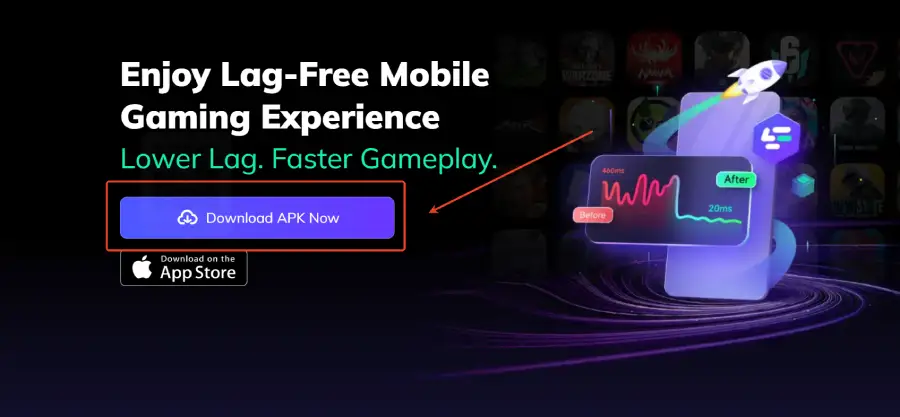
Step 1: Click download and install LagoFast Mobile
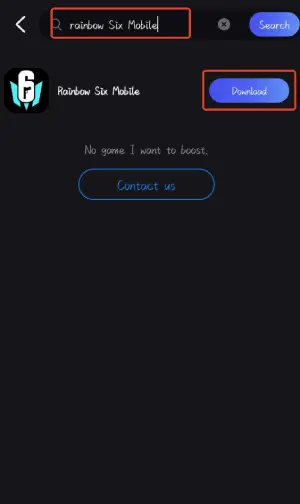
Step 2: Launch LagoFast Mobile, use the search bar to find Rainbow Six Mobile, then tap the Download button to begin.
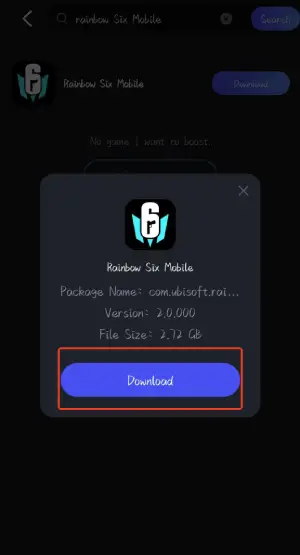
Step 3: After the download is complete, tap Install to quickly and safely install Rainbow Six Mobile on your device.
For iOS Users: Accessing the U.S. App Store
To help players access global releases more conveniently, LagoFast has launched a limited-time in-app activity for iOS users in certain regions. Eligible paid members can obtain a U.S. Apple ID through the app, allowing access to the U.S. App Store and download Rainbow Six Mobile.
Follow These Steps:
Step 1: Download and install LagoFast Mobile.
Step 2: Open LagoFast and tap the banner on the Boost page promoting the Apple ID event.
Step 3: Claim your U.S. Apple ID through the in-app activity.
Step 4: Sign in using the U.S. Apple ID you received. Reopen the App Store—it will now display the U.S. storefront.
Step 5: Search for “Rainbow Six Mobile” and download the game. Once pre-load is complete and the game officially launches, it will install automatically.
Part 2: Which Country Can Play Rainbow Six Mobile?
Rainbow Six Mobile is currently in its soft launch phase, available for early access in specific regions, including Canada and Mexico. Ubisoft has plans to expand access gradually, so more countries will be added over time. Pre-registering on the App Store or Google Play is the best way to stay updated on availability in your region.
Besides, Ubisoft announced that Rainbow Six Mobile will be launched on Android and iOS platforms for free on July 15, 2025, and regional preparations are currently underway!
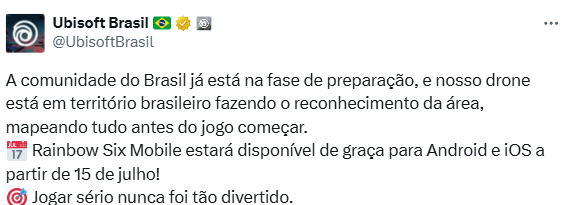
Note: If you are outside the eligible countries, you can consider using a VPN service like LagoFast to access the game.
Part 3: Minimum Phone Device and IOS Requirements for Rainbow Six Mobile
To enjoy a smooth gaming experience, your device must meet the following minimum requirements:
Android:
- Device: Samsung Galaxy S10 or equivalent
- RAM: 4GB
- Chipset: Qualcomm Snapdragon
iOS:
- Device: iPhone XS or newer
- RAM: 4GB
It’s important to note that older devices may face performance issues or may not be compatible with the game. Ubisoft regularly updates device support, so check the official website for the latest information.
Part 4: Enjoy a Smooth Rainbow Six Mobile Gaming Experience with LagoFast
To ensure the best experience while playing Rainbow Six Mobile, you need stable connectivity and optimized performance. LagoFast is an excellent choice for gamers who want to reduce lag, improve FPS, and maintain a smooth connection.
Benefits of Using LagoFast for Rainbow Six Mobile:
- Lower Ping: Reduces latency, ensuring smoother gameplay.
- Optimized Performance: Boosts your device’s FPS, even on older hardware.
- Global Access: Helps players in unsupported regions access the game seamlessly.
- Smart Routing Technology: Automatically selects the fastest and most stable server routes for uninterrupted gaming sessions.
- Customizable Game Modes: Offers tailored optimizations based on your device and internet connection to match your gameplay style.
- User-Friendly Interface: Easy-to-use dashboard for setting up game optimizations with just a few clicks.
Setting up LagoFast is straightforward, making it a valuable tool for Rainbow Six Mobile players.
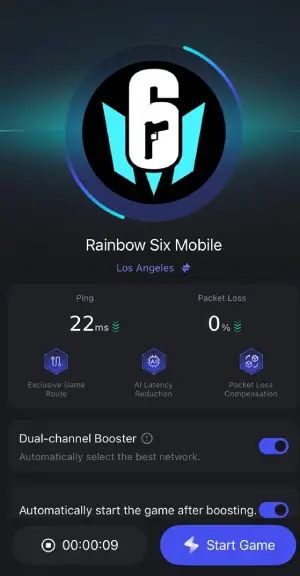
Follow the tutorial to use the LagoFast Mobile booster:
Step 1: Search “LagoFast Mobile booster” in the App Store or Google Play, as it is globally available.
Step 2. Select and click the Rainbow Six Mobile icon in the interface.
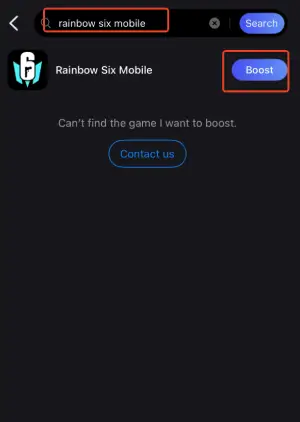
Step 3: Enter the Severs selection interface where you can change to a stable server, then click the “Boost” button to enhance the gaming experience
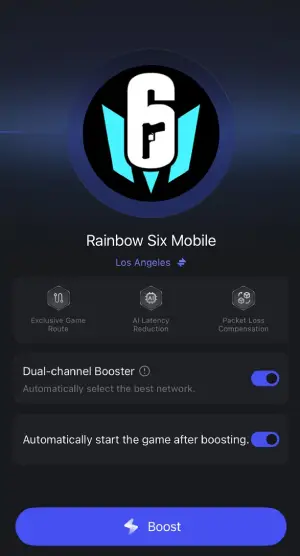
Step 4: Finally, go back to Rainbow Six Mobile and start playing it without any lag.
Conclusion
Rainbow Six Mobile is an exciting addition to the franchise, delivering a tactical shooter experience designed for mobile gaming. Whether you're an iOS or Android user, this guide provides everything you need to jump into the action—from downloading the game to ensuring your device meets the necessary requirements.
For those looking to elevate their gameplay, LagoFast is a game-changer. With features like lower ping, FPS boosting, and smart server routing, LagoFast ensures a smooth and seamless gaming experience, even in high-pressure moments. Equip yourself with the right tools, and get ready to dominate the battlefield in Rainbow Six Mobile!
Boost Your Game with LagoFast for Epic Speed
Play harder, faster. LagoFast game booster eliminates stutter and lags on PC, mobile, or Mac—win every match!
Quickly Reduce Game Lag and Ping!
Boost FPS for Smoother Gameplay!