

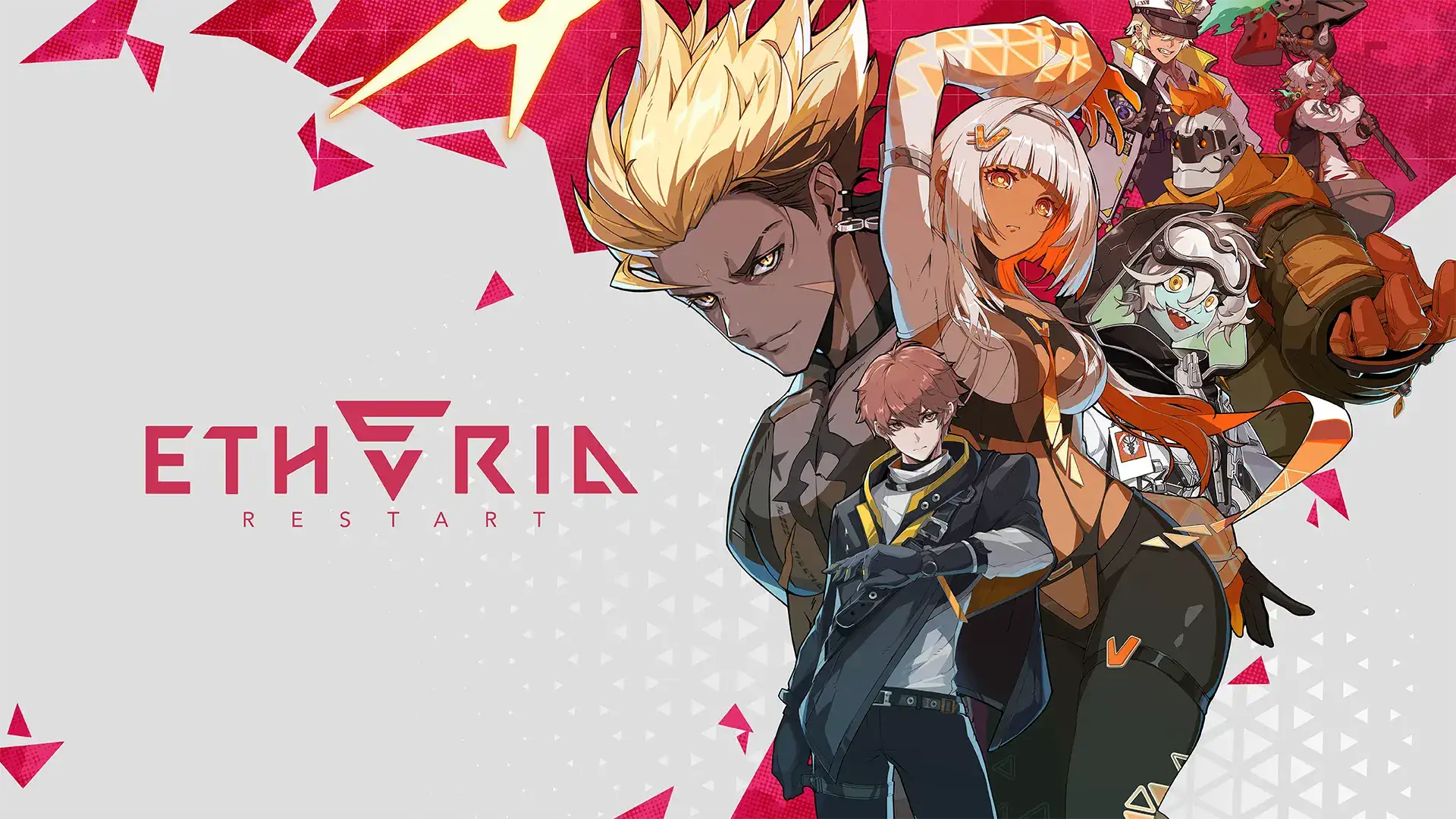
Hey gamers! If you’ve been itching to dive into Etheria: Restart, the hot new turn-based RPG from XD Entertainment, but keep hitting roadblocks in Vietnam, you’re not alone. This guide breaks down the region lock issue, shows you how to bypass it with LagoFast Game Booster, and optimizes your gameplay for smooth, lag-free action. Let’s get started!
Part 1. Can I Play Etheria: Restart Mobile in Vietnam?
Part 2. How to Download and Play Etheria: Restart Mobile in Vietnam?
Part 3. Optimize Your Gaming Experience with LagoFast
Part 1: Can I Play Etheria: Restart Mobile in Vietnam?
Short answer: Not officially. Etheria: Restart launched globally on June 5, 2025 , but Vietnam isn’t among the supported regions. The game’s pre-registration phase only covered South Korea, Japan, China, Taiwan, Hong Kong, and Macau , and Vietnam’s strict gaming regulations—like requiring government-issued licenses (game codes) for app store listings —mean the game isn’t available on Google Play or the App Store in Vietnam.
Trying to download the APK directly from third-party sites like APKPure or Softonic might work, but it’s risky. These versions could be outdated, malware-infected, or flagged by Vietnam’s authorities as illegal. Plus, even if you install the APK, connecting to the game’s servers often results in frustrating lag or disconnections due to regional IP blocks.
So, what’s a Vietnamese gamer to do? Read on for a safe, reliable solution.
Part 2: How to Download and Play Etheria: Restart Mobile in Vietnam
The key to unlocking Etheria: Restart in Vietnam is LagoFast Game Booster. This all-in-one tool not only bypasses region locks but also optimizes your network for seamless gameplay. Here’s how:
Step 1: Download LagoFast Mobile
Head to LagoFast’s official website and download the app for your device (PC, Android, or iOS). The process is quick, and they offer a free trial so you can test it out before committing .
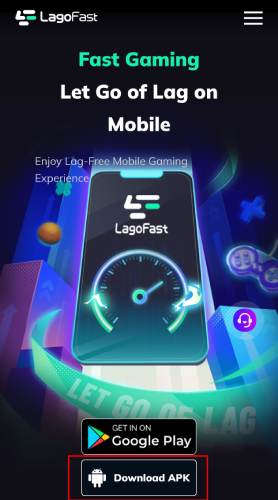
Step 2: Search Etheria: Restart in LagoFast Mobile client.
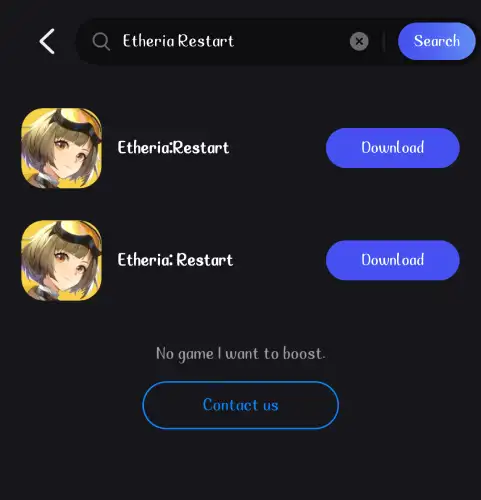
Step 3: Click download.
This method ensures you’re getting the latest updates and avoiding sketchy third-party APKs .
Keep LagoFast boosting Etheria: Restart and running in the background while you play. Its advanced algorithms will prioritize game traffic, reducing packet loss and boosting FPS for a smoother experience. No more lag spikes during crucial battles!
Part 3: Optimize Your Gaming Experience with LagoFast
LagoFast isn’t just a VPN—it’s a comprehensive gaming toolkit. Here’s how it takes your Etheria: Restart sessions to the next level:
- Ultra-Low Latency: LagoFast’s global server network and AI-driven routing minimize ping, letting you react faster in battles. For example, if you’re fighting in the game’s Summit Arena (a competitive PvP mode), even a 10ms delay can mean the difference between victory and defeat .
- FPS Boost: The software optimizes your device’s hardware settings, freeing up resources for better frame rates. Say goodbye to screen tearing or ghosting during intense animations, especially when summoning SSR Animus like Riddle Encyclopedia · Mio .
- Multi-Device Support: Whether you’re gaming on PC, mobile, or even consoles via the LagoFast Turbo hardware , the tool ensures consistent performance. Perfect for grinding daily challenges in Shell Story or Cubic Game events .
- Easy Setup: No technical skills required. LagoFast auto-detects installed games and configures settings with one click. Even if you’re new to game boosters, you’ll be up and running in minutes .
How to Boost Etheria: Restart with LagoFast on Mobile:
Step 1: Head to LagoFast’s official website and download the app for your device.
Step 2: Click the "Download" button, then install and launch "LagoFast Mobile Booster".
Step 3: Start Etheria: Restart, then switch to LagoFast Mobile and search for it.
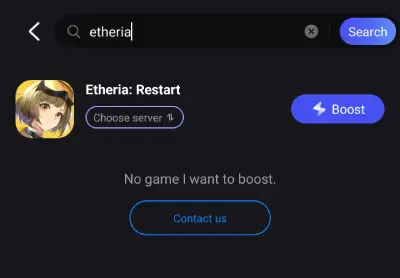
Step 4. Select and click the Etheria: Restart in the interface.
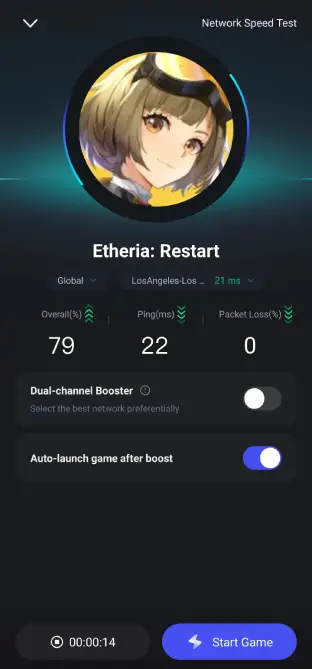
Step 5: Enter the server selection interface, where you can change to a stable server, then click the "Boost" button to enhance the gaming experience
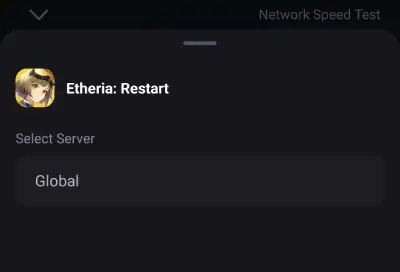
Step 6: Finally, go back to Etheria: Restart and start playing it without any lag.
How to Boost Etheria: Restart with LagoFast on PC:
Step 1: Click the Free Trial button to download and install LagoFast.
Step 2: Open LagoFast, then search Etheria: Restart in the search bar, click it after it appears.
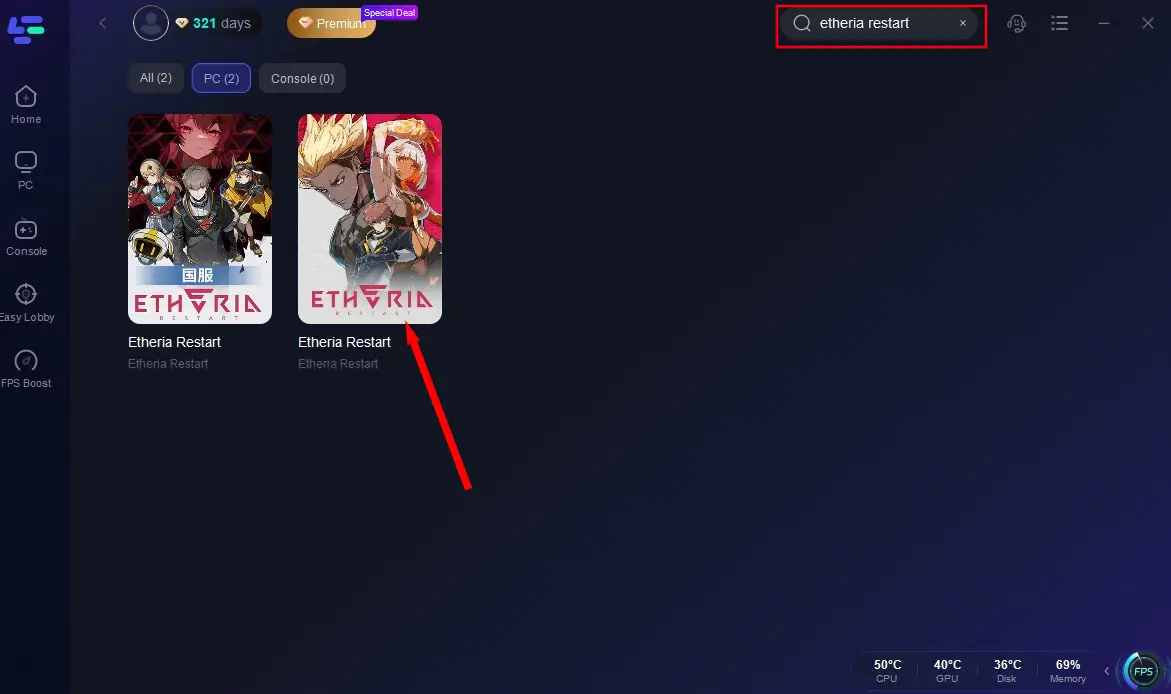
Step 3: Click on "Select Server" to change to a stable server that ensures your gaming experience, then click on "Smart Boost".
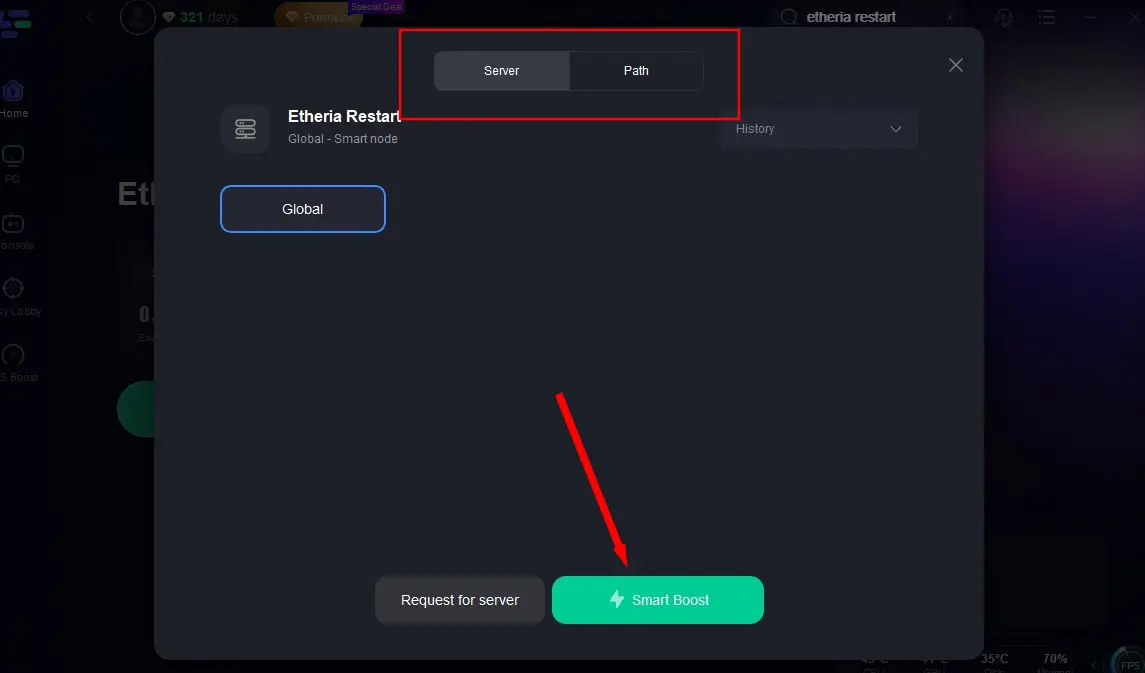
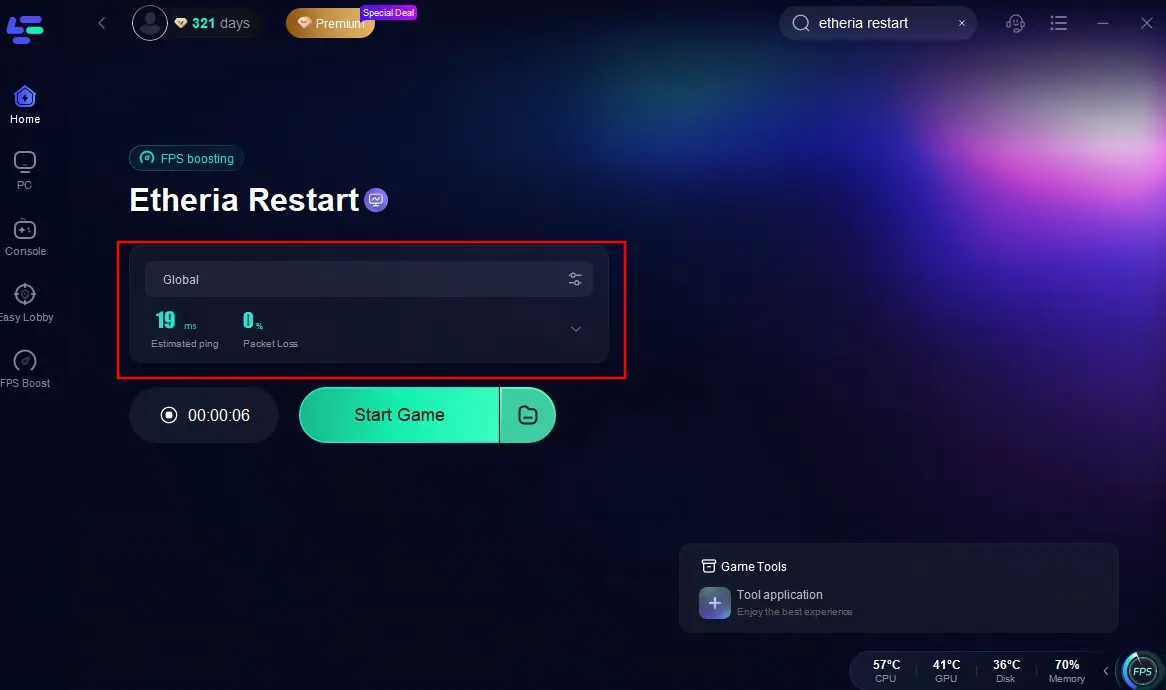
Step 4: Check the specific game ping, packet loss, and multiple path connection on the right side. Finally, click the "Start Game" to play the game.
Conclusion
While Etheria: Restart isn’t officially available in Vietnam, LagoFast Game Booster bridges the gap, letting you download and play Etheria: Restart in Vietnam safely and smoothly. By bypassing region locks, optimizing your network, and enhancing hardware performance, LagoFast ensures you don’t miss out on the game’s launch events, like the Light Judgement summon featuring Messiah .

Boost Your Game with LagoFast for Epic Speed
Play harder, faster. LagoFast game booster eliminates stutter and lags on PC, mobile, or Mac—win every match!
Quickly Reduce Game Lag and Ping!
Boost FPS for Smoother Gameplay!