
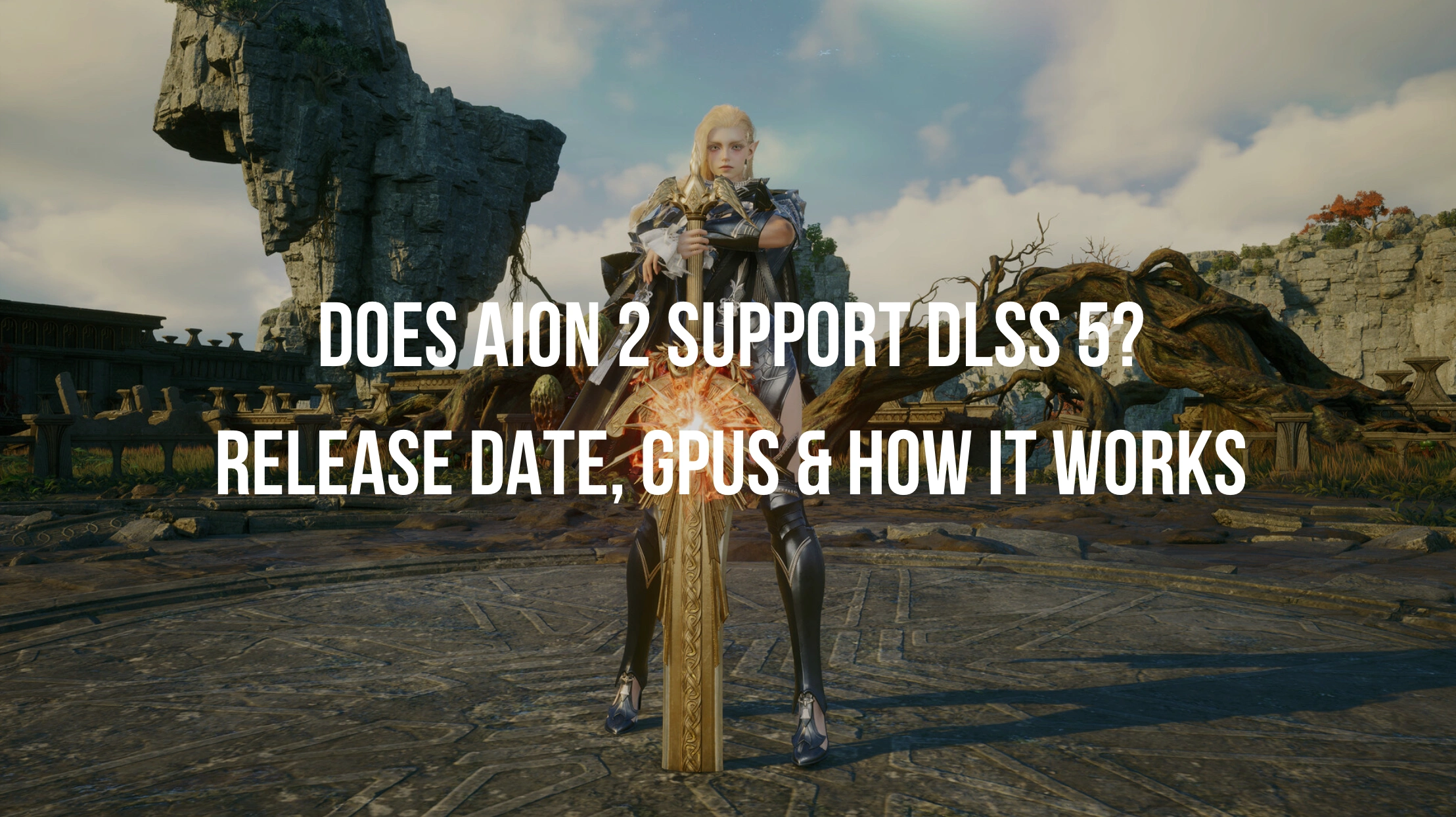
AION 2 brings a massive visual overhaul to the classic MMORPG franchise, powered by Unreal Engine 5. Gamers are asking whether AION 2 supports DLSS 5 and how NVIDIA neural rendering enhances large-scale PvP combat. While waiting for official updates, players need stable frame rates and smooth network performance. Tools like LagoFast help optimize network routing, boost FPS, and simplify graphics configuration so you can experience AION 2 with pristine visual fidelity without technical hurdles. As visual fidelity in modern MMORPGs advances, graphics technologies like NVIDIA DLSS 5 play a crucial role in balancing high performance and stunning image quality.

- ✅ Reduce Lag and High Ping.
- ✅ Boost FPS at the Same Time.
- ✅ Support 8000+ Popular Online Games.
- ✅ Stable Server Connection
Part 1: Is DLSS 5 Coming to AION 2?
Part 2: When Will AION 2 Get DLSS 5?
Part 3: AION 2 DLSS 4.5 vs DLSS 5
Part 4: Which GPUs Can Use DLSS 5 in AION 2?
Part 5: How to Check Whether AION 2 Can Use DLSS 5
Part 6: How to Enable DLSS 5 in AION 2
Part 7: Should You Use DLSS 5 in AION 2?
Part 1: Is DLSS 5 Coming to AION 2?
Yes, NVIDIA and NCSoft have officially confirmed that AION 2 is among the flagship MMORPG titles planned to integrate DLSS 5 neural rendering. Powered by Unreal Engine 5, AION 2 features dense character models, dynamic ambient lighting, complex spell effects, and massive open-world environments. Incorporating DLSS 5 allows the game to maintain crisp native-like visual quality while significantly reducing rendering overhead during intense combat scenarios. Players can expect smoother animations, detailed character shaders, and improved stability in crowded game zones.
Timing is essential for players preparing their PC hardware and software settings ahead of launch day.
Part 2: When Will AION 2 Get DLSS 5?
NCSoft has officially announced the global launch date for AION 2 on October 5, 2026. While developer update notes explicitly identify AION 2 as a flagship DLSS 5 title, NCSoft has not yet revealed the exact aion 2 dlss 5 release date for the dedicated neural rendering patch. Gamers wondering when will aion 2 get dlss 5 can anticipate two potential timelines based on current developer roadmaps. The DLSS 5 update will either be built into the core game client at official release on October 5, 2026, or arrive shortly after during the initial Q4 2026 post-launch graphics optimization patch.
Comparing previous upscaling technologies with the latest neural rendering technology highlights why this upgrade is significant for gaming performance.
Part 3: AION 2 DLSS 4.5 vs DLSS 5
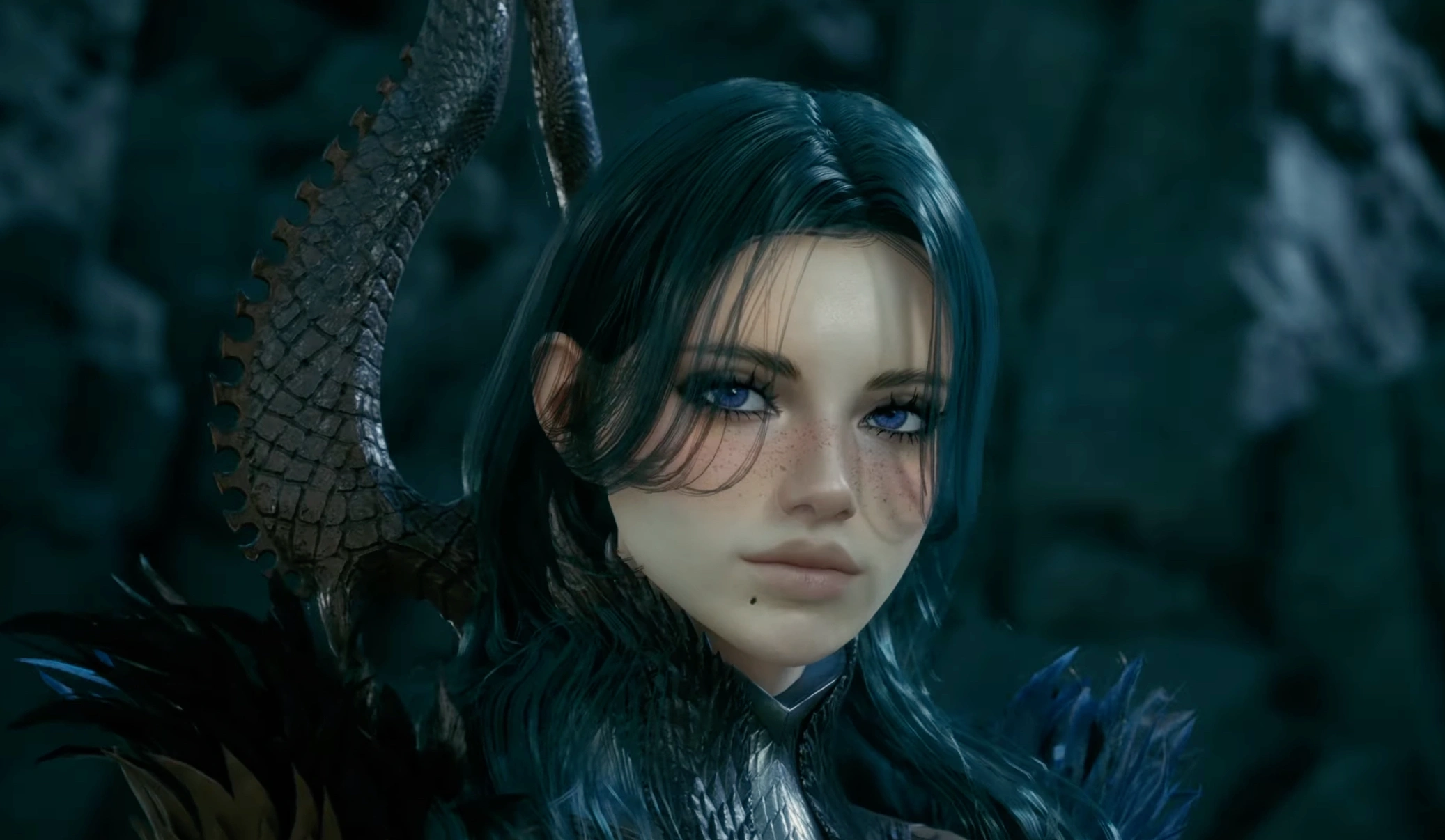
Understanding the technological leap between upscaling generations helps players select the best settings for their target screen resolution and hardware setup.
|
Feature |
DLSS 4.5 |
DLSS 5 Neural Rendering |
|
Primary Rendering Focus |
Super Resolution and Frame Generation |
Real-Time Neural Reconstruction |
|
Lighting and Ray Tracing |
Standard Ray Reconstruction |
Advanced Neural Path Tracing |
|
Skin, Hair and Foliage Details |
Pre-rendered Alpha Textures |
Neural Real-Time Shading |
|
GPU Hardware Architecture |
Tensor Cores (RTX 20, 30, 40 Series) |
Blackwell Tensor Cores (RTX 50 Series) |
|
Latency Impact |
NVIDIA Reflex Integration |
Reflex with Neural Frame Pacing |
|
Target Resolution Scaling |
1080p to 4K Upscaling |
Multi-Layer Reconstruction at 4K and 8K |
Hardware compatibility determines which players can activate these advanced visual options on their personal systems.
Part 4: Which GPUs Can Use DLSS 5 in AION 2?
NVIDIA built the core architecture of DLSS 5 around next-generation silicon, making top-tier graphics cards the primary focus for full hardware features.
RTX 50 Series Official Support
NVIDIA officially restricts native hardware-level DLSS 5 neural rendering to the RTX 50 Series graphics cards, including models like the RTX 5090, RTX 5080, and RTX 5070. These GPUs feature dedicated Blackwell architecture hardware capabilities designed to process real-time neural lighting models, detailed subsurface skin scattering, and complex material reflections in AION 2 without sacrificing frame rates.
Gamers holding previous generation RTX graphics cards want to know how their hardware handles AION 2 neural rendering features.
What About RTX 40, 30 and 20 Series?
Standard NVIDIA display drivers do not enable full DLSS 5 neural rendering on older architectures. However, RTX 40, 30, and 20 Series cards remain fully compatible with foundational DLSS capabilities in AION 2, including Super Resolution, Ray Reconstruction, and Frame Generation for RTX 40 Series users. For players running aion 2 dlss 5 rtx 40 or aion 2 dlss 5 rtx 30 hardware configurations, specialized software tools can optimize system settings to maximize image clarity and combat frame stability.
Before tweaking graphics settings, players should verify that their system hardware and client software meet all mandatory prerequisites.
Part 5: How to Check Whether AION 2 Can Use DLSS 5
Follow this rapid verification checklist to confirm whether your system can run DLSS 5 in AION 2:
Step 1. Check GPU Model: Confirm that your PC is equipped with an NVIDIA RTX series graphics card.
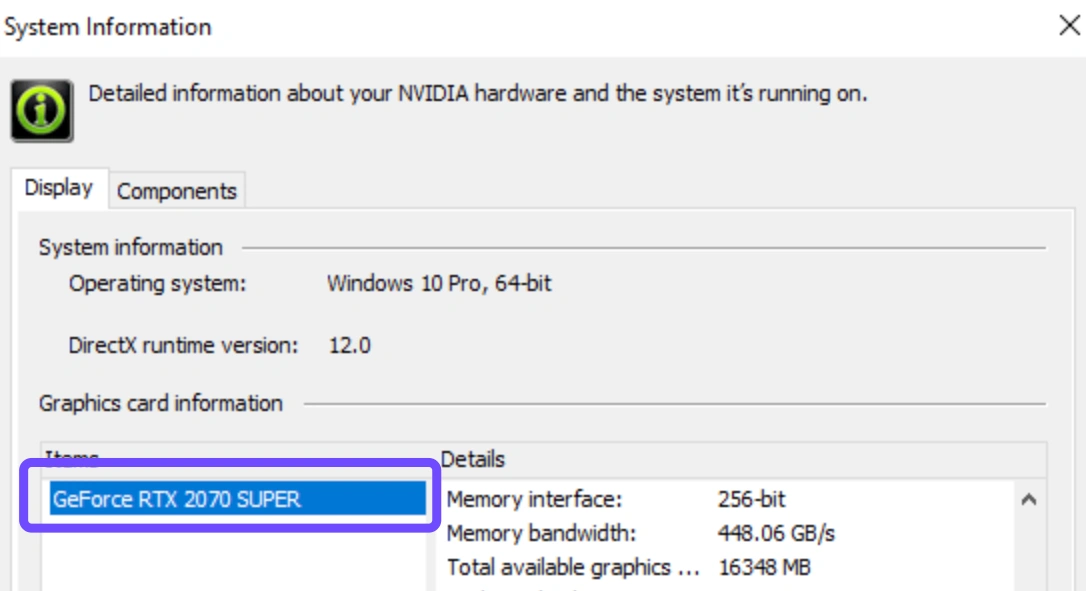
Step 2. Update Graphics Driver: Install the latest Game Ready Driver directly through NVIDIA GeForce Experience or the official NVIDIA download portal.
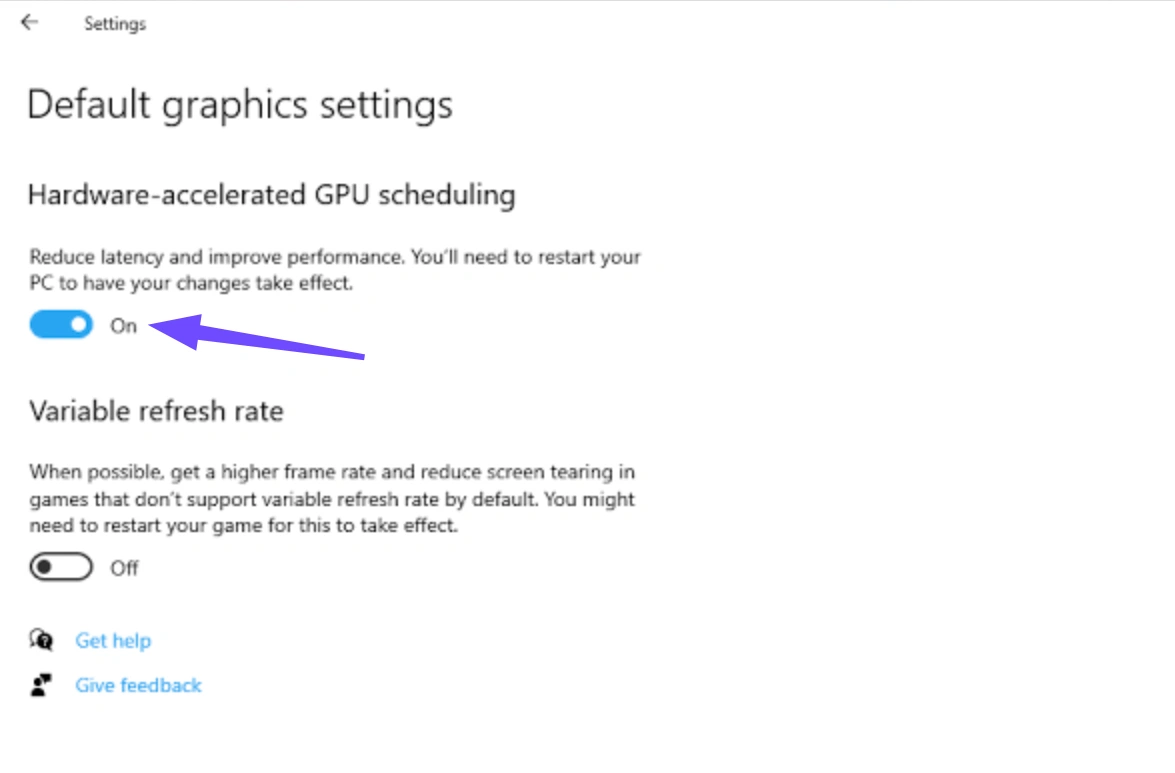
Step 3. Verify Windows Version: Ensure Windows 11 version 22H2 or newer is active, with Hardware-Accelerated GPU Scheduling enabled in system settings.
Step 4. Inspect Game Client Version: Verify that your AION 2 installation has been updated to the latest game patch containing updated DLSS library files.
Step 5. Monitor VRAM Availability: Ensure your graphics card has a minimum of 12GB VRAM available for ultra-high neural texture processing.
Activating DLSS 5 can be accomplished through standard internal game menus or via streamlined third-party configuration tools.
Part 6: How to Enable DLSS 5 in AION 2
The standard method relies on modifying internal menu parameters once the official patch is deployed by the game developer.
Official In-Game Method
Step 1: Launch AION 2 and navigate to the main menu or in-game lobby.
Step 2: Open the Settings menu and click on the Display and Graphics tab.
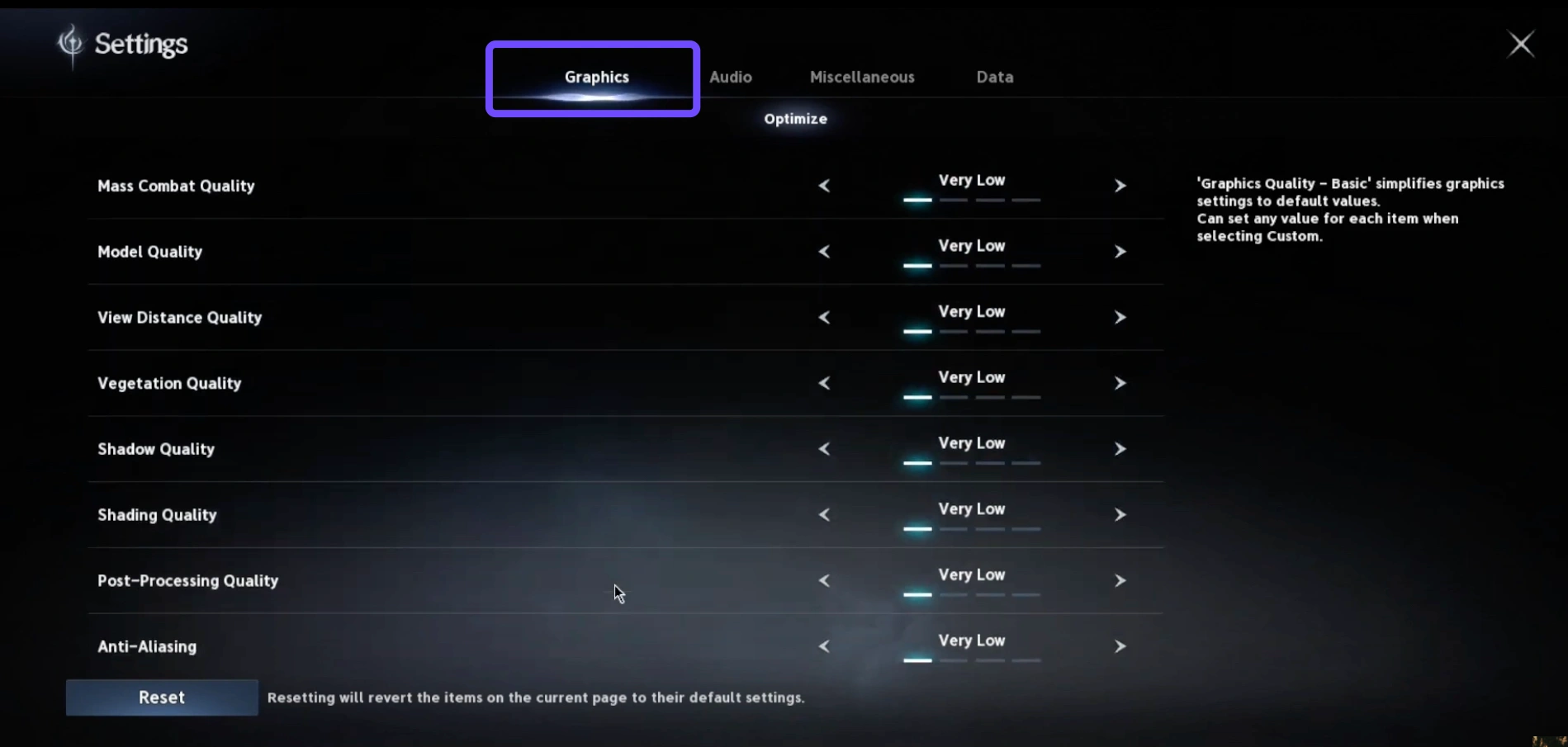
Step 3: Locate the Upscaler & Neural Rendering section within video options.
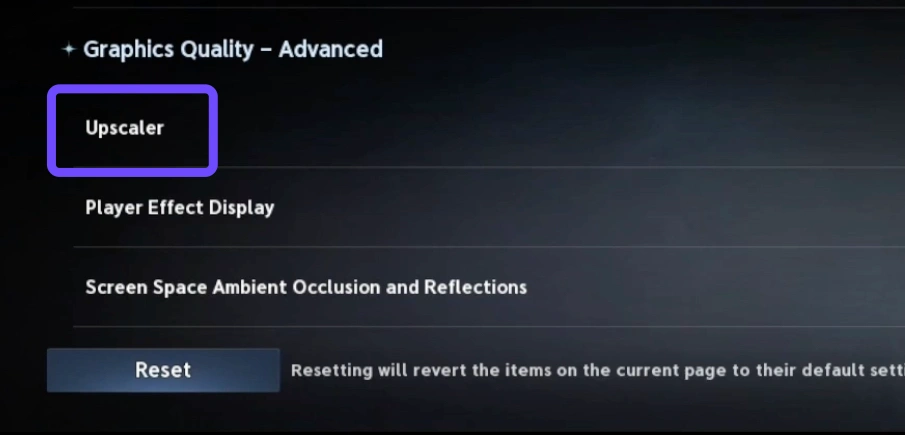
Step 4: Set NVIDIA DLSS to On and select DLSS 5 Neural Mode from the selection dropdown.
Step 5: Choose your target Quality preset, save changes, and restart the game client if prompted.
For players seeking an automated setup without manually editing system files or game directories, specialized optimization software provides a faster alternative.
One-Click DLSS 5 Configuration with LagoFast
Configuring complex graphics parameters manually can sometimes lead to driver mismatches, missing DLL files, or suboptimal frame stability.
As soon as the official DLSS 5 feature update launches for AION 2, LagoFast will immediately offer a dedicated 1-click DLSS setup utility for players. LagoFast automatically detects your installed AION 2 game path, verifies GPU driver status, downloads the matching DLSS 5 library files, configures optimal graphics settings, and ensures the graphics driver correctly loads DLSS 5 before starting the game. In addition to graphics optimization, LagoFast features advanced multipath network routing to eliminate ping spikes, packet loss, and latency jitter during massive open-world MMO battles.
How to Enable AION 2 DLSS 5 with LagoFast
Follow these steps to upgrade your visuals smoothly without performance stutters.
Step 1: Download and install the official LagoFast client on your PC.
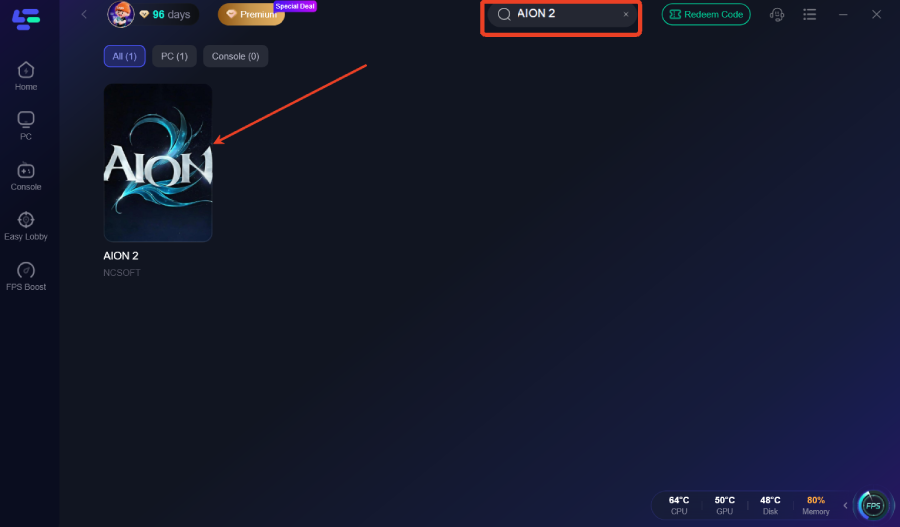
Step 2: Open LagoFast and search for AION 2 in the search bar.
Step 3: Locate and click the One-Click DLSS tool on the game page.
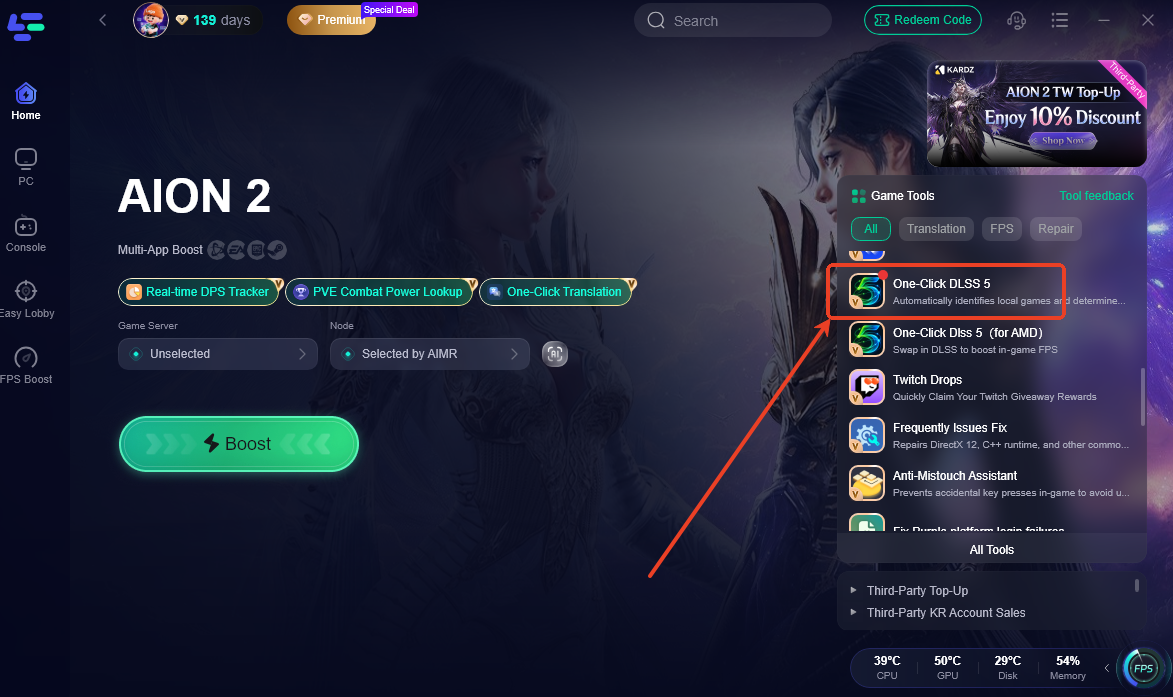
Step 4: Select AION 2 and click Enable DLSS 5. LagoFast will automatically verify GPU compatibility, download the required files, and configure your settings.
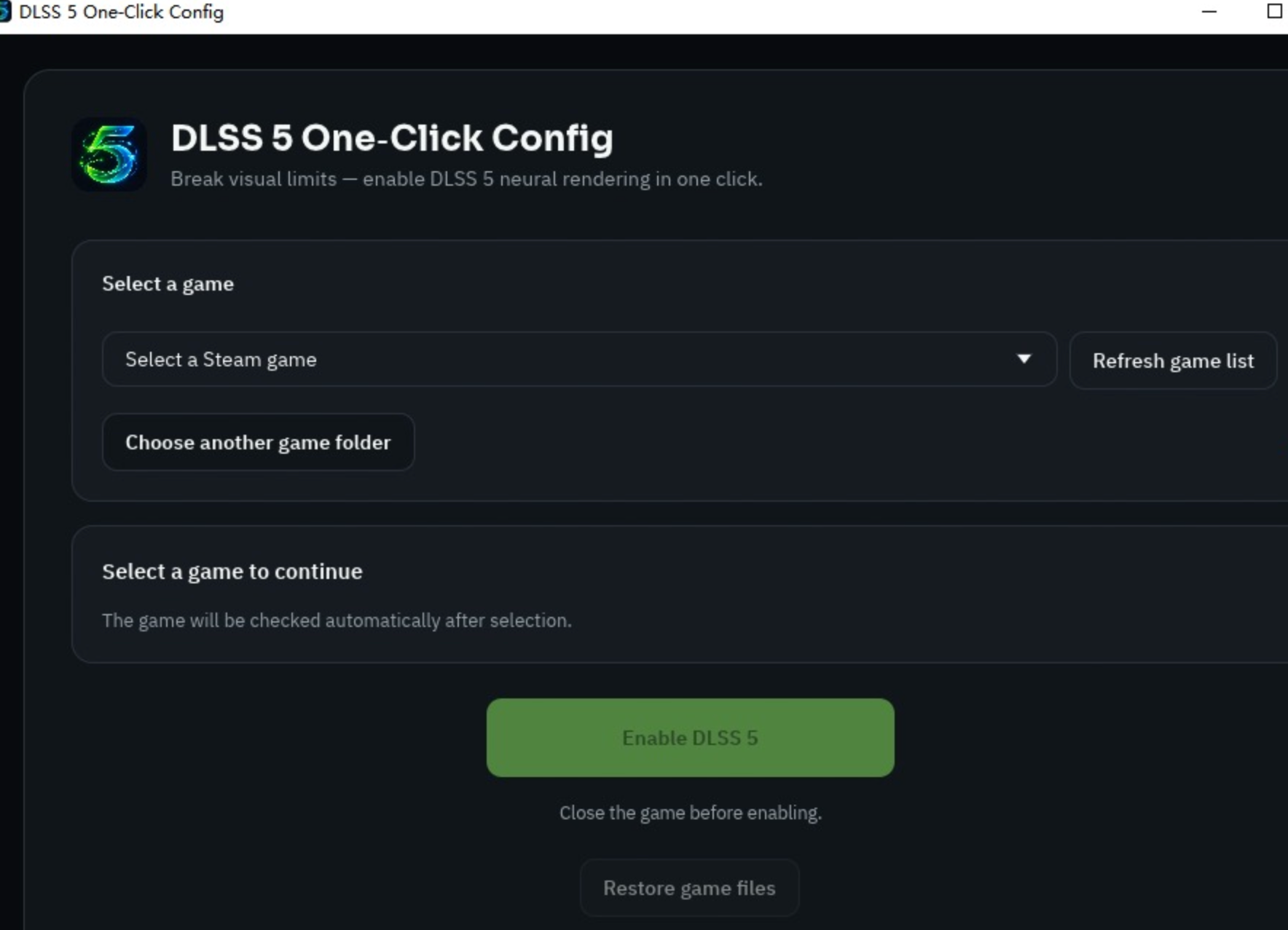
Step 5: Launch AION 2 directly through LagoFast to enjoy boosted FPS and enhanced visual fidelity.
Part 7: Should You Use DLSS 5 in AION 2?
Determining whether to enable DLSS 5 depends on your hardware configuration, monitor resolution, and performance goals during competitive gameplay.
The evaluation table below highlights performance outcomes across key gaming scenarios:
|
Gaming Scenario |
Native Resolution (DLSS Off) |
DLSS 5 Enabled |
Recommended Decision |
|
Image Quality & Clarity |
Clear static details, but thin edges blur during fast camera panning |
AI neural reconstruction sharpens texturing, spell effects, and armor details |
Enable DLSS 5 Quality Mode for visual fidelity |
|
FPS & Thermal Load |
Heavy GPU stress leading to frame dips at 4K resolution |
Frame rates increase significantly by 60% to 120% while lowering thermal output |
Highly recommended for 1440p and 4K gaming |
|
MMO & Large-Scale PvP |
Severe micro-stuttering during crowded castle sieges with hundreds of players |
Delivers stable frame pacing and fluid movement in massive guild battles |
Essential setting for competitive PvP play |
Part 8: AION 2 DLSS 5 FAQs
Find direct answers below to the most frequently asked questions regarding AION 2 upscaling features and GPU compatibility.
Does AION 2 support DLSS 5 on release?
AION 2 is officially confirmed as a DLSS 5 title. However, the exact DLSS 5 rollout date within the game client will be announced by NCSoft closer to the October 5, 2026 launch window.
Does LagoFast support RTX 30 series GPUs for AION 2 optimization?
Yes, LagoFast supports RTX 20, 30, 40, and 50 Series graphics cards, providing one-click DLSS setup, FPS boosting, and network ping reduction for AION 2 players.
How to enable DLSS 5 AION 2 on unsupported graphics cards?
Non-RTX graphics cards cannot run DLSS 5 neural rendering. Players using AMD Radeon or Intel Arc GPUs must activate alternative upscaling modes like FSR or XeSS inside the AION 2 graphics menu.
Is AION 2 DLSS 5 RTX 40 supported with full frame generation?
RTX 40 Series GPUs support DLSS 5 AI Super Resolution upscaling and DLSS 3 Frame Generation. However, multi-grid neural frame synthesis remains exclusive to RTX 50 Series hardware.
What is AION 2 neural rendering?
Neural rendering is an AI-driven graphics technique introduced in DLSS 5 that reconstructs lighting, shadows, and reflective surfaces in real-time, reducing visual noise during complex spell casting.
Can AION 2 DLSS 5 RTX 30 cards use frame generation?
No, RTX 30 Series GPUs do not feature optical flow hardware required for frame generation, but they fully support DLSS 5 AI Super Resolution upscaling.
Conclusion
AION 2 combines high-fidelity Unreal Engine 5 graphics with intense MMORPG combat, making Nvidia DLSS 5 a vital tool for optimizing performance. Whether you are gaming on a flagship RTX 50 card or an RTX 40 or 30 series GPU, activating DLSS 5 delivers significant frame rate improvements during large-scale battles. Utilizing a game booster like LagoFast ensures seamless graphics configuration while keeping network ping low, giving you a smooth, competitive edge across all open-world encounters.
Boost Your Game with LagoFast for Epic Speed
Play harder, faster. LagoFast game booster eliminates stutter and lags on PC, mobile, or Mac—win every match!
Quickly Reduce Game Lag and Ping!
Boost FPS for Smoother Gameplay!