
Delta Force Mobile has taken the mobile gaming world by storm, offering players an immersive and action - packed first - person shooter experience. In this fast - paced game, every advantage counts, and one of the most crucial elements is having a comprehensive understanding of the game environment. This is where the Delta Force Mobile Interactive Maps and the Delta Force Mobile Map Tool come into play. In this article, we'll explore how these tools can enhance your gameplay and introduce you to the best - in - class LagoFast Game Booster, which offers a suite of features to take your Delta Force Mobile gaming to the next level.
Korean Version: 델타포스 모바일 지도 도구 - 모든 포인트 쉽게 파악하기

- ✅ Reduce Lag and High Ping.
- ✅ Boost FPS at the Same Time.
- ✅ Delta Force Map Tool
- ✅ Custom Your Own Crosshair
- ✅ Download Delta Force Mobile Easily From Anywhere
Part 1. Delta Force Mobile Overview
Part 2. How to Get Delta Force Mobile Interactive Map - Best Map Tool
Part 3. Enhance Your Delta Force Mobile Gaming Experience with LagoFast
Part 1. Delta Force Mobile Overview
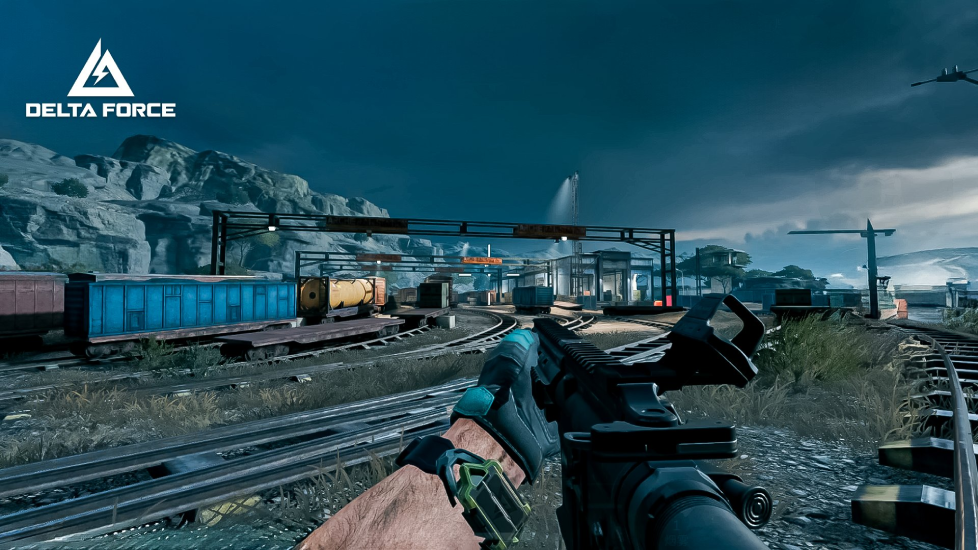
Delta Force Mobile is a high - octane first - person shooter that thrusts players into intense combat scenarios. With its realistic graphics and immersive sound effects, it replicates the thrill of real - world military operations. The game offers a diverse range of missions, from covert infiltrations to all - out battles. Its multiple maps, each with distinct terrains like deserts, jungles, and urban landscapes, demand players to adapt their strategies constantly.
Why you Need a Map in Delta Force Mobile
In Delta Force Mobile, a map is not just an accessory but a strategic necessity. In PvP battles, it helps you anticipate enemy movements. For example, in a large - scale urban map, you can use the map to identify key chokepoints where enemies are likely to pass through, allowing you to set up ambushes. In PvE, it's crucial for survival. Maps reveal supply points where you can restock vital items, and knowing extraction points ensures a safe getaway after completing a dangerous mission.
Part 2. How to Get Delta Force Mobile Interactive Map - Best Map Tool
LagoFast Mobile offers an outstanding Delta Force Map Tool that stands out from the competition. This tool provides a detailed and interactive view of all the maps in Delta Force Mobile.
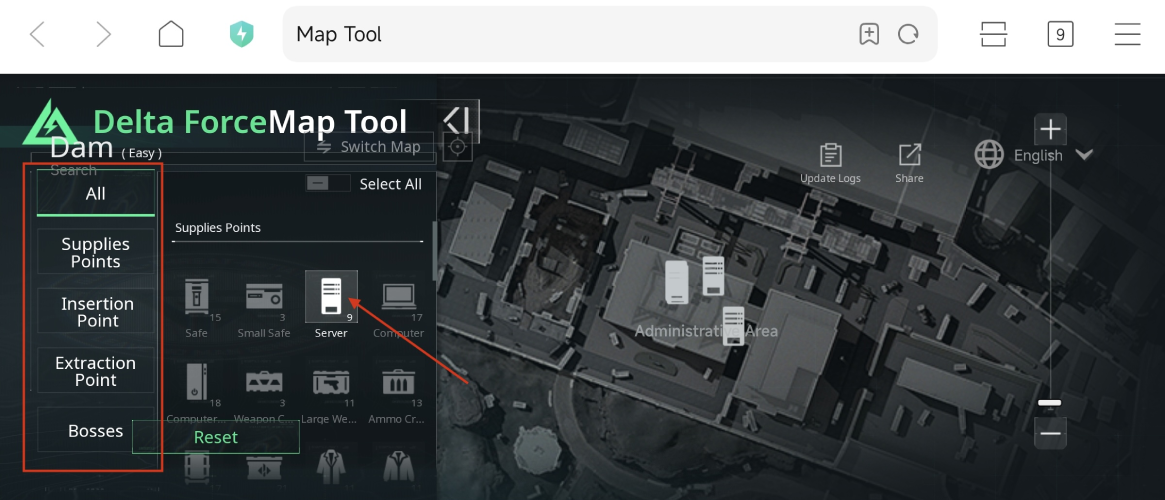
With LagoFast's Delta Force Map Tool, you can easily view supplies points, clearly marked for quick access. This means you can plan your routes to ensure you never run out of essential items during a crucial battle. The insertion points are also prominently displayed, allowing you to choose the most advantageous entry point based on the mission requirements and the enemy's likely defenses. Similarly, extraction points are highlighted, giving you a clear path to safety once your objective is complete.
One of the most useful features is the ability to locate boss points. In Delta Force Mobile, bosses are formidable opponents, and knowing where they are likely to appear gives you time to prepare, gather the right weapons, and coordinate with your team. LagoFast's map tool presents this information in a simple and straightforward manner, making it accessible even to new players. The tool's interface is user - friendly, with clear icons and labels, so you can quickly find the information you need without getting distracted during gameplay.
How to Get Interactive Map in Delta Force Mobile with LagoFast:
Step 1: Open LagoFast official website and download LagoFast mobile APK file on your mobile.

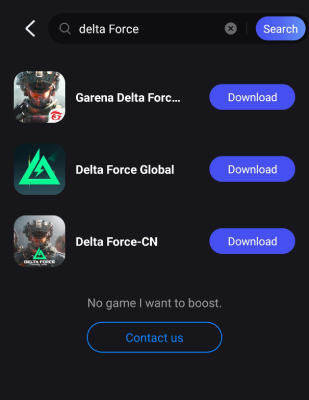
Step 2: Find Delta Force Global in LagoFast Mobile. If you haven't downloaded it, you can use LagoFast to download Delta Force Mobile.
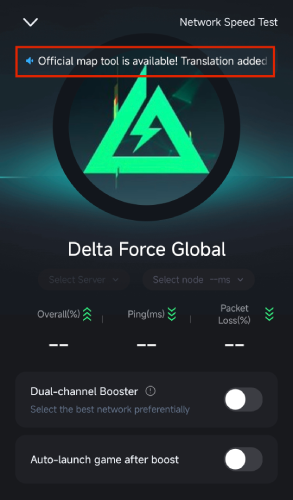
Step 3. Find the announcement in Delta Force Global. Tap it to open the map.
- Change Language:
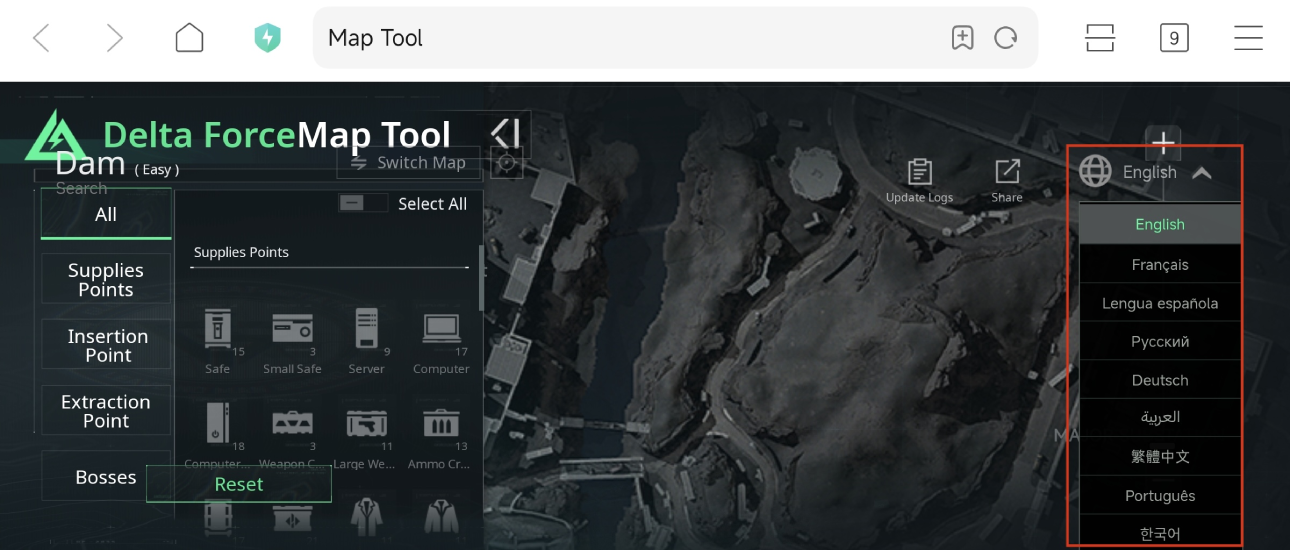
- Switch Maps:
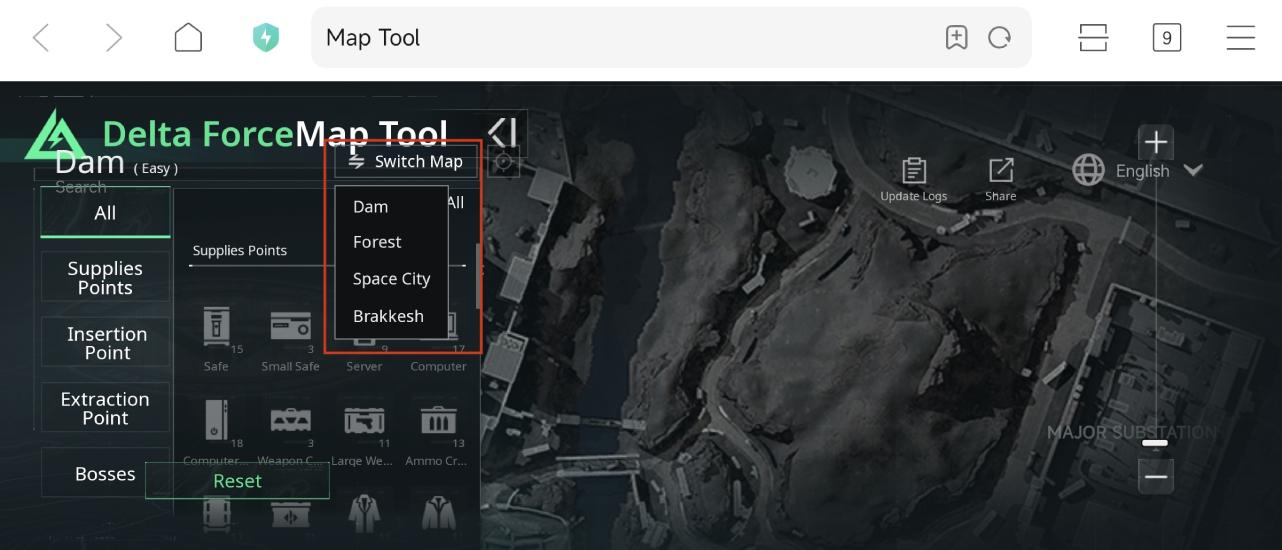
- Find Resources:
Use the quick search bar to know where the locations are.
Part 3. Enhance Your Delta Force Mobile Gaming Experience with LagoFast
Get Smooth Gaming in Delta Force Mobile with LagoFast
Lag and low FPS are common issues that can severely impact your Delta Force Mobile gaming experience. LagoFast is designed to address these problems head - on.
Lag can make your character's movements feel unresponsive, causing you to miss crucial shots or be unable to dodge enemy attacks in time. LagoFast's advanced technology optimizes your network connection, reducing lag significantly. It does this by analyzing your network traffic and finding the most efficient routes for data transfer. This ensures that your commands reach the game server quickly and that the game's responses are received without delay.
Low FPS can result in a choppy and unsmooth gameplay experience, making it difficult to aim accurately. LagoFast boosts your FPS by optimizing your device's resources. It closes background applications that might be consuming valuable CPU and GPU power, allowing your device to focus all its resources on running Delta Force Mobile smoothly. This means you can enjoy a buttery - smooth gaming experience, with every shot and movement feeling fluid and precise.
How to Boost Delta Force Mobile with LagoFast:
Step 1: Download LagoFast Mobile Booster
Step 2: Search Delta Force: Hawk Ops Global and click the result.
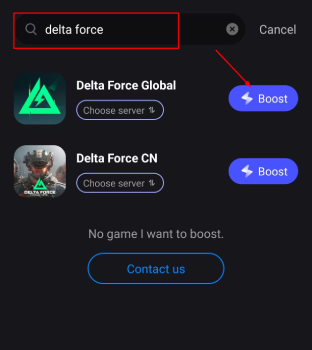
Step 3: Choose the Server you like, then click the Boost button.
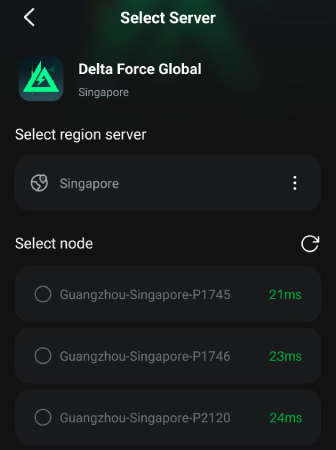
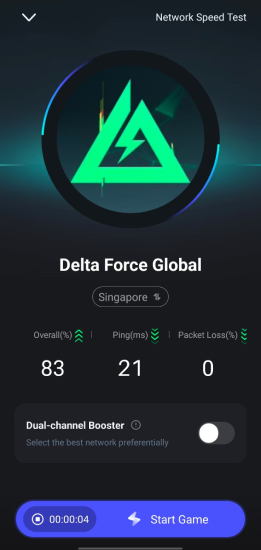
Step 4: After completing the above network optimization settings, the FPS drops issue will be easily resolved.
Custom Your Crosshair in Delta Force Mobile
LagoFast is on the verge of revolutionizing your Delta Force Mobile experience with its soon - to - launch custom crosshair tool. In shooting games, a well - tuned crosshair is key to better accuracy, and LagoFast's tool will let you personalize yours. You can pick from a range of colors, from vivid ones for high - contrast aiming to subdued tones for a less - intrusive view. Shape options span from basic dots to intricate crosses or circles. Adjusting the size is also possible, suiting those who prefer a larger, more visible crosshair, and others who need a smaller, more precise one.
LagoFast has a proven track record of providing excellent crosshair custom tools for other popular shooting games such as Black Ops 6, Valorant, and Escape from Tarkov. Now, Delta Force Mobile players can expect the same top-notch quality. Whether you're a pro or a newbie, this new feature is bound to up your game.
How to Use the LagoFast Crosshair Tool in Delta Force Mobile:
1. Open the app and locate Delta Force in the game list.
2. Access the FPS Aiming Aid Tool.
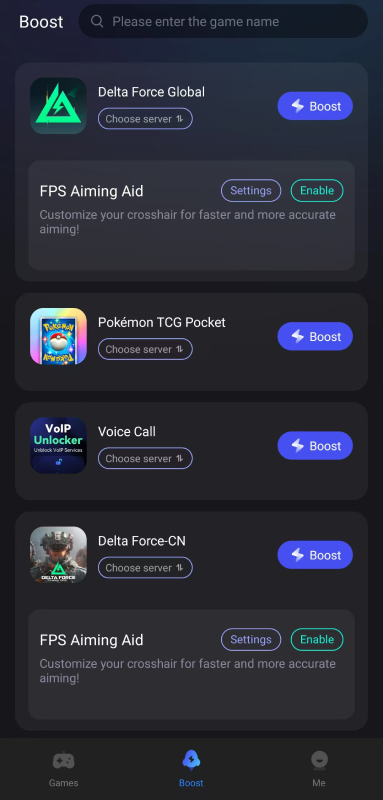
3. Customize your crosshair settings, including color (e.g., cyan or magenta for visibility), thickness (2-3), and opacity (75-100%).
4. Enable the customized crosshair for improved aiming.
Conclusion
Delta Force Mobile Interactive Maps and the Delta Force Mobile Map Tool, especially those provided by LagoFast, are essential for any serious Delta Force Mobile player. The detailed maps help you navigate the game's complex environments, locate crucial points, and gain a strategic advantage. LagoFast's additional features, such as lag reduction, FPS boost, and the upcoming custom crosshair tool, further enhance your gaming experience. By using these tools, you can improve your performance, have more fun, and become a more formidable player in the world of Delta Force Mobile. So, don't miss out on these game - changing features and start optimizing your Delta Force Mobile gameplay today.

Boost Your Game with LagoFast for Epic Speed
Play harder, faster. LagoFast game booster eliminates stutter and lags on PC, mobile, or Mac—win every match!
Quickly Reduce Game Lag and Ping!
Boost FPS for Smoother Gameplay!