
In the vast and action - packed universe of Helldivers 2, players from around the globe unite to battle against overwhelming odds. As the game's popularity soars, the need for effective communication and understanding becomes crucial. This is where the Helldivers 2 Game Translation Tool steps in, acting as a bridge that connects players of different linguistic backgrounds, enhancing the overall gaming experience.

- ✅ Reduce Lag and High Ping
- ✅ Boost FPS at the Same Time
- ✅ Fix Failed To Connect To Server
- ✅ Fix Helldivers 2 Server Issues
- ✅ Support 2000+ Online Games
Part 1. Why do You Need Translation Tool in Helldivers 2
Part 2. Best Helldivers 2 Game Translation Tool
Part 3. Enhance Your Gaming Experience with LagoFast
Part 1. Why do You Need Translation Tool in Helldivers 2
Helldivers 2 is a cooperative shooter that thrives on teamwork. In the heat of the battle, whether you're coordinating a complex mission with your squad to defend against alien hordes or working together to complete objectives, clear communication is the key to victory. However, with players joining from every corner of the world, language barriers can quickly emerge.
In addition, the recent alien villains invaded several major cities on Earth, and players formed teams to resist and fight according to the server's ownership. At present, several major cities in the west are basically falling, including New York, so many European and American players come to Asia to help protect the safest Shanghai. In this case, Chinese translation is essential. A reliable Helldivers 2 Game Translation Tool breaks down these barriers, ensuring that every player can contribute their ideas and skills effectively, regardless of their native language.
Part 2. Best Helldivers 2 Game Translation Tool
Among the various translation tools available for gaming, LagoFast Game Booster stands out as an excellent choice for Helldivers 2 players. It offers two main translation features that are tailored to meet the needs of gamers in real - time.
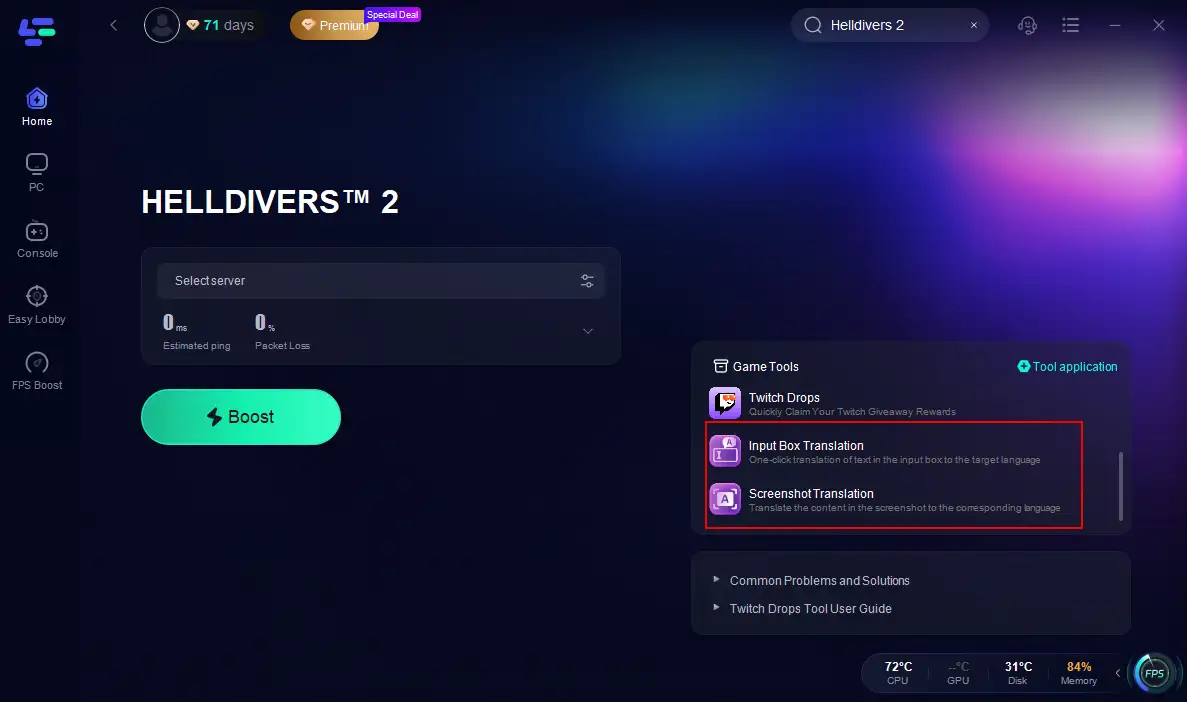
Input Box Translation Tool
LagoFast's Input Box Translation Tool is a game - changer. It supports a vast majority of languages, allowing players to type in their native language and have it instantly translated into the language of their team members. Its seamless translation process enables quick and efficient communication, keeping the flow of the game intact.
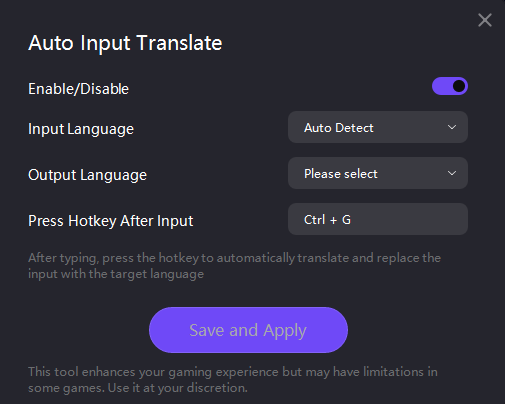
Screenshot Translation
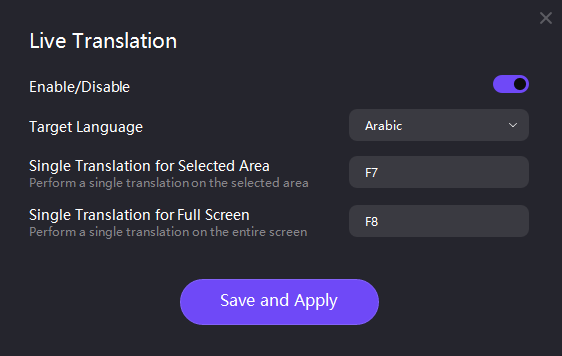
The Screenshot Translation feature of LagoFast takes translation to another level. It supports an even more extensive list of languages, including English, Russian, Arabic, Turkish, Portuguese (Portugal), Portuguese (Brazil), Thai, Vietnamese, Indonesian, French, Spanish, Japanese, German, Italian, Korean, Simplified Chinese, Traditional Chinese, Polish, Persian, and Dutch. Suppose you come across an important in - game message, a mission briefing, or a sign in a foreign - language - only area of the game. With LagoFast, you can take a screenshot of the text, and the tool will translate it accurately. This is particularly handy when you need to understand crucial information that is not easily translatable through the input box, such as complex in - game documents or enemy - specific messages.
Part 3. Enhance Your Gaming Experience with LagoFast
Beyond its remarkable translation capabilities, LagoFast offers a plethora of features that can significantly enhance your Helldivers 2 gaming experience.
At its core, LagoFast is a powerful game booster. It optimizes your network connection, reducing lag and latency. In Helldivers 2, a smooth and stable connection is essential. LagoFast achieves this by intelligently routing your game traffic, bypassing congested network nodes. This results in a more responsive gameplay, allowing you to move, shoot, and strategize without the frustrating delays that often accompany a poor network connection.
How to Use LagoFast to Boost Helldivers 2:
Step 1: Click on the Free Trial button.
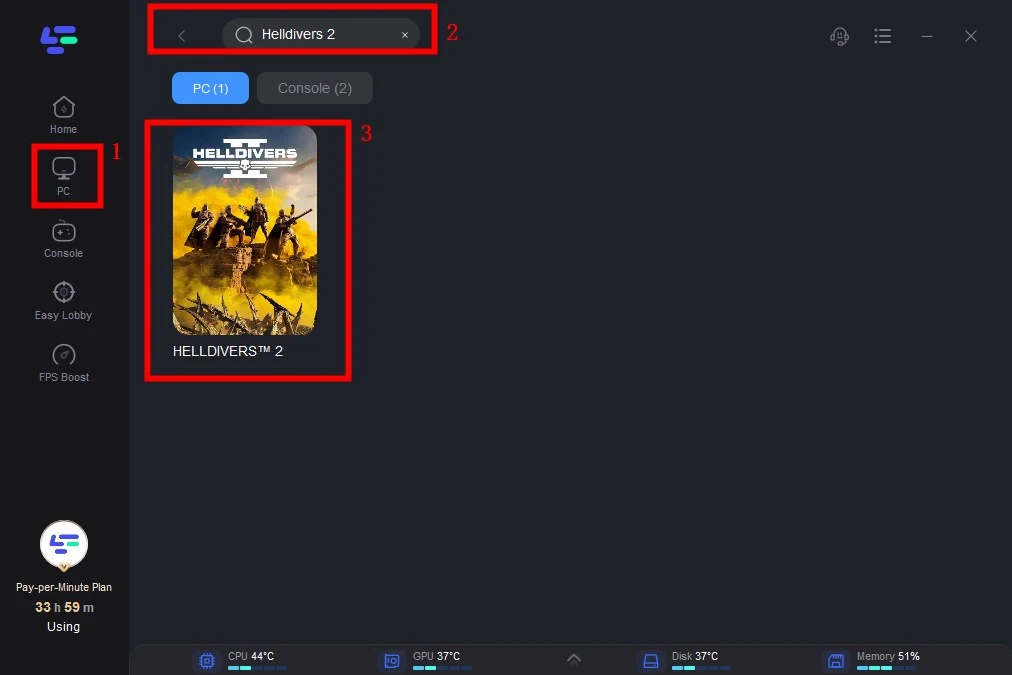
Step 2: Click the Game Boost Button on the left and search Helldivers 2 in the top search bar.
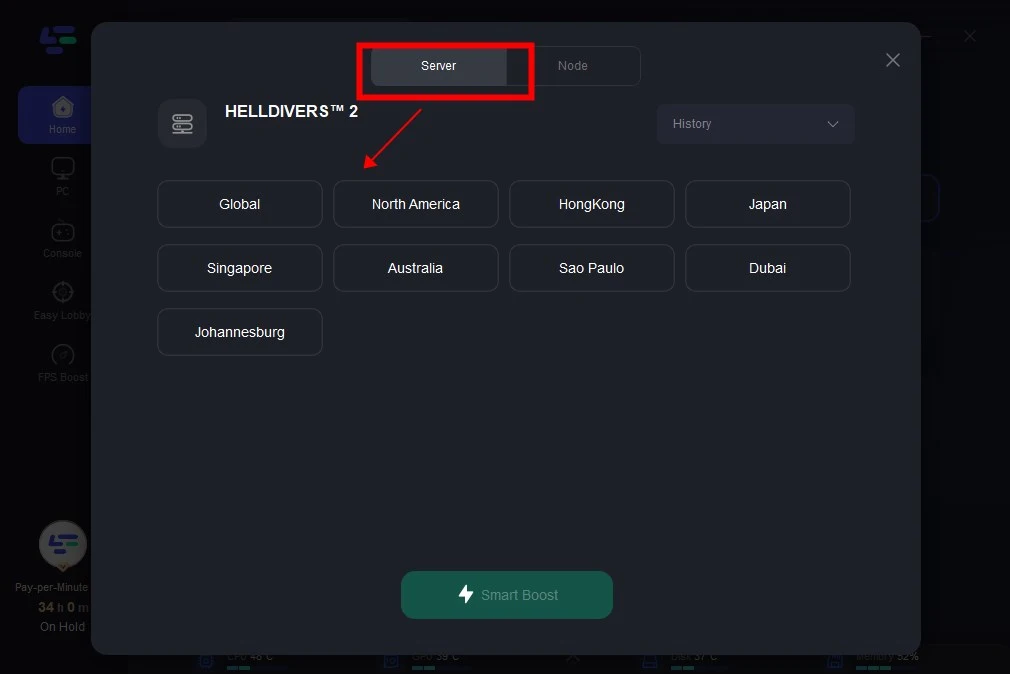
Step 3: Click on Select Server to change server, then click on the Node on the right, select a good Node, and then click the Smart Boost button.
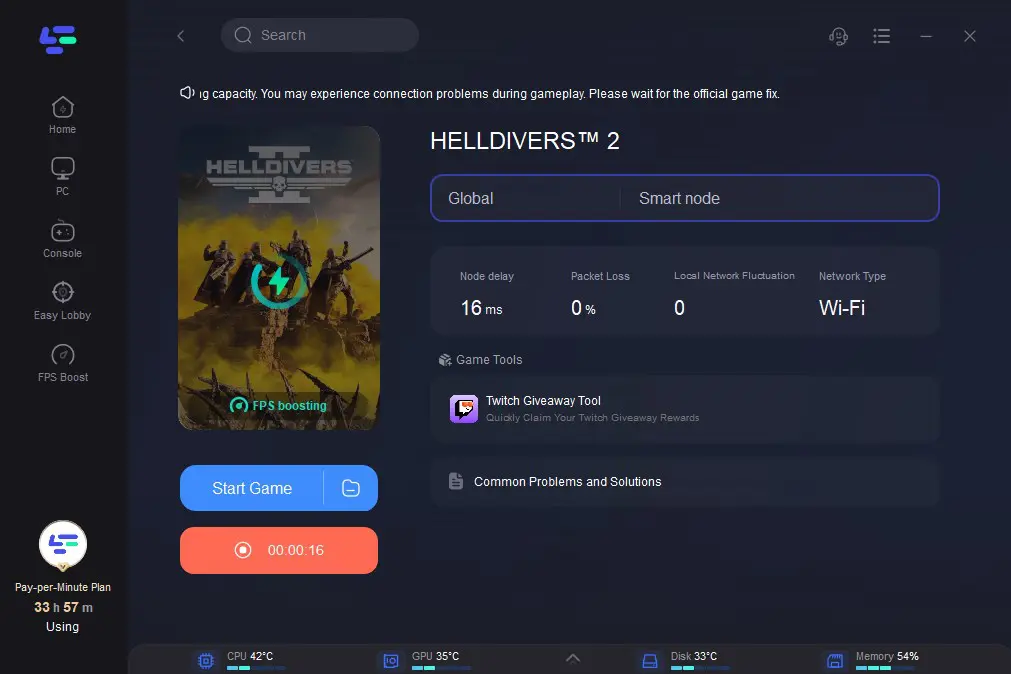
Step 4: By clicking the Smart Boost button, specific game ping, packet Loss, and network type are shown on the right side. Finally, click the Start Game button to play the game.
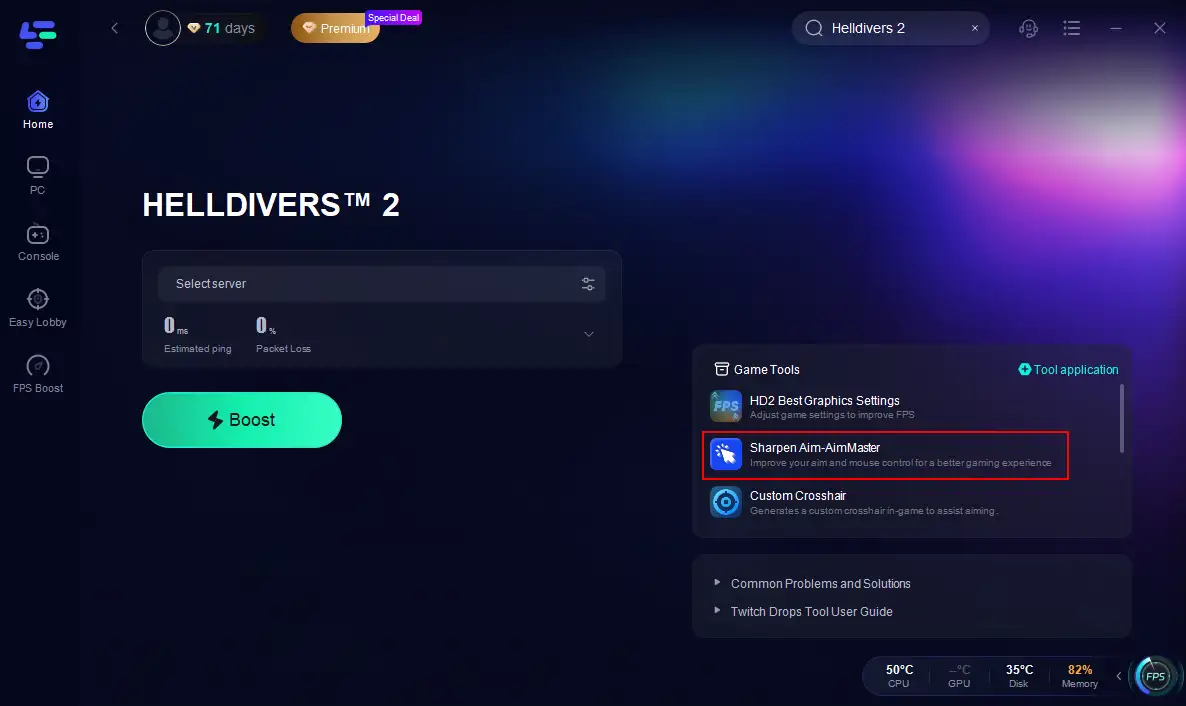
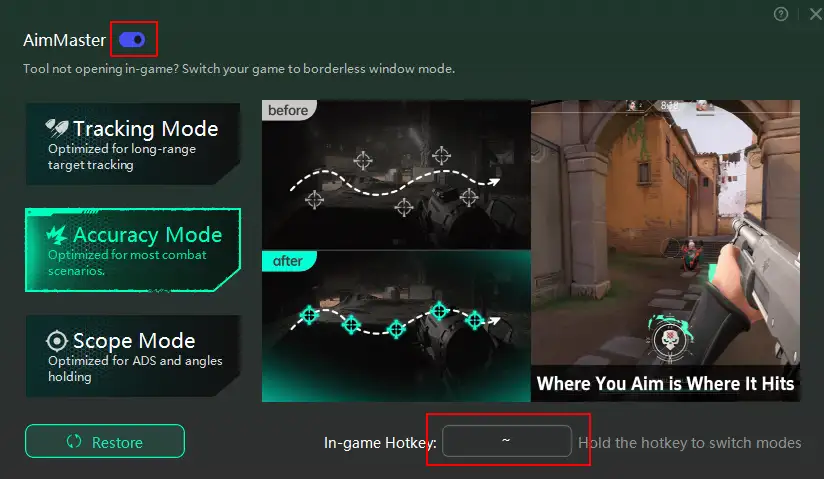
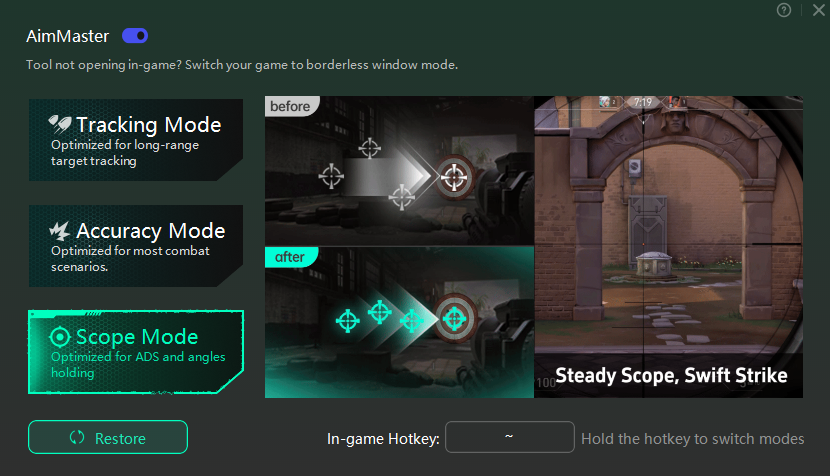
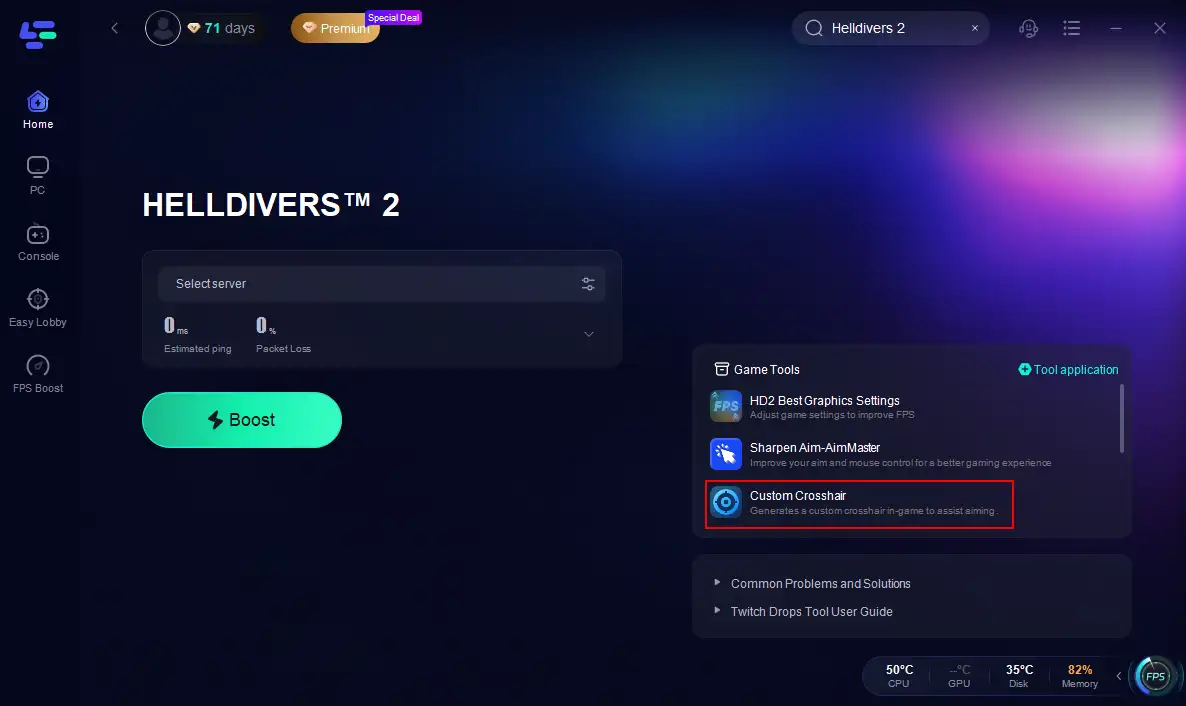
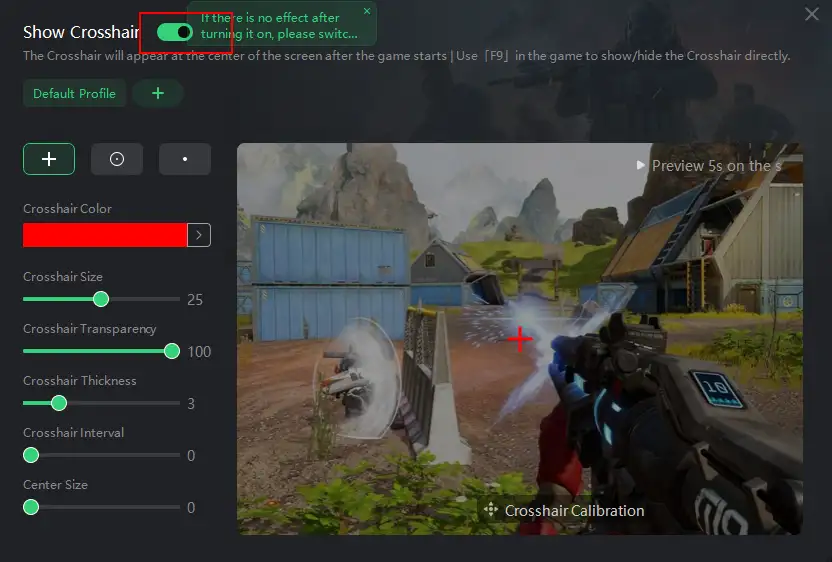
LagoFast also offers an aiming assist. It provides two tools: Aim Master and the Custom Crosshair tool. The aim master tool offers three modes to choose:Tracking Mode, Accuracy Mode and Scope Mode, making you more accurate in combat. And the custom crosshair tool helps you to adjust the crosshair according to your preferences.
How to Get Aim Master Tool with LagoFast:
Step 1. Click the Aim Master tool on the right.
Step 2. Choose your hotkey, turn on the tool.
How to Customize Crosshair in Helldivers 2:
Step 1. Click the Custom Crosshair tool on the right.
Step 2. Adjust the settings according to your preferences.
You May Like: Best Helldivers 2 Graphics Settings: Step-by-Step Guide
Conclusion
In conclusion, the Helldivers 2 Game Translation Tool, especially LagoFast Game Booster, is an essential addition to any player's toolkit. It not only overcomes the language barriers that can impede teamwork and communication in the game but also offers a range of other features to enhance gameplay. With its Input Box Translation Tool, Screenshot Translation, game - boosting capabilities, and Aim Setting function, LagoFast enables players to fully immerse themselves in the world of Helldivers 2, regardless of their language or gaming skill level. So, if you want to take your Helldivers 2 experience to the next level, don't hesitate to give LagoFast a try.

Boost Your Game with LagoFast for Epic Speed
Play harder, faster. LagoFast game booster eliminates stutter and lags on PC, mobile, or Mac—win every match!
Quickly Reduce Game Lag and Ping!
Boost FPS for Smoother Gameplay!