
If you’ve been trying to start Crimson Desert but keep seeing errors like “login failed,” “failed to join the game,” or the game simply won’t launch, you’re not alone. Many players run into these issues during updates, server congestion, or due to local system problems. When all you want to do is jump into the world and play, being stuck at the login screen can be incredibly frustrating.
This guide explains what these errors mean, why they happen, and the most effective ways to fix them, so you can get back into the game as quickly as possible.

- ✅ Reduce Lag and High Ping.
✅ Boost FPS at the Same Time.
✅ Support 2000+ Popular Online Games.
✅ Change Server without Latency.
✅ Boost Game Loading Speed.
Part 1: What “Crimson Desert Login Failed” Means
Part 2: Why Crimson Desert Unable to Join the Game Happens
Part 3: How to Fix Crimson Desert Login Failed
Part 1: What “Crimson Desert Login Failed” Means
When players see messages like Crimson Desert login failed, failed to join the game, or unable to enter the game, it usually means the game client cannot successfully connect to the servers.
Common variations of this issue include:
- The game launches but gets stuck on the login screen
- An error message appears saying “failed to join the game”
- The game won’t launch at all or closes immediately
- Players are logged in but cannot enter the game world
In most cases, these errors are related to server communication issues, unstable network connections, or local system configuration problems, rather than a permanent account issue.
Part 2: Why Crimson Desert Unable to Join the Game Happens
Several common factors can cause login or launch issues. Understanding them makes troubleshooting much easier.
Server Maintenance or Temporary Server Issues
When developers release patches or updates, the servers may go offline temporarily. During this time players may see:
- Login failed errors
- Failed to join the game messages
- Long loading times or connection timeouts
Checking official announcements or social channels can confirm if servers are temporarily unavailable.
Network Instability
Many login errors happen because the game client cannot maintain a stable connection with the server. Symptoms may include:
- High ping or sudden connection drops
- Packet loss during login
- Game stuck on connecting screen
This is especially common for players connecting to distant servers.
Game Client or System Issues
Sometimes the problem comes from the local system rather than the server. Examples include:
- Missing system components
- Corrupted game files
- Compatibility issues with Windows or graphics drivers
When these happen, the game may fail to launch or crash before reaching the login screen.
Part 3: How to Fix Crimson Desert Login Failed
Fix 1: Use LagoFast to Stabilize Your Connection
Errors like “Crimson Desert login failed” or “unable to join the game” are often caused by unstable network connections such as high ping, packet loss, or poor routing to the game servers. Improving connection stability can often resolve these issues. LagoFast is a game performance platform designed to improve the gaming experience by reducing ping, fixing packet loss, stabilizing network connections, and optimizing routing between players and game servers, helping the game client connect more reliably and reducing login or connection errors.
LagoFast also provides several practical tools that can help resolve common system issues:
- Fix C++ Issue Tool – Repairs missing or damaged Visual C++ components that may prevent games from launching properly.
- Win 11 Lag Fix Tool – Fixes issues where Windows 11 may cause game lag or performance instability.
- DirectX 12 Component Installation Tool – Installs required DirectX components that some modern games rely on.
- Upcoming FPS Boost Tools and Game Crash Fix Tools—Additional utilities will be released in the future to help improve FPS and overall game performance.
These utilities can help address both network-related problems and common system issues, making it easier to launch the game and play without interruptions.
How to Use LagoFast for Crimson Desert
Step 1: Click the Free Trial button to download and install LagoFast.
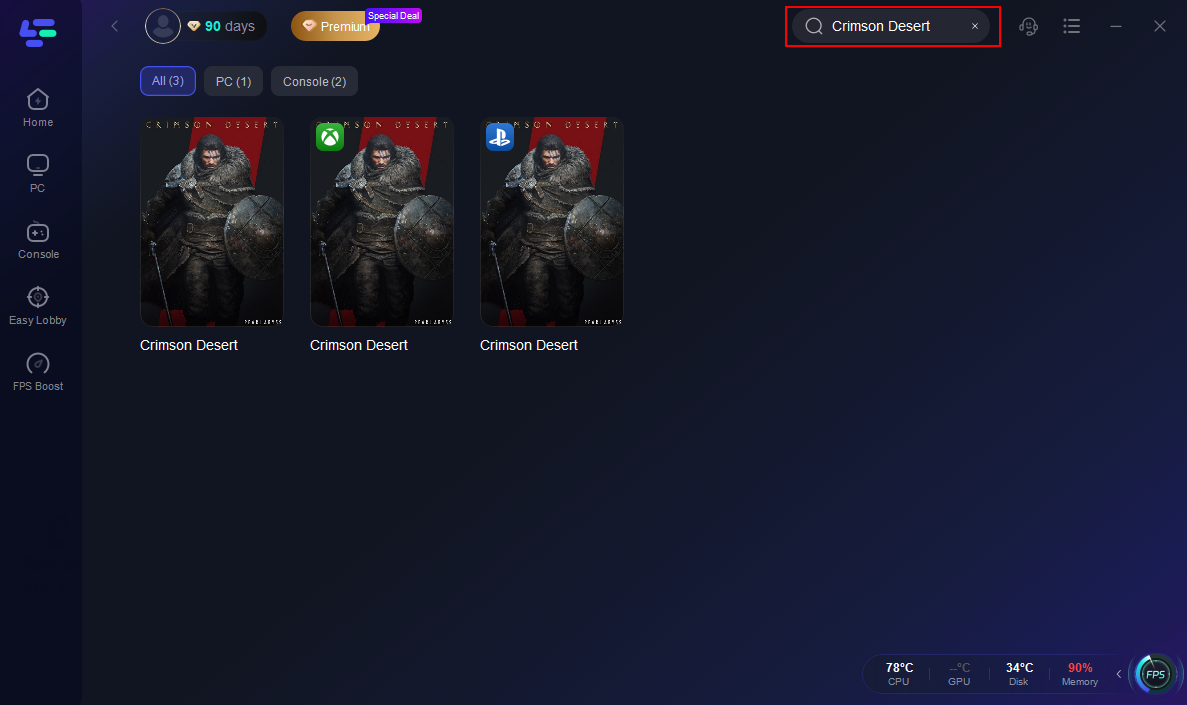
Step 2: After installation, search "Crimson Desert" in the search bar and select the game.
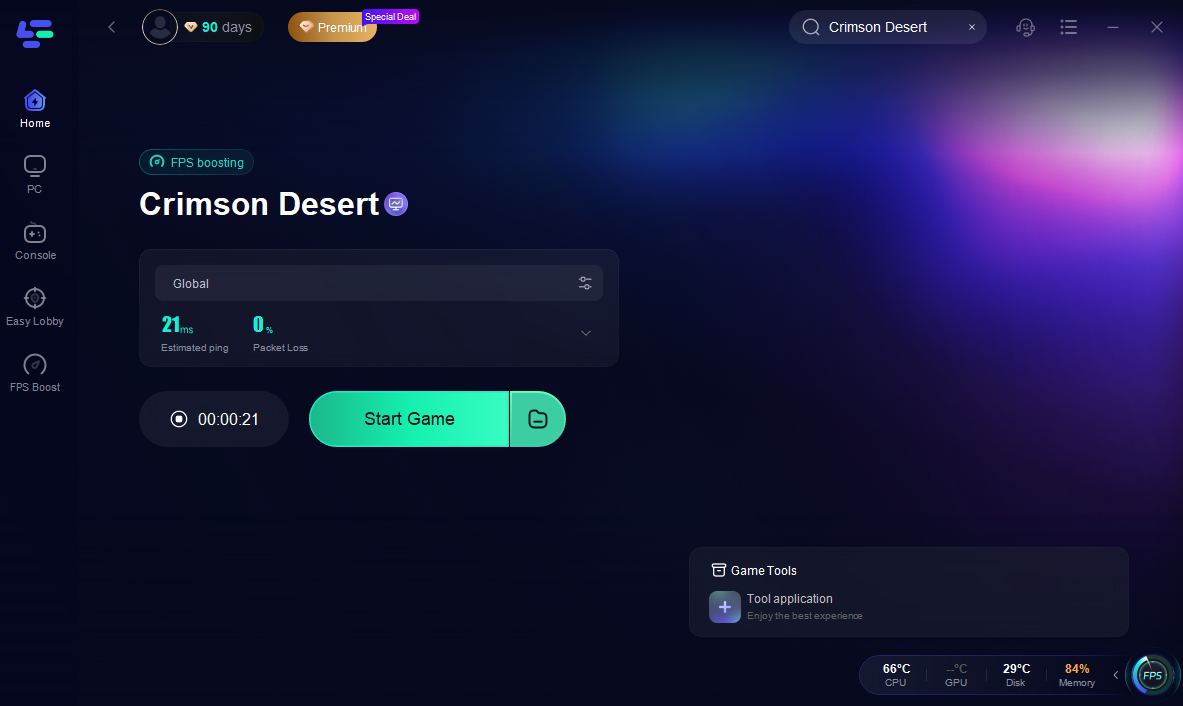
Step 3: Choose your preferred server node and click "Smart Boost" to start optimizing.

Step 4: Launch your game and enjoy smooth, optimized gameplay with lower ping and packet loss.
Fix 2: Check Server Status
Before troubleshooting your PC, make sure the issue isn’t on the server side.
Look for:
- Official patch announcements
- Scheduled maintenance notices
- Community reports of login issues
If servers are down, the only solution is to wait until they come back online.
Fix 3: Verify Game Files
Corrupted or missing files can prevent the game from launching properly.
Steps typically include:
- Open your game launcher (Steam or official launcher).
- Go to Game Properties.
- Select Verify Game Files.
- Allow the launcher to repair any missing data.
This often fixes launch failures or unexpected crashes.
Fix 4: Restart Your Network
Simple network resets can solve connection problems surprisingly often.
Try the following:
- Restart your router or modem
- Switch from Wi-Fi to wired connection
- Disable background downloads or VPNs
This can reduce packet loss and improve connection stability.
Fix 5: Update Drivers and System Components
Outdated drivers or missing runtime libraries can stop games from launching.
Make sure to update:
- Graphics drivers
- Windows system updates
- DirectX and Visual C++ components
Keeping these up to date prevents many compatibility issues.
Conclusion
Running into issues like Crimson Desert login failed, unable to join the game, or the game not launching can be frustrating, especially when you just want to jump in and start playing. In most cases, these problems are caused by temporary server issues, unstable connections, or missing system components. By checking the server status, verifying your game files, updating system drivers, and improving network stability with tools like LagoFast, most players can resolve the issue quickly. Once everything is running smoothly again, you should be able to enter Crimson Desert without those annoying login errors getting in the way.

Boost Your Game with LagoFast for Epic Speed
Play harder, faster. LagoFast game booster eliminates stutter and lags on PC, mobile, or Mac—win every match!
Quickly Reduce Game Lag and Ping!
Boost FPS for Smoother Gameplay!