
If you’ve been stuck in the Duskwood Hill Ruins in Crimson Desert, running around in the fog with no clear idea what to do next, you’re definitely not the only one. This puzzle trips up a lot of players—not because it’s complicated, but because the game barely explains anything and hides key details in low visibility.
In this guide, we’ll break down what the Duskwood puzzle in Crimson Desert actually is, why it feels so frustrating, and most importantly, the fastest way to solve it without wasting time wandering around.

- ✅ Reduce Lag and High Ping.
✅ Boost FPS at the Same Time.
✅ Support 2000+ Popular Online Games.
✅ Change Server without Latency.
✅ Boost Game Loading Speed.
Part 1: What is the Duskwood Puzzle in Crimson Desert?
Part 2: Why the Duskwood Hill Ruins Puzzle Feels So Frustrating
Part 3: Quickest Way to Solve the Crimson Desert Duskwood Hill Ruins Puzzle
Part 1: What is the Duskwood Puzzle in Crimson Desert?
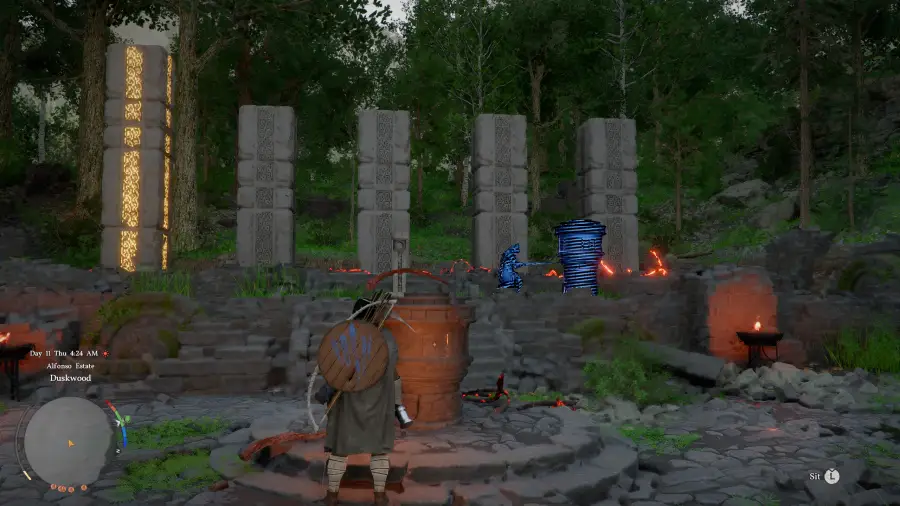
The “Crimson Desert Duskwood Puzzle” usually refers to a set of environmental puzzles found in the Duskwood region (often called the Twilight Forest), especially around locations like the Hill Ruins.
It’s not a single clearly labeled puzzle. Instead, it’s built around interacting with the environment—things like hidden mechanisms, rune-like objects, or subtle visual clues that the game expects you to notice on your own.
Unlike more straightforward puzzles, Duskwood doesn’t give you much guidance. There are no clear instructions or markers, so most of the time you’re figuring things out based on small environmental changes or trial and error.
These puzzles are often connected to exploration, such as revealing parts of the map, unlocking shortcuts, or activating fast travel points. So while they may not always block main progression directly, getting stuck here can slow down your overall exploration quite a bit.
Part 2: Why the Duskwood Hill Ruins Puzzle Feels So Frustrating
Limited Visibility
The main issue isn’t complexity—it’s visibility. Duskwood is covered in fog and low light, making it difficult to spot key objects or paths.
Important elements blend into the environment, and it’s often unclear whether you’re progressing or going in the wrong direction.
Lack of Clear Guidance
The puzzle provides little to no direct instruction. There are no clear markers or prompts to guide you.
Instead, progression depends on subtle environmental changes, which are easy to miss and often lead to unnecessary trial and error.
Impact on Exploration
This puzzle is closely tied to exploration systems, such as map visibility, fast travel points, and route unlocking.
As a result, getting stuck here can slow down your overall progress and disrupt the flow of exploration.
Part 3: Quickest Way to Solve the Crimson Desert Duskwood Hill Ruins Puzzle
In most cases, the puzzle follows a simple pattern: start from the central structure, activate nearby mechanisms, and follow the environmental cues that appear.
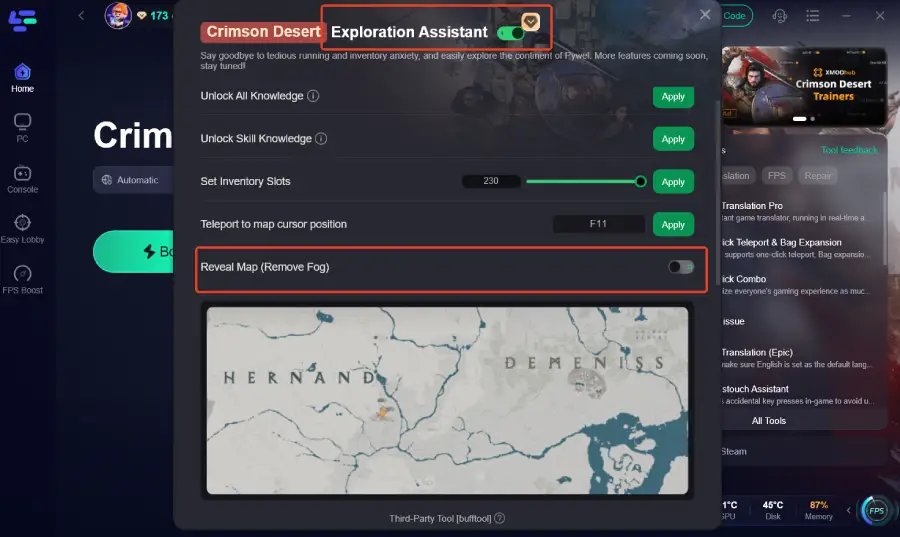
Most players get stuck here not because the puzzle is hard, but because of poor visibility and unclear feedback. You’re often just guessing in the fog. To make things easier, reducing that guesswork is key; LagoFast can help with that. Its One-Click Teleport & Bag Expansion tool includes features like Reveal Map (Remove Fog), which lets you clearly see puzzle elements and paths, along with Unlock All Knowledge, Unlock Skill Knowledge, and other exploration tools that help you see puzzle elements more clearly and understand how everything connects. With better visibility and clearer understanding, you can complete the puzzle much faster without wasting time wandering around.
How to Solve the Crimson Desert Duskwood Hill Ruins Puzzle
Step 1: Click the Free Trial button to download and install LagoFast.
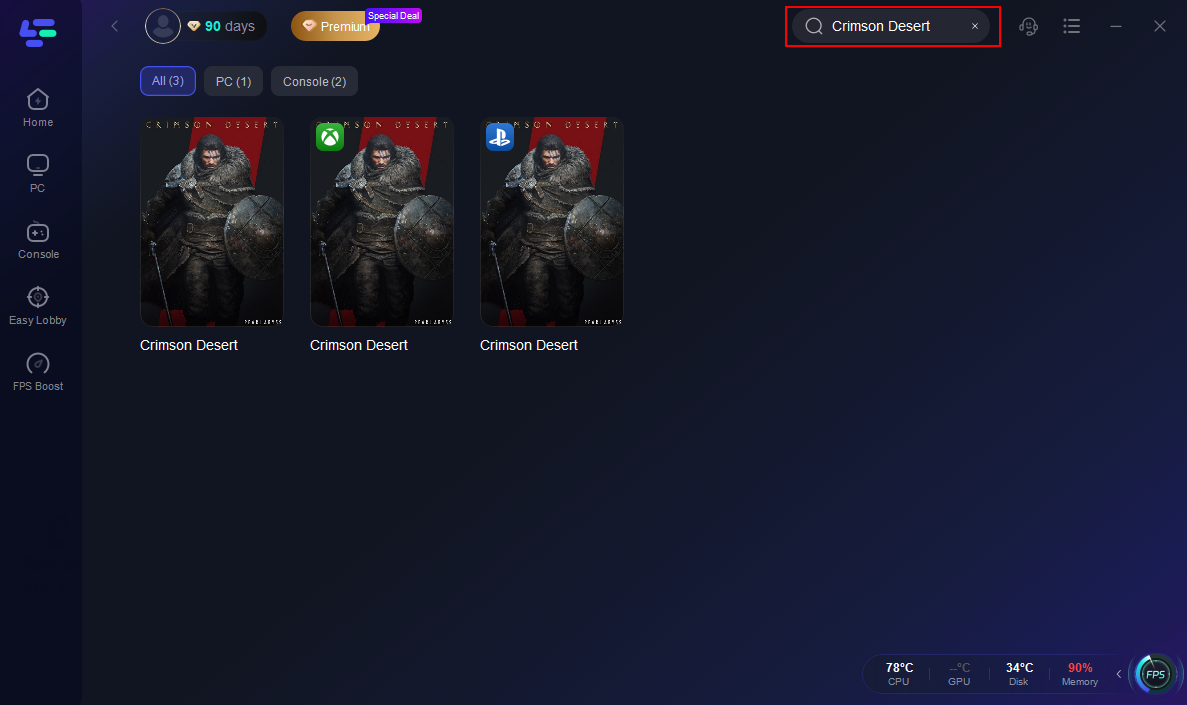
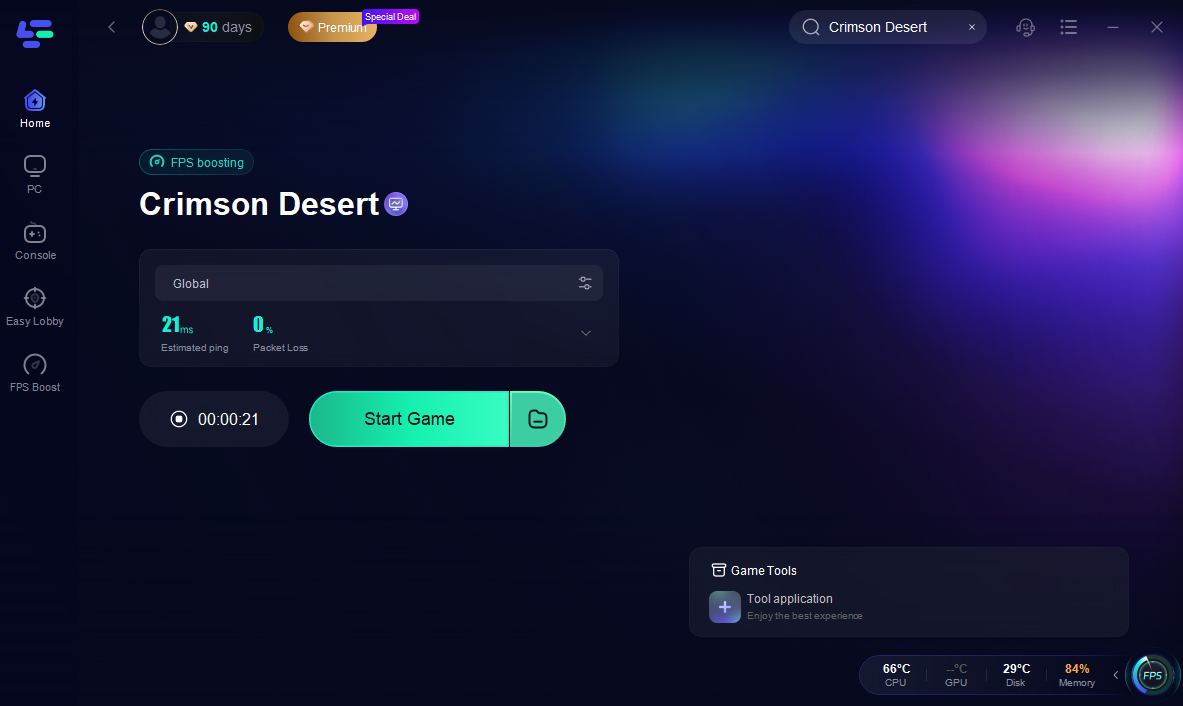
Step 2: After installation, search "Crimson Desert" in the search bar and select the game.
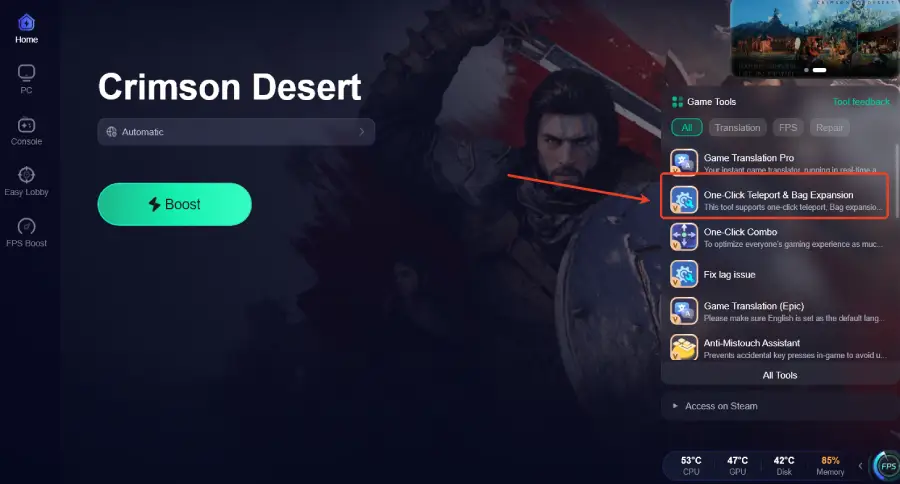
Step 3: Click the One-Click Teleport & Bag Expansion Tool on the right.
Step 4: Click "Exploration Assistant" and select "Reveal Map (Remove Fog)" to clear the fog and make the puzzle easier to solve.
Step 5: Choose your preferred server node and click "Smart Boost" to start optimizing.

Step 6: Launch your game and enjoy smooth, optimized gameplay with lower ping and packet loss.
Beyond the One-Click Teleport & Bag Expansion tool, LagoFast offers a range of features to improve your overall gameplay:
- Stable Connection & Network Optimization: Reduces ping, fixes packet loss, stabilizes your connection, and optimizes routing and FPS for smoother performance.
- Auto Skill Combo & Quick Cast: The combat system in Crimson Desert is complex and timing-heavy. LagoFast’s One-Click Combo tool automates skill sequences, letting you focus on dodging and movement while executing combos flawlessly.
- Real-Time Translation: Pywel is a global community. The translation tool allows you to instantly understand in-game text and menus on international servers.
- Interactive Map & Other Tools: Simplifies navigation, exploration, and planning, enhancing your overall experience in the game.
Conclusion
The Duskwood Hill Ruins puzzle in Crimson Desert isn’t difficult by design—it just lacks clarity and visibility, which makes it easy to get stuck. Once you understand how it works and pay attention to environmental cues, it becomes much more manageable. If you want to avoid wasting time on trial and error, improving visibility and access to information can make a big difference, allowing you to solve the puzzle quickly and continue exploring without unnecessary delays.

Boost Your Game with LagoFast for Epic Speed
Play harder, faster. LagoFast game booster eliminates stutter and lags on PC, mobile, or Mac—win every match!
Quickly Reduce Game Lag and Ping!
Boost FPS for Smoother Gameplay!