
Crimson Desert is an upcoming open-world action RPG known for its large-scale battles, detailed environments, and a vast world to explore. As a next-gen title, it aims to deliver a more immersive and visually rich experience than most traditional RPGs.
But before you dive in, there’s one key question every player will ask: how much space do you actually need? With AAA games getting bigger each year, storage can fill up fast. This guide breaks down the estimated Crimson Desert download size, explains why it’s so large, and shows how to prepare your system before installing.

- ✅ Reduce Lag and High Ping.
✅ Boost FPS at the Same Time.
✅ Support 8000+ Popular Online Games.
✅ Change Server without Latency.
✅ Boost Game Loading Speed.
Part 1: How Many GB Is Crimson Desert?
Part 2: Why Is Crimson Desert So Big in File Size?
Part 3: How to Enhance Your Crimson Desert Gaming Experience
Part 1: How Many GB Is Crimson Desert?
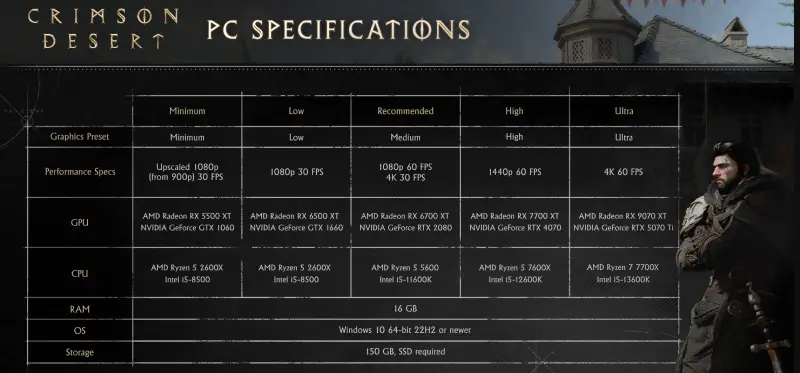
Crimson Desert requires roughly 150 GB of available storage on PC and consoles, based on recent system requirements.
It’s not just the size that matters—the game’s massive, detailed open world also heavily relies on a fast SSD for smooth performance. Without it, expect long load times and stuttering, even if you have enough free space.
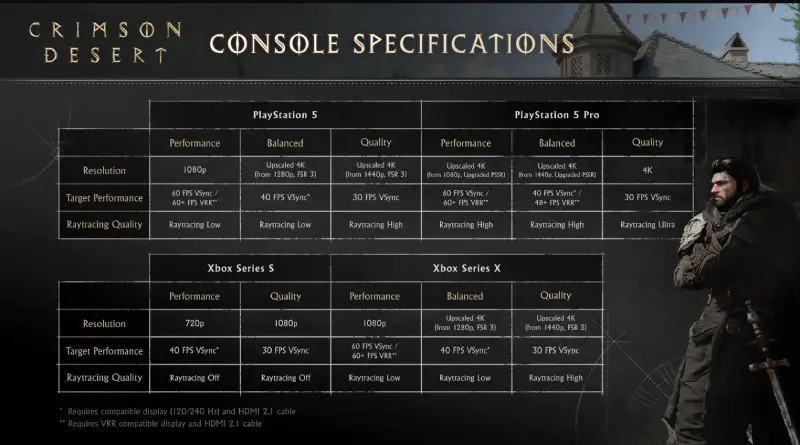
No matter which platform you use, expect a 100GB+ install. Make sure you have enough free space before hitting download.
Crimson Desert: Xbox Download Size
On Xbox Series X/S, the download size sits at about 120.98GB.
It doesn’t seem too bad at first—until you actually install it. Once you do, you’ll notice how quickly it eats into your storage, especially if you already have a few large games installed. For many players, installing this isn’t just a download—it means clearing space first.
Crimson Desert: PS5 Download Size
On PS5, the total size is expected to be a bit smaller, but not by much. You’re still looking at well over 100GB, so don’t expect a huge difference compared to Xbox.
Even if you buy the physical version, you can’t just install and play. There’s still a day-one download of around 48GB, which means you’ll need an internet connection anyway before you can actually start playing.
Crimson Desert pre-download is available before launch, and it’s worth using—installing most of the game early is much better than waiting through a long download on release day.
Related Article: How to Fix Crimson Desert Stuck on Download
Part 2: Why Is Crimson Desert So Big in File Size?
It’s easy to look at a 100GB+ game and think it’s huge—but there’s a reason behind it. Here’s why Crimson Desert takes up so much space:
- A massive, detailed world—The game isn’t just large; every area is packed with environments, NPCs, and little details that make exploration feel alive. All that content takes storage.
- High-quality visuals —expect high-resolution textures, dynamic lighting, and plenty of effects. They make the game look stunning but also eat up a lot of space.
- Optimized for modern hardware—The game uses less compression and more raw assets to run smoothly on next-gen consoles and PCs. Better performance comes at the cost of a larger install size.
Part 3: How to Enhance Your Crimson Desert Gaming Experience
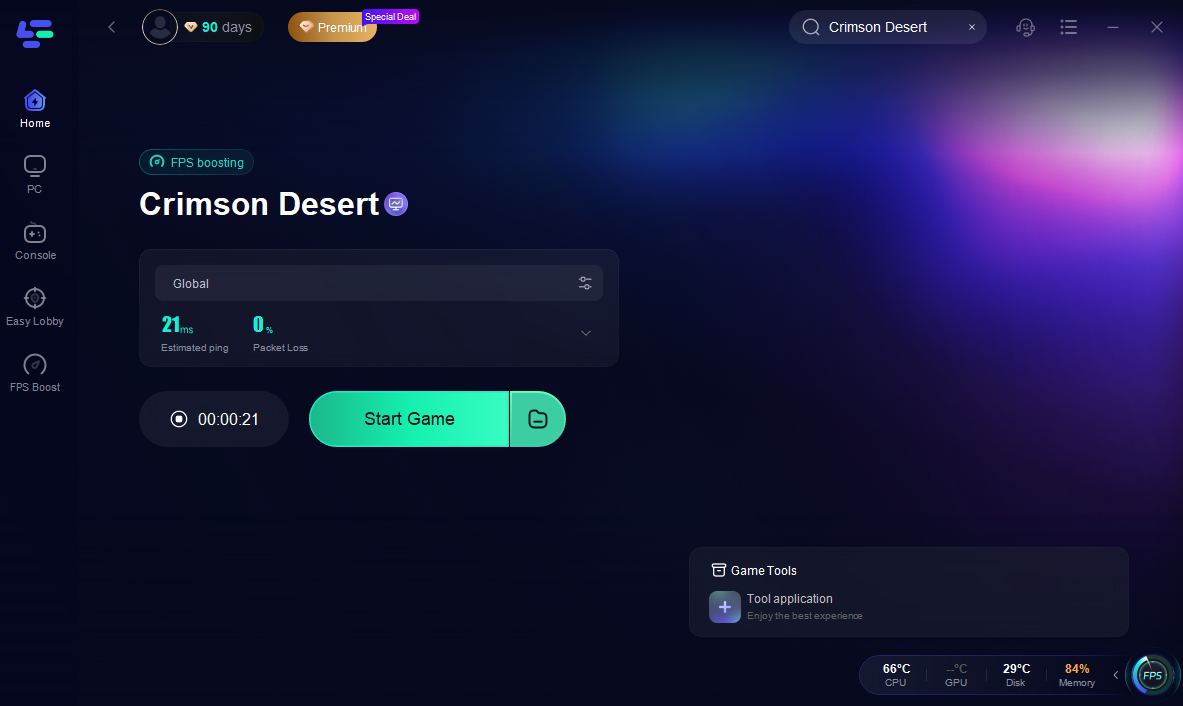
Downloading the game is one thing, but keeping it running smoothly is where problems usually start—high ping, lag spikes, or unstable connections can quickly ruin the experience. Tools like LagoFast Game Booster can help here. It’s a game performance platform designed to stabilize your connection, reduce ping, fix packet loss, and optimize routing, which makes gameplay feel much smoother overall. It also includes useful features like a Windows 11 lag fix and other network tools that can help if you’re dealing with stuttering or slow downloads.
How to Use LagoFast for Crimson Desert
Step 1: Click the Free Trial button to download and install LagoFast.
Step 2: After installation, search "Crimson Desert" in the search bar and select the game.
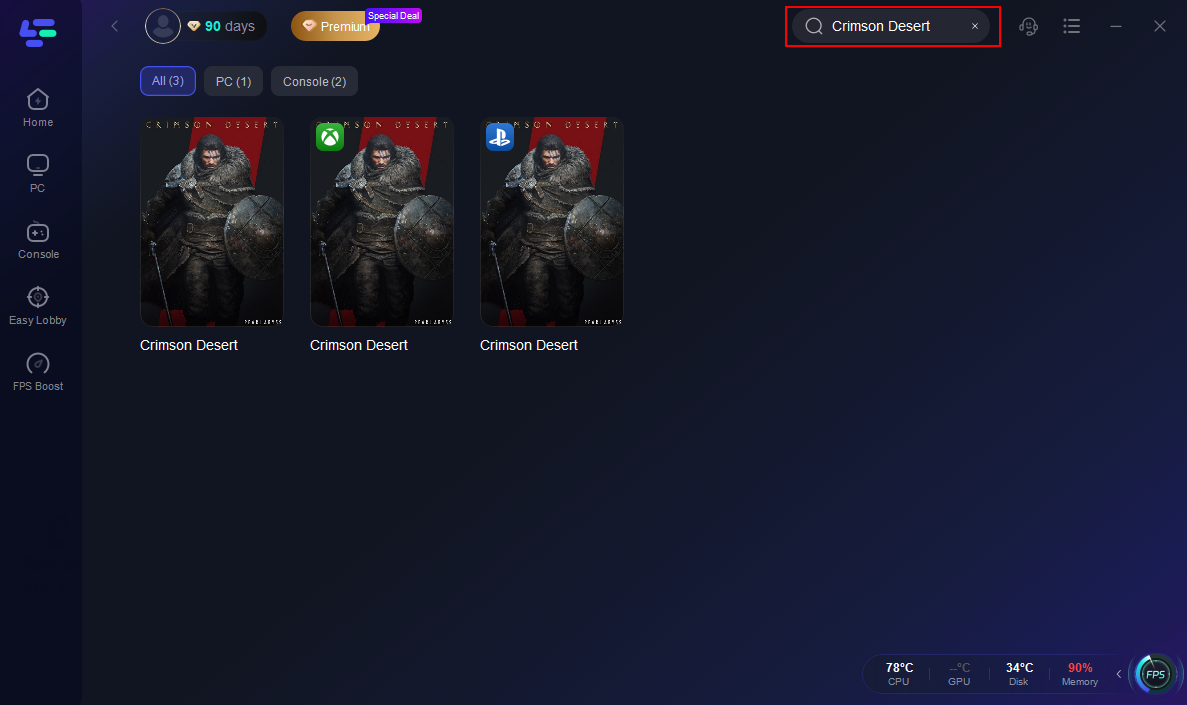
Step 3: Choose your preferred server node and click "Smart Boost" to start optimizing.

Step 4: Launch your game and enjoy smooth, optimized gameplay with lower ping and packet loss.
Part 4: Crimson Desert FAQs
Q1: Does Crimson Desert require an internet connection?
Yes—at least for the initial setup. You’ll need an internet connection to download the day-one patch and get the latest version of the game. After that, you can play offline, but future updates will still require a connection.
Q2: Does Crimson Desert support cross-save?
No, Crimson Desert does not support cross-save between platforms.
Q3: Can I reduce the download size?
No. The install size is fixed, and there’s currently no option to install only part of the game.
Q4: Is Crimson Desert pre-download available?
Yes. Crimson Desert supports pre-download, allowing players to install most of the game before launch so they can start playing as soon as it goes live.
Conclusion
Crimson Desert isn’t a game you can just install and forget—its huge download means you need to plan ahead. With over 100GB to download, make sure you clear space, have a fast SSD, and a stable internet connection. The large size reflects the game’s ambition: a massive, detailed world with high-end visuals and next-gen performance, and being prepared will let you enjoy the game smoothly from day one.
Boost Your Game with LagoFast for Epic Speed
Play harder, faster. LagoFast game booster eliminates stutter and lags on PC, mobile, or Mac—win every match!
Quickly Reduce Game Lag and Ping!
Boost FPS for Smoother Gameplay!