
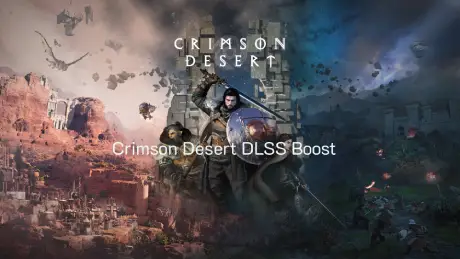
You finally launch Crimson Desert, ready to enjoy the breathtaking world of Pywel, but instead of smooth gameplay, you notice unstable FPS, sudden stutters, or your GPU struggling during large battles and crowded areas. Even powerful hardware can be pushed to its limits because of the game’s detailed environments and large-scale combat. This is exactly where Crimson Desert DLSS Boost becomes important. With DLSS 4.5 support, the game can use AI upscaling to render frames more efficiently and improve performance without noticeably sacrificing visual quality. However, many players still run into problems such as inconsistent FPS or DLSS not working as expected. In this guide, we’ll break down what DLSS Boost actually does in Crimson Desert, why it sometimes fails to deliver the performance players expect, and how you can enable DLSS and optimize your setup for smoother gameplay.

- ✅ Reduce Lag and High Ping.
✅ Boost FPS at the Same Time.
✅ Support 2000+ Popular Online Games.
✅ Change Server without Latency.
✅ Boost Game Loading Speed.
Part 1: What Crimson Desert DLSS Boost Means
Part 2: Common Reasons DLSS Boost May Not Work Properly
Part 3: How to Fix Crimson Desert DLSS Boost Issues
Part 1: What Crimson Desert DLSS Boost Means
DLSS (Deep Learning Super Sampling) is NVIDIA’s AI-based rendering technology that allows the game to render frames at a lower resolution and upscale them to your monitor’s resolution.
In Crimson Desert, DLSS Boost helps by:
- Increasing FPS in large battles or dense environments
- Reducing GPU workload without noticeably lowering visual quality
- Making gameplay smoother on mid-range or older GPUs
With Crimson Desert DLSS 4.5 support, the technology becomes even more efficient, improving frame generation and visual clarity.
However, simply enabling DLSS does not always guarantee smooth performance. Many players still encounter issues such as:
- FPS drops even with DLSS enabled
- Stutter during combat or exploration
- DLSS settings not appearing in the graphics menu
These problems are usually caused by driver issues, system conflicts, or network instability affecting the game.
Part 2: Common Reasons DLSS Boost May Not Work Properly
Understanding the causes helps you fix the issue faster.
GPU Drivers Not Updated
DLSS relies heavily on the latest NVIDIA drivers. If your GPU driver is outdated, the game may not fully support DLSS 4.5 features, which can lead to poor performance or missing DLSS options.
Incorrect Graphics Settings
Sometimes DLSS is enabled, but other graphics settings—such as ray tracing or ultra shadows—still overload your GPU. This can make DLSS Boost feel ineffective.
System Component Issues
Missing or outdated system components can interfere with game performance. These may include:
- DirectX 12 components
- Microsoft Visual C++ libraries
- Windows 11 compatibility issues
When these components are not properly installed, the game may struggle to maintain stable performance.
Network Instability
While DLSS mainly affects graphics, unstable connections can still cause stutter during online features, loading, or server communication.
Typical symptoms include:
- FPS dropping suddenly during gameplay
- Stuttering even with DLSS enabled
- Slow loading or unstable performance in certain areas
Part 3: How to Fix Crimson Desert DLSS Boost Issues
Fix 1: Use LagoFast for Stability and System Optimization
Sometimes the problem is not just graphics settings. Network instability or system issues can also affect overall gameplay performance. LagoFast is a game optimization platform designed to stabilize your connection and improve gaming performance. It reduces ping, fixes packet loss, stabilizes network traffic, and optimizes routing between your PC and the game servers, helping Crimson Desert run more smoothly while allowing DLSS Boost to perform at its best.
LagoFast also provides several useful system tools:
- Fix C++ Issue Tool — Repairs missing or corrupted Microsoft Visual C++ libraries
- Win 11 Lag Fix Tool — Fixed an issue where Windows 11 caused game lag or instability
- DirectX 12 Component Installation Tool — Installs or repairs essential DirectX components
- Upcoming Tools — Future DirectX 12/C++ repair tools and FPS boost utilities to further improve performance and gaming experience
How to Use LagoFast for Crimson Desert
Step 1: Click the Free Trial button to download and install LagoFast.
Step 2: After installation, search "Crimson Desert" in the search bar and select the game.
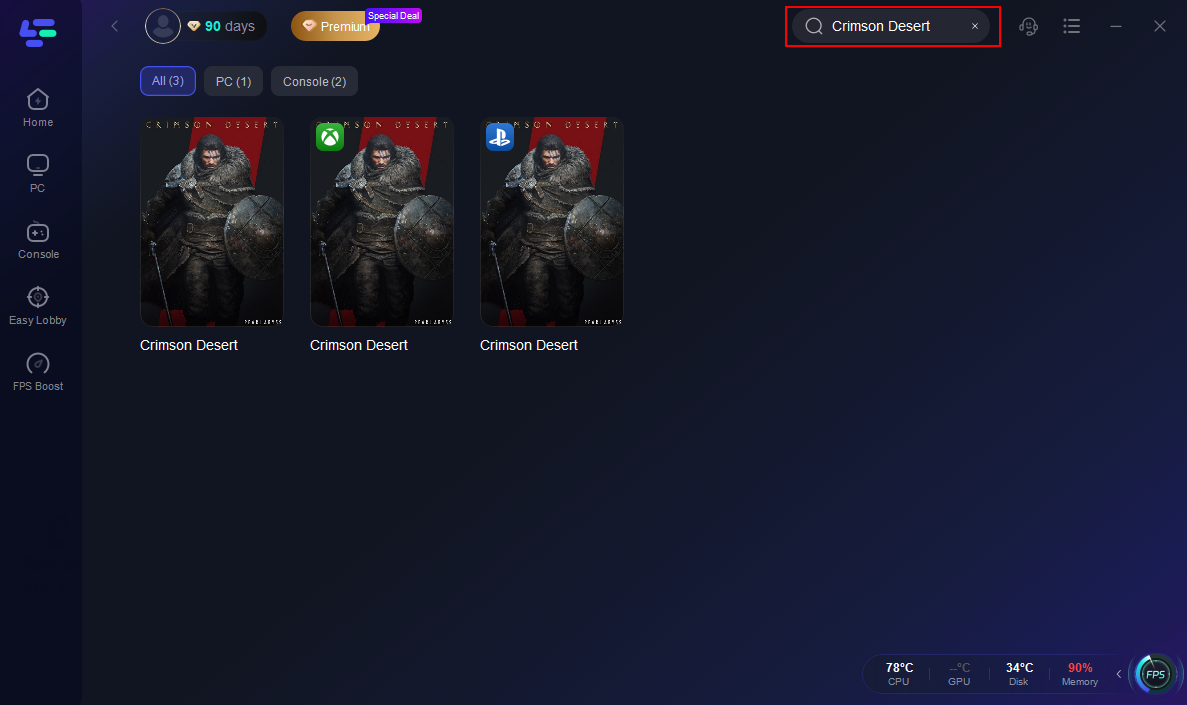
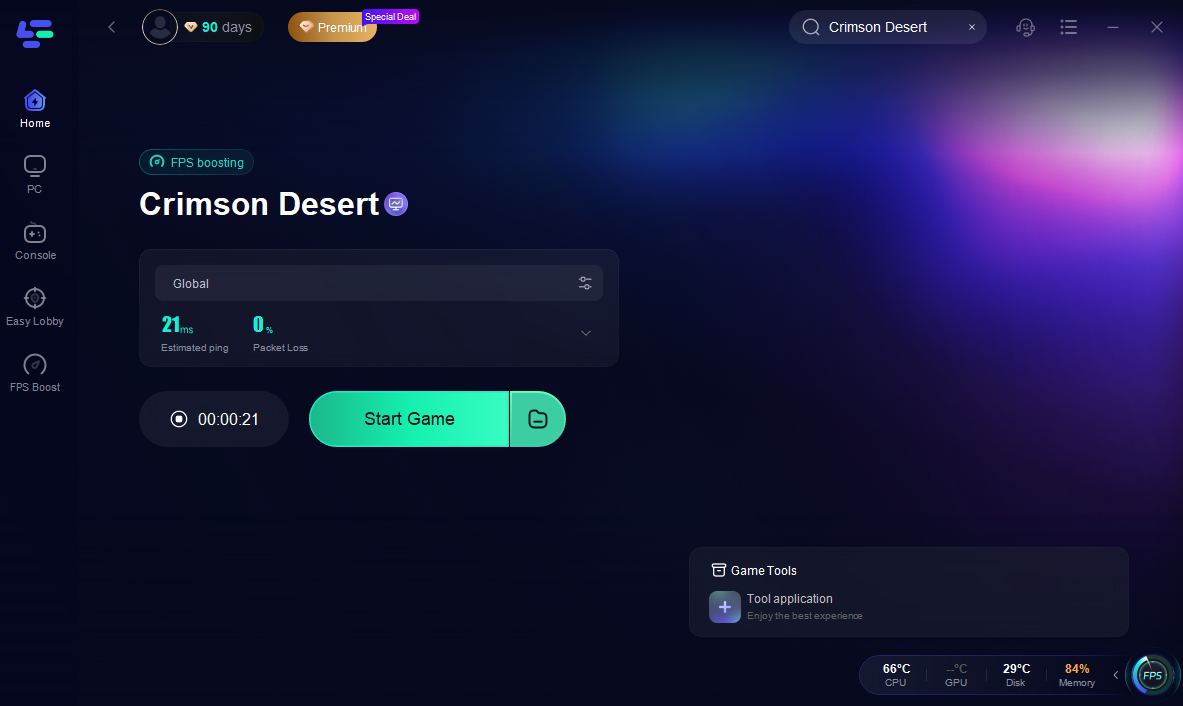
Step 3: Choose your preferred server node and click "Smart Boost" to start optimizing.

Step 4: Launch your game and enjoy smooth, optimized gameplay with lower ping and packet loss.
Fix 2: Enable DLSS in Crimson Desert Settings
If DLSS is supported by your GPU, you can enable it directly in the graphics settings.
Steps to enable DLSS:
- Launch Crimson Desert.
- Open Settings and go to the Graphics section.
- Locate the DLSS option.
- Choose a mode such as Performance, Balanced, or Quality.
- Apply the settings and restart the game if necessary.
Each DLSS mode offers different performance levels. Performance mode prioritizes FPS, while Quality mode focuses more on visual clarity.
Fix 3: Update Your NVIDIA Drivers
To use DLSS 4.5 support, your system must have the latest NVIDIA drivers installed.
Steps:
- Open GeForce Experience.
- Check for driver updates.
- Download and install the latest version.
- Restart your computer and launch the game again.
Updated drivers ensure proper compatibility with DLSS features and often improve overall game performance.
Fix 4: Adjust Graphics Settings
Even with DLSS Boost, certain graphics settings can still push your GPU too hard.
Recommended adjustments:
- Lower volumetric lighting or shadow quality
- Reduce ray tracing settings if available
- Use fullscreen mode instead of windowed mode
These small changes can significantly improve FPS while DLSS maintains visual quality.
Fix 5: Verify Game Files and Updates
If DLSS settings are missing or performance feels unstable, your game files might be outdated or corrupted.
Try these steps:
- Verify game files through the launcher
- Install the latest Crimson Desert patches
- Ensure your operating system is fully updated
Keeping everything up to date ensures the game can properly support new features like DLSS 4.5.
Conclusion
Crimson Desert DLSS Boost can make a big difference if you want smoother gameplay without sacrificing visual quality. With proper DLSS 4.5 support, enabling the feature, updating your GPU drivers, and adjusting a few graphics settings can significantly improve FPS in demanding areas. If performance still feels unstable, optimizing your connection and system tools can also help stabilize the overall experience. Once everything is configured correctly, Crimson Desert DLSS Boost can deliver smoother gameplay, higher FPS, and a more enjoyable experience while exploring the world of Pywel.
Boost Your Game with LagoFast for Epic Speed
Play harder, faster. LagoFast game booster eliminates stutter and lags on PC, mobile, or Mac—win every match!
Quickly Reduce Game Lag and Ping!
Boost FPS for Smoother Gameplay!