
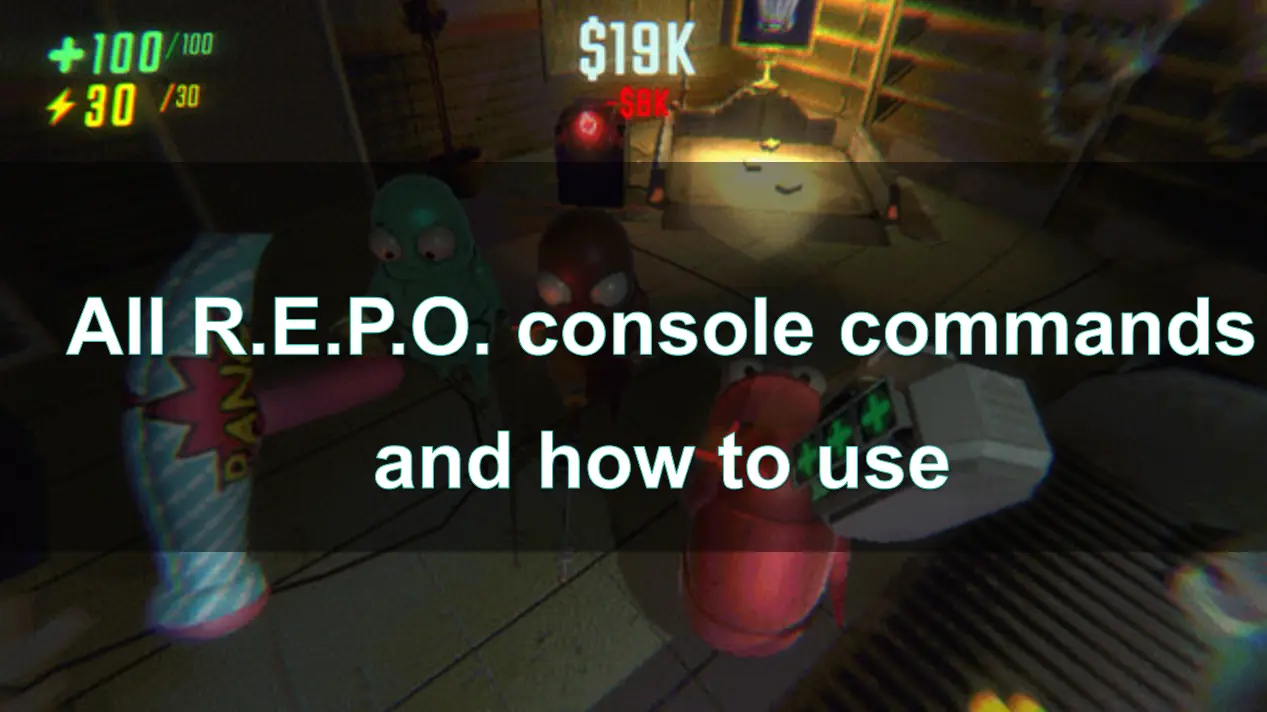
In the cooperative horror game R.E.P.O., players can utilize various console commands to modify their gaming experience. These commands are particularly useful for content creators aiming to capture specific visuals or for players seeking a customized interface. This guide provides a comprehensive overview of all available console commands in R.E.P.O., instructions on their usage, and additional tips to enhance your gameplay.

- ✅ Reduce Lag and High Ping.
- ✅ Boost FPS at the Same Time.
- ✅ Support 1000+ Popular Online Games.
- ✅ Support Easy Lobby in all Cod Games without Lag
Part 1: R.E.P.O. console commands list
Part 2: Commands in R.E.P.O. chat
Part 3: How to find and use commands in R.E.P.O.
Part 4: How to Enhance R.E.P.O. Gaming Performance with LagoFast Game Booster
Part 1: R.E.P.O. console commands list
Currently, R.E.P.O. features only two active console commands, but since the game is still in Early Access, there’s a strong chance the developer will expand this list in the future. You’ll find the current commands and their effects summarized in the table below.
Unlike traditional console commands in other games—often associated with gaining invincibility, unlimited items, or bonus cash—the ones in R.E.P.O. are more restrained. They don’t grant any gameplay advantages or cheats. Instead, they’re designed to enrich how you experience the game, particularly in terms of content creation and visual presentation.
Another important note: R.E.P.O.'s console commands are exclusively available in multiplayer mode. If you’re playing solo, you won’t be able to use them. At this stage, the developers have only released a limited selection of commands, though more may be introduced as the game evolves.
Here are the currently functional commands in R.E.P.O.:
| Console Command | Function |
| /cinematic | Hides the entire user interface from your screen. |
| /greenscreen | Spawns a large green screen directly in front of your character. |
As you can see, these tools are especially helpful for streamers and content creators who want a cleaner visual setup. While they don’t modify gameplay mechanics, they open creative possibilities for capturing and editing visuals.
Part 2: Commands in R.E.P.O. chat
R.E.P.O. also includes a couple of handy chat commands that allow players to tweak their in-game experience. These commands won’t affect gameplay mechanics or give you any unfair edge, but they are particularly helpful for creators who want polished screenshots or clean visual setups for content.
How to Use Chat Commands in R.E.P.O.
If you want to try these out, here’s how to enter a command in-game:
- Press the “T” key on your keyboard to open the chat interface.
- Type “/” immediately followed by the command (e.g., /cinematic)—make sure there are no spaces between the slash and the command.
- Press Enter to execute the command.
- To undo the effect, simply type the same command again, or restart your game session.
It’s important to highlight that these chat commands only work in multiplayer mode. Solo players won’t be able to activate them.
Available Chat Commands
- /cinematic – This command removes all HUD and interface elements, leaving you with a clean visual presentation—ideal for screenshot-taking or thumbnail creation.
- /greenscreen – Using this command spawns a green screen right in front of your avatar. You can walk around to adjust camera angles and positioning, making it a great tool for post-editing or video overlay work.
Currently, these are the only known working chat commands. However, the developers have hinted at expanding the command list, so we can expect more tools to be added in upcoming updates.

Part 3: How to find and use commands in R.E.P.O.
To activate commands in R.E.P.O., you’ll use the game’s built-in chat system rather than a traditional console. Here’s a breakdown of how to do it correctly:
Step-by-Step Instructions:
- Step 1: Press the T key on your keyboard. This opens the in-game chat window.
- Step 2: Begin your input with a slash (/) followed immediately by the command (e.g., /cinematic). Make sure there are no spaces between the slash and the command text.
- Step 3: Press Enter to activate the effect tied to the command.
If the command is entered correctly, it will immediately take effect. Want to reverse it? Just re-enter the command to toggle it off, or restart the game to reset everything.
While this might sound simple, it’s worth noting that you cannot move while typing in the chat—so it’s best to find a safe spot in-game before using any commands.
By following the steps above, you’ll be able to apply the available commands without any issue. As the game continues development, it’s likely we’ll see more powerful or creative command options in the future, especially with content creators and multiplayer fans in mind.
Part 4: How to Enhance R.E.P.O. Gaming Performance with LagoFast Game Booster
To optimize your R.E.P.O. gameplay experience and enjoy a richer gaming experience, you can use mods—and with LagoFast, you can access many mod-supported games while also taking advantage of its Game Booster features. LagoFast Game Booster offers:
- Reduced Latency: Minimizes lag by optimizing network routes, ensuring smoother online interactions.
- Stable Connections: Provides consistent server connections, reducing the likelihood of disconnections during critical gameplay moments.
How to Use LagoFast Game Booster:
Step 1: Start by clicking the Free Trial button to download LagoFast and kick off your free trial.
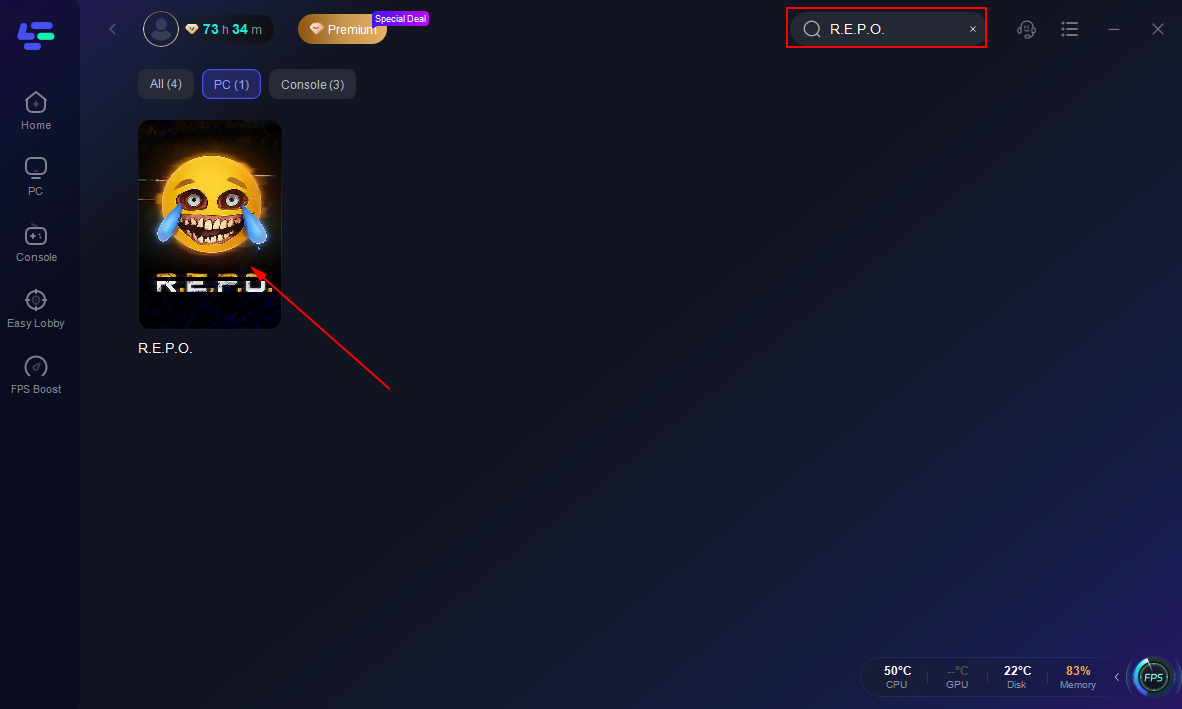
Step 2: Launch LagoFast, then click the PC button on the left side and type R.E.P.O. into the search bar. Select it once it appears.
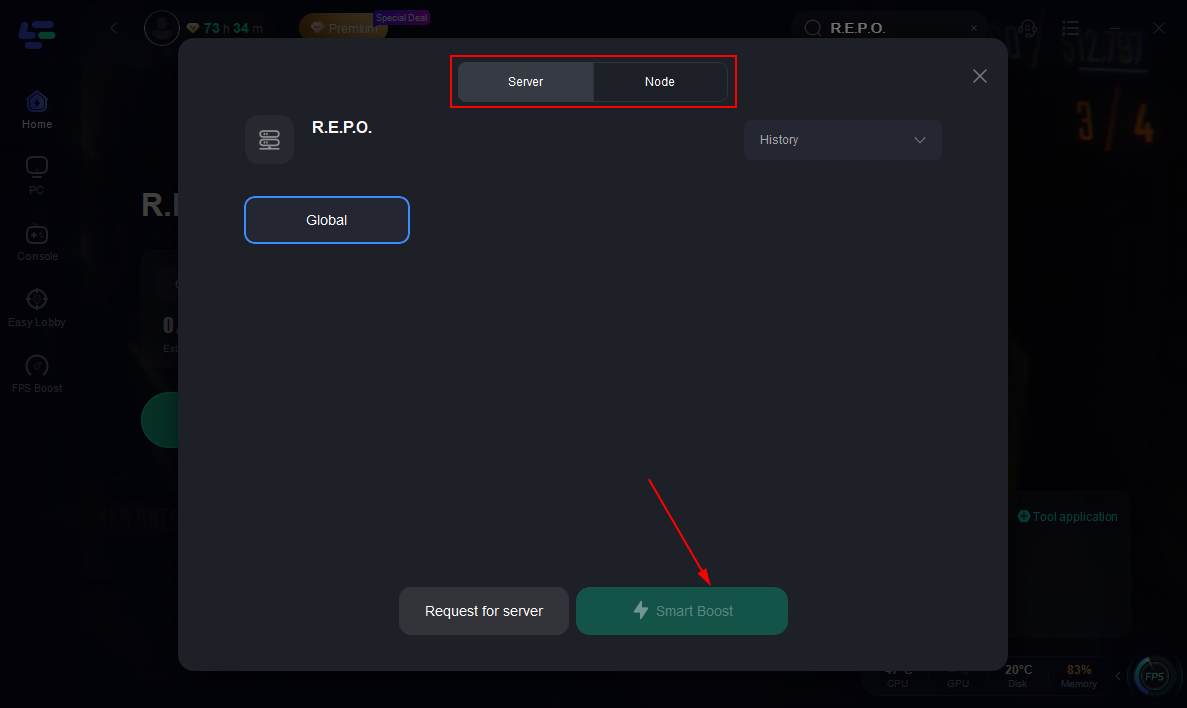
Step 3: Click on the Server option to switch to a more reliable server that guarantees a stable connection, then select Smart Boost.
Step 4: On the right side, monitor the specific game ping, packet loss, and multiple path connections.
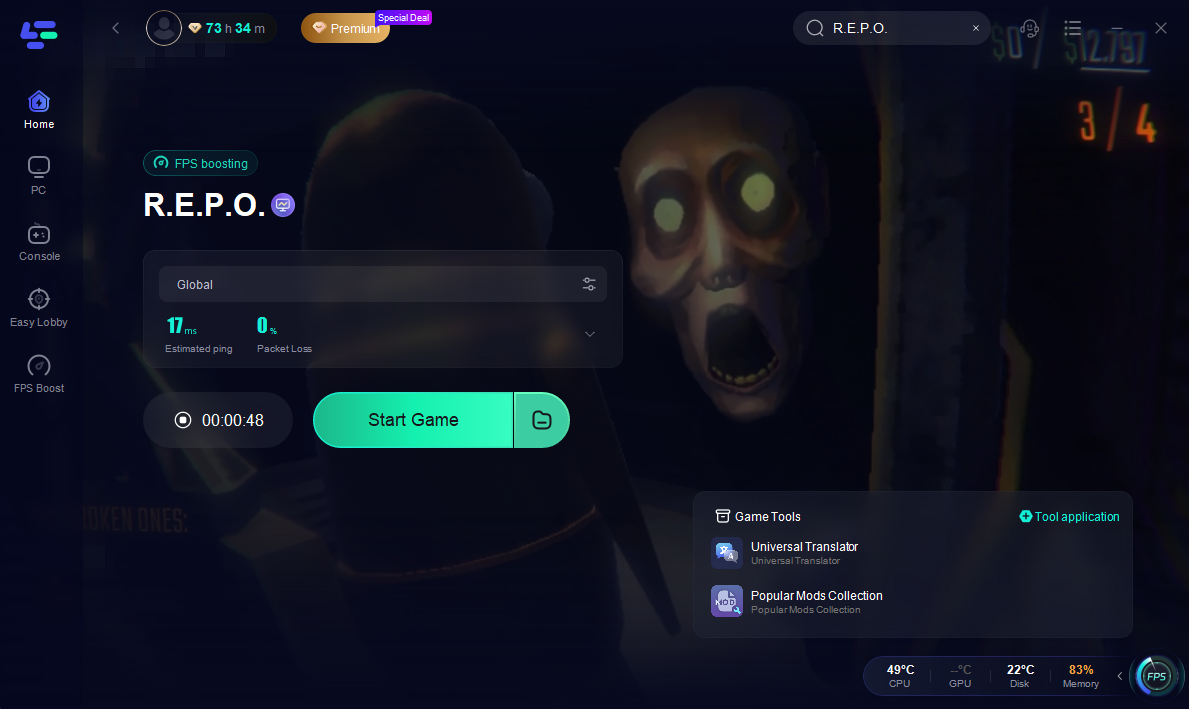
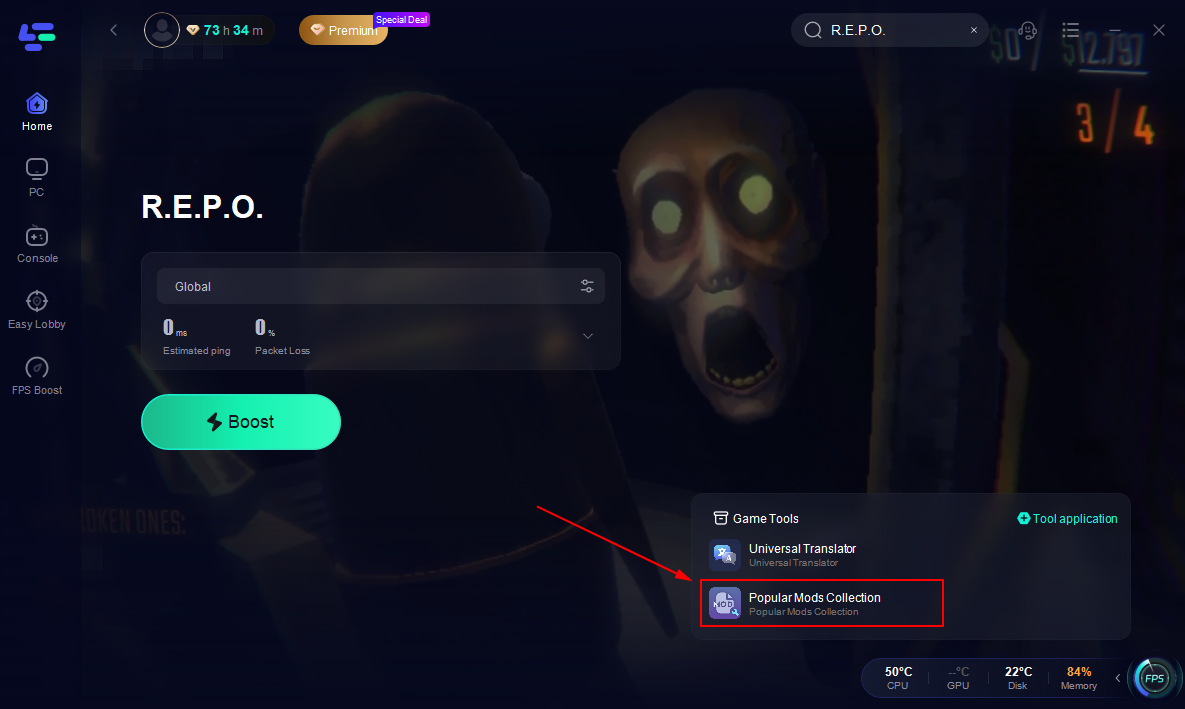
LagoFast also includes a popular mod collection tool for R.E.P.O. players. With just a few clicks, you can install all the key modules. Here is how to use them:
Step 1: Click "Hot Mods Tool" on the right side of the screen.
Step 2: Select the required module and click "confirm".
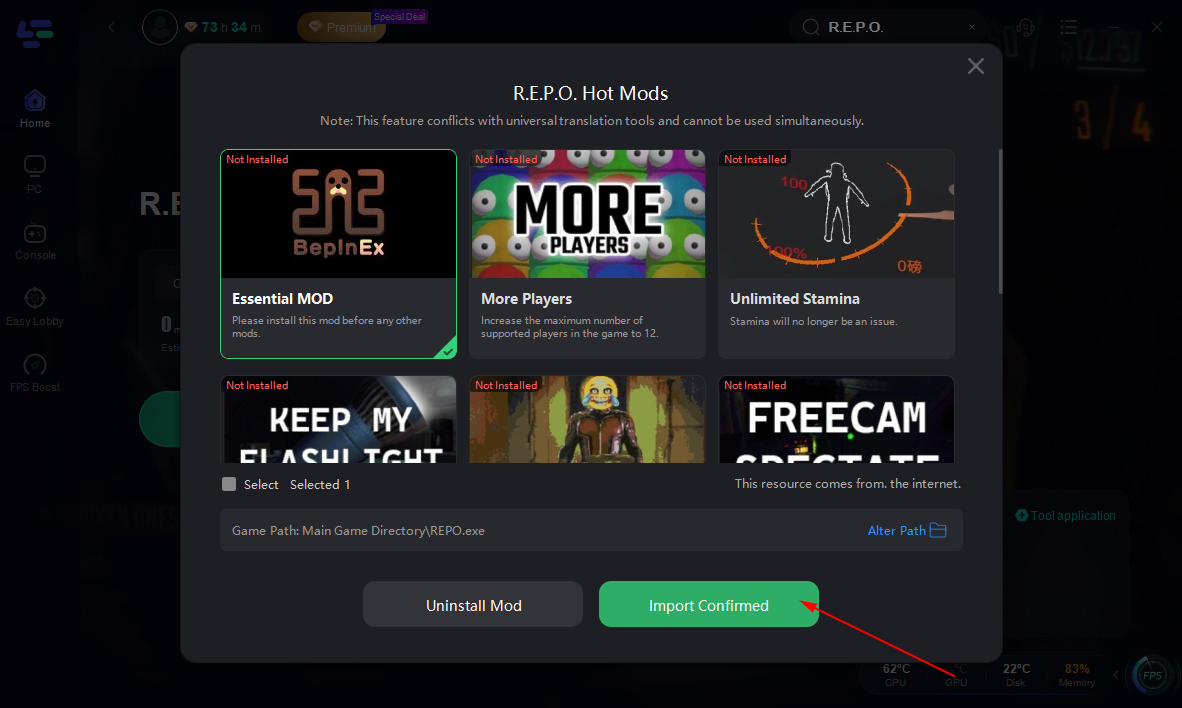
Now that all selected modules have been installed, you can start the game with the new function!
Part 5: FAQs
Q1: Can console commands be used in single-player mode?
A1: No, console commands in R.E.P.O. are designed for multiplayer sessions and are not accessible in single-player mode.
Q2: Are there any risks associated with using console commands?
A2: The provided console commands are officially supported and safe to use. However, always ensure you're using commands as intended to avoid unintended game behavior.
Q3: Will using console commands affect my game progress or achievements?
A3: No, using the available console commands does not impact game progress or the unlocking of achievements.
Q4: How can I stay updated on new console commands or game features?
A4: Regularly check the official R.E.P.O. Wiki and participate in community forums to stay informed about the latest game updates and features.
Conclusion
By understanding and utilizing these console commands, players can customize their R.E.P.O. experience to better suit their preferences, especially for content creation and visual enhancements.

Boost Your Game with LagoFast for Epic Speed
Play harder, faster. LagoFast game booster eliminates stutter and lags on PC, mobile, or Mac—win every match!
Quickly Reduce Game Lag and Ping!
Boost FPS for Smoother Gameplay!