
On June 20th, Chrono Odyssey officially opened participation in its closed Beta test in phases. Players who had previously applied for access can check their email inboxes for official emails from Steam. After confirmation, they can click the link to connect to Chrono Odyssey's official servers and join the test. This article will focus on Chrono Odyssey server status, providing you with its server locations, methods to check server status, common server issues, and troubleshooting solutions.

- ✅ Reduce Lag and High Ping.
- ✅ Boost FPS at the Same Time.
- ✅ Explore Chrono Odyssey Classes.
- ✅ End Connection & Crashing Issues.
- ✅ Support Cross-Platform Gameplay.
Part 1: Chrono Odyssey Server Locations
Part 2: How to Check Chrono Odyssey Server Status
Part 3: Common Chrono Odyssey Server Issues
Part 4: How to Fix Chrono Odyssey Server Issues
Part 5: How to Enhance Gaming Experience in Chrono Odyssey
Part 1: Chrono Odyssey Server Locations
Chrono Odyssey's servers are strategically deployed across most regions where players gather globally, spanning three continents: North America, Europe, and Asia. Each region offers six servers (e.g., NA-1 to NA-6) to ensure smooth connectivity and participation for all players.
It's worth noting that if you intend to engage in multiplayer cooperation, you must connect to the same server within the same region to ensure successful matching.
And with the high number of participation, Chrono Odyssey has increased the number of server in each open region to 70, make its server number to 210. This ensures that players in every area can connect to the most stable servers and enjoy a seamless gameplay experience during testing.
Part 2: How to Check Chrono Odyssey Server Status
Using the following methods to check Chrono Odyssey server status in real-time can help players avoid unexpected downtime:
- Steam Community Hub: Visit the game's Steam page and check the "News" section for server maintenance alerts.
- Kakao Games Status Page: Monitor the publisher's official status page for regional outages.
- Social Media: Follow @ChronoOdyssey on Twitter for live updates during critical issues.
- Third-Party Tools:
- DownDetector: Track user-reported outages at DownDetector Chrono Odyssey.
- Discord Communities: Join the official Discord server for real-time chat support and server status pins.
Part 3: Common Chrono Odyssey Server Issues
If you can not connect to Chrono Odyssey server, here are some common causes:
- Launch Day Congestion & Queues: Overwhelming player demand may lead to long login queues and difficulty accessing servers. Patience is key.
- Server Instability & Crashes: Unexpected bugs under massive load can cause servers to crash or become unstable, leading to disconnections or lag spikes.
- Unexpected Maintenance: Critical issues discovered post-launch often require emergency maintenance, temporarily taking servers offline.
- World/Zone Specific Issues: Problems may affect specific game worlds, instances, or zones rather than the entire server.
- Latency & Routing Problems: Poor internet routing between your ISP and the game data center can cause high ping and lag, even if the server is operational.
- Patch-Related Bugs: Updates and patches, while fixing issues, can sometimes introduce new ones affecting stability.
- DDoS Attacks: Large online games are common targets for disruptive Distributed Denial of Service attacks.
Part 4: How to Fix Chrono Odyssey Server Issues
When encountering Chrono Pdyssey server status issues caused by various reasons, players can use the following troubleshooting methods to resolve them:
- Check Official Sources First: Before panicking, confirm if there's a known outage or maintenance via the website, social media, or Discord. Don't waste time troubleshooting if the problem is on their end.
- Restart the Game & Client: A simple restart can often resolve temporary glitches or connection hiccups.
- Restart Your Router/Modem: Power cycling your home network equipment is a fundamental fix for many connectivity issues. Unplug for 30-60 seconds, then plug back in.
- Check or Switch Your Internet Connection: Ensure no other devices or applications are hogging bandwidth (large downloads, streaming). Alternatively, switch to another network for a stable connection.
- Update Game & Drivers: Ensure Chrono Odyssey is fully updated. Also, keep your graphics card drivers (NVIDIA/AMD) and network adapter drivers up to date.
- Allow Through Firewall/Antivirus: Temporarily disable your firewall/antivirus to see if it's blocking the game. If so, add Chrono Odyssey as an exception.
- Flush DNS: Open Command Prompt (Admin) and type ipconfig /flushdns, then press Enter. This clears your local DNS cache.
- Repair Game Files: Open Steam, right-click Chrono Odyssey > Properties > Installed Files > "Verify integrity of game files."
Hot Related: Best Way To Fix Chrono Odyssey Black Screen
Part 5: How to Enhance Gaming Experience in Chrono Odyssey
As a multiplayer online game, the server status of Chrono Odyssey plays a crucial role. While official server maintenance may sometimes disrupt connections, in most cases, players can use LagoFast—a professional gaming accelerator—to safely switch to the nearest server node, ensuring stable connectivity and reducing latency. Additionally, as a global game booster, LagoFast helps players in restricted regions, especially those in Russia, smoothly access Chrono Odyssey and join this thrilling adventure.
Key Advantages of LagoFast:
How to Use LagoFast to Enhance Chrono Odyssey's Gaming Experience & Play in Russia:
Download and install LagoFast.
Launch the application and search for "Chrono Odyssey."
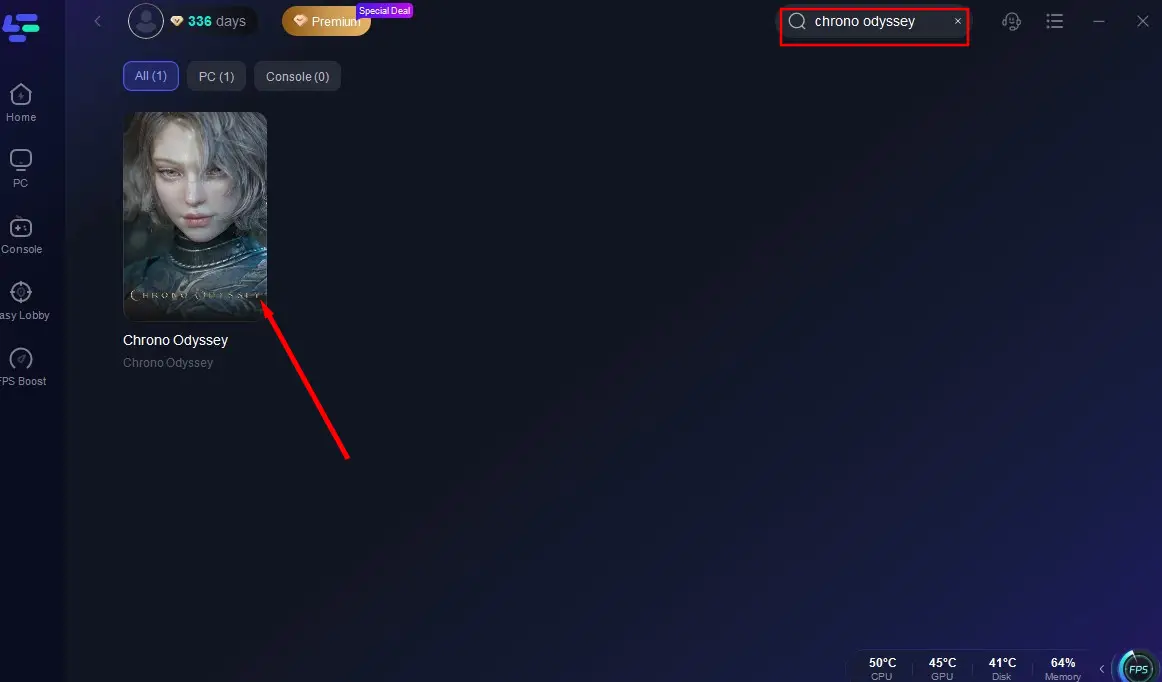
Select the optimal server node based on your location and network conditions.
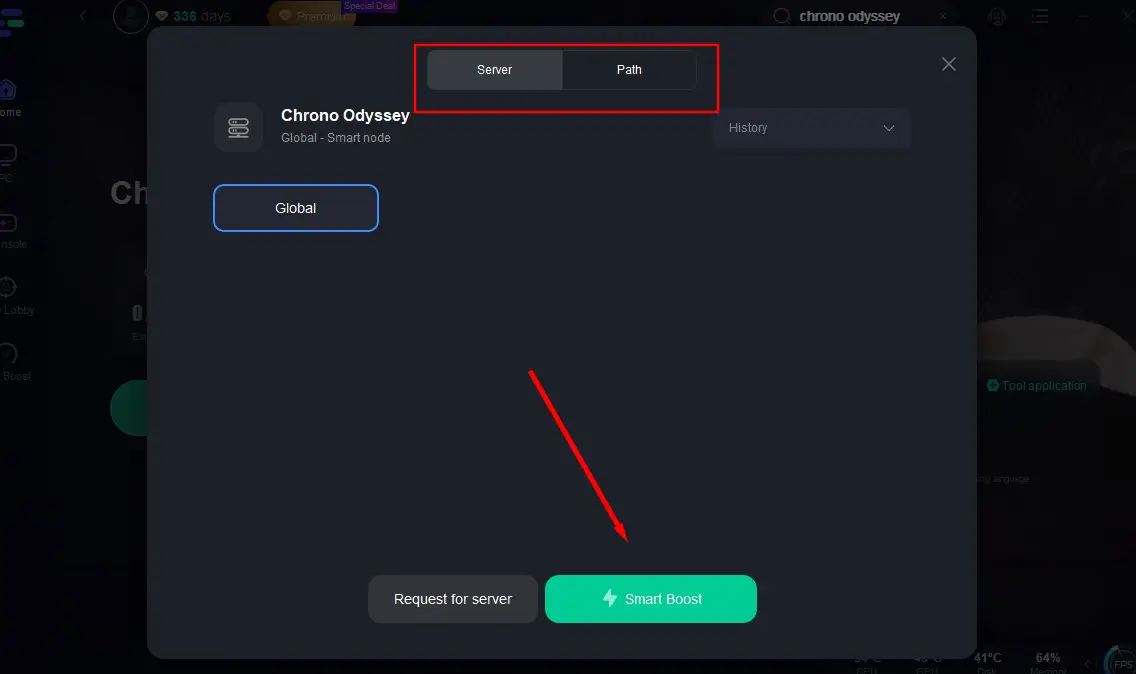
Click "Smart Boost" to optimize your connection.
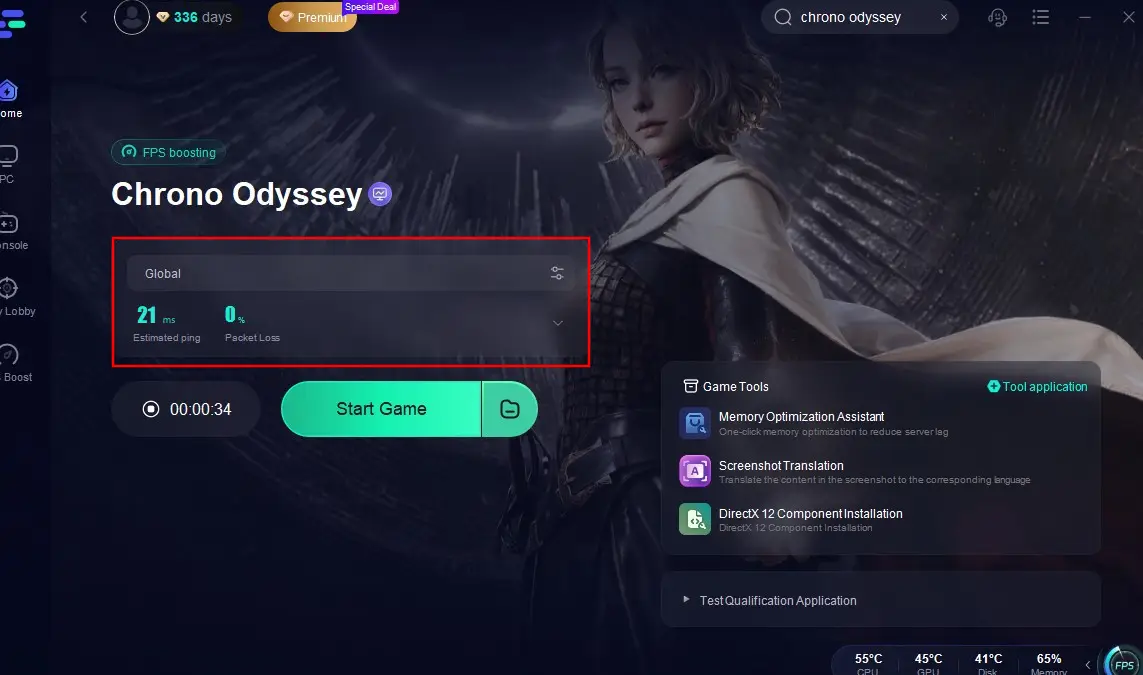
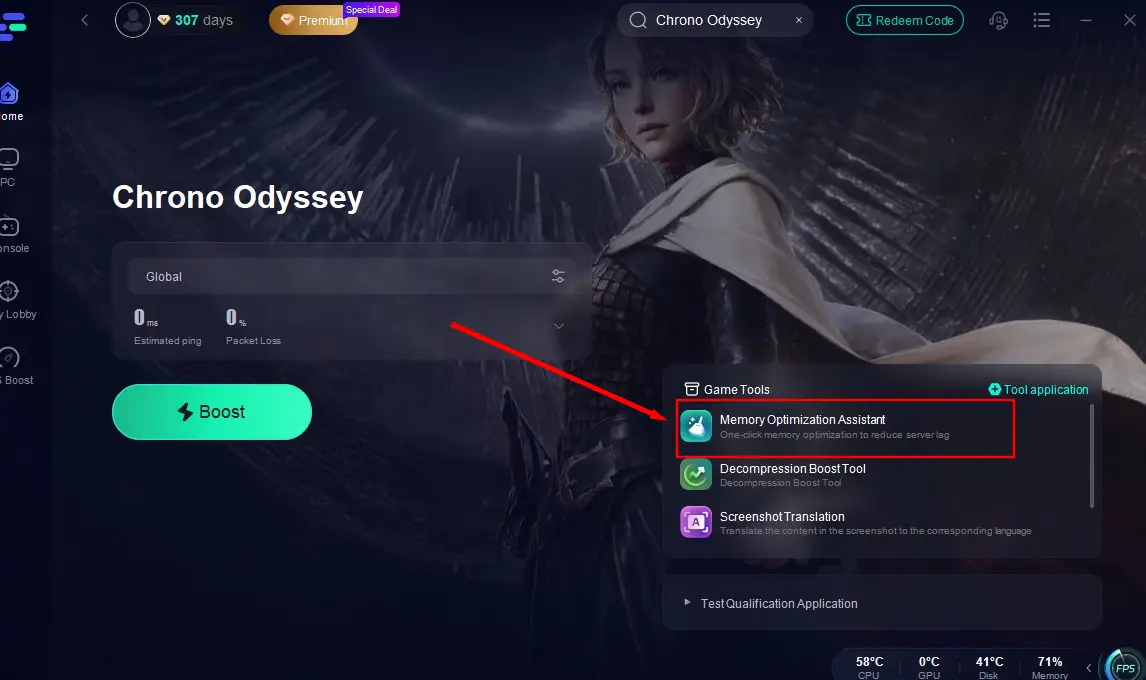
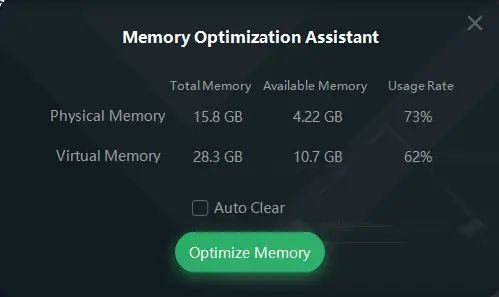
Memory Optimization Tool: LagoFast also provides a memory optimization tool to free up device memory, creating more space for Chrono Odyssey to run smoothly and ensuring stable gameplay.
Start Boost the game before click the Memory Optimization Tool.
Then click "Optimize Meomory" to enhance your game space.
Hot Related: Best Way To Fix Chrono Odyssey Error Code 100150
Part 6: FAQs
Q1: How many server locations does Chrono Odyssey have in total
A1: Currently, 18. Chrono Odyssey has server locations across three regions: North America, Europe, and Asia, with six servers in each region.
Q2: How can players in Russia access Chrono Odyssey
A2: Players in Russia can use LagoFast game booster, to switch to officially authorized server regions and play Chrono Odyssey smoothly.
Q3: Has Chrono Odyssey been officially released yet
A3: No, the game has not been released yet. However, players interested in Chrono Odyssey can participate in its Closed Beta Test (CBT), which began on June 20th.
Conclusion
Chrono Odyssey, a next-gen MMORPG, has captivated players since its announcement. To ensure stable connectivity to its servers, players are advised to monitor the game's server status closely, troubleshoot issues promptly, and consider using LagoFast for a seamless, low-latency gaming experience.

Boost Your Game with LagoFast for Epic Speed
Play harder, faster. LagoFast game booster eliminates stutter and lags on PC, mobile, or Mac—win every match!
Quickly Reduce Game Lag and Ping!
Boost FPS for Smoother Gameplay!