
The wait is over — Call of Duty: Black Ops 7 has arrived on global gaming platforms, bringing intense multiplayer battles and an immersive storyline. But like most popular online games, the massive player influx has created those frustrating times that is Call of Duty: Black Ops 7 server queue. If you find yourself staring at endless queues or wondering why matchmaking takes forever, you're not alone. Let's break down the current server situation, explore why queues happen, and share practical solutions to get you back in the action faster.

- ✅ Reduce Lag and High Ping.
- ✅ Boost FPS at the Same Time.
- ✅ Ensure Stable Server Connection.
- ✅ Change Server without Latency.
- ✅ Fix Crashing and Stuck Errors.
- ✅ 0% Packet Loss Rate
- ✅ Boost Game Downloading Speed.
Part 1: What's the Current Status of Call of Duty: Black Ops 7
Part 2: Are Call of Duty: Black Ops 7 Servers Down
Part 3: Why Does Black Ops 7 Take So Long to Find Matches
Part 4: How to Fix Black Ops 7 Queue Errors
Part 1: What's the Current Status of Call of Duty: Black Ops 7?
Call of Duty: Black Ops 7 stands as one of this year's most anticipated releases. The game delivers impressive creativity through new maps, innovative co-op campaigns, and a fresh Zombies mode that delves into the Dark Aether storyline.
Of course, this level of excitement means millions of players hitting the servers simultaneously. While developers are working hard to maintain stability, this incredible demand inevitably creates technical bottlenecks—most noticeably, those Call of Duty: Black Ops 7 server queue times. Your wait time depends on your region, when you log in, and how loaded the servers are at that moment.
You May Like: How to Fix Call of Duty: Black Ops 7 Slow Download Speed - 100% Work
Part 2: Are Call of Duty: Black Ops 7 Servers Down?
Before troubleshooting your own setup, first check whether the queue issue might actually be coming from the official servers. Server outages and maintenance are common in major online game launches. If you can't connect or queues seem abnormally long, your first move should be to check Black Ops 7 server status.
How to Check If Servers Are Down
Official Server Status Page
Visit the official Call of Duty server status page. This is your most reliable source for real-time server information, including scheduled maintenance and unexpected outages.
Official Social Media Accounts
Follow Call of Duty's official channels, particularly Twitter/X, where developers post immediate announcements about widespread server issues and estimated fix times.
Community Forums
Check places like the Call of Duty subreddit to see if other players are reporting similar problems. If multiple people are experiencing connection issues, it's likely a server-side problem.
These steps help you determine are servers down on Black Ops 7, so you don't waste time troubleshooting your own network unnecessarily.
Hot Related: Is Black Ops 7 Cross Platform?
Part 3: Why Does Black Ops 7 Take So Long to Find Matches?
Many players are asking: “Why are Call of Duty: Black Ops 7 queues so long?” The answer involves several factors:
- Massive player traffic: Launch periods and content updates bring peak login numbers. When connection requests exceed server capacity, queues form and wait times increase.
- Uneven server load: Game servers are distributed globally. Peak hours in popular regions (like North America and Europe) create much higher server loads than other areas. If you're connecting to these overloaded servers, matchmaking naturally takes longer.
- Skill-based matchmaking (SBMM): Call of Duty uses a system that tries to create balanced matches based on player skill. This means the system needs more time to find players at your skill level, especially in less popular game modes or regions.
- Network connection issues: Your own internet connection affects matchmaking speed. High ping or unstable connections (packet loss) make it harder for the system to find suitable servers and matches, leading to frustration that it takes so long to find a game in Black Ops 7.
Considering these factors, it's easier to understand why are Black Ops 7 servers so slow—it's usually a combination of high popularity, technical limitations, and network factors.
You May Like: Call of Duty: Black Ops 7 Black Screen – Fixes and Solutions
Part 4: How to Fix Black Ops 7 Queue Errors
When you encounter the Call of Duty: Black Ops 7 queue bug or notice the server queue not counting down, there are steps you can take to improve the situation. Using a dedicated game booster like LagoFast is one of the most effective solutions. This smart gaming tool is specifically designed to tackle latency, packet loss, and server connection issues.
How LagoFast Helps with Black Ops 7 Queue Problems
- Smart server switching: LagoFast can redirect your connection to less crowded servers in different regions. By connecting you to servers with fewer players, it helps you bypass congested queues and join matches faster.
- Stabilized server connection: LagoFast ensures a consistent and reliable connection to the chosen server. By minimizing packet loss and reducing network fluctuations, it prevents interruptions and keeps matchmaking smooth, so you stay connected throughout the queue and into the game.
How to Use LagoFast
Step 1: Click the Free Trial button to download and install LagoFast.
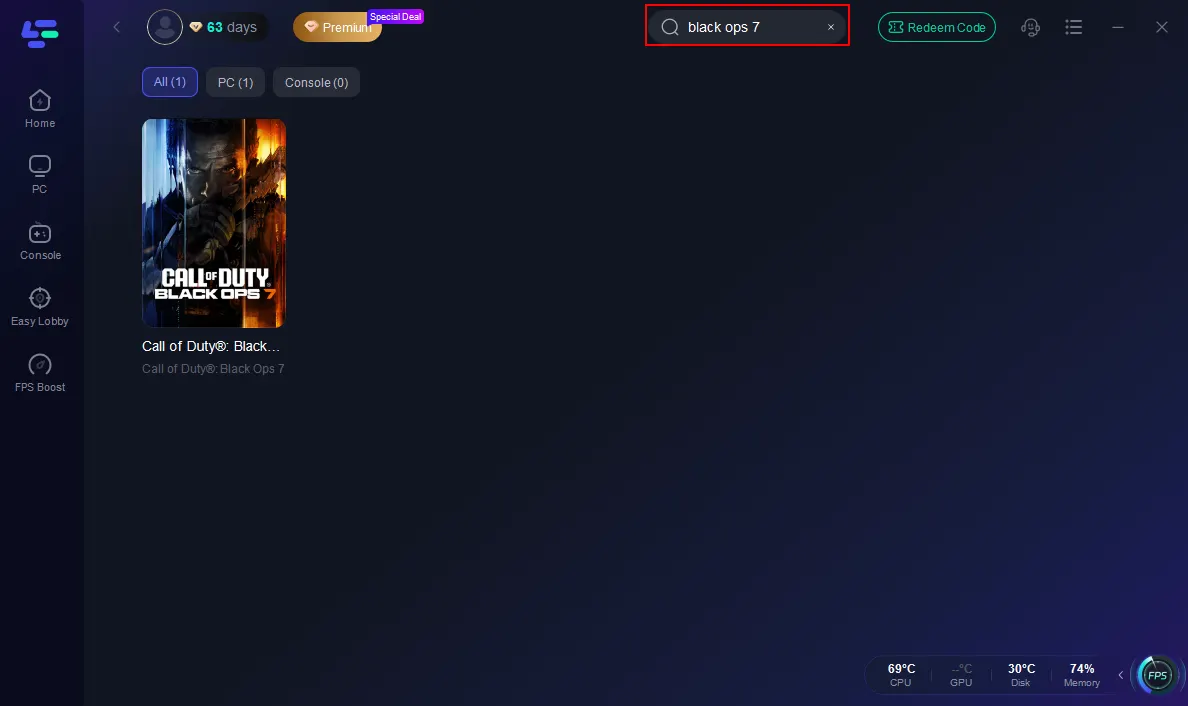
Step 2: Open LagoFast, then click the PC button on the left and search Black Ops 7 in the search bar, and click it after it appears.
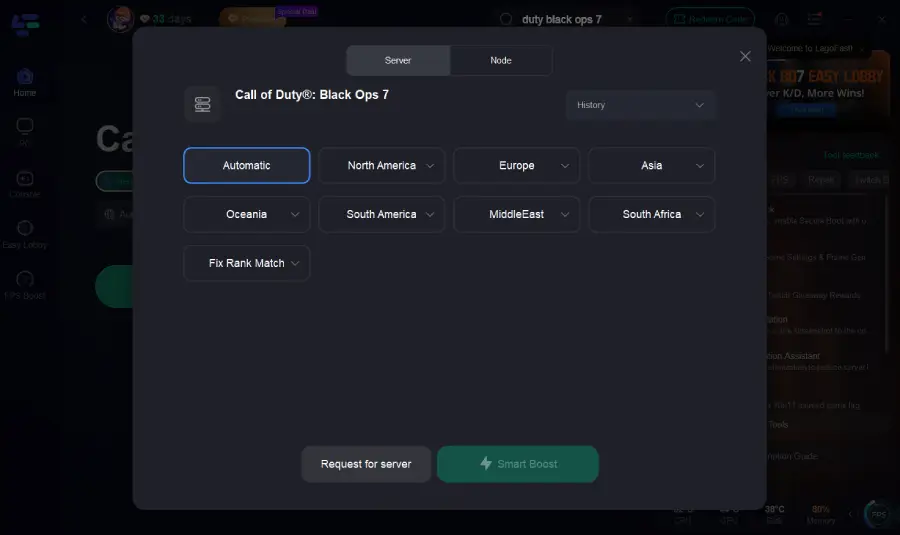
Step 3: Click on “Server” to change to a better server that ensures the Black Ops 7 gaming experience, then click on “Smart Boost”.
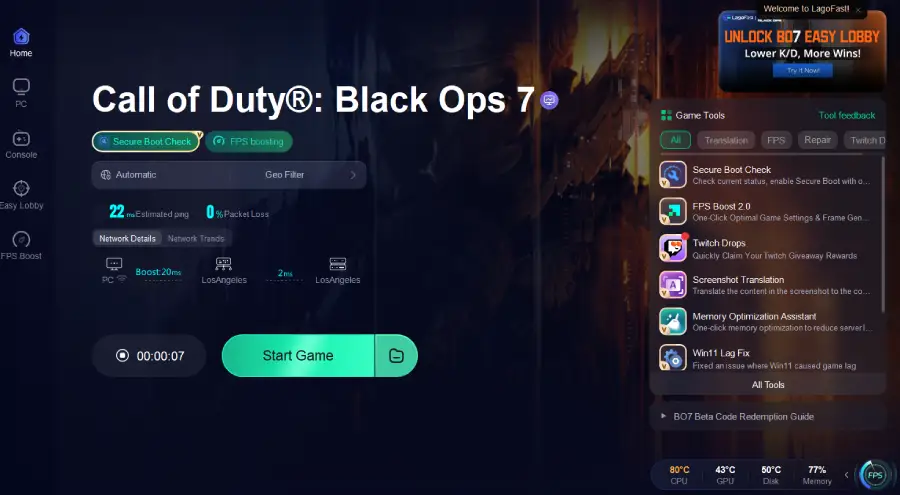
Step 4: Launch game and enjoy an enhanced gaming experience with reduced lag and improved stability.
For console players, LagoFast also provides LagoFast Box. Simply connect the Box to your console, select Black Ops 7, and choose the optimal server node. With Smart Boost enabled, LagoFast Box stabilizes your server connection, bypasses crowded queues, and reduces lag for smoother matchmaking and gameplay.
How to Use LagoFast Box to Enhance Console Gaming Experience
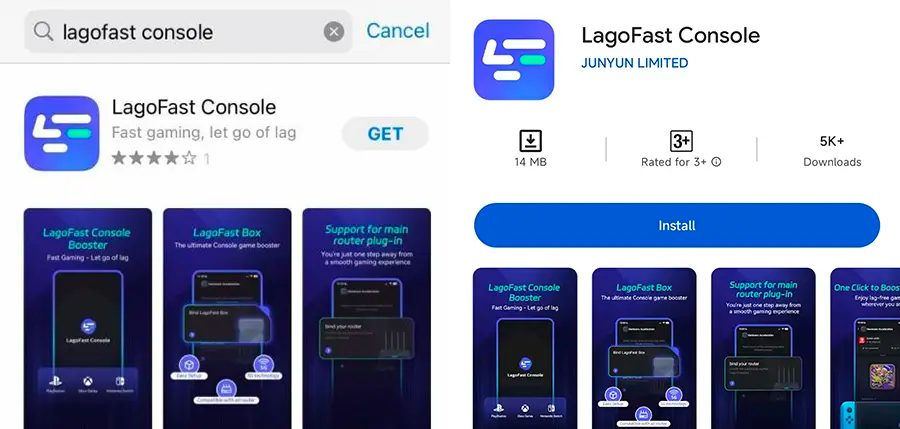
Step 1: Download the LagoFast Console App on your phone to control the LagoFast Box.
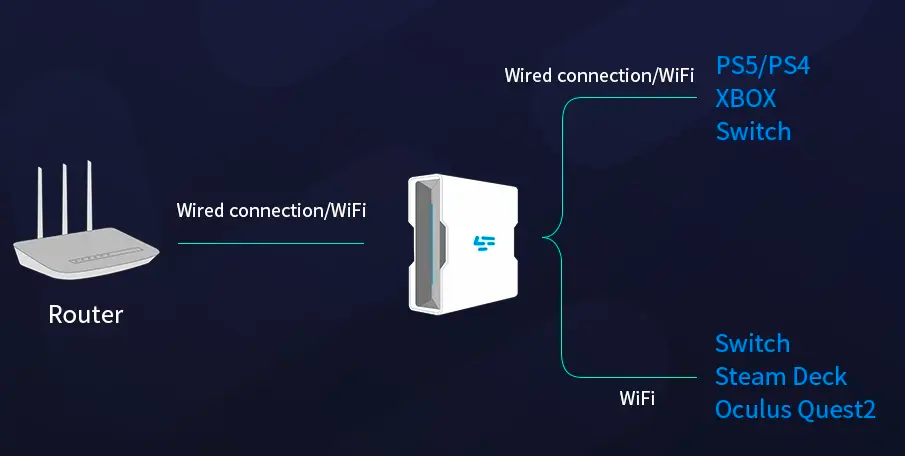
Step 2: Establish a connection between your LagoFast Box, router, and console, choosing between a wired or wireless connection.
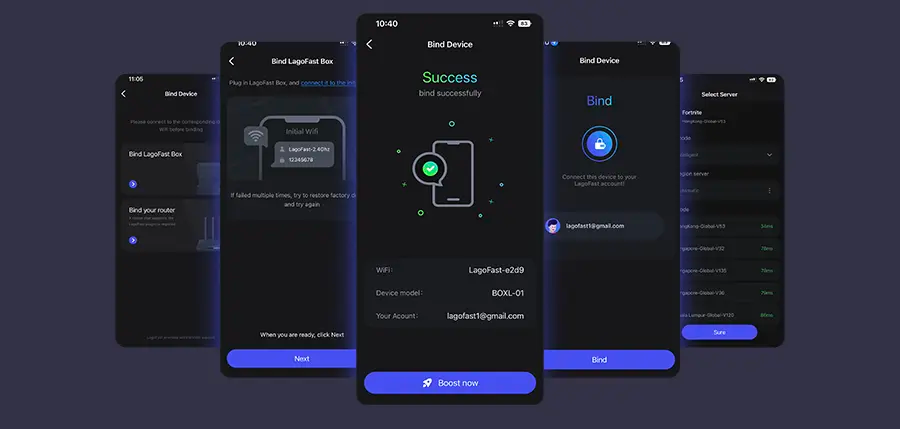
Step 3: Launch the LagoFast Console App and boost Black Ops 7. Once you have completed the binding process with the LagoFast Box, proceed to boost this game within the LagoFast Console App.
Other Working Solutions
While LagoFast is a powerful tool, you can also try these conventional methods to address queue issues:
- Restart game and platform: Clears temporary cache or glitches causing queue errors.
- Check for game updates: Ensure your client is updated to the latest version.
- Reboot your router: Refreshing your network connection can resolve local network problems.
- Use wired connection: Ethernet cables typically provide more stability and lower latency than Wi-Fi.
- Adjust in-game settings: Relax matchmaking filters or enable cross-platform play to expand the pool of potential matches.
Hot Related: Call of Duty: Black Ops 7 Server Down Fix Guide – Stable Connection Solutions
Conclusion
Long server queues and matchmaking delays in Call of Duty: Black Ops 7 can definitely test your patience, but they're not insurmountable. By understanding the current server status, recognizing what causes delays, and applying the right solutions, you can significantly reduce wait times and enjoy smoother gameplay.
Among all available methods, using a specialized tool like LagoFast proves most effective for optimizing your connection, bypassing crowded servers, and enhancing overall game performance. It doesn't just solve immediate queue problems—by reducing latency and boosting FPS, it gives you a competitive edge in every match.
Take action now, apply these tips, and say goodbye to endless waiting. Jump back into the intense combat of Black Ops 7 and enjoy the game you've been waiting for.

Boost Your Game with LagoFast for Epic Speed
Play harder, faster. LagoFast game booster eliminates stutter and lags on PC, mobile, or Mac—win every match!
Quickly Reduce Game Lag and Ping!
Boost FPS for Smoother Gameplay!