
Call of Duty: Black Ops 7 is set to release in November, bringing fresh co-op campaigns, competitive multiplayer, and a new zombies mode. But nothing kills the excitement faster than login issues right before the action begins. If you're running into problems, this guide breaks down the most common causes and provides both quick and advanced solutions to help you get into the game smoothly.
Ukrainian version: Як Виправити Проблеми З Логіном У Call of Duty: Black Ops 7?

- ✅ Reduce Lag and High Ping.
- ✅ Boost FPS at the Same Time.
- ✅ Support 2000+ Popular Online Games.
- ✅ Change Server without Latency.
- ✅ Boost Game Loading Speed.
Part 1. Why Can't I Log In Black Ops 7?
Part 2. Quickly Fix Black Ops 7 Login and Connection Problems
Part 3. Other Solutions for the Black Ops 7 “Logging into Online Services” Error
Part 1. Why Can't I Log In Black Ops 7?
Seeing messages like “Can't Sign In to Call of Duty: Black Ops 7” can be frustrating. These errors typically fall into a few categories:
Server-Side Issues
During launch or major updates, overloaded servers may cause crashes, long queues, or the “Stuck on Logging into Online Services” message. This is on the developer’s end, and players can only wait for an official fix.
Network Instability
High ping, packet loss, or poor routing from your ISP can prevent successful logins. A weak or inconsistent internet connection is one of the most common culprits.
Client-Side Conflicts
Firewalls, antivirus software, or background apps consuming bandwidth may interfere with the game client.
Account Problems
Wrong credentials, locked accounts, or two-factor authentication errors can also prevent you from logging in.
Outdated Game or Drivers
Corrupted game files or outdated GPU/network drivers can create compatibility issues.
You May Like: Black Ops 7 Zombies – Full Overview, Maps, and Everything You Should Know
Part 2. Quickly Fix Black Ops 7 Login and Connection Problems
Instead of manually troubleshooting every possibility, you can use a professional tool designed for gamers.
LagoFast is a smart optimization tool with unique multi-path routing and a global server network. It reduces latency, minimizes packet loss, and improves stability, directly solving errors like “Unable to Connect to Black Ops 7 Servers.”
Beyond network optimization, LagoFast also boosts FPS by adjusting OS settings, balancing CPU/GPU loads, and keeping drivers updated. This helps prevent login screen freezes or crashes caused by system performance issues.
How to Use LagoFast on PC:
Step 1: Click the Free Trial button to download and install LagoFast.
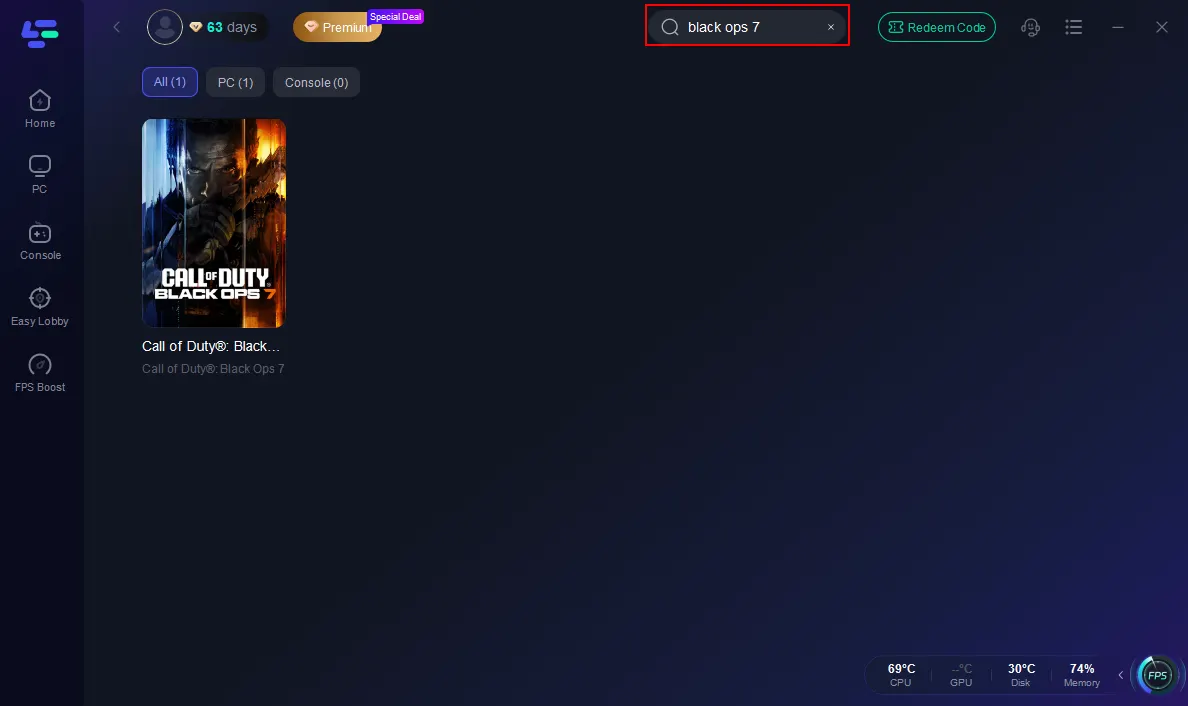
Step 2: Open LagoFast, then click the PC button on the left and search Black Ops 7 in the search bar, and click it after it appears.
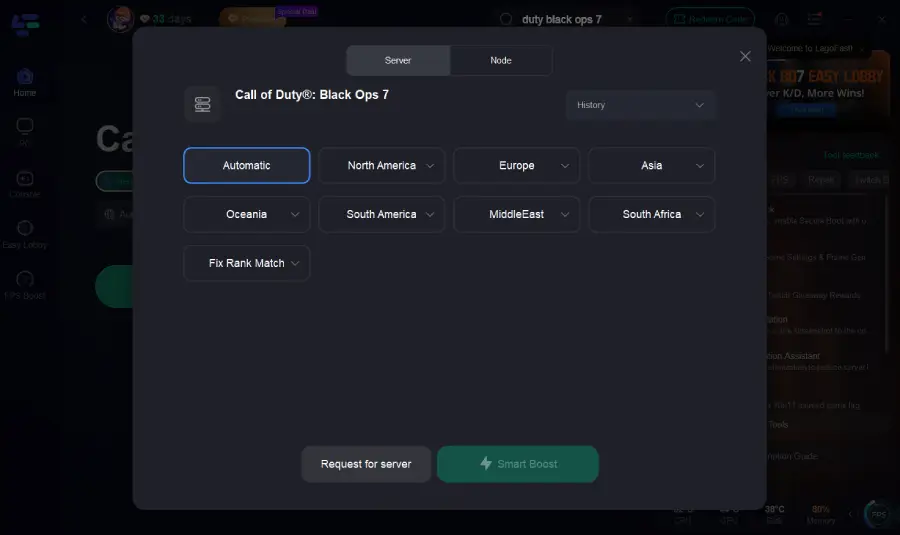
Step 3: Click on “Server” to change to a better server that ensures the Black Ops 7 gaming experience, then click on “Smart Boost”.
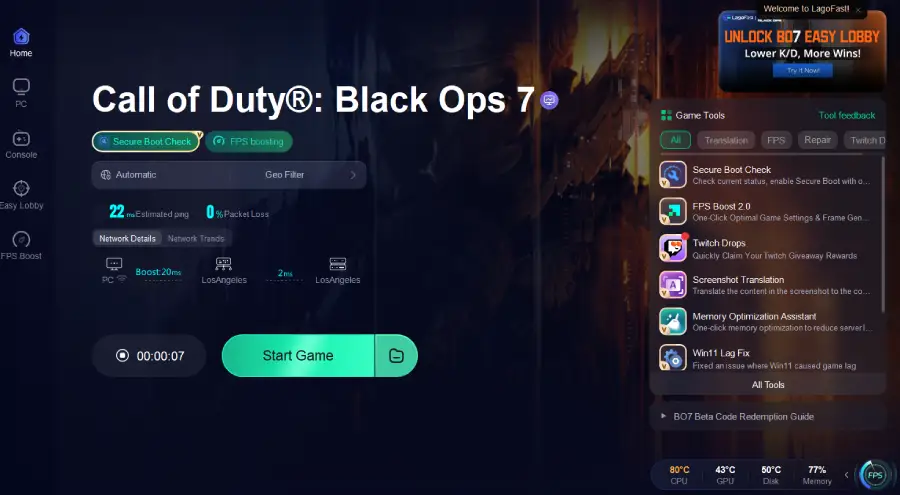
Step 4: Launch game and enjoy an enhanced gaming experience with reduced lag and improved stability.
For console players or those who prefer plug-and-play solutions, LagoFast Box offers the same optimization benefits without extra configuration. It’s a hardware accelerator that connects directly to your home network and routes traffic through optimized paths, reducing lag and improving stability for Xbox, PlayStation, Switch, and PC.
How to Use LagoFast Box:
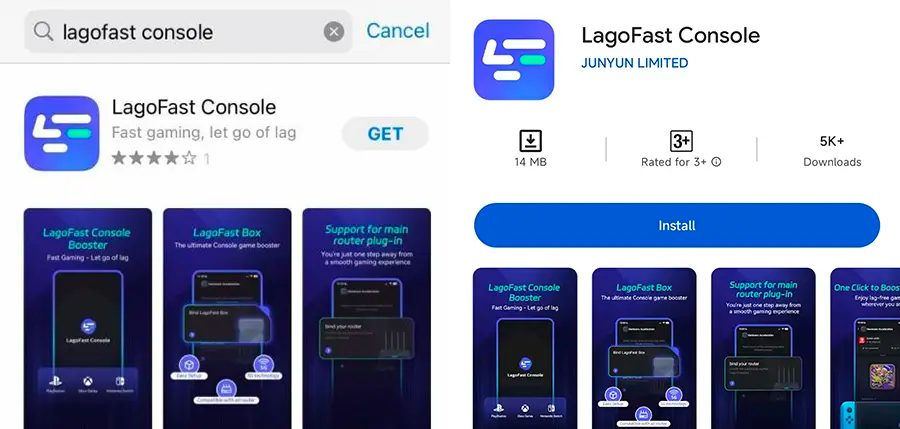
Step 1: Download the LagoFast Console App on your phone to control the LagoFast Box.
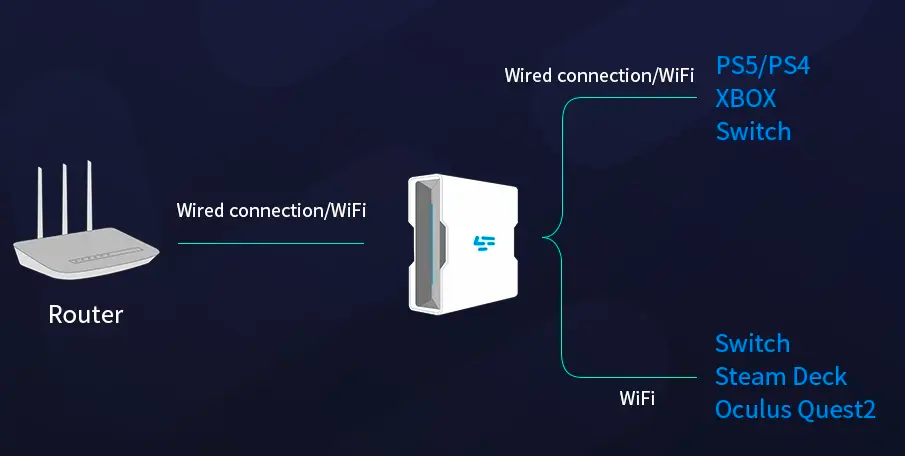
Step 2: Establish a connection between your LagoFast Box, router, and console, choosing between a wired or wireless connection.
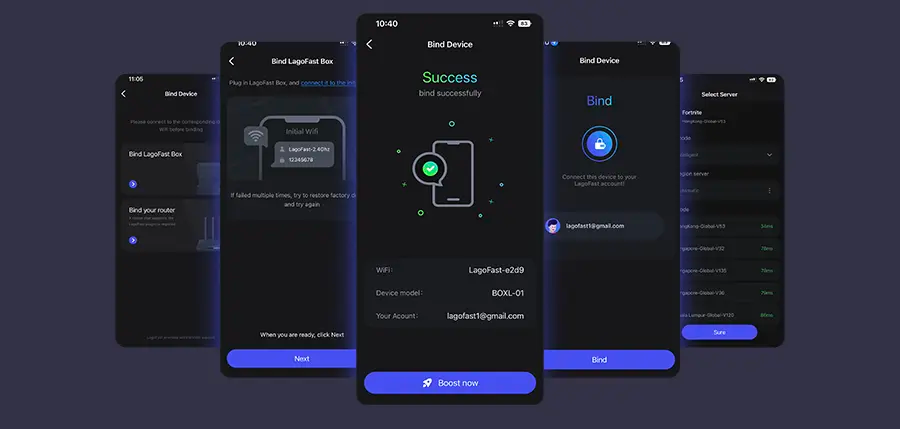
Step 3: Launch the LagoFast Console App and boost Black Ops 7. Once you have completed the binding process with the LagoFast Box, proceed to boost this game within the LagoFast Console App.
Whether you’re on PC or console, LagoFast provides a reliable one-click solution to bypass login issues and guarantee a smooth multiplayer experience.
Hot Related: How to Fix Call of Duty: Black Ops 7 Slow Download Speed - 100% Work
Part 3. Other Solutions for the Black Ops 7 “Logging into Online Services” Error
If you prefer manual fixes, try these effective steps one by one:
Check Official Server Status
Visit the official Call of Duty status page or social channels to confirm if there are ongoing server outages or scheduled maintenance. If servers are down, all you can do is wait.
Restart Devices and Network
Reboot your PC/console and power-cycle your router and modem. Waiting 1–2 minutes clears cached data, resets connections, and often resolves temporary issues.
Verify Network Stability
Run an internet speed test to confirm consistent upload and download speeds. If possible, use a wired Ethernet connection instead of Wi-Fi for lower latency and greater reliability.
Update the Game and Drivers
Make sure Black Ops 7 is fully updated via your launcher. Also, keep your graphics and network drivers up-to-date. NVIDIA, AMD, and Intel regularly release driver updates to fix bugs and optimize new games.
Adjust Firewall and Antivirus Settings
Security programs sometimes block game executables. Temporarily disable them to test, and if login succeeds, add Black Ops 7 to the whitelist/exceptions list before re-enabling protection.
Clear Cache and Verify Game Files
Corrupted game cache or missing files can prevent logins. Use your launcher’s “Verify/Repair” function to fix damaged files. On consoles, clearing the system cache may help.
Try a Different DNS
Switching to a public DNS (like Google 8.8.8.8 or Cloudflare 1.1.1.1) can improve routing and reduce failed login attempts caused by DNS resolution errors.
Related Article: Call of Duty: Black Ops 7 Pre-Order Guide — Editions, Bonuses, and Game Pass Access
Conclusion
Login issues in Black Ops 7 can be frustrating, but most can be solved with the right approach. Start by checking servers and your connection, then move to updating software and adjusting security settings.
If you want a fast, reliable solution without diving into technical tweaks, LagoFast is the best option. With optimized routing, FPS boosting, and performance tuning, it ensures you can jump into the fight the moment Black Ops 7 goes live.
Boost Your Game with LagoFast for Epic Speed
Play harder, faster. LagoFast game booster eliminates stutter and lags on PC, mobile, or Mac—win every match!
Quickly Reduce Game Lag and Ping!
Boost FPS for Smoother Gameplay!