
Broken Arrow is breaking onto the RTS scene in June 2025 with its large-scale, multiplayer modern-warfare gameplay. Developed by Steel Balalaika, this Steam-exclusive promises intense tactical battles, but early access has brought scattered server hiccups—like the notorious “Not all players are connected” error.
In this guide, we'll explore whether Broken Arrow is truly down, why the servers are struggling, where to check real-time status, and effective ways to fix connection issues—including optimizing your network with LagoFast Game Booster.

- ✅ Reduce Lag and High Ping.
- ✅ Boost FPS at the Same Time.
- ✅ Support 1000+ Popular Online Games.
- ✅ End Stuck & Crashing Issues.
- ✅ Stable Server Connections.
Part 1: Introduction to Broken Arrow
Part 3: Why Broken Arrow Servers Not Working
Part 4: How to Check Broken Arrow Server Status
Part 5: How to Solve Server issues in Broken Arrow
Part 1: Introduction to Broken Arrow
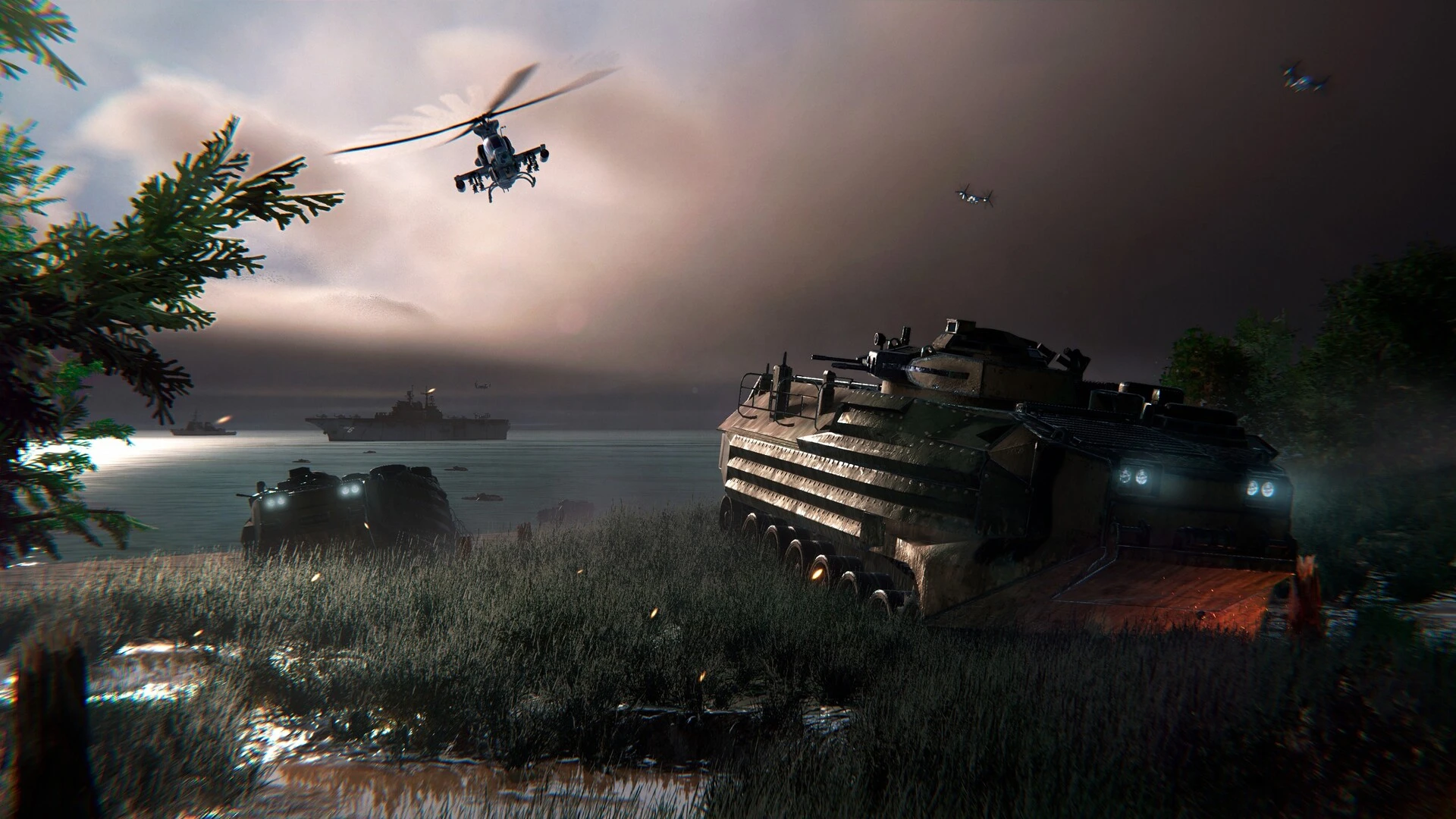
Broken Arrow is an ambitious large-scale modern warfare real-time strategy game from Russian developer Steel Balalaika, officially released on June 19, 2025, via Steam . Promoted as a spiritual successor to the Wargame series, it offers intense multiplayer battles with hundreds of units, realistic logistics, and detailed tactical depth.
The game was available early through a Vanguard Edition—priced at $59.99—which granted access three days before full launch. That period saw thousands of players flock to the servers, and with the influx came early reports of download errors and connection issues. In this guide, we will break down whether Broken Arrow is down right now, why servers are unstable, how to check status, and what you can do to fix connection problems, including leveraging tools like LagoFast Game Booster.
Part 2: Is Broken Arrow Down
Have you encountered the error message "You have been disconnected from the server. Not all players are connected"? You’re not alone. With the surge of early-access players, reports of players being disconnected mid-match have spread rapidly.
However, as of now, Broken Arrow is not fully down. These disconnections appear to be sporadic, tied to server overload rather than complete outages. Early reports indicate that although some matches break due to connectivity errors, the game is still technically live and playable—just unstable in parts.
Steel Balalaika has responded swiftly with patches aimed at improving connectivity, particularly for regions with reported disconnects.
Part 3: Why Broken Arrow Servers Not Working
Several key reasons explain why servers are failing intermittently:
1. Overload from Early Access Demand
As the Vanguard Edition players dive in early, many server resources are being maxed out—typical of major multiplayer releases .
2. Phased Rollout Limitations
Even though global regions are served, capacity may not yet scale to full launch demands .
3. Regional Connectivity Problems
Post-launch hotfixes acknowledged issues with Russian players facing disconnects, suggesting network path and backend service strain .
4. Download and Activation Delays
Third-party key issues may have delayed some players from even starting the game, causing bursts of downloads later and stressing infrastructure .
5. Bugs in Skirmish Mode & Multiplayer
Multiple betas revealed issues with game modes and matchmaking logic; today the skirmish fixes rolled out, but connectivity remains a related concern .
Part 4: How to Check Broken Arrow Server Status
To stay informed on server stability, use these practical methods:
1. Official Channels:
- Visit Steel Balalaika’s Discord, X (Twitter), or Steam forum to monitor developer updates and patch logs—especially ones noting server disconnections .
2. Community Reports:
- Check chat activity and user posts in Steam Community Hub and Reddit. If disconnects spike, it's likely server-side .
3. Third‑party status trackers:
- Use sites like DownDetector or IsItDownRightNow to spot widespread outage reports and map trends.
4. In-game Indicators:
- Repeated “Not all players connected” errors or sudden load failures often signal current instability.
Part 5: How to Solve Server issues in Broken Arrow
If you're experiencing issues, here are steps you can take to stabilize your connection:
1. Use LagoFast Game Booster
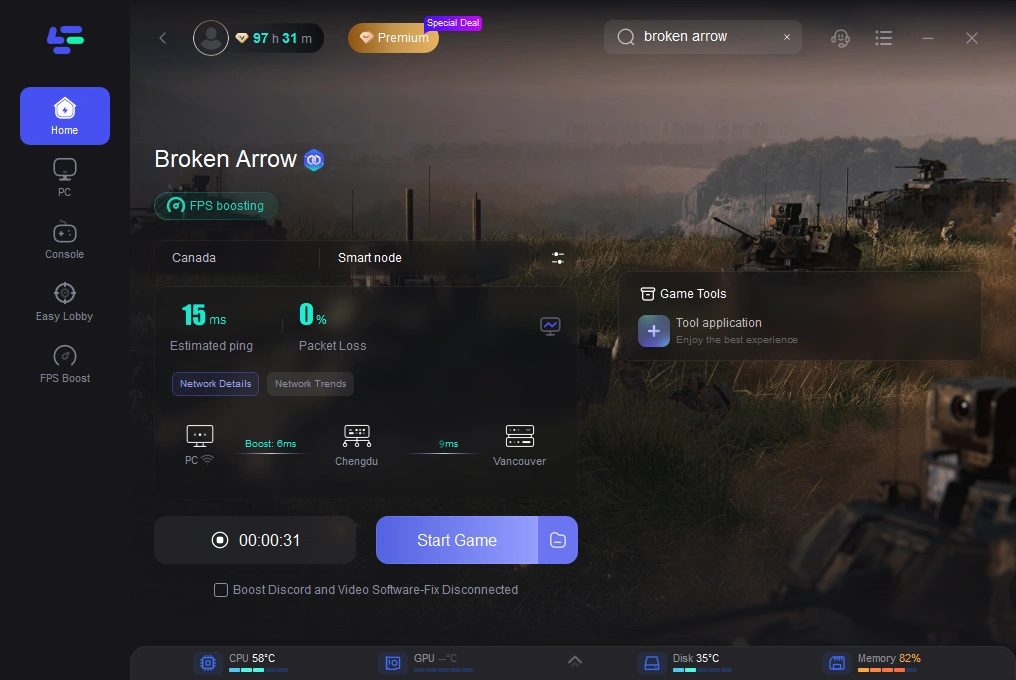
LagoFast is a powerful game booster that optimizes traffic through real-time, multipath routing and reduces ping and jitter. Here's how to set it up:
Step 1: Begin by clicking the Free Trial button to download and install the LagoFast Free Trial.
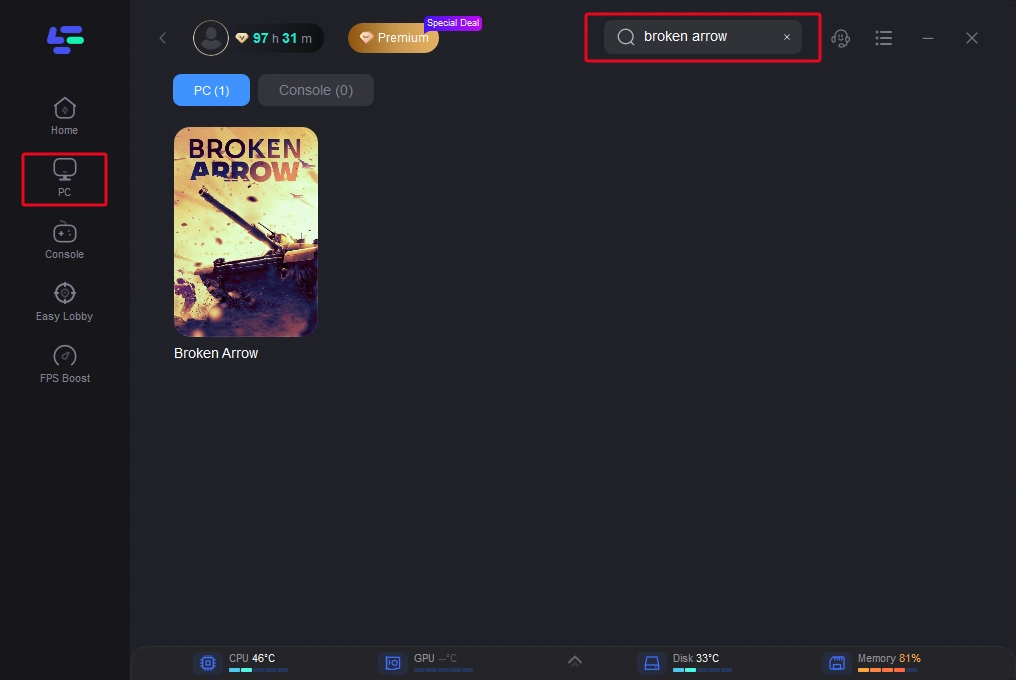
Step 2: Open the client, select Broken Arrow from the game list.
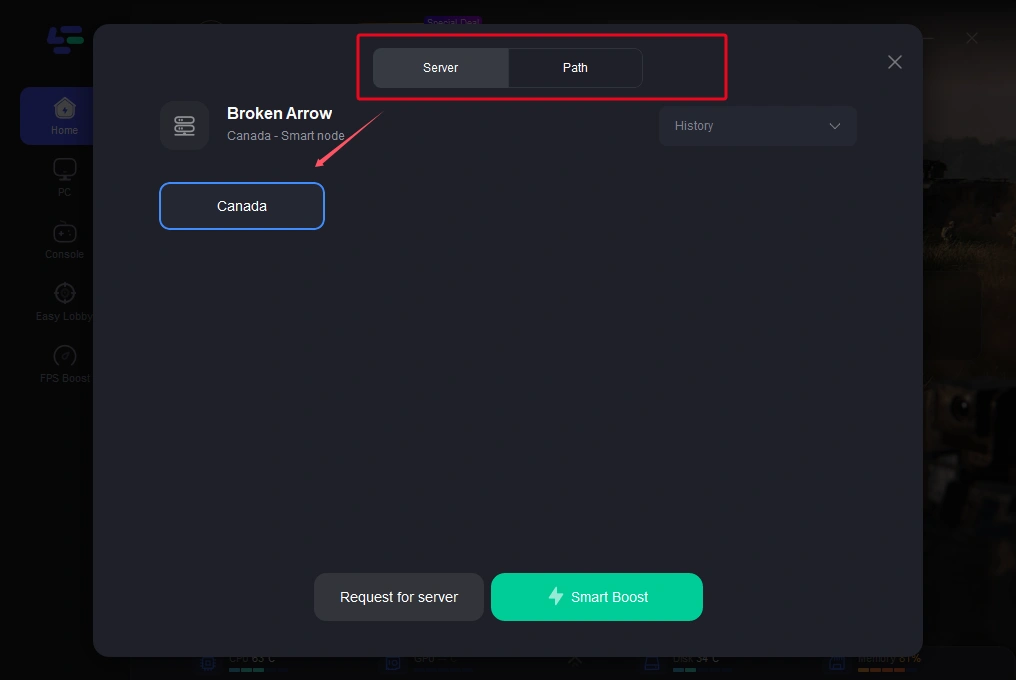
Step 3: Choose the best server node with lowest ping; hit Smart Boost.
Step 4: Launch the game—LagoFast routes traffic via optimal nodes to enhance stability and reduce “disconnect” errors during spikes or server strain.
2. Rejoin or Restart
Close the game and reconnect. Most users report success after quick relaunches, as servers catch back up.
3. Switch Regions or Play Offline
Try a different region from your Steam settings. Opt for single-player campaign or skirmish mode until multiplayer stabilizes.
4. Update Game & Clear Cache
Make sure you’ve downloaded the latest updates. Clear any corrupted patch data—Steam’s “verify integrity” tool helps.
5. Optimize Your Internet Setup
Use a wired Ethernet connection, restart your router, disable VPN/firewall interference, and ensure your network drivers are current
Hot Related: Dead by Daylight Server Status: Why the Servers Aren’t Working and What to Do
Part 6: FAQs
Q1: Is Broken Arrow permanently down
A1: No — intermittent disconnects are tied to early access overload, not total server failure .
Q2: Will full launch on June 19 fix issues
A2: Likely—capacity will scale up then. Developers have prepared hotfixes and support updates to improve stability .
Q3: Do server issues affect single-player modes
A3: No—campaign and PvE skirmish modes are offline-compatible and unaffected .
Q4: Can I trust third‑party key purchases
A4: Risky. Some users who bought from CDKeys and similar sites reported download issues. Problems were resolved by using official Steam keys .
Q5: What’s the benefit of using LagoFast
A5: It minimizes lag, jitter, and packet loss via smart routing across multiple nodes and real-time server switching—perfect when official servers are unstable.
Conclusion
Broken Arrow has burst onto the scene with excitement—and early server issues. While the message “Not all players are connected” is frustrating, it's not a permanent failure. These are surmountable hiccups amid early-launch demand.
By understanding the causes and following the steps above—including leveraging game-boosting tools—you can reduce disconnections, enjoy stronger performance, and take command of the battlefield as Broken Arrow scales into full release. See you on Steam!
Boost Your Game with LagoFast for Epic Speed
Play harder, faster. LagoFast game booster eliminates stutter and lags on PC, mobile, or Mac—win every match!
Quickly Reduce Game Lag and Ping!
Boost FPS for Smoother Gameplay!