
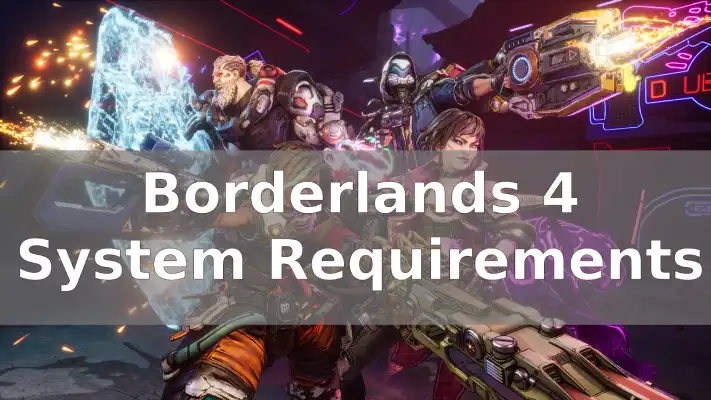
Borderlands 4 is one of the most anticipated looter shooters of 2025, but its PC system requirements have stirred a heated debate among gamers. The game is powered by Unreal Engine 5, bringing features like Lumen lighting and Nanite geometry streaming to the franchise for the first time. Alongside these upgrades come demanding hardware specs—especially the CPU requirements.
This guide breaks down the official system requirements, explains why “8 cores or equivalent” appears on the store page, and offers practical advice for players with 6-core processors wondering if they can still play.

- ✅ Reduce Lag and High Ping.
- ✅ Boost FPS at the Same Time.
- ✅ Support 2000+ Popular Online Games.
- ✅ Change Server without Latency.
- ✅ Boost Game Loading Speed.
- ✅ Fix Game Crashing Freezing Issues
Part 1: Official Borderlands 4 PC System Requirements
Part 2: Why an 8-Core CPU Is Listed as Minimum
Part 3: Can a 6-Core CPU Run Borderlands 4?
Part 4: How to Optimize for 6-Core Systems
Part 5: Why Borderlands 4’s Requirements Feel So High
Part 6: Should You Upgrade Now?
Part 7: Enhance Your Borderlands 4 Gaming Experience with LagoFast
Part 1: Official Borderlands 4 PC System Requirements
Minimum (1080p, ~60 FPS, Low/Medium Settings)
- OS: Windows 10/11 (64-bit)
- Processor: Intel Core i7-9700 or AMD Ryzen 7 2700X (8 cores)
- Memory: 16 GB RAM
- Graphics: NVIDIA GeForce RTX 2070 (8 GB) / AMD Radeon RX 5700 XT / Intel Arc A580
- Storage: 100 GB SSD
- Other: DirectX 12
Recommended (1440p, ~60 FPS, High Settings)
- Processor: Intel Core i7-12700 or AMD Ryzen 7 5800X
- Memory: 32 GB RAM
- Graphics: RTX 3080 / RX 6800 XT (10–12 GB VRAM)
- Storage: 100 GB SSD
While GPU and RAM demands are high but expected for a 2025 AAA game, it’s the CPU requirement of “8 cores or equivalent” that triggered community concern.
Related Article: Is Borderlands 4 on Game Pass?
Part 2: Why an 8-Core CPU Is Listed as Minimum
The “8-core” spec isn’t a strict hardware lock; rather, it’s a performance tier marker. Gearbox’s FAQ clarifies that the game targets older 8-core CPUs from 2018–2019 (i7-9700, Ryzen 7 2700X). Modern 6-core CPUs like the Ryzen 5 5600 or Core i5-12400F easily outperform those chips, even with fewer cores.
However, Borderlands 4’s reliance on Unreal Engine 5 features means:
- Lumen and Virtual Shadow Maps increase draw calls and CPU frametime spikes.
- Semi-open world maps require more CPU threads for asset streaming.
- UE5 optimization is mixed, with many recent UE5 titles showing stuttery performance without aggressive upscaling (DLSS/FSR/XeSS).
The requirement is meant to guarantee smoother performance, not block modern 6-core hardware entirely.
Related Article: Best Borderlands 4 Mods Tool
Part 3: Can a 6-Core CPU Run Borderlands 4?
If you’re running something like a Ryzen 5 3600/5600 or Core i5-10400/12400F, you’re likely fine for 1080p gaming. Here’s what to expect:
- Playable but not flawless performance: A strong 6-core will run the game but may show CPU frametime spikes in heavy combat.
- No strict launch lockout: The game should boot on <8-core CPUs, but warnings may appear.
- Aggressive upscaling needed: DLSS/FSR/XeSS in Balanced or Performance mode will be essential.
- VRAM limits matter: GPUs with 6 GB VRAM will need reduced texture settings.
Hot Related: How to Get Borderlands 4 Twitch Drops Easily and Quickly
Part 4: How to Optimize for 6-Core Systems
If you’re just under the official spec line, try these tweaks:
- Install on an SSD – Faster streaming and reduced texture pop-in.
- Lock FPS – Cap at 40 or 60 FPS for smoother pacing.
- Disable Ray Tracing – Stick with software-based Lumen on midrange GPUs.
- Lower foliage & shadows – Cuts CPU-heavy rendering tasks.
- Use DLSS/FSR/XeSS – Critical for stable UE5 performance.
- Monitor VRAM usage – Drop textures on 6–8 GB GPUs.
- Update drivers – Ensure game-ready optimizations are applied.
Part 5: Why Borderlands 4’s Requirements Feel So High
- Engine Shift: Every Borderlands has upgraded engines; BL4’s UE5 jump is the heaviest yet.
- Next-Gen Baseline: PS5/Xbox Series use 8-core CPUs; PC specs now align.
- Rising Industry Trend: Games like Doom: The Dark Ages and Final Fantasy VII Rebirth also demand 8 cores minimum.
Part 6: Should You Upgrade Now?
- Modern 6-Core (Ryzen 5000 / Intel 12th Gen): No urgent upgrade needed.
- Older 6-Core (Ryzen 3000 / Intel 10th Gen): Manageable with optimization, but dips expected.
- 4-Core CPUs / GTX 10-Series GPUs: Below spec—upgrade strongly recommended.
Part 7: Enhance Your Borderlands 4 Gaming Experience with LagoFast
Even if your PC meets the Borderlands 4 system requirements, performance can still suffer from lag, stuttering, or unstable connections. This is where LagoFast Game Booster makes a difference. With real-time route optimization, FPS boosting, and lower ping, LagoFast ensures that your Borderlands 4 sessions stay smooth and immersive. Whether you’re running a modern 6-core CPU or pushing high settings on 1440p, LagoFast helps stabilize performance so you can focus on the looter-shooter action instead of technical issues.
How to Use LagoFast to Boost Borderlands 4:
Step 1: Click the “Free Trial” button below to download and install the LagoFast client on your PC.
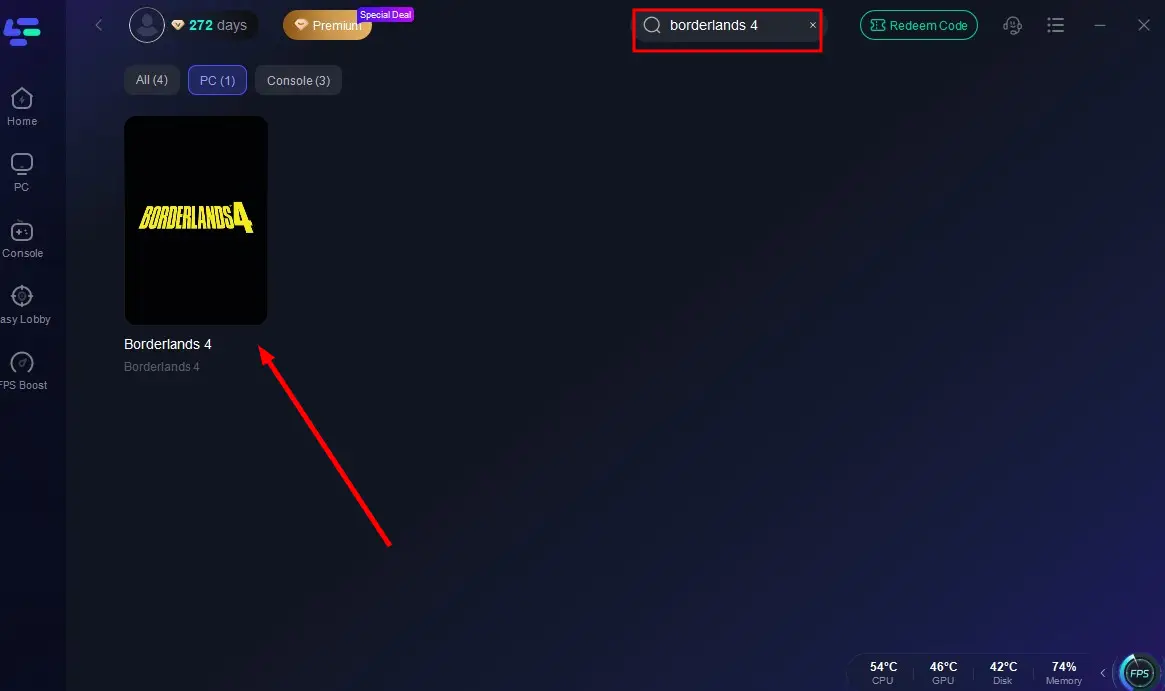
Step 2: Launch LagoFast, search for “Borderlands 4” in the client, and select the game.
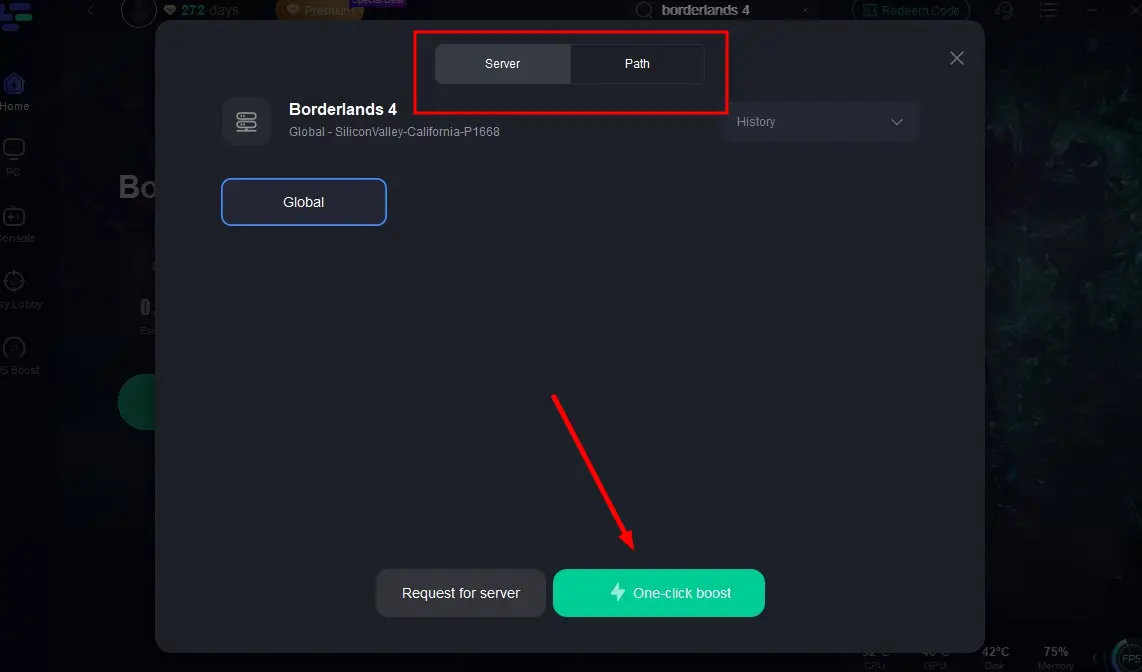
Step 3: Click the “Select Server” button to connect to an optimal server node based on your needs, then activate optimization via “Smart Boost”.
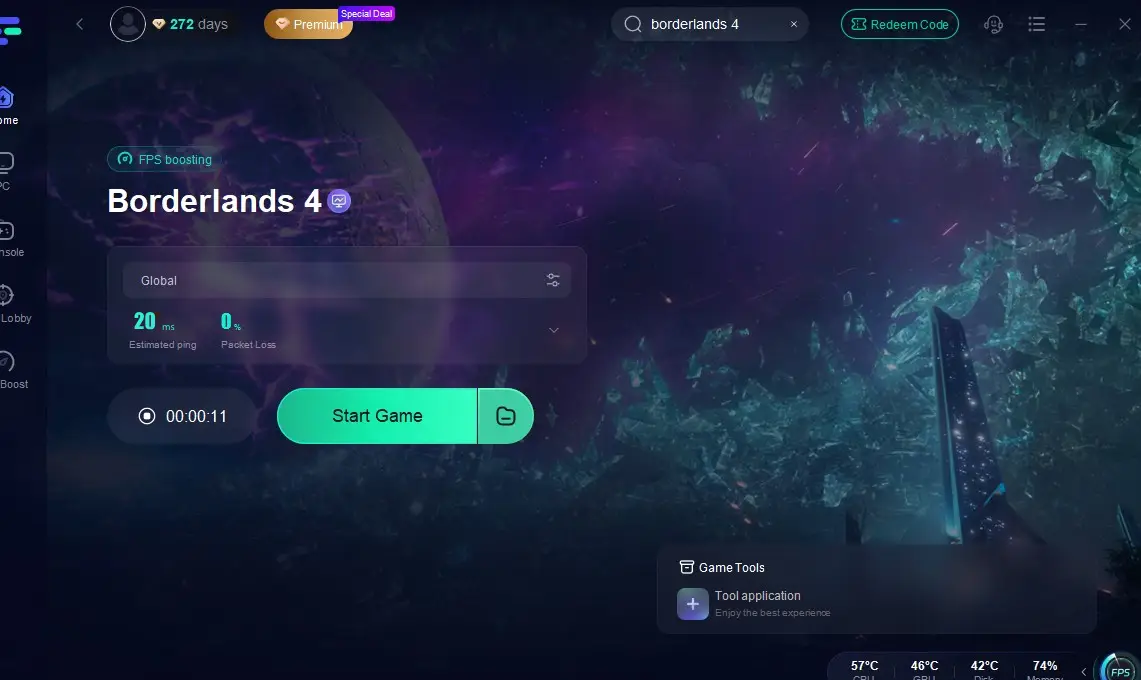
Step 4: After enabling real-time optimization, check the live ping and packet loss rates, then click “Start Game” to begin playing.
Additional LagoFast Game Tools for Borderlands 4
- One-Click Translation: Instantly translates in-game menus, quests, and item descriptions into supported languages like Arabic and Turkish. The translation is seamless, naturally fitting the UI without broken fonts, glitches, or delays, helping players fully understand missions and loot.
- Interactive Map Assistant: Provides real-time map overlays with updated markers for missions, loot chests, and co-op objectives. Regularly updated with Borderlands 4 patches and expansions, ensuring players never miss hidden items or key locations.
- FPS Boost 2.0: Enhances visual performance by generating additional frames in real time, reducing stutter and improving smoothness in large battles or open-world exploration. Ensures responsive gameplay even on demanding maps.
With LagoFast’s powerful suite of tools, Borderlands 4 players can explore faster, fight smoother, and immerse themselves fully in the chaos without limits.
Bottom Line
Borderlands 4’s “8-core minimum” sounds alarming, but it’s mainly a performance guideline. A strong modern 6-core CPU paired with an RTX 3060 or equivalent GPU will deliver a playable 1080p experience with the right tweaks.
The game’s UE5 foundation makes optimization the real challenge. Watch benchmarks at launch, be ready to refund if performance disappoints, and remember: architecture and IPC matter more than raw core counts.

Boost Your Game with LagoFast for Epic Speed
Play harder, faster. LagoFast game booster eliminates stutter and lags on PC, mobile, or Mac—win every match!
Quickly Reduce Game Lag and Ping!
Boost FPS for Smoother Gameplay!