

Borderlands 4 expands the looter-shooter universe with massive maps, hidden loot, and countless side quests. Navigating these sprawling worlds can be overwhelming without the right tools. A Borderlands 4 Interactive Map helps players track locations, loot, and objectives efficiently. LagoFast’s Map Master delivers the Best Borderlands 4 Interactive Map experience with advanced features and smooth performance.

- ✅ Reduce Lag and High Ping.
- ✅ Boost FPS at the Same Time.
- ✅ Support 2000+ Popular Online Games.
- ✅ Change Server without Latency.
- ✅ Boost Game Loading Speed.
- ✅ Fix Game Crashing Freezing Issues
Part 1: What is Borderlands 4 & Why Map Tools Matter
Part 2: Best Borderlands 4 Interactive Map Tool – LagoFast Map Master
Part 3: Enhance Gaming Experience with LagoFast Other Features for Borderlands 4
Part 1: What is Borderlands 4 & Why Map Tools Matter
Borderlands 4 is the latest installment of the franchise, featuring vast open zones, loot everywhere, bosses, side quests, and hidden collectibles. Without a Borderlands 4 Interactive Map, many players end up missing rare loot or wasting time backtracking. That’s why having the Best Borderlands 4 Interactive Map or a reliable Borderlands 4 Map tool is key. It’s not just about convenience, but about maximizing gameplay and farming efficiency.
Related Article: Is Borderlands 4 on Game Pass >
Part 2: Best Borderlands 4 Interactive Map Tool – LagoFast Map Master
Since Borderlands 4’s world is so large and full of hidden content, relying on a simple in-game map isn’t enough. Players need something smarter that highlights loot spots, boss arenas, and fast travel points. That’s where LagoFast’s Map Master comes in, offering a Borderlands 4 Map tool to find specific locations, explore faster, and avoid missing anything important.
The Map Tool Offers:
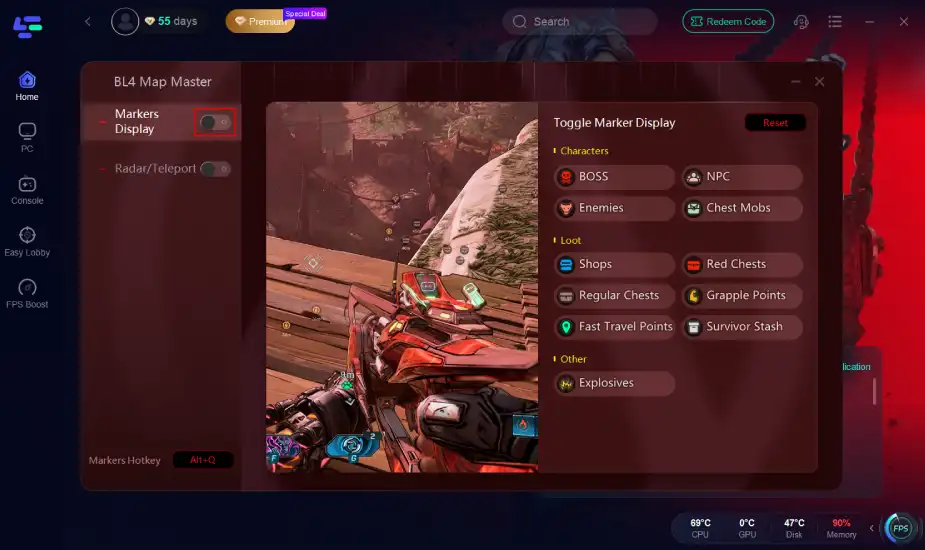
Markers Display
Shows vendors, bosses, loot caches, fast travel points, and quest locations. You can toggle categories so the map stays clean and useful.
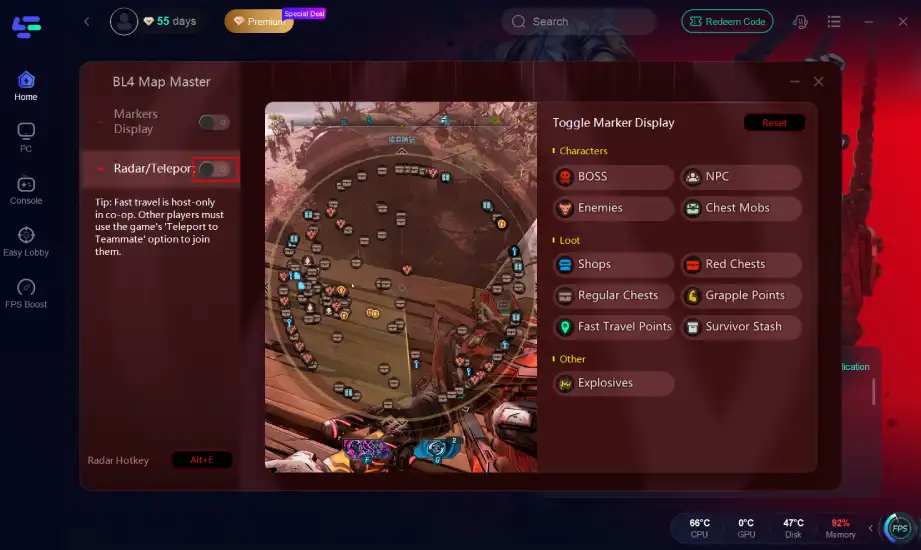
Teleport
Lets you jump between key map points instantly, saving time and making farming or questing more efficient. Perfect for coordinating in co-op runs.
How to Get the Best Interactive Map for Borderlands 4:
Step 1: Click the "Free Trial" button below to download and install the LagoFast client on your PC.
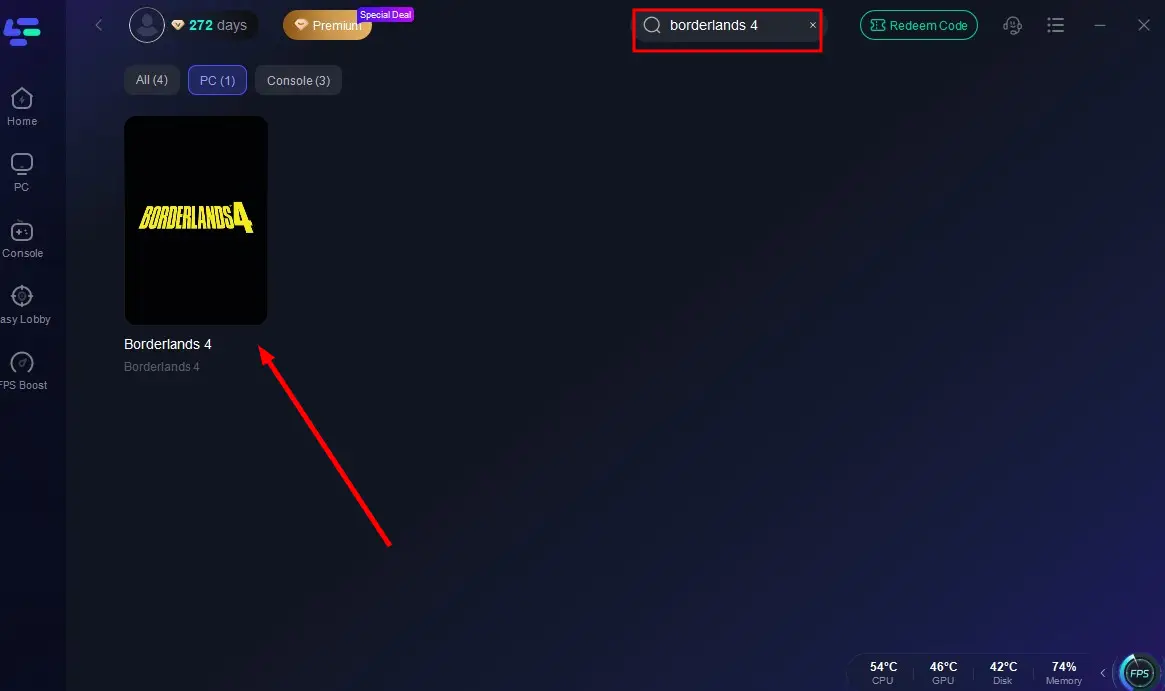
Step 2: Launch LagoFast, search for "Borderlands 4" in the client, and select the game.
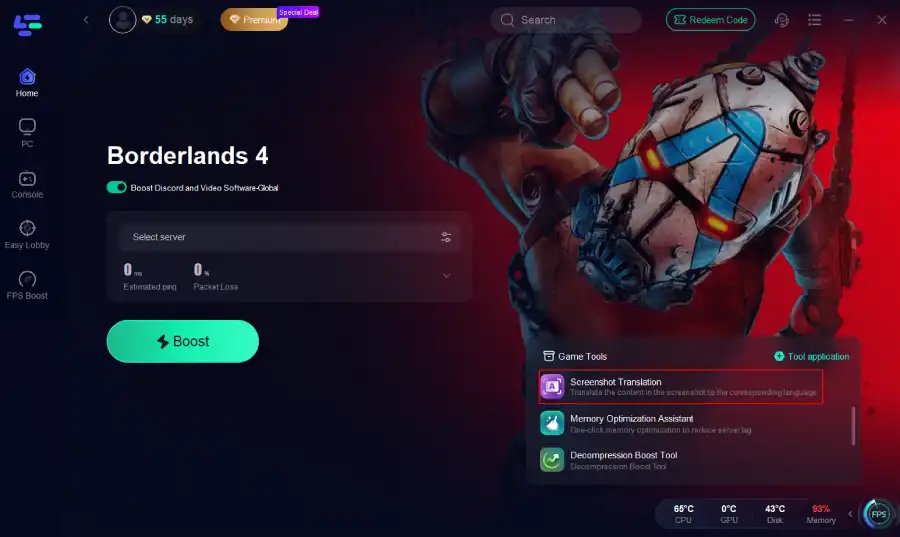
Step 3. Click the Map Master Tool on the right.
Step 4. Click the Button to enable the tool.
Hot Related: Borderlands 4 Is Not Working on PC? Complete Fix Guide for Errors and Crashes
Part 3: Enhance Gaming Experience with LagoFast Other Features for Borderlands 4
In addition to its interactive map tool, LagoFast extends its support with several other enhancements that address both performance and convenience. Whether it’s minimizing lag and stuttering, offering advanced filtering for map exploration, or even providing one-click translation for better accessibility, LagoFast makes Borderlands 4 more immersive and enjoyable.
Game Boosting Feature
- Low Latency and Stable Connection: LagoFast optimizes traffic routes to significantly reduce ping and latency fluctuations. This helps Borderlands 4 players keep combat responsive and reliable, even in large-scale encounters.
- Reduced Packet Loss and Stuttering: Network interruptions often cause rubber-banding or freezes during online play. LagoFast minimizes packet loss and smooths out gameplay, allowing for seamless movement and faster reactions.
- Global Server Access: With worldwide routing options, players can connect to servers in different regions without experiencing major slowdowns. This is especially useful for international co-op and cross-region matchmaking.
- Multi-Device and Flexible Use: While primarily used on PC, LagoFast also supports companion access on mobile, making it easier to manage sessions, monitor connections, or switch routes on the go.
How to Reduce Lag and Fix High Ping in Borderlands 4 with LagoFast:
Step 1: Launch LagoFast, search for “Borderlands 4” in the client, and select the game.
Step 2: Click the “Select Server” button to connect to an optimal server node based on your needs, then activate optimization via “Smart Boost”.
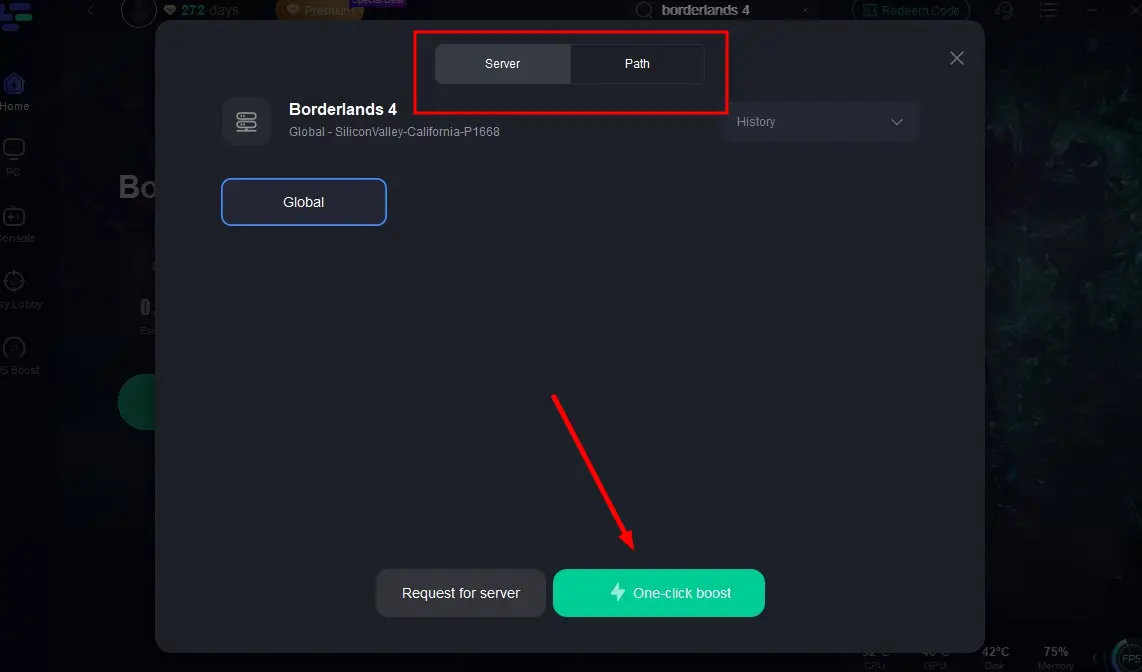
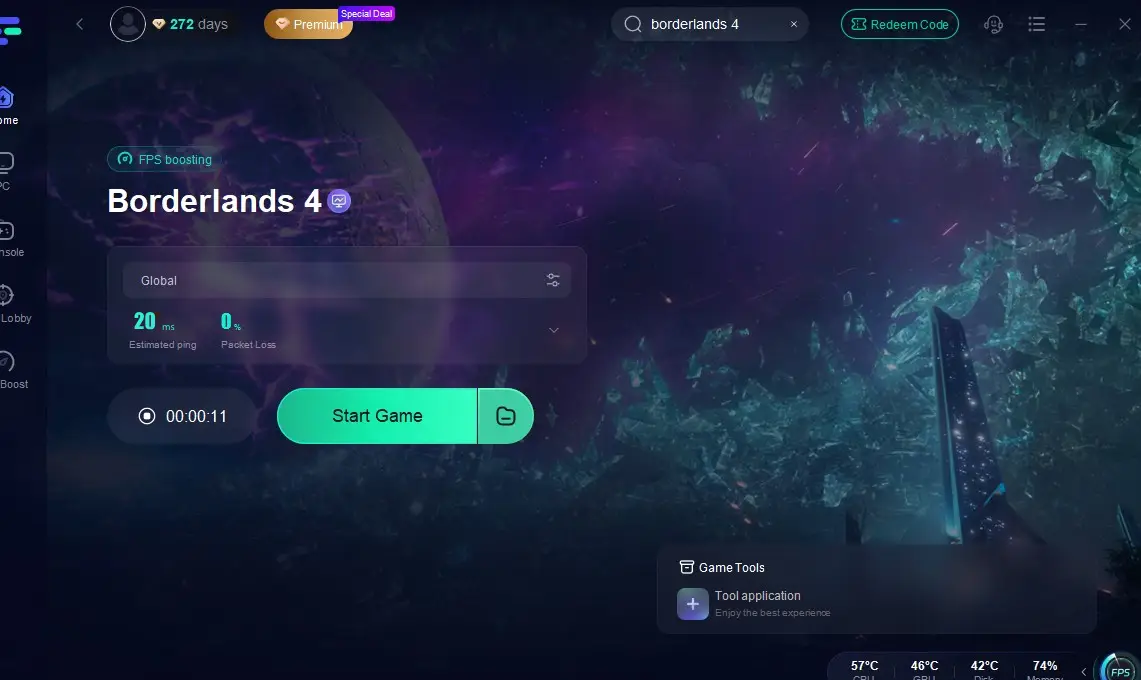
Step 3: After enabling real-time optimization, check the live ping and packet loss rates, then click “Start Game” to begin playing.
One-Click Translation
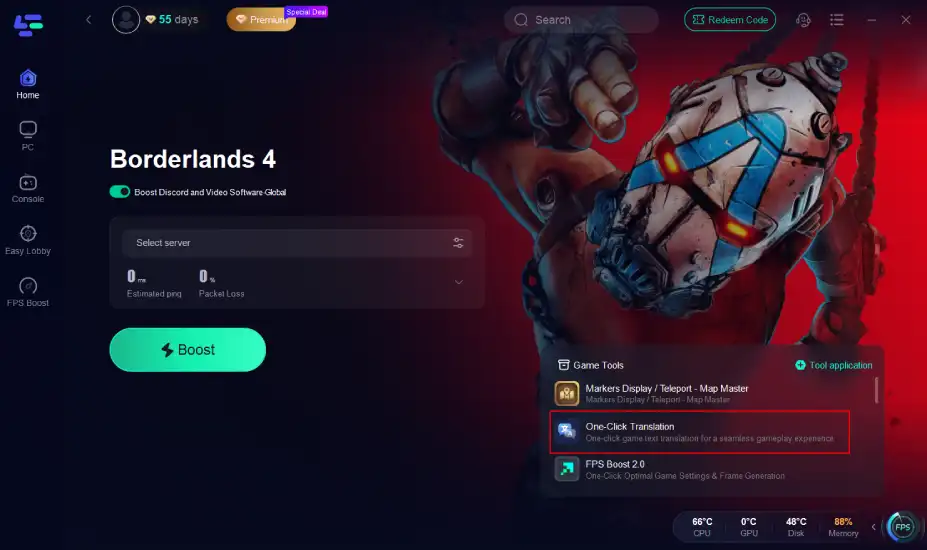
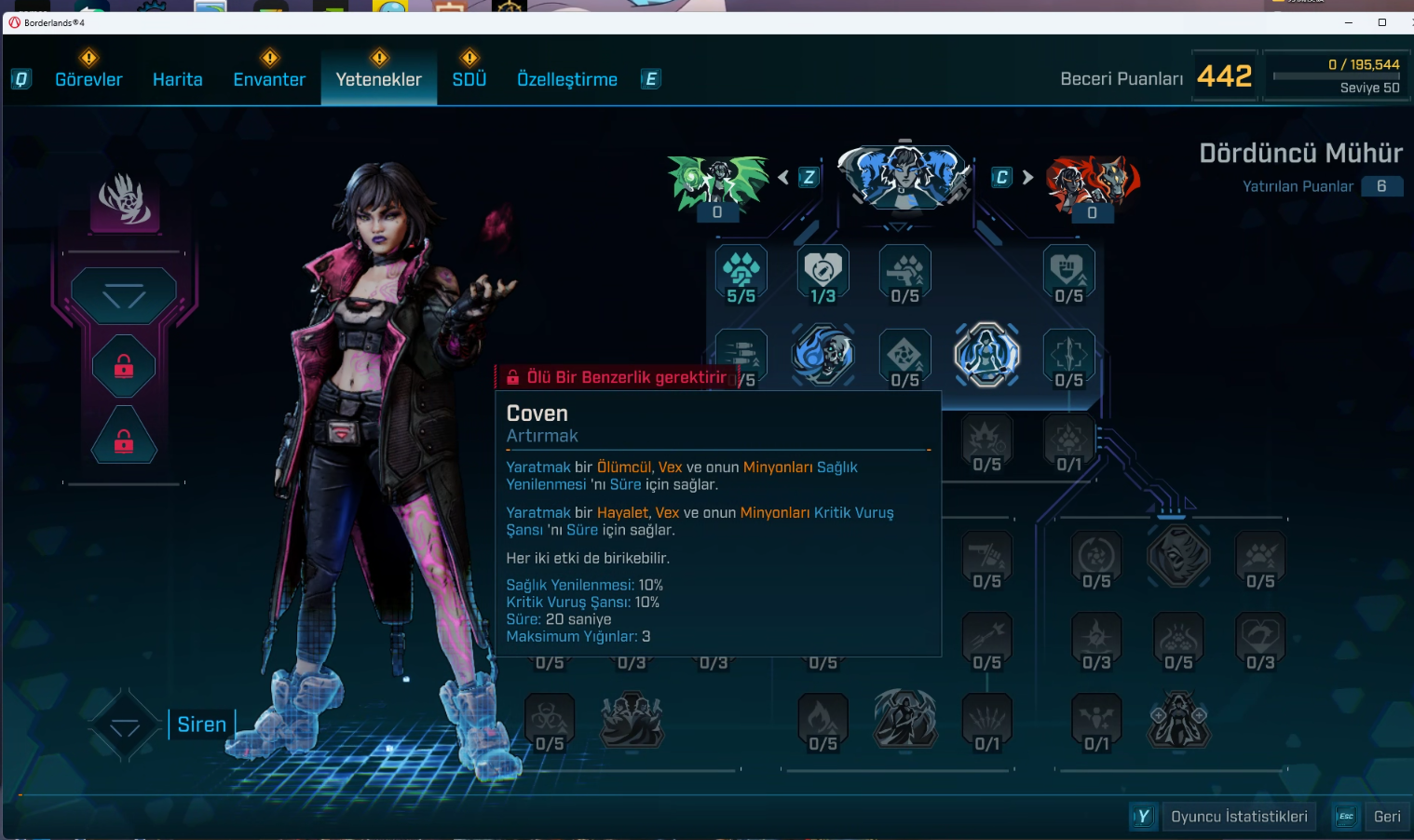
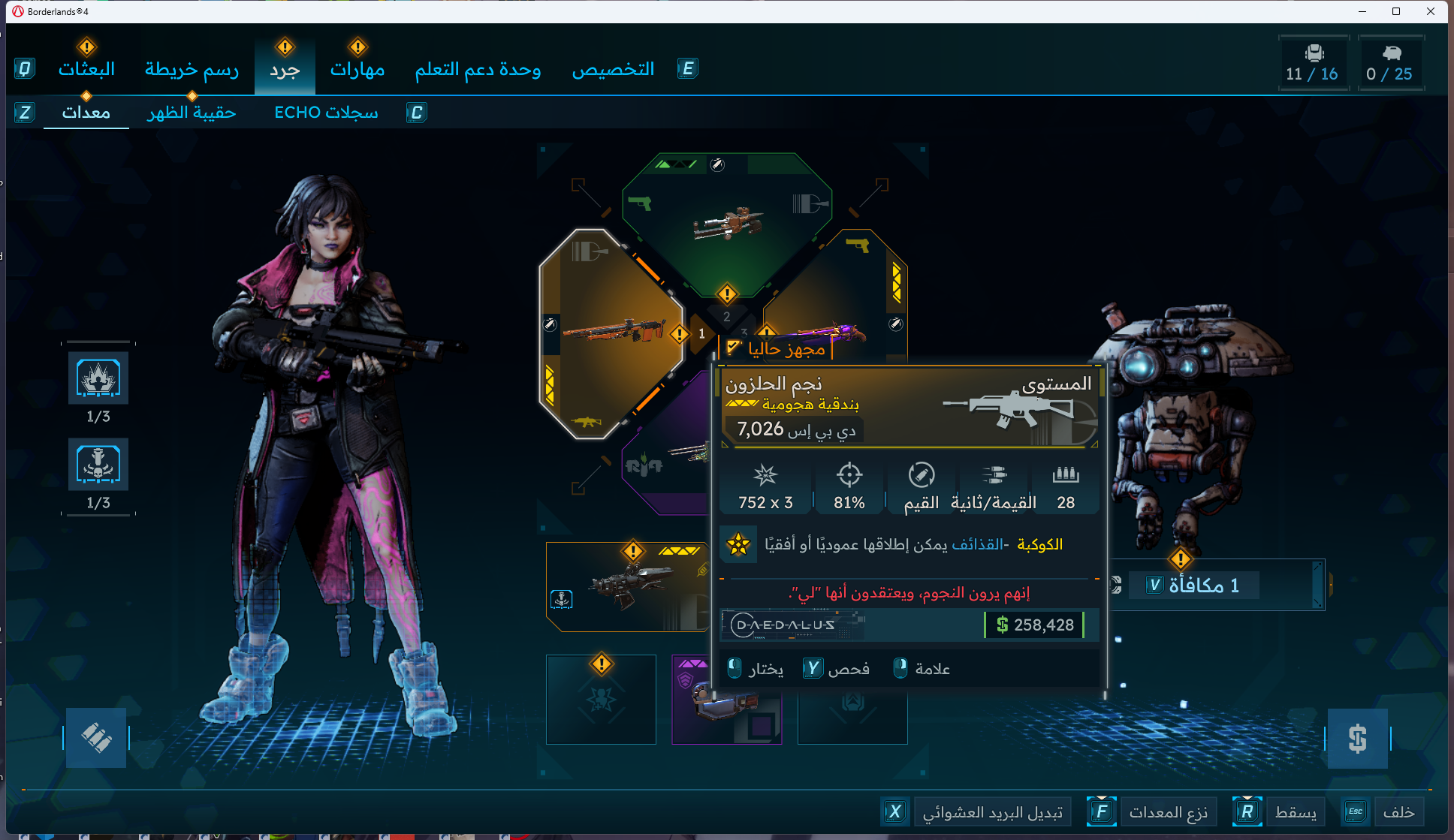
LagoFast’s One-Click Translation instantly converts in-game text, including menus, quests, and items, into Arabic and Turkish. The translation fits naturally in the UI without glitches, helping players understand missions and loot immediately and enjoy Borderlands 4 without waiting for official localization.
Step 1: Click the translation tool on the right.
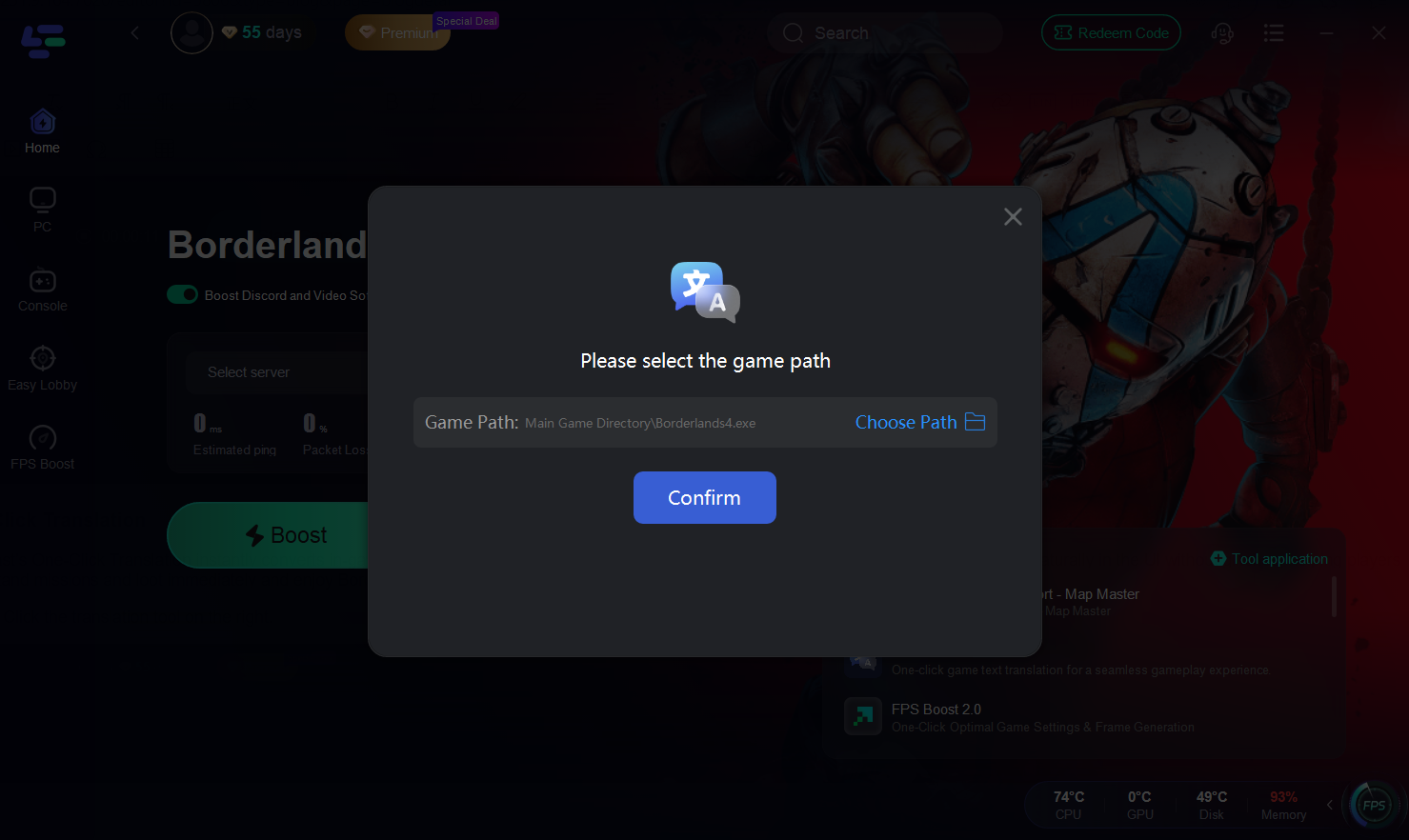
Step 2: Select the installation path and click Confirm
Translation Effect Showcase
Related Article: Borderlands 4 Stuck on Loading Screen Fix
Conclusion
Borderlands 4 is massive, and exploring without guidance means you’ll miss valuable loot or secrets. Using LagoFast’s Map Master gives you the Best Borderlands 4 Interactive Map experience, combining markers display, teleport shortcuts, and powerful boosters. On top of that, the One-Click Translation tool ensures Arabic and Turkish players get a smooth, localized experience.
If you want a Borderlands 4 Map tool that doubles as a performance booster and a map tool to find specific locations, LagoFast is worth trying.

Boost Your Game with LagoFast for Epic Speed
Play harder, faster. LagoFast game booster eliminates stutter and lags on PC, mobile, or Mac—win every match!
Quickly Reduce Game Lag and Ping!
Boost FPS for Smoother Gameplay!