
Arabic version: أداة ترجمة لعبة Borderlands 4: العب بلغتك الخاصة
Turkish version: Borderlands 4 Oyun Çeviri Aracı: Kendi Dilinizde Oynayın
Borderlands 4 is one of the most anticipated releases of the year, and Gearbox has already confirmed a wide list of supported languages. While the game comes localized for many regions, not every player finds the default language options enough. That’s where a borderlands 4 game translation tool comes in—helping players go beyond the official list, break language barriers, and enjoy the game more comfortably.

- ✅ Reduce Lag and High Ping.
- ✅ Boost FPS at the Same Time.
- ✅ Support 2000+ Popular Online Games.
- ✅ Change Server without Latency.
- ✅ Boost Game Loading Speed.
- ✅ Fix Game Crashing Freezing Issues
Part 1: Borderlands 4 Official Language Support
Part 2: Why a Game Translation Tool Is Still Needed
Part 3: Best Borderlands 4 Game Translation Tool – LagoFast
Part 1: Borderlands 4 Official Language Support
UI and Subtitle Languages
Borderlands 4 includes a strong localization package out of the box. Players can choose from English, French, Italian, German, Spanish (Spain), Spanish (Latin America), Japanese, Korean, Polish, Brazilian Portuguese, Russian, Thai, Simplified Chinese, and Traditional Chinese for the interface and subtitles. This ensures that players across Europe, Asia, and the Americas can follow the story and menus without difficulty.
Voice Acting Languages
When it comes to full voiceover, the list is shorter but still impressive. Borderlands 4 supports English, French, Italian, German, Spanish (Spain), Japanese, Korean, and Chinese with professional voice acting. For players in these regions, the game feels fully immersive with localized audio that matches the humor and style of the series.
Related Article: Is Borderlands 4 on Game Pass?
Part 2: Why Borderlands 4 Still Needs a Translation Tool
Even though the official language list is long, it doesn’t cover everyone. Players in regions such as the Middle East or Turkey don’t have native language support yet. Arabic, Turkish, and many smaller language groups are left out, which can make it harder for those players to follow the fast-paced dialogues or understand mission instructions clearly.
Another reason is community inclusivity. Many players enjoy streaming or sharing content with their local audience. Having a translation tool helps them create subtitles or adapt the game into more languages, making the Borderlands 4 community more global and accessible.
Finally, some players simply prefer reading in their native tongue even if they speak another language. A translation tool can provide comfort and reduce fatigue during long gaming sessions.
Hot Related: How to Get Borderlands 4 Twitch Drops Easily and Quickly
Part 3: Best Borderlands 4 Game Translation Tool – LagoFast
Among the available options, LagoFast is emerging as one of the most promising solutions. Known for its optimization and game acceleration tools, LagoFast has now expanded into language services designed specifically for global gamers.
One-Click Seamless In-Game Text Translation
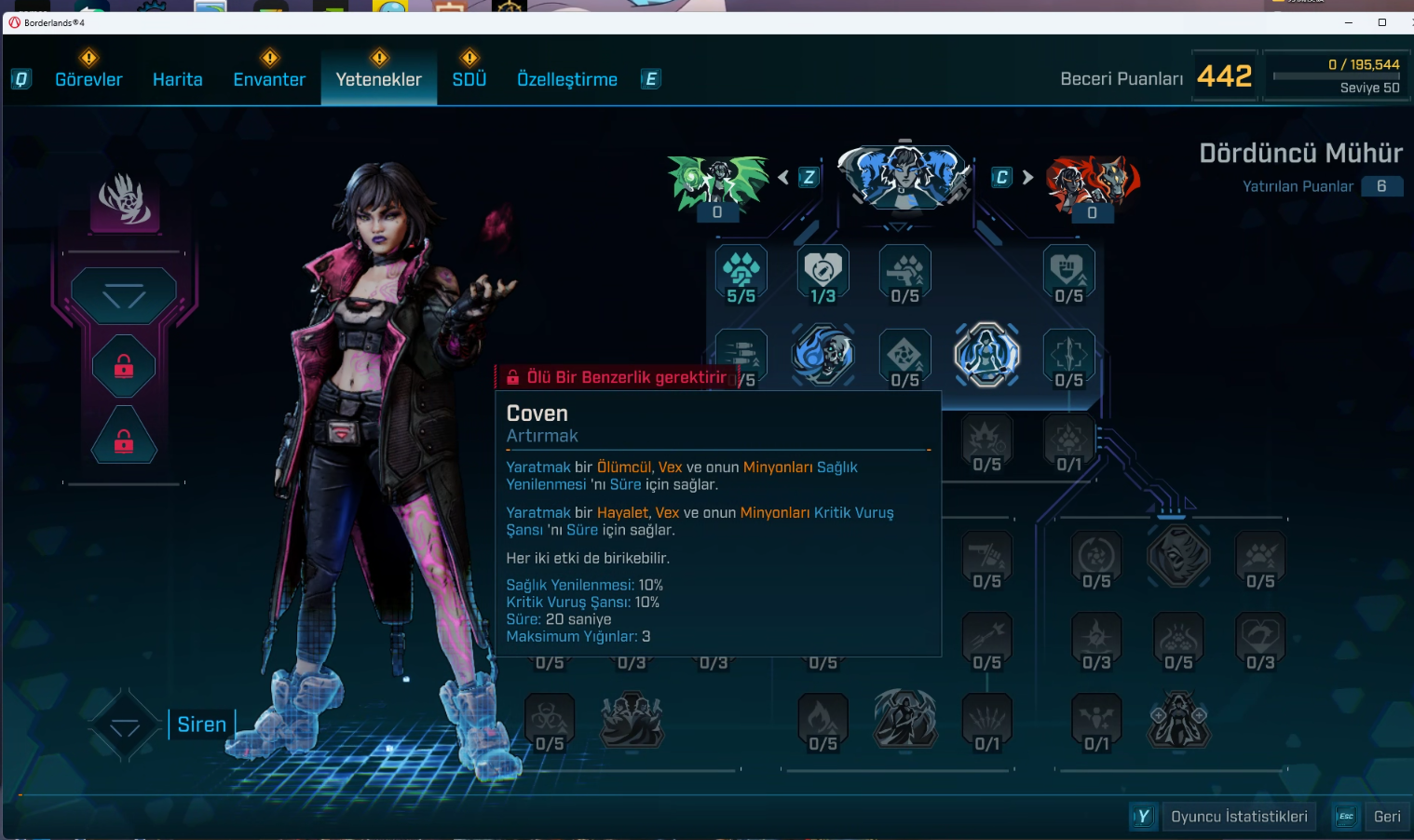
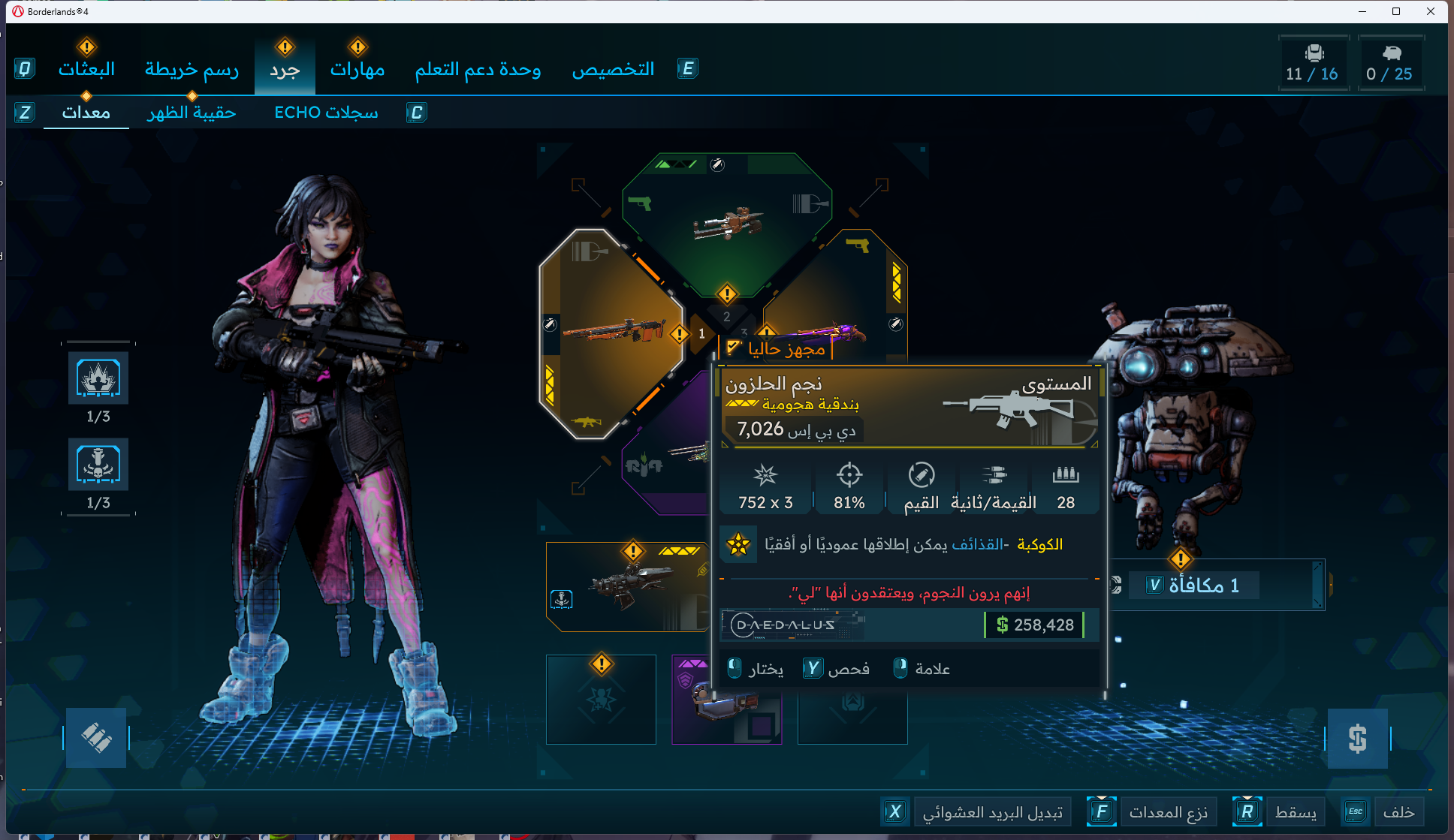
LagoFast’s One-Click Translation seamlessly translates in-game text for Borderlands 4, perfectly integrating with the game without disrupting visuals. It displays text accurately without glitches or garbled characters, operates safely without causing lag, and supports Arabic and Turkish.
Step 1: Click the “Free Trial” button below to download and install the LagoFast client on your PC.
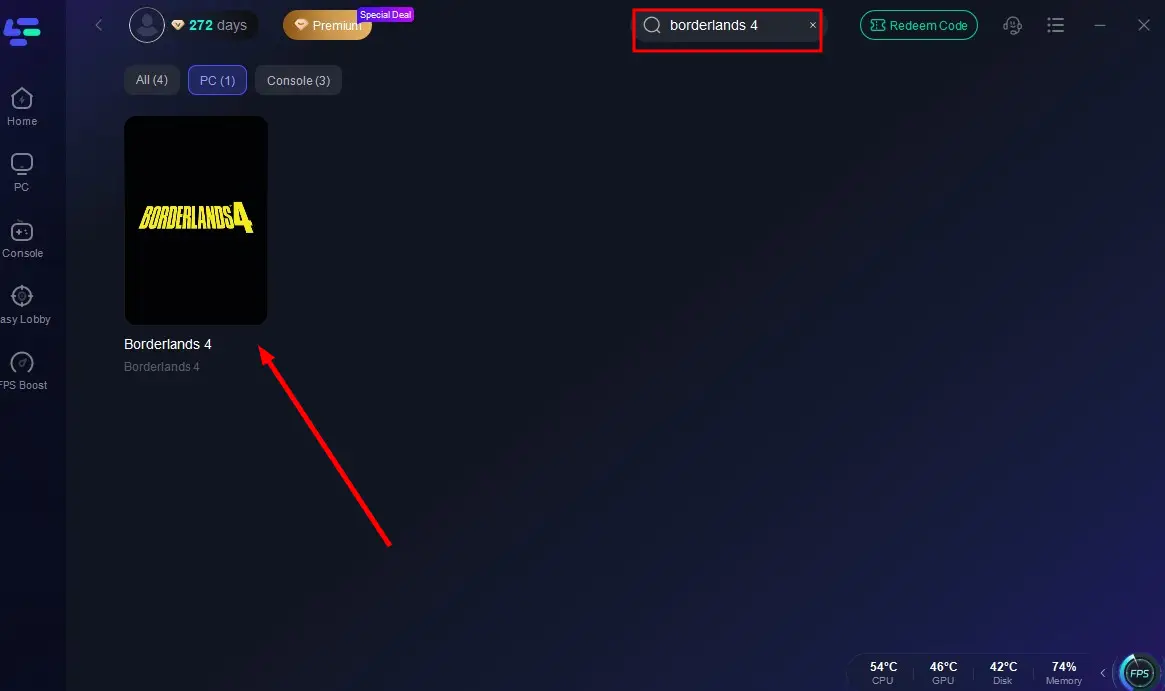
Step 2: Launch LagoFast, search for “Borderlands 4” in the client, and select the game.
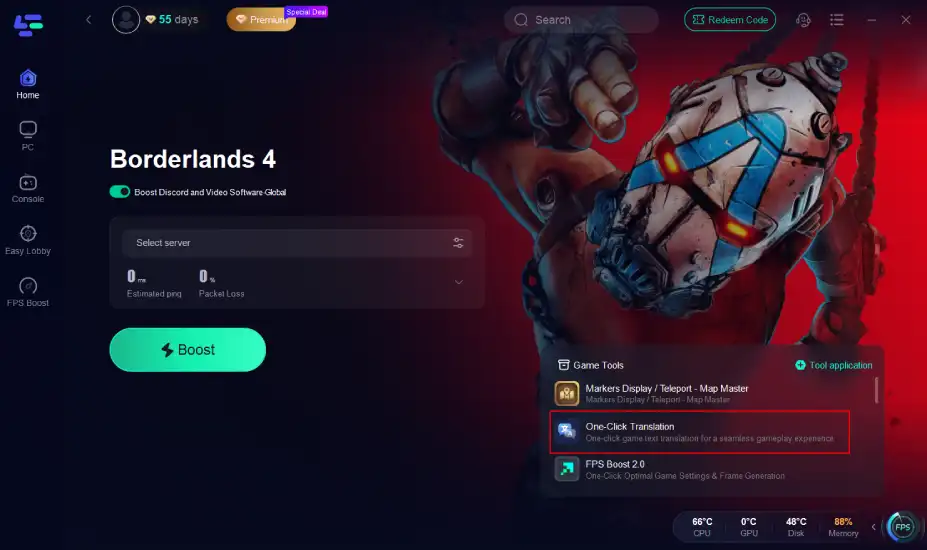
Step 3: Click the translation tool on the right.
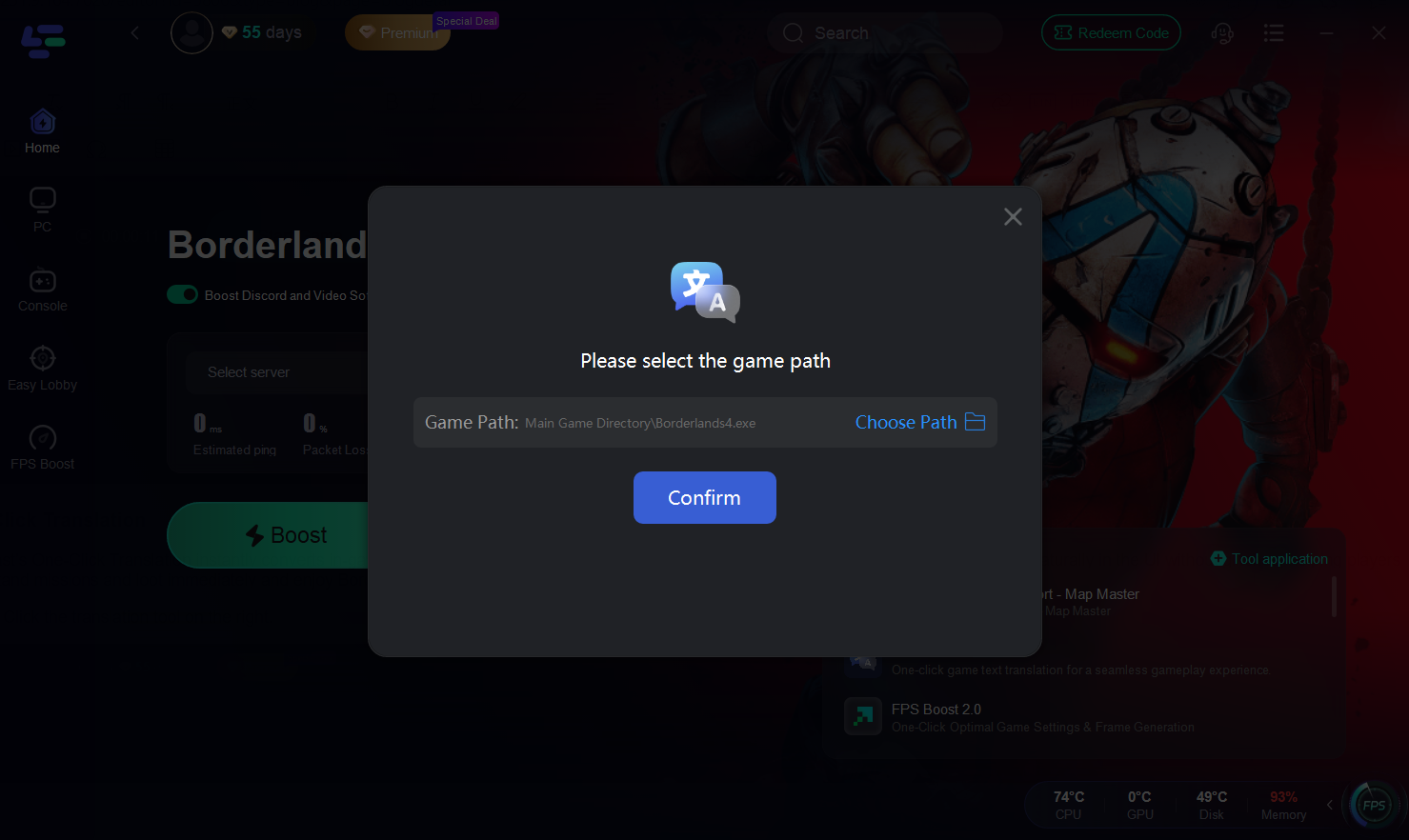
Step 4: Select the installation path and click Confirm
Translation Effect Showcase
Common Functions Every Player Can Use
Beyond language support, LagoFast also brings core features that improve the overall gaming experience:
- Lag Reduction: Optimizes your connection to game servers, cutting down on ping spikes and packet loss.
- FPS Boosting: Allocates system resources more efficiently to give smoother graphics and higher frame rates.
- Route Optimization: Chooses the best network path automatically, helping players stay connected during intense co-op battles.
- Stable Connection: Reduces jitter and disconnects so multiplayer sessions run without interruptions.
- Lightweight Performance Impact: Designed to run in the background without draining CPU or GPU resources.
With these functions, LagoFast isn’t just a translation tool—it’s a full game booster that keeps Borderlands 4 running smoothly no matter where you play.
How to Reduce Lag and Fix High Ping in Borderlands 4 with LagoFast:
Step 1: Launch LagoFast, search for “Borderlands 4” in the client, and select the game.
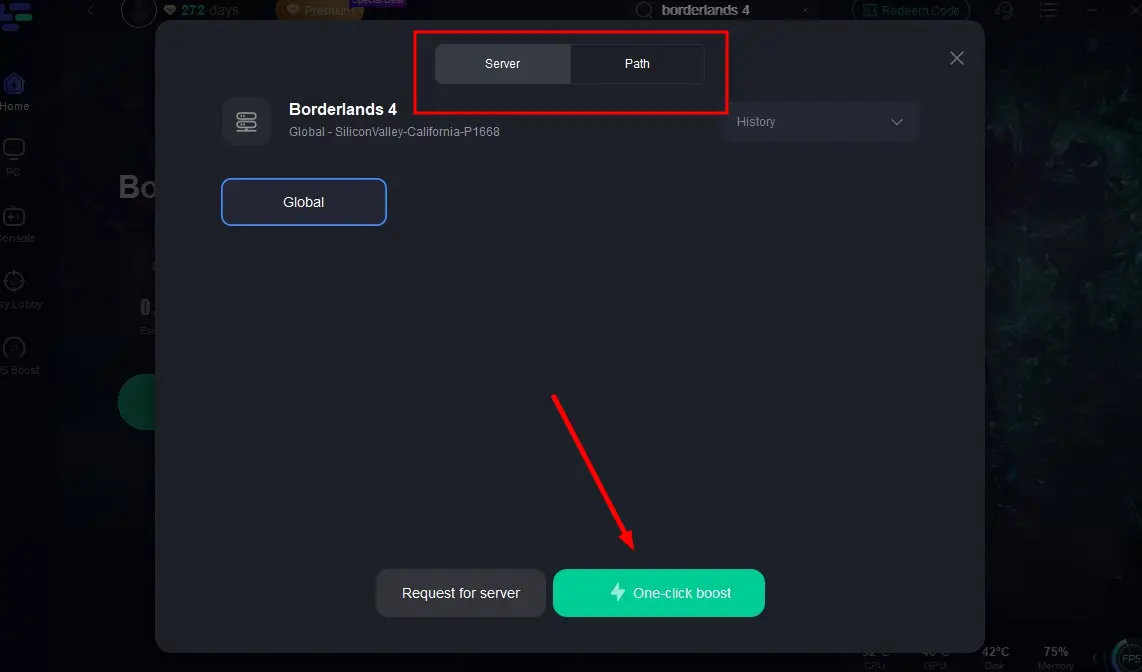
Step 2: Click the “Select Server” button to connect to an optimal server node based on your needs, then activate optimization via “Smart Boost”.
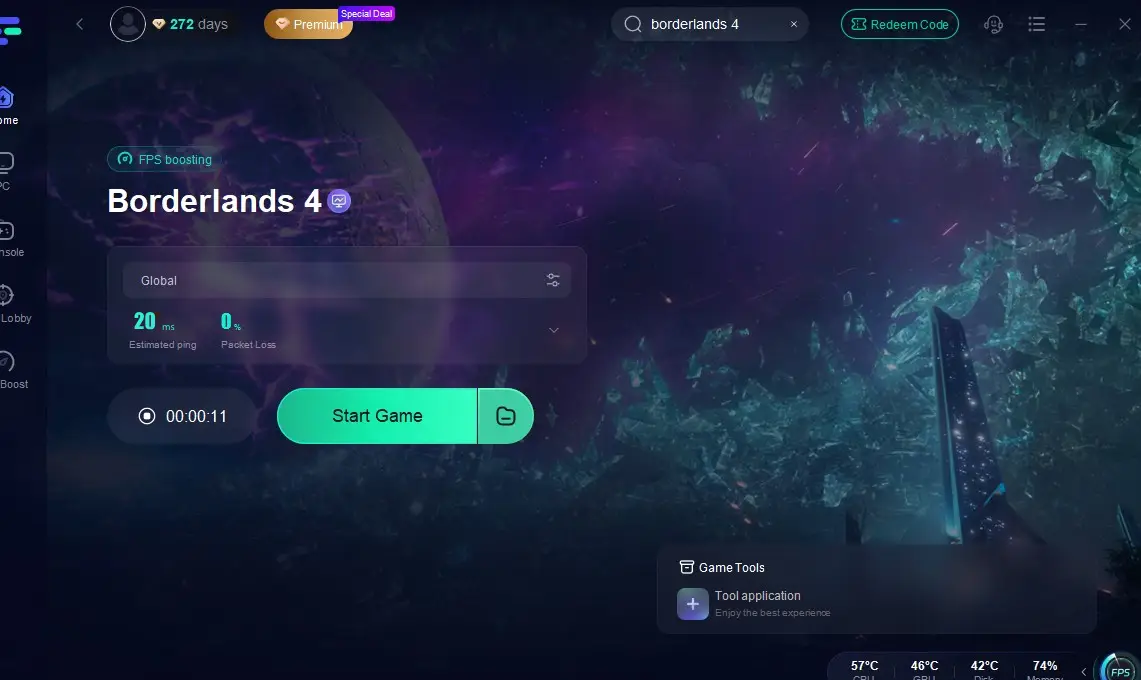
Step 3: After enabling real-time optimization, check the live ping and packet loss rates, then click “Start Game” to begin playing.
Related Article: Best Borderlands 4 Mods Tool
Part 4: FAQ
Q1: Does Borderlands 4 already include Arabic or Turkish language support?
No, these languages are not officially included. That’s why a translation tool like LagoFast can fill the gap.
Q2: Will the translation tool affect my game performance?
LagoFast is designed to be lightweight. Most players won’t notice a drop in FPS or responsiveness while using it.
Q3: Can I use the tool for both subtitles and voice?
Currently, it focuses on text translation—subtitles, menus, and chat. Voice translation may be added in future updates.
Q4: Does it only work for Borderlands 4?
No, the LagoFast translation tool supports multiple titles, but it is optimized for Borderlands 4 at launch.
Q5: How many languages are supported in total?
The tool expands the list to 20+ additional languages, covering many regions not supported by default.
Conclusion
Borderlands 4 already ships with a wide range of languages for UI, subtitles, and voice acting, but gaps remain for players in regions like the Middle East and Turkey. A dedicated borderlands 4 game translation tool bridges this divide by offering support for more than 20 additional languages, real-time subtitles, and in-game chat translation.
LagoFast leads the way with a complete toolkit that ensures every player, no matter where they are, can enjoy the Borderlands 4 experience fully. For fans who want immersion without language barriers, LagoFast’s translation solution is a game-changer.
Boost Your Game with LagoFast for Epic Speed
Play harder, faster. LagoFast game booster eliminates stutter and lags on PC, mobile, or Mac—win every match!
Quickly Reduce Game Lag and Ping!
Boost FPS for Smoother Gameplay!