
Quick Answer: Best Gothic 1 Remake Mod
As the modding community around Gothic 1 Remake continues to grow, players are already focusing on a few key mod types that can significantly improve gameplay, visuals, and overall comfort. Below are some of the most useful mod categories worth installing:
- UE5 Stutter Fix & Optimizer: Improves overall performance by reducing stutters, smoothing frame drops, and stabilizing FPS during gameplay.
- Classic Grid Inventory: Brings back a grid-style inventory system for cleaner and more intuitive item management.
- Unrestricted Carry Weight: Removes or relaxes weight limits, making exploration and looting less restrictive.
- Cinematic Lumen Overhaul: Enhances lighting, shadows, and environmental effects for a more immersive visual experience.
- Camp Fast Travel: Adds fast travel options between major camps to reduce backtracking and improve exploration flow.
Gothic 1 Remake brings the classic RPG back with modern visuals, updated combat, and a rebuilt version of the iconic Colony. As players spend more time exploring the game, many are already looking for mods that can improve graphics, add new features, or make the overall experience even better. In this guide, we'll look at the current state of mod support, the most anticipated Gothic 1 Remake mods, and how to install them safely while avoiding common issues.

- ✅ Reduce Lag and High Ping.
✅ Boost FPS at the Same Time.
✅ Support 8000+ Popular Online Games.
✅ Change Server without Latency.
✅ Boost Game Loading Speed.
Part 1: Does Gothic 1 Remake Support Mods?
Part 2: Best Expected Gothic 1 Remake Mods?
Part 3: How to Install Mods for Gothic 1 Remake Safely
Part 4: How to Use LagoFast Improve Your Gaming Experience
Part 5: Bonus Tips: Mods Crashing on Startup
Part 1: Does Gothic 1 Remake Support Mods?
Yes, Gothic 1 Remake supports modding and provides a solid foundation for community-created content. As the modding community continues to grow, players can expect more gameplay tweaks, visual enhancements, and quality-of-life improvements over time. While the modding scene is still in its early stages, the game has strong potential to develop an active and creative modding community in the future.
Part 2: Best Expected Gothic 1 Remake Mods?
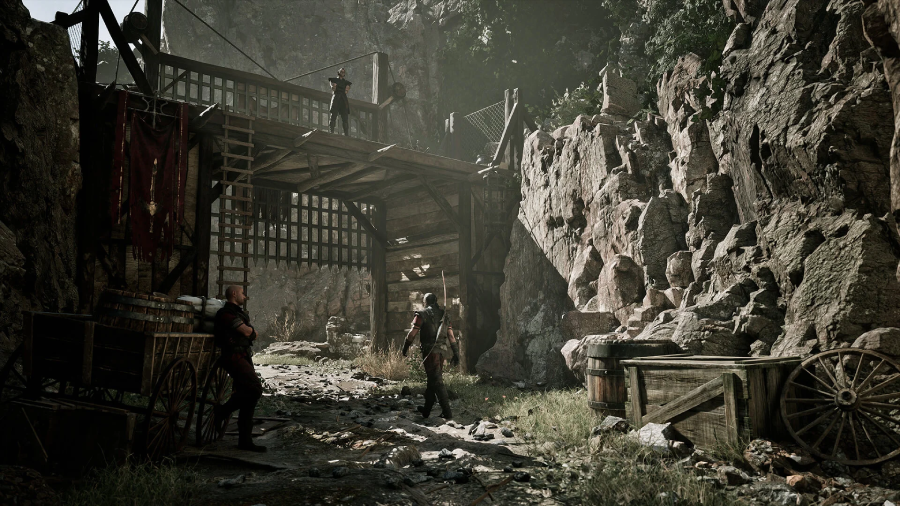
Since the modding scene is still developing, players are mainly focused on a few key mod types that can meaningfully improve comfort, visuals, and overall gameplay experience in Gothic 1 Remake.
Top Quality-of-Life (QoL) Mods
These mods are designed to remove small frustrations that build up during long play sessions without changing the core RPG structure.
- Classic Grid Inventory: Reworks the inventory into a cleaner grid system, making item sorting and management faster and more intuitive during exploration.
- Faster Mining & Harvesting: Speeds up repetitive resource-gathering actions, reducing downtime and improving overall gameplay flow.
Best Visual and Graphics Mods
These focus on improving immersion and atmosphere, especially for players who want a more modern visual experience while keeping the original tone.
- Darker Nights & Weather Overhaul: Enhances lighting and weather systems, making nighttime exploration more intense and visually impactful.
- 4K Armor Retextures: Improves texture quality for armor and characters, adding sharper detail in both combat and dialogue scenes.
- 2001 Classic Color Palette: Adjusts color grading to a darker, more muted tone that better reflects the original Gothic atmosphere.
Top Gameplay and Overhaul Mods
These mods change core gameplay systems, offering a more challenging or rebalanced experience for players who want deeper mechanics.
- Hardcore Colony Combat: Increases enemy aggression and improves combat difficulty for a more demanding gameplay experience.
- Scarce Ore Economy: Rebalances loot and resource availability, making survival and progression more meaningful.
Part 3: How to Install Mods for Gothic 1 Remake Safely
Installing mods for Gothic 1 Remake is usually straightforward, but following a safe process is important to avoid crashes or broken saves.
Step 1: Back Up Your Game Files
Before installing anything, make sure to back up your save files and game directory so you can easily restore the original version if needed.
Step 2: Use Trusted Mod Sources
Only download mods from reliable platforms or well-known community sites to avoid corrupted or unsafe files.
Step 3: Follow Mod Instructions Carefully
Each mod may have different installation steps, so always read the instructions provided by the creator before applying changes.
Step 4: Install Mods One at a Time
Avoid installing multiple mods at once. Testing them individually makes it much easier to identify issues if something goes wrong.
Step 5: Keep Everything Updated
Mod updates often fix bugs and improve compatibility with new game patches, so check regularly for newer versions.
Part 4: How to Use LagoFast Improve Your Gaming Experience
Mods can improve how Gothic 1 Remake looks and plays, but they don’t always solve performance issues like stuttering, lag, or unstable connections. When these problems start affecting gameplay, LagoFast is a useful option to consider. Game mods allow players to customize gameplay and unlock new features, and LagoFast Mod Master provides a collection of game mods that help players enhance their gaming experience more easily.
LagoFast can reduce ping, fix packet loss, stabilize connections, and optimize routing to minimize lag and stuttering during gameplay. It also includes features like Frequently Issues Fix and other practical tools, helping players enjoy a smoother and more stable gaming experience.
How to Use LagoFast for Gothic 1 Remake
Step 1: Click the Free Trial button to download and install LagoFast.
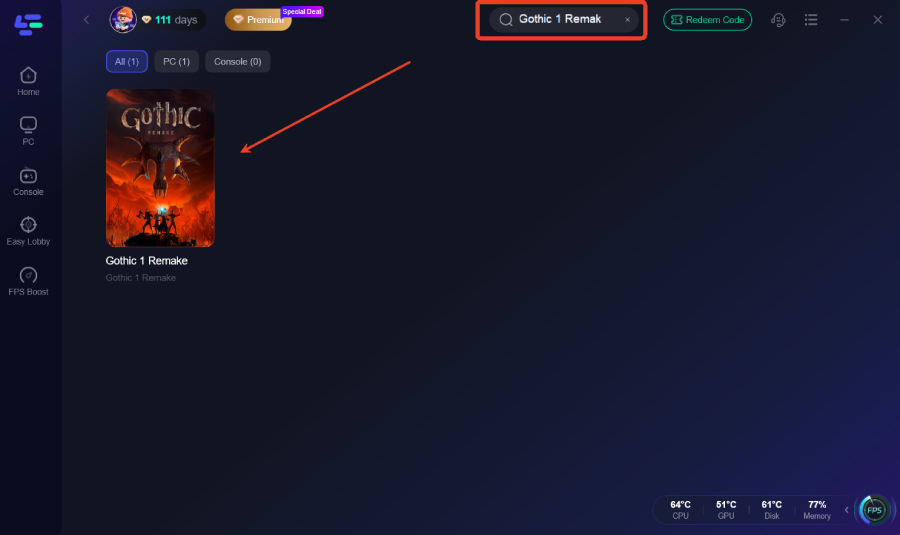
Step 2: After installation, search "Gothic 1 Remake" in the search bar and select the game.
Step 3: Choose your preferred server node and click "Smart Boost" to start optimizing.
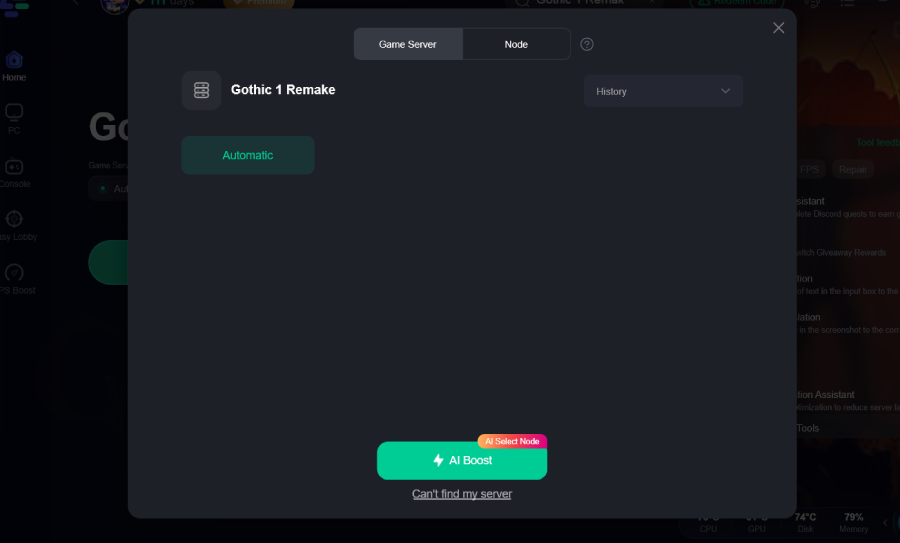
Step 4: Launch your game and enjoy smooth, optimized gameplay with lower ping and packet loss.
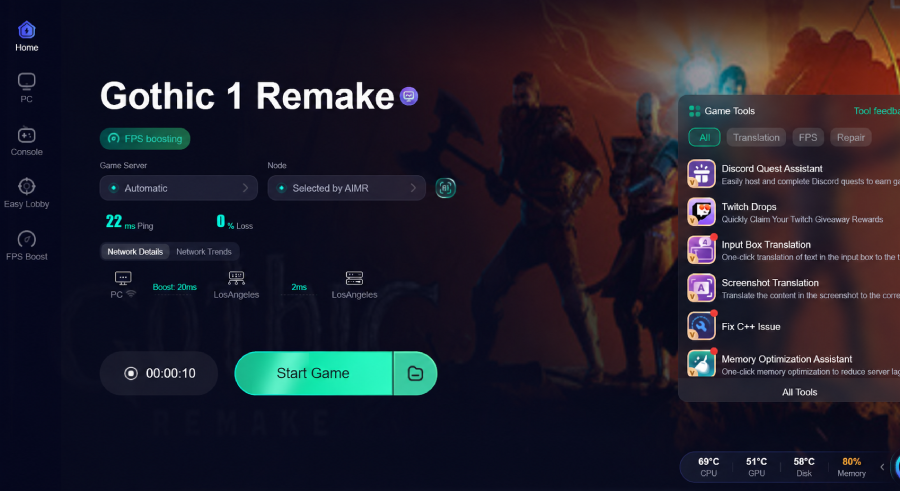
Part 5: Bonus Tips: Mods Crashing on Startup
If Gothic 1 Remake crashes after installing mods, it is usually caused by compatibility issues, missing files, or conflicting mods.
Here are a few quick fixes you can try:
- Remove recently installed mods and test the game again
- Make sure all mods are updated to the latest version
- Check for missing dependencies or required files
- Avoid using multiple mods that change the same system
- Reinstall the game if the issue persists after troubleshooting
Most startup crashes are related to mod conflicts, so testing changes one step at a time is often the easiest way to find the problem.
Part 6: FAQs
Can mods improve Gothic 1 Remake performance?
Some performance-focused mods may help improve FPS or reduce stuttering, while others can increase hardware demands. Results depend on the mod you install.
Is it safe to install Gothic 1 Remake mods?
Yes. As long as you download mods from trusted sources and follow the installation instructions carefully, modding is generally safe.
Can I use multiple mods at the same time?
In many cases, yes. However, some mods may conflict with each other, so it's always a good idea to check compatibility before installing multiple mods.
Will installing mods ban me from Gothic 1 Remake?
No. Gothic 1 Remake is a single-player RPG, so installing mods for your own game is generally not a bannable offense.
Do mods disable Steam achievements?
It depends on the mod and how it modifies the game. If achievements are important to you, check the mod description and community feedback before installing.
Conclusion
Gothic 1 Remake already offers a rich RPG experience, and mods can help players tailor that experience to their own preferences. Whether you're looking for better visuals, quality-of-life improvements, or gameplay adjustments, the modding scene is expected to keep growing over time. By installing mods carefully and using the right tools, you can enjoy a smoother, more personalized journey through the Colony.
Boost Your Game with LagoFast for Epic Speed
Play harder, faster. LagoFast game booster eliminates stutter and lags on PC, mobile, or Mac—win every match!
Quickly Reduce Game Lag and Ping!
Boost FPS for Smoother Gameplay!