
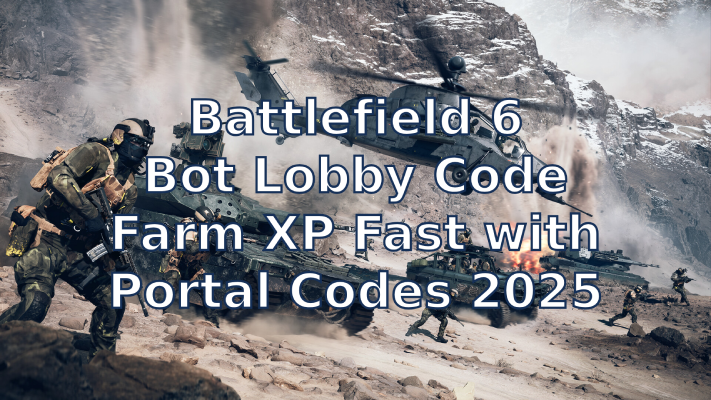
In Battlefield 6, many weapons, attachments, vehicles, and operators are locked behind level requirements. To unlock them faster, players use bot lobbies — custom matches filled with AI bots for easy XP farming. Thanks to the Battlefield Portal, you can now join or create your own XP farming rooms using bot lobby codes.
These codes help you farm XP fast, complete daily challenges, and upgrade gear without competing in sweaty public matches.
Hot Related: Battlefield 6 RedSec on Steam Guide >

- ✅ Reduce Lag and High Ping.
- ✅ Boost FPS at the Same Time.
- ✅ Support 2000+ Popular Online Games.
- ✅ Stop Stuck & Black Screen Issues.
- ✅ Ensure Stable Connections.
Part 1. What Is a Battlefield 6 Bot Lobby Code
Part 2. How to Create Your Own Bot Lobby in Battlefield 6
Part 3. Working Bot Lobby Codes and Their Uses
Part 4. How to Join a Bot Lobby in Battlefield 6
Part 5. Improve Game Stability with LagoFast Game Booster
Part 1. What Is a Battlefield 6 Bot Lobby Code
A bot lobby code (or Portal code) is a unique code that gives you access to a custom Portal experience in Battlefield 6.
When you create a match in Battlefield Portal, you can customize the map, rules, player limits, and — most importantly — decide if AI bots should fill the server. Once your custom game is approved and published, you receive a Portal code that other players can use to join your experience.
Bot lobby codes are specifically designed setups where most (or all) opponents are bots. Because bots are easier to defeat, players use these lobbies to:
- Farm weapon XP and attachments
- Complete operator or vehicle challenges
- Progress faster on daily and weekly missions
- Experiment with weapons and gadgets without pressure
You can either create your own Portal lobby or join existing ones shared by other players.
More Game News: How to Download and Play Guild Wars Reforged: Full Guide for New & Returning Players
Part 2. How to Create Your Own Bot Lobby in Battlefield 6
Creating a bot lobby in Battlefield 6 lets you practice, farm XP, or complete missions without fighting real players. You can do this easily using the Battlefield Portal system, available on both PC and console under the same EA account.
Step 1: Sign in to Battlefield Portal
Go to portal.battlefield.com and log in with your EA account linked to your platform (Steam, PlayStation, or Xbox).
Step 2: Start a New Custom Experience
Under My Experiences, click Create New and select Portal Custom. This gives you full control over team composition, rules, and bot behavior.
Step 3: Configure Teams and Bots
In the Teams section:
- Set Bot Spawn Type to Static.
- For Team 2 (enemy side), set Human Players to 0 and Bot Count to half of your mode’s team size (e.g., 16 for a 32-player mode).
- For Team 1 (your side), set Human Players to 1 if you want a solo session, or add a few for co-op. Optionally, add bots to fill your team.
Step 4: Publish Your Experience
Click Publish to submit your server for moderation. Approval usually takes a few hours. Once it’s live, open Battlefield 6, go to the Server Browser, and search by the exact server name or description you used.
Tip: Use a clear, searchable title and short description (e.g., “BF6 Bot XP Farm”) so it’s easy to find later.
Alternative Option:
If you don’t want to build your own server, join an empty public server with bot backfill enabled. Bots will automatically fill empty slots, though other players may join at any time.
Note:
DICE reviews all Portal servers. If too many bot-only lobbies appear, they may temporarily restrict approvals. Still, bot backfill matches remain a good fallback for casual XP farming.
Part 3. Working Bot Lobby Codes and Their Uses
If you’d rather skip the setup, many players have already created verified XP farming lobbies. Here are some popular bot lobby codes currently shared in the community:
|
Portal Code |
Mode / Map |
What It’s Good For |
|---|---|---|
|
X7SB |
Hardcore Conquest |
Great for weapon XP and rank grinding. |
|
YHAR |
Shipment 24/7 |
Tight map for fast kills and quick match completions. |
|
X8XB |
Ace Pursuit |
Focused on aircraft — perfect for flying practice and vehicle XP. |
|
6GVY |
Helicopter Training |
Great for leveling jets and helicopters safely. |
|
X8XZ |
Besieged Wave Defense |
Endless waves of bots — ideal for consistent XP farming. |
|
X8XC |
Exfil Mission |
PvE-focused, balanced for both weapon and operator XP. |
|
EMKY |
Flying Simulator |
Non-combat mode for piloting practice and air vehicle progression. |
Each of these rooms is designed differently. Some focus on weapon farming, others on vehicle XP or operator mastery. Since bots are weaker than real players, you can easily stack kills, assists, and multi-kills for maximum XP per match.
To join these matches:
- Open Battlefield Portal
- Select Browse Experiences
- Choose Search by Code
- Enter one of the codes above
- Wait for the server to load, then start farming XP!
Part 4. How to Join a Bot Lobby in Battlefield 6
After creating or finding a Battlefield 6 bot lobby code, joining it in-game is easy.
Step 1: Open Battlefield 6 → Go to Portal
From the main menu, select Portal or Community. This section lets you browse featured and custom experiences made by other players.
Step 2: Search the Experience Library
Click Search and look through the Community Experience Library.
You can filter by:
- Tags (like “XP farm” or “bot lobby”)
- Map or mode
- Popularity or featured
- Experience Code – enter a specific Portal Code (for example, XPFAST-2042).
If you have the code, just paste it in and the exact server will appear.
Step 3: Use the Server Browser
Go to the Server Browser tab to see active lobbies.
Filter by region, player count, or ping, then hit Join when you find the one you want.
Tip: If it doesn’t show up right away, refresh or wait a few minutes — new Portal servers may take time to appear.
Once you’re in, you can start farming XP, testing weapons, or completing missions in peace — no sweaty PvP, just easy progress.
Part 5. Use LagoFast Game Booster for a Smoother Experience
When you’re farming XP in bot lobbies, stable network performance is key — especially when hosting your own Portal matches. LagoFast Game Booster can help reduce ping, prevent packet loss, and maintain a smooth connection during long sessions.
With LagoFast, you can:
- Lower latency and improve stability
- Avoid random disconnections during hosting
- Get smoother gameplay even on international servers
It’s a simple way to ensure your XP-farming sessions stay uninterrupted and efficient.
Step 1: Click the free trial button below to download and install LagoFast at no cost.
Step 2: Launch LagoFast and enter Battlefield 6 in the search bar, then click on the search result.

Step 3: Click “Select Server” to choose the optimal server node, then click “Smart Boost” to start real-time optimization.

Step 4: After Smart Boost is activated, monitor your real-time packet loss and ping, then click “Start Game” to enjoy a crash-free Battlefield 6 experience.

Conclusion
Bot lobbies are one of the easiest and fastest ways to level up in Battlefield 6. By using or creating Battlefield 6 bot lobby codes, players can efficiently farm XP, unlock weapon attachments, and complete daily challenges without facing constant PvP pressure.
Whether you prefer joining existing codes like X7SB and YHAR or building your own customized experience in Battlefield Portal, bot lobbies make grinding far less painful. Just remember to rotate setups occasionally, use boosters wisely, and keep your network stable with tools like LagoFast Game Booster.
With the right setup, you can farm XP and level up fast in Battlefield 6 — no stress, no sweat, and all the rewards.

Boost Your Game with LagoFast for Epic Speed
Play harder, faster. LagoFast game booster eliminates stutter and lags on PC, mobile, or Mac—win every match!
Quickly Reduce Game Lag and Ping!
Boost FPS for Smoother Gameplay!