
Battlefield 2042, EA DICE's ambitious first-person shooter game, has captivated millions of players with its large-scale warfare and futuristic settings, remaining popular even today. However, many players have recently reported issues in gaming communities: after updating the game, Battlefield 2042 won't start, leaving them staring at error messages or a perpetually stuck loading screen. This article will thoroughly analyze the problem of Battlefield 2042 don't launch, diagnose its potential causes, and provide effective fixes.

- ✅ Reduce Lag and High Ping.
- ✅ Boost FPS at the Same Time.
- ✅ Support 2000+ Popular Online Games.
- ✅ Support Different Game Tools.
- ✅ End Stuck & Crashing Issues.
Part 1: Battlefield 2042 Won't Start: Common Causes & Verification
Part 2: How to Fix Battlefield 2042 Won't Start
Part 3: How to Enhance Gaming Experience in Battlefield 2042
Part 1: Battlefield 2042 Won't Start: Causes & Verification
In Battlefield 2042's game forums, players have reported issues caused by the game failing to launch: inability to load game data, connection failures and error messages like "EA AntiCheat encountered an error. Please restart your PC. (9)," among others. If you're experiencing any of these problems, don't panic—the following explanations for Battlefield 2042 won't start can help you identify the cause:
1. System Requirements Mismatch
The game demands specific hardware configurations. Players using outdated components often face silent crashes or error codes like "Unacceptable Configuration 117."
Verification Steps:
Check your system requirements match Battlefield 2042's minimum system requirements:
- OS: 64-bit Windows 10
- Processor: AMD Ryzen 5 1600, Core i5 6600K
- Memory: 8 GB
- Storage: 100 GB
- Direct X: 12
- Graphics: AMD Radeon RX 560, Nvidia GeForce GTX 1050 Ti
2. Corrupted Game Files
Partial downloads, interrupted updates, or disk errors can corrupt critical files, leading to crashes during the Easy Anti-Cheat (EAC) initialization phase.
Verification Steps:
- Steam/EA App Verification:
- Right-click Battlefield 2042 in your library.
- Select "Properties" > "Installed Files" > "Verify integrity of game files."
- Manual Check: Compare file hashes against EA's official repository if errors persist.
3. Networking Conflicts
Modern routers with QoS settings or IPv6 misconfigurations can block EAC's authentication process, causing silent failures after the splash screen.
Verification Steps:
- Run ping play.battlefield.com in Command Prompt.
- Check for packet loss or high latency (>150ms).
4. Overprotective Security Software
Third-party antivirus programs (especially Norton, McAfee) often flag EAC as malicious, terminating processes mid-launch.
Verification Steps:
- Press Win+R, type msconfig.
- Disable all non-Microsoft services under "Services" tab.
- Restart and test launch.
5. Outdated Drivers & Dependencies
Windows 11's automatic driver updates sometimes roll back to incompatible GPU drivers, causing DirectX 12 API failures.
Verification Steps:
- Press Win+R, type dxdiag.
- Check "Display" tab for DirectX version and error codes.
Part 2: How to Fix Battlefield 2042 Won't Start
Now that you understand the causes behind Battlefield 2042's launch issues, here are some corresponding solutions to address them:
Fix 1:
- Hardware Upgrades: Consider RAM expansion or GPU replacement if below minimum specs.
- BIOS Updates: Older motherboards may require BIOS updates for PCIe 4.0 compatibility with modern GPUs.
Fix 2:
- Reinstallation: Backup saves first, then uninstall/reinstall via EA App (avoids Steam's potential file conflicts).
Fix 3:
- DNS Flush: Open Command Prompt and execute:
- ipconfig /flushdns
- netsh winsock reset
- Port Forwarding: Manually forward TCP/UDP ports 3659, 17502, and 25200 on your router.
Fix 4:
- Exception Lists: Add these to your antivirus whitelist:
- C:\Program Files (x86)\EasyAntiCheat\EasyAntiCheat.exe
- Battlefield 2042's executable folder
Fix 5:
- Manual Driver Update:
- Visit NVIDIA/AMD's official site.
- Download the latest Studio Driver (not Game Ready) for stability.
- Install using "Clean Installation" option.
Part 3: How to Enhance Gaming Experience in Battlefield 2042
For Battlefield 2042 launch issues caused by unstable networks or connections, there's a simple solution: LagoFast. LagoFast Game Booster is designed for online gamers, offering the widest server network and most stable connections to bypass connection-related launch problems. It reduces loading times and improves in-game performance. Key features of LagoFast include:
- Reduce Latency: LagoFast intelligently detects in-game data transmission status, automatically selects and switches to the optimal server nodes, accelerates data transfer speeds, minimizes lag, and avoids stuttering.
- Stabilize Connections: With server nodes spanning 60+ countries and 150+ cities worldwide, LagoFast provides players with stable and diverse server options.
- Boost FPS: By lowering latency and ping, LagoFast helps optimize in-game frame rates in real time, ensuring a smoother and more immersive gaming experience.
- Lower Ping: LagoFast employs smart routing algorithms to analyze real-time data traffic, automatically switching to the fastest server pathways. This cuts down transmission delays, eradicates lag spikes, and delivers buttery-smooth matches.
How to use LagoFast on PC for Battlefield 2042
Step 1: Click the free trial button below to install LagoFast for free
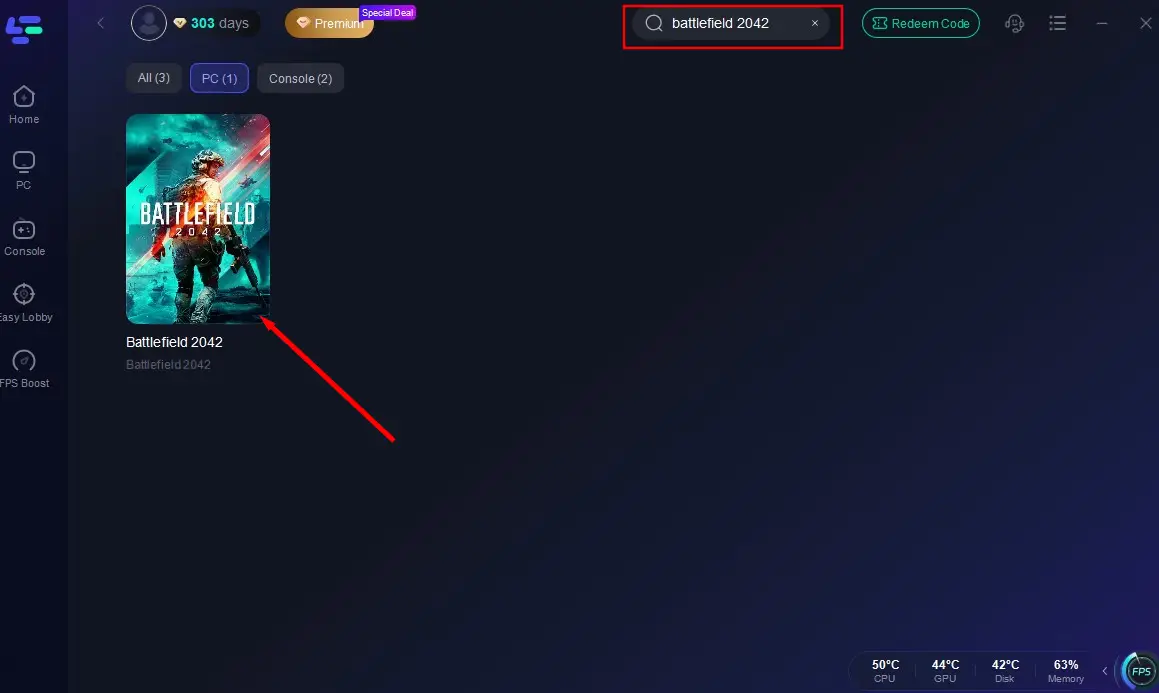
Step 2: Launch the app, search for "Battlefield 2042", and select it
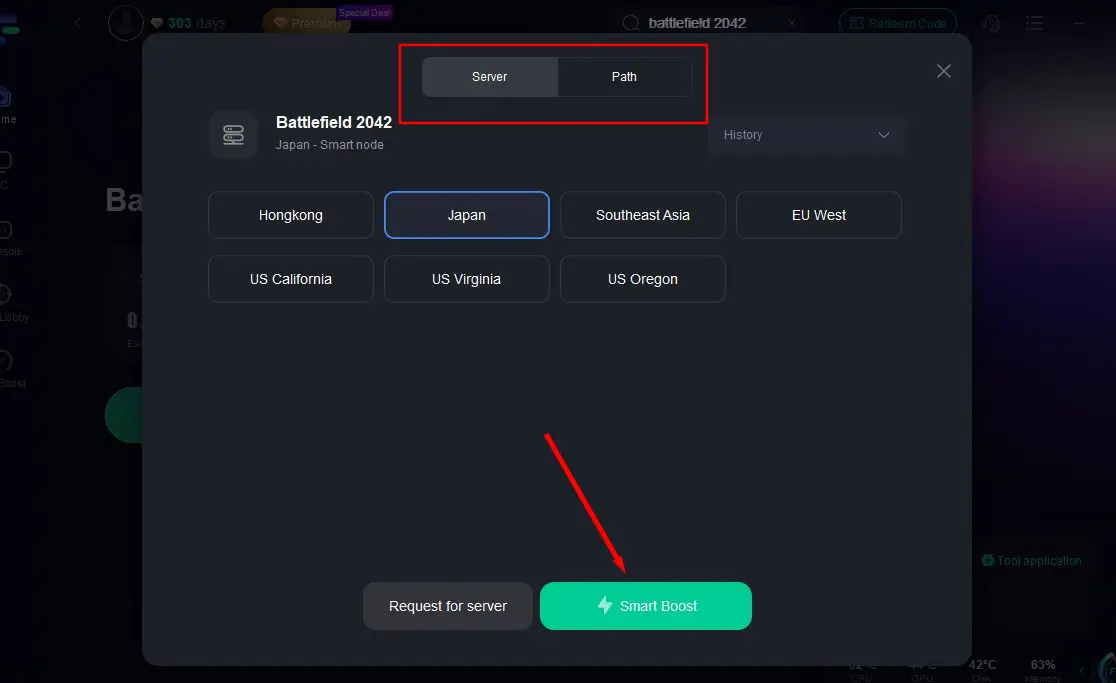
Step 3: Click "Select Server" to choose the best-performing server
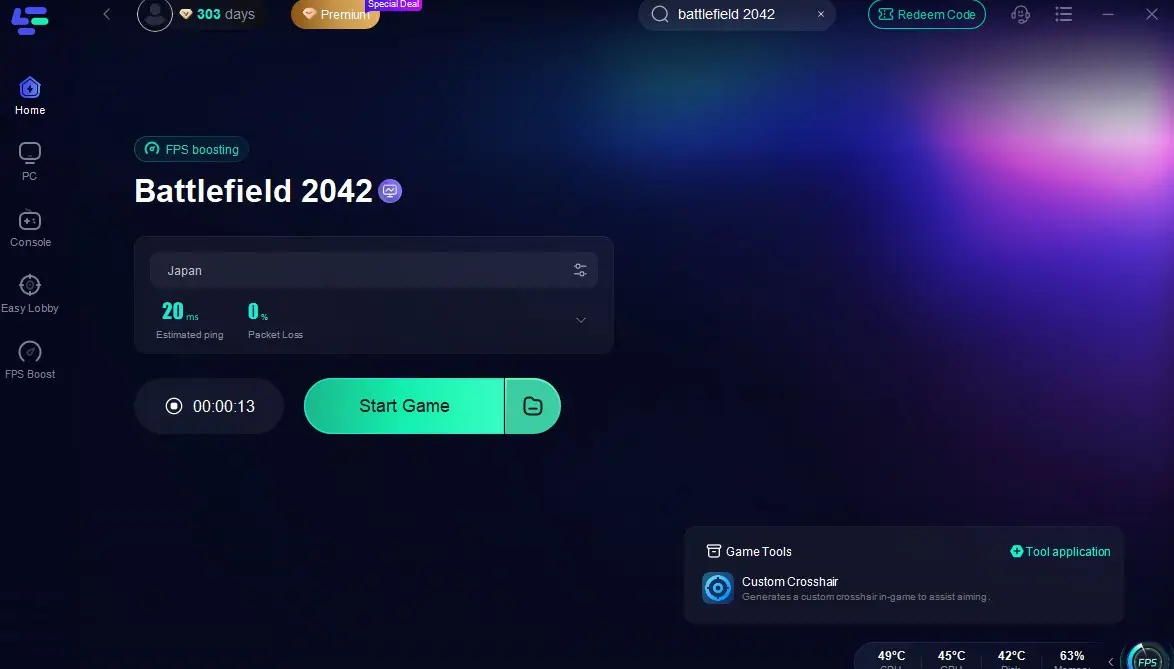
Step 4: Enable real-time optimization and click "Start Game"
How to use LagoFast Box on Console for Battlefield 2042
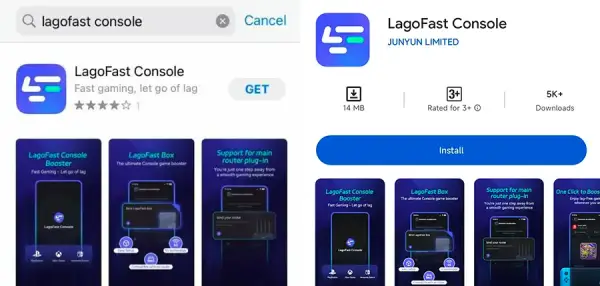
Step 1: Download the LagoFast Console App on your phone to control the LagoFast Box.
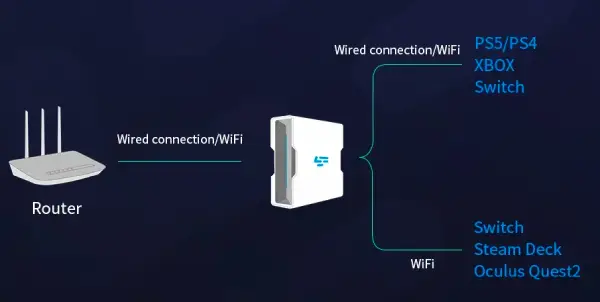
Step 2: Establish a connection between your LagoFast Box, router, and console, choosing between a wired or wireless connection.
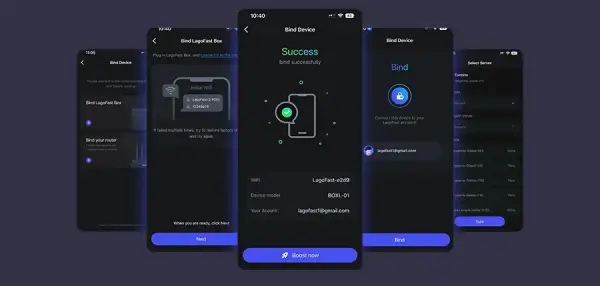
Step 3: Launch the LagoFast Console App and boost Battlefield 2042. Once you have completed the binding process with the LagoFast Box, proceed to boost this game within the LagoFast Console App.
In addition, as a shooter-focused game, Battlefield 2042 demands precise aiming. Every accurate shot counts, and LagoFast helps with its Custom Crosshair tool. This feature lets you adjust your reticle's size and color for better target acquisition.
Open the Custom Crosshair tool in the bottom-right corner
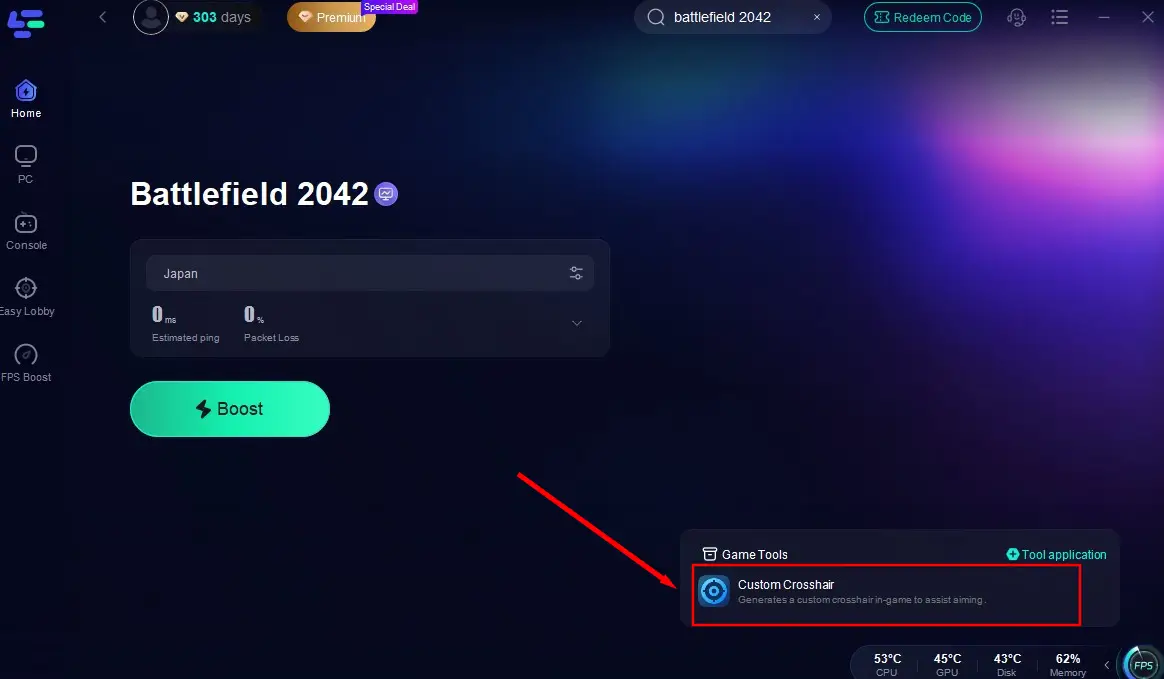
Customize your crosshair settings to match your playstyle
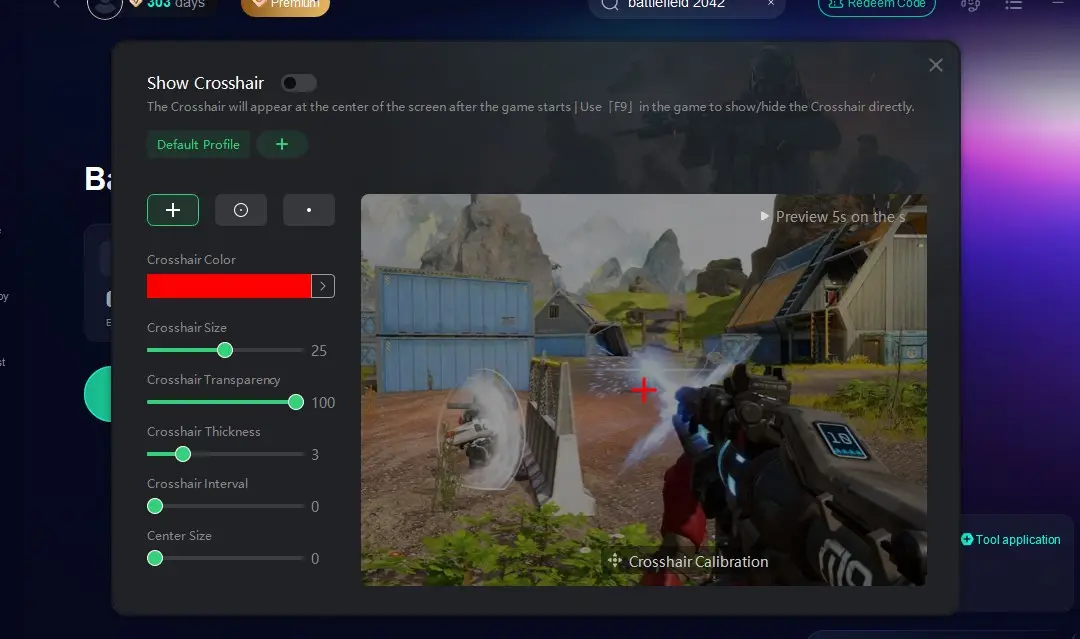
Return to the game and dominate with improved accuracy!
Conclusion
Battlefield 2042 won't start issue may stem from single or combined hardware, software, or network factors. Players need to patiently check each potential issue, identify the root cause, and apply the corresponding fixes. However, with LagoFast, network or connection-related issues can be largely prevented, ensuring a flawless and smooth gaming experience. Don't hesitate—click the free trial button now to download it!
Boost Your Game with LagoFast for Epic Speed
Play harder, faster. LagoFast game booster eliminates stutter and lags on PC, mobile, or Mac—win every match!
Quickly Reduce Game Lag and Ping!
Boost FPS for Smoother Gameplay!