
If you’ve been playing Ashes of Creation lately, you’ve probably spent more time dealing with EAC than fighting in the game. Failed launches, random kicks, or endless validation errors can make it feel like debugging software instead of enjoying an MMO.
The good news: most EAC problems aren’t as hopeless as they look. A few quick fixes usually get the game running again—no full reinstall, no digging through system files required. This guide keeps things tight, practical, and beginner-friendly so you can stop chasing error messages and return to exploring Verra faster.

- ✅ Reduce Lag and High Ping.
- ✅ Boost FPS at the Same Time.
- ✅ Support 2000+ Popular Online Games.
- ✅ End Stuck & Crashing Issues.
- ✅ Change Server without Latency.
Part 1: Common EAC Issues in Ashes of Creation
Part 2: Quick Fixes for EAC Issues in Ashes of Creation
Part 3: Enhance Your Gaming Experience with LagoFast Game Booster
Part 1: Common EAC Issues in Ashes of Creation
Before you start troubleshooting, relax—these problems are extremely common. If something feels broken, chances are hundreds of other players are dealing with it at the same time.
1. “EAC Launch Error” (Game Won’t Start)
You hit Play, the launcher flickers, and nothing happens.
Common causes:
- EAC can’t verify its own files
- Windows blocks it
- Another program interferes
2. EAC Error Codes (10011, 10005, 30007, etc.)
Common codes:
- 10011 – missing or corrupted EAC files
- 10005 – EAC service isn’t running
- 30007 – kernel-level failure
- 14 / 15 / 23 – file validation issues
3. “EAC Failed to Install”
Causes:
- Windows Defender blocking the install
- System rejecting unsigned drivers
- Launcher not running as administrator
4. Random disconnects or EAC kicks
often caused by:
- Unstable network or packet loss
- VPNs or proxies
- Overlays (Discord, Steam, NVIDIA, etc.)
- Background apps EAC detects
5. “EAC Failed to Validate”
Happens when EAC insists your files don’t match its expectations.
Common causes:
- Corrupted or incomplete game files
- Patch didn’t fully download
- Tools or mods EAC doesn’t recognize
Part 2: Quick Fixes for EAC Issues in Ashes of Creation
EAC Launch Error (Game Won’t Start)
- Verify game files in Steam
- Run both the game and EasyAntiCheat_EOS.exe as administrator
- Close interfering background apps (MSI Afterburner, Overwolf, etc.)
EAC Error Codes (10011, 10005, 30007, etc.)
- Repair EAC via EasyAntiCheat_EOS_Setup.exe
- Restart EAC service (Win + R → services.msc → Easy Anti-Cheat → Restart)
- Update Windows and GPU drivers
EAC Failed to Install
- Temporarily disable Windows Defender/antivirus
- Run launcher as administrator
- Reinstall EAC from the game folder
Random Disconnects / EAC Kicks
- Turn off VPNs, proxies, or tunneling tools
- Disable overlays (Discord, Steam, NVIDIA/AMD, MSI Afterburner, Overwolf)
- Check network quality and close interfering apps
EAC Failed to Validate
- Verify game files in Steam
- Ensure the latest patch is downloaded
- Remove flagged tools/mods; reinstall EAC if needed
Part 3: Enhance Your Gaming Experience with LagoFast Game Booster
Even after fixing EAC issues, network lag, FPS drops, or language barriers can still interrupt your adventure in Verra. LagoFast Game Booster optimizes your gaming experience by reducing ping, stabilizing your connection, boosting FPS, and providing a quick in-game translation tool—plus other handy system optimizations—so you can focus on exploring, fighting, and crafting without interruptions.
If you often get disconnected during peak hours or suffer from unstable ping, LagoFast can significantly smooth out your connection routes.
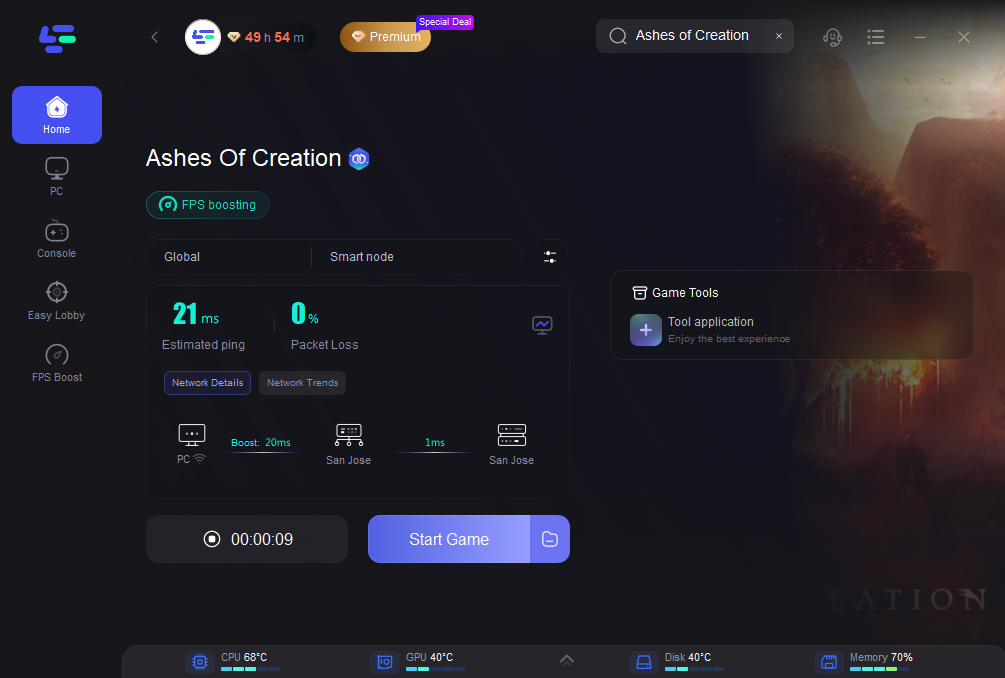
How to Use LagoFast to Ashes of Creation
Step 1: Begin by clicking the Free Trial button to download and install the LagoFast Free Trial.
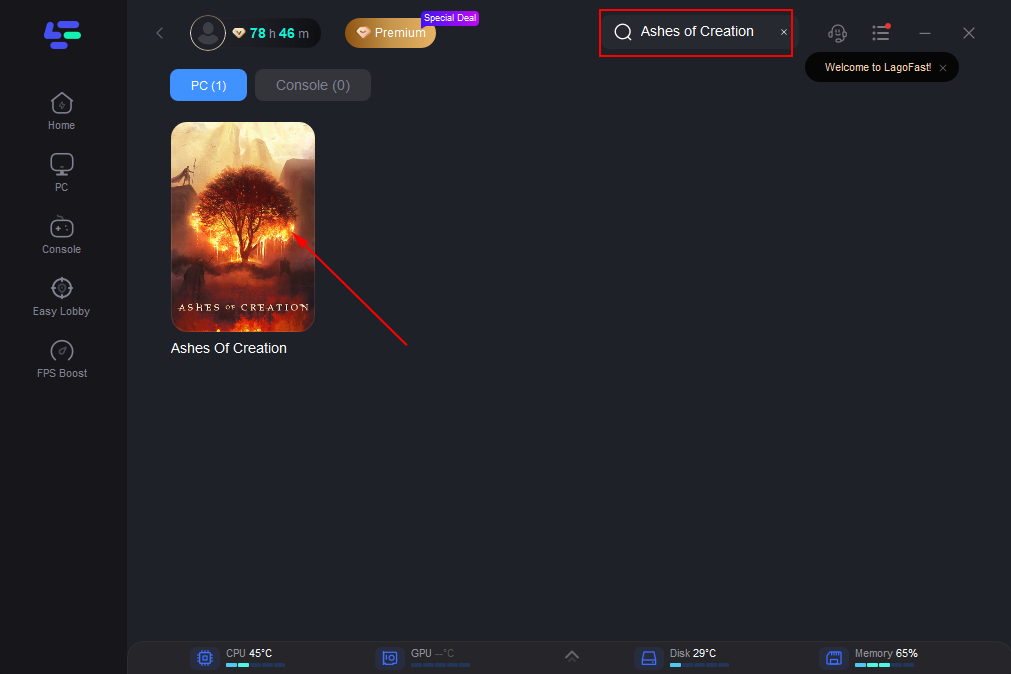
Step 2: Open LagoFast, and use the search bar to find Ashes of Creation
Step 3: Select the best server or route for your region to ensure optimal stability.
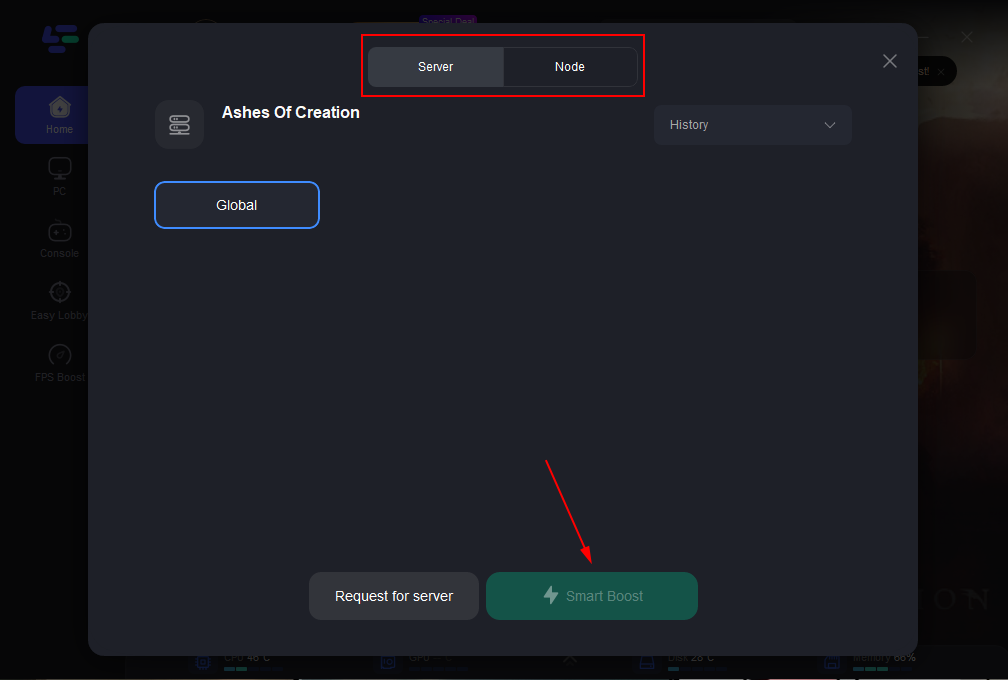
Step 4: Optimize network settings—LagoFast will automatically select the best connection path to minimize lag, packet loss, and high latency for smoother gameplay.
Part 4: FAQs
Q1: What do EAC error codes mean?
- 23: File validation/corrupted files → Verify in Steam and repair EAC
- 32: Service Request Timeout → Network issue, restart router, disable VPN/proxies
Q2: Do I need to reinstall the game if EAC fails?
- Rarely. Most problems are fixed by verifying files, repairing/reinstalling EAC, or running as administrator
Q3: Can antivirus, firewalls, or VPNs cause EAC errors?
- Yes. Temporarily disabling or adding exceptions often resolves issues
Conclusion
EAC issues in Ashes of Creation can be frustrating, but most are easy to fix. Verifying files, repairing or reinstalling EAC, and managing security software usually solve the problem. Optimizing your network and performance with tools like LagoFast Game Booster further reduces lag and disconnects. Follow these steps to get back to exploring Verra smoothly.
Boost Your Game with LagoFast for Epic Speed
Play harder, faster. LagoFast game booster eliminates stutter and lags on PC, mobile, or Mac—win every match!
Quickly Reduce Game Lag and Ping!
Boost FPS for Smoother Gameplay!