

Arknights: Endfield, the highly anticipated 3D RPG spin-off of the original Arknights, has captured the attention of players worldwide. Fans are eagerly asking: where can I play it, and which platform offers the best experience? Whether you’re a mobile gamer, a console player, or a PC enthusiast, this guide will clarify all available platforms and help you enjoy the smoothest, most immersive gameplay possible.

- ✅ Reduce Lag and High Ping.
- ✅ Boost FPS at the Same Time.
- ✅ Support 2000+ Popular Online Games.
- ✅ Change Server All over the World.
- ✅ Ensure Stable Server Connection.
Part 1: What platform is Arknights: Endfield on?
Part 2: Will Arknights: Endfield be on Console?
Part 3: Will Arknights: Endfield Come to Steam or Epic Games?
Part 4: Best Platform to Play Arknights: Endfield
Part 5: How to Enhance Arknights: Endfield Gaming Experience
Part 6: Arknights: Endfield FAQs
Part 1: What platform is Arknights: Endfield on?
Arknights: Endfield is set to launch globally on January 22, 2026, with confirmed platforms including PC (Windows), PlayStation 5, and mobile devices (iOS & Android).
- PC (Windows): Supports keyboard/mouse and controllers, offering stable performance and high-quality graphics.
- PlayStation 5: Optimized for console play, ideal for large-screen gaming and controller-based controls.
- Mobile (iOS & Android): Play anytime, anywhere, with slightly reduced graphics and performance compared to PC.
Part 2: Will Arknights: Endfield be on Console?
PS5 is confirmed at launch, so console players on PlayStation can enjoy a native experience right away.
Currently, there’s no official word on Xbox or Switch versions. That means if you’re using other consoles, you may need to wait for a future announcement before playing on those systems.
Part 3: Will Arknights: Endfield Come to Steam or Epic Games?
There’s no official confirmation for Steam or Epic Games yet. You can play on PC and Mobile at launch. Once announcements are made, players can choose the version that fits their needs for performance, visuals, or mobility.
Part 4: Best Platform to Play Arknights: Endfield
The best platform for Arknights: Endfield depends on your preferences and play style. Here’s how each platform stacks up:
For top performance and graphics → PC
PC delivers higher frame rates, detailed visuals, and flexible controls. Whether using a keyboard/mouse or a controller, you’ll enjoy smooth, immersive combat and exploration.
For comfortable couch gaming → PS5
PlayStation 5 provides a polished console experience with optimized controls and large-screen visuals, perfect for living-room gameplay.
For gaming anywhere → Mobile
Mobile devices let you play anywhere, offering maximum flexibility and convenience, though graphics and performance are slightly lower than on PC.
Part 5: How to Enhance Arknights: Endfield Gaming Experience
Many players experience lag spikes, high ping, or unstable connections in Arknights: Endfield, making combat and exploration frustrating. Lagofast helps by reducing ping, stabilizing your network, and optimizing routing for smoother gameplay. It also offers practical features like instant translation and a Memory Optimization Assistant, all designed to enhance performance and make the game more enjoyable.
How to enhance gaming experience in Arknights: Endfield on PC:
Step 1: Click the Free Trial button to download and install LagoFast.
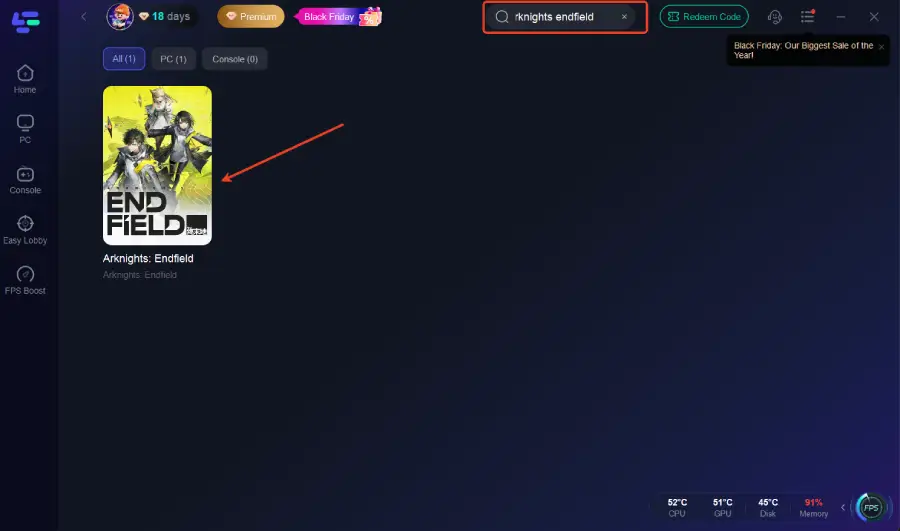
Step 2: Open LagoFast and use the search bar to find Arknights: Endfield.
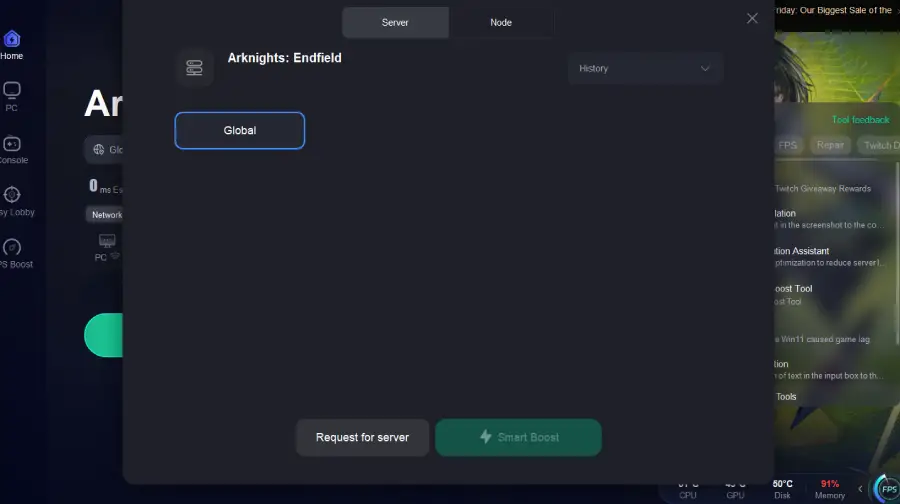
Step 3: Select the best server route automatically based on your location.
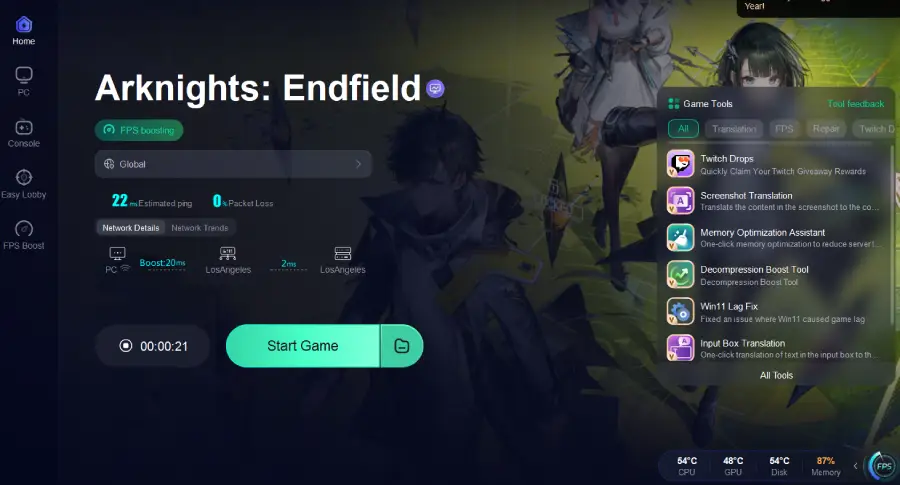
Step 4: Launch Arknights: Endfield through LagoFast and enjoy smooth gameplay.
How to enhance gaming experience in Arknights: Endfield on Mobile:
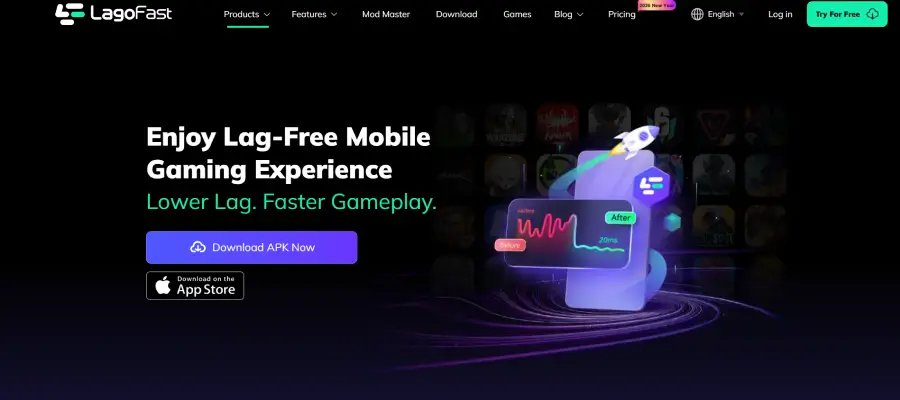
Step 1: Search “LagoFast Mobile booster” in the Google App Store or Apple App Store. Alternatively, click here to download the APK File.
Step 2: Launch LagoFast Mobile APP and search Arknights: Endfield and click it.
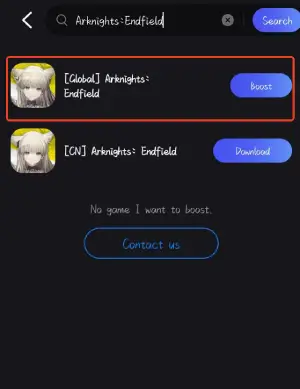
Step 3. Pick the server that suits your region or gameplay needs.
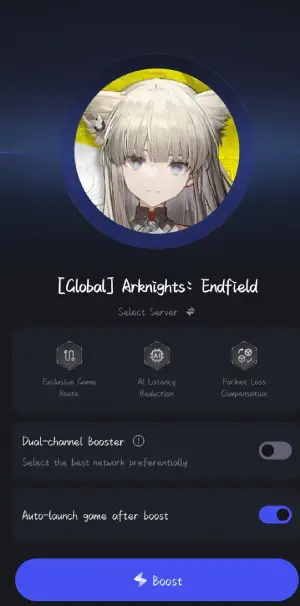
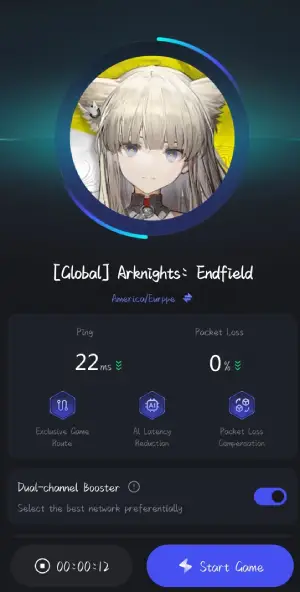
Step 4. Tap boost to see real-time ping and packet loss rate as LagoFast optimizes your connection.
Part 6: Arknights: Endfield FAQs
Q: Is Arknights: Endfield free to play?
Yes, it follows a free-to-play model like the original Arknights.
Q: Can low-end devices run it?
Mid-range PCs and most modern mobile devices should run it fine; older hardware may require lower graphics settings.
Q: Is cross-platform play confirmed?
Not yet; Hypergryph has not officially announced it.
Q: Will more platforms come later?
Possibly. PC, PS5, and Mobile are confirmed at launch, but other consoles could be supported later.
Q: Can I use a controller on PC?
Yes, PC supports controllers for a smoother, more comfortable gameplay experience.
Conclusion
Arknights: Endfield launches on PC, PS5, and Mobile, offering multiple ways to play. PC provides the best performance and visuals, PS5 offers comfortable couch gaming, and Mobile lets you play anywhere.
Using tools like Lagofast can further improve connection quality and performance, ensuring smoother gameplay on any platform. Stay tuned for official updates on future releases, and get ready to explore Endfield’s vast world.
Boost Your Game with LagoFast for Epic Speed
Play harder, faster. LagoFast game booster eliminates stutter and lags on PC, mobile, or Mac—win every match!
Quickly Reduce Game Lag and Ping!
Boost FPS for Smoother Gameplay!