
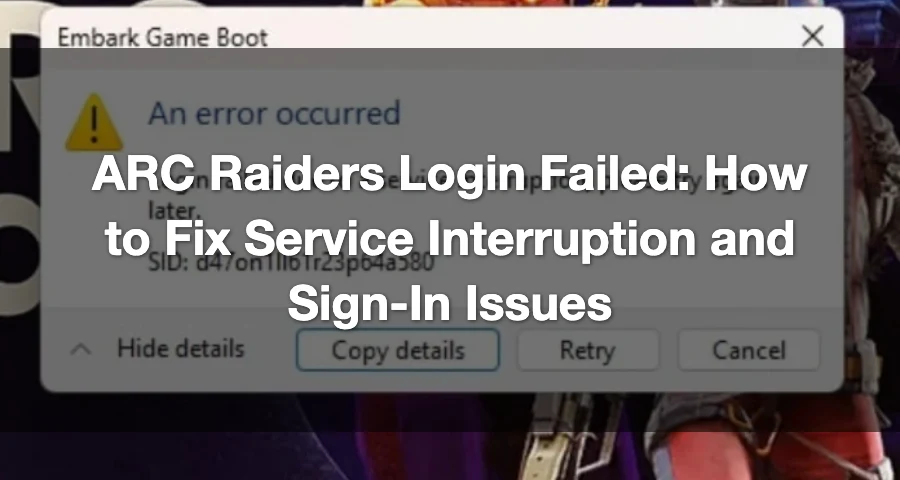
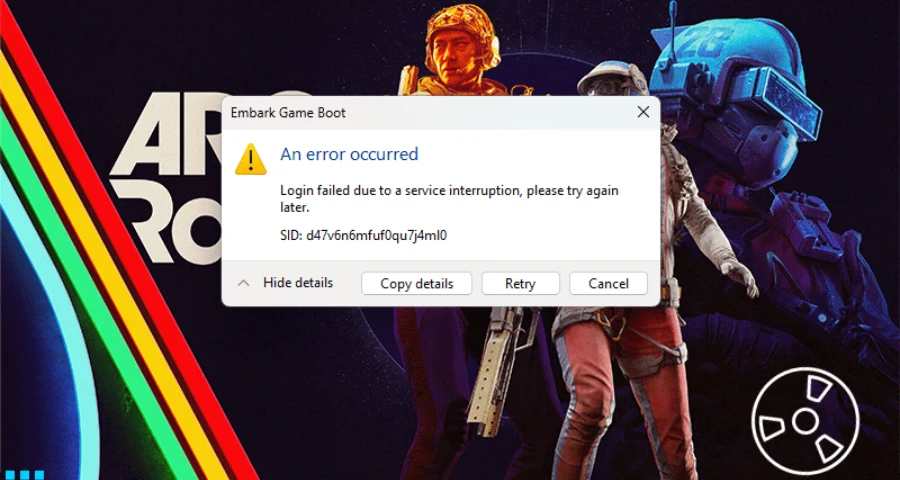
“Login failed due to a service interruption, please try again later.” This is the most common message players encounter when trying to log into ARC Raiders on PC. It typically indicates either a temporary server-side outage or a local login/authentication issue.
If you're facing login issues, start by checking live outage signals. If there’s no widespread problem, follow these quick fixes: clear stuck sessions, restart Steam or Epic, reboot your PC, wait 10–15 minutes, verify game files, and reset your network and firewall settings.

- ✅ Lower ping and fewer disconnects.
- ✅ More FPS and better PC performance.
- ✅ Support for 3000+ games.
- ✅ Stable connections and region switching.
Quick Answer
In ARC Raiders, a login failed error usually means:
A temporary service interruption on the game’s side
Heavy load during peak times or after updates
A backend authentication or login-handshake failure
A stuck session token or duplicate instance on your PC
A routing or packet-loss issue between you and the login servers
To save time, check the ARC Raiders server status and recent community reports first. If many players report the same “service interruption” message, repeated reinstalls likely won’t help until the backend stabilizes.
How to Fix ARC Raiders Login Failed Fast
Start with these steps before diving into deeper network settings:
Fully close ARC Raiders.
Fully close Steam or Epic Games Launcher.
Open Task Manager and end any ARC Raiders processes still running.
Restart your PC.
Log out of Steam or Epic, then sign back in.
Wait 10–15 minutes before launching again.
Relaunch the game.
This is a crucial first fix when the game thinks your previous session is still active or the login handshake got stuck.
If that doesn’t work, restart your router. A player on Reddit summarized it well: “CLOSE GAME AND STEAM AND RESTART YOUR ROUTER!!! Once internet is back up restart game. Worked for me!!”
How LagoFast Helps With ARC Raiders Network Login Failed
When dealing with ARC Raiders network login error PC, PS5, or other platforms, routing instability can contribute to connection failures even when servers are partially operational.
LagoFast helps by:
Optimizing network routes to ARC Raiders servers
Reducing packet loss and latency spikes
Stabilizing connections during login and queue stages
Improving routing through congested ISP paths
Important Notes:
LagoFast cannot fix fully offline servers
It is most effective when servers are online but experiencing instability or overload
How to Use LagoFast for ARC Raiders
Step 1: Click the Free Trial button to download and install LagoFast.
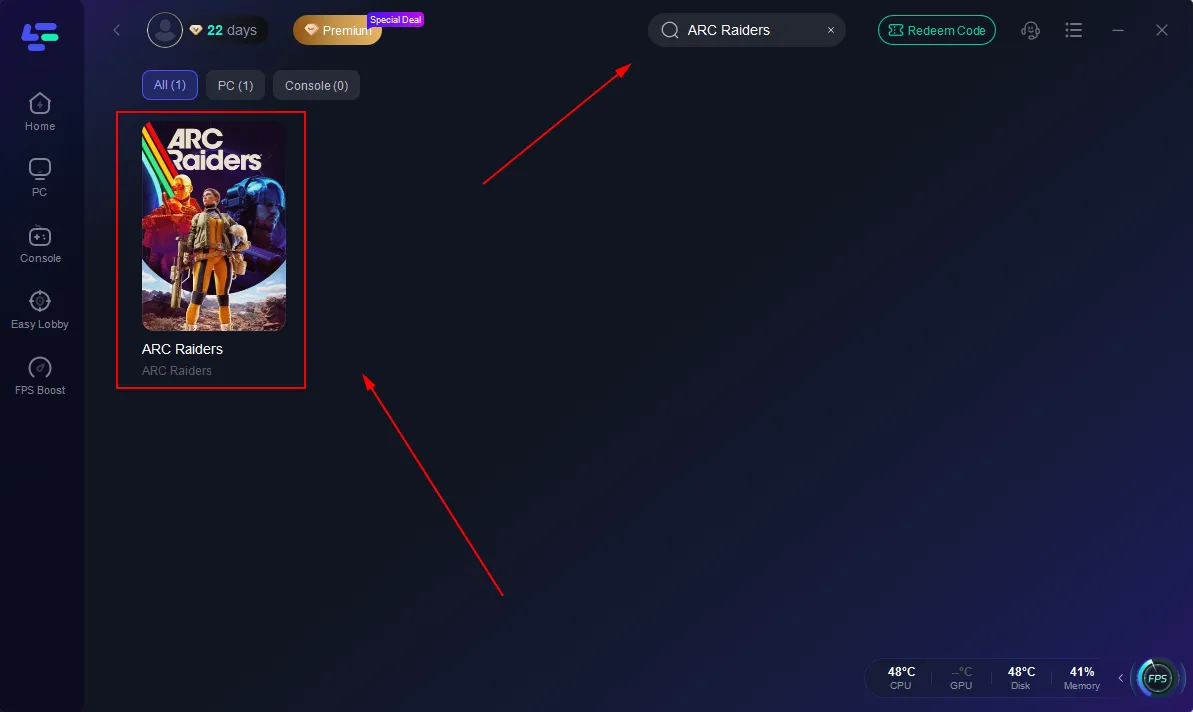
Step 2: After installation, search "ARC Raiders" in the search bar and select the game.
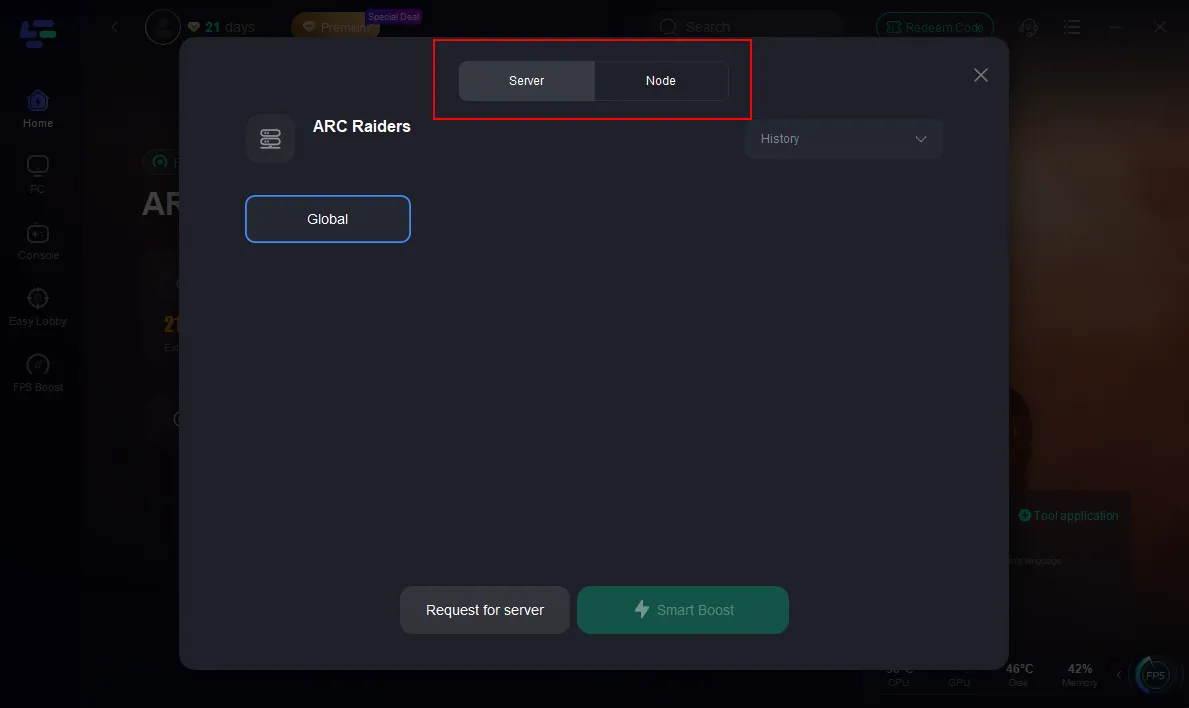
Step 3: Choose a recommended or nearby server region (or auto mode)
Step 4: Click Boost and wait until the status shows Stable/Optimized
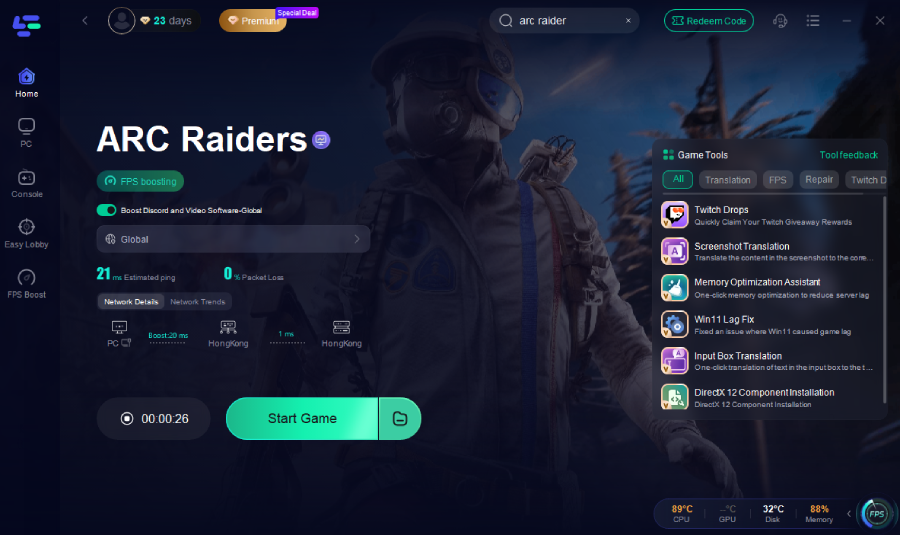
Step 5: Launch ARC Raiders via Steam and try logging in again
If the ARC Raiders network timeout ART00004 error persists:
Stop Boost
Switch to a different node or route
Restart Boost and try again
Is This a Server Problem or a Problem on Your PC?
The error message is key here.
If ARC Raiders says “Login failed due to a service interruption, please try again later,” it often indicates a server-side issue, especially when:
Many players report the same issue simultaneously
The problem arises during peak load
The issue appears after an update or playtest surge
Outage trackers show a spike in reports
Conversely, if outage signals are quiet, the problem is likely local. Common local causes include:
Session token validation failure
Duplicate or stuck game instance
Packet loss during login
Firewall or antivirus blocking the login process
Out-of-sync Windows clock
Unstable Wi-Fi or poor routing to the login service
Sometimes, the game may be operational, but login handshakes still fail for some users. It’s essential to distinguish between widespread outages and individual troubleshooting.
Check Outage Signals Before Deeper Troubleshooting
Before reinstalling anything, perform these quick checks:
Look at the ARC Raiders server status for a sudden spike in user reports.
Check recent threads on the ARC Raiders Steam discussions to see if other players are experiencing the same error.
If reports are spiking and the message indicates a service interruption, stop after the basic restarts and wait. In this case, the issue is often on the backend, not your PC.
If reports are low or mixed, proceed to the fixes below.
Step-by-Step Fixes in the Right Order
1) Restart Steam or Epic and Clear Every Stuck ARC Raiders Process
This is the best first local fix.
Fully close the launcher, then open Task Manager and kill any ARC Raiders tasks still running in the background. Restart your PC afterward. Logging out and back into Steam or Epic can also refresh account authentication.
If you got stuck in a bad session, waiting 10–15 minutes before relaunching can give the server time to clear it.
2) Restart Your Router
A router restart can resolve temporary routing or IP issues between your PC and the game’s login services.
Follow this order:
Close ARC Raiders.
Close Steam or Epic.
Power off the router.
Wait for it to fully shut down.
Turn it back on and wait for internet access to return.
Open the launcher and try again.
This won’t fix a confirmed outage, but it can help when the problem is tied to local routing or a bad session path.
3) Verify Game Files
If your installation has damaged or missing files, login and startup can fail before you even get in-game.
Use the file verification tool in your launcher:
In Steam, open ARC Raiders properties and run Verify integrity of game files.
In Epic Games Store, use the game’s manage options and run Verify.
This is a safe next step after the basic restart sequence.
4) Switch to Ethernet if Possible
Embark’s PC help guidance recommends a wired connection over Wi-Fi. If you’re on unstable wireless, packet loss during login can disrupt authentication or cause the server to reject the session.
If possible, test ARC Raiders on Ethernet. If not, at least move closer to the router and reduce other heavy traffic on the same Wi-Fi network.
5) Allow ARC Raiders Through Windows Firewall
If Windows Defender Firewall is blocking the executable, login requests may not complete properly.
Ensure that ARC Raiders is allowed on both:
Private networks
Public networks
If you use third-party antivirus or security tools, verify they are not blocking the game or launcher during sign-in.
6) Flush DNS, Renew IP, and Reset Winsock
If the error persists, reset Windows networking.
Open Command Prompt as administrator and run:
ipconfig /flushdns
ipconfig /renew
netsh winsock reset
Restart your PC after running these commands, then try logging in again.
This is worth doing when the issue appears to be a network or authentication handoff failure rather than a full outage.
7) Sync Your Windows Clock
An out-of-sync system clock can lead to connectivity and authentication problems.
In Windows, open Date & Time settings and ensure the time and time zone are correct, then run a sync.
It’s a small step, but it can resolve stubborn sign-in issues that may not be immediately obvious.
8) Run the Windows Network Troubleshooter
Windows includes a built-in troubleshooter that can detect and fix some common adapter and network issues.
This won’t solve every ARC Raiders login problem, but it’s a quick check if your connection seems unstable or your PC recently changed networks.
Advanced Fixes to Try Only if the Standard Steps Fail
These fixes have been reported by players but are less universal. Treat them as last-resort options.
Renew Your DHCP Lease with a Longer Modem/Router Power Cycle
One player on Reddit reported: “I unplugged my internet for an extended time, which will end up getting you a new DHCP lease.”
This may help if your current route or IP assignment is part of the problem. To try it, leave the modem or router powered off longer than a normal quick restart, then reconnect and test again.
This is not a guaranteed fix.
Enable IPv6 if Your Network Supports It
Another player in the same Reddit thread mentioned: “Enable IPV6 in your router setting... once I turned it on EVERYTHING WORKS!”
That can help on some networks, but it is not a universal solution. Only try it if you know your router and ISP support IPv6.
Reinstall the Game on a Different Drive
A player on Steam reported that reinstalling ARC Raiders to a different hard drive helped fix a failed login attempt.

However, this is a late-stage fix. If the problem is a real service interruption, moving the install won’t change anything. Save this for after you’ve tried the restart, verification, and network steps.
When to Stop Troubleshooting and Just Wait
If all of these are true:
The message says service interruption
Many players are reporting the same issue
The timing aligns with heavy load or recent updates
Then the best move is usually to wait and try again later.
During high player spikes or backend authentication issues, the problem can be entirely server-side. In such cases, repeated reinstalls, file checks, and endless launcher restarts typically won’t help.
When to Contact Embark Support
If you’ve worked through the full list and there’s no clear wider outage, it’s time to contact support through the official ARC Raiders support page.
Include these details for effective support:
Platform: PC
Launcher: Steam or Epic
Exact error text
Any SID shown in the message
Your region
Date and time of the failed attempts
Whether the issue started after an update or network change
What you already tried
The more specific you are, the easier it is for support to identify account, launcher, and backend login issues.
FAQ
Is ARC Raiders login failed a server problem or a problem on my PC?
It can be either. If you see “service interruption” and many players report the same issue, it’s usually server-side. If reports are quiet, it’s more likely a local session, network, firewall, or authentication issue on your PC.
Why does ARC Raiders say service interruption?
This usually indicates that the login service is under load, the backend authentication flow is failing, or the server is timing out during the login handshake.
Can restarting my router really fix ARC Raiders login failed?
Yes, sometimes. It can help if the problem is tied to unstable routing, a bad local connection path, or a temporary IP/session issue. It will not fix a confirmed server outage.
What should I do if ARC Raiders still won't log in after verifying files?
Move on to network-focused fixes: restart the router, try Ethernet, allow the game through the firewall, reset DNS/IP/Winsock, sync the Windows clock, and then contact support if there’s still no wider outage visible.
Final Call
The practical decision tree is straightforward: check for an outage first, clear any stuck session next, then work through the network and authentication fixes in order. If the error persists and no one else seems affected, send Embark a detailed support report instead of reinstalling repeatedly.

Boost Your Game with LagoFast for Epic Speed
Play harder, faster. LagoFast game booster eliminates stutter and lags on PC, mobile, or Mac—win every match!
Quickly Reduce Game Lag and Ping!
Boost FPS for Smoother Gameplay!