

The ARC Raiders "Connection to online services failed" error is one of the most common frustrations for PC players. It usually appears as: “The connection to online services failed, please try again later.” Whether it happens on launch or mid-match, it indicates the client cannot complete a handshake with Embark’s backend services, which is required for the always-online experience.
This guide explains why Arc Raiders can't connect to services, how to diagnose server vs local issues, and provides reliable steps to fix "Connection to online services failed" in ARC Raiders so your PC gaming sessions are stable and uninterrupted.

- ✅ Reduce Lag and High Ping.
- ✅ Boost FPS at the Same Time.
- ✅ Support 2000+ Popular Online Games.
- ✅ Fix High Ping Easily
- ✅ Change Server without Latency
Part 1: Why ARC Raiders Can’t Connect to Online Services
When you see Arc Raiders can't connect to online services, the problem usually comes from one of two sources: backend server issues or local network problems.
Even minor network blips can break the authentication handshake with Embark servers. Many players report the message appearing en masse during peak hours, scheduled maintenance, or updates, pointing strongly to server-side causes.
Local issues can feel identical, such as:
- Unstable Wi-Fi or Ethernet connections
- DNS resolution errors
- Firewall or VPN interference
Understanding whether the problem is server-side or local is essential before applying fixes.
Part 2: Check Server Status and Outages First
Before trying local fixes, confirm if the problem affects multiple players:
- Check official ARC Raiders social media or Embark support pages for outage notices.
- Visit Steam discussions or community forums where players report live connection issues.
- Use Downdetector or similar outage tracking tools to see regional problems.
If many players report the same Arc Raiders can't connect to services error, the issue is likely on the game’s backend. In this case, waiting is often the best option, as repeatedly reconnecting can worsen queue times and client instability.
Part 3: Local Network Fixes to Solve Connection Failures
If servers appear operational, local network issues are likely. Try the following:
Restart Network Devices
Power-cycle your modem and router to clear routing errors and refresh your IP address. Many persistent login failures resolve after this simple step.
Flush DNS and Renew IP
Corrupted DNS or outdated routing tables can break communication with game servers. On Windows:
- Open Command Prompt as Administrator
- Run:
ipconfig /renew
ipconfig /flushdns
- Restart your PC
This ensures fresh domain queries and often resolves the failed to connect to server message.
Switch to a Public DNS
Assign a reliable public DNS like Cloudflare (1.1.1.1) or Google (8.8.8.8). These DNS resolvers often handle game server lookups more efficiently than some ISP defaults.
Part 4: System and Client Checks to Fix Connection Errors
Even with a stable network, system or client configurations can block authentication:
- Update Steam and Windows: Close Steam completely, relaunch, and install pending updates. Stale components can block server handshakes.
- Disable VPNs or Proxies: Tunnelled connections often confuse authentication services. Temporarily disable them to see if the connection succeeds.
- Allow ARC Raiders Through Firewalls: Ensure both Windows Firewall and third-party security suites allow the game and anti-cheat processes through inbound and outbound channels.
These steps eliminate local blocks that can trigger the ARC Raiders Not Working error.
Part 5: How to Enhance Your Game Experience with LagoFast Game Booster
Network instability can exacerbate connection issues. LagoFast Game Booster optimizes routing without modifying game files or interfering with anti-cheat:
- Reduces High Ping: Chooses the fastest route to game servers
- Eliminates Packet Loss: Stabilizes connection to ensure input responsiveness
- Fixes Error Codes: Improves network handshake, preventing some arc raiders can't connect to online services failures
- Multi-Platform Support: Works on PC and consoles
How to Use LagoFast
Step 1: Click the "Free Trial" button below to download and install LagoFast for free.
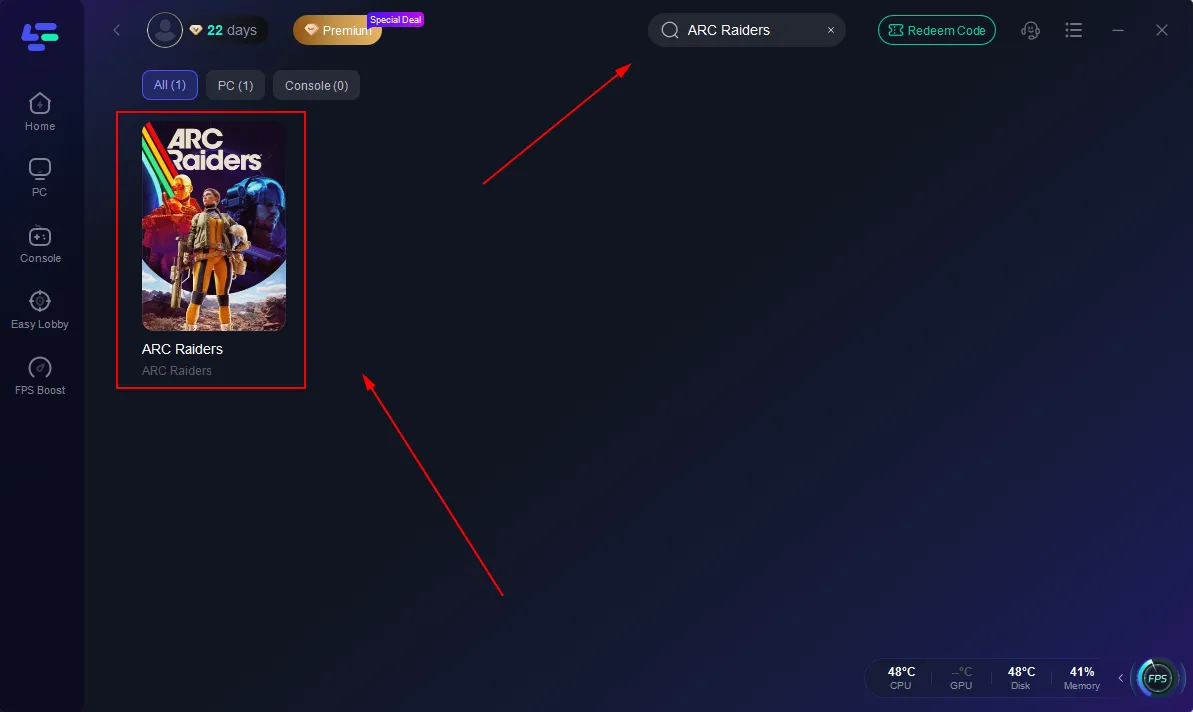
Step 2: Launch LagoFast, search for "ARC Raiders" in the search bar, and select the game.
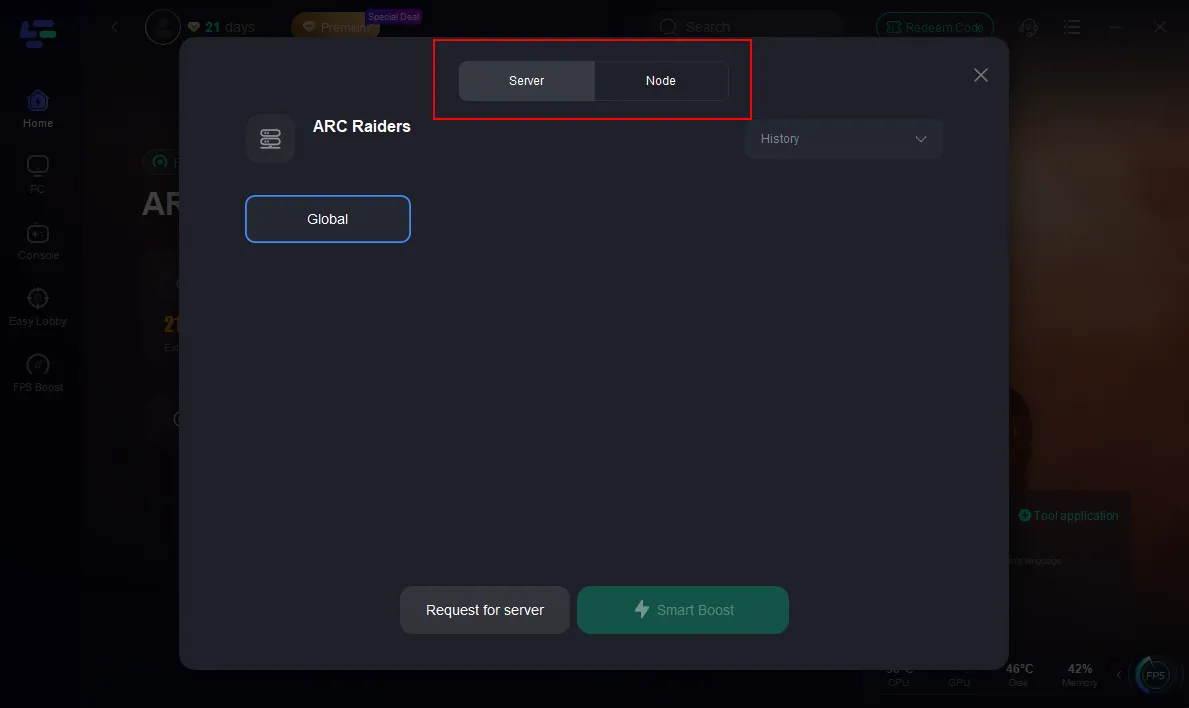
Step 3: Click the "Select Server" button to connect to a stable server node, then activate optimization via "Smart Boost".
Step 4: After enabling real-time optimization, check the live ping and packet loss rates, then click "Start Game" to begin playing.
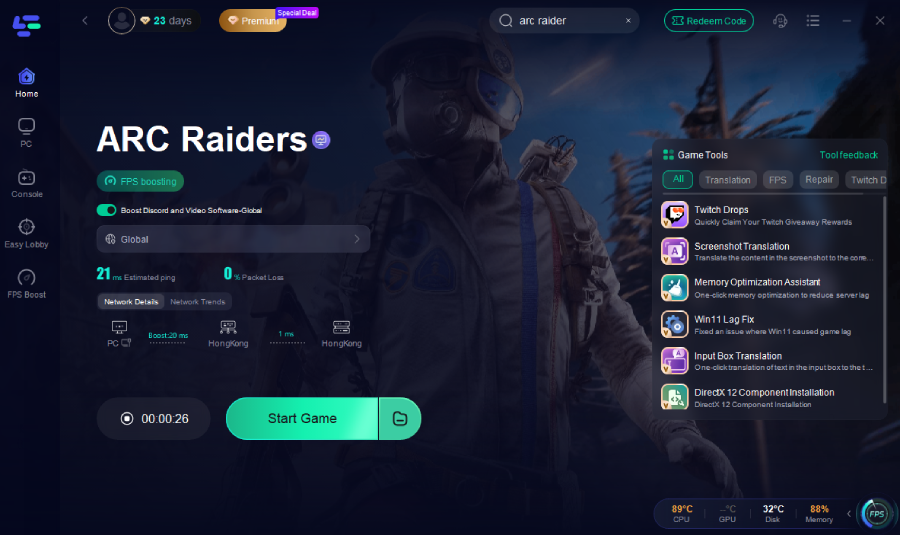
This setup stabilizes connections and helps prevent disconnections due to ISP routing or distant servers.
Part 6: How to Fix the Error “Failed to Connect to Server” in ARC Raiders
For persistent issues, try these PC-specific fixes:
- Verify Game Files: Use Steam → Right-click ARC Raiders → Properties → Verify Integrity
- Sync System Time: Ensure your PC clock is accurate; authentication servers may reject mismatched times
- Repair Gaming Services: On Windows, repairing or reinstalling Gaming Services resolves backend handshake issues
- Check Router QoS Settings: Prioritize game traffic to prevent packet drops during matchmaking
- Temporary Disable Background Downloads or Streaming: Bandwidth-heavy tasks can block server communication
These steps directly address the fix "Connection to online services failed" in ARC Raiders without risking account integrity.
Part 7: FAQs
Why does ARC Raiders say “The connection to online services failed, please try again later”?
This occurs when your PC cannot complete the handshake with game servers. Causes include server outages, maintenance, DNS issues, routing problems, or client-side blocks.
Is this arc raiders can’t connect to online services issue temporary?
Yes — often due to overloaded servers or maintenance. Local fixes help, but server-side outages require waiting.
Can changing DNS permanently fix the problem?
A stable public DNS improves lookup reliability but does not fix backend outages.
Does using a VPN help with ARC Raiders connection problems?
Rarely. VPNs can bypass ISP routing issues but often conflict with authentication and are not recommended long-term.
Should I contact support if nothing works?
Yes. If all local fixes fail while others in your region connect, provide detailed error info to Embark Studios support.
Conclusion
The ARC Raiders connection to online services failed error can originate from server outages, ISP routing, DNS issues, or local client configurations. Diagnose the root cause systematically, starting with server checks, followed by network and system optimizations. For a stable experience, tools like LagoFast Game Booster can improve connectivity and reduce disconnections. Applying these steps helps you overcome arc raiders can't connect to services errors and ensures ARC Raiders Not Working messages become a thing of the past.
Boost Your Game with LagoFast for Epic Speed
Play harder, faster. LagoFast game booster eliminates stutter and lags on PC, mobile, or Mac—win every match!
Quickly Reduce Game Lag and Ping!
Boost FPS for Smoother Gameplay!